
Here's something I didn't expect to be writing: as of March 2026, Windsurf and Cursor are now priced identically at $20/month for Pro. Windsurf just killed its $15 pricing advantage — and with it, the easiest shortcut for tool selection. So now what?
I've been running both on production projects long enough to have opinions that go past the landing pages. If you're a senior dev or tech lead doing actual tool selection — not a first-week "which one feels friendlier" evaluation — this is the breakdown you need.
At a Glance: Key Differences
As of March 19, 2026, Windsurf replaced its credit-based pricing with a quota system, moving Pro to $20/month — identical to Cursor Pro. Teams went to $40/seat and a new Max tier launched at $200/month. You can verify the latest Windsurf pricing before subscribing, as the official docs were still showing old numbers at time of writing.

| Windsurf | Cursor | |
|---|---|---|
| Built by | Cognition (acquired Dec 2025) | Anysphere |
| Architecture | VS Code fork + 40+ IDE plugins | VS Code fork only |
| Pro pricing | $20/mo (quota-based, new March 2026) | $20/mo (credit-based) |
| Teams pricing | $40/seat/mo | $40/seat/mo |
| Max/Ultra | $200/mo | $200/mo (Ultra, 20x credits) |
| Proprietary model | SWE-1.5 (13x faster than Sonnet 4.5) | None — frontier models only |
| Agent system | Cascade (autonomous, flow-based) | Composer + Agent mode (plan-and-approve) |
| JetBrains support | ✅ Full plugin support | ❌ VS Code fork only |
| Compliance certs | SOC 2, HIPAA, FedRAMP, ITAR, RBAC, SCIM | SOC 2 only |
| Background agents | Parallel Cascade sessions (Wave 13) | Background Agents (async, cloud sandbox) |
Cascade vs Cursor Agent — How They Differ in Practice
This is where the real divergence lives. Both tools can do agentic multi-file editing. The implementation philosophy is completely different, and that difference matters at scale.
Context awareness and codebase understanding
Windsurf analyzes your entire codebase automatically and pulls relevant snippets into context using RAG. You don't tag files manually — the AI figures out what's relevant. For large monorepos or unfamiliar codebases, Windsurf's automatic retrieval is meaningfully better; you're productive immediately without learning the file structure.
Cursor takes the opposite approach: you curate context manually using @ symbols to reference specific files and folders. The tradeoff is precision vs. convenience — Cursor offers control through manual curation, while Windsurf provides automation through indexing. Both tools remain frustratingly opaque about their actual context limits.
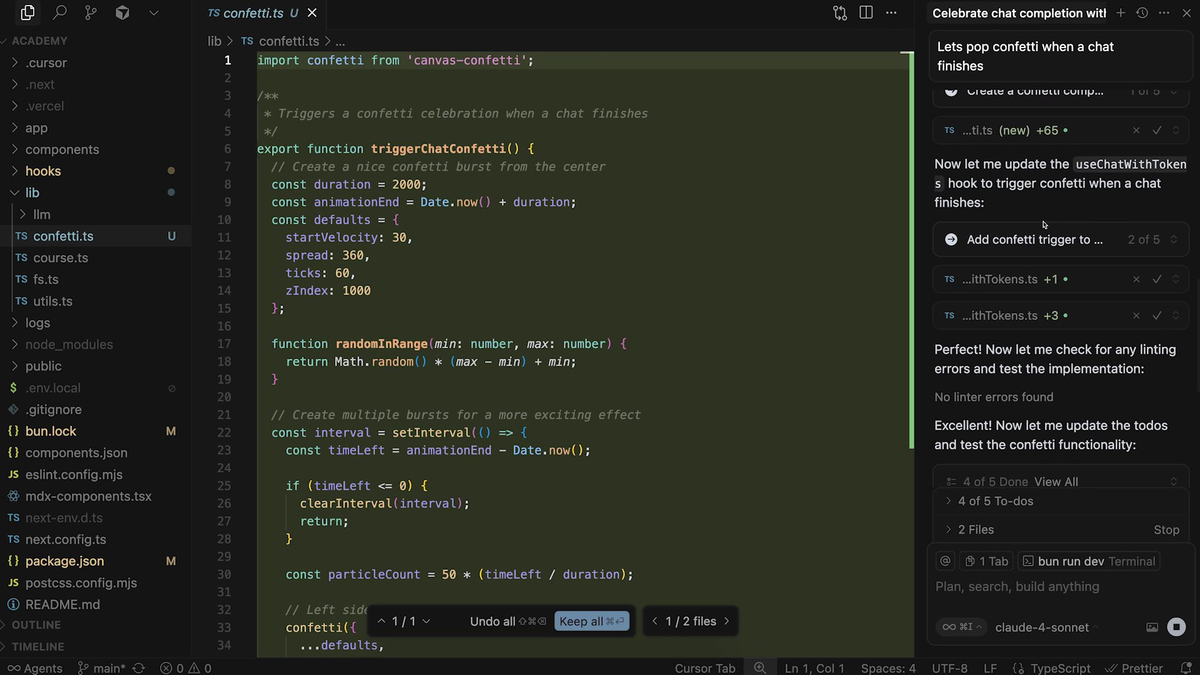
For production codebases you already know well, Cursor's manual approach avoids pulling in irrelevant files. For onboarding onto a new service or legacy codebase, Windsurf wins on time-to-productive.
On very large codebases (500k+ lines), Cursor's @Codebase semantic search is more mature than Windsurf's auto-indexing, and it degrades more gracefully. Windsurf is catching up, but isn't there yet.
Multi-file editing behavior
Cursor's Agent Mode activates when you invoke Composer. You describe a task, the agent creates a plan, edits files, and shows you a diff for approval. Windsurf's Cascade has a "Flows" model where the AI maintains persistent context about what you've been doing — in theory, it gets better the more you work with it in a session.
Windsurf's "Vibe and Replace" handles massive multi-file refactoring operations involving hundreds of files simultaneously. Codemaps provides AI-annotated visual maps of your code structure with precise line-level navigation and trace guides explaining code relationships.
Turbo Mode / auto-execute vs Cursor's approval flow
This is the most important practical difference for teams.
Cascade is genuinely autonomous. Give it a task like "refactor all API calls to use the new SDK" and it reads the relevant files, identifies every call site, makes the changes, runs tests, and asks for confirmation only on ambiguous decisions. Cursor's Composer creates a plan, edits files, and shows you a diff for approval at every step.
The risk calculus here is real. Cascade's autonomy is faster on greenfield work. On production systems, Cursor's constant diff-and-approve loop is a feature, not a limitation — you catch the edge cases the agent misses before they land in main.
With the Wave 13 release in early 2026, Windsurf added parallel agent sessions — you can run multiple Cascade instances simultaneously, each working on a different part of your codebase with dedicated terminal profiles. Cascade also includes "Cascade Hooks" — pre- and post-action triggers for enforcing coding standards, running linters, or executing custom scripts.
Model Access and Flexibility
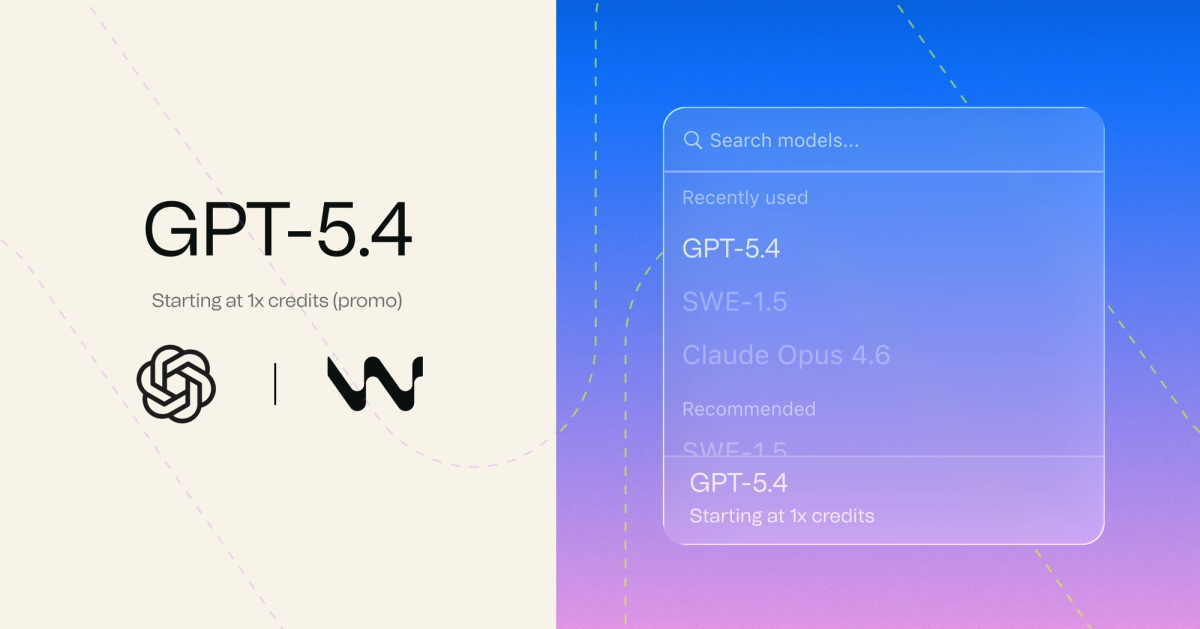
Windsurf: SWE-1.5, Claude Sonnet 4.6, GPT-5.4, Gemini 3.1 Pro
Windsurf's native models are SWE-1 (flagship agent), SWE-1.5 (the newer "Fast Agent" model optimized for faster iteration, announced on the pricing page as of March 2026), and SWE-1-mini (lightweight, suited for smaller tasks). All three cost a fixed rate per message rather than token-based billing, making them more predictable for quota management than frontier models.
SWE-1.5 achieves near-frontier coding quality at dramatically faster inference — 13x faster than Sonnet 4.5. For developers who spend all day in an AI IDE, the speed difference is noticeable: less waiting, more flow.
Windsurf also supports Claude Sonnet 4.6, GPT-5.4, and Gemini 3.1 Pro as frontier options, though these consume quota faster than native models.
Cursor: available model lineup
Cursor gives you access to every major frontier model and lets you switch between Claude Sonnet 4.6, GPT-5.4, Gemini 3.1 Pro, and others on a per-conversation basis. Cursor also has an "Auto" mode that selects the best model for each request — in practice, Auto handles 80% of tasks well and draws from an unlimited pool (no credits consumed). When you manually select a premium model, it draws from your monthly credit balance.
If you need the absolute highest model quality for a specific task type, Cursor's model selection flexibility wins. If you want speed and predictability, SWE-1.5 is the better daily driver.
Pricing: Both $20 Now — What You Actually Get
⚠️ Heads-up: The $5 price increase matters because Windsurf's previous $15 price point was its clearest competitive advantage over Cursor's $20 Pro. That gap is now gone. The comparison is now about value, not cost.
| Plan | Windsurf | Cursor |
|---|---|---|
| Free | Light quota, unlimited Tab | Limited agent requests, limited Tab |
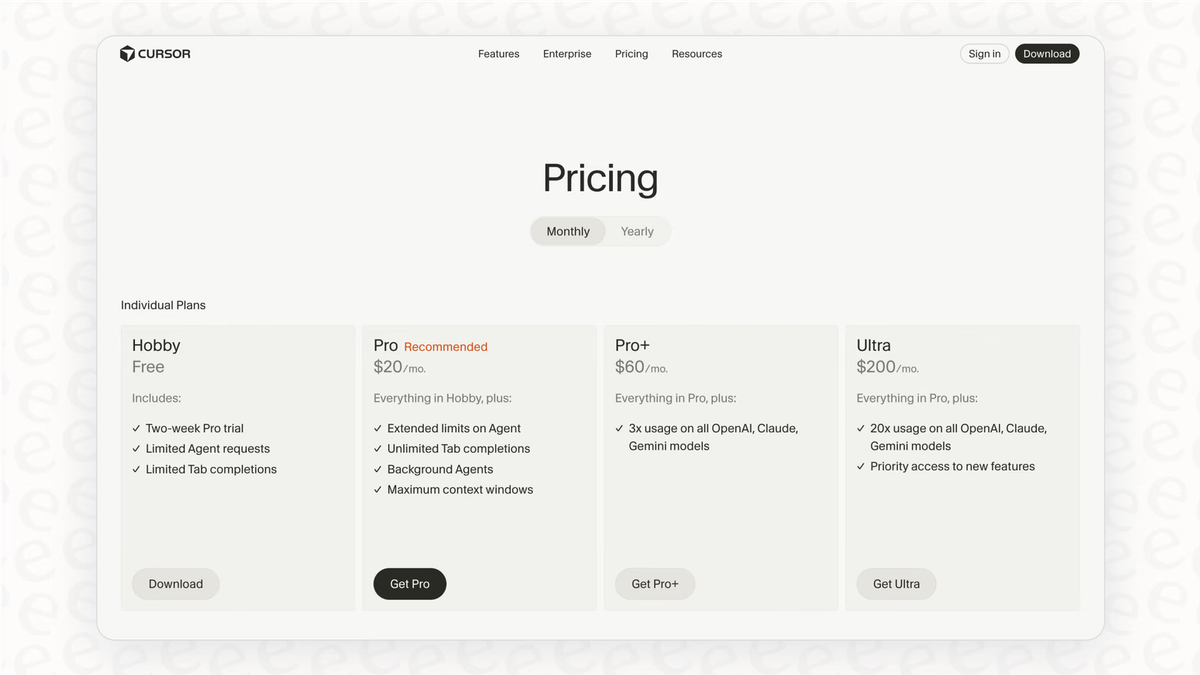
| Pro | $20/mo — all frontier models, daily/weekly quota, unlimited Tab + inline edits | $20/mo — unlimited Tab + Auto mode, $20 credit pool/mo for premium models |
| Pro+ | — | $60/mo — 3x credit pool |
| Teams | $40/seat/mo — centralized billing, admin dashboard, priority support | $40/seat/mo — SSO included, centralized billing, shared rules |
| Max / Ultra | $200/mo — significantly higher quotas | $200/mo — 20x usage multiplier |
| Enterprise | Custom — HIPAA, FedRAMP, ITAR, SCIM | Custom — SOC 2, audit logs, SCIM |
Windsurf's quota system means your plan includes a daily and weekly usage allowance that refreshes automatically. Tab completions are unlimited on every plan including Free — they never touch your quota. Only Cascade and Chat with premium models consume from your daily/weekly allowance.
Cursor's included usage per user on Teams ($40/seat) is worth noting — it's less than individual Pro plans, which matters for teams where not everyone codes intensively every day.
For 5-person teams: both run $200/month. The differentiation is organizational features and compliance — not price.
JetBrains Support
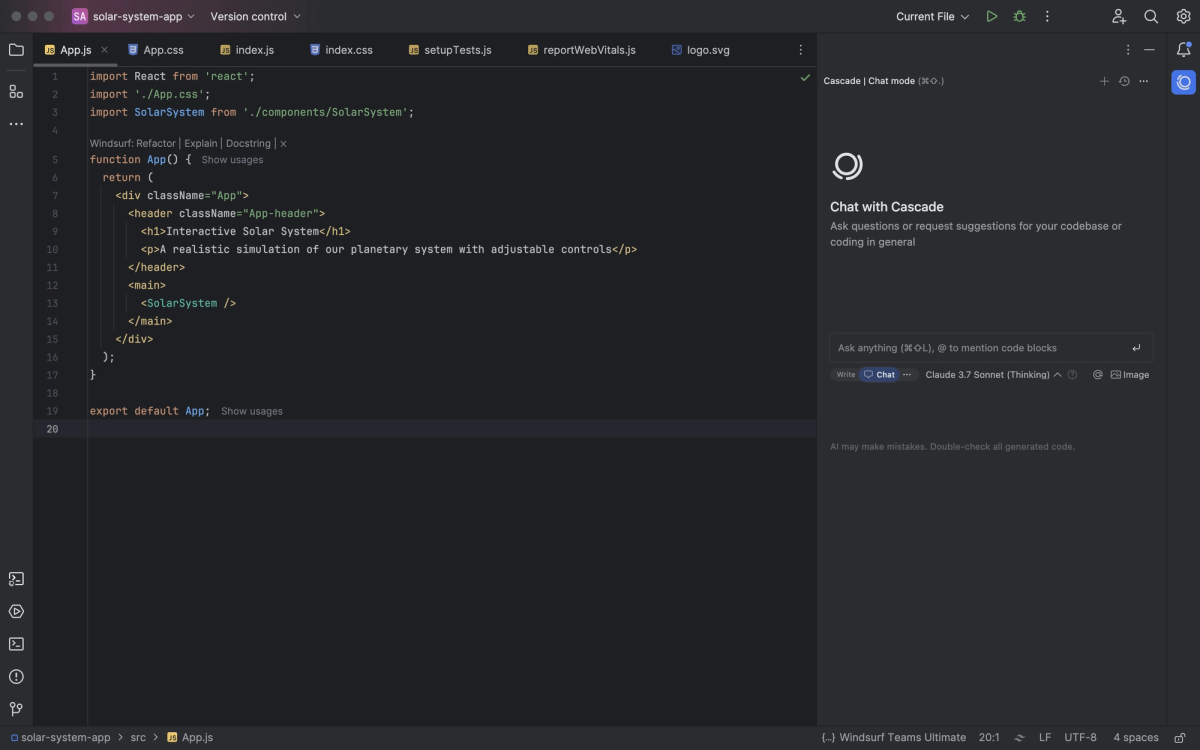
This one's a clean decision.
Windsurf offers plugins for 40+ IDEs: VS Code, JetBrains (IntelliJ, WebStorm, PyCharm), Vim, Neovim, Xcode, and more. Cursor is a single standalone IDE — a VS Code fork. You use Cursor or you don't.
The catch: the full Cascade experience lives in the Windsurf Editor. Plugins for other IDEs get autocomplete and chat, but not every agentic workflow.
For JetBrains shops, Windsurf is the only real option. You get meaningful AI assistance without forcing your team to change editors. For pure VS Code teams, this distinction doesn't matter.
Enterprise and Team Features
Admin controls, billing, SSO, RBAC
Windsurf offers comprehensive compliance certifications including SOC 2, HIPAA, FedRAMP/DOD, ITAR, RBAC, and SCIM, while Cursor provides only SOC 2 certification. Healthcare organizations requiring HIPAA compliance, government contractors needing FedRAMP authorization, or defense industry companies subject to ITAR regulations will find Cursor inadequate for their security requirements.
For regulated industries, this isn't a close call. Cursor's Teams plan at $40/user/month includes SSO (SAML/OIDC), but SCIM and audit logs require Enterprise-tier custom pricing.
Team collaboration model — individual credits vs pooled
Cursor Teams gives every developer Pro-equivalent AI access plus organizational features. The $20 included usage per user per month is worth noting — it's less than individual Pro plans. When credits run out, usage is billed at standard API rates.
Windsurf Teams gives each user their own individual quota allocation (not pooled by default). Purchased add-on credits are pooled across the organization, so an admin can buy extra usage that any team member can access. The Teams plan supports up to 200 users before requiring Enterprise.
When to Choose Windsurf / When to Choose Cursor
Choose Windsurf when:
- You're a JetBrains team. There's no Cursor equivalent. Windsurf's plugin gives you real AI coding without an editor migration.
- You work on large, unfamiliar codebases. Automatic context retrieval and remote indexing (scales to 1M+ line repos) saves hours of manual file tagging.
- You need enterprise compliance beyond SOC 2. HIPAA, FedRAMP, ITAR — only Windsurf covers these without a custom contract conversation.
- Speed matters more than control. SWE-1.5's 13x inference speed is genuinely noticeable in daily use. If you spend hours in the IDE, that adds up.
- You want Devin-style autonomy at IDE scale. Post-acquisition, Cognition is integrating Devin directly into Windsurf's IDE, enabling developers to delegate work to multiple agents in parallel while keeping control over key architectural decisions.
Choose Cursor when:
- You're building on production systems where one bad merge is expensive. The plan-and-approve diff model keeps you in the loop on every change. Cascade's autonomy is a liability, not an asset, when the blast radius is high.
- You need maximum model flexibility. Multi-model switching per conversation is Cursor's genuine advantage — pull in Claude for reasoning-heavy refactors, GPT for something else, all without leaving the editor.
- Your team is already deep in VS Code with a
.cursorrules** ecosystem.** Windsurf has no equivalent to.cursorrules— project-level AI instructions need to be re-embedded in Cascade prompts. - You're running agent-heavy workflows on a 500k+ line monorepo. Cursor's
@Codebasesemantic search degrades more gracefully on extreme scale. - You want the largest community and extension ecosystem. Cursor dominates mindshare on Reddit and Hacker News, which matters for troubleshooting and community-maintained rules.
FAQ
Is Windsurf or Cursor better for repos with 100k+ lines of code?
For 100k–500k lines, both handle it reasonably. Windsurf's remote indexing scales beyond one million lines of code — unlike local indexing, Windsurf's remote approach can handle very large repositories. For enterprise teams working on large monorepos, this is the defining feature. That said, Cursor's @Codebase semantic search is more mature and degrades more gracefully on 500k+ line codebases — Windsurf occasionally has indexing delays at that scale.
Practical call: for genuinely large monorepos, Windsurf's ceiling is higher. For large-but-not-massive repos where you want reliable daily performance, Cursor is more stable today.
How does the Cognition acquisition affect Windsurf's product direction?
Significant, and ongoing. Cognition acquired Windsurf in July 2025, gaining the IDE product, IP, $82M ARR, 350+ enterprise customers, and hundreds of thousands of daily active users. The roadmap centers on integrating Devin into Windsurf's IDE, enabling developers to plan tasks, delegate code generation to AI agents, and review pull requests — all within a single interface. Windsurf's existing features like Tab and Cascade remain integrated; developers can assign work to "a team of Devins" while still jumping in on complex parts themselves.
Since acquiring Windsurf, Cognition's ARR has more than doubled, and combined enterprise ARR is up more than 30% following the acquisition. The product trajectory is toward more autonomous, multi-agent workflows — which is either exactly what you want or a reason to stay on Cursor's controlled approach.
Which has better VS Code extension ecosystem compatibility?
Both are VS Code forks, so extension compatibility is essentially identical. Your settings.json transfers cleanly between them. The only thing that doesn't migrate is .cursorrules — Windsurf has no equivalent, so project-level AI instructions need to be re-embedded in Cascade prompts.
Can a team mix Windsurf and Cursor users?
Technically yes — they don't share state. Practically, it creates inconsistency in AI conventions, prompt patterns, and onboarding. Pick one as the team standard. The exception: JetBrains users on your team have no Cursor path, so mixed-IDE teams may need Windsurf as the baseline.
Which is cheaper long-term for a 5-person engineering team?
With Windsurf's March 2026 pricing change, both tools are now $40/seat/month at the Teams tier. At 5 seats, that's $200/month for either. The cost differentiation is gone.
The real long-term cost question is overages. Cursor's billing follows real infrastructure costs — if your team runs heavy agent sessions on frontier models, overages can add up quickly at API rates. Windsurf's quota system caps daily/weekly usage — you can't sprint through your monthly allocation on one big project, but you also won't get surprise overage bills.
For teams with variable usage patterns, Windsurf's quota-based predictability is the better financial model. For teams with consistent, moderate usage, both are essentially the same.
Pricing and features verified against official sources as of March 23, 2026. Both tools update frequently — confirm current pricing at windsurf.com/pricing and cursor.com/pricing before subscribing.
Related Reading
