

Let me save you the hour I lost last week.
I integrated Gemini 3.1 Pro the day it dropped on February 19th, and by day three had an unexpected invoice sitting in my billing dashboard. Not catastrophic — but annoying enough that I did a proper forensic breakdown of where the tokens actually went.
The short version: Gemini 3.1 Pro is legitimately cheap for a frontier model. But it has three specific cost patterns that will surprise you if you're running it in agentic loops. Here's the complete picture, with real numbers.
How Gemini 3.1 Pro Pricing Actually Works (Input vs Output vs Thinking)
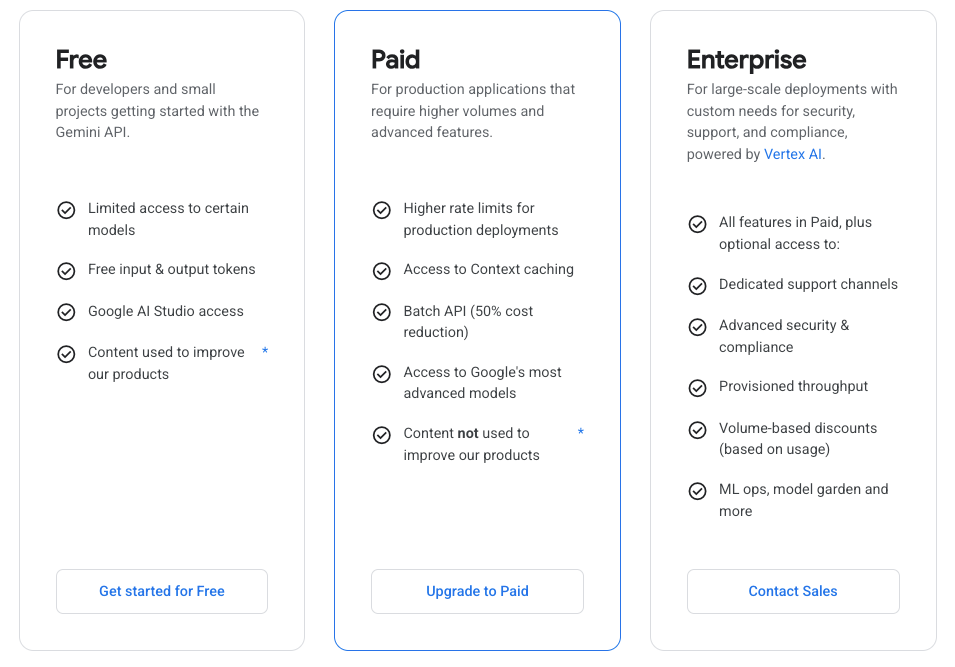
This part is simpler than most guides make it. Gemini 3.1 Pro charges for three things:
Input tokens — everything you send to the model: your prompt, system instruction, conversation history, code, documents.
Output tokens — everything the model sends back. This includes the actual response and the thinking tokens the model generates internally before answering.
That second point is the one that trips people up. Thinking tokens are not free. They're billed as output tokens at the standard $12/million rate. So when you set thinking_level="high" on a complex debugging task and the model spends 4,000 tokens reasoning through the problem before writing a 500-token answer, you're paying for 4,500 output tokens total — not 500.
What Counts as a "Thinking Token"
Thinking tokens are the model's internal chain-of-thought output — the reasoning trace generated before the final response. The official Vertex AI documentation describes Gemini 3.1 Pro as using reasoning more efficiently than its predecessor, requiring fewer output tokens while delivering more reliable results. In practice: compared to Gemini 3 Pro on High thinking, the 3.1 Pro at Medium is roughly equivalent in reasoning depth but meaningfully cheaper.
Practical implication: the new Medium thinking level is not a compromise. Use it as your default for most engineering tasks. Reserve High for genuinely hard problems — complex multi-file debugging, architectural planning, novel algorithm design.
Current Pricing Table (Verified: February 2026)
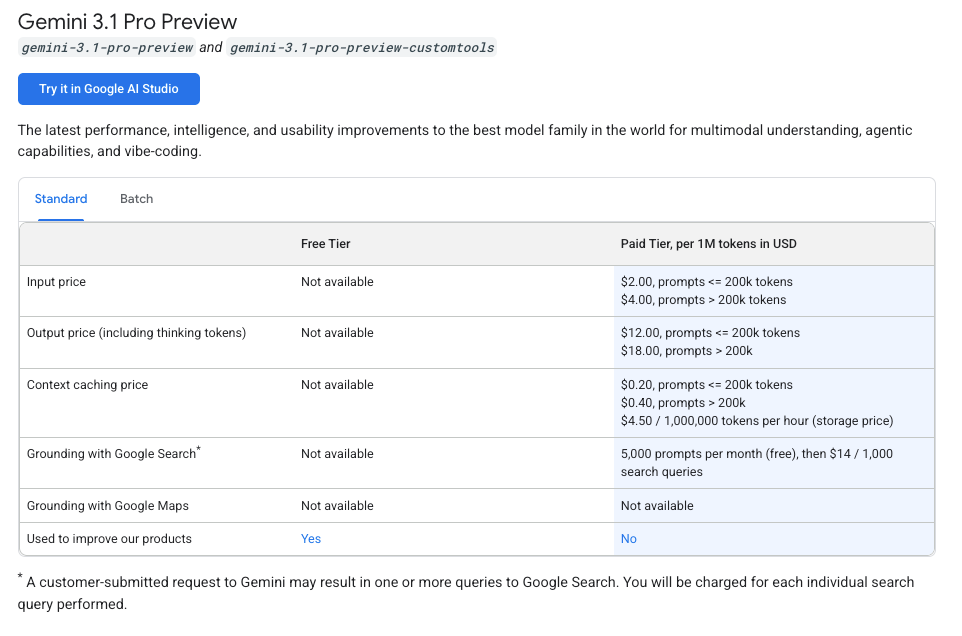
Standard vs Long-Context Rate Tiers
The key trigger: if your total input context exceeds 200,000 tokens, every token in that request — input and output — gets charged at the long-context rate. You don't get a blended rate on just the overflow. The whole request reprices.
| Standard (≤ 200K tokens) | Long Context (> 200K tokens) | |
|---|---|---|
| Input | $2.00 / 1M tokens | $4.00 / 1M tokens |
| Output (incl. thinking) | $12.00 / 1M tokens | $18.00 / 1M tokens |
| Context cache write | $2.00 / 1M tokens | $4.00 / 1M tokens |
| Context cache read | $0.50 / 1M tokens (75% off) | $1.00 / 1M tokens |
| Cache storage | $4.50 / 1M tokens / hour | $4.50 / 1M tokens / hour |
Source: Google AI Developer pricing page, February 19, 2026. Vertex AI pricing differs slightly — verify at cloud.google.com/vertex-ai/generative-ai/pricing if you're on Vertex.
For reference, Claude Opus 4.6 runs $15/$75 per million input/output tokens. Gemini 3.1 Pro at $2/$12 is 7.5x cheaper on input, 6.25x cheaper on output — for nearly identical SWE-Bench scores (80.6% vs 80.8%). That cost gap is real and it matters at scale.
3 Real Cost Spikes We Hit in Production — And How We Fixed Them
Spike 1: Unbounded Context in Agentic Loops
The problem: we built an agent that analyzed a repository, then passed its own analysis back as context in subsequent turns to maintain continuity. By turn 4, the cumulative context had crossed 200K tokens. Every subsequent call was being charged at long-context rates — double the input rate, 50% higher output rate.
The fix: implement a context window budget. Track token counts per turn using the usage_metadata field in the response object and truncate or summarize history once you approach 180K tokens. Stay comfortably in the standard tier.
def check_context_budget(response, max_tokens=180_000):
    used = response.usage_metadata.total_token_count
    if used > max_tokens:
        # Summarize earlier turns before next call
        return True
    return False
This single change cut our per-session cost by approximately 40% on the affected workflows.
Spike 2: Retry Storms on Tool Failures
Gemini 3.1 Pro is still in preview, which means occasional timeout errors and capacity hiccups, especially under load. We had a naive retry wrapper that caught any exception and retried immediately with the full context — thinking tokens included. A single failed 5,000-token request retried 3 times before succeeding costs you 4× the thinking overhead.
The fix: exponential backoff with jitter, and check the error type before retrying. A 400 Bad Request (often a missing thought signature in multi-turn function calling) should not be retried — it needs a code fix. Only retry on 429 Rate Limit and 503 Service Unavailable.
import time, random

def gemini_call_with_backoff(client, model, messages, max_retries=3):
    for attempt in range(max_retries):
        try:
            return client.models.generate_content(model=model, contents=messages)
        except Exception as e:
            if "400" in str(e):
                raise  # Don't retry — fix the request
            wait = (2 ** attempt) + random.uniform(0, 1)
            time.sleep(wait)
    raise RuntimeError("Max retries exceeded")
Spike 3: Full-File Prompts Instead of Diffs
This one was embarrassing in hindsight. For a code review agent, we were sending the entire file (often 2,000–8,000 lines) every time we wanted feedback on a change. The fix is obvious once you see it: send the diff, not the file. A git diff for a 50-line change is 50–100 lines. Sending 2,000 lines costs roughly 20–40× more in input tokens for the same task.
# Generate a tight diff for your AI review prompt
git diff HEAD~1 -- path/to/changed_file.py > review_diff.txt
Combined with context caching for the system prompt and repo architecture overview (which doesn't change between reviews), this reduced our code review agent's per-review cost from ~$0.08 to ~$0.006. That's a 13× improvement.
Context Caching: When It Saves Money (With Worked Examples)
Gemini 3.1 Pro supports two caching mechanisms, and both are worth knowing. As the official Gemini API documentation explains: implicit caching is automatic and enabled by default — if your request hits an existing cache, you get the discount with no code changes. Explicit caching gives you guaranteed savings but requires implementation work and has a minimum context size of 32,768 tokens.
The explicit cache discount on Gemini 3 Pro models is 75% on cached input reads. Here's what that means concretely:
Scenario: Codebase analysis agent, 150K-token repo context, 50 queries/day
Without caching:
- 50 × 150K input tokens × $2.00/1M = $15.00/day
With explicit caching (one cache write + 50 cache reads):
- Cache write: 150K × $2.00/1M = $0.30 (one-time per TTL)
- Cache storage: 150K tokens × $4.50/1M × 24 hours = $0.016/day
- 50 × 150K cached reads × $0.50/1M = $3.75/day
- Total: ~$4.07/day vs $15.00/day — 73% savings
The break-even calculation: caching makes sense if you're querying the same large context more than ~3–4 times within a 60-minute TTL window. Below that, the storage cost eats most of the discount. For a frequently-queried shared codebase, the economics are compelling.
Cost Control Patterns That Work
These are the patterns we've settled on at Verdent after two weeks of production usage:
Match thinking level to task complexity. Low for autocomplete-style completions and simple one-liners. Medium (our default) for code review, bug fixes, and test generation. High only for genuine hard problems — novel algorithm design, complex debugging across 5+ files, architectural planning. The token usage difference between Low and High can be 10× or more on complex prompts.
Use diffs, not files. Always. No exceptions for code review agents.
Set max_output_tokens explicitly. The default is 8,192. For repo summarization tasks, you may want 32K or 64K — but for short-answer tasks, cap it tightly. Verbose models will fill whatever space you give them.
Budget context per turn in multi-turn agents. Track response.usage_metadata.total_token_count and summarize early turns before hitting 200K. The long-context price tier is a cliff, not a slope.
Prefer implicit caching for unpredictable workloads, explicit for production pipelines. Implicit is zero-code and zero-risk. Explicit caching with a 32K+ shared system prompt or document gives you guaranteed savings but needs TTL management.
How Verdent's Cost Router Decides When to Use Gemini 3.1 Pro
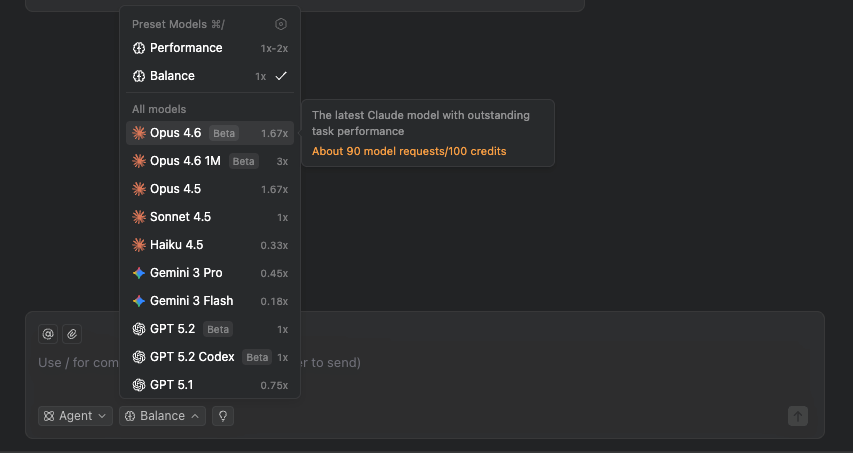
At Verdent, model selection is automatic based on task type and token profile. Here's the actual decision logic for cost-sensitive routing:
Large context ingestion (> 50K tokens input): Gemini 3.1 Pro. Even at the long-context rate of $4/million input tokens, it beats Claude Opus 4.6's standard rate of $15/million. The math doesn't require debate.
Short-context, high-precision tasks (< 10K tokens input): Claude Sonnet 4.6 at $3/$15. Nearly identical input cost to Gemini 3.1 Pro's standard rate, with better output quality on expert tasks per GDPval-AA benchmarks.
High-volume batch processing (non-urgent): Gemini 3 Flash at $0.50/$3. When reasoning depth isn't required, Flash is 4× cheaper on input than 3.1 Pro and perfectly adequate.
Fallback routing: If Gemini 3.1 Pro returns a 503 (capacity error, more common in preview), we fail over to Claude Opus 4.6 for the same task. SWE-Bench accuracy is 80.6% vs 80.8% — an acceptable trade-off when the alternative is a failed pipeline.
Verdent handles this routing automatically — you declare the task type and cost target, we pick the model.
Pricing Last Verified & Official Source Links
Last verified: February 22, 2026
Official pricing sources:
- Google AI Developer API Pricing — Gemini API (AI Studio) rates, updated February 19, 2026
- Vertex AI Generative AI Pricing — Vertex AI rates (differ slightly from AI Studio)
- Gemini API Context Caching Documentation — implicit vs explicit caching mechanics
- Vertex AI Context Caching Overview — enterprise caching details including 2,048-token minimums
Important caveat: Gemini 3.1 Pro is currently in preview. One industry pricing analysis notes that stable pricing for GA could settle around $1.50/$10 for Pro in Q2 2026 with additional caching and batch discounts. Check the official sources above before committing to long-term budget projections.
