
Ever spent an afternoon chasing a "model not available" error only to realize the fix was one environment variable? Yeah. Me too.
Gemini 3.1 Pro on Vertex AI has exactly one setup detail that'll silently break everything if you miss it: the model only runs on the global endpoint. Not us-central1. Not europe-west4. Global. That single misconfiguration is behind most of the access errors teams hit on day one.
This guide covers the exact steps to go from zero to a verified, production-ready Gemini 3.1 Pro setup on Vertex AI — the commands you actually need, the errors you'll actually hit, and a checklist to confirm everything is wired correctly before you ship anything.
Availability Status & Release Notes to Check Before Starting
Gemini 3.1 Pro launched on Vertex AI in preview on February 19, 2026, available in Vertex AI and Gemini Enterprise. As of February 22nd, it remains in preview — not GA.
Before starting your setup, confirm two things:
Check the model is live in your project. Navigate to Vertex AI Model Garden and search "gemini-3.1-pro". If you don't see it, your project may be on a restricted release channel — see the access error section below.
Check the release notes. The Vertex AI release notes page is updated frequently during preview rollouts. The February 20th entry confirmed global endpoint availability and the Gen AI SDK minimum version requirement (1.51.0). Read it before assuming your setup config is current.
One critical SDK note: if you're still using the Vertex AI SDK (not the Gen AI SDK), Gemini 3.1 Pro support requires a migration. Vertex AI SDK releases after June 2026 won't support Gemini at all — new Gemini features are only available in the Gen AI SDK. Now is the right time to make that switch.
Step-by-Step: Enable Gemini 3.1 Pro in Vertex AI
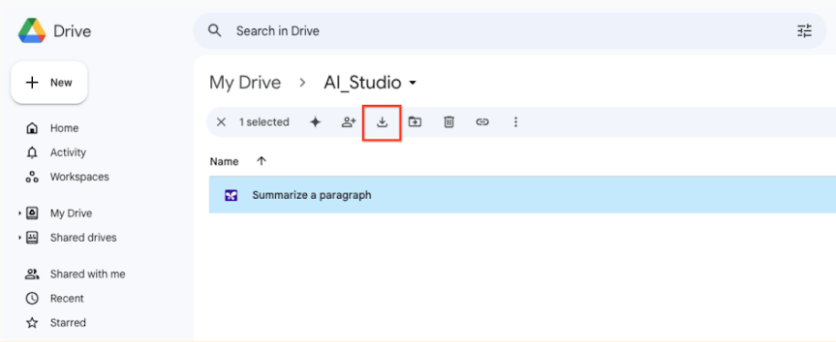
Console Path
- Open Google Cloud Console and select your project
- Navigate to Vertex AI → Model Garden
- Search for
gemini-3.1-proin the search bar - Click the model card → Enable API (if not already enabled)
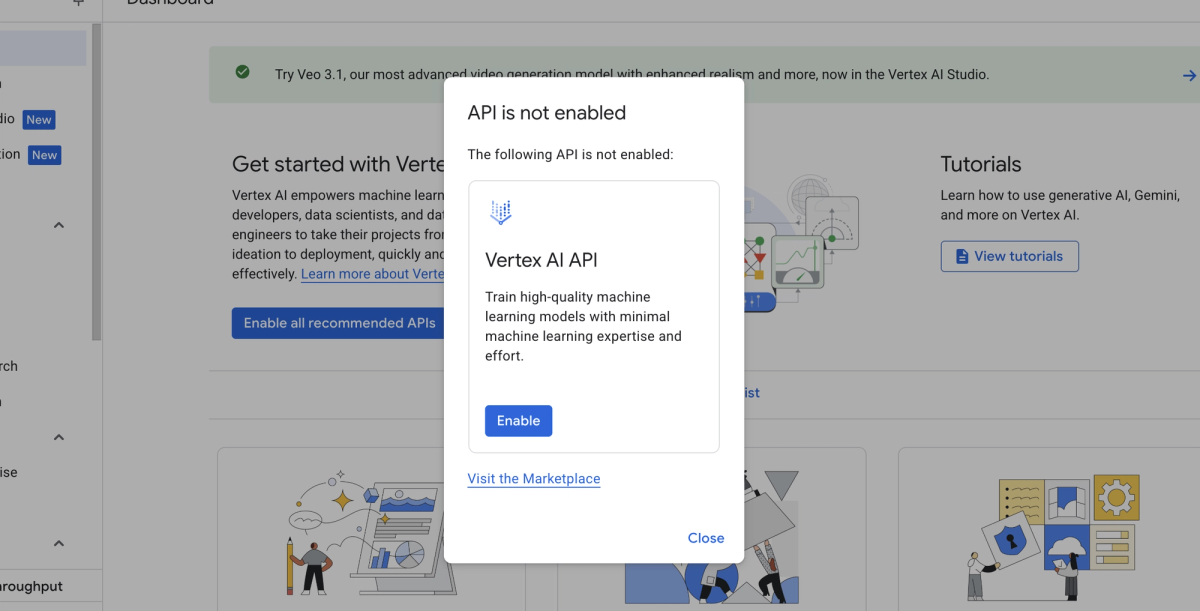
- Ensure billing is active on the project — Vertex AI requires it even for preview models
Enable the required APIs via gcloud if you prefer the terminal:
gcloud services enable aiplatform.googleapis.com --project=YOUR_PROJECT_IDAPI Endpoint and Model Name String (Copy-Paste Ready)
This is the part most guides get wrong. Gemini 3.1 Pro Preview and Gemini 3 Flash Preview are only available on global endpoints. Using a regional endpoint like us-central1 will return a model-not-found error.
Required environment variables:
export GOOGLE_CLOUD_PROJECT="your-project-id"
export GOOGLE_CLOUD_LOCATION="global"          # ← Critical. Not us-central1.
export GOOGLE_GENAI_USE_VERTEXAI="True"
Model name string (exact, copy-paste):
gemini-3.1-pro-previewMinimal Python call to confirm access:
from google import genai
from google.genai.types import HttpOptions

client = genai.Client(http_options=HttpOptions(api_version="v1"))

response = client.models.generate_content(
    model="gemini-3.1-pro-preview",
    contents="Respond with exactly: GEMINI_3_1_PRO_CONFIRMED",
)
print(response.text)
Expected output: GEMINI_3_1_PRO_CONFIRMED
If you see a model name other than gemini-3.1-pro-preview in the response metadata, you're hitting a different model. The verification section below covers how to catch this.
Verification Checklist: Confirm You're Using the Right Model
"Hello World" Prompt That Exposes Model Identity
A standard "hello world" won't tell you which model you're actually hitting. Use this prompt instead — it forces the model to expose its version identity in the response:
response = client.models.generate_content(
    model="gemini-3.1-pro-preview",
    contents=(
        "What is your exact model version identifier? "
        "Please state it in this format: MODEL_VERSION: [identifier]"
    ),
)
print(response.text)
# Expected output contains: MODEL_VERSION: gemini-3.1-pro
Note: The model may not always return its exact internal identifier — this is expected behavior for preview models. The sanity check script below is more reliable for production verification.
Model Name / Endpoint Sanity Check Script
Use response.model from the Gen AI SDK to verify the endpoint you're actually hitting, and check usage_metadata to confirm thinking tokens are being generated (a 3.1 Pro-specific behavior):
from google import genai
from google.genai.types import HttpOptions, GenerateContentConfig

client = genai.Client(http_options=HttpOptions(api_version="v1"))

response = client.models.generate_content(
    model="gemini-3.1-pro-preview",
    contents="What is 2 + 2?",
    config=GenerateContentConfig(
        thinking_level="medium",   # 3.1 Pro-specific parameter
        max_output_tokens=256,
    ),
)

# Sanity checks
print(f"Model used:        {response.model}")
print(f"Input tokens:      {response.usage_metadata.prompt_token_count}")
print(f"Output tokens:     {response.usage_metadata.candidates_token_count}")
print(f"Thinking tokens:   {response.usage_metadata.thinking_token_count}")

# If thinking_token_count > 0, you're on a Gemini 3 family model with thinking enabled
# If response.model contains '3.1', you're confirmed on the right endpoint
If thinking_token_count returns None or 0 on a Medium thinking config, you're not hitting Gemini 3.1 Pro.
Common Access Errors and Exact Fixes
"Model Not Available in This Region"
Cause: You set GOOGLE_CLOUD_LOCATION to a regional endpoint instead of global.
Fix:
export GOOGLE_CLOUD_LOCATION="global"Gemini 3.1 Pro Preview and Gemini 3 Flash Preview are only available on global endpoints. The Vertex AI locations guide confirms this — global endpoints offer higher availability and reliability than single regions for preview models.
Permission Denied on Vertex AI Project
Cause: One of three things — billing not enabled, Vertex AI API not enabled, or insufficient IAM roles.
Fix checklist:
# 1. Confirm billing is active
gcloud billing projects describe YOUR_PROJECT_ID

# 2. Enable the API if not already enabled
gcloud services enable aiplatform.googleapis.com

# 3. Check your IAM role — you need at minimum:
#    roles/aiplatform.user  (for inference)
#    roles/aiplatform.admin (for model management)
gcloud projects get-iam-policy YOUR_PROJECT_ID \
  --flatten="bindings[].members" \
  --filter="bindings.members:user:YOUR_EMAIL"
If you're using Application Default Credentials (ADC), run gcloud auth application-default login and ensure GOOGLE_GENAI_USE_VERTEXAI=True is set — without it, calls route to the Gemini API (AI Studio) instead of Vertex AI.
Preview Access Limitations
Cause: Enterprise Vertex AI accounts (Gemini Code Assist Standard/Enterprise) need admin enablement of the Preview Release Channel before 3.1 Pro is accessible.
Fix: In Google Cloud Console → Admin for Gemini → Settings → Release channels → set to Preview. Only a Workspace admin can make this change.
Additionally, if your organization has a VPC Service Controls perimeter or specific allowed API restrictions, the aiplatform.googleapis.com global endpoint scope may need an explicit exception. Check with your cloud admin if permission errors persist after confirming billing and IAM are correct.
Production Readiness Checklist (Preview Caveats, Rate Limits, SLA)
Before routing any customer-facing traffic through Gemini 3.1 Pro on Vertex AI, work through this checklist:
Preview status acknowledgment
- Gemini 3.1 Pro is in preview as of February 2026. No production SLA is guaranteed until general availability
- Preview models can be deprecated or changed without the standard deprecation notice period
- Document the preview dependency in your incident runbook
Rate limits
- Default quota for preview models is lower than GA models — check your project quotas at console.cloud.google.com/iam-admin/quotas
- Request quota increases before load testing — preview quota increases require a manual review and can take 2–5 business days
- The global endpoint uses shared capacity — expect 429 errors during peak demand periods, especially in the weeks following the model launch
Fallback routing
- Implement a fallback to
gemini-3-pro-previewifgemini-3.1-pro-previewreturns a 503 or 429 — the SWE-Bench accuracy gap is only 0.2%, acceptable for most fallback scenarios - Do not use the same quota pool for both models — configure separate quotas per model endpoint
Thought signatures in multi-turn workflows
- If using function calling or multi-turn agents, thought signatures must be passed back in every subsequent turn. Missing signatures return a
400error rather than a warning — this changed in Gemini 3. See the thought signatures documentation for handling via Gen AI SDK vs. raw API - Test your multi-turn implementation with at least 5 sequential turns before deploying
SDK version
- Gen AI SDK for Python version 1.51.0 or later is required for Gemini 3 API features
- Run
pip show google-genaito verify your installed version - If using the legacy Vertex AI SDK, schedule migration now — new Gemini features are exclusively available in the Gen AI SDK
Cost controls
- Set
max_output_tokensexplicitly on all requests — the default 8,192 is fine for many tasks but can be capped lower for high-volume, short-answer workloads - Enable budget alerts in Google Cloud Billing — thinking tokens are billed as output at $12/million and can spike unexpectedly in agentic loops
Security
- Review the Vertex AI security controls guide — security control support varies by model, and Gemini 3.1 Pro's specific support level should be confirmed before handling regulated data
How Verdent Routes Between Models in Production
At Verdent, Gemini 3.1 Pro on Vertex AI handles large-context ingestion tasks — specifically repo-scale analysis where the 1M token window and global endpoint stability matter. For customers on regulated infrastructure with strict data residency requirements, we route to regional Gemini 3 Pro endpoints instead (which have broader regional availability), then fall back to Gemini 3.1 Pro global for the heavy reasoning pass.
The routing decision tree we use:
Input context > 100K tokens?
  → Yes: Gemini 3.1 Pro (global) via Vertex AI
  → No: Claude Sonnet 4.6 or Gemini 3 Pro based on task type

Response latency SLA < 5s?
  → Yes: Gemini 3 Flash (lower thinking overhead)
  → No: Gemini 3.1 Pro (Medium thinking)

Preview endpoint returning 503?
  → Fallback: gemini-3-pro-preview, same global endpoint
Verdent handles this routing automatically — you define the task type and cost target, we manage the model selection, fallback logic, and quota management across providers.
Tested On / Last Updated
Last updated: February 22, 2026
Tested on:
- Python 3.12,
google-genaiSDK 1.51.0 and 1.52.0 - macOS Sequoia 15.3, Ubuntu 24.04 LTS
- Google Cloud projects in us-central1 org with global endpoint routing
Official sources:
- Gemini 3.1 Pro on Vertex AI — official docs — last updated February 20, 2026
- Get started with Gemini 3 on Vertex AI — global endpoint requirement, thinking_level parameters
- Vertex AI locations guide — regional vs. global endpoint availability
- Gemini 3.1 Pro launch announcement — Google Cloud Blog — February 19, 2026
- Migrate to the latest Gemini models — Gen AI SDK migration guide, Vertex AI SDK deprecation timeline
- Google DeepMind Gemini 3.1 Pro Model Card — benchmark data and capabilities
related post:
https://www.verdent.ai/guides/glm-5-coding-benchmark-reality-check
https://www.verdent.ai/guides/glm-5-release-tracker-status
https://www.verdent.ai/guides/how-to-test-glm-5-in-verdent
https://www.verdent.ai/guides/minimax-2-5-coding-which-model
https://www.verdent.ai/guides/what-is-minimax-m2-coding
https://www.verdent.ai/guides/best-ai-coding-model-2026-sonnet5-gpt5-codex-gemini3
https://www.verdent.ai/guides/claude-sonnet-5-pricing-reality-check
https://www.verdent.ai/guides/codex-app-tutorial-rest-api
https://www.verdent.ai/guides/verdent-subagents-tutorial-2026
https://www.verdent.ai/guides/claude-sonnet-4-6-writing-collaborator
