

Here's something that genuinely changed how I ship code: I used to spin up three browser tabs, juggle two terminal windows, and mentally track which AI session was handling which task. Context switching tax was real, and it was brutal. Then I started building custom subagents in Verdent — and that whole circus collapsed into a single, clean workflow.
If you've been experimenting with agentic coding tools but keep hitting the ceiling of what built-in agents can do, this Verdent subagents tutorial is for you. I'll walk you through exactly how to define, configure, and deploy custom subagents that actually fit your production workflow — not just demo scenarios. We're covering everything from AGENTS.md setup to git worktree isolation and multi-model cost control, with real code you can drop in today.
What Are Verdent Subagents and Why Use Them?
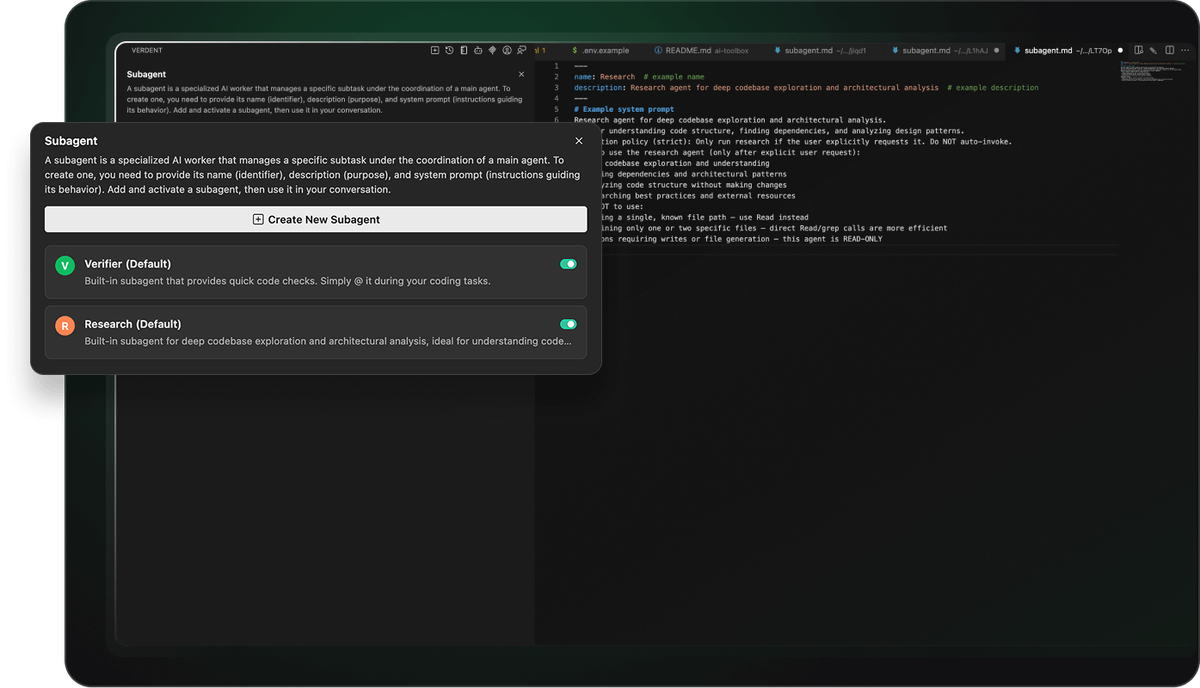
Okay, so here's the part that confused me at first. When people say "Verdent subagent," they're not just talking about another AI chat window. Custom subagents are specialized AI agents with dedicated system prompts, invocation policies, and task-specific expertise — they extend Verdent's built-in subagents (@Verifier, @Explorer, @Code-reviewer) with project-specific capabilities. Think of them as domain specialists you hire once and deploy forever.
The distinction matters because most tools treat every task the same way. Verdent doesn't. Verdent's subagent architecture features automatic task routing and specialized agent dispatch, which means the orchestrator figures out which specialist to hand work off to. You define the specialists; Verdent handles the routing.
Key Benefits for Parallel Engineering
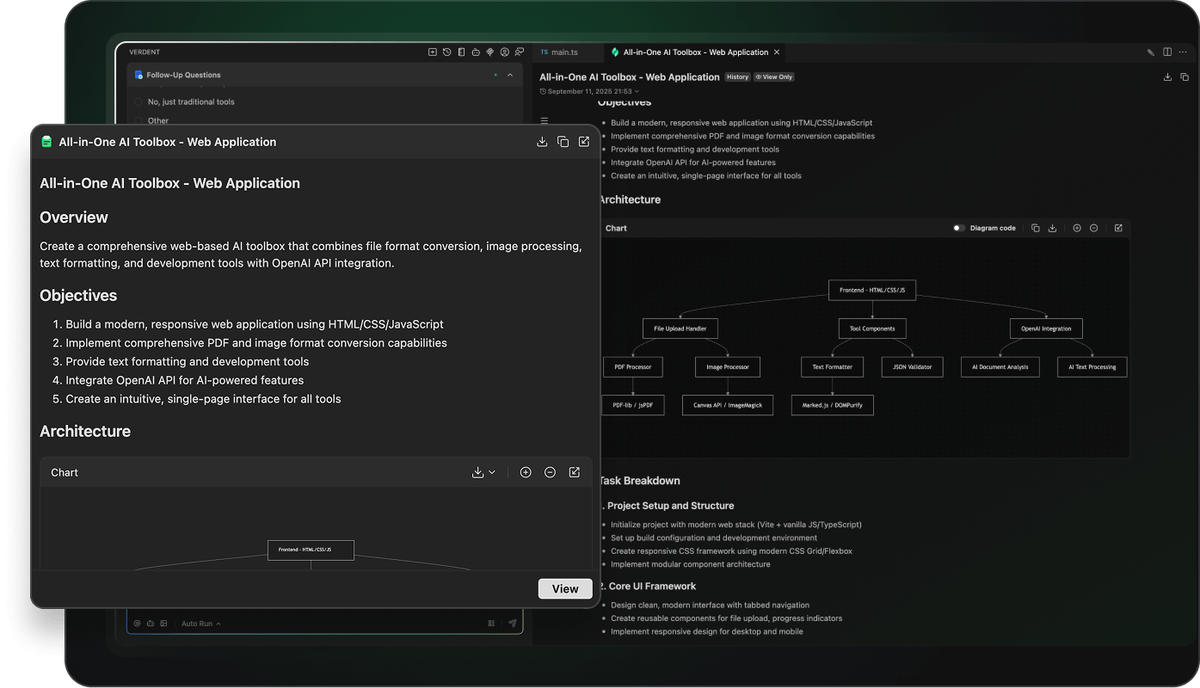
Here's where things get really interesting. The whole point of subagents isn't just specialization — it's parallel specialization.
Parallelism doesn't mean all agents complete the same phase of work at the same time. Instead, by isolating and overlapping phases, what was once a strictly sequential process is compressed into a more efficient, collaborative mode.
In practice, this means:
| Benefit | What it looks like in production |
|---|---|
| Context isolation | Each subagent runs its own context window; no "forgetting" mid-task |
| Parallel execution | A Researcher subagent maps the codebase while a Verifier checks your last PR |
| Reusable configs | Define once in ~/.verdent/subagents/, use across every project |
| Reduced review overhead | A dedicated @Code-reviewer subagent flags issues before they hit your main agent |
I ran three subagents in parallel on a recent refactor — one mapping nav structure, one auditing CSS, one reviewing logic. No conflicts emerged. Each agent remembered exactly what it was doing. That's the payoff.
Differences from Codex Skills
This is where most comparison articles get lazy. Let me be specific.
Codex Skills (OpenAI's AGENTS.md system) are project-level instruction files that shape all agent behavior uniformly. Codex concatenates AGENTS.md files from the root down — files closer to your current directory override earlier guidance because they appear later in the combined prompt.
Verdent subagents are different by design. Instead of one file guiding one agent, you create individual Markdown files per specialist — each with its own system prompt, invocation policy, and tool scope. The comparison:
| Feature | Codex AGENTS.md | Verdent Custom Subagents |
|---|---|---|
| Scope | Single file, all agents | Per-specialist Markdown files |
| Storage | Project root | ~/.verdent/subagents/ (global) or project-level |
| Invocation | Always active for project | strict (explicit) or flexible (auto-routed) |
| Tool access | Shared | Configurable per subagent |
| Parallel support | Limited | First-class, git worktree isolated |
The short version: Codex gives your agent standing orders; Verdent lets you build an entire team roster.
Step-by-Step Guide to Creating Custom Subagents
Let me break this down for you — no fluff, just what you actually need to run.
Setting Up Your Environment (BYOK and CLI Support)
Before writing a single subagent, your environment needs to be clean. Verdent runs on a credit system and supports BYOK (Bring Your Own Key) so you can route specific subagents to specific models without burning your plan credits on everything.
The global subagent directory is ~/.verdent/subagents/. For project-scoped subagents (useful for team sharing), place them in .verdent/subagents/ at your project root. Verdent supports multiple mainstream foundation models, including GPT, Claude, Gemini, and K2 — you pick which model each subagent runs on at definition time.
Quick environment check:
# Verify Verdent VS Code extension is active
code --list-extensions | grep verdentai

# Confirm subagent directory exists
ls ~/.verdent/subagents/

# If missing, create it
mkdir -p ~/.verdent/subagents/
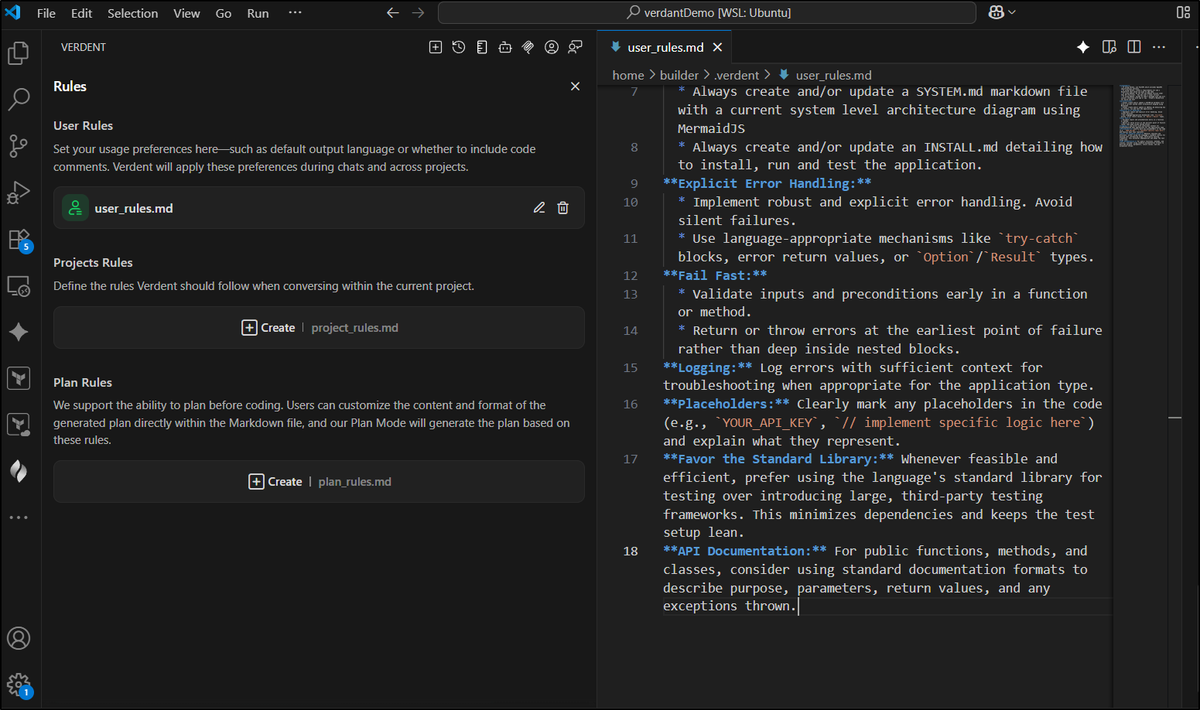
You'll also want your AGENTS.md at the project root for project-wide rules. Verdent's rule precedence is clear: user_rules.md sets personal preferences globally; AGENTS.md sets project rules; project rules win over personal ones.
Example: Building a Code Review Subagent
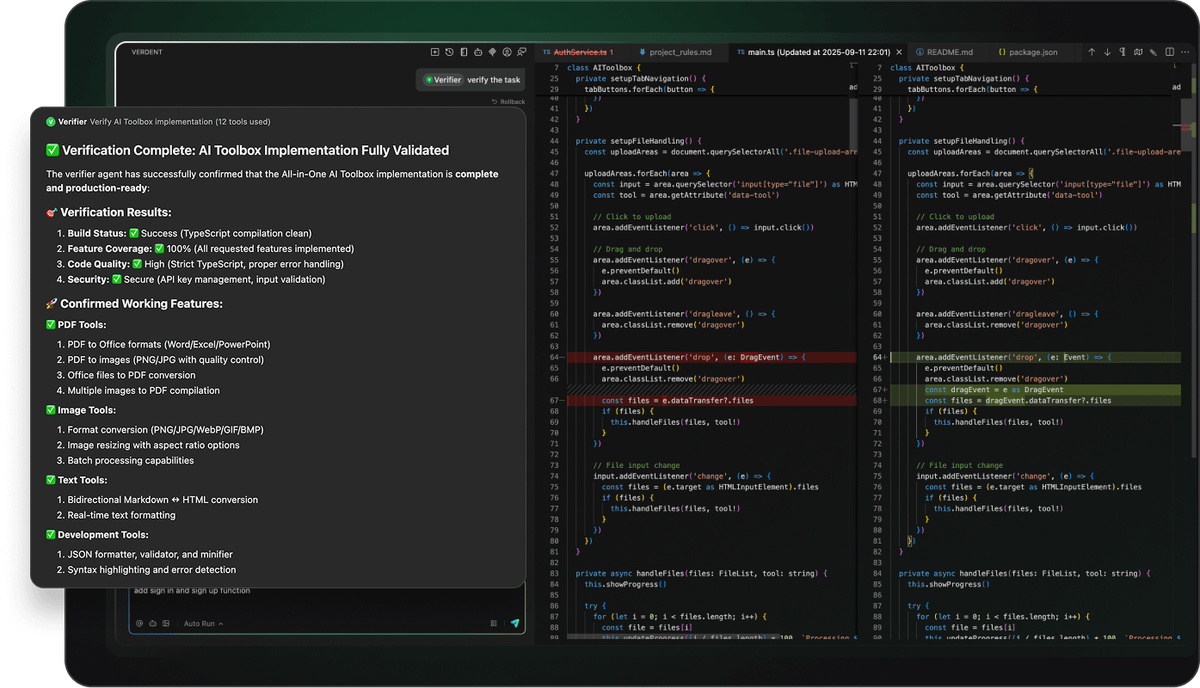
This is the one I use every single day. Enabling the code-review subagent yields a measurable quality gain — Verdent's philosophy is that AI-generated code should be rigorously reviewed, high-quality, explainable, and ready to ship.
Here's the actual file. Drop this at ~/.verdent/subagents/pr-reviewer.md:
---
name: pr-reviewer
description: Reviews PRs for code quality, security, and team standards
---
# System Prompt

You are a senior code reviewer with 10+ years experience in production systems.

Review checklist:
- Flag security vulnerabilities (SQL injection, unvalidated inputs, exposed secrets)
- Check error handling completeness (are all failure modes covered?)
- Identify breaking changes vs. backward-compatible changes
- Validate test coverage for new logic
- Surface naming inconsistencies or misleading abstractions

Output format:
- CRITICAL / WARNING / SUGGESTION severity labels
- Line-specific comments with reasoning
- One-line summary at the top: APPROVE / REQUEST_CHANGES / NEEDS_DISCUSSION

Invocation policy (strict): Only run when explicitly requested via @pr-reviewer.

When to use:
- Before merging any feature branch
- When reviewing AI-generated diffs from other Verdent agents
- Auditing third-party contributions

When NOT to use:
- Reviewing documentation-only changes
- Auto-generated files (lock files, build artifacts)
Invoke it with:
@pr-reviewer review the diff in the current worktree against mainPermissions and Governance Best Practices
Here's something that trips up a lot of teams: subagents inherit all tool access by default, which means a subagent designed to read code could inadvertently write it.
Use read-only subagents as security boundaries. When scraping web content or reading untrusted sources, a read-only subagent can ingest the content and return a structured summary, but it can't execute hidden commands or edit files. The parent agent then validates those findings before acting.
For Verdent, this maps to three execution modes you configure per subagent:
| Mode | What it allows | Best for |
|---|---|---|
| Manual Accept | Agent proposes, you confirm each change | High-stakes refactors |
| Auto Run | Agent executes without interruption | Trusted review/research tasks |
| Skip Permission | Full autonomy for defined actions | Scripted automation in CI |
For a code review subagent, I always set Manual Accept. It proposes its findings; I decide what to act on. For a Researcher subagent that's only reading files, Auto Run is fine — it can't break anything.
Also: define user_rules.md and AGENTS.md entries to guide agent and subagent behavior consistently across your team. Version-control your AGENTS.md so the whole team inherits the same governance rules.
Real-World Use Cases for Developers
Quick reality check: subagents aren't useful for every task. They shine when you have recurring, specialized work that doesn't fit your main agent's generalist profile.
Database Migration Automation
This is one of the highest-value use cases I've found. Every migration carries risk, and a dedicated reviewer catches what tired eyes miss. Here's the official migration-reviewer subagent pattern from Verdent's documentation:
---
name: migration-reviewer
description: Reviews database migrations for safety and correctness
---
# System Prompt

You are a database migration safety specialist.

Review checklist:
- Check for destructive operations (DROP, DELETE without WHERE)
- Verify reversible migrations (up/down compatibility)
- Identify potential data loss scenarios
- Validate index creation strategies
- Check for blocking operations on large tables

Risk assessment:
- Categorize migrations: low/medium/high risk
- Recommend staging environment testing for high-risk changes
- Suggest rollback procedures

Invocation policy (strict): Only run when explicitly requested.
Pair this with an AGENTS.md rule like:
## Database Safety
- Run @migration-reviewer before committing any files in /migrations
- Never run migrations directly in production without staging sign-off
Now Verdent enforces your migration review policy automatically — not just when someone remembers to ask.
Integrating with Existing Tools (Git Worktrees)
This is the part that makes parallel subagent workflows actually safe. Verdent enables multiple AI agents to work simultaneously on different tasks using isolated branches via git worktree, ensuring faster delivery with zero conflicts.
Here's what the git setup looks like when running two subagents in parallel:
# Verdent handles this internally, but understanding the structure helps
# Each task gets its own worktree automatically

git worktree list
# /projects/myapp          abc1234 [main]
# /projects/myapp-feat-auth  def5678 [feature/auth-refactor]   ← Subagent A
# /projects/myapp-db-migrate  ghi9012 [feature/db-migration]   ← Subagent B
Each workspace is an isolated, independent code environment with its own change history, commit log, and branches — making concurrent code changes manageable. You stop worrying about breaking things and start experimenting more freely.
The git worktree documentation is worth understanding here — Verdent builds directly on this native Git capability, which means no proprietary lock-in and full compatibility with your existing CI/CD pipelines.
Troubleshooting and Optimization Tips
I've hit most of these errors myself. Here's what actually fixes them.
Common Errors and Fixes
| Error | Cause | Fix |
|---|---|---|
| Subagent not found | Wrong storage path | Confirm file is in ~/.verdent/subagents/ with .md extension |
| Subagent ignores invocation policy | Typo in strict|flexible field | Check YAML frontmatter — exact spelling required |
| Agent overwrites files it shouldn't | Default tool access too broad | Restrict to Read/Grep tools for review-only agents |
| Rule conflicts between user_rules.md and AGENTS.md | Overlapping instructions | Project AGENTS.md always wins — restructure personal rules to not overlap |
| Subagent loses context mid-task | System prompt too broad | Keep system prompts focused on role, scope, and tool policy. Put specific task instructions in the normal prompt at invocation time. |
One I see constantly: people embed task-specific instructions directly into the system prompt. That makes the subagent brittle. The system prompt defines who the agent is; the invocation prompt defines what it does right now.
Cost Management for Multi-Model Orchestration
Running five subagents in parallel against Claude Sonnet 4.5 will drain credits fast. Here's how I keep costs sane:
Route by task complexity. Not every subagent needs Opus-class reasoning. My @migration-reviewer uses a lighter model for the initial scan; it only escalates to a heavier model when it detects high-risk operations.
Set reasoning depth per task. Verdent has built-in controls to adjust reasoning depth, toggle planning mode, and use custom instructions. For a Researcher subagent just mapping files, dial reasoning depth down. Reserve deep reasoning for verification and generation tasks.
Cap parallel agents. Three concurrent subagents is the right ceiling for most workflows. Beyond that, the orchestration overhead starts eating into the time savings.
A rough cost-vs-value framework:
| Task Type | Recommended Model Tier | Reasoning Depth |
|---|---|---|
| Codebase exploration / research | Light (Haiku, GPT-4o-mini) | Low |
| Code review / security audit | Mid (Sonnet, GPT-4o) | Medium |
| Complex refactor / generation | Heavy (Opus, GPT-5) | High |
| Migration safety check | Mid → escalate to Heavy if risk is high | Adaptive |
Check Verdent's current pricing page before locking in your model routing — credit costs per model tier are updated regularly.
Conclusion: Level Up Your AI-Assisted Coding
So what's the bottom line? Custom subagents in Verdent aren't a feature you set up once and forget. They're an investment in your workflow that compounds. Every recurring task you encode into a subagent is a task you never have to manually supervise again.
Start with one. Build a @code-reviewer or a @migration-reviewer — whatever causes the most friction in your current workflow. Get that working cleanly in its isolated worktree, with the right permissions and a focused system prompt. Then add another.
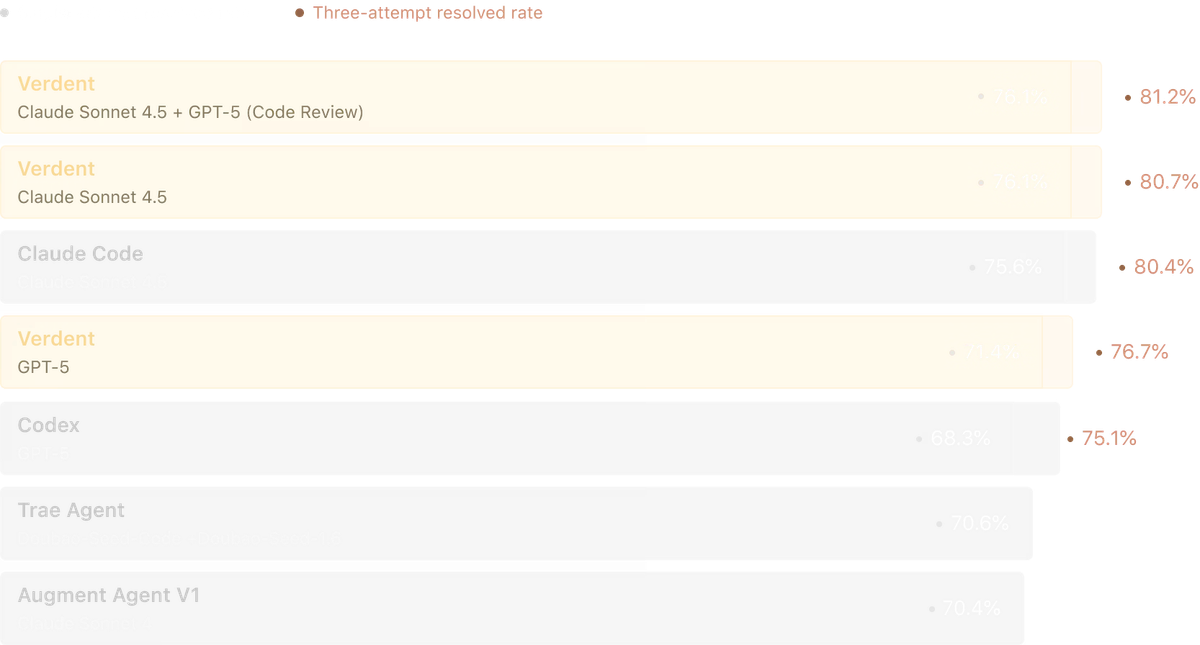
The gap between developers who've built out their Verdent subagent roster and those still using it like a chat tool is growing fast. The SWE-bench Verified technical report from Verdent shows what this architecture is capable of at benchmark level — but the real payoff is in your own codebase, on your own production problems, with specialists you built yourself.
Your competition is already doing this. The question is whether you are.
