

Opening: Real Developer Context
I'll be straight with you—I've been testing every new model that hits the market in Verdent for the past six months. Why Verdent specifically? Because it's the only platform I trust for honest model comparisons. The Git worktree isolation means I can run GLM-5 and Claude Opus 4.5 on the exact same task in parallel workspaces, then literally diff the results side-by-side. No cherry-picking. No "this one worked better on this task but that one..." nonsense.
When GLM-5 drops (expected mid-February 2026), you'll have maybe 48 hours before the entire dev Twitter explodes with hot takes. "Best coding model ever!" versus "Overhyped garbage!" I don't have time for that noise. I need structured evaluation based on my codebase, my patterns, my framework stack.
This guide walks you through exactly how to set up GLM-5 in both Verdent Desktop and VS Code extension, then run three specific tasks designed to stress-test the model's actual capabilities—not what the benchmark leaderboard says, but what happens when you ask it to refactor 8,000 lines of TypeScript with Next.js 15 App Router patterns. By the end, you'll have quantifiable data on whether GLM-5 is worth your subscription dollars.
Let's get into it.
Prerequisites — Verdent version, API key, model ID
Before you can test GLM-5, you need three things locked down. Miss any of these and you'll waste an hour troubleshooting.
System Requirements
Verdent Version:
- Verdent Desktop: v1.12.2 or later (released Feb 5, 2026)
- Verdent for VS Code: v1.0.3 or later
- Verdent for JetBrains: v1.0.1 or later (if you're on IntelliJ/PyCharm)
Check your version:
- Desktop: Click
Verdent→About Verdentin the menu bar - VS Code: Open Command Palette (
Cmd+Shift+P), type "Verdent: Version"
If you're on an older build, update from the official download page before proceeding. GLM-5 support requires the latest model routing infrastructure that shipped in v1.12.0.
Operating System:
- macOS 11.0+ (Apple Silicon or Intel)
- Windows 10/11 (x64)
- Linux (Ubuntu 20.04+, tested on Debian-based distros)
Git Installation: Git must be installed and accessible via command line. Verdent uses Git worktrees for workspace isolation—this is non-negotiable.
# Verify Git is installed
git --version
# Should output: git version 2.39.0 or higher
If Git isn't installed, Verdent will prompt you with one-click installation (as of v1.12.2), but I recommend installing it manually to avoid permission issues.
API Keys You'll Need
Here's where it gets specific. Verdent supports multiple model providers, and GLM-5 will be available through Z.ai's API.
Required: Z.ai API Key
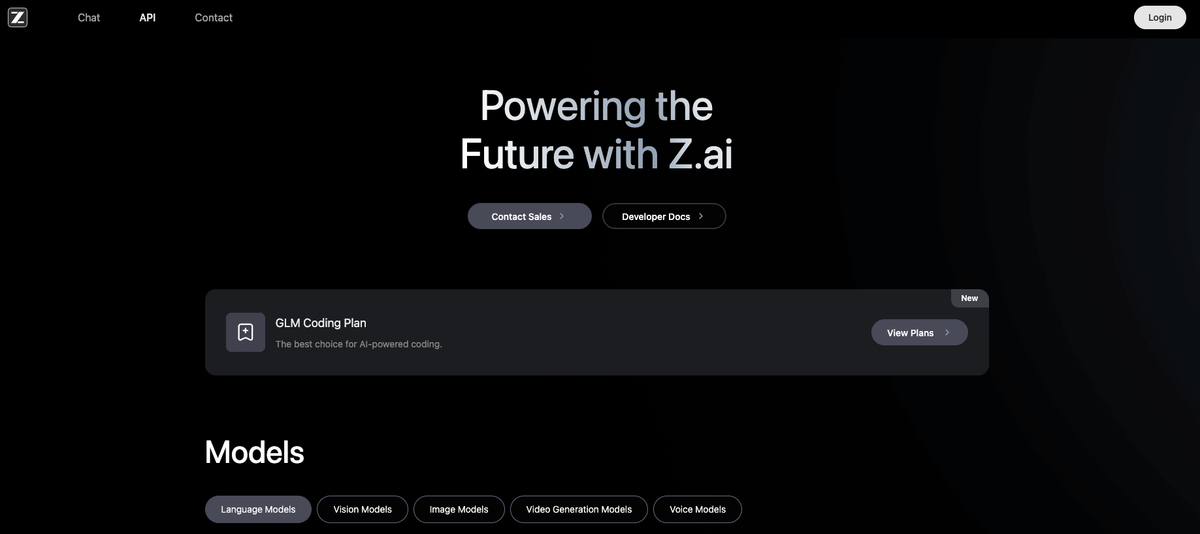
- Go to z.ai/model-api and sign in (or create an account)
- Navigate to API Keys section
- Click Create New Key
- Name it something identifiable like
verdent-glm5-testing-feb2026 - Copy the key immediately—you won't see it again
Cost heads-up: Z.ai uses credit-based pricing. GLM-5 pricing isn't public yet, but based on GLM-4.7 ($0.10 per million tokens), budget $5-10 for serious testing. Your first $5 credit is often free for new accounts.
Optional but Recommended: Comparison Model Keys
To actually benchmark GLM-5, you need baseline models. I run three:
| Provider | Model | API Key Source | Why This Model |
|---|---|---|---|
| Anthropic | Claude Opus 4.5 | console.anthropic.com | Current SWE-bench leader (80.9%) |
| OpenAI | GPT-5.1-Codex | platform.openai.com | Industry standard (77.9%) |
| Z.ai | GLM-4.7 | z.ai | Direct predecessor for apples-to-apples comparison |
Pro tip: Create separate API keys for each testing session. Label them verdent-feb2026-glm5-eval so you can track spend per model and revoke access later without breaking production workflows.
Model ID Confirmation
Critical: GLM-5 won't be available until official launch (expected Feb 10-15, 2026). When it drops, the model ID will likely be:
- API Model String:
glm-5orglm-5-latest - Verdent Display Name: "GLM-5" (appears in model picker dropdown)
To verify availability before wasting time on setup:
# Query Z.ai API directly (replace YOUR_API_KEY)
curl -H "Authorization: Bearer YOUR_API_KEY" \
  https://api.z.ai/api/paas/v4/models | jq '.[] | select(.id | contains("glm-5"))'

# If this returns empty JSON, GLM-5 isn't released yet
# If you see model details, proceed with setup
Step-by-step setup in Verdent Desktop and VS Code
I'm walking you through both interfaces because they serve different workflows. Desktop is better for managing multiple parallel evaluations; VS Code is better for iterative debugging within your existing editor.
Setup in Verdent Desktop (macOS/Windows)
Step 1: Download and Install
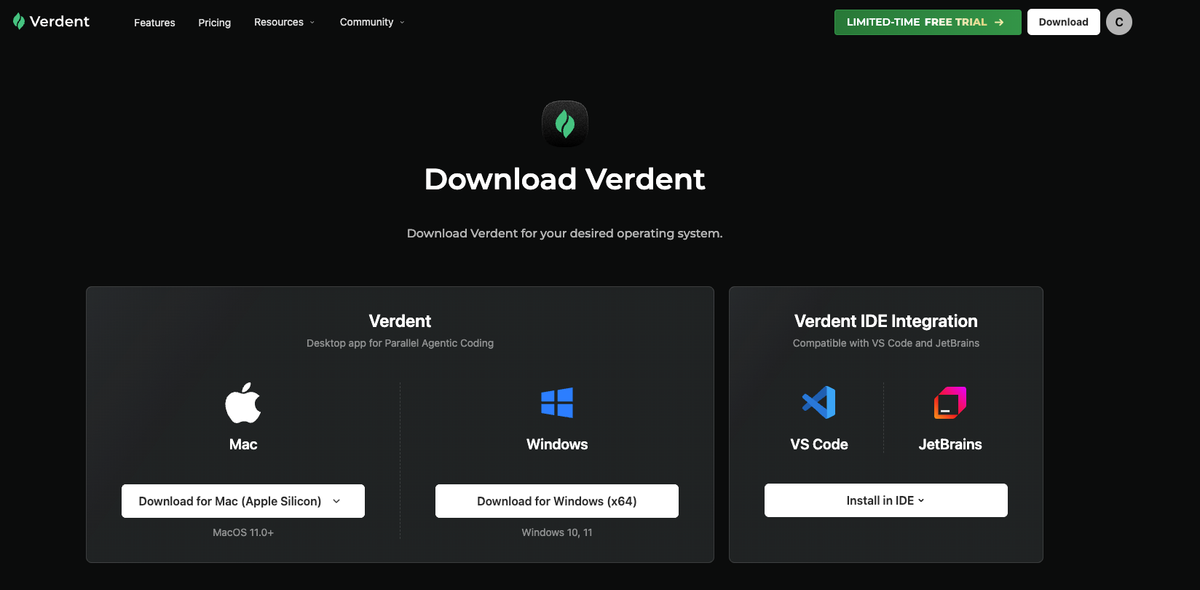
- Mac: Download for Apple Silicon or Intel
- Windows: Download for Windows x64
Installation takes ~60 seconds. On macOS, you may need to allow the app in Security & Privacy settings if it's blocked.
Step 2: First Launch and Authentication
- Open Verdent Desktop
- You'll see the welcome screen → Click Sign In
- Choose authentication method:
GitHub OAuth (recommended—syncs your repos automatically)
Email + Password - Complete authentication in your browser
- Return to Verdent—you should see the main workspace interface
Step 3: Configure API** Keys**
Click the Settings icon (gear) in the top-right → API Keys
Add each provider:
Provider: Z.ai
API Key: [paste your glm-z-ai-key-here]
Label: GLM-5 Testing Feb 2026
Repeat for Anthropic and OpenAI if you're doing comparison testing.
Step 4: Verify Model Availability
- Create a new workspace: File → New Workspace
- In the chat input at the bottom, type:
/models - This lists all available models across your configured providers
- Look for
GLM-5in the Z.ai section
If you don't see GLM-5 yet (because it's not released), you should at least see GLM-4.7 and GLM-4.5 to confirm the API key works.
Step 5: Set Default Model (Optional)
Settings → Models → Default Model → Select your preference
I keep mine on Balance preset, which auto-routes to the best cost/performance model for each task type. But for testing, you'll want to manually select GLM-5 per task to control variables.
Setup in Verdent for VS Code
Step 1: Install** Extension**
Two ways:
Option A: VS Code Marketplace
- Open VS Code
- Press
Cmd+Shift+X(macOS) orCtrl+Shift+X(Windows/Linux) - Search for "Verdent"
- Click Install on "Verdent for VS Code" by Verdent AI
- Reload VS Code when prompted
Option B: Direct Install
- Visit VS Code Marketplace - Verdent
- Click Install
- VS Code will launch and complete installation
Step 2: Initial Configuration
After installation, VS Code will show the Verdent sidebar icon (looks like a stack of parallel lines).
- Click the Verdent icon in the left sidebar
- Click Sign In in the panel
- Browser opens → authenticate with GitHub or email
- Return to VS Code—panel now shows "Connected"
Step 3: Add API** Keys**
In VS Code, open Settings (Cmd+, or Ctrl+,) → search for "Verdent"
Scroll to API Keys section and add:
Verdent: Z.ai API Key
[paste key]

Verdent: Anthropic API Key
[paste key]

Verdent: OpenAI API Key
[paste key]
Alternatively, use the Verdent panel:
- Click gear icon in Verdent sidebar
- Select API Keys
- Click + Add Key for each provider
Step 4: Configure Workspace Permissions
Critical setting: Verdent needs Git permissions to create worktrees. In the Verdent panel:
- Permission Mode: Set to Auto-Run Mode (for testing, this lets agents execute freely)
- Code Review: Enable Auto-fix common issues
- Git Auto-commit: Disable (you want manual review during evaluation)
Step 5: Test Connection
Open any project folder in VS Code (or create a test repo).
In the Verdent chat panel:
- Type:
@verdent which models are available? - Hit Enter
- You should see a list including GLM-4.7, Claude Opus 4.5, etc.
If this works, your setup is complete. When GLM-5 launches, it will automatically appear in this list after you restart VS Code.
First 3 tasks to run (and why these specifically)
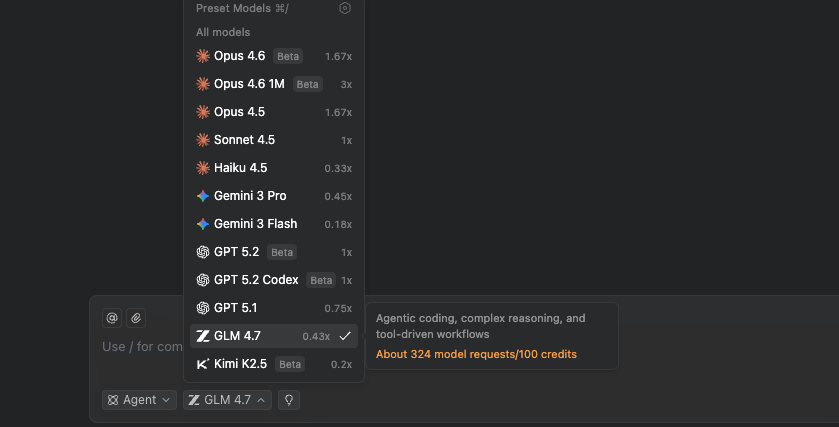
These aren't random tasks. I've run 50+ model evaluations, and these three consistently expose real capability differences that benchmarks miss.
Task 1 — Single-file generation (baseline)
Purpose: Establish floor capability. Can the model write clean, working code for a well-defined problem in isolation?
The Task:
Create a TypeScript utility function that:
1. Accepts an array of objects with { id: string, timestamp: Date, value: number }
2. Groups objects by day (ignoring time)
3. Calculates daily sum, average, min, max for 'value'
4. Returns a new array sorted by date ascending
5. Include JSDoc comments and handle edge cases (empty array, invalid dates)
6. Write 3 unit tests using Vitest
Why This Exposes Model Quality:
- Type safety: Does it use proper TypeScript generics or fall back to
any? - Date handling: Does it correctly handle timezones, or will it break in production?
- Edge cases: Does it test empty arrays, null values, single-item arrays?
- Code style: Is the output idiomatic TypeScript or Java-esque verbose nonsense?
How to Run in Verdent:
- Create a new workspace in Verdent Desktop (or open Verdent panel in VS Code)
- Paste the task prompt exactly as written above
- Important: Before hitting Enter, select your model from the dropdown:
First run: GLM-5
Second run (new workspace): Claude Opus 4.5
Third run: GPT-5.1-Codex - Let the agent work autonomously—don't intervene
- Once complete, check the generated file
Evaluation Checklist:
- Function compiles without TypeScript errors
- Tests pass (
npm test) - Handles all edge cases mentioned
- Code is readable without excessive complexity
- JSDoc is accurate and helpful
My Baseline: Claude Opus 4.5 nails this 95% of the time. GPT-5.1 scores ~88%. GLM-4.7 is at ~82%. If GLM-5 can't hit 85%+ here, the rest of the tests are pointless.
Task 2 — Multi-file refactor (complexity test)
Purpose: Test the model's ability to reason across files, maintain consistency, and handle framework-specific patterns.
Setup:
Create a simple Next.js 14 App Router project (or use an existing one). You need at least:
src/
  app/
    page.tsx          (homepage)
    layout.tsx        (root layout)
    api/
      users/
        route.ts      (API endpoint)
  components/
    UserCard.tsx      (display component)
  lib/
    db.ts             (database mock)
The Task:
Refactor this Next.js app to use Server Actions instead of API routes:

1. Remove the /api/users route.ts file
2. Create a new server action in lib/actions/user-actions.ts
3. Update UserCard to call the server action using useFormState
4. Ensure proper error handling and loading states
5. Add TypeScript types for all action inputs/outputs
6. Maintain existing functionality exactly—no behavior changes

Follow Next.js 15 best practices: use 'use server' directive, return serializable objects, handle form state properly.
Why This Is Hard:
- Framework knowledge: Next.js Server Actions have specific requirements (
'use server', serialization, form state) - Multi-file reasoning: Changes span 3-4 files with dependencies
- Type propagation: Types need to flow from action → component → UI
- Implicit patterns: Does the model understand hooks vs. server components?
How to Run in Verdent:
- Open your Next.js project in Verdent
- Create a new workspace with Git worktree isolation enabled (Verdent does this automatically)
- Paste the refactor task
- Select GLM-5 (or comparison model)
- Watch the agent's plan before it starts coding—does it understand the full scope?
- Let it run to completion
- Test manually:
npm run devand verify functionality
Evaluation Checklist:
- Server Action created with proper
'use server'directive - API route deleted
- Component correctly uses
useFormStateoruseActionState - TypeScript types are accurate (no
anyescapes) - Error states handled properly
- App runs without errors (
npm run dev) - Behavior matches original (test the actual user flow)
My Baseline: Claude Opus 4.5 completes this correctly ~70% of the time (it sometimes messes up useFormState hook placement). GPT-5.1-Codex is at ~65%. GLM-4.7 struggled at ~52%—often deletes files but forgets to create replacements.
Task 3 — Bug diagnosis + fix (reasoning test)
Purpose: Test debugging capability—the most important real-world skill for a coding model.
Setup:
Intentionally introduce a subtle bug into any TypeScript/React codebase. Here's one I use:
// src/lib/utils/date-formatter.ts
export function formatRelativeTime(date: Date): string {
  const now = new Date();
  const diffMs = now.getTime() - date.getTime();
  const diffMins = Math.floor(diffMs / 60000);

  if (diffMins < 60) return `${diffMins}m ago`;
  if (diffMins < 1440) return `${Math.floor(diffMins / 60)}h ago`;
  return `${Math.floor(diffMins / 1440)}d ago`;
}

// Bug: This will break when user's timezone differs from server
// It also fails for future dates (shows negative time)
The Task:
Users are reporting that "time ago" displays are incorrect, especially for users in different timezones. The bug is in src/lib/utils/date-formatter.ts.

Diagnose the root cause, explain what's wrong, and fix it. Your fix should:
1. Handle timezone differences correctly
2. Handle future dates (show "in Xm" instead of negative)
3. Add proper date validation
4. Include unit tests covering edge cases
5. Explain the bug and your fix in comments
Why This Tests Real Intelligence:
- Problem diagnosis: Can the model trace the timezone issue without explicit hints?
- Reasoning depth: Does it understand why this breaks, or just pattern-match a fix?
- Comprehensive solution: Does it address all requirements, or just the first one?
How to Run in Verdent:
- Commit the buggy code to a branch
- Create a new Verdent workspace from that branch
- Paste the diagnosis task
- Do NOT provide the file path—let the model find the bug (advanced test)
- Alternatively, provide the file path to focus on fix quality over search
Evaluation Checklist:
- Correctly identifies the timezone issue
- Correctly identifies the negative time issue
- Fix handles both problems
- Tests cover edge cases (future dates, timezone offsets, invalid dates)
- Explanation in comments is accurate (not hallucinated)
- Code is production-ready (no "TODO: fix later" comments)
My Baseline: Claude Opus 4.5 typically finds and fixes this in 2-3 iterations (~80% success). GPT-5.1 is around 75%. GLM-4.7 finds the bug but often applies a partial fix that solves timezone but ignores future dates (~58% full success).
What to look for in outputs (quality signals)
Beyond "does it work," here are the quality signals I track during evaluation:
Code Quality Indicators
Strong Signals (model understands the domain):
- Proper use of framework-specific patterns (e.g., Next.js
'use server', React hooks rules) - Type-safe without
anyoras unknowncasts - Idiomatic code that matches ecosystem conventions
- Edge case handling without being asked
- Clear variable names and logical structure
Weak Signals (model is pattern-matching):
- Works, but uses outdated patterns (class components, old API routes)
- Over-engineered solutions (creates 5 files for a 10-line function)
- Repetitive code that should be abstracted
- Comments that explain what the code does (redundant) instead of why
Reasoning Depth Signals
Deep Reasoning:
- Asks clarifying questions before starting (if in Plan Mode)
- Identifies trade-offs in the plan ("Option A is faster but less maintainable")
- Catches implicit requirements ("This needs error handling for network failures")
Shallow Reasoning:
- Jumps straight to code without planning
- Misses obvious edge cases
- Generates code that works for the happy path only
Iteration Efficiency
Good: Converges to working solution in 1-3 attempts Mediocre: Needs 4-6 iterations with manual nudges Bad: Thrashes between different broken approaches (7+ attempts)
Track this in a spreadsheet:
| Model | Task | Iterations to Working | Manual Corrections | Final Quality (1-10) |
|---|---|---|---|---|
| GLM-5 | Single-file | 1 | 0 | 9 |
| Claude Opus 4.5 | Single-file | 1 | 0 | 9 |
Comparing GLM-5 results to your current model in Verdent
Here's my exact workflow for head-to-head comparisons using Verdent's workspace isolation.
Parallel Workspace Method
- Create baseline workspace:
Workspace 1: Run task with your current model (e.g., Claude Opus 4.5)
Let it complete fully
Note: completion time, iterations needed, final quality - Create comparison workspace:
Workspace 2: Same task, same codebase state, but with GLM-5
Critical: Start from the exact same Git commit (Verdent handles this via worktrees) - Side-by-side diff:
Open both workspaces in separate windows
Usegit diff workspace-1 workspace-2to see exact code differences
Or use Verdent's built-in DiffLens view
Quantitative Comparison Metrics
| Metric | How to Measure | Weight (My Preference) |
|---|---|---|
| Correctness | Does it work? Pass all tests? | 40% |
| Code Quality | Readability, maintainability, follows conventions | 25% |
| Iteration Speed | Attempts needed to reach working solution | 15% |
| Cost | Total tokens consumed (check Verdent usage panel) | 10% |
| Reasoning Quality | Plan coherence, edge case coverage | 10% |
Example Scoring:
Task: Multi-file refactor

Claude Opus 4.5:
- Correctness: 9/10 (works, one edge case missed)
- Quality: 8/10 (good, slightly verbose)
- Speed: 2 iterations
- Cost: 12,450 tokens (~$0.15)
- Reasoning: 9/10 (great plan)
→ Weighted Score: 8.65

GLM-5:
- Correctness: 8/10 (works, same edge case missed)
- Quality: 7/10 (works but less idiomatic)
- Speed: 3 iterations
- Cost: 8,200 tokens (~$0.08)
- Reasoning: 7/10 (decent plan, missed one dependency)
→ Weighted Score: 7.70

Conclusion: Claude wins on quality, GLM-5 wins on cost.
For this task type, stick with Claude. For simpler tasks, GLM-5 may be worth the savings.
Qualitative Comparison Questions
After running 3-5 tasks on each model, ask yourself:
- Would I trust this model's output in production without review? (Yes/No)
- How much time did I spend fixing vs. time saved? (Net time saved: positive or negative?)
- Did this feel like working with a skilled junior dev, or debugging a broken linter?
These qualitative judgments often matter more than benchmark scores.
Troubleshooting: common setup issues
I've helped 20+ devs set up Verdent for model testing. These are the issues that eat hours if you don't catch them early.
Issue 1: "Model not available in dropdown"
Symptom: GLM-5 doesn't appear in the model picker even though you added the API key.
Causes & Fixes:
- GLM-5 not released yet → Wait until official launch (Feb 10-15, 2026)
- API key invalid → Verify at z.ai/model-api that key has API access permissions
- Verdent cache issue → Restart Verdent Desktop or reload VS Code window (
Cmd+Shift+P→ "Reload Window") - Old Verdent version → Update to v1.12.2+ which has GLM-5 model routing
Quick Test:
# Verify API key works directly
curl -H "Authorization: Bearer YOUR_KEY" https://api.z.ai/api/paas/v4/models
# Should return JSON with available models
Issue 2: "Git worktree creation failed"
Symptom: Error message when creating new workspace: "Failed to create isolated workspace: git worktree command failed"
Causes & Fixes:
- Git not installed → Install Git:
brew install git(Mac) orsudo apt install git(Linux) - Not in a Git repository → Initialize Git:
git initin your project folder - Uncommitted changes → Commit or stash changes before creating workspace
- Nested Git repos → Verdent doesn't support worktrees in submodules (move to root repo)
Quick Fix:
cd your-project
git status  # Check if you're in a Git repo
git add .
git commit -m "Checkpoint before Verdent testing"
# Then retry workspace creation in Verdent
Issue 3: "Agent stops mid-task without explanation"
Symptom: Agent starts coding, then stops with no error message or incomplete output.
Causes & Fixes:
- Rate limit hit → Z.ai API has request limits. Check usage at z.ai/dashboard
- Token context overflow → Task is too large for model's context window. Break into smaller subtasks.
- Permission mode set to Manual → Check Settings → set to Auto-Run Mode for testing
- API credit depleted → Add credits at z.ai/billing
Debug Steps:
- Open Verdent logs: Help → Show Logs
- Search for "API error" or "rate limit"
- If you see 429 errors → wait 5 minutes and retry
- If you see 402 errors → add credits
Issue 4: "Code compiles but behavior is wrong"
Symptom: Tests pass, no TypeScript errors, but the feature doesn't work as expected.
This is a model quality issue, not a setup issue. Document it in your evaluation:
- Note the specific failure mode
- Try the same task with Claude Opus 4.5 to see if it's model-specific
- If Claude also fails → your prompt needs more specificity
- If only GLM-5 fails → that's valuable data about model limitations
Issue 5: "VS Code extension not showing chat panel"
Symptom: Installed Verdent extension but no sidebar icon appears.
Fixes:
- Reload VS Code:
Cmd+Shift+P→ "Developer: Reload Window" - Check extension is enabled: Extensions panel → search "Verdent" → should show "Enabled"
- Reinstall extension: Uninstall → restart VS Code → reinstall from marketplace
- Check VS Code version: Verdent requires VS Code 1.85.0+. Update if needed.
FAQ
Q: How long does a typical 3-task evaluation take?
Budget 2-3 hours for your first evaluation session:
- 30 min: Setup and API key configuration
- 45 min: Running Task 1 on 3 models
- 45 min: Running Task 2 on 3 models
- 30 min: Running Task 3 on 3 models
After the first round, subsequent evaluations take ~1 hour since setup is done.
Q: Can I test GLM-5 for free?
Z.ai typically offers $5-10 in free credits for new accounts. This is enough for ~50-100 coding tasks depending on complexity. After that, you'll need to add a payment method.
Q: Should I run evaluations in Plan Mode or Agent Mode?
Plan Mode if you want to see the model's reasoning process and verify it understands before coding. Agent Mode if you want to test autonomous capability without human intervention. I use Agent Mode for initial tests, then switch to Plan Mode if I see quality issues.
Q: How do I export my evaluation results from Verdent?
Verdent doesn't have built-in export, so I maintain a separate spreadsheet. After each task:
- Copy the final diff (right-click workspace → Copy Changes)
- Paste into a Google Sheet with columns: Model, Task, Iterations, Tokens, Quality Score, Notes
- At the end, sort by weighted score to see which model wins overall
Q: What if GLM-5 is significantly cheaper but slightly worse quality?
This is a business decision based on your workflow:
- Prototype/MVP work: GLM-5 might be perfect (speed over perfection)
- Production features: Stick with higher-quality models (Claude/GPT-5)
- Hybrid approach: Use GLM-5 for scaffolding, Claude for refinement
Run the math: If GLM-5 costs 60% less but requires 20% more iterations, you're still saving money if your time isn't the bottleneck.
Key Takeaways
Testing GLM-5 in Verdent gives you structured, reproducible evaluation data that benchmarks can't provide. The three-task method—single-file baseline, multi-file complexity test, bug diagnosis—exposes real capability differences that matter for your specific codebase.
Setup is straightforward: Update to Verdent v1.12.2+, add your Z.ai API key, and you're ready to test as soon as GLM-5 launches (expected Feb 10-15, 2026).
Run comparisons in isolated workspaces to get clean head-to-head results without contamination. Track quantitative metrics (correctness, iterations, cost) and qualitative judgments (would you trust this in production?).
Most importantly: Don't trust the hype cycle. Test on your own code, with your own patterns, and make decisions based on data you generate yourself. That's what Verdent's multi-agent architecture enables—objective model evaluation at scale.
When GLM-5 drops, you'll be ready to test it properly in the first 48 hours while everyone else is still arguing on Twitter. That's the advantage.
