
Most evaluations of the Harness AI Code Agent compare it directly to GitHub Copilot or Cursor. That's the wrong frame. It's an IDE extension with competitive core coding features, but the reason a team picks it over standalone alternatives has almost nothing to do with code completion quality — and everything to do with whether they're already running Harness for CI/CD, deployment verification, and governance. Understanding that dependency first prevents a lot of misaligned purchasing decisions.
What Harness AI Code Agent Actually Is
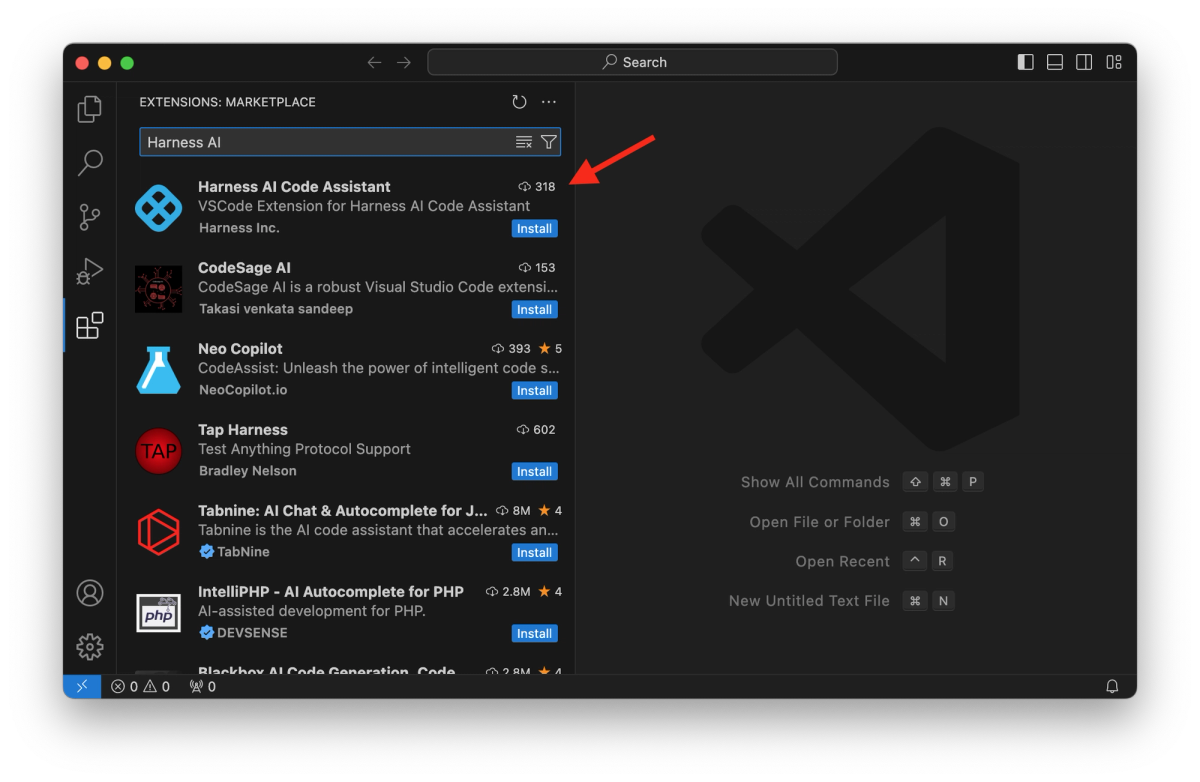
The Harness AI Code Agent is an IDE extension available for Visual Studio Code and JetBrains IDEs. It sits under the AIDA (Harness AI Development Assistant) umbrella — Harness's brand for AI features distributed across its platform modules. Install it from the VS Code Marketplace or JetBrains plugin repository, authenticate with your Harness account, and it connects to Harness's LLM infrastructure to provide code suggestions in your editor.
The extension is the developer-facing surface. The broader Harness AI story involves several distinct components that are not the same product:
- Harness AI Code Agent — IDE extension for coding tasks (this review's focus)
- Harness AI DevOps Agent — lives inside the Harness platform UI; generates pipeline YAML, IaC configurations, and handles pipeline troubleshooting through conversational prompts. Documented separately at developer.harness.io
- Harness Agents — pipeline-native AI workers that run inside Harness pipeline stages; include specialized agents for SRE (incident triage, postmortems), AppSec (security scanning), and others
- Harness MCP Server — exposes Harness platform resources to external agents like Claude Code and Gemini CLI via Model Context Protocol
These are separate products with separate installation paths and scopes. Conflating them produces an inflated picture of what the Code Agent IDE extension actually does on its own.
Where it sits inside the Harness platform
The Code Agent is positioned as the developer productivity layer in a platform whose primary value is software delivery orchestration. Harness's platform covers CI/CD, deployment verification, feature flags, IaC management, resilience testing, AppSec, cloud cost management, and DORA metrics. The Code Agent plugs a developer into that ecosystem at the IDE level — but the coding assistance itself is fairly standard; what's different is the potential for the assistant to be context-aware of the same platform running your pipelines and deployments.
That context connection is still limited in practice. The Code Agent's documented features — inline code generation, chat, test generation, docstring/comment generation, Terraform script generation, API specification generation — operate on local workspace context and Harness's LLM models. They don't inherently pull live pipeline state, deployment history, or CI failure context into the IDE session unless you're also configuring the MCP Server or DevOps Agent separately.
Why it is not a full IDE replacement
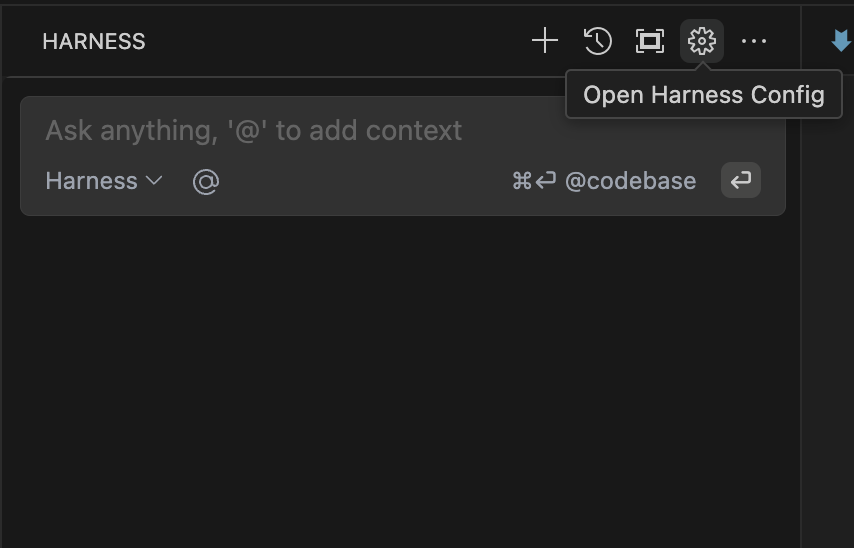
The Code Agent is a complement to an existing IDE, not a replacement for one. It installs as an extension inside VS Code or JetBrains. Developers keep their existing editor workflows, keybindings, and tooling. What they add is inline code suggestion, a chat sidebar, and the ability to generate test files, comments, and Terraform scripts from within the editor.
Teams evaluating it against Cursor or Claude Code should note: the Code Agent is not an AI-first editor environment. It doesn't offer autonomous multi-file agent runs, worktree isolation, or a structured planning workflow. It's closer in scope to GitHub Copilot than to Claude Code — an assistant embedded in your editor, not an agent that takes over a session.
What It Automates Well
Code generation and explanation
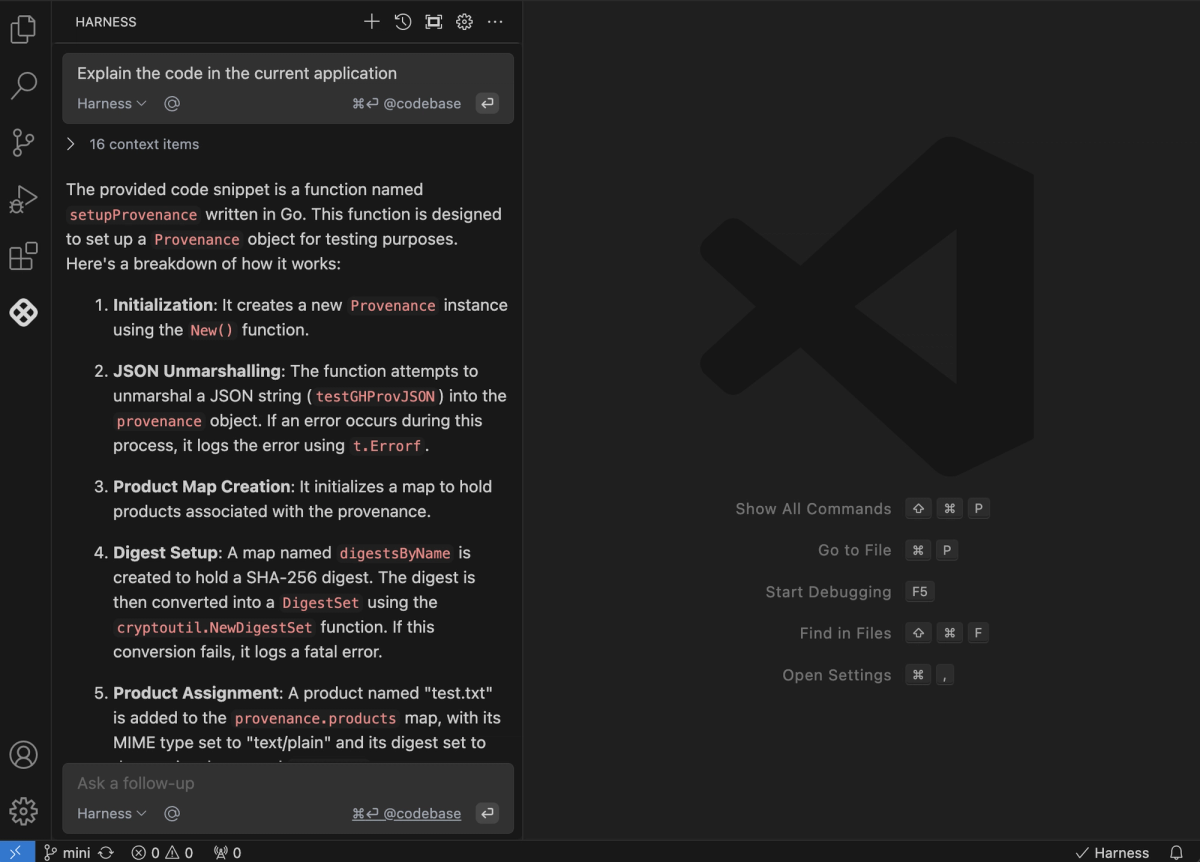
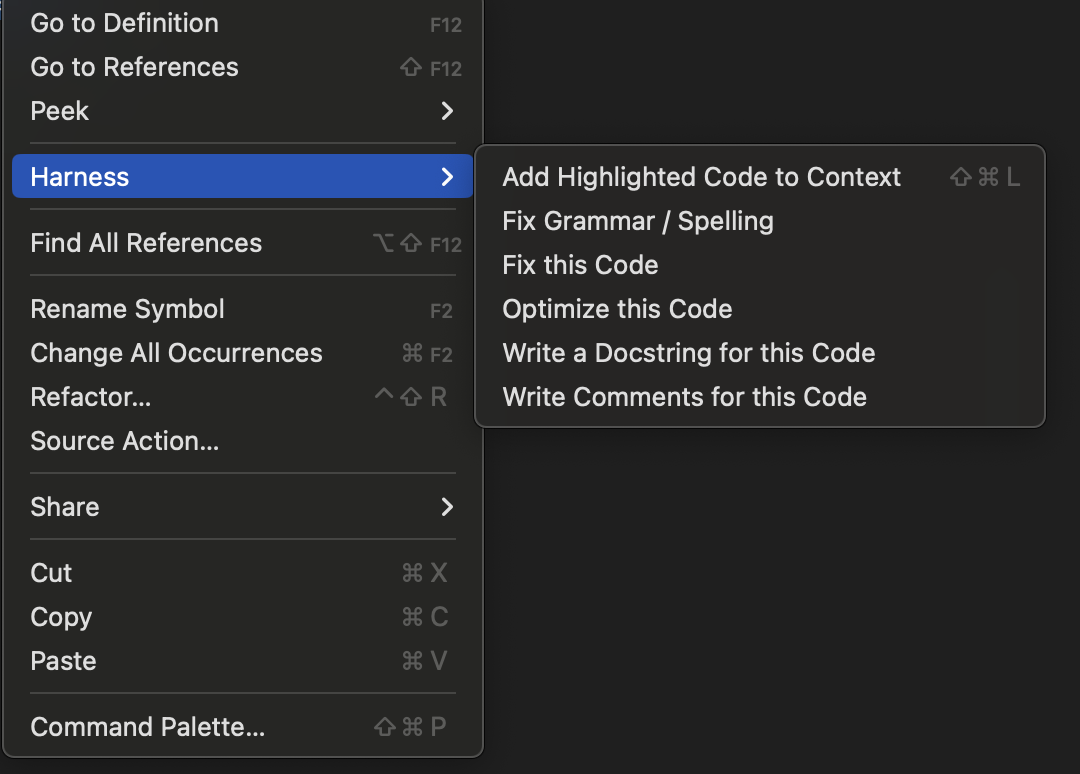
The core loop is familiar to anyone who's used Copilot or Cursor: start typing, accept or reject inline suggestions, use the chat sidebar for explanations and refactoring, right-click selected code for quick actions (fix, optimize, add docstring, add comments). The Code Agent indexes the workspace on launch to build a semantic index, making suggestions codebase-aware rather than just file-aware.
The chat feature answers questions about the current file by default, but you can extend context with @File or @Codebase references to pull in other files or the full project index. This is useful for questions like "how does this function relate to the rest of the auth flow?" without leaving the editor.
Code explanations are a practical strength for teams onboarding to unfamiliar codebases. The agent can walk through what a function does, why a pattern is used, and what edge cases a particular block handles — reducing the time senior developers spend explaining existing code to new hires or to contractors.
Tests, comments, and IaC support
Test generation covers unit tests for functions and code blocks across scenarios including edge cases. You can prompt it to generate a test file for a specific function or ask it to expand coverage on an existing test. The quality depends heavily on the specificity of your prompt and the complexity of the function — for pure functions with clear inputs and outputs it's reliable; for functions with side effects or deep dependency chains it needs more guidance.
Comment and docstring generation work well for code documentation workflows where the team has let inline documentation slip. Select a function, request a docstring, review and adjust. This is mechanical work that the agent handles consistently.
Terraform script generation is a differentiated capability for teams that use Harness's IaC Management module. You can generate Terraform configurations from conversational descriptions in the chat — "create a Terraform module for an ECS service with auto-scaling" — and the agent produces a starting scaffold. This is more useful within the Harness ecosystem because the DevOps Agent can then deploy and manage that infrastructure through Harness pipelines, closing the loop between code authoring and infrastructure provisioning.
API specification generation from existing code is listed as a capability: the agent analyzes your API routes, methods, and data models and generates OpenAPI (Swagger) specifications. For teams maintaining APIs that lack current documentation, this reduces the effort to get to a usable spec for review.
The Bigger Story: Everything After Code
The strongest argument for Harness AI Code Agent isn't the IDE extension itself — it's the platform it connects to. If your team is already running Harness for CI/CD, the AI features across the delivery lifecycle represent a more coherent proposition than adding a standalone coding assistant on top of a different delivery stack.
QA and testing: Harness's AI Test Automation product (separate from the Code Agent) offers intent-based test authoring and self-healing tests that adapt to UI changes. The marketing claim is 10x faster test creation and 70% reduction in test maintenance — these are Harness's own figures, not independently verified benchmarks. The practical claim is that tests become less brittle as the application UI evolves, because the test agent re-infers element locators rather than requiring manual updates.
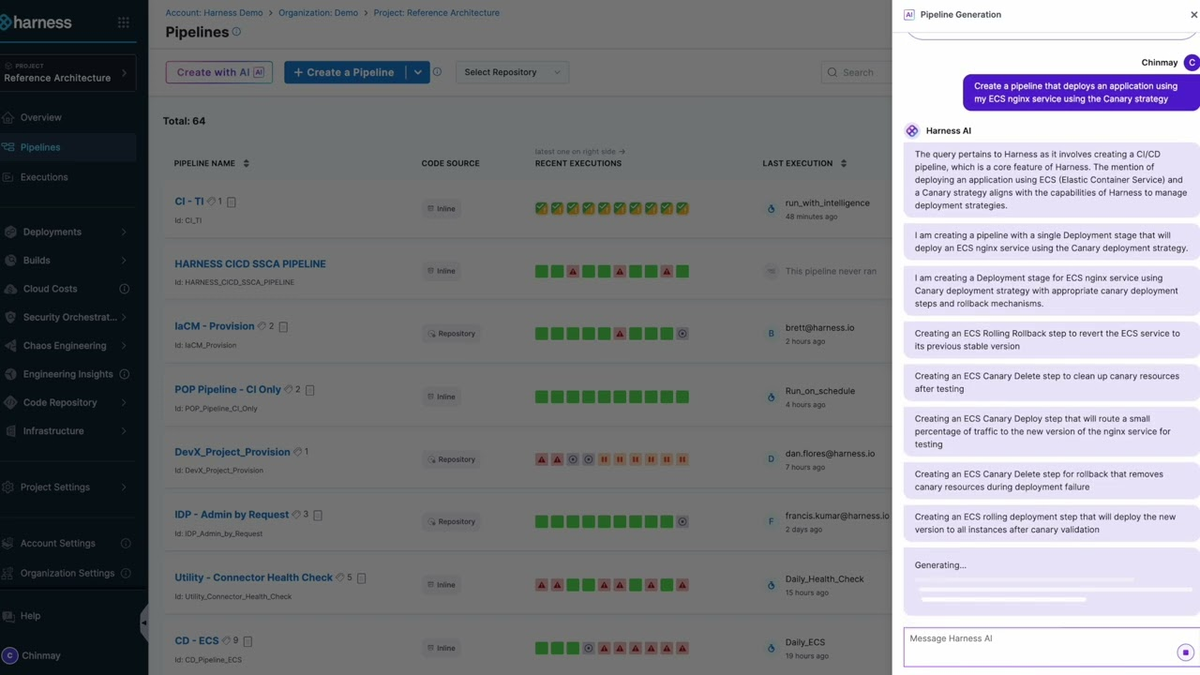
DevOps and pipeline automation: The DevOps Agent, operating inside the Harness UI, handles pipeline creation from natural language, IaC provisioning through conversational prompts, and troubleshooting based on pipeline failure context. For platform engineers who manage large numbers of pipelines, generating YAML configurations conversationally reduces the overhead of maintaining pipeline-as-code across many services.
AppSec integration: The platform's AppSec layer (including Application Security Testing, now expanded through Harness's acquisition of Qwiet AI) can add security scans as pipeline steps, surface vulnerability findings, and generate fix suggestions. The connection point for developers: findings can be surfaced as code changes or pull request comments, bringing security feedback into the same workflow as code review rather than into a separate security dashboard that developers rarely check.
Release workflows: The AI Release Agent handles feature flag operations — deploying, targeting, and managing flags through conversational prompts. For teams using Harness Feature Management, this reduces the operational overhead of managing flag rollouts.
The coherence of this picture depends on how much of the Harness platform your organization already uses or plans to adopt. For a team using GitHub Actions for CI/CD and a separate tool for feature flags, the "everything after code" story requires a larger platform migration to realize. For a team already standardized on Harness, the Code Agent is an incremental addition to an existing investment.
Real Limits and Trade-Offs
Workflow scope vs coding depth
The Code Agent covers a narrower coding workflow than purpose-built AI coding tools. It doesn't support autonomous multi-file agent runs — where the agent takes a task description, plans a set of file changes, executes them, and returns a diff for review. It doesn't have worktree isolation for parallel feature development. It doesn't have a structured planning mode that requires sign-off before execution.
Teams whose primary need is deep coding assistance — autonomous refactoring, large-scale code migrations, complex debugging sessions — will find more capability in Claude Code, Cursor, or similar tools with fuller agentic workflows. The Code Agent is strongest when the primary workflow is new code generation and documentation, not when the task is "autonomously fix this class of bugs across the codebase."
Platform breadth vs developer simplicity
Harness's platform breadth is also its adoption challenge. The platform covers enough of the SDLC that teams can theoretically centralize CI/CD, feature flags, IaC, AppSec, cost management, and DORA metrics in one place. In practice, most teams adopt one or two modules first and expand over time. The documentation reflects this complexity: there are separate developer hub sections for the Code Agent, DevOps Agent, Harness Agents, AIDA overview, and each platform module's AI features.
For a small engineering team evaluating AI coding assistance, the setup overhead of a Harness platform evaluation is significant compared to installing Copilot or Claude Code. The Code Agent doesn't require the full platform — it works as a standalone IDE extension with a Harness account — but its differentiation over cheaper or free alternatives is minimal without the broader platform context.
Pricing transparency is limited. Harness does not publish per-seat pricing publicly for the Code Agent. The platform pricing page shows a Free tier that includes AIDA features, and Enterprise tiers for each module, but per-seat or per-developer numbers require a sales conversation.
Who It Fits Best
Enterprise platform teams
The clearest fit is a platform engineering team that has standardized on Harness — or is evaluating Harness as a platform — and wants AI capabilities that span from IDE coding assistance through deployment verification and cost management in a consistent governance model. For this team, adding the Code Agent is incremental; the alternative is managing a separate AI coding tool alongside their Harness investment.
Harness's pipeline-native Agents are the most distinctive offering for platform teams: AI workers that run inside pipelines with full access to pipeline context, secrets, and governance controls, and that produce auditable logs. For an organization where AI actions on the SDLC need to be traceable and subject to the same RBAC policies as human pipeline executions, this architecture is meaningfully different from an agent that runs outside the CI/CD system.
Dev teams already inside Harness
For development teams whose delivery pipeline already runs through Harness, the Code Agent reduces tool sprawl. One authentication layer, one account, one platform for both coding assistance and delivery metrics. If the team is already logging into Harness daily to check build status, adding the Code Agent to their IDE means staying inside one organizational context rather than managing a second AI coding tool subscription.
The MCP Server integration is worth noting for teams exploring agentic workflows: Harness now exposes its platform resources — pipelines, infrastructure, services, configurations — as MCP-accessible resources. This means external agents like Claude Code can query and interact with Harness resources through a standardized protocol, rather than requiring developers to navigate the Harness UI for information their coding agent needs. For teams building agentic workflows that span IDE coding and CI/CD operations, this is a useful integration surface.
Teams evaluating for the first time without Harness context
For a team with no existing Harness footprint evaluating AI coding assistance, the Code Agent is harder to justify over established alternatives. The coding assistance features (inline completion, chat, test generation) are competitive but not dramatically differentiated from what GitHub Copilot, Cursor, or Claude Code offer. The distinctive value comes from the platform integration, and without that platform, you're paying for a capable but unremarkable IDE extension.
FAQ
Is Harness mainly a coding tool?
No. Harness is primarily a software delivery platform — CI/CD, deployment verification, feature flags, IaC management, AppSec, cloud cost management, and DORA metrics. The AI Code Agent is one component of a broader platform that covers the full SDLC. Evaluating it as a standalone coding tool misses the primary use case, which is AI embedded across the delivery lifecycle for teams already using Harness infrastructure.
Does it reduce delivery bottlenecks after code generation?
Within the Harness platform, yes — but through separate agents and modules, not through the Code Agent IDE extension itself. The DevOps Agent handles pipeline creation and troubleshooting; the SRE Agent handles incident triage; the AppSec layer handles security scanning and fixes. These operate in the Harness UI and inside pipelines, not in the IDE. The Code Agent in the IDE and the delivery automation in the platform are connected by a common account and platform context, but they're distinct products with distinct interfaces.
Who gets the most value from it?
Platform engineering teams and DevOps organizations that have standardized on Harness — or are evaluating it as a comprehensive platform replacement — get the most coherent value. For individual developers or small teams evaluating standalone AI coding assistance, the value proposition is weaker relative to simpler alternatives. The sweet spot is an enterprise team that needs AI assistance to span from code authoring through pipeline management, security scanning, and deployment verification under unified governance.
Conclusion
The Harness AI Code Agent is a competent IDE extension in a category of strong competitors. Its differentiation is platform integration, not coding capability. If your team is inside the Harness ecosystem — or evaluating it — the Code Agent makes sense as part of a broader platform conversation. If you're evaluating AI coding assistance in isolation, established alternatives offer similar coding features with simpler setup and more transparent pricing.
The more interesting Harness AI story for platform teams isn't the IDE extension at all — it's the pipeline-native Agents, the MCP Server for external agent access, and the potential for AI-assisted delivery verification and incident response within the same governance model as your existing Harness pipelines. Whether that value justifies the platform complexity depends on how much of the SDLC your team is willing to run through a single vendor.
Related Reading
- Claude Code Routines Explained for Dev Teams — Cloud-executed automations that complement IDE-level coding assistance for dev teams evaluating post-code automation options.
- Superpowers vs Vibe Coding: Structured Agents vs Freeform Prompts — Workflow structure question relevant to teams deciding how much enforcement to add around AI coding sessions.
- What Is Superpowers? Agent Skills Framework for AI Coding — An alternative approach to structured AI coding workflows that works across multiple platforms.
- Claude Opus 4.7 vs 4.6: Agentic Coding Comparison — Model comparison relevant for teams evaluating which underlying model to use in their coding agent stack.
- GLM-5V-Turbo in AI Coding Agent Workflows — For teams weighing vision-to-code capabilities, which Harness's Code Agent does not currently surface.
