
You've been spinning up AI models for years. You know the drill — download weights, fight the CUDA version mismatch, realize your VRAM's two gigs short, start over. I've been doing this long enough to know that "just run it locally" is almost never just anything. So when NVIDIA dropped Nemotron 3 Super on March 11, 2026, I went straight to the model card instead of the marketing page. Here's everything you need to actually get this running — hardware realities, NIM setup, first inference, and the honest answer to whether self-hosting is even worth your time.
What You Need Before You Start
Hardware and GPU Checklist
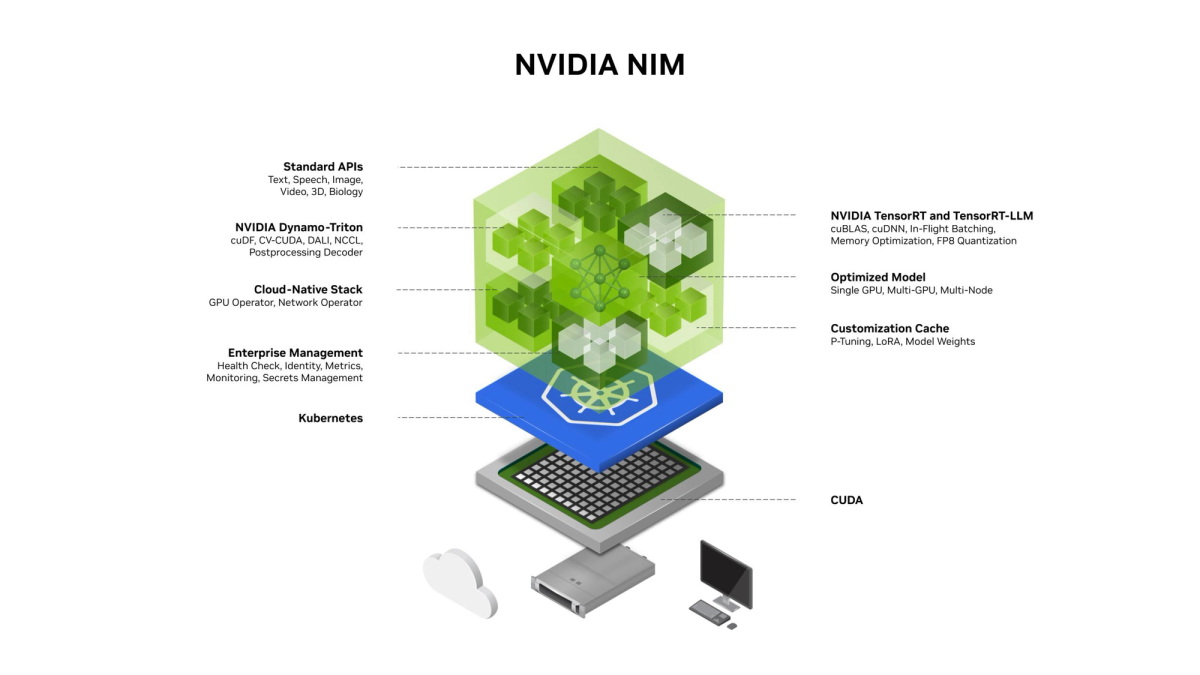
Let's not bury this. The official NVIDIA NIM model card lists the minimum GPU requirement as 8× H100-80GB for BF16 full-precision deployment. That's 640 GB of VRAM before you've even thought about KV cache.
Here's the breakdown by precision and what it actually means in hardware terms:
| Precision | Min VRAM | Recommended Config | Notes |
|---|---|---|---|
| BF16 (full precision) | ~640 GB | 8× H100-80GB | Reference config from NVIDIA NIM model card |
| FP8 | ~320 GB | 4× H100-80GB or 2× B200 | Good balance of quality and cost |
| NVFP4 | ~160 GB | 2× H100-80GB or 1× B200 | Best throughput on Blackwell; native training format |
| GGUF Q4 (via llama.cpp) | ~64–72 GB | 1× A100-80GB or H100-80GB | Community quantization via Unsloth — not NIM-native |
The supported GPU microarchitectures are NVIDIA Ampere (A100), Hopper (H100-80GB), and Blackwell. If you're on anything older — V100, A10G, RTX 3090 — stop here. This model won't run.
CUDA 12.x is required. Confirm with:
nvidia-smi
nvcc --version
Also verify Docker is installed and the NVIDIA Container Toolkit is set up:
docker run --rm --gpus all nvidia/cuda:12.0-base nvidia-smiAccount and Access Requirements
You need:
- NVIDIA NGC account — free at ngc.nvidia.com. This is where your API key lives.
- NVIDIA AI Enterprise license — required to use NIM software in production. On managed cloud (Microsoft Foundry, Google Cloud), this is billed as a flat per-GPU fee on top of compute. On-prem requires a separate license agreement.
- NGC API key — generate it in your NGC account under "Setup > Generate API Key". You'll use this to pull the NIM container.
Export it before pulling:
export NGC_API_KEY=<your_api_key>
echo "$NGC_API_KEY" | docker login nvcr.io --username '$oauthtoken' --password-stdin
Set Up Nemotron 3 Super in NIM
Container and Service Setup
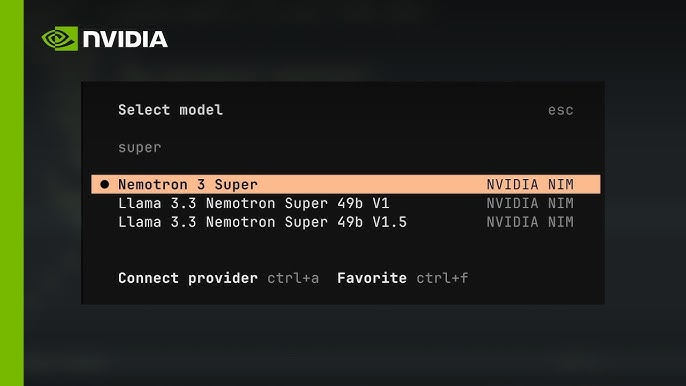
The NVIDIA Technical Blog deployment guide confirms Super ships as a packaged NIM microservice. Pull and launch:
export CONTAINER_IMAGE="nvcr.io/nim/nvidia/nemotron-3-super-120b-a12b:latest"
export LOCAL_NIM_CACHE=~/.cache/nim

mkdir -p "$LOCAL_NIM_CACHE"

docker run -it --rm \
  --gpus all \
  --shm-size=16GB \
  -e NGC_API_KEY \
  -v "$LOCAL_NIM_CACHE:/opt/nim/.cache" \
  -p 8000:8000 \
  $CONTAINER_IMAGE
A few things to know before hitting Run:
--shm-size=16GBis not optional. The Mamba-2 SSM state cache requires shared memory headroom. Undersizing this is a common crash source.- First launch pulls model weights — budget 30–60 minutes depending on your network speed (BF16 checkpoint is ~240 GB).
- NIM exposes an OpenAI-compatible API on port 8000 by default.
For a 2× B200 node running NVFP4 with Multi-Token Prediction (MTP) enabled — which is the highest-throughput configuration — the NVIDIA-NeMo/Nemotron Advanced Deployment Guide provides the TRT-LLM config:
cat > ./extra-llm-api-config.yml << EOF
kv_cache_config:
  enable_block_reuse: false
  free_gpu_memory_fraction: 0.8
mamba_ssm_cache_dtype: float32
speculative_config:
  decoding_type: MTP
  num_nextn_predict_layers: 3
  allow_advanced_sampling: true
cuda_graph_config:
  max_batch_size: 16
  enable_padding: true
moe_config:
  backend: TRTLLM
EOF

mpirun -n 1 --allow-run-as-root --oversubscribe \
  trtllm-serve /data/super_fp4/ \
  --host 0.0.0.0 \
  --port 8000 \
  --max_batch_size 16 \
  --tp_size 2 \
  --ep_size 2 \
  --extra_llm_api_options extra-llm-api-config.yml
Note: mamba_ssm_cache_dtype: float32 is required for all checkpoint precisions. Don't change it.
First Inference Test
Once the container is running, verify the endpoint responds:
curl -s http://localhost:8000/v1/models | python3 -m json.toolYou should see nvidia/nemotron-3-super-120b-a12b in the model list. Then run a first inference:
curl http://localhost:8000/v1/chat/completions \
  -H "Content-Type: application/json" \
  -d '{
    "model": "nvidia/nemotron-3-super-120b-a12b",
    "messages": [{"role": "user", "content": "Explain tensor parallelism in two sentences."}],
    "temperature": 1.0,
    "top_p": 0.95,
    "max_tokens": 512
  }'
Important: Use temperature=1.0 and top_p=0.95 for all tasks — this is the setting recommended across reasoning, tool calling, and general chat in the official model card. Deviating from this can degrade output quality, especially for reasoning traces.
Reasoning mode is configurable. To disable the <think> chain-of-thought trace (useful for latency-sensitive pipelines):
# Disable thinking mode via chat template flag
messages = [{"role": "user", "content": "Your prompt here"}]
tokenizer.apply_chat_template(messages, enable_thinking=False)
Performance Expectations
What 12B Active Parameters Means in Practice
This is the part most articles gloss over. Nemotron 3 Super has 120B total parameters but only 12B active per forward pass. Here's what that actually means operationally.
The model uses a hybrid LatentMoE + Mamba-2 + Transformer architecture. Instead of activating all 120B parameters for every token, the MoE router selects a subset of experts. The Mamba-2 layers handle most sequence positions with SSM state — dramatically cheaper than full attention — while Transformer attention layers handle positions requiring precise cross-token reasoning.
What this means for you:
- Memory footprint at runtime is closer to a 12B dense model than a 120B one. You still need the full 120B loaded into VRAM, but compute per token is 12B-equivalent.
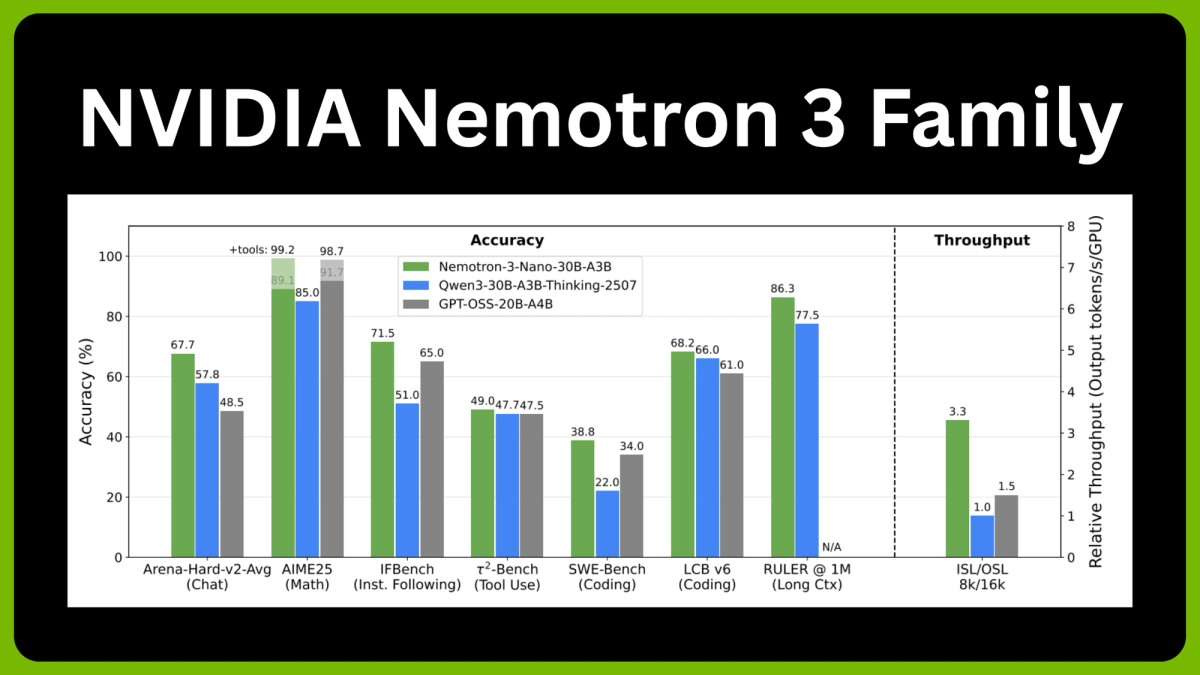
- Throughput is genuinely fast. On B200 GPUs with NVFP4, measured throughput is 449–478 output tokens/second at 8K input / 64K output length — making it the fastest model in its accuracy class.
- Context window is 1 million tokens, but don't set it to 1M by default. As Unsloth's deployment guide notes, setting context to 1M can trigger CUDA OOM. Default context in most configs is 262,144 tokens. Scale up only if your hardware confirms headroom.
- Long-context coherence is a genuine differentiator. RULER-100 at 1M context scores 91.75 — versus 22.30 for GPT-OSS-120B at the same length. If your workload involves loading full codebases or long document sets into memory, this gap is meaningful.
Benchmark snapshot (from the official NIM** model card, March 2026):**
| Benchmark | Nemotron 3 Super | Qwen3.5-122B | GPT-OSS-120B |
|---|---|---|---|
| HMMT Feb25 (no tools) | 93.67% | 91.40% | 90.00% |
| LiveCodeBench v5 | 81.19% | 78.93% | 88.00% |
| RULER-100 @ 1M tokens | 91.75% | 91.33% | 22.30% |
| SWE-Bench (OpenHands) | 60.47% | 66.40% | 41.90% |
The throughput advantage is the headline number. VentureBeat's analysis of NVIDIA's release data shows up to 2.2× higher throughput than GPT-OSS-120B and 7.5× higher than Qwen3.5-122B in high-volume settings.
Common Errors and Fixes
| Error | Likely Cause | Fix |
|---|---|---|
| CUDA out of memory on launch | VRAM insufficient for chosen precision | Switch to FP8 or NVFP4; verify free_gpu_memory_fraction: 0.8 in config |
| CUDA OOM mid-inference | Context window set too high | Cap --max-model-len at 65536 to start; scale up only after confirming headroom |
| Container exits immediately | NGC authentication failure | Re-run docker login nvcr.io with valid API key |
| Reasoning trace missing | enable_thinking set to False unintentionally | Check chat template flag; default is True |
| Accuracy degradation after fine-tuning | Quantization not recalibrated post-LoRA | Run post-training quantization steps fromNeMo recipesbefore serving |
| mamba_ssm_cache dtype error | Wrong SSM cache precision | Always set mamba_ssm_cache_dtype: float32 regardless of checkpoint precision |
| Port 8000 already in use | Previous container still running | docker ps to find it; docker stop |
When Local or Self-Hosted Deployment Does Not Make Sense
Okay, real talk. I've deployed enough models to know that self-hosting is frequently the wrong call — especially for teams that are excited about model capabilities but underestimate infrastructure overhead.
Here's when you should probably not run Nemotron 3 Super on-prem:
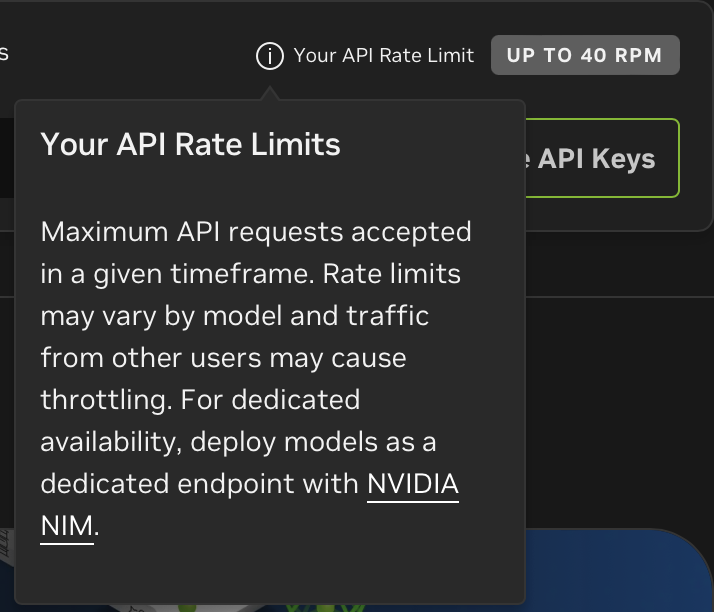
You don't have the hardware. The minimum viable configuration for BF16 is 8× H100-80GB. At $30–40K per H100, that's a $240K+ GPU cluster before networking, storage, power, and cooling. NVFP4 on 2× B200 is better, but B200 availability is still constrained. If you're on consumer GPUs or a single data center node, use the API on build.nvidia.com or a managed cloud like Google Cloud, CoreWeave, or Fireworks AI instead.
Your team is small. Managing a NIM deployment — monitoring, CUDA driver updates, container versioning, uptime — is a real ops burden. If your engineering team is under 5 people and AI infrastructure isn't your core product, the managed API is almost always the right call.
You need fast iteration. NIM containers are optimized but not trivial to reconfigure. If you're still exploring whether Super is the right model for your workload, start with the hosted API at build.nvidia.com, validate your use case, then consider self-hosting once requirements are locked.
Your compliance requirements are actually met by managed providers. A common assumption is that self-hosting is required for data privacy. In practice, the model is being deployed as an NVIDIA NIM microservice, allowing it to run on-premises via the Dell AI Factory or HPE, as well as across Google Cloud, Oracle, and shortly, AWS and Azure — all with enterprise data isolation options. Check whether a managed deployment with VPC peering covers your requirements before committing to on-prem.
The right profile for self-hosting: you have a dedicated MLOps team, multi-GPU Hopper or Blackwell hardware already in your data center, a production workload that justifies the fixed cost, and data residency requirements that can't be met by managed providers. If all four are true, NIM is genuinely excellent — the OpenAI-compatible endpoint, the optimized kernels, and the deployment flexibility are real advantages.
Related resources:
