The fastest way to misunderstand Trae Agent when evaluating Trae AI is to treat the name as one feature with one permission model. It appears across four surfaces: the built-in Agent in Trae IDE, SOLO mode, configurable custom agents, and a separate open-source command-line project.
That distinction matters before a developer grants repository access. Each surface has a different entry point, configuration model, tool boundary, and release path. Trae Agent is therefore best understood as the agent layer across the Trae ecosystem—not as another name for Trae IDE, SOLO Coder, or TRAE Work.
What Trae Agent Means
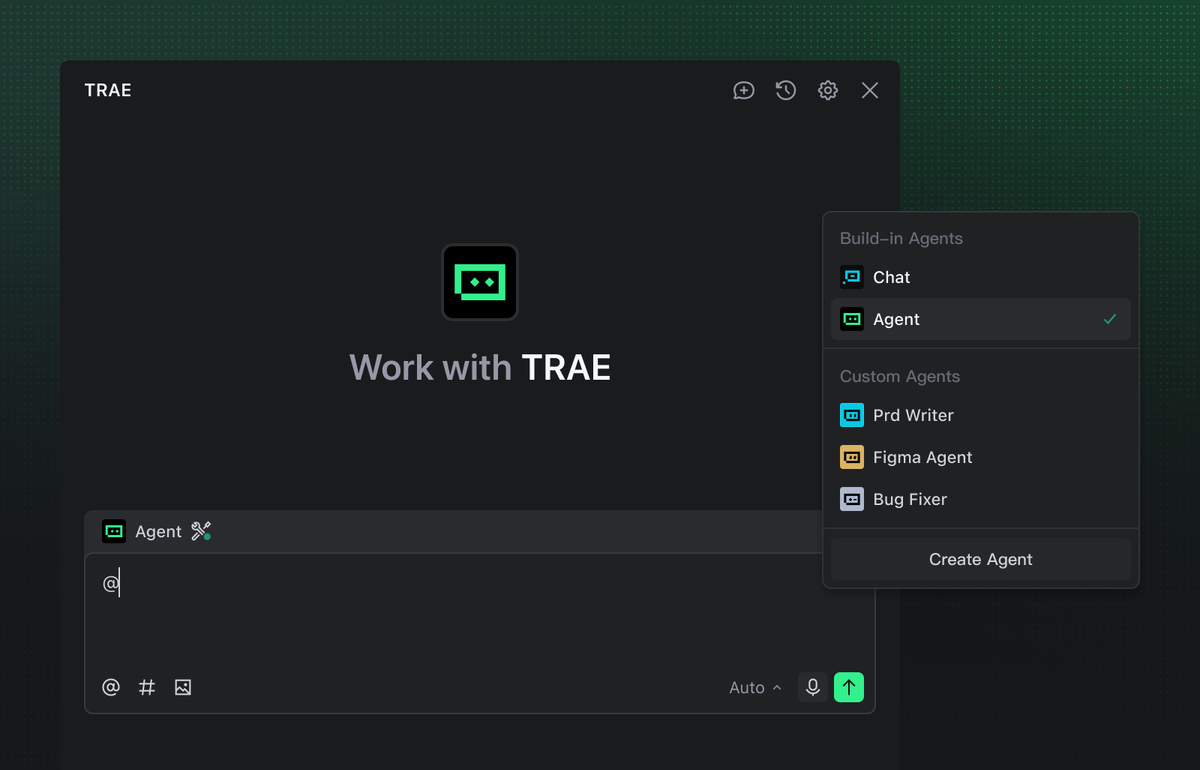
In the narrowest product sense, Agent is the built-in programming assistant inside Trae's coding environment. It can inspect project context, propose a plan, edit files, and use tools. It is more than autocomplete, but it still operates inside a host product and its controls.
In practice, developers will encounter the name at five different layers:
| Term | What it describes | What it is not |
|---|---|---|
| TraeCode / Trae IDE | The editor and host environment | A single agent configuration |
| Built-in Agent | A general project-development agent inside the IDE | The whole Trae product |
| SOLO | A higher-autonomy mode for project-level execution | A synonym for every Trae agent |
| Custom agent | A saved specialist with its own prompt and tools | Automatically safe because it is specialized |
| Trae Agent CLI | A separate open-source command-line agent | The CLI version of every IDE feature |
TRAE Work belongs to another layer: workspace organization and handoff. Trae Agent concerns what plans and executes the task. First separate the workspace role TRAE Work is designed to play from the agent capabilities discussed here.
How It Fits Inside Trae
Trae IDE agent features
The built-in Agent is the default generalist. Current Trae documentation describes a flow from requirement analysis and code research through solution design, implementation, and acceptance. For project work, it can handle requirement breakdown, implementation, refactoring, and issue fixing after the user confirms its plan.
That confirmation point is an important boundary. A useful request should identify the target behavior, repo area, constraints, and validation commands. A confirmed plan is not approval to change unrelated modules or relax acceptance criteria.
Available tool categories include file search, file editing, and terminal use. Actual access still depends on the selected settings and environment. “The Agent supports a terminal” does not mean every run should execute any command.
SOLO and project-level work
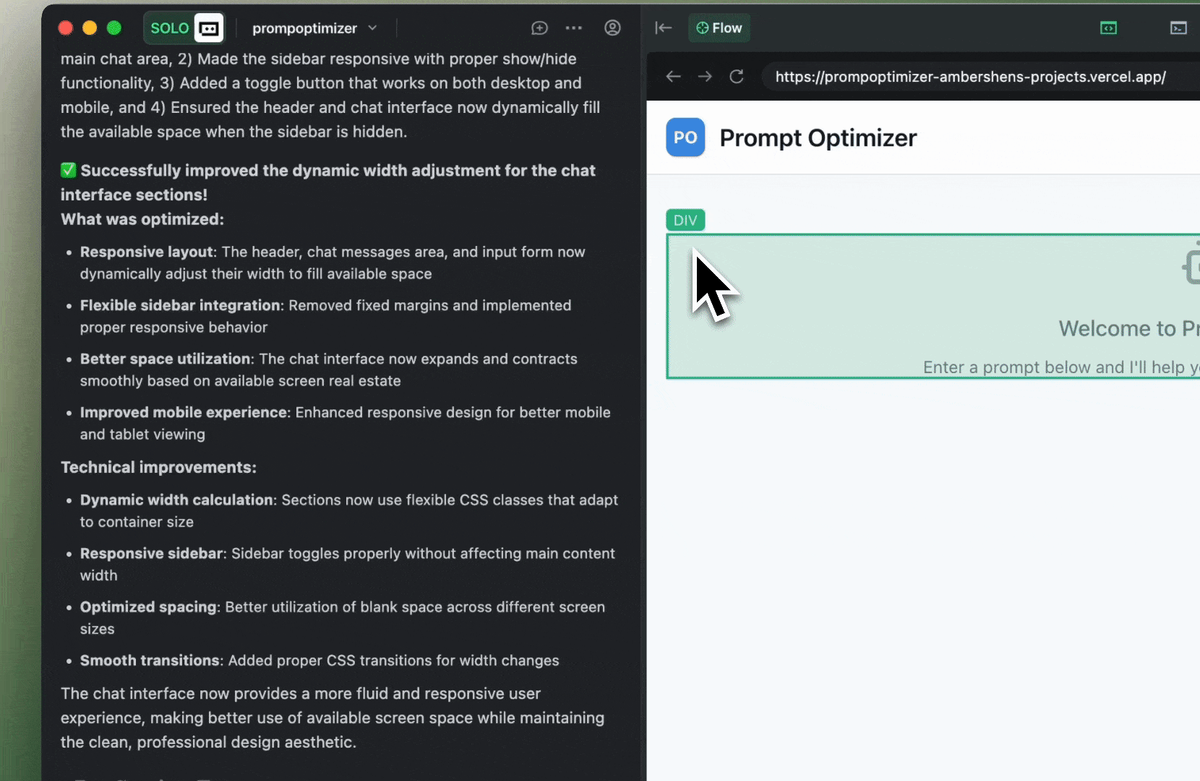
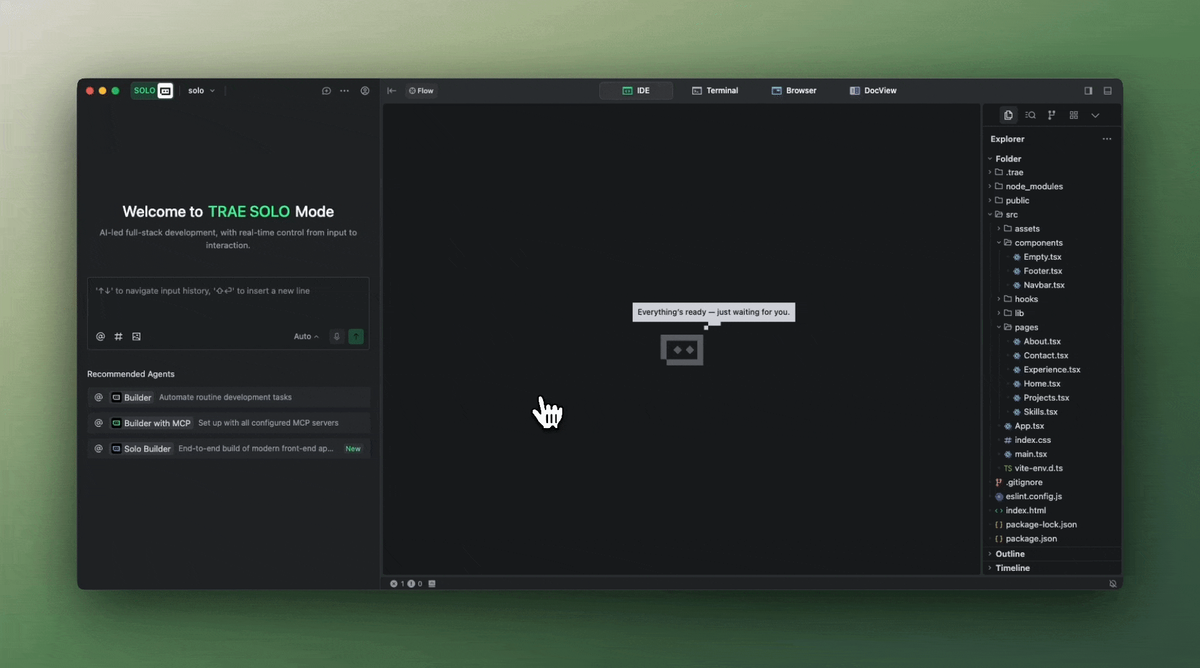
SOLO moves the interaction toward a more autonomous project lane. Trae says it can plan and execute a development process from requirement understanding through testing and result preview. Its task management, AI chat, and tools support work that needs a longer sequence than a single edit-and-answer exchange.
SOLO is still not a blanket permission grant. A project goal can hide decisions about architecture, dependencies, data access, and deployment. Teams should split them into checkpoints rather than equating a broader mode with broader authority.
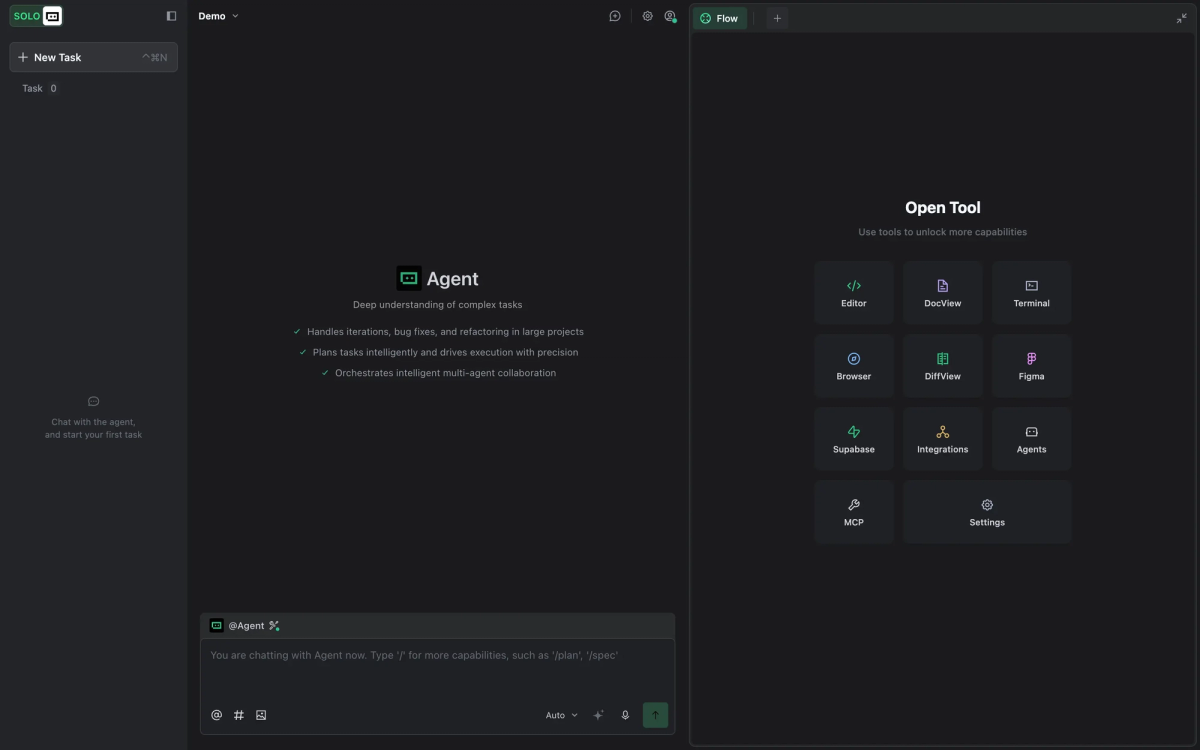
Agent is a built-in worker; SOLO is an operating mode for longer project work. SOLO Coder may appear in adjacent Trae workflows, but it is not another name for the open-source CLI.
Custom agents and tool access
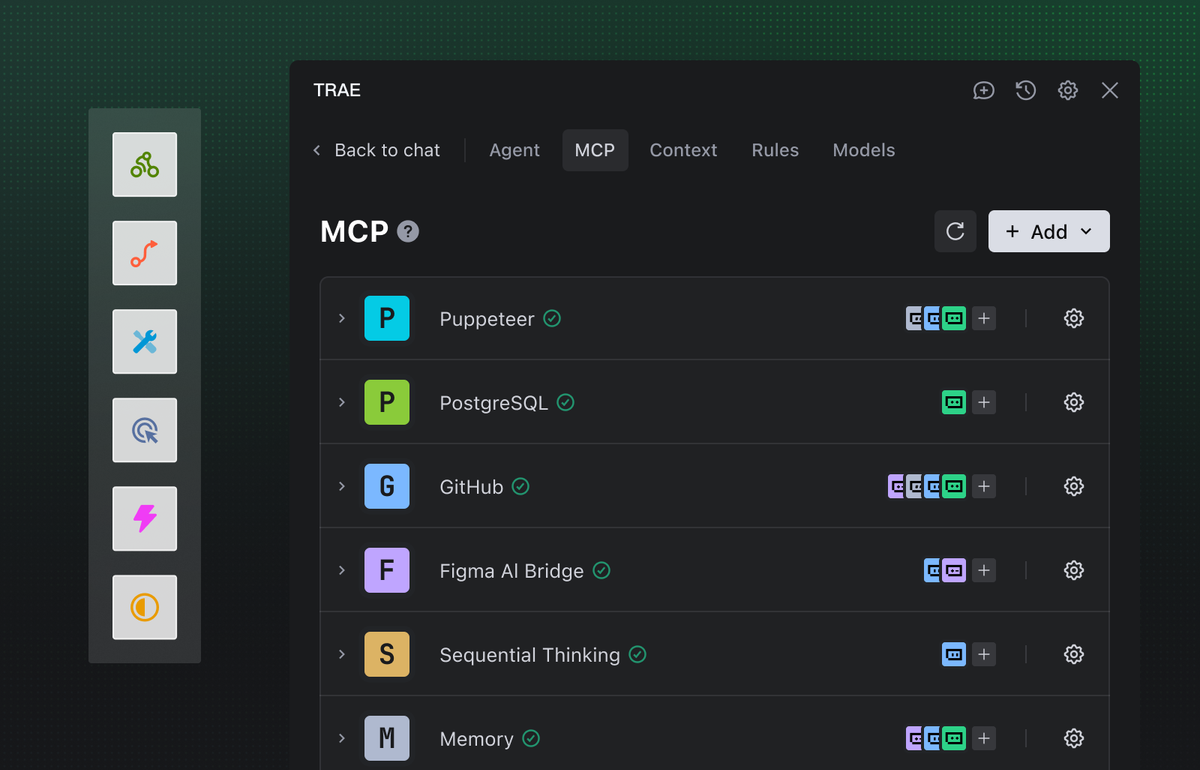
A custom agent packages repeatable instructions around a narrower role. A developer can create one from the @ menu, generate a starting configuration, or configure it manually. The mechanism combines a prompt, selected built-in tools, MCP servers, and an optional callable-agent definition.
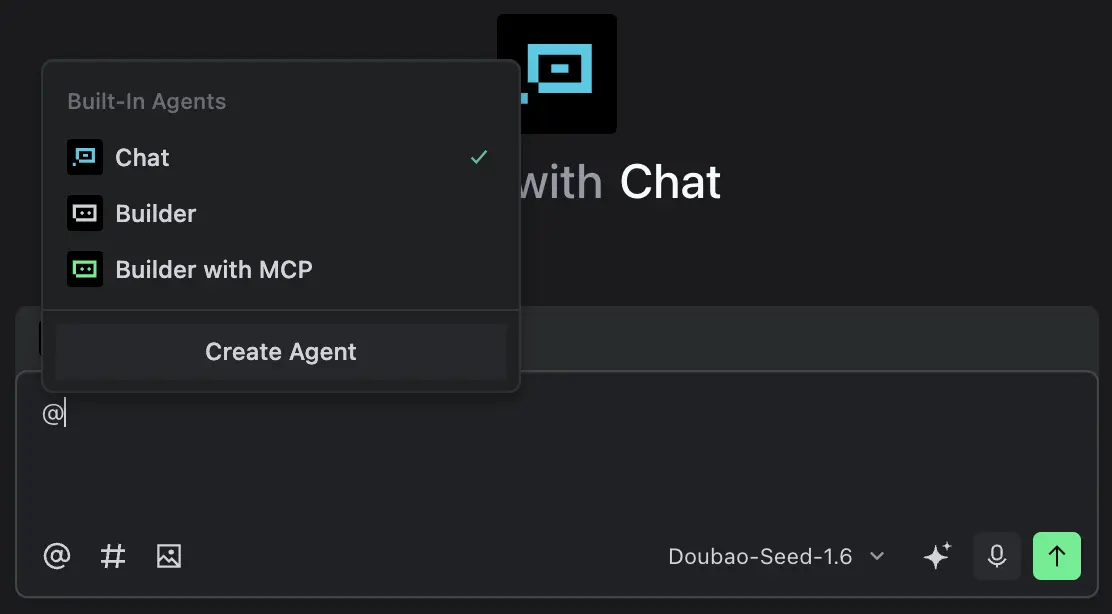
This suits recurring jobs such as test review, documentation checks, or migration analysis. The prompt defines workflow; the tool list defines reach. A callable custom agent currently receives an independent context, and only the built-in Agent can call custom agents.
Trae also publishes importable custom-agent templates for specialist roles. Treat import as configuration intake, not approval. Review prompts, tools, MCP endpoints, call conditions, and exposed data before team use.
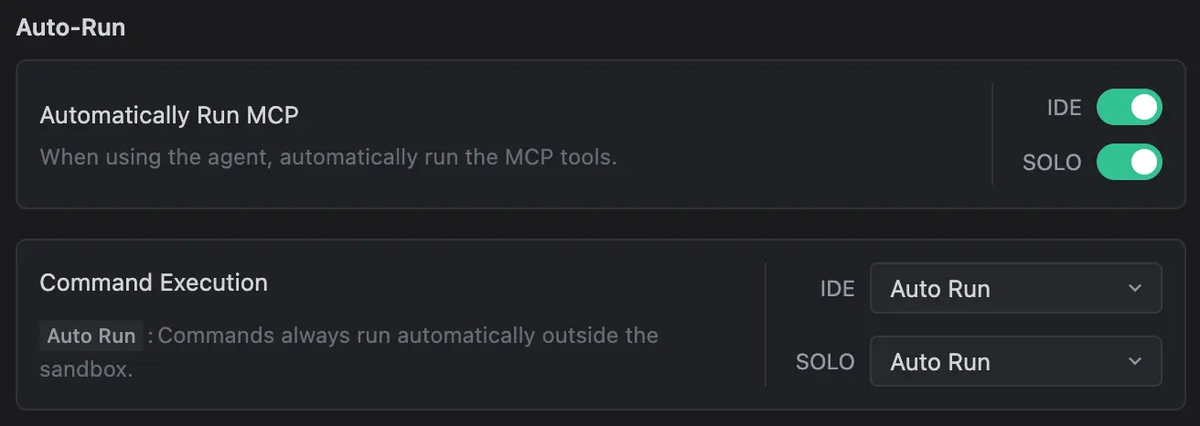
With command Auto-Run enabled, commands execute outside the sandbox and bypass security checks. File deletion and MCP execution have separate controls. Start with manual approval and the smallest tool set; expand only when a repo test justifies more access.
Trae Agent CLI as open-source agent
The open-source Trae Agent is a separate ByteDance repository, not a mirror of the IDE UI. Its trae-cli exposes run, interactive, and show-config, plus YAML configuration, multiple model providers, file-edit and Bash tools, optional MCP, working-directory controls, Docker execution, and trajectory recording.
This makes the CLI a transparent harness for local experiments or repeatable evaluations. A trajectory can record agent steps, model interactions, tool use, and run metadata, supporting debugging and failed-run review.
Do not assume configuration portability. An IDE prompt is not the CLI's YAML configuration, and an IDE template does not prove an equivalent CLI tool exists. Pin the pilot's repository revision and archive its config.
Where Developers Should Use It
Choose the surface by control needs, not by which name sounds most capable:
| Development need | Better starting point | First acceptance check |
|---|---|---|
| A bounded fix or refactor in an open repo | Built-in Agent | Plan scope, diff, tests, unrelated changes |
| A longer project flow with several dependent tasks | SOLO | Checkpoints, artifact visibility, deployment boundary |
| A repeated specialist review | Custom agent | Prompt version, tool list, call condition, false positives |
| A reproducible local or research workflow | Trae CLI | Pinned config, working directory, trajectory, exit state |
Avoid deep delegation when behavior or repo ownership is unclear, or when a task requires production credentials. An AI coding agent can accelerate execution after decisions are defined; it should not make them.
Use a disposable branch or worktree, seed a failing test when possible, and define a clean finish. Judge behavior, diff quality, test evidence, and unauthorized changes—not how complete the explanation sounds.
Limits, Versions, and Source Checks
One version number cannot prove all Trae Agent features are available. The IDE, SOLO, templates, and open-source CLI change on different schedules. Current documentation uses TraeCode where developers may still search for Trae IDE, making dated tutorials easy to misread.
Before adopting or retesting, verify these items against the relevant Trae page or GitHub revision:
- where the agent is launched and which mode is active
- which built-in tools and MCP servers are enabled
- whether another agent may call the custom agent
- how imported templates are represented and shared
- what Auto-Run, deletion, and terminal controls currently do
- which CLI commands, config keys, and model providers exist at that revision
- where trajectories, diffs, logs, and generated artifacts are stored
Do not infer capabilities across surfaces. The IDE may add a tool without the CLI adding it; the CLI may expose a configuration with no IDE control. This article was checked against Trae documentation and the ByteDance repository on August 5, 2026. Recheck the exact surface before enabling permissions or setting a team default.
FAQ
Who should approve custom Trae agents?
A named engineering owner should approve the agent's purpose, prompt, and acceptance test. A repository maintainer should approve its code scope. If the agent can use MCP, Auto-Run, external services, secrets, or production-adjacent data, the relevant security or platform owner should approve those permissions separately. “Approved agent” should never mean every future tool addition is pre-approved.
How should teams document agent template changes?
Keep the template or exported configuration in version control when the format allows it. Record the owner, date, source, prompt diff, tool and MCP changes, call conditions, tested repo, and acceptance results. If a UI-only template cannot be diffed cleanly, save a dated export plus screenshots of the permission settings and link them to the pilot record.
What should be tested after Trae updates?
Rerun at least one representative task for each approved surface. Check agent selection, plan confirmation, repo scope, tool prompts, Auto-Run behavior, custom-agent callability, diff quality, tests, and artifact storage. For Trae CLI, also validate the pinned config schema, working directory, trajectory output, failure exit, and container boundary.
Who owns cleanup after failed Trae agent runs?
The person or team that authorized the run owns cleanup. Name that owner before execution. Cleanup can include closing the branch or worktree, reverting unaccepted files, stopping containers, removing generated artifacts, revoking temporary credentials, checking deleted-file recovery locations, and archiving the prompt, config, trajectory, logs, and failure classification. The agent that created the mess is not an accountable owner.
Related Reading
- See when TRAE Work Code Mode is appropriate for reviewable repository changes.
- Use a coding-agent loop with explicit planning, execution, verification, and stopping points when designing your pilot.
- Compare this product map with the broader engineering discipline behind repeatable agent loops.
- Clarify what the human loop engineer still owns when agents execute tasks.
- Explore how agent activity can be inspected across concurrent development workflows.