TRAE Work is the broader workspace layer around TRAE's agent workflow: web, desktop, and mobile clients, cloud execution, file management, and two operating modes. The useful question for developers is narrower: when should TRAE Work Code Mode be trusted with repository work, and where should a human still keep both hands on the steering wheel?
My short answer: use Code Mode when the task can be scoped, planned, reviewed, and handed off as a clean diff. Do not use it as a substitute for ownership, production judgment, or an unclear product decision that still needs a human team to argue through the trade-offs.
When Code Mode Fits and When It Does Not
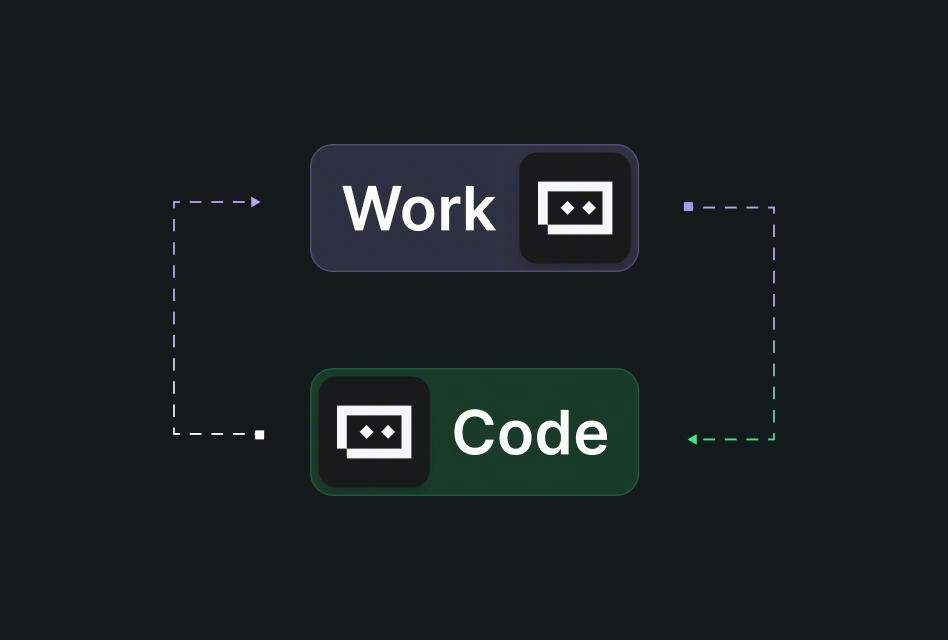
In TRAE's own framing, Code Mode is for developers already comfortable with agent-driven development: coding, debugging, repository management, and Git workflows. That framing matters. Code Mode is not just a chat window that happens to know how to edit files. It is closer to a remote coding lane where SOLO Coder can analyze a repo, run work in a cloud environment, produce changes, and push the result toward GitHub review.
That makes it powerful. It also makes task selection more important.
Good fits: scoped coding tasks, reviewable diffs, repo-aware changes
The best Code Mode task has a clear repository, a clear branch, and a change that can be judged in a pull request. Think of work like:
- adding a small API endpoint with tests
- refactoring one module behind an existing interface
- fixing a bug with a reproducible failing case
- generating unit tests for a known function or package
- updating a documented integration path
- reviewing uncommitted changes before a human merge
In these cases, the agent has enough room to operate without inventing the product. You can give it the target behavior, affected files, constraints, and acceptance checks. If the result is wrong, the diff should make that visible.
That is the real boundary. A coding agent is much easier to evaluate when the output is a branch, not a vibe.
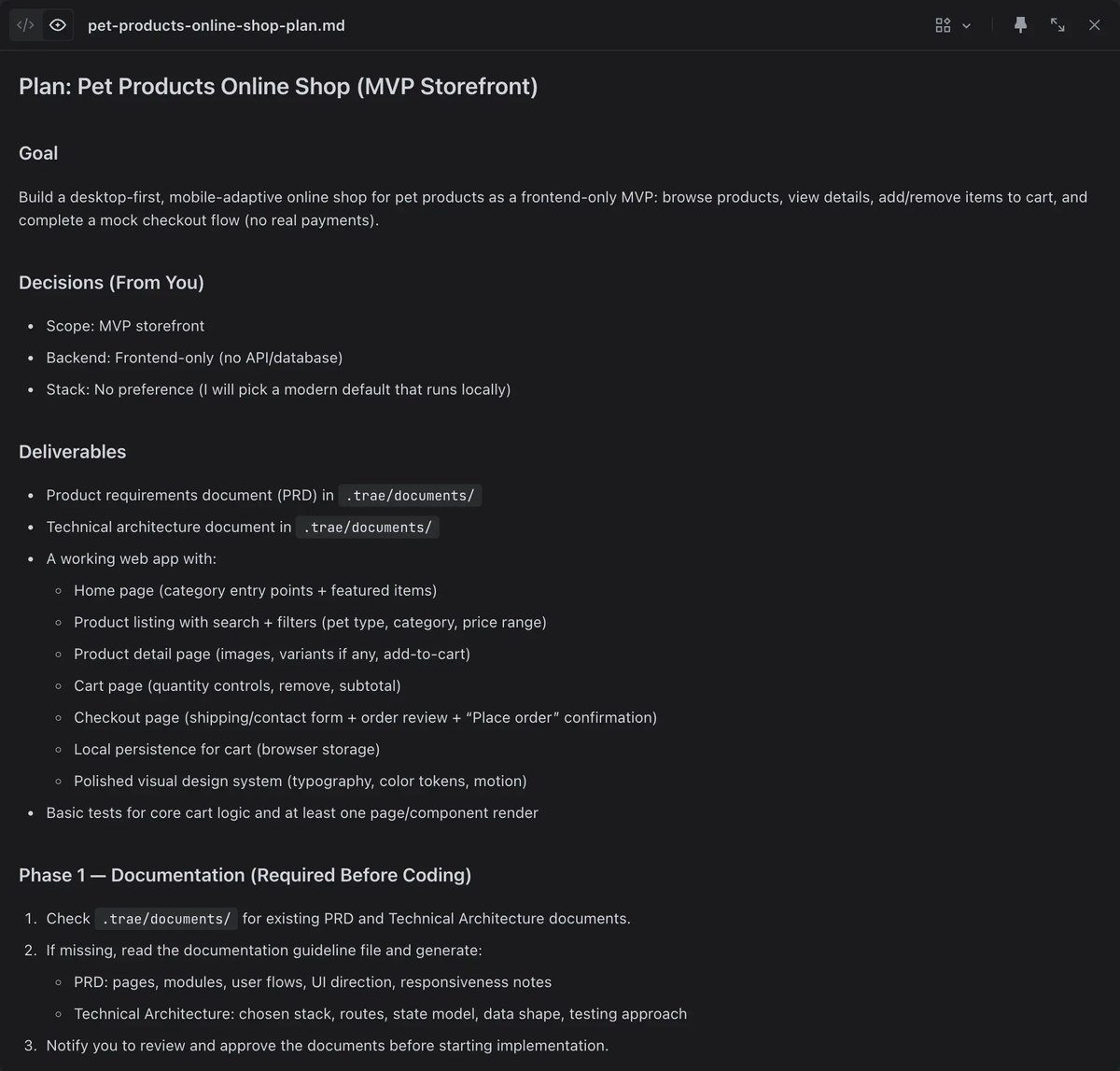
That is where Spec and Plan earns its keep: the workflow can turn a larger request into spec.md, tasks.md, and checklist.md files under .trae/specs/, then pause for confirmation before first execution. For a team, that pause is not friction. It is the moment where a vague request becomes reviewable engineering work.
Good Code Mode prompts usually include:
- the target branch or repo area
- the expected behavior
- the files, modules, or API boundaries that should not change
- required tests or commands
- known edge cases
- review expectations, such as "keep the PR under 300 changed lines if possible"
If you already use Claude Code, Codex, Qoder Work, Kimi Work, or GitHub-based agent workflows, the same rule applies: a task that cannot be reviewed cleanly should not be delegated deeply.
Poor fits: unclear ownership, risky hotfixes, broad product strategy work
Code Mode is a poor fit when the hardest part of the task is not coding.
If the team has not agreed on who owns the service, which behavior is correct, or whether the feature should exist at all, sending an agent into the repo just creates polished ambiguity. The output may look complete, but the decision underneath is still missing.
I would also avoid Code Mode for urgent production hotfixes unless the team already has a practiced AI-assisted hotfix process. A production incident needs fast diagnosis, rollback judgment, blast-radius control, and a named human who owns the outcome. An agent can help inspect logs, propose a patch, or draft a test. It should not become the only reviewer between an incident branch and production.
Broad product strategy work is another bad fit. "Redesign onboarding" is not a Code Mode task. "Add server-side validation to the invite form, preserve the existing UI, and add tests for expired tokens" is.
Code Mode Workflow
The workflow is easiest to understand as four handoffs: requirement intake, repository execution, specialized SubAgents, and diff review.
Requirement intake and planning
Start with the task name. This sounds minor, but it decides whether the run produces a useful branch or a wandering transcript.
Weak task name:
improve auth
Better task name:
Add refresh-token rotation checks to the Node auth middleware
Best task name:
Auth: reject reused refresh tokens and add regression tests for replay attempts
The best version names the system area, the expected behavior, and the testable risk. It gives SOLO Coder a shape for planning and gives the reviewer a shape for judgment.
For larger changes, use the Spec workflow rather than asking for direct edits. I like Spec when a task has more than one module, a migration path, or real acceptance criteria. A generated tasks.md is not automatically correct, but it is visible. A tech lead can delete the wrong steps before they become code.
Plan is lighter. Use it when the implementation is still straightforward but you want the agent to outline the sequence before editing: inspect files, identify the entry point, modify code, run tests, summarize diffs.
The operating rule is simple: if you would ask a junior engineer for a plan first, ask Code Mode for one too.
Repository context and cloud execution
TRAE Work Code Mode is designed around repository context and cloud execution. The useful product boundary is that tasks, project files, comments, revisions, and results stay in one workspace, so the agent is not only answering a question; it is acting against a repo.
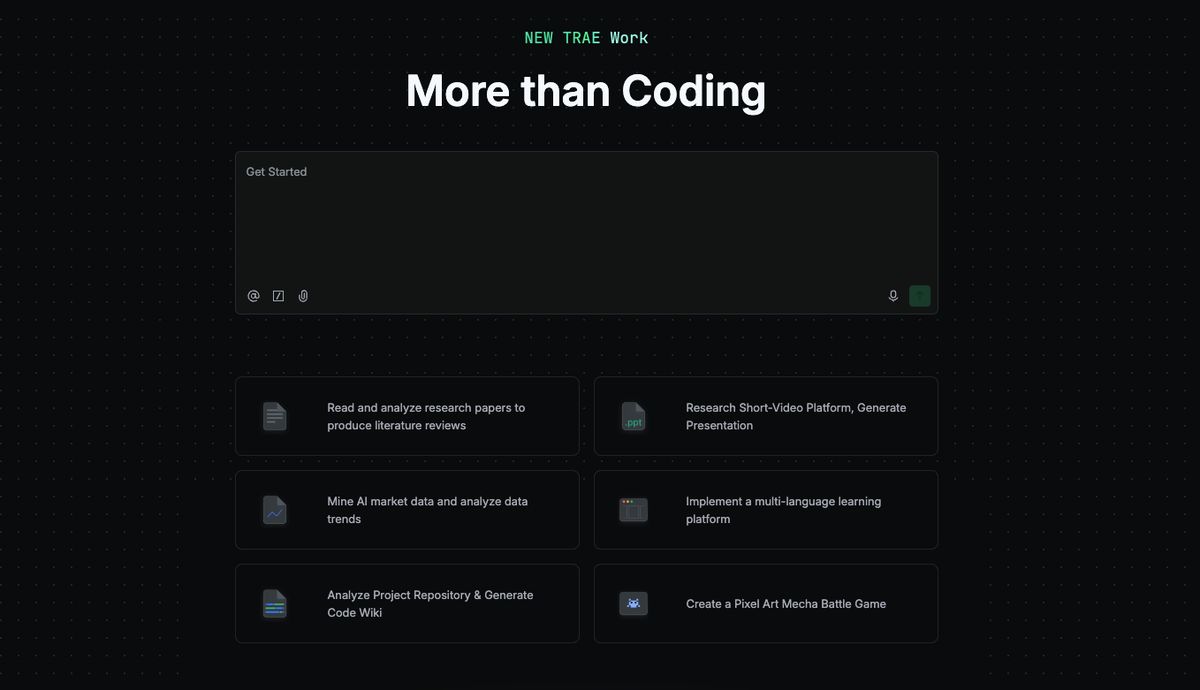
For execution, the important promise is not magic coding. It is the cloud agent's isolated run and debug lane, which helps remove the "works on my machine" noise you do not want inside an agent run.
Still, cloud execution does not remove local engineering discipline. Before a run, set the repo scope. If the task only needs packages/api, say so. If generated files should be ignored, say so. If a migration must not touch production seed data, say that in the prompt and in the review checklist.
A strong Code Mode instruction looks like this:
Repo: backend service.
Branch: feature/auth-refresh-replay.
Goal: reject reused refresh tokens and add regression tests.
Scope: packages/auth and packages/api only.
Do not change database schema unless tests prove it is required.
Run: pnpm test packages/auth.
Before final handoff: summarize changed files, tests run, and unresolved risks.
That is not ceremony. It is how you keep the agent from treating the whole repository as open territory.
SubAgents and specialized coding work
SubAgents are where Code Mode starts to look less like one assistant and more like a small engineering workflow.
Subagents matter because they give SOLO Agent a way to hand off specialized work without dragging every retrieval step into the main chat. A Subagent is configured through a Markdown file; SOLO Agent can match the task against Subagent descriptions, delegate the relevant work, let the Subagent operate in its own context window, and then return a result to the main agent.
That context isolation is the important bit. A security review, dependency audit, or performance scan can require reading a lot of files and following a separate checklist. You do not want every intermediate thought and retrieval step flooding the main task context. You want the result: findings, evidence, and recommended changes.
Good SubAgent candidates:
code-reviewerfor pre-merge quality checksunit-test-writerfor focused test generationsecurity-auditorfor auth, secrets, input validation, and dependency risksperformance-reviewerfor slow queries or hot pathsdocs-checkerfor README, API, and changelog consistency
This is also where teams can encode standards. A SubAgent can carry a role, workflow, allowed tools, allowed MCP servers, output format, and boundaries. For example, a code review SubAgent can be read-only by design, which makes it useful for pre-merge checks without giving it permission to rewrite the repository.
I would keep SubAgents boring at first. One reviewer. One test writer. One security checker. If every task spawns five specialists, the developer reviewing the final diff inherits a coordination problem instead of a productivity gain.
Diff review and developer handoff
The handoff is the part that separates a useful Code Mode run from a demo.
On the review side, agent-powered code review is useful only if it brings the conversation back to the diff: potential issues, core changes, visual business-process changes, and code issues shown in diff view. The review scope can stay narrow, from uncommitted workspace changes to a single commit or branch differences.
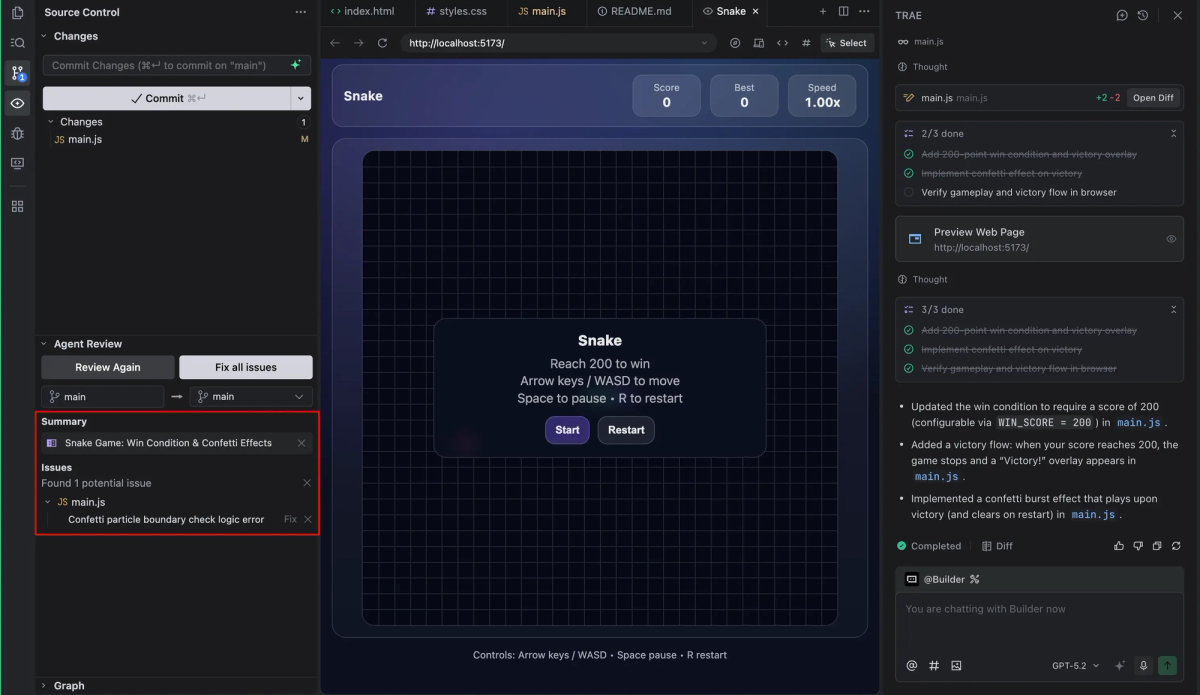
That is exactly the level where a human reviewer should enter: not "did the AI say it is done?" but "what changed, why, and what risk remains?"
For developer teams, the final handoff should include:
- changed files and purpose
- tests or commands run
- tests not run, with reason
- generated artifacts such as
spec.md,tasks.md, orchecklist.md - known risks and unresolved questions
- GitHub branch or PR link
The branch handoff is where GitHub integration stops being a convenience feature. Code Mode can connect repository work to branch and pull-request flow, including pull requests for specified repositories and branches inside TRAE Work.
My recommendation: let AI create the PR draft if it saves time, but make the PR owner a human. The reviewer should know who to ask when the implementation touches an edge case, not a model name.
Risk Controls for Developer Teams
Code Mode should be treated like a contributor with speed, not a merge authority.
Permissions, repo scope, and test expectations
Start with permissions. Before worrying about model choice, I would look at the sandbox and file-access boundary: generated commands run in a restricted environment, and file access control is there to reduce unauthorized access. That is the right direction, but teams still need their own policy.
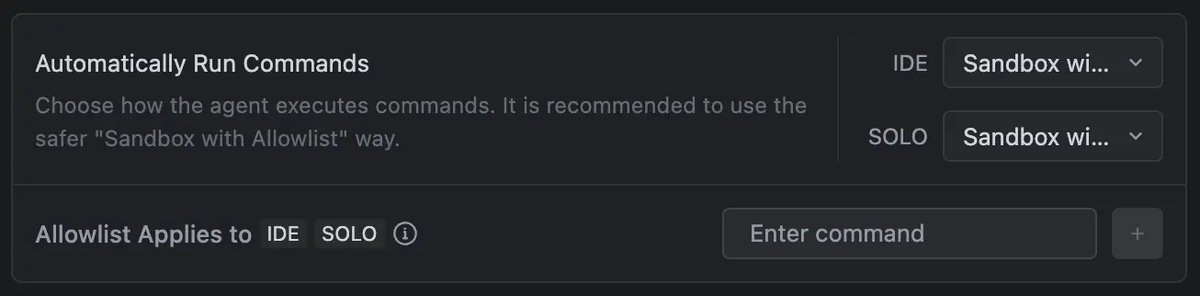
At minimum:
- give the agent the smallest repo scope that can complete the task
- protect production secrets and local
.envfiles - require explicit approval for destructive commands
- define which test commands count as sufficient
- keep generated branches separate from protected branches
- use read-only SubAgents for review tasks
For teams comparing TRAE IDE, Claude Code, Codex, Qoder Work, Kimi Work, and GitHub-native agents, this is the practical selection question: can the tool make its actions reviewable inside your existing permission and PR model?
If the answer is no, the raw coding ability does not matter much.
Human review before merge
Human review is not a formality. It is where responsibility lands.
Use Code Mode to accelerate implementation, test generation, and first-pass review. Then ask the same questions you would ask in a normal PR:
- Does the diff match the issue?
- Did the agent change files outside the intended scope?
- Are the tests meaningful, or only shaped to pass?
- Did it introduce a new dependency, permission, or data migration?
- Does the failure mode look acceptable?
- Who owns the code after merge?
The last question is the one teams skip. Do not.
If a human cannot explain and maintain the change, the change is not ready. Code Mode can produce the branch, but ownership should stay with the developer or team that merges it.
FAQ
How should teams name tasks so Code Mode produces reviewable diffs?
Use task names that include the system area, expected behavior, and review target. "Improve auth" is too broad. "Auth: reject reused refresh tokens and add replay regression tests" gives Code Mode a concrete implementation lane and gives reviewers a clear success condition.
What artifacts should developers save after a Code Mode run?
Save the prompt, generated plan, changed-file summary, test results, unresolved risks, and PR link. For larger TRAE Work runs, keep spec.md, tasks.md, and checklist.md under version control when they represent real project decisions rather than temporary exploration.
Should Code Mode be used for production hotfixes?
Only with a practiced incident workflow. Code Mode can help inspect code, draft a patch, generate tests, or review branch differences, but a production hotfix still needs a named human owner, rollback plan, and fast peer review before merge.
How should teams handle code ownership and review responsibility when using Code Mode?
Treat Code Mode as a contributor, not the owner. The developer who requested the task should own the PR unless the team assigns another reviewer. SubAgents and AI review can provide evidence, but merge responsibility should remain with a human who can maintain the code afterward.