TRAE started life as an AI coding IDE — a VS Code-based editor for developers. TRAE Work is something bigger: an AI-native workspace built not just for people who write code but for the broader range of work an organization does. The shift from "AI IDE" to "AI workspace" isn't just branding — it reflects a real change in what the product is for and who it's for. If you've followed TRAE as a coding tool and are trying to understand what TRAE Work is, how it relates to the IDE and SOLO you may already know, and what the "workspace" framing actually means, this explains the positioning. (The mechanics of its Code mode — how the coding workflow actually runs — are covered separately; this page is about what TRAE Work is and where it sits.)
TRAE is actively developed and its products are evolving quickly — availability, modes, and features change. Confirm current specifics against the official TRAE documentation before relying on them.
What TRAE Work Is
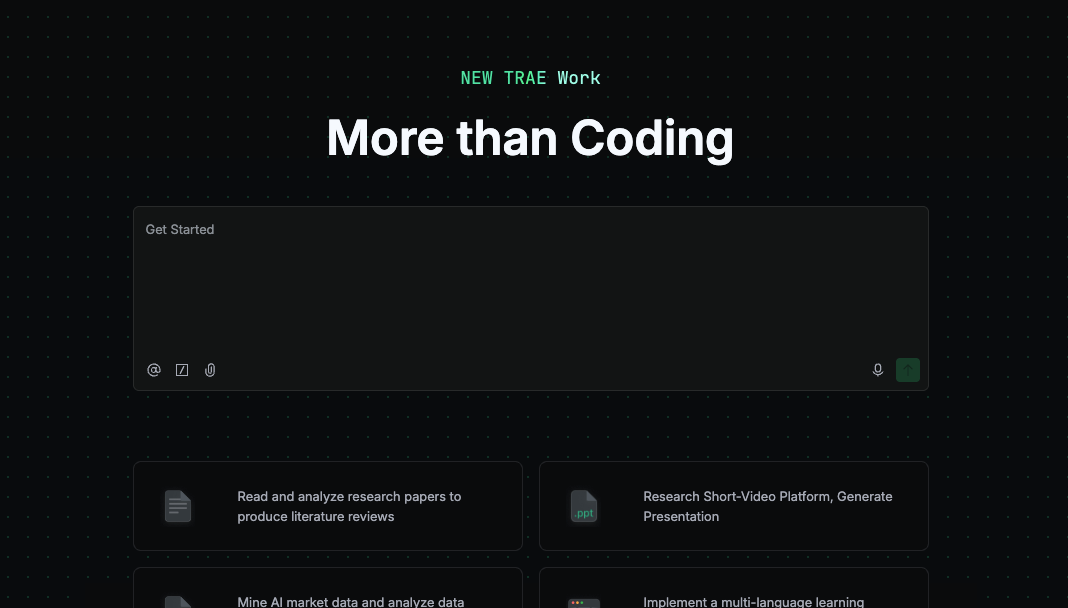
TRAE Work is, per TRAE's own documentation, an AI-native workspace that offers web, desktop, and mobile clients and features two modes — Work and Code — designed for different user groups. That definition carries the whole idea: it's not a chatbot and not only a code editor, but a workspace where you define a goal, provide context, and the AI breaks the job into steps and works toward a finished output that you review.A related desktop agent environment is described in What is Zcode AI.
The core interaction model TRAE describes is delivery-oriented: you define what you need, TRAE Work executes (breaking the task down and calling the right tools), and you review the final output. All the project's files live in a single Workspace rather than scattered across applications, and TRAE Work reads and reasons across different kinds of context — a .docx spec, a .csv dataset, a .pptx deck, a Python script — synthesizing across the project to produce structured output. The emphasis is on completing work, not just answering questions: the human role shifts toward defining the goal and reviewing the result rather than doing every step by hand.
Why TRAE Work Is More Than an AI IDE
Relationship to TRAE IDE and SOLO
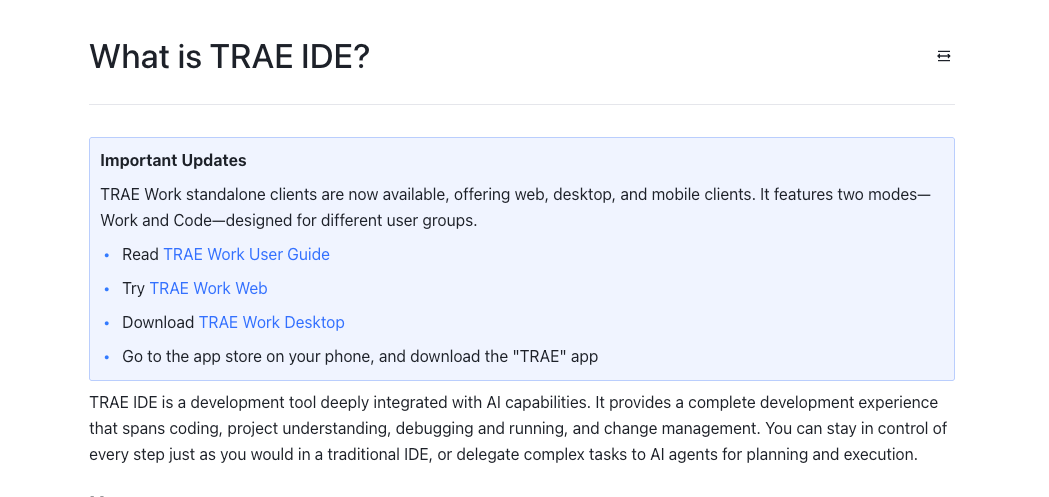
To understand TRAE Work, it helps to see the product lineage. TRAE began as TRAE IDE — a developer-focused, VS Code-based editor with AI capabilities baked in (code editing, debugging, Git workflow, AI code review, an extension ecosystem). Then TRAE launched SOLO as a standalone application that no longer required the IDE plugin, extending beyond pure coding toward broader product work. TRAE Work is the next step in that progression: the standalone experience broadened into a general AI workspace positioned for all-hands use, not just developers. Another developer-tool entry in the same category is covered in What is Ornith 1.0.
The through-line is a widening audience. TRAE IDE served developers inside an editor. TRAE Work keeps a coding capability (its Code mode) but adds a Work mode aimed at product managers, operators, marketers, data analysts, project managers, and collaboration teams — roles whose work isn't primarily writing code. So the relationship is evolutionary, not a replacement: TRAE IDE remains the developer-focused editor, and TRAE Work is the broader workspace that grew out of the SOLO standalone direction. TRAE's own materials describe TRAE Work and TRAE IDE as its two main current products, which is the clearest signal of how the company sees them — complementary surfaces, one editor-centric and one workspace-centric.
Work, Code, and Design modes at a positioning level
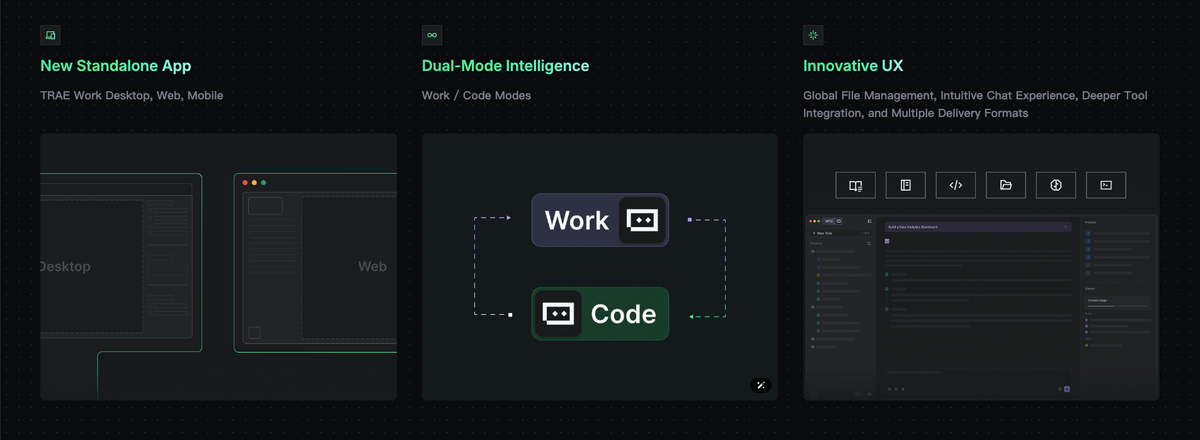
TRAE Work's structure is built around modes, and understanding them at a positioning level (not a how-to level) clarifies what the product is. Work mode is the office-work surface — turning documents, data, and materials into deliverables like reports, analyses, and drafts, aimed at the broad non-coding audience. Code mode is the coding surface, carrying forward the agentic coding capability for software work. TRAE has also added a Design mode, extending the workspace into visual design and prototyping, so requirements can flow from writing into design drafts and into code.
The positioning point is convergence: TRAE Work aims to let these modes live in one session, so written requirements can move into design and then into working software without switching applications, with context carried across the modes. That's the ambition the "workspace" framing expresses — covering more of the work chain (content, data, software, visual design) in one place, rather than being a stronger chat box for a single task type. Whether that convergence delivers in practice is something to evaluate on your own work; the positioning intent is a unified, multi-mode workspace rather than a set of separate tools.
The Workspace Model
Project context, files, tasks, and outputs in one place
The defining structural idea of TRAE Work is the Workspace: a single place where a project's files, tasks, prompts, and outputs live together. Rather than a chat window where context evaporates between sessions, the workspace keeps the materials and the work product organized around a project. You add files, notes, and instructions; the AI works across them; and the intermediate progress and final outputs stay in the same place for review and iteration.
This is what "workspace" means as distinct from "chatbot." A chatbot answers a prompt and forgets; a workspace holds the context of an ongoing project and the artifacts produced within it. TRAE Work reads across the different file types in a project and synthesizes over the whole thing, which is only possible because the workspace keeps that context together. For work that's document- and data-heavy — research, reports, analysis — this project-centric organization is the point: the work and its context stay unified rather than scattered across tools and re-uploaded each session.
Web, desktop, and mobile continuity
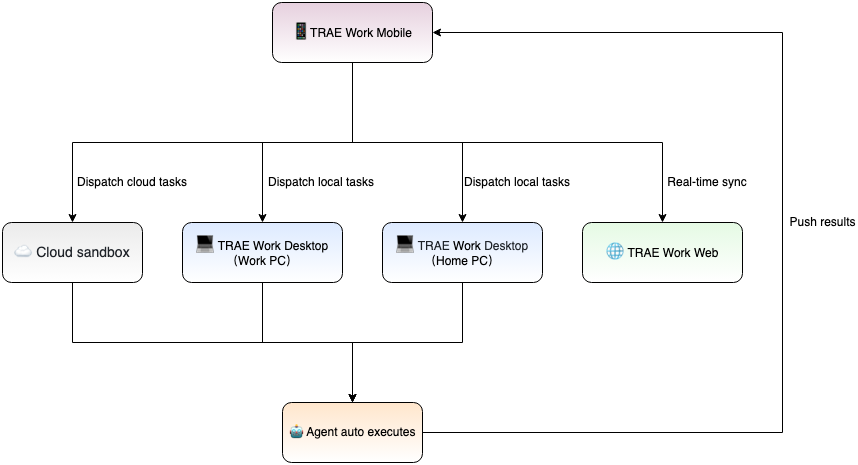
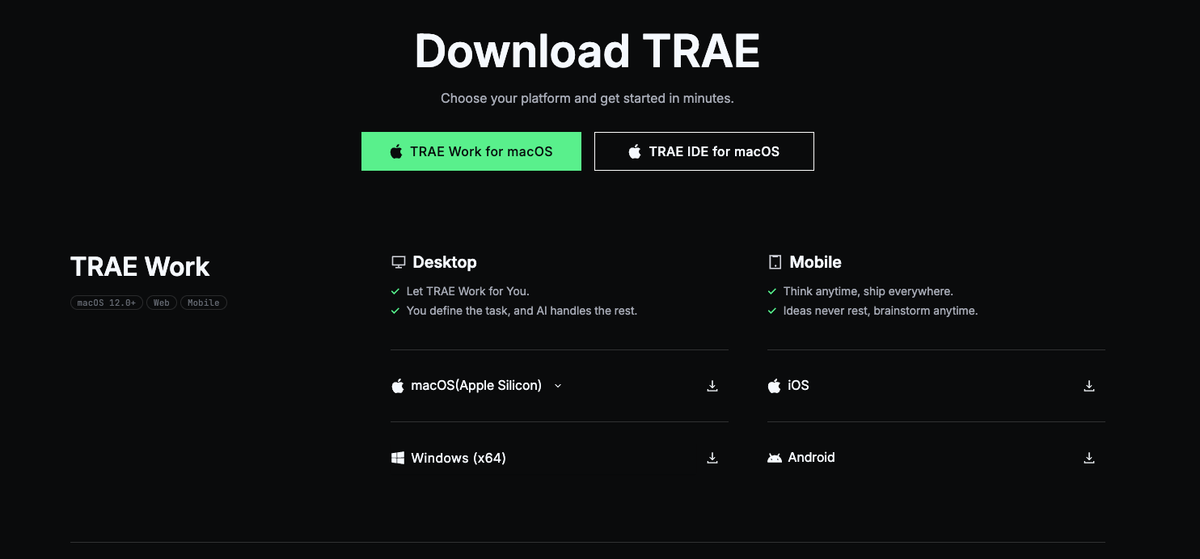
TRAE Work is offered across web, desktop, and mobile clients, and the workspace is designed to carry across them. TRAE describes desktop and web working seamlessly — you can check progress, review results, and pick up where you left off from different surfaces — and because the execution is cloud-powered, tasks can run in the background and in parallel rather than being tied to one machine's resources. The practical implication is continuity: the workspace isn't locked to one device, so a task started in one place can be monitored or continued from another. As with all specifics, the exact capabilities of each client (and how much parity they have) are worth confirming against current documentation, since a fast-moving product's platform support evolves.
Limits and Verification Checklist
Product availability and version changes
The most important caveat about TRAE Work is that it's evolving fast, so anything specific should be verified rather than assumed. TRAE has shipped rapidly — from IDE to SOLO to Work, with Design mode added along the way — which means the modes available, the features within them, and the platform clients can change between when this is written and when you read it. Treat the version, the available modes, the client capabilities, and the pricing or access terms as things to confirm on the official documentation and product pages for your situation, not as fixed facts. This is a product in active expansion, and its current state is best read from the source.
Data access, repo permissions, and team review boundaries
For any team considering TRAE Work for real work, the data and access questions matter more than the feature list. Because TRAE is a ByteDance product that processes your uploaded context and (in Code mode) your code through its service, the data-handling terms are a gating consideration for sensitive or proprietary work: what's collected, how long it's retained, whether a privacy mode exists and what it covers, and what remains outside that scope. TRAE documents privacy-related settings, but the scope of telemetry and data handling is exactly what a team with data-governance requirements should review against the current official policy before connecting anything important. Equally, when TRAE Work touches a repository in Code mode, the repository permissions it's granted and the review boundaries around what it can change are things to scope deliberately — which connects to how the coding workflow's review and diff mechanics actually work, covered on the dedicated Code mode page.
FAQ
How should teams pilot TRAE Work before connecting important repositories?
Start with low-stakes, non-sensitive work and read-only or throwaway context before connecting anything important. A sensible pilot uses a non-critical project (or a sandbox copy) to learn how TRAE Work breaks down tasks, what its outputs look like, and how its review flow works, without exposing proprietary code or confidential materials. Before connecting a real repository, confirm the data-handling terms and the permissions TRAE Work would be granted, and keep early use to work you'd be comfortable having processed by an external service. Expand to more important projects only once you've verified both the quality on representative tasks and the data and access terms against your requirements — earning trust incrementally rather than connecting critical repositories on day one.
What product claims should writers verify before publishing about TRAE Work?
Verify anything specific and time-sensitive against TRAE's official documentation, because the product changes quickly. That means the current set of modes (Work, Code, Design) and exactly what each does, the platform clients available (web, desktop, mobile) and their capabilities, any pricing or plan details, and the data and privacy terms — all of which can shift as the product iterates. Also verify the product lineage claims (the IDE-to-SOLO-to-Work progression) against official sources rather than secondary coverage, and attribute capability descriptions to what TRAE itself documents rather than to reviews, which may describe older versions. The safe practice is to treat the official documentation as the source of truth and date-stamp any specific claim, since a snapshot taken today may not hold in a few weeks.
What risks come from using a fast-changing AI workspace for engineering work?
The main risks are instability of expectations and data exposure. A fast-changing product can alter behavior, modes, or interfaces between versions, so a workflow you built around a specific capability may shift — which argues for not over-committing critical processes to features that are still evolving. On the data side, routing engineering context and code through an external service raises the questions of what's retained and how it's handled, which matter especially for proprietary work. There's also the general caution that applies to any AI workspace doing autonomous multi-step work: the output needs human review before it's trusted, particularly for engineering work where a plausible-looking result can still be wrong. Manage these by keeping humans in the review loop, limiting sensitive data exposure until terms are verified, and not building irreplaceable workflows on fast-moving features.
How often should teams re-check TRAE Work documentation after adoption?
Re-check on a regular cadence and whenever behavior seems to change, because an actively developed product updates frequently. In practice that means reviewing the official documentation and changelog periodically (rather than assuming the state you adopted persists), and specifically re-verifying the things that affect you: data-handling terms, the capabilities of the modes you rely on, and any changes to pricing or access. If you notice the product behaving differently, treat that as a prompt to check what changed. For anything with compliance or data-governance implications, the re-check should be deliberate and documented, since terms that were acceptable at adoption could change with a new version. The principle is to treat TRAE Work as a moving target and keep your understanding of it current rather than frozen at the moment you adopted it.
Conclusion
TRAE Work is TRAE's evolution from an AI coding IDE into an AI-native workspace — a web, desktop, and mobile environment with Work and Code modes (and a growing Design mode) where you define a goal, provide context, and review AI-produced deliverables, with a project's files and outputs unified in a single Workspace. It grew out of the TRAE IDE and SOLO lineage, broadening from a developer editor toward an all-hands platform, while TRAE IDE remains the editor-centric product alongside it. The "workspace, not chatbot" framing is the heart of it: context and outputs live together around a project, across devices, rather than evaporating in a chat. Because the product is moving fast, the right posture is to treat its specifics as things to verify — modes, clients, pricing, and especially the data and access terms — against current official documentation, and to pilot it on low-stakes work before trusting it with important repositories or sensitive materials. Understood that way, TRAE Work is a clear signal of where AI tools are heading: from assisting inside the editor to organizing the whole of a project's work.
Related Reading