Quick note before we start: this is about CopilotKit/OpenTag (the open-source Slack agent starter on CopilotKit's bot SDK), not the similarly-named amplifthq/opentag dispatcher — same name, unrelated projects. With that cleared up: a CopilotKit OpenTag coding agent is most useful when Slack becomes the place where engineering intent gets clarified, not the place where code magically gets finished.
That sounds like a small distinction. It is not. In real developer workflow, Slack is where messy context shows up first: bug reports, customer quotes, release pressure, product tradeoffs, and half-remembered implementation details from someone who touched the code six months ago. A good Slack coding agent should help turn that noise into a safe handoff.
The strongest use case is a self-hosted workflow: bring your own model, run your own runtime, connect custom tools, and require human approval before the agent does anything durable. That is very different from a generic Slack bot. It is also different from treating Claude Slack, Codex Slack, Claude Code, or an IDE agent as interchangeable surfaces.
The Real-World Scenario
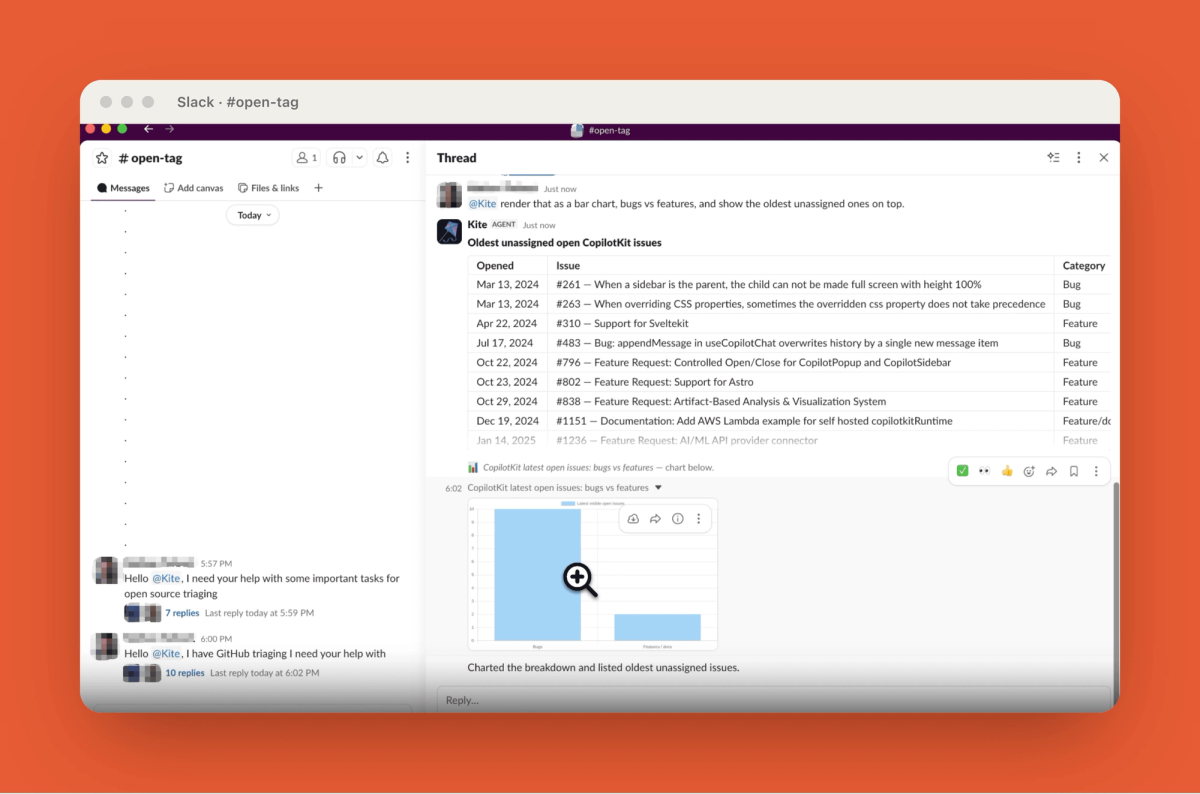
Imagine a release-week Slack thread.
A PM asks whether a checkout edge case can be fixed before deploy. A backend engineer says it probably touches payment retries. Support drops in a customer quote. Someone from data asks whether analytics events will change. Then the tech lead says the sentence every team knows too well: “This is probably small, but let’s not break billing.”
That is the moment where a Slack agent can help.
Not by jumping straight into the repo. Not by pretending a thread is the same thing as full project context. The useful move is to turn the discussion into a structured engineering handoff: what is known, what is assumed, what systems may be affected, what questions remain, and who needs to approve the next step.
For this kind of work, I would treat CopilotKit OpenTag as an intake and coordination layer. It can summarize the Slack thread, identify missing context, pull approved supporting data, and propose a next action. Sometimes that action is “ask one clarifying question.” Sometimes it is “create a draft issue.” Sometimes it is “send this to an IDE or worktree agent with these acceptance criteria.”
That is the practical workflow: Slack captures shared intent. The actual coding surface handles execution.
Why Self-Hosted Slack Agents Are Different
Self-hosting changes the shape of the agent. Instead of a closed assistant living inside a vendor-controlled chat experience, the team owns the path between Slack, the model, internal tools, and approval gates.
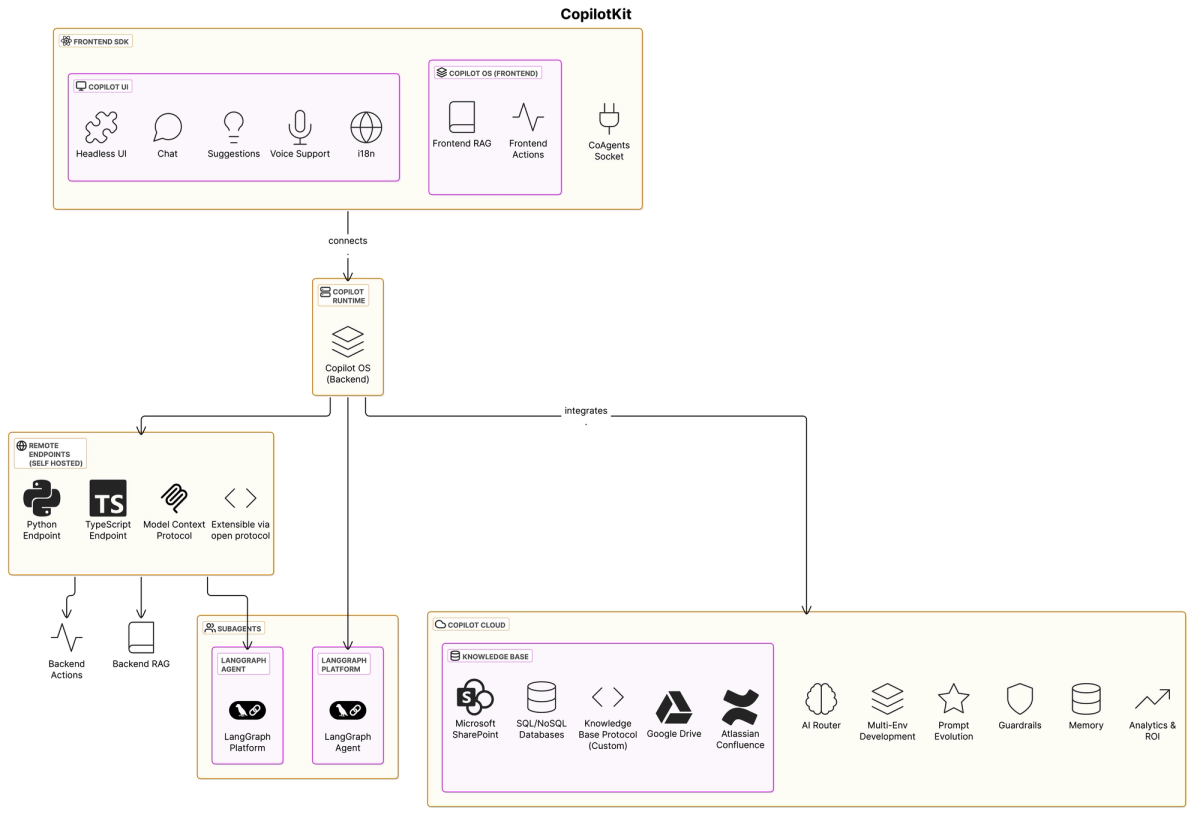
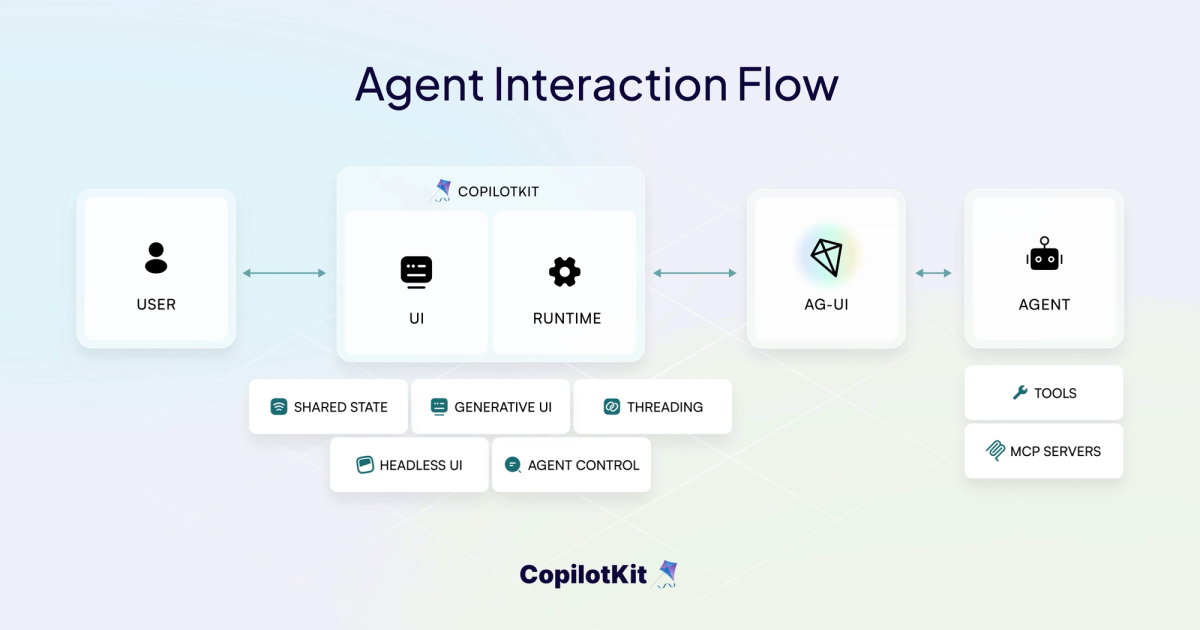
This matters because Slack should be one surface, not the whole system. CopilotKit’s own split between frontend, runtime, and agent maps neatly to that idea: the chat interface collects intent, the runtime controls policy, and the agent backend does the actual reasoning or tool work.
That separation is where self-hosted Slack agents become interesting for coding teams.
Owning the runtime
When you own the runtime, you decide what happens after someone tags the agent.
A Slack mention can be normalized, checked against workspace permissions, routed to the right backend, logged, and stopped before it calls a risky tool. That is the difference between “an AI replied in a thread” and “our engineering workflow accepted an intake request.”
The useful bit is that Copilot Runtime sits server-side, exactly where auth, routing, middleware, and guardrails belong. For a coding team, that is not plumbing trivia. That is where you decide whether the agent can only summarize, can open a ticket, can start a branch, or can trigger something more serious.
I would keep the first version boring on purpose. Let it read context. Let it draft handoffs. Let it ask clarifying questions. Delay write permissions until the review gates are real.
Bringing your own model
BYO model support is not just a procurement checkbox. It is how you keep different parts of the workflow appropriately sized.
Slack triage may not need the same model as architecture planning. A thread summary can use a fast model. A risky payment workflow may need a stronger reasoning model. A security-sensitive team may route requests through an internal OpenAI-compatible gateway.
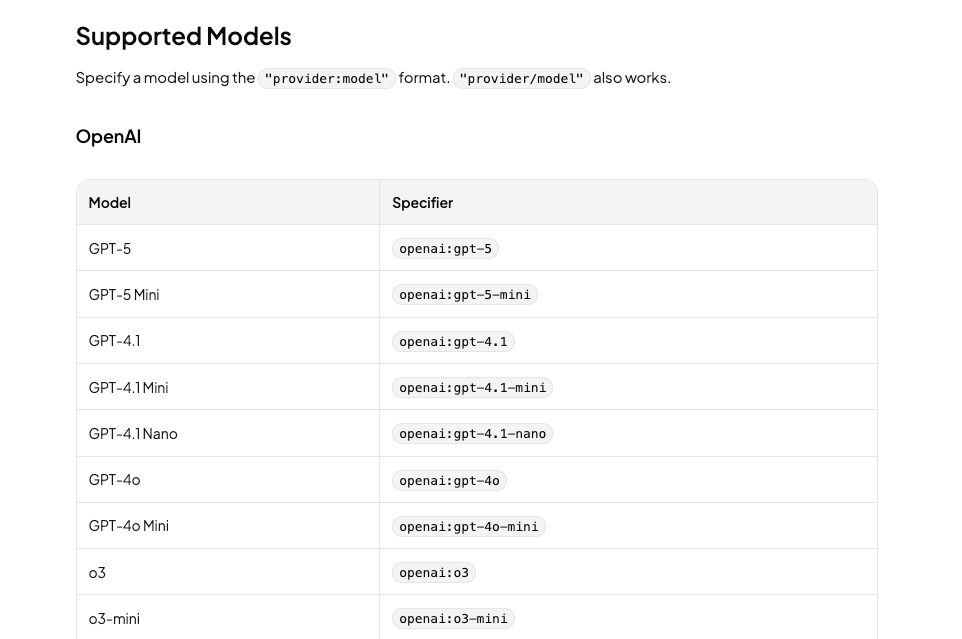
Model routing is not theoretical here. CopilotKit can work with custom AI SDK models and OpenAI-compatible routers, which means teams can route Slack intake, planning, review, and escalation differently.
That is the right mental model. Do not ask, “Which model is best?” Ask, “What does this step need: speed, cost control, reasoning depth, policy control, or auditability?”
Wiring custom tools
This is where a Slack coding agent starts to feel real.
The agent needs access to the context your team already trusts: issue trackers, docs search, CI status, code ownership data, incident reports, dependency metadata, feature flags, or internal code search. Without that, it is just summarizing chat.
The tool layer should still be narrow. CopilotKit’s server tools are the right fit for backend actions that need secrets or internal APIs, while MCP servers give teams a way to bring existing tool servers into the agent path.
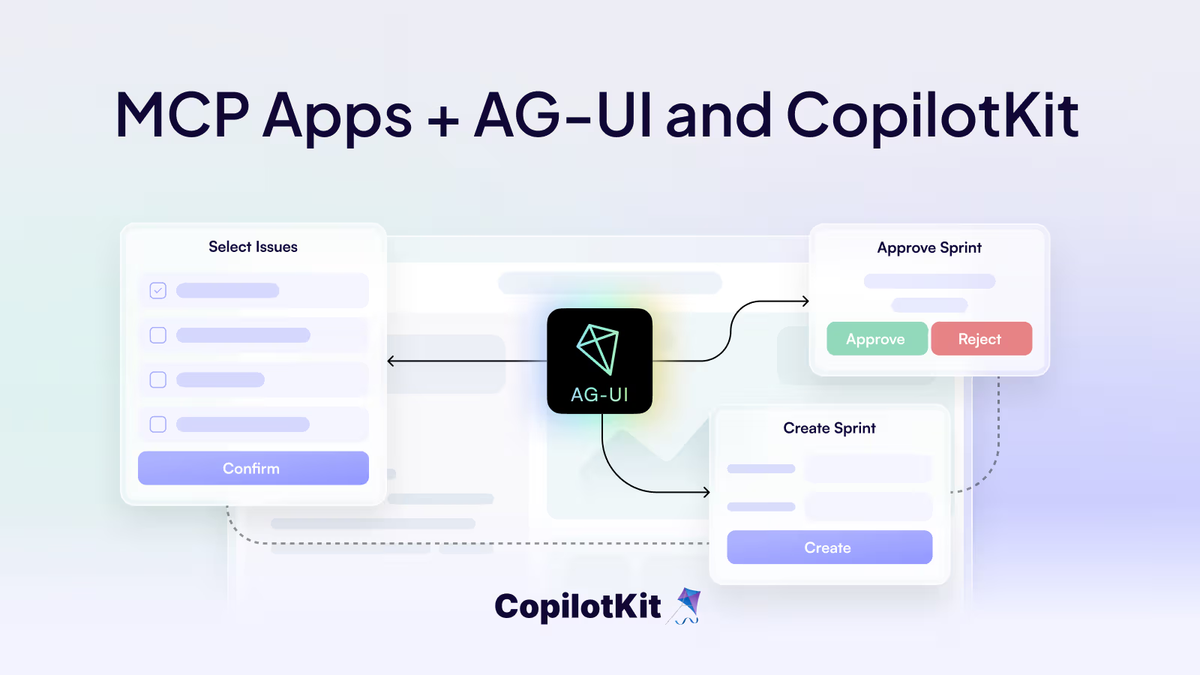
For a first implementation, I would start with read-only tools:
- Search internal docs
- Retrieve linked tickets
- Check CI or deployment status
- Look up code owners
- Summarize incident history
- Draft a handoff note
Write actions should come later. Creating a ticket is one risk level. Opening a PR is another. Triggering CI or deployment is a very different class of action. The agent should not blur those lines just because Slack makes everything feel conversational.
Adding human approval gates
Approval gates are the reason a Slack agent can be useful without becoming reckless.
The agent should pause before actions that change durable state: creating branches, opening PRs, updating tickets, triggering CI, applying patches, or notifying customers. The approval request should be specific enough that the reviewer knows what they are approving.
A weak approval gate says: “Should I proceed?”
A useful approval gate says:
- Proposed action: Create a draft implementation ticket
- Source context: This Slack thread and the linked support issue
- Missing context: Retry behavior after partial payment failure
- No code changes will be made
- Suggested owner: Payments backend lead
- Next step after approval: Handoff to a worktree-based coding agent
That kind of gate keeps human ownership visible. The agent prepares the decision. The team still makes it.
From Slack Thread to Developer Workflow
The clean version of this workflow has five stages.
First, the agent captures the Slack thread. It should summarize only what is present and label uncertainty clearly. If the thread includes guesses, the summary should call them guesses. If the thread lacks reproduction steps, acceptance criteria, or release constraints, the agent should ask for them.
Second, it classifies the request. Is this a bug, refactor, test gap, documentation issue, release blocker, feature request, or investigation? Classification determines which tools are safe to call and what approval gate is needed.
Third, it enriches the request through approved tools. It may pull a linked ticket, check the latest CI result, identify code owners, or find a relevant internal doc. This should not become uncontrolled repo browsing. The goal is to add enough context for a better handoff.
Fourth, it proposes the developer workflow. The handoff should include likely affected areas, assumptions, test expectations, risk level, suggested owner, and recommended execution surface.
Fifth, a human approves or redirects. The work may move to Claude Code, Codex, an IDE agent, a worktree-based agent, or a human engineer. The Slack coding agent’s job is to make that transfer cleaner.
This is also where Verdent’s broader workflow view is useful. Complex coding work benefits from plan-first execution, isolated workspaces, and verification loops. Slack can coordinate the work, but serious project-level coding still needs a surface that can inspect the repository, modify files, run tests, and present diffs for review.
Where IDE or Worktree Agents Still Win
Slack is strong at shared context. It is weak at deep execution.
An IDE or Git worktree agent still wins when the task requires repository-wide search, multi-file edits, local test runs, dependency updates, merge conflict handling, or iterative debugging. The moment the work becomes “change code and prove it still works,” the workflow needs more than a Slack thread.
That does not make Slack agents less valuable. It just gives them a cleaner boundary.
A Slack coding agent is best for:
- Intake from messy team discussion
- Clarifying ambiguous requests
- Pulling lightweight project context
- Drafting implementation handoffs
- Routing work to the right owner or agent
- Capturing approval before action
An IDE or worktree agent is better for:
- Editing files
- Running tests
- Reviewing diffs
- Handling merge conflicts
- Iterating on failures
- Preparing a PR
This boundary prevents the common failure mode where a chat agent sounds confident but lacks the project context needed to make safe changes. Slack answers, “What are we trying to do?” The execution surface answers, “What changed, did it pass, and who owns the diff?”
Risks, Review Gates, and Human Ownership
The risks are predictable.
Slack context can be incomplete. People speak casually, skip constraints, and mix decisions with speculation. A good agent should preserve that ambiguity instead of smoothing it into false certainty.
Tool access can sprawl. Teams should start with read-only tools and add write permissions only when the approval model is clear. “Can summarize CI status” and “can trigger deployment” are not remotely the same permission.
Approval can become theater. If every action is approved with a vague thumbs-up, the gate is not doing real work. The approval request must state the action, evidence, risk, and owner.
Ownership can also get blurry. The final owner of code changes should always be a human developer or engineering team. An agent can draft, summarize, propose, and execute within limits, but the PR owner is responsible for correctness, tests, security, and merge readiness.
The best version of this workflow does not replace engineering judgment. It reduces the cost of reaching a reviewable engineering decision.
FAQ
When should a team self-host a Slack agent?
A team should self-host a Slack agent when it needs control over model routing, runtime behavior, internal tools, approval gates, logging, and permissions. If the agent touches engineering context such as tickets, code ownership, CI, release data, or repository metadata, self-hosting gives the team a safer place to enforce policy.
What Slack context is enough for a coding handoff?
Enough context includes the user problem, expected behavior, current behavior, affected product area, relevant links, constraints, urgency, and a named owner. If the thread lacks reproduction steps, acceptance criteria, risk level, or test expectations, the agent should ask clarifying questions before creating a coding handoff.
How should approval gates work in Slack?
Approval gates should be action-specific. The agent should show what it plans to do, what context it used, what it will not do, and who becomes accountable after approval. Separate approval for read-only research, ticket creation, branch creation, PR drafting, and merge-related actions.
Who owns code changes after a Slack agent reply?
A human developer or engineering team owns the code changes. The Slack agent can prepare the handoff, draft a plan, or trigger an approved workflow, but ownership transfers to the person reviewing the diff, running tests, and approving the PR.
Conclusion
CopilotKit OpenTag for coding teams is most useful as a self-hosted bridge between Slack conversation and developer execution. Its value is not that it replaces Claude Slack, Codex Slack, Claude Code, IDE agents, or worktree-based systems. Its value is that it can turn messy team discussion into a structured, approved, tool-aware coding workflow.
The practical pattern is simple: own the runtime, bring the right model, wire only the tools you trust, and keep humans responsible for approval and code ownership.