Spec driven development means writing intent as a reviewable artifact before code exists. This page is narrower than the method itself: how Kiro implements it, where the review gates sit, and what the workflow costs.
Checked against Kiro's documentation on 2026-08-25. Kiro ships quickly, so confirm surfaces and naming before standardizing.
What Kiro Specs Are
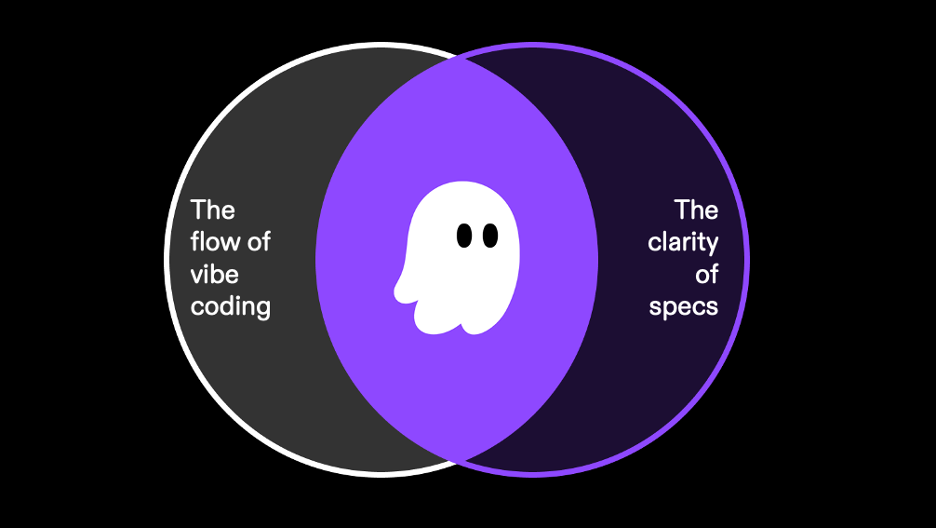
A Kiro spec is three Markdown files, generated in sequence and saved under .kiro/specs/:
requirements.md— user stories and acceptance criteria in EARS notation (Bugfix Specs usebugfix.mdhere instead)design.md— architecture, sequence diagrams, implementation considerationstasks.md— discrete, trackable implementation tasks
The files are the product. Version-controlled alongside the code, a spec is reviewable in a pull request like anything else and readable by someone who never opens Kiro. That is what makes this more than a prompt wrapper: ambiguity surfaces in requirements.md, where it is cheap to fix, instead of in a diff.
Specs run in the IDE, the CLI, and the web, but the surfaces differ — worth checking before a team rollout, since some capabilities are still in preview.
Choose the Right Kiro Spec Type
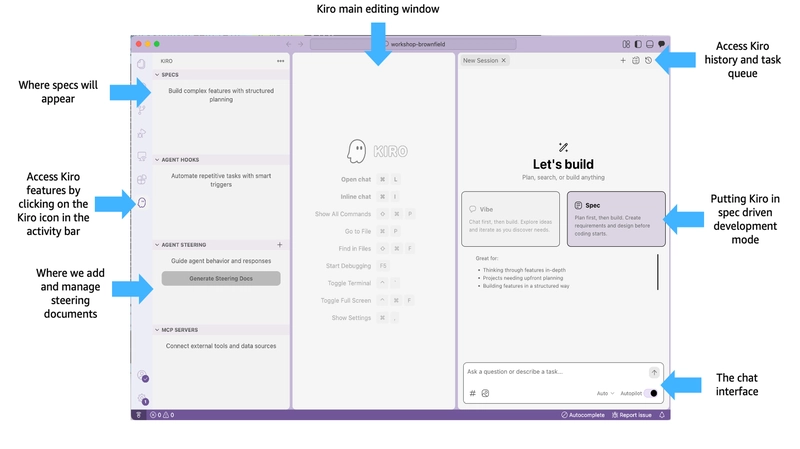
One naming correction first. What Kiro treats as spec types is Feature Specs and Bugfix Specs — two, not three. Quick Spec is a session mode producing the same artifacts without approval gates. If you find older material calling it Quick Plan, that is the earlier name; the current documentation and IDE both use Quick Spec.
Feature Specs for Planned Changes
Feature Specs cover new capabilities and come in two workflow variants.
Requirements-First starts from the behavior you want, then derives design and tasks — the right choice when the problem is understood better than the solution.
Design-First starts from technical design and derives requirements from it, which keeps them feasible by construction. You also pick a level of detail: High Level Design for system diagrams and components, or Low Level Design for algorithms and function signatures. The docs suggest High Level when several people will implement it, Low Level when you want feasibility fast.
Design-First earns its place when you already have an architecture, when you are prototyping to check feasibility, or when non-functional constraints are tight enough to drive the design.
Bug Specs for Surgical Fixes
Bugfix Specs replace requirements.md with bugfix.md, structured around current behavior, expected behavior, and unchanged behavior.
That third field is where the testing approach follows. Kiro generates property-based tests in three matching categories — verifying the bug exists, verifying the fix resolves it, and verifying unchanged behavior still holds. Without that third set, "surgical" is a claim rather than a check.
Write the bug description with reproduction steps, current behavior, and expected behavior. The root cause analysis is only as good as those inputs.
Quick Specs for Smaller Tasks
Quick Spec front-loads the interaction instead of removing it: Kiro asks clarifying questions about scope, constraints, and edge cases up front, then generates all three artifacts in one pass and drops you on the task list.
Kiro is direct about when not to use it: reach for standard Feature Specs when you are exploring unfamiliar territory or the review gates genuinely add value.
You can still review and edit the artifacts afterward — they are identical in format. What you gave up is the forced pause between phases, which is what catches a wrong assumption before it reaches the task list.
Build a Spec From Requirements to Tasks
Refine the Requirements
After requirements are generated, Analyze Requirements runs a deeper pass that catches logical inconsistencies, ambiguities, conflicting constraints, and gaps. Check the capability matrix for your surface before planning around it — this is one of the actions that is not available everywhere. It takes minutes rather than seconds, because it reasons across the full requirement set rather than one line at a time.
It is worth the wait for complex features where requirement interactions matter, domain-sensitive work where ambiguity is expensive, and any Quick Spec session, since those requirements were generated without a manual review step. For small or well-understood specs, the docs say you can skip it.
Review the Design
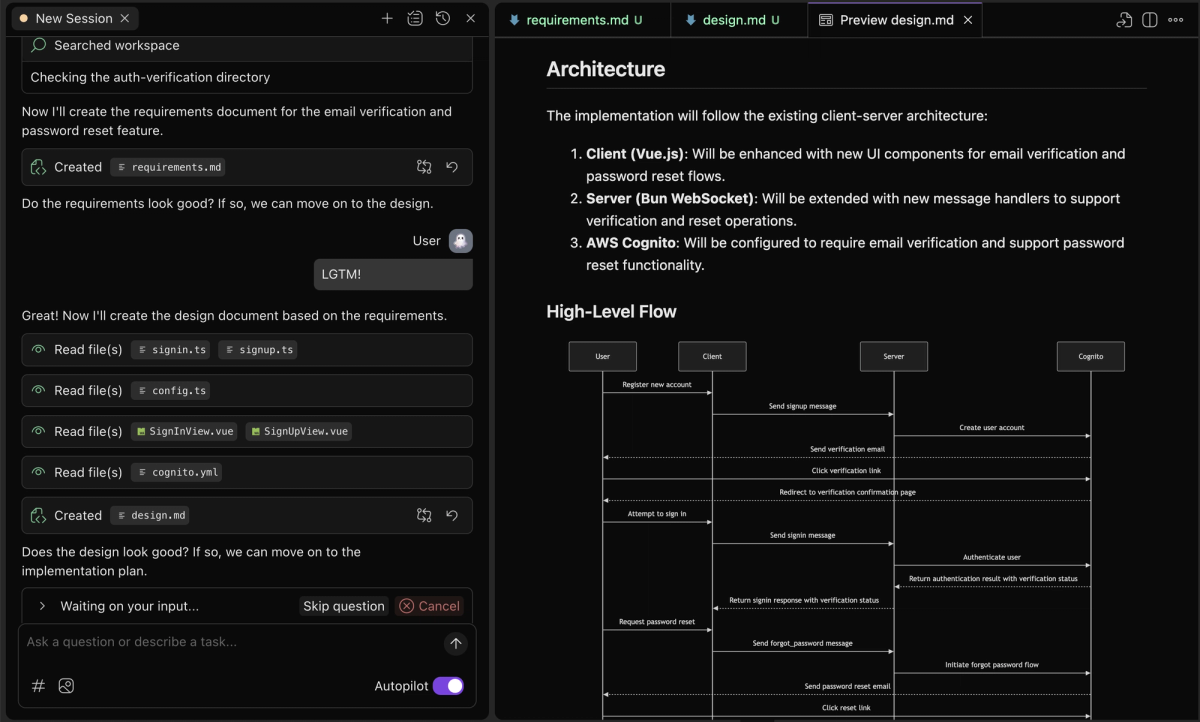
This is the phase most people skim, and the one where skimming costs most. design.md carries the architecture, component interactions, and sequence diagrams — decisions the tasks inherit without re-litigating.
Read it against one question: what does this design make hard to change later? Tasks derived from a design you did not read are tasks you approve without knowing what you agreed to.
Approve the Task Sequence
tasks.md is the executable layer. Execution groups work into waves: waves run sequentially, tasks within a wave run concurrently. Worth knowing before you approve, because tasks sharing a wave are ones you are implicitly saying can run in parallel.
When things change later, the propagation path depends on which workflow you started from. For a Requirements-First spec, update the requirements, then Refine on design.md — which updates the design and its task list — followed by Sync Files on tasks.md. For Design-First, the documented order runs the other way: update the design, ask Kiro to validate and regenerate the requirements so they stay feasible, then Sync Files.
Implement and Review the Result
Agent Execution and Pull Request Handoff
Execution differs by surface, and the difference matters for team planning.
In the CLI, /spec new starts a new spec and switches into spec mode. The useful part is architectural: Kiro now runs one agent harness across CLI, IDE, and web, so for the capabilities a surface does support, the underlying behavior and configuration are consistent — whatever gating you configured is not bypassed here. Availability still differs: the per-surface capability matrix is the thing to check before assuming parity.
On the web, you connect GitHub or GitLab, and Kiro implements tasks in an isolated sandbox and opens a pull request or merge request when the work is done.
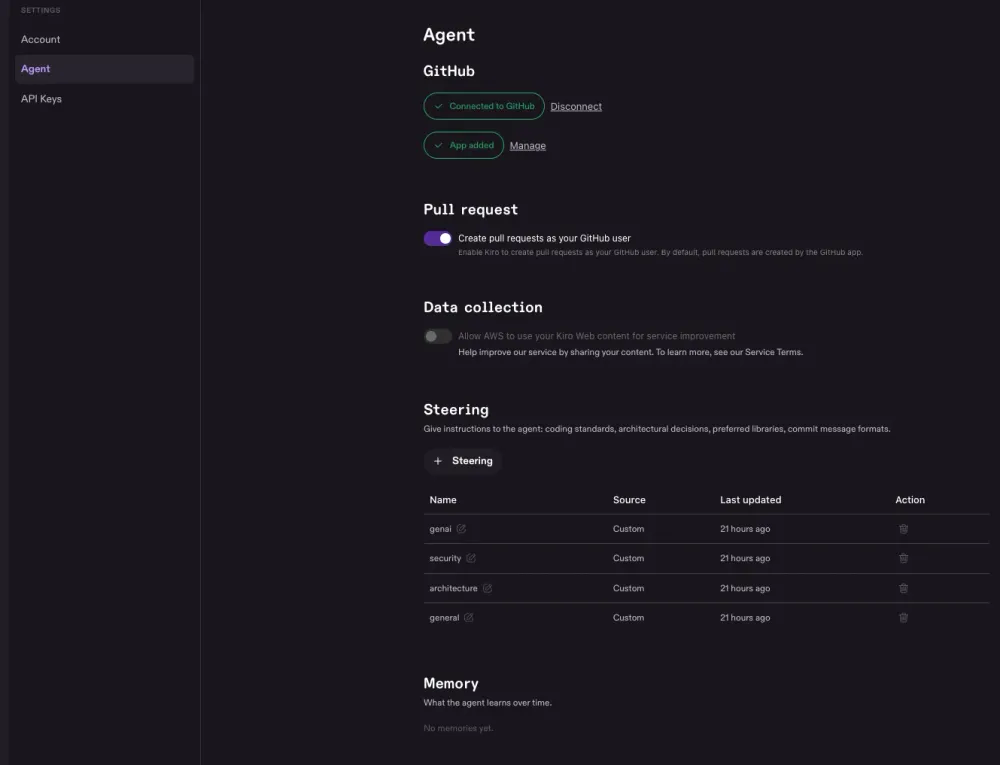
Permissions catch teams out here, and the two providers do not work the same way. On GitHub, your account needs write permission on the repository before the agent can create branches and open PRs. On GitLab, the constraint sits on the token instead: a personal access token scoped for code push and merge request creation — a read-only scope will connect but cannot deliver work. Kiro Web is also still a preview, available to Pro, Pro+, Pro Max, and Power subscribers.
A single session can span multiple repositories, including a mix of GitHub and GitLab, with the agent coordinating changes and opening the appropriate PR or MR on each.
Tests, Diffs, and Human Approval
Review the PR as you would any other. Feedback turns into changes through two comment-driven commands — /kiro all for every comment across the PR, /kiro fix for one conversation thread.
Two cautions belong here.
First, your own PR feedback can teach the agent, and those patterns carry into future work across your repositories — while other reviewers' comments do not affect what it learns. Worth knowing in both directions: be deliberate about what you assert in passing, and do not assume a teammate's review has updated anything.
Second, and this is the part no tool solves: a spec you approved does not mean the requirements were right, the tests were sufficient, or the code is production-ready. It means the implementation matches what you approved. Those are different claims, and the second one is still yours to make.
Limits and Workflow Trade-Offs
Spec Drift During Iteration
The artifacts are generated in sequence, which means changing one leaves the others stale until you act. Refine and Sync Files exist for that propagation, and as noted above the order differs between Requirements-First and Design-First — so a team running both needs to know which one it is looking at.
The failure mode is predictable: someone edits tasks.md directly to unblock themselves, nobody re-syncs, and two weeks later the spec describes a design the code no longer follows. The drift is visible in a diff — but only if someone looks.
Decide once, as a team convention, which file is the source of truth when they disagree.
When a Full Spec Adds Too Much Overhead
Three phases and two approval gates is real ceremony — worth it when the blast radius is large or several people must agree, not worth it for a config change you could make faster than you could describe.
The signal that you over-specified: design.md restating requirements.md in different words. The phases stopped doing separate jobs, and you are paying review cost for duplicated content.
If the shape of your work is several agents running in parallel across a project rather than one spec at a time, the constraint moves from writing specs to coordinating review across parallel work. That is a different problem from choosing a spec type, and worth separating before you decide either one.
FAQ
Can one Kiro spec cover changes across several repositories?
Kiro Web supports multiple repositories in a single session, including a mix of GitHub and GitLab, with the agent coordinating changes and opening the appropriate PR or MR on each. For sharing spec files themselves across teams, the documentation suggests a central specs repository referenced through Git submodules or package references, plus a defined cross-repository process for proposing and updating shared specs. Whether one spec's task list can span repositories in the IDE and CLI the same way is not something I could confirm in the current documentation — test it before relying on it.
Where should teams store Kiro spec files?
Specs are written to .kiro/specs/ and are designed to be version-controlled. The documented recommendation is to keep them in the project repository alongside the code they describe, which preserves the link between requirement and implementation. On the web, spec documents can also be downloaded locally if you want to continue the work elsewhere.
Can stakeholders comment without running Kiro?
Yes, through the artifacts rather than through Kiro. Because the files are Markdown in the repository, anyone with repository access can read them and comment in a pull request — no Kiro seat required to review a spec. Once implementation produces a PR, non-developers can comment there too, though the /kiro commands that turn comments into changes are Kiro features.
How should unfinished specs be handed between developers?
Hand off the files, since they carry the state. The docs also describe a related case worth knowing: when working in an existing codebase, some tasks may already be complete because a colleague did the work in another session, so check task status against the code before resuming. One operational detail for web sessions — sessions expire after 90 days, at which point chat messages and logs are deleted, though pull requests, code changes, and GitHub conversations are unaffected. If the conversation matters to the handoff, capture it before then.
What happens when repository access changes mid-spec?
On GitHub, access has two layers: Kiro Web shows repositories where both your account and the Kiro Agent app have access, and write permission is required for the agent to create branches and open pull requests. Remove either layer and the agent loses the ability to act on that repository. On GitLab the model is different — access depends on your GitLab user permissions and on the connected personal access token and its scopes.
Any spec files already committed to the repository stay there. What the documentation does not describe is the state of an in-flight Web spec after access is revoked mid-run, so treat that as untested and avoid changing permissions while work is executing.
Related reading
- The method behind this workflow, independent of any one tool: spec driven development for AI coding teams
- Once specs are approved and agents start landing pull requests, automated review works better as queue triage than as an approval bot
- The ownership question that arrives with any agentic workflow running across a team: who owns it
- For a harness built on the opposite premise — a minimal core, with extensions supplying the higher-level capabilities: Pi coding agent
- And when a vendor leads with benchmark numbers, what SWE-bench Pro can and cannot tell you
Verified against Kiro's documentation on 2026-08-25. Surfaces, mode names, and preview availability change frequently — confirm current behavior before adopting.