Most coding agents ask you to adopt their workflow. Pi's stated position is the opposite — its own tagline is that there are many agent harnesses, but this one is yours. Whether that helps depends on how much configuration work your team is willing to own.
This page covers what Pi ships, how extensions change the picture, and where the minimal core becomes your problem rather than the vendor's. Verified against the official site and repository on 2026-08-18.
What Pi Coding Agent Is
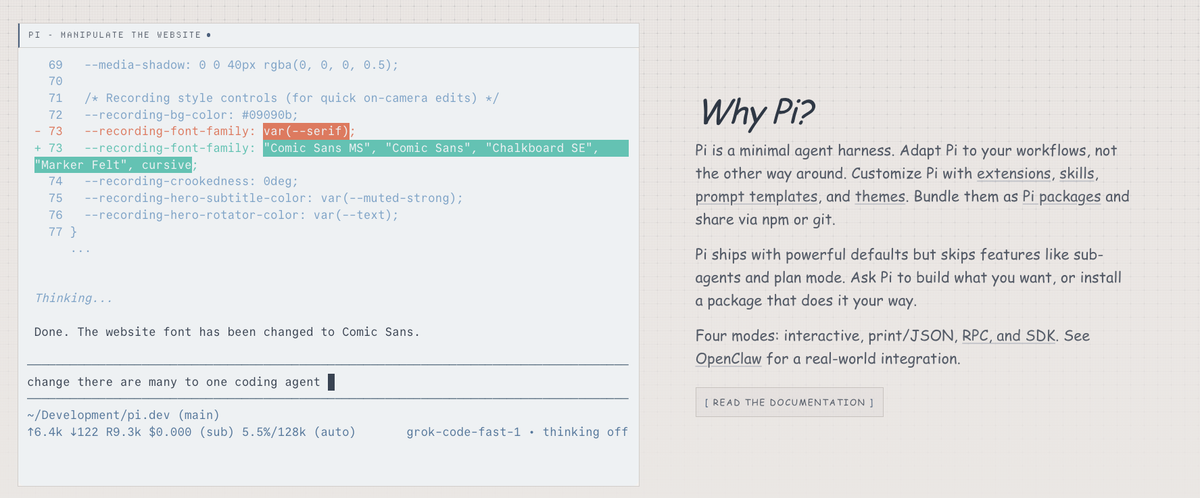
Pi is a terminal-based coding agent published by Earendil Inc. and contributors, installable via a shell script or as the npm package @earendil-works/pi-coding-agent. The core is MIT licensed.
The framing that matters is architectural. Pi is not only the CLI: the repository publishes the layers underneath — a unified LLM API, an agent runtime, and a terminal UI library — as separate packages. Use the finished tool, or pull one layer into your own application.
That explains the next thing you notice: a section titled "What we didn't build," covering MCP, sub-agents, permission popups, plan mode, built-in to-dos, and background bash.
Read that list carefully, because it is easy to misread. Each item comes with a documented alternative — build an extension, install a package, run in a container, use a TODO.md file, spawn instances via tmux. The official examples directory even includes working implementations of sub-agents, plan mode, permission gates, and sandboxing. "Not shipped by default" is a different claim from "cannot be done," and Pi is squarely in the first category.
How Pi Organizes a Coding Session
Terminal Interaction and Repository Context
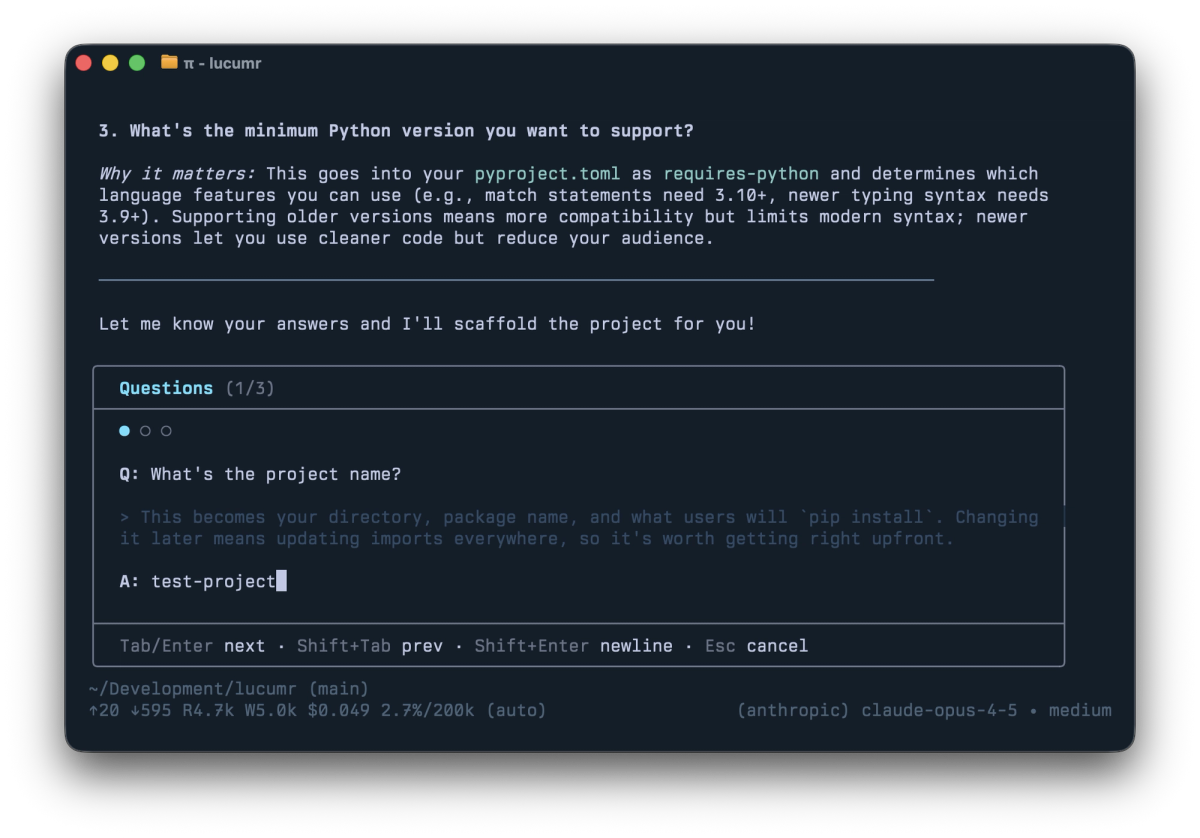
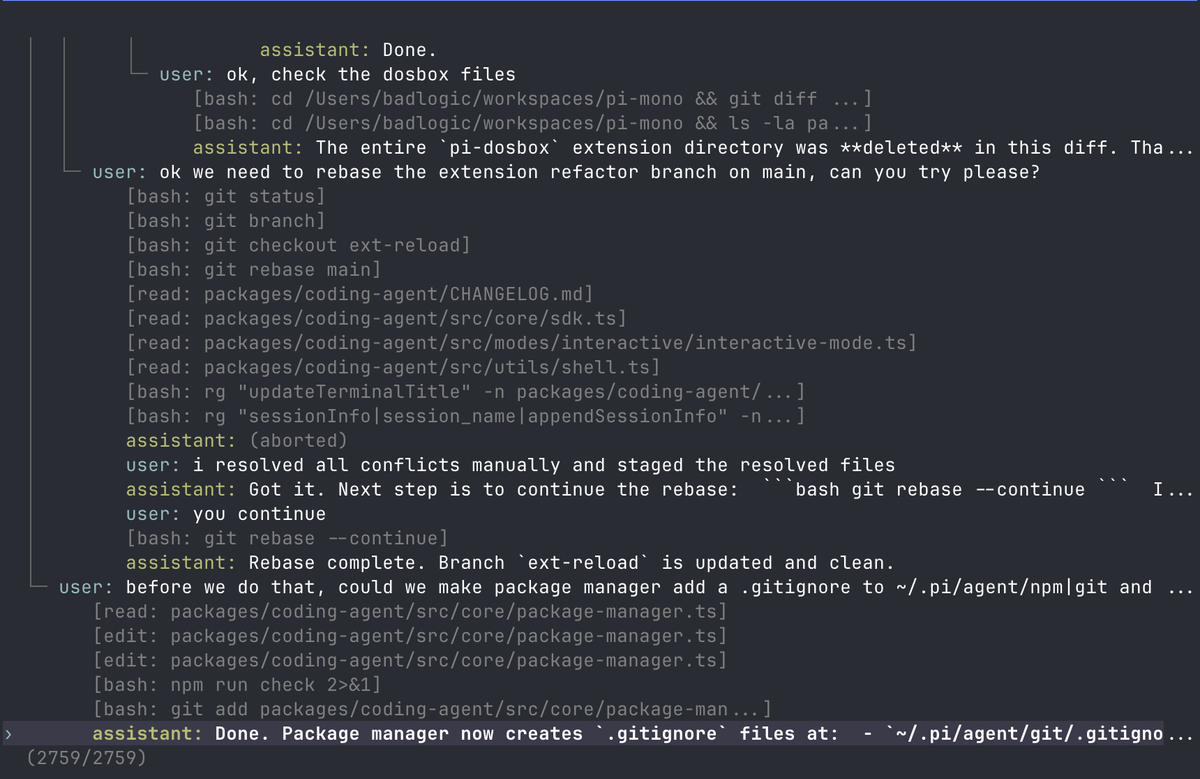
The interactive mode is a full TUI: a startup header showing loaded context files, prompt templates, skills and extensions; the message stream; an editor whose border color indicates thinking level; and a footer with working directory, token and cache usage, cost, and current model.
Two details change how you work rather than what the tool can do. Steering: pressing Enter mid-run queues a message that is delivered once the current assistant turn finishes executing its tool calls. Alt+Enter waits until the agent finishes all work. If you have watched an agent head down the wrong path with no way in short of killing it, that first option is the feature.
One note if you are cross-checking: the marketing site still describes steering as interrupting the remaining tool calls. The current usage documentation and the agent changelog describe the corrected behavior above — the whole batch completes first. Where the site and the docs disagree, trust the docs.
Session history is a tree, not a log. Sessions are stored as trees in a single file; /tree navigates to any previous point and continues from there, with all branches preserved. Sessions export to HTML with /export or upload to a GitHub gist with /share.
Repository context comes from three mechanisms: AGENTS.md loaded at startup from the agent directory, parent directories, and the current directory; per-project system prompt files, where .pi/SYSTEM.md replaces the system prompt and .pi/APPEND_SYSTEM.md appends without replacing it; and compaction that auto-summarizes older messages near the context limit, itself replaceable by an extension.
Models, Tools, and Session Control
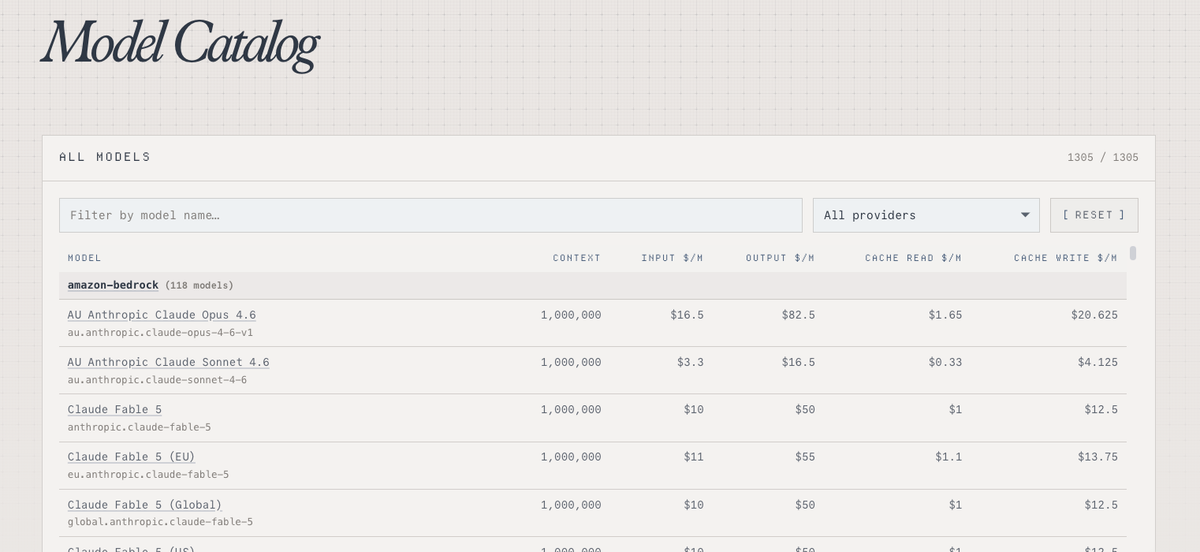
Pi lists more than fifteen providers — Anthropic, OpenAI, Google, Azure, Bedrock, Mistral, Groq, Cerebras, xAI, Hugging Face, MiniMax, NVIDIA, OpenRouter, Ollama and others — authenticated by API key or OAuth. Models switch mid-session with /model or Ctrl+L, and custom providers can be added via models.json or an extension.
The consequence for teams: the model contract sits with whichever provider you configure. Pi is the harness; it does not resell inference.
New users hit the trust mechanism immediately. Projects can carry executable Pi extensions, so Pi asks before trusting a directory with dynamic configuration. Decisions are recorded, defaultProjectTrust controls the prompt, and project-local extensions are not loaded until trust is resolved. Cloning a repository does not silently run its agent code.
How Extensions Change the Pi Workflow
TypeScript Extensions, Skills, and Prompt Templates
Extensions are TypeScript modules with access to tools, commands, keyboard shortcuts, events, and the full TUI. They can inject messages before each turn, filter message history, implement retrieval, replace the editor, or add widgets, status lines and overlays.
Skills are capability packages combining instructions and tools, loaded on demand — described as progressive disclosure that avoids busting the prompt cache. Prompt templates are Markdown files expanded by typing /name.
Keep the three straight: prompt templates are text you reuse, skills are capabilities the model loads when relevant, extensions are code that changes how the harness behaves.
More than fifty extension examples ship in the repository, including sub-agents, plan mode, permission gates, protected paths, SSH execution, sandboxing, and MCP integration. Two things follow. The omissions listed earlier are demonstrably implementable. And an example is a starting point, not a supported feature — you maintain what you adopt.
Packages and Custom Providers
Packages bundle extensions, skills, prompt templates and themes for distribution through npm, git, or a local path. Installation is global by default, writing to ~/.pi/agent/settings.json, with -l installing per project into .pi/settings.json.
Pinning is worth reading precisely, because the command names matter. A bare pi update updates Pi itself; package updates run through pi update --extensions or pi update --all. Under those, versioned npm specs are skipped, and git refs are not advanced — though a pinned git checkout may still be reconciled to the configured ref.
The security note in the package documentation is the part to read twice. Pi packages run with full system access; extensions execute arbitrary code, and skills can instruct the model to perform any action including running executables. The documentation's own instruction is to review source before installing third-party packages.
That is not a criticism of the design; it is the consequence of a plugin system with real power. But it makes package adoption a code review decision, not a convenience one.
Where Pi Fits Real Engineering Work
Solo Developer Experiments and Custom Harnesses
Pi's strongest fit is a developer who wants the harness itself to be malleable. The documented workflow includes asking Pi to build its own extension, reloading, and continuing — the harness modifying itself mid-session.
If you are building a product on top of an agent, the four modes matter more than the TUI. Interactive for daily use, print/JSON (pi -p "query", --mode json) for scripts and event streams, RPC over stdin/stdout for non-Node integrations, and an SDK for embedding.
Team Adoption and Repeatability
For a team, the question inverts. A malleable harness is only repeatable if the configuration is version-controlled and reviewed.
Three things need an owner before Pi scales past one person: which packages are approved and pinned, what the project trust posture is, and where AGENTS.md and SYSTEM.md live so a new hire inherits the same setup rather than reconstructing it. Project-level installs writing to .pi/settings.json make this tractable, since that file can sit in the repository.
The failure mode is predictable — each developer builds their own extensions, and six months later no two environments behave the same way. That is a governance question rather than a tooling one, and it looks the same as deciding who owns an agentic workflow once it runs across a team.
Limits and Operational Risks
Minimal Defaults and Configuration Responsibility
The minimal core moves work rather than eliminating it. Permission flows, planning, sub-agents, task tracking — if you want them, you build, install, or do without.
For a solo developer that is often a good trade. For a team, budget the configuration time honestly and decide who maintains it. An extension you wrote is code you now own, including when an upstream change breaks it.
Also worth stating plainly: this page makes no claim that Pi is lighter, faster, or cheaper than alternatives. Community harness comparisons do exist — including runs that drive the same models through Pi and through other harnesses on the same tasks — but their methodology and coverage are still moving, so no performance claim is drawn from them here. If you need that answer, run your own tasks on your own repository.
Permissions, Untrusted Inputs, and Maintenance
Three risks deserve a policy before adoption rather than after.
Third-party packages. Full system access, arbitrary code execution, and skills that can instruct the model to run executables. Review before install, pin versions, and keep the approved list short.
Untrusted repositories. The trust prompt exists because cloned projects can carry executable extensions. Do not train yourself to approve it reflexively — it is the one gate that stands between a cloned repo and its own agent code.
Maintenance drift. Both the harness and your extensions move. Pin what you depend on, and schedule a review rather than discovering breakage during a deadline.
Since the core is open source and provider-agnostic, cost and dependency questions look different from a subscription product — a distinction covered in what free coding agents actually cost.
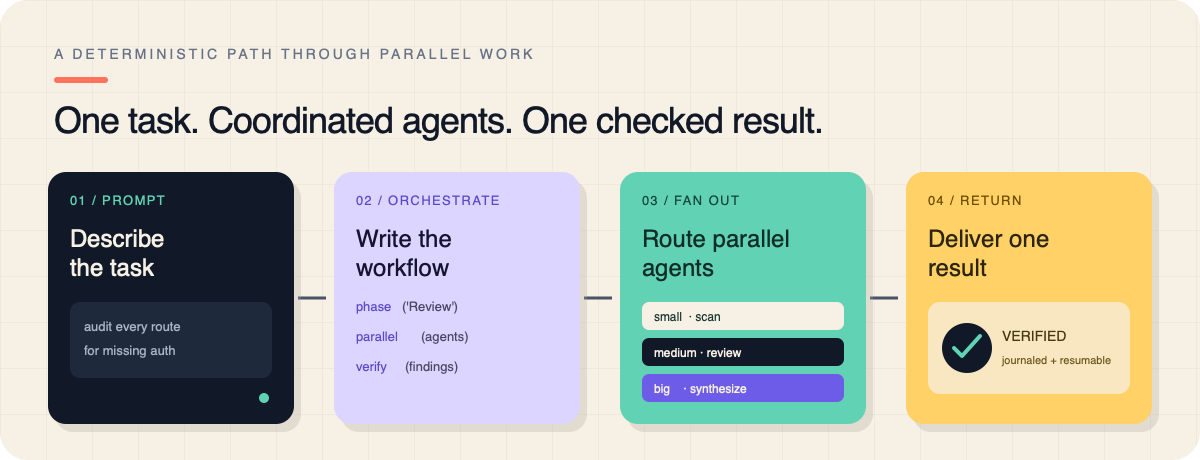
If your problem is not a customizable single-session harness but several agents working in parallel on one project with plans reviewed before execution, that is a different adoption path — the category Verdent works in — and worth separating from this decision rather than folding into it.
FAQ
Does Pi store session history locally or remotely?
Sessions are stored locally as tree-structured files, with all branches of a session kept in one file. Sharing is explicit and opt-in: /export produces local HTML, and /share uploads to a GitHub gist. Separately, the project encourages publishing open-source sessions to Hugging Face through a community tool, which requires deliberate setup. Nothing leaves the machine because you resumed a session.
Can Pi use multiple provider accounts in one project?
Multiple distinct provider IDs can coexist, but Pi does not natively store several credentials under the same provider ID — the credential store is keyed by provider ID, so logging into a second account for the same provider replaces the first. Multi-profile support has been raised as a feature request rather than shipped.
Within that constraint you have room: models switch mid-session, and custom providers and models can be declared in a models.json file or added by an extension, which is one way teams separate routes. Attribution is still yours to track — keep a record of which model ran which task if you need to reconcile spend later.
How should teams pin community package versions?
Install with an explicit version or ref rather than a bare source. Package updates run through pi update --extensions or pi update --all — not a bare pi update, which updates Pi itself — and under those, versioned npm specs are skipped while git refs are reconciled to the configured ref rather than advanced. Install project-scoped so the pin lives in the repository's settings file, keep the approved list short, and treat a version bump as a code change: read the diff, because these packages execute with full system access.
Which license applies to custom Pi extensions?
The core is MIT licensed — see the current LICENSE in the official repository. That does not automatically extend to anything else. Each extension, skill, theme, or package carries its own license, and official examples, community packages, and your own code may all differ. Check the license of each artifact you install or ship, along with the terms of any provider it calls. This is general information rather than legal advice; the authoritative answer is the license text applicable at the time you use it.
Can Pi run non-interactively inside a CI job?
Yes. Print mode (pi -p "query") and JSON event streaming (--mode json) exist for scripted use, and the RPC and SDK modes cover deeper integration. Two operational notes before wiring it into a pipeline: credentials become CI secrets with whatever blast radius that implies, and a non-interactive run has no human at the approval point, so any permission or confirmation behavior you rely on has to be implemented explicitly rather than assumed.
Related reading
- Before adopting any harness beyond a test repository, work through this pre-adoption checklist.
- If cost is the deciding variable, see what free coding agents actually cost.
- Once more than one person uses it, the question becomes who owns an agentic workflow across a team.
- For the review gate itself, automated review works better as queue triage than as an approval bot.
- And when someone cites benchmark numbers, what SWE-bench Pro can and cannot tell you is the right lens.