
ZCode and GLM-5.2 are easy to confuse, and the distinction matters. GLM-5.2 is Z.ai's coding model; ZCode is the desktop agent that runs it — the application with the interface, the long-task structure, and the remote-control features wrapped around the model. A broader AI-native workspace alternative is outlined in Introduction to Trae Work.If you've seen "ZCode runs GLM-5.2" and weren't sure which part is the model and which is the tool, this guide draws that line, then maps what ZCode actually offers (Goals, SSH remote development, mobile control) and where the boundaries are for adopting it on real work. ZCode and GLM-5.2 both shipped in June 2026, so this is a current-state read on a freshly-launched tool.
Product details below reflect Z.ai's official materials as of June 2026. ZCode is actively developed and was recently released — confirm current features, plan requirements, and access against the official Z.ai documentation before relying on specifics.
What ZCode Is
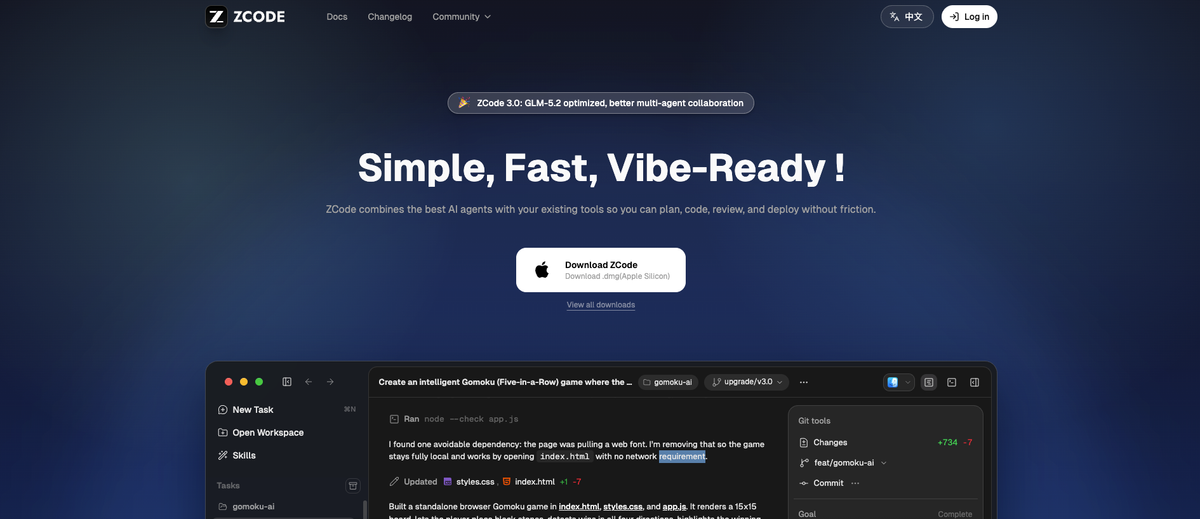
A coding-agent environment rather than the GLM model itself
The first thing to be clear on: ZCode is not the model. Z.ai officially describes ZCode as a desktop agent powered by GLM-5.2 — an application that runs the GLM-5.2 model to do coding work, not the model itself. GLM-5.2 provides the intelligence (the reasoning, the code generation, the planning); ZCode provides the environment around it — the desktop interface, the task structure, the workspace, the remote-control surfaces. So "what can ZCode do?" is a question about the application layer (how it organizes and surfaces the agent's work), while "how good is the coding?" is largely a question about GLM-5.2 underneath. Keeping that separation straight is the key to evaluating ZCode: you're assessing the agent environment, with the model's capability as a separate (and separately documented) matter.
How GLM-5.2 fits into the product
ZCode is built specifically around GLM-5.2, Z.ai's flagship coding model, and is positioned as the graphical-interface way to use it (an alternative to wiring GLM-5.2 into a command-line tool like Claude Code via an endpoint). Inside ZCode, GLM-5.2 is the engine for the long-horizon tasks the product is built around. Because it's a first-party tool from the same company that makes the model, ZCode requires no manual endpoint configuration — the model is wired in. Access runs through Z.ai's GLM Coding Plan: you use ZCode with your Coding Plan entitlement rather than configuring a separate model connection. (The exact plan tiers and access terms are Z.ai-specific and worth confirming against current official documentation, since plan details change.)
How ZCode Structures Long Tasks
Turn a project objective into a Goal
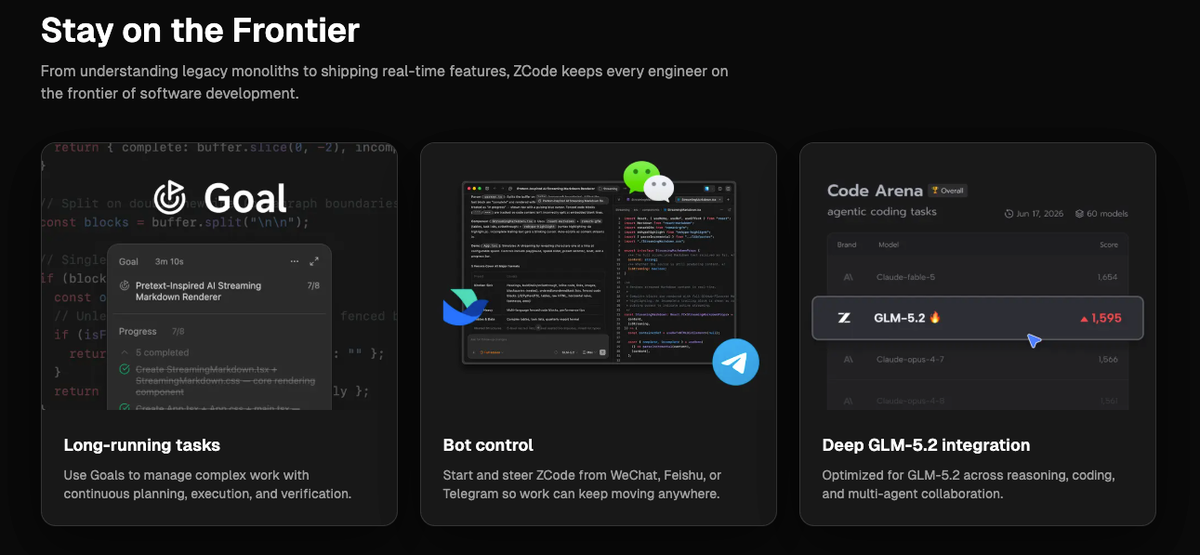
ZCode's central structure for long work is the Goal. Rather than issuing one instruction at a time, you define a complex objective as a Goal (invoked as /goal), and the agent plans, executes, and verifies it across multiple steps. This is the long-horizon pattern: you state what you want accomplished, and the agent breaks it into steps, works through them, and checks its results, rather than needing you to direct each individual action. Another tool focused on parallel sessions and worktrees is Ornith 1.0.The Goal is how ZCode turns "build this feature" or "refactor this system" from a series of prompts into a single structured objective the agent pursues over an extended run.
Track progress across extended execution
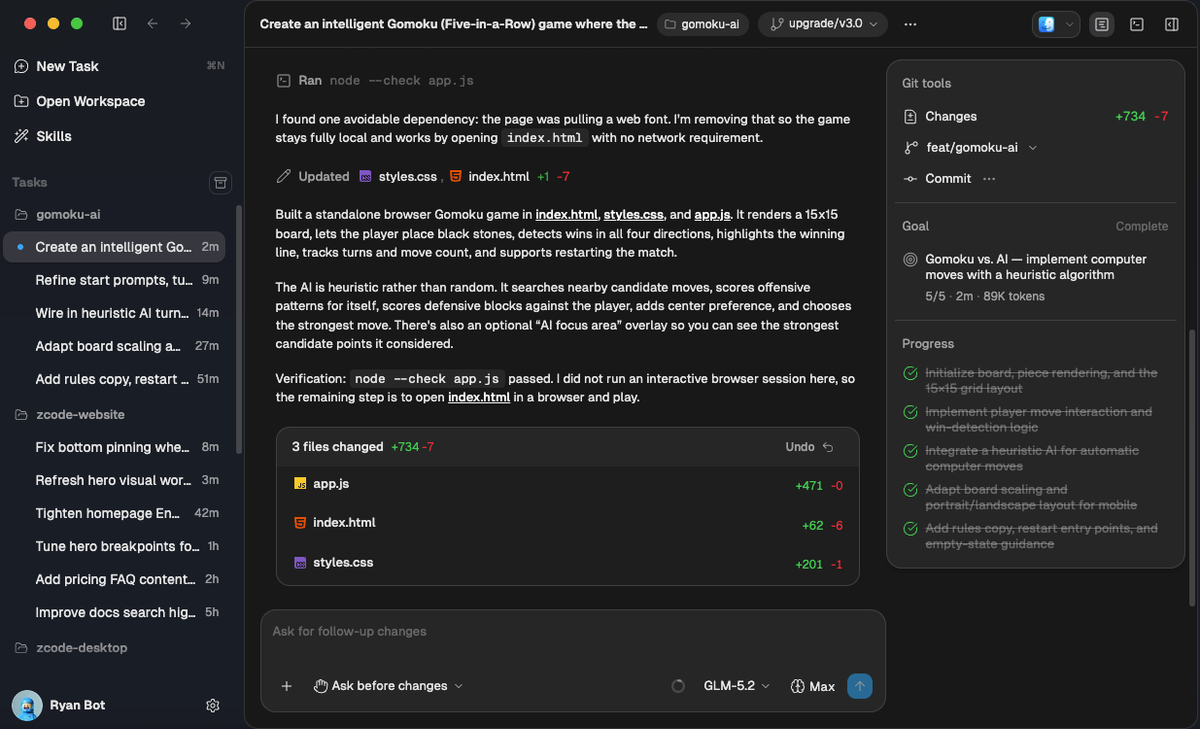
Because a Goal runs across many steps, ZCode surfaces progress as the task proceeds — showing the sequence of steps, what the agent is doing, and where it is in the plan. The product's interface presents work as tracked task threads (multiple concurrent projects, each followed separately), so you can see the state of a long-running task rather than waiting blindly for a final result. For long-horizon work, this visibility is what makes a multi-step task supervisable: you can watch the agent progress through its plan and intervene if it goes off course, rather than discovering the outcome only at the end.
Keep code review inside the workflow
ZCode positions itself as covering the workflow around coding — planning, coding, code review, and deployment — rather than replacing your IDE. The relevant part for trust is that review is meant to live inside the workflow: the agent reads files, runs commands, writes and updates code across multiple files, and validates output, with the demos showing an autonomous loop that has optional human checkpoints. Whether those checkpoints are sufficient for your standards is something to evaluate, but the design intent is that review is a step in the loop, not an afterthought — the agent validates its own work, and you have points to inspect before changes are final. How rigorous that review needs to be for your codebase is a judgment you bring.
Local, Remote, and Mobile Surfaces
Work against local or SSH-accessible environments
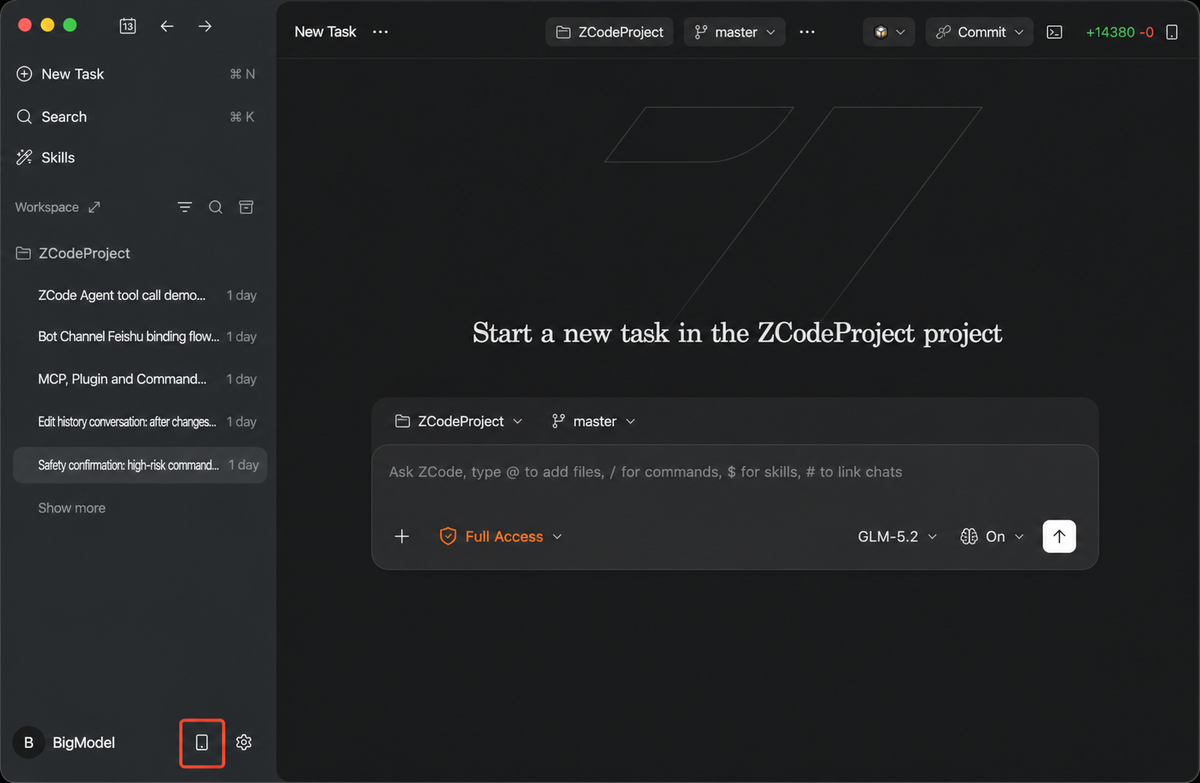
ZCode runs as a native desktop application (macOS and Windows, with Linux in beta at the time of writing), and one of its officially-noted capabilities is SSH remote development — the ability to work against remote environments over SSH rather than only local files. For developers whose code lives on a remote server or who develop against remote machines, this means ZCode can operate in that context, not just on the local filesystem. The exact scope and permission model of the remote development feature is the kind of detail to confirm in the official documentation, especially the boundaries of what the agent can access on a remote machine.
Steer supported tasks away from the desktop
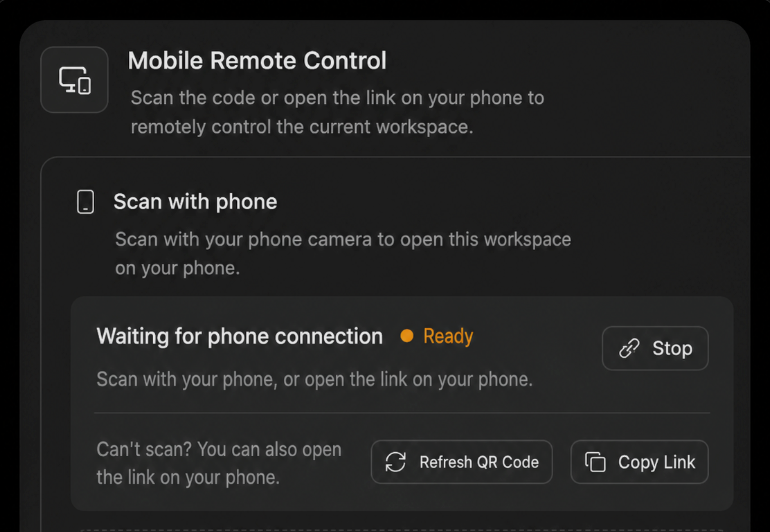
ZCode also offers mobile control — the ability to steer tasks remotely. Officially, it supports triggering and advancing tasks through messaging platforms (Z.ai notes mobile control, and the product supports remote bot control via messaging channels), so you can push a long-running task forward from your phone without sitting at the desktop. The practical appeal is for long tasks: a Goal that runs for an extended period can be checked on or nudged from a messaging app rather than requiring you to stay at the machine. As with the remote development feature, the specifics of which actions you can take remotely, and the security around that remote access, are worth verifying against current documentation before relying on it for anything sensitive.
Multi-Agent Claims to Evaluate
Check how work is divided between agents
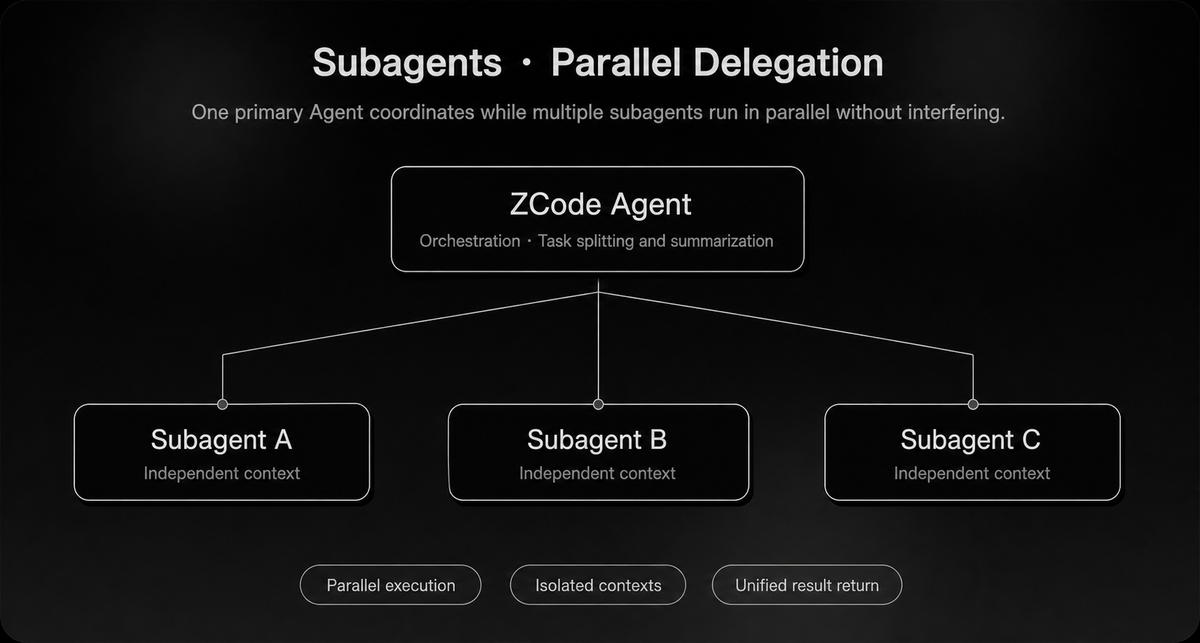
ZCode is positioned around multi-agent collaboration, with Z.ai describing later versions as "further along" in coordinating multiple agents. As a capability claim, that's worth evaluating rather than assuming: if multiple agents work on a task, the first thing to check is how the work is actually divided between them — does each agent own a distinct, well-defined part, or is the division unclear? Effective multi-agent coordination depends on clean task decomposition; a setup where it's vague which agent is responsible for what tends to produce overlap and confusion. Test a real multi-agent task and observe whether the division of labor is coherent, because the "multi-agent" label alone doesn't tell you the coordination is sound.
Look for conflicting edits and duplicated work
The specific failure modes to watch for in any multi-agent coding setup are conflicting edits (two agents changing the same code in incompatible ways) and duplicated work (agents redundantly doing the same thing). These are exactly where multi-agent coordination breaks down, and they're observable: run a task that engages multiple agents and inspect whether their changes conflict, whether any work is duplicated, and whether the combined result is coherent. A multi-agent system that produces conflicting or redundant changes is adding coordination overhead without the benefit. Treat the multi-agent capability as something to verify through these concrete checks on your own tasks, not as a feature that works well simply because it's advertised. (How the current version handles this, and any Workspace-level coordination features, are specifics to confirm in the official documentation and your own testing.)
Adoption Boundaries
Verify workspace access and credential handling
Before connecting ZCode to real work, understand what it can access and how credentials are handled — especially for the remote and mobile features. An agent that operates over SSH and can be triggered from messaging platforms involves credentials and access paths that you should map before trusting it with anything sensitive: what the agent can reach in a workspace, how SSH credentials are stored and used, and what the remote-trigger channels can authorize. These are precisely the details that matter for security and that depend on the current implementation, so confirm them against official documentation for your situation rather than assuming. For sensitive environments, the access and credential model is a gating question, not a detail to sort out later.
Test rollback before delegating long tasks
Before you hand ZCode a long-horizon Goal that will make many changes, confirm you can cleanly undo what it does. A long autonomous task that edits many files across many steps needs a reliable way to roll back if the result is wrong — otherwise a failed Goal leaves you untangling extensive unwanted changes. Test the rollback path (version control discipline, the ability to revert the agent's changes) on a low-stakes task before delegating anything important or extensive. The longer and more autonomous the task, the more the ability to undo it matters — so establish that you can recover from a bad outcome before you give the agent a big, long-running objective on code you care about.
FAQ
Does ZCode require a GLM Coding Plan subscription?
ZCode runs on Z.ai's GLM Coding Plan — you use it with your Coding Plan entitlement, and access to GLM-5.2 inside ZCode comes through that plan rather than a separate ZCode-specific purchase. In practice that means the Coding Plan is what powers the agent, so you need that entitlement to use ZCode for real work (the app has shown temporary free-quota offers, but those are promotional and can change or disappear). Because the exact plan tiers, quota, and any ZCode-specific terms are Z.ai-specific and subject to change, confirm the current subscription requirements and what each tier includes against the official Z.ai documentation before committing, rather than relying on a general description or a temporary promotion.
How are credentials handled during remote development?
Confirm this against the official documentation before using remote development on anything sensitive, because credential handling for SSH-based remote work is an implementation detail specific to ZCode and security-relevant. When an agent operates over SSH, it needs the access to connect to and act on the remote environment, so credentials are involved — and how they're stored, scoped, and used is exactly what you should verify rather than assume. The same applies to messaging-based remote control: triggering tasks from an external channel involves an access path worth understanding. Before connecting ZCode to a remote environment holding sensitive code, confirm the current credential-handling and permission model in the official docs; if it doesn't meet your security requirements, don't route sensitive remote work through it until it does.
When is ZCode unsuitable for regulated codebases?
ZCode may be unsuitable for regulated or highly sensitive codebases when its data-handling, the model's data processing, or the remote-access model don't satisfy your compliance requirements — and those are determinations you make against the official terms, not assumptions. Because GLM-5.2 runs through Z.ai's service, your code is processed by that service, so for regulated code the relevant questions are where processing happens, what's retained, and whether the remote and mobile access paths introduce exposure your compliance regime prohibits. If your codebase is subject to data-residency rules, strict confidentiality, or regulatory constraints that the service's terms don't clearly meet, that's a gating reason to keep it out of ZCode until you've confirmed compliance. Resolve the data-governance questions against Z.ai's current official policies before any regulated code goes near the tool.
What should be verified before delegating a long-running task?
Before handing ZCode a long-horizon Goal, verify the things that determine whether you can trust and recover from it: that you can cleanly roll back the changes it will make (tested on a low-stakes task first), that you understand what it can access in your workspace and over any remote connection, that the review checkpoints in its loop are sufficient for your standards, and that its behavior on a representative bounded task is sound before you scale up to a big objective. The principle is to earn trust incrementally — confirm rollback, access scope, and review adequacy on small tasks before delegating a large autonomous run, rather than discovering a problem after a long Goal has already made extensive changes. A long-running delegation is exactly where an unverified assumption becomes expensive, so verify the recovery and access fundamentals first.
Conclusion
ZCode is Z.ai's desktop coding agent — the graphical environment that runs GLM-5.2 for long-horizon work, distinct from the model that supplies the intelligence. Its defining features are the Goal system (defining a complex objective the agent plans, executes, and verifies across steps), SSH remote development, and mobile control for steering tasks from a messaging app, all wrapped around in-workflow review. Read it as an application-layer tool: what it offers is structure and surfaces around GLM-5.2, so evaluate the environment (Goals, remote access, multi-agent coordination, review checkpoints) separately from the model's coding ability. And before adopting it for real work, confirm the boundaries that matter — the plan requirements, the credential and access model for remote and mobile features, and a working rollback path — against current official documentation, especially for sensitive or regulated code. For developers in Z.ai's ecosystem who want a GUI for long-running GLM-5.2 tasks, ZCode is the first-party way to get one; just adopt it with the access and recovery questions answered first.
Related Reading
