
The name 1Code sounds like it might be a model or an AI assistant. It's neither. 1Code is an open-source desktop client — a visual layer that sits on top of Claude Code and Codex and lets you run several agent sessions at once without juggling terminals. It doesn't replace your Claude or OpenAI subscription, doesn't add a new model, and isn't an official Anthropic or OpenAI product. It's a workflow tool from 21st.dev for people who've started running multiple coding agents in parallel and found the CLI getting in the way. Here's what it actually is, where it helps, and what to check before adopting it.
Product details below reflect 1Code's public repository and site as of June 2026. An actively developed open-source project changes quickly — confirm current platform support, cloud-data handling, and subscription terms against the official repository and the upstream tools' documentation before relying on specifics.
What 1Code Is—and Is Not
A client and orchestration layer rather than a model
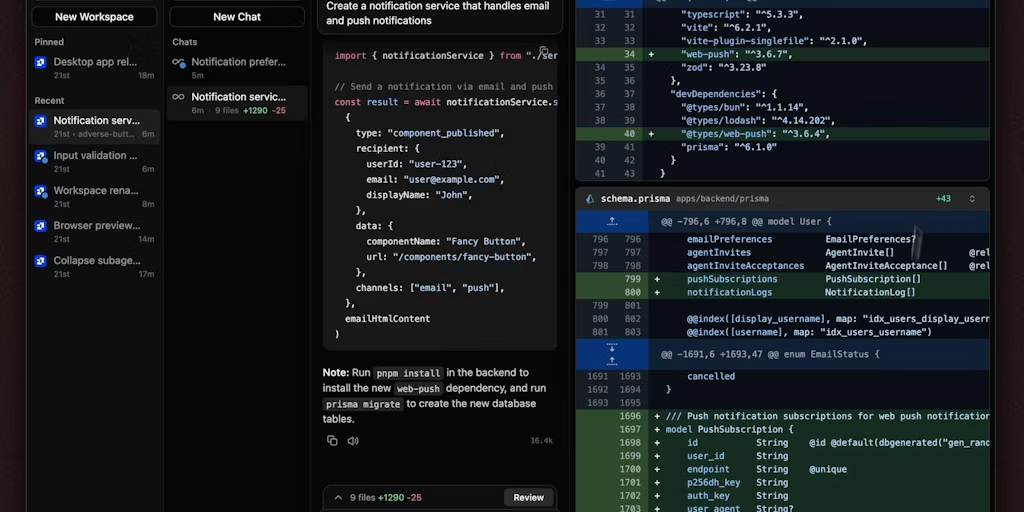
The most important thing to understand: 1Code is not a model and not a coding agent of its own. It's a client — an orchestration layer that runs existing agents (Claude Code and Codex) through a visual interface. The intelligence comes from Claude Code or Codex; 1Code provides the UI, the session management, and the git workflow around them. So "is 1Code good at coding?" is the wrong question — its quality as a tool is about how well it organizes and surfaces the agents it runs, not about model capability, which belongs to the underlying agents.
It's also not an official product of Anthropic or OpenAI, and not a replacement for their tools. It's an independent open-source project from 21st.dev (a startup that's also built other developer products). Treating it as what it is — a third-party client wrapping official agents — sets the right expectations: you're adopting a UI and orchestration layer, not switching AI providers.
How it connects Claude Code and Codex workflows
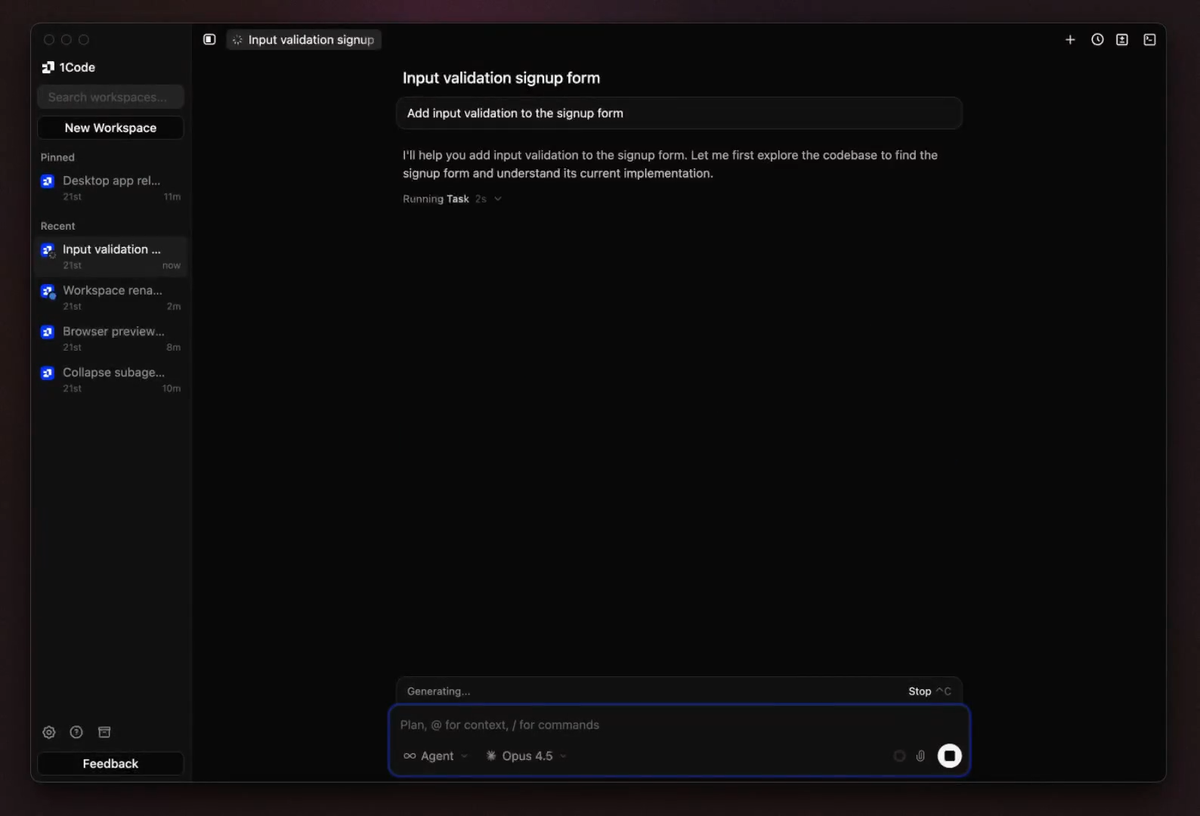
1Code runs Claude Code and Codex in one app, letting you switch between them per task. Notably, it uses the official Claude Code SDK (which wraps the Claude Code binary) rather than making direct API calls that impersonate the agent — the sanctioned way to build on top of Claude Code. It authenticates through your existing accounts (sign in with Anthropic or OpenAI) or your own API keys (BYOK), so it operates as a front-end to agents you're already entitled to use, not a separate service standing between you and the model. The connection is a wrapper around the official agent binaries, surfaced in a desktop UI.
How 1Code Organizes Agent Work
Run multiple sessions without losing task visibility
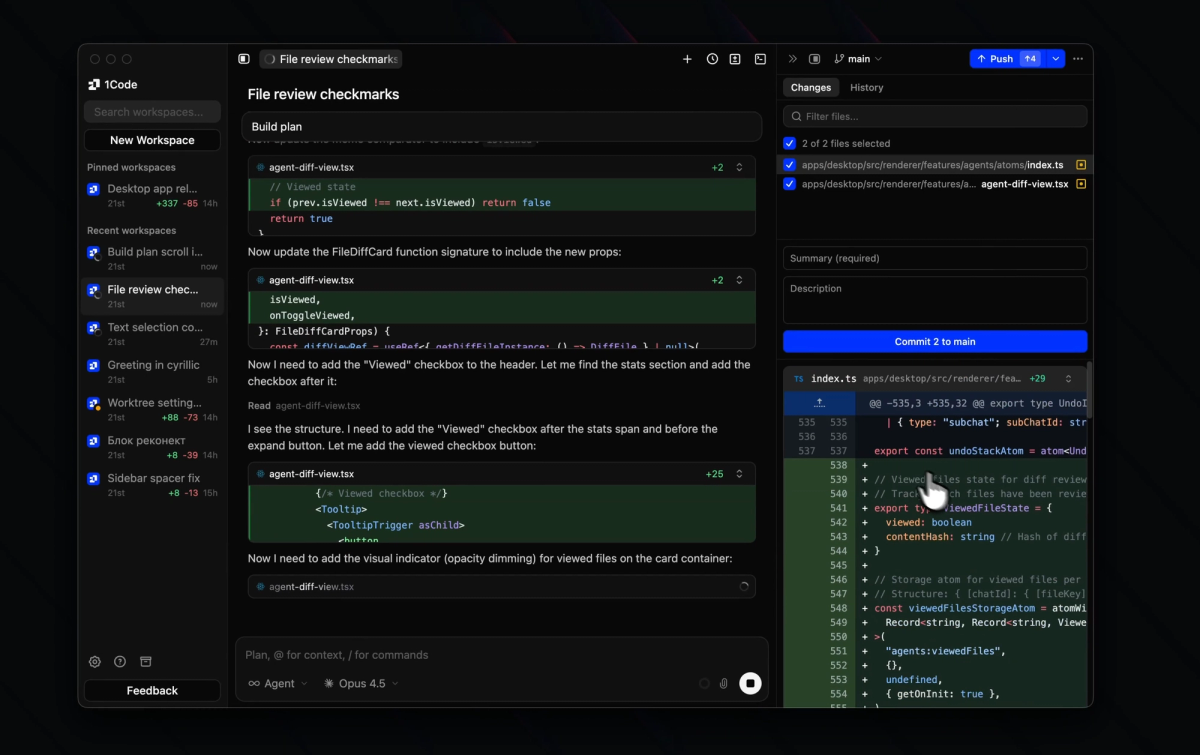
The core problem 1Code targets is the one that appears once you run several agents at once: too many terminals, scattered diffs, and no clear view of what each agent is doing. 1Code replaces that with a visual interface where each agent runs in its own session with full context, and a board-style view lets you see all your sessions at a glance. The value is task visibility at scale — when you're directing three or four agents across a project, seeing their state in one place is the difference between orchestrating parallel work and losing track of it.
Separate changes with optional worktrees
To keep parallel agents from colliding, 1Code can run each session in its own isolated git worktree — a separate working directory tied to the same repository — so changes from one agent don't interfere with another, and nothing lands on your main branch by accident. This isolation is what makes running multiple agents on one project safe: each works in its own space, and you decide what gets merged. For builders who've had parallel agents step on each other's changes, worktree isolation per session is the feature that makes parallelism practical rather than chaotic.
Inspect live output and generated changes
1Code surfaces what each agent is doing in real time — live tool execution and diff previews that show exactly what changes an agent is making as it makes them, plus a built-in git client to stage, review, and create pull requests without leaving the app. The point is keeping the human in the loop: you see the changes before they land, review the diff, and decide whether to commit, rather than discovering after the fact what an agent did. Visibility into generated changes, as they happen, is central to using parallel agents responsibly.
Local and Cloud Execution
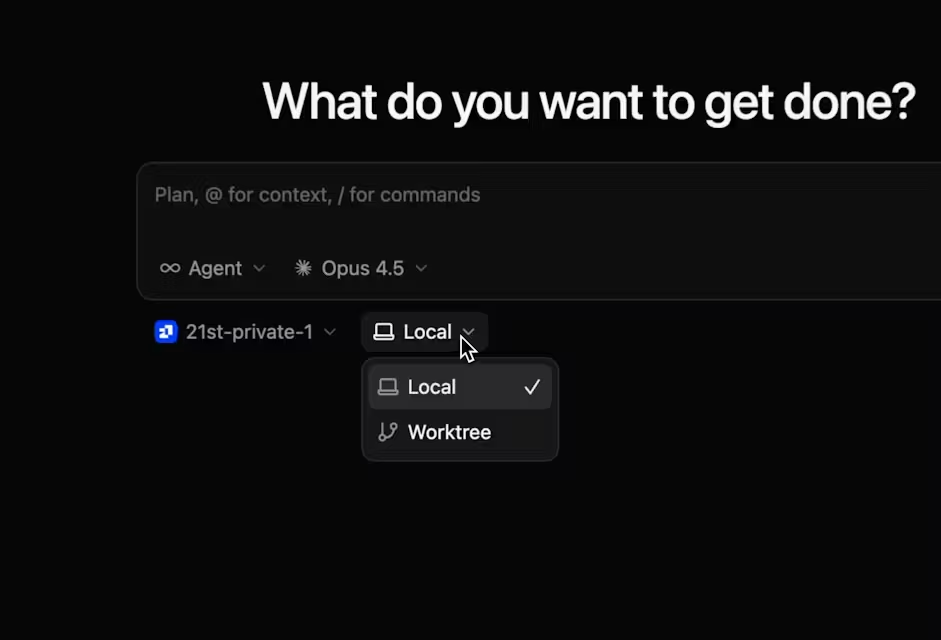
What remains on the local machine
1Code is local-first: by default, agents run on your machine, your code stays local, and no cloud sync is required. In this mode, the worktrees, the agent execution, and your repository all live on your own hardware — 1Code is a local desktop app coordinating local agents. For developers who need code to stay on their machine, the local-first default is the relevant property: adopting 1Code doesn't, by itself, send your code anywhere.
What changes when agents run remotely
1Code also offers cloud execution — background agents that run in remote sandboxes, so tasks can continue when your laptop sleeps. In this mode, the behavior is fundamentally different: a remote sandbox clones your repository, installs dependencies, and runs the agent in the cloud, committing and opening pull requests automatically. That means your code and credentials are involved in a cloud environment rather than staying purely local. This is a deliberate trade-off (background execution and async tasks in exchange for cloud involvement), and it's the part where the data and credential questions below matter most. The local and cloud modes have genuinely different data boundaries, so know which one you're using.
Where a Visual Client Helps
The clearest value of 1Code is coordinating multiple agents on a single project — a board-style view of all sessions, worktree isolation per session to prevent collisions, and inline diff review that keeps human oversight visible as changes are generated. If you run one agent at a time, the visual layer may add more overhead than benefit; the full decision between 1Code and the direct CLI is covered in the comparison page.
Limits to Check Before Adoption
Agent credentials and subscription requirements
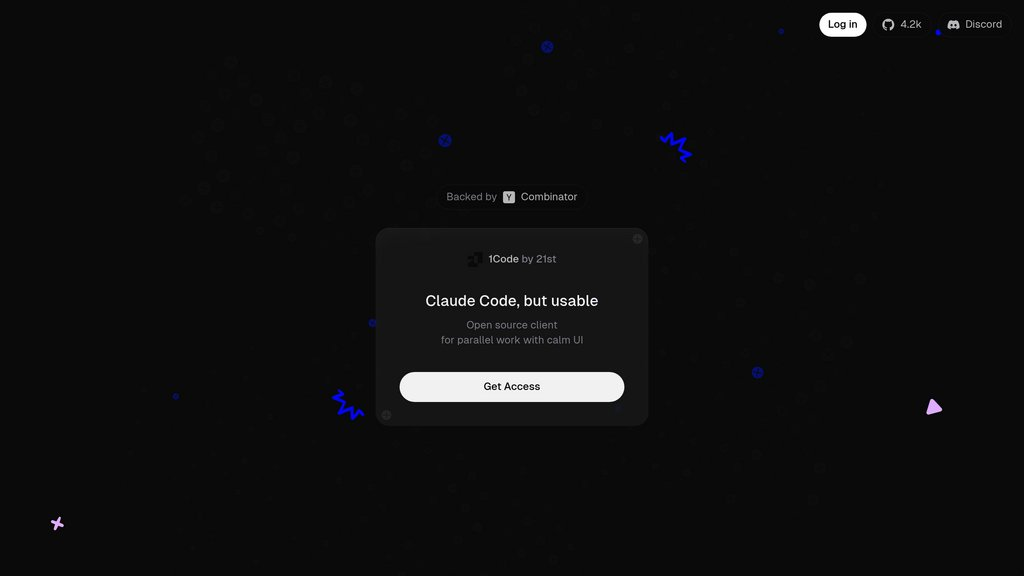
1Code is a client, so it requires the underlying agents and your entitlement to them: you sign in with your Anthropic or OpenAI account, or supply your own API keys. Your existing Claude (Pro/Max) or OpenAI subscription is what powers the agents — 1Code doesn't bundle model access. There's also an optional paid 1Code subscription that provides pre-built releases and cloud background-agent support, separate from your agent provider's subscription. So budget for two distinct things if you use the cloud features: your agent provider's plan (which you need regardless) and optionally 1Code's own subscription. Confirm the current subscription details against the official sources, as these can change.
Platform support and cloud-data boundaries
Two things to verify for your situation specifically. First, platform support: 1Code packages for macOS, Windows, and Linux, but as an actively developed project, the maturity and parity across platforms is worth checking against the current repository rather than assuming. Second, and more important, the cloud-data boundary: if you use remote sandboxes, your repository and credentials enter a cloud environment, so confirm how that data and those credentials are handled before sending any sensitive code through cloud execution. These are exactly the details that a fast-moving project may change, so verify them in the official documentation for your intended use rather than relying on a general description.
FAQ
Does 1Code replace Claude Code or Codex subscriptions?
No. 1Code is a client that runs Claude Code and Codex — it needs them, and your entitlement to them, to function. You authenticate with your existing Anthropic or OpenAI account (or your own API keys), and that existing subscription is what powers the agents. In short, 1Code changes how you interact with the agents, not whether you need them.
Where do cloud sessions store repository credentials?
This is precisely the question to confirm against the official documentation before using cloud execution, because it's a data-handling detail specific to the remote-sandbox mode and subject to change. When agents run in a remote sandbox, the sandbox clones your repository and needs the access to do so, which means credentials are involved in a cloud environment rather than staying local. Verify the current credential-handling and data-retention behavior for cloud sessions in the official repository or site for your situation — and if your code or credentials can't enter a cloud environment, use the local-first mode instead.
Can existing CLI configuration carry into 1Code?
Whether and how your existing Claude Code or Codex CLI configuration is inherited is a behavior to confirm against the current documentation, since it depends on how 1Code wraps the agent binaries and may change as the project develops. Because 1Code uses the official Claude Code SDK around the agent binary, it builds on the same underlying agent, but the degree to which it picks up your existing CLI settings, custom instructions, or MCP configuration is an implementation detail to verify directly rather than assume.
When is a visual orchestration layer unnecessary?
When you're not running agents in parallel. If you typically run one coding agent at a time and you're comfortable in the terminal, a visual client adds a layer without solving a problem you have — the CLI is fine for single-agent, sequential work. The honest test is whether it removes real friction from your workflow, not whether the interface looks nicer than a terminal.
Conclusion
1Code is a visual, open-source client that wraps Claude Code and Codex — not a model, not a coding agent, and not an official Anthropic or OpenAI product, but a workflow layer from 21st.dev for running multiple agents in parallel. Its value is concentrated in exactly that scenario: when you're orchestrating several agent sessions on one project, its worktree isolation, live diffs, integrated git workflow, and session board turn terminal chaos into manageable parallel work. If you run one agent at a time, it may add more layer than value. Before adopting, confirm the things that depend on your situation and change with the project: your subscription requirements, platform support, and especially the cloud-data and credential boundaries if you use remote sandboxes. Verify those against the official repository and the upstream tools' documentation, and 1Code is a useful way to scale up agent-driven development — as the client it is, around the agents that do the actual work.
Related Reading
