
If you're already running Claude Code or Opus 4.7 via the API, four mechanisms shipped on April 16, 2026 changed the defaults under your agent loop. xhigh is the new effort level — and it's now your default in Claude Code whether you set it or not. /ultrareview adds a multi-pass review subcommand. Task budgets give you a soft token ceiling for entire agentic loops. Auto mode rolled out to Max users. Self-verification behavior is on by default and changes the contract for how the model decides "done."
This article covers what each mechanism does, when to use it, and when not to. The goal is to get you to the right configuration in one read — not to rephrase the launch announcement.
The Four New Mechanisms for Coding Agents
Why these matter together, not just individually
Each mechanism is independently useful, but the combination is where the real change shows up. xhigh increases reasoning depth per turn, which tends to increase token consumption. Task budgets bound that consumption across a multi-turn agent loop. /ultrareview is a high-quality review pass that costs tokens — and task budgets ensure the review is included in your overall budget rather than tacked on. Auto mode reduces the number of confirmation interruptions, which lets agents complete more work per session — which is exactly when token controls matter most.
The recommended pairing for production agentic coding work, distilled from Anthropic's official Opus 4.7 documentation: xhigh effort + a task budget calibrated to your workload + /ultrareview at merge gates. Each piece has a job; they reinforce each other rather than duplicate.
xhigh Effort Level
Where it sits: between high and max in the reasoning depth spectrum
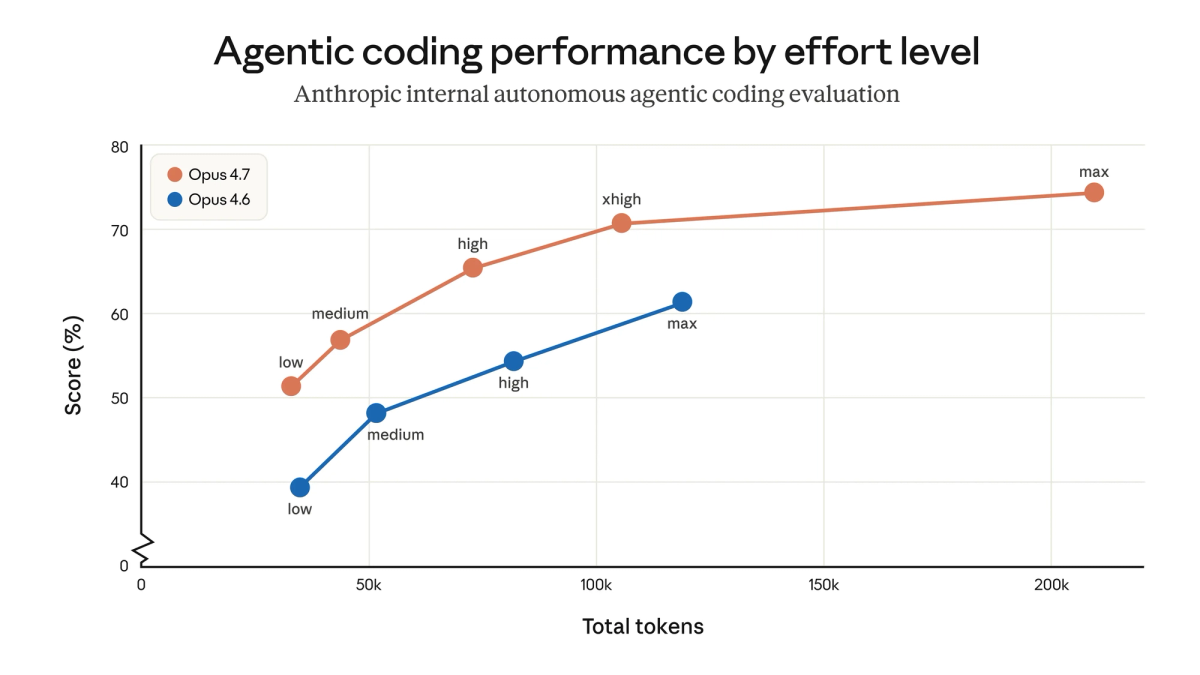
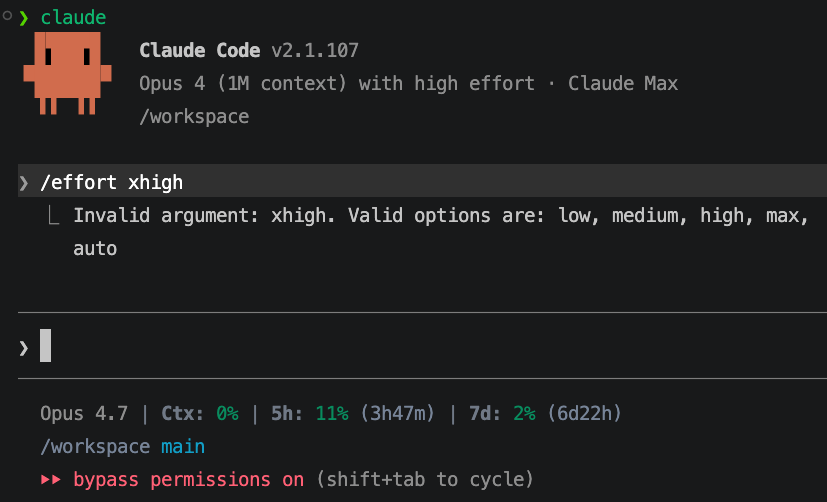
The effort scale in Opus 4.7 now has five levels: low, medium, high, xhigh, max. xhigh sits between high and max. It biases the model toward deeper reasoning per turn without paying the full token cost of max effort.
Adaptive thinking is now the only thinking mode in Opus 4.7. The model decides how long to reason; the effort knob biases that decision. At xhigh, the model almost always thinks deeply; at low, it rarely does.
What it does: more thinking before acting, without full max latency
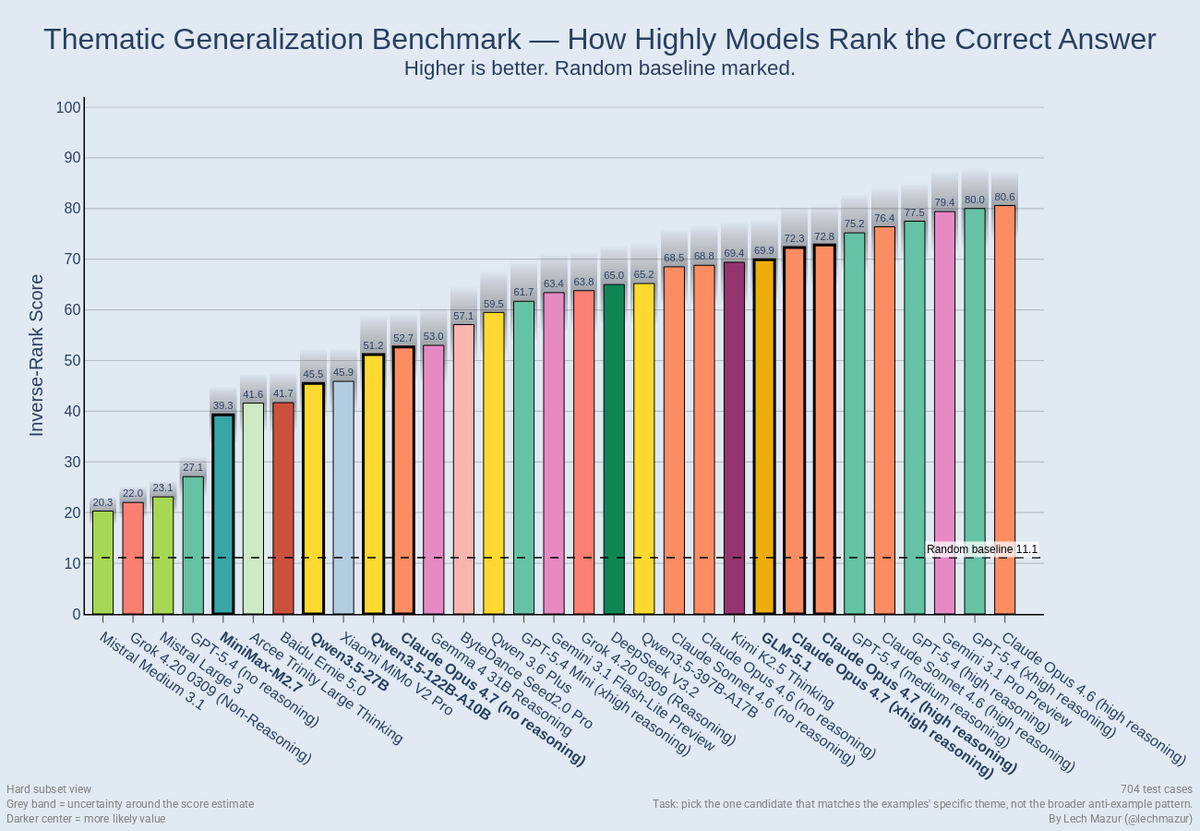
xhigh produces measurably more thorough output on complex coding tasks than high, while staying meaningfully cheaper and faster than max. Anthropic's own benchmark data shows xhigh approaches 75% on complex coding tasks; max pushes higher but burns significantly more tokens for marginal gains on most workloads. Hex's CTO summarized the practical shift in Anthropic's launch announcement: "low-effort Opus 4.7 is roughly equivalent to medium-effort Opus 4.6." The whole effort curve shifted up; xhigh is closer to where high used to live in real-world usefulness.
Claude Code now defaults to xhigh for all plans
If you opened Claude Code after April 16, 2026, you're already running xhigh — Pro, Max, Teams, and Enterprise all default to it. Existing users without a manually set effort level were auto-upgraded. The previous default was high. To override:
/effort high   # if you want to step down for latency-sensitive work
/effort max    # if you want to step up for hardest problems
When to step down to high (latency-sensitive interactive work)
Use high (or lower) when:
- The task is a quick edit, simple bug fix, or short refactor where latency matters more than depth
- You're in interactive pair-programming mode where waiting for deep reasoning breaks flow
- Your prompt is well-scoped and the answer is obvious — xhigh's adaptive thinking will run longer on ambiguous prompts, so a clear prompt lets you safely use less effort
Drop to medium or low for classification, extraction, formatting, or short summaries. xhigh on trivial work wastes tokens because adaptive thinking still scales with prompt ambiguity.
When to step up to max (hardest problems, batch-tolerant workflows)
Use max when:
- Your evaluations show measurable quality headroom at xhigh — you've actually tested both
- The task is a known-hard problem where a small accuracy gain justifies higher cost (production-critical refactors, security-sensitive code, complex algorithm design)
- You're running batch workloads where latency is acceptable
Don't default to max for everything. Most production coding workflows hit diminishing returns past xhigh.
Cost impact: deeper thinking → more output tokens on complex tasks
xhigh roughly doubles token usage compared to high on long agentic runs. Combined with Opus 4.7's updated tokenizer (which produces 1.0–1.35x more tokens for the same input than 4.6), real cost on the same workload runs hotter than before. If you were spending $1,000/month on Opus 4.6 at high effort, expect roughly $1,000–$1,350/month on Opus 4.7 at the same effort — and more if you're running Claude Code where xhigh kicks in by default.
The mitigations: route simpler tasks to lower effort levels, use task budgets to cap agentic runs, add explicit conciseness instructions ("Be concise. Omit explanations unless asked") to system prompts. Don't fight the model's adaptive thinking on hard problems; do prevent it from over-thinking simple ones.
/ultrareview in Claude Code
What it does: multi-pass code review looking for bugs, edge cases, security issues, logic errors
/ultrareview is a slash command in Claude Code that runs a dedicated multi-pass review session against the current diff or specified files. It looks for bugs, edge cases, security vulnerabilities, and logic errors with deeper scrutiny than standard inline review. The full internal mechanism is not publicly documented, but the observable behavior is multi-pass: the model reviews the code from multiple angles rather than producing a single review pass.
CodeRabbit, an Anthropic launch partner, reported that on their code review workloads Opus 4.7 lifted recall by over 10%, "surfacing some of the most difficult-to-detect bugs in our most complex PRs, while precision remained stable." That's a partner data point on the underlying model capability, not a benchmark of /ultrareview specifically — but the model improvement is the foundation /ultrareview builds on.
How to invoke it (slash command in Claude Code session)
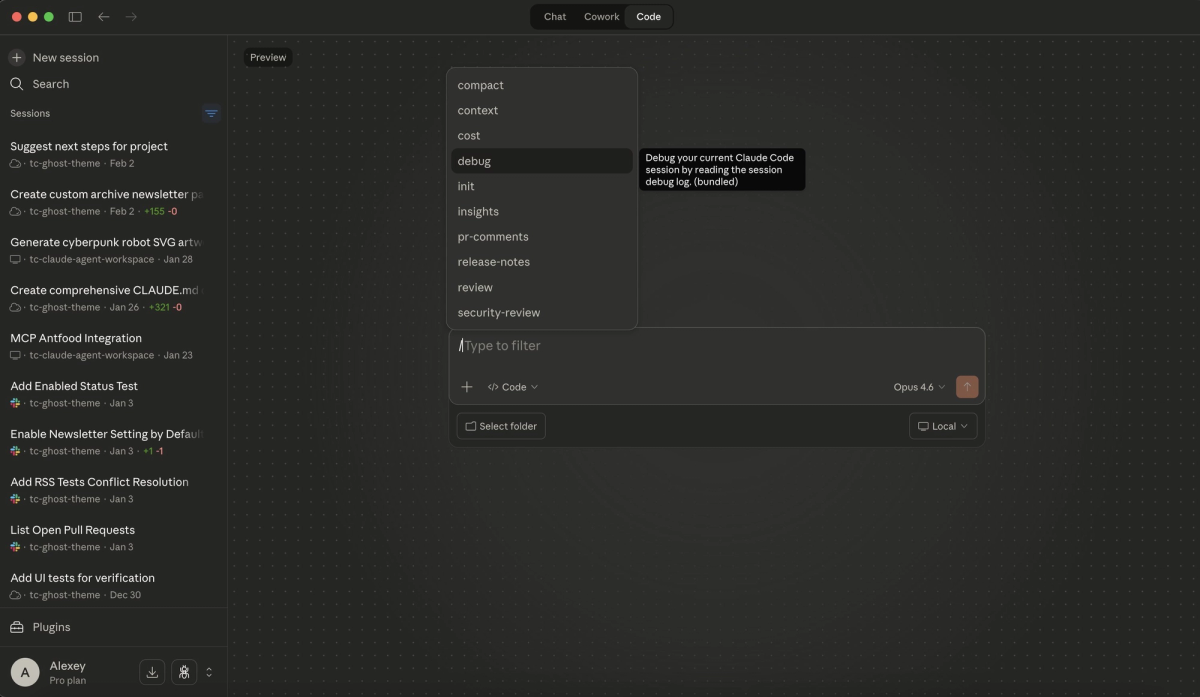
Run /ultrareview from inside a Claude Code session — it's one of the built-in slash commands. The command reviews the current working diff or a specified file or PR. Output is a structured list of findings — bug, edge case, security, logic — plus suggested fixes where applicable. Verify exact slash-command syntax against current Claude Code documentation as the surface evolves with Claude Code releases.
Pro and Max users: 3 free ultrareviews at launch
Multiple community sources report that Pro and Max users get three free ultrareviews per billing cycle, with additional reviews consuming tokens at standard Opus 4.7 rates. This appears to be a launch-period concession; verify current allowance on your billing page before relying on it. Anthropic has not published a permanent free-tier policy at the time of this writing.
What it flags that standard review misses
Standard Claude Code review tends to surface obvious issues: syntax problems, missing tests, clear bugs. /ultrareview's multi-pass approach is designed to catch:
- Logic errors that pass tests but fail edge cases not covered by the test suite
- Security issues that emerge from the interaction of components rather than individual lines
- State management bugs in concurrent or async code where the failure path requires multi-step reasoning
- Subtle correctness regressions in refactors — code that runs but behaves differently than before
When to use it vs standard code review
Use /ultrareview when:
- You're about to merge a PR with non-trivial scope and want a final scrutiny pass before integration
- The change touches security-sensitive code, financial logic, or other domains where bugs are expensive
- The diff is large or spans multiple files and standard review confidence is low
Don't use /ultrareview for:
- Single-file edits with mechanical changes (renames, formatting)
- Iterative work-in-progress reviews where you'll review the final version anyway
- Anything where the cost of running it exceeds the marginal value over standard review
Task Budgets (Public Beta)
What the problem was: unbounded token spend on long-running agentic jobs
Pre-Opus 4.7, agentic loops with Claude could run indefinitely. The model would keep calling tools, retrying failures, and producing output until it succeeded, hit a max_tokens ceiling, or hit a hard error. There was no mechanism for the model to know "you have N tokens left, prioritize accordingly." This produced two failure modes: runs that exhausted budgets without finishing usefully, and runs that hit max_tokens mid-task and cut off without graceful handoff.
How task budgets work: set a token ceiling, model plans usage accordingly
A task budget is a soft hint that the model sees and uses to prioritize work. The model receives a running countdown and uses it to plan: deeper reasoning early, more concise output as the budget drains, graceful completion rather than mid-action cutoff.
Critically: it's a soft suggestion, not a hard cap. The model may occasionally exceed the budget if interrupting would be more disruptive than finishing an in-progress action. For a hard ceiling, combine task_budget with max_tokens. The two are independent; max_tokens is the absolute limit, task_budget is the target the model paces against.
How to configure (API parameter / Claude Code setting)
Via the Messages API, set the beta header task-budgets-2026-03-13 and add the task_budget field to output_config. This is the configuration documented on Anthropic's official Opus 4.7 page:
response = client.beta.messages.create(
    model="claude-opus-4-7",
    max_tokens=128000,
    output_config={
        "effort": "xhigh",
        "task_budget": {"type": "tokens", "total": 128000},
    },
    betas=["task-budgets-2026-03-13"],
    messages=[
        {"role": "user", "content": "Review this code and propose a refactor plan."}
    ],
)
Minimum budget is 20,000 tokens. Below that, the model can't plan meaningfully and the budget is rejected.
In Claude Code, task budgets are exposed via configuration command. Verify exact slash-command syntax against current Claude Code documentation; the configuration interface for task budgets is part of the same beta surface and may evolve.
Pairing task budgets with xhigh: think hard, but not forever
The right combination for production agentic work: xhigh effort + a task budget calibrated to the typical complexity of your workload. xhigh ensures the model thinks deeply when needed; the task budget ensures it doesn't think indefinitely on tasks that don't warrant it. Without a budget, xhigh on a complex multi-step task can burn through tokens unpredictably; with a budget, the model paces and finishes.
A reasonable starting point for most agentic coding work: 50,000–128,000 tokens per task budget. Tasks decomposing into many file edits and tool calls trend toward the higher end; targeted refactors trend lower. Tune from there based on observed completion rates.
Beta caveats: behavior may change before GA
Task budgets are public beta as of April 2026. The beta header (task-budgets-2026-03-13) is date-versioned, which strongly suggests the API surface may change before GA. Don't hardcode the beta header into production paths without isolation; expect to migrate when GA ships. Note also that output_config itself is part of the beta — it's not a parameter on the standard Messages API.
Auto Mode for Max Users
What changed: previously Enterprise-only, now Max plan
Auto mode was previously restricted to Enterprise plans. Opus 4.7's launch extended it to Max users. This is a pricing-tier change rather than a behavior change — the auto-mode capability itself was already documented for Enterprise.
What auto mode does: Claude makes more decisions autonomously with fewer interruptions
In auto mode, Claude Code reduces the frequency of confirmation prompts during agent execution. The model proceeds through plan steps, tool calls, and code modifications with fewer "should I do this?" interruptions. For long agentic runs, this saves the overhead of human approval at every gate.
The tradeoff: fewer interruptions also means fewer points to catch wrong direction early. Auto mode is not "no human in the loop" — it's "less frequent human in the loop."
Where it saves overhead vs where it creates risk
Use auto mode for:
- Exploratory work where you'd let Claude try several approaches before reviewing
- Tasks where the verification command is robust (tests pass / don't pass) and the model's self-verification can be trusted
- Long sessions where confirmation prompts break flow
Don't use auto mode for:
- Production-critical code without a strong verification gate before merge
- Tasks involving destructive operations (file deletions, database changes, deployments) where mid-action confirmation matters
- Code in security-sensitive paths where every change needs human review
Relationship to Claude Managed Agents (distinct products)
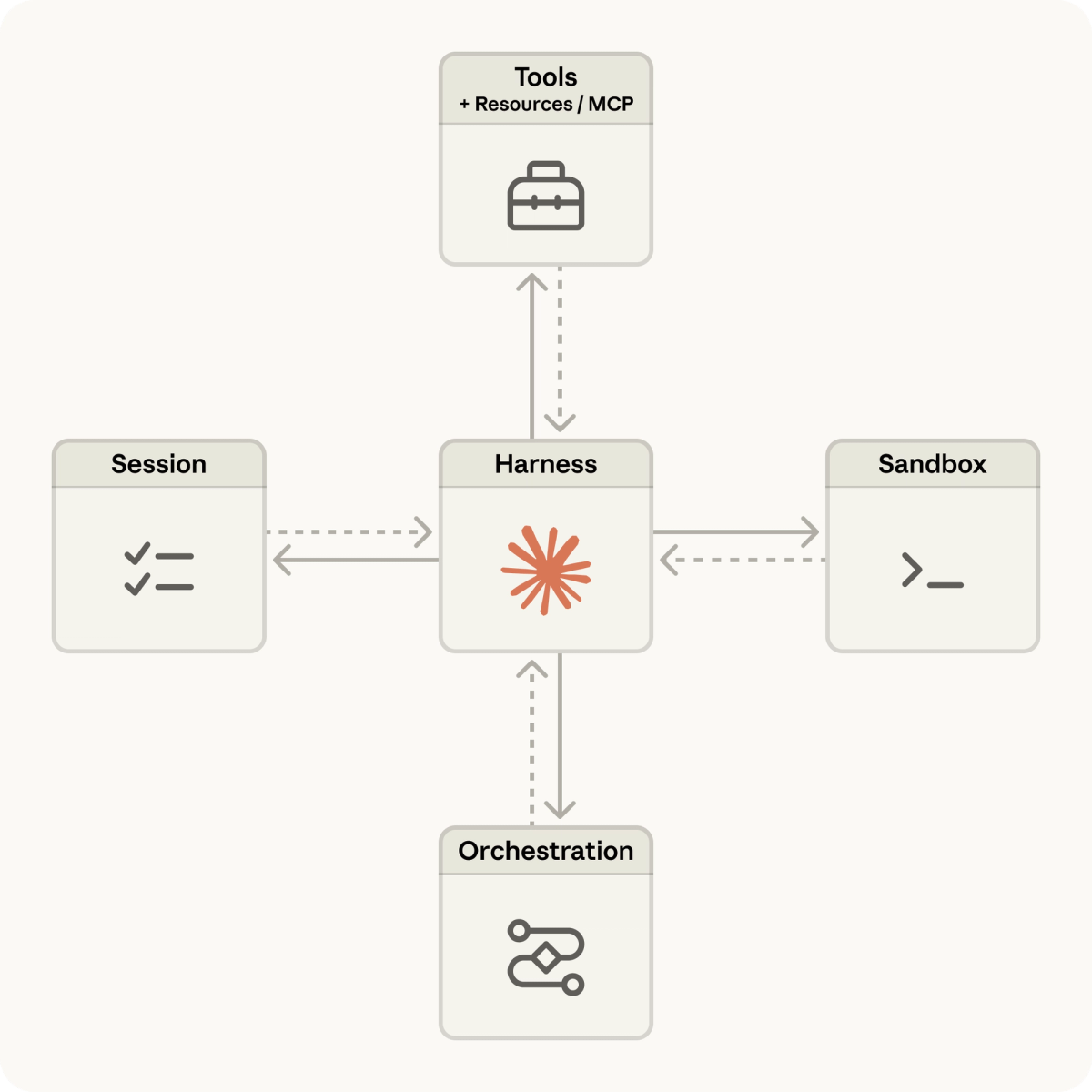
Auto mode and Claude Managed Agents are separate products. Auto mode is a Claude Code feature that adjusts how the local CLI interacts with you during a session. Claude Managed Agents is API-level infrastructure: Anthropic-managed agent runtime that handles effort selection automatically, runs in Anthropic's infrastructure, and exposes a different API surface. The two are not interchangeable. Anthropic's official documentation explicitly notes that Claude Managed Agents handles effort automatically — meaning you don't set xhigh on a Managed Agent the way you do on a Messages API call.
For your decision tree: if you're using Claude Code interactively, auto mode is the relevant feature. If you're building production agent infrastructure via API, Claude Managed Agents is the relevant product. Don't confuse them.
Self-Verification Behavior (No Config Required)
Model now proactively writes tests before declaring task complete
Opus 4.7 ships with self-verification behavior on by default. The model is more likely to write tests, run them, and verify outputs before declaring a task complete. This is documented in Anthropic's launch material as part of the agentic reliability improvements.
The practical effect: fewer agent runs that report "done" but produce broken code. The model has shifted from "I think this works" to "I verified this works" as the default reporting threshold.
What this means for agent loop design: fewer manual validation steps
If your agent loop currently includes a separate "ask the model to verify" step, you can likely remove it for Opus 4.7 — the verification is happening internally. Keep your harness-level acceptance commands (test runs, lint checks) as the source of truth, but the redundant "did you check this?" prompts are now handled by the model itself.
This is one of the cases where Opus 4.7 is genuinely an improvement, not just a config change. Anthropic partner reports — Cognition (Devin) noted the model "works coherently for hours, pushes through hard problems"; Factory.ai saw 10–15% higher task success rates with fewer instances of the model stopping halfway through complex work — all align with self-verification contributing to longer coherent runs.
Putting It Together: Recommended Defaults for Coding Agent Workflows
For most production agentic coding work in Claude Code:
Effort: xhigh (the default in Claude Code)
Task budget: 50,000–128,000 tokens (calibrate to workload)
Review gate: /ultrareview at merge time, not on every iteration
Auto mode: on for exploratory work, off for production-critical code
Verification: trust the model's self-verification + your test suite
Via the API, the same configuration in code:
response = client.beta.messages.create(
    model="claude-opus-4-7",
    max_tokens=128000,
    output_config={
        "effort": "xhigh",
        "task_budget": {"type": "tokens", "total": 100000},
    },
    betas=["task-budgets-2026-03-13"],
    messages=[...],
)
Step down to high for latency-sensitive work, step up to max only when evaluations show xhigh is not enough. Tune the task budget based on observed completion rates — too tight and the model finishes prematurely; too loose and you don't get the cost control benefit.
FAQ
Do these features work in Claude Code VS Code extension?
xhigh and auto mode work in the VS Code extension at parity with the terminal Claude Code interface — they're model-side and Claude Code-side features. /ultrareview as a slash command is documented in the terminal interface; verify VS Code-specific availability against the current Claude Code documentation, as feature parity across Claude Code surfaces sometimes lags. Task budgets are an API feature first; their exposure in Claude Code (terminal or VS Code) follows the public beta rollout.
Can I use task budgets with Claude Managed Agents?
Anthropic's documentation explicitly notes that Claude Managed Agents handles effort automatically and references task budgets as a Messages API feature. This suggests task budgets and Managed Agents target different use cases — Managed Agents abstracts effort and budget concerns server-side, while task budgets are for developers who want explicit control via the Messages API. If you need explicit budget control, use the Messages API directly with the beta header. If you want Anthropic to manage the runtime, use Managed Agents.
Is /ultrareview available via API or only in Claude Code?
/ultrareview is a Claude Code slash command. It's not a separate API endpoint. The underlying capability (multi-pass code review with Opus 4.7) is available via the API by structuring your prompt to request multi-pass review explicitly, but the convenience of a single command and Anthropic's optimized review prompt design is specific to Claude Code.
Does xhigh work with all models or only Opus 4.7?
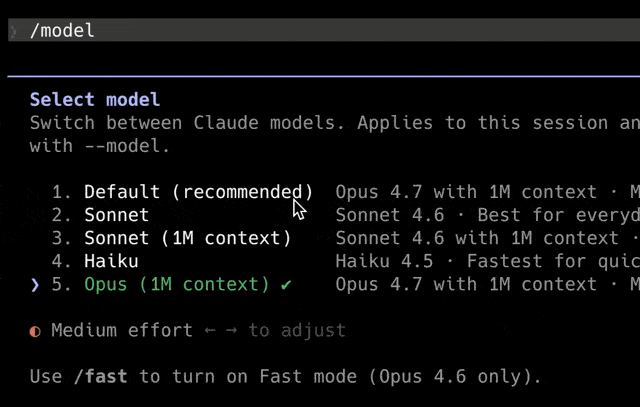
xhigh is currently specific to Opus 4.7. The five-level effort scale (low / medium / high / xhigh / max) is an Opus 4.7 introduction. Earlier Claude models retain their previous effort levels. If you switch a workload to a different model — e.g., Sonnet 4.6 for cost reasons — your effort settings will need to map back to the older scale.
Related Reading
