Three coding agents, three terminal tabs, one repository — and twenty minutes later you can't tell which agent is blocked, which is still working, or whose changes are about to collide. Supacode is built for that specific mess. It doesn't compete with the agents you already run; it organizes them, giving each its own isolated git worktree and putting every session somewhere you can actually navigate. Here's what it does, what it deliberately doesn't do, and where it fits.
Supacode is in beta and actively developed. Confirm current requirements, features, and licensing against the official repository before relying on specifics.
What Supacode Is
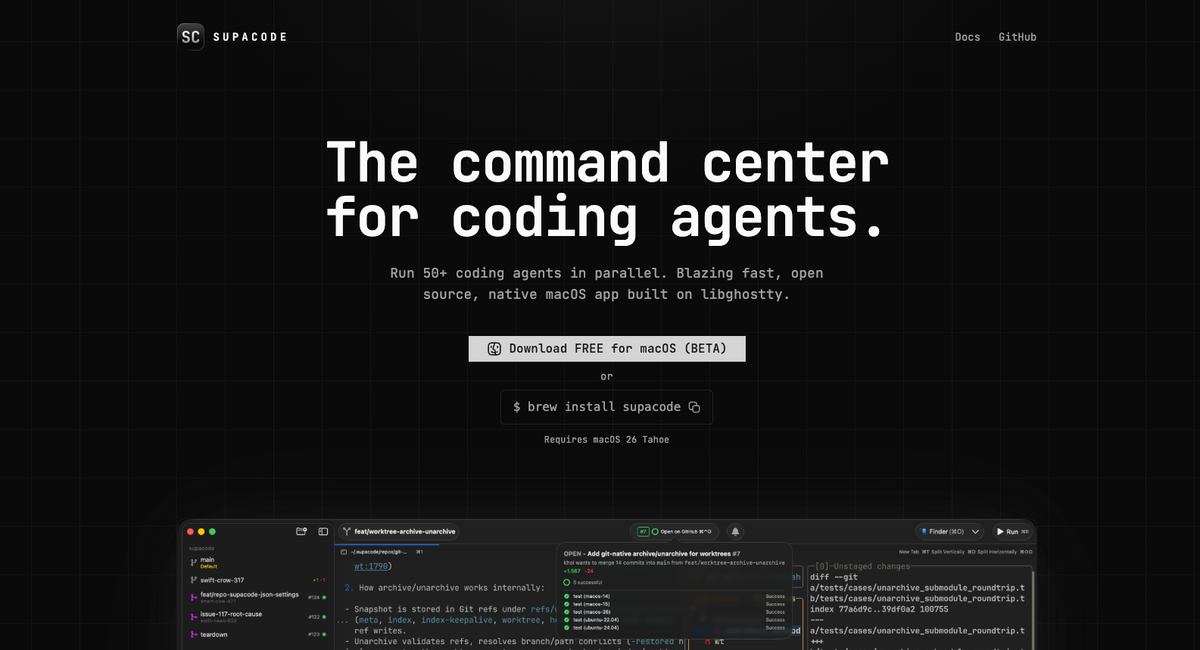
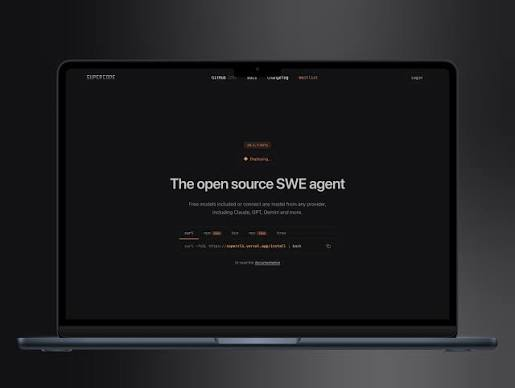
Supacode is a native macOS application that its developers describe as a worktree coding agents command center. In practice, it's a terminal environment purpose-built for running multiple CLI coding agents in parallel: each agent gets its own git worktree, every session lives in a real terminal surface, and a sidebar organizes those sessions under the repositories they belong to.
The technical foundation matters for what it feels like to use. Supacode is built in Swift on The Composable Architecture with libghostty (the terminal core from Ghostty) doing the rendering — not Electron, not a web wrapper. That means terminal surfaces are real native terminals, so agents run without a command-translation layer between you and the tool.
One point worth getting right, since the marketing and the license don't quite match: Supacode is free to download, but it's source-available under FSL-1.1-ALv2, not open source in the OSI sense. The Functional Source License permits internal use, non-commercial education and research, and professional services, while restricting "Competing Use" — making it available in a commercial product that substitutes for or offers substantially similar functionality. Each released version converts to Apache 2.0 on the second anniversary of its release. For most teams evaluating it as an internal tool this changes nothing; if you're building a product in the same space, read the license before you fork.
Why It Is Not a Coding Agent
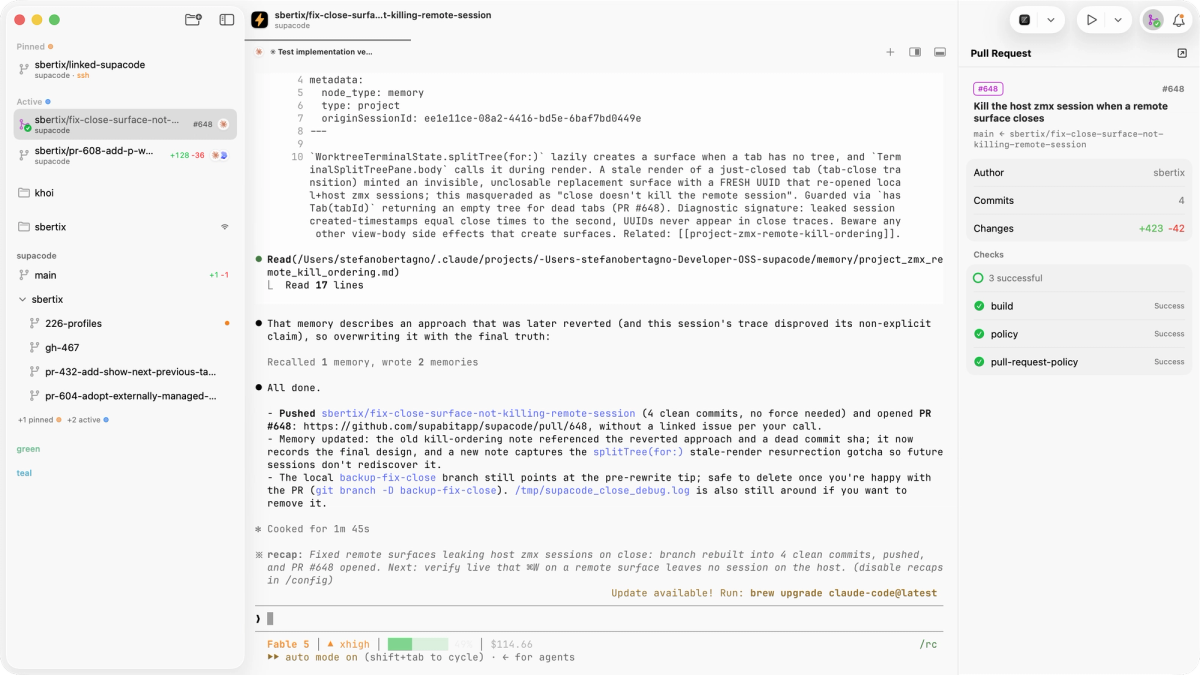
This is the distinction that determines whether Supacode makes sense for you: Supacode does not write code. It has no model, generates nothing, and performs no engineering work of its own. Every line of code produced in a Supacode session comes from a CLI coding agent you brought — Claude Code, Codex, OpenCode, Copilot CLI, or whatever else you run. Supacode provides the terminal surfaces, the worktree isolation, and the organization around those agents.
That also means it doesn't replace any of them. Supacode operates on a bring-your-own-agent model: you keep using the agents you already use, with your existing subscriptions and authentication, and Supacode gives them a better place to run. Without coding agents it still functions as a worktree-aware terminal and repository workflow tool — you can run dev servers, tests, or lazygit in a worktree, and plain folders get persistent terminals too — but multi-agent coordination is its main value proposition. The right mental model is a control layer for agent workflows, sitting alongside your agents rather than substituting for any of them.
How Supacode Organizes Agent Work
Native macOS terminal surface
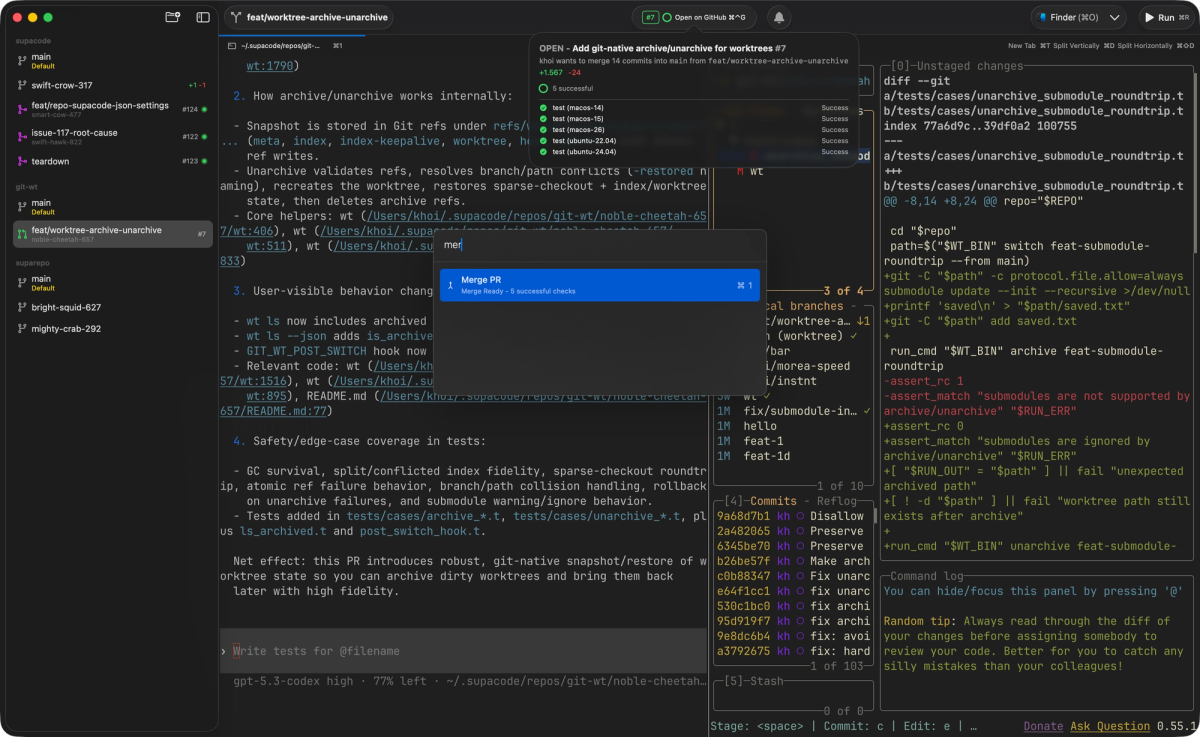
Because Supacode renders sessions through a real terminal engine, agents run natively rather than inside a wrapper that reinterprets their commands. Sessions support tabs and horizontal and vertical splits, and the app includes a command palette for keyboard-driven navigation — jumping to a worktree, opening a repo, managing sessions without reaching for the mouse. There's also a CLI and deeplink interface, so actions can be driven from a script, a hotkey, or another tool rather than only from the GUI. The point: adopting Supacode doesn't mean giving up a real terminal to get organization.
Worktree isolation
The core organizing primitive is the git worktree — a native git feature that checks out a branch into its own working directory, letting multiple branches be active simultaneously without cloning or stashing. Supacode gives each agent session its own worktree, so parallel agents work in separate directories rather than fighting over the same files. This is what makes running several agents on one repository practical: each experiments in its own space, your main branch stays untouched, and a bad run is discarded by throwing away the worktree rather than untangling changes.
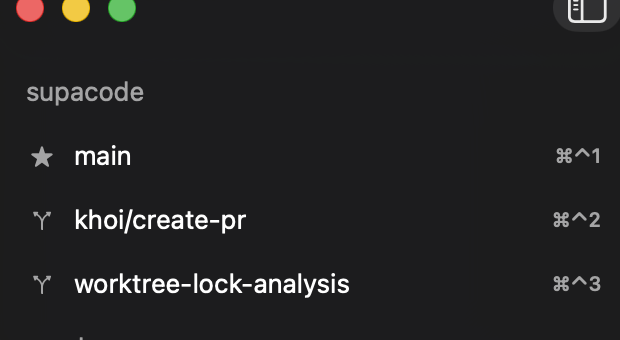
Worth being precise: the isolation is real git-level separation, not a Supacode-specific abstraction. Supacode automates the creation and management of worktrees (creating branch and worktree together, nesting them under their repo in the sidebar) but the underlying mechanism is standard git you could use manually. What Supacode adds is making that pattern effortless enough to use dozens of times a day.
Bring-your-own CLI agents
Supacode runs whatever CLI coding agent you point it at, without a command-translation layer. The commonly-used agents (Claude Code, Codex, OpenCode, Copilot CLI) run in native surfaces, and Supacode shows a live badge for each — busy, awaiting input, or idle. That status detection isn't magic: Supacode installs hooks for supported agents to report presence and state, and persistent sessions run through a bundled zmx multiplexer, so there is a thin integration layer even though your commands reach the agent unmodified. The status badge is a small feature with outsized value in parallel work: when five agents are running, knowing at a glance which one is blocked waiting for you is the difference between orchestrating them and babysitting tabs.
GitHub workflow support
With GitHub integration enabled, each worktree's pull request state, CI checks, and merge readiness appear in the sidebar and refresh live, with a configurable merge strategy. The practical effect is that the review-and-ship step doesn't require leaving the terminal environment: you can see which agent's branch has passing checks and is ready to merge, and act on it in the same place you're running the agents. For parallel work where several branches are in flight at once, having that state visible per worktree is what keeps the picture coherent.
Where Supacode Fits in Developer Workflows
Supacode fits developers who genuinely run multiple CLI coding agents and feel the friction of doing it in a plain terminal — the lost tabs, the unclear session states, the manual worktree juggling. If you're routinely running three or more agents across one or more repositories, the sidebar organization, per-session isolation, and live agent status solve a real problem you have.
It fits less well if you run one agent at a time (a plain terminal is fine), if you prefer a GUI-first experience, or if your team isn't all on Macs — it's a native macOS app, so it's platform-bound. The honest test is whether multi-agent tab chaos is a daily annoyance for you.
Limits, Beta Notes, and Verification Checklist
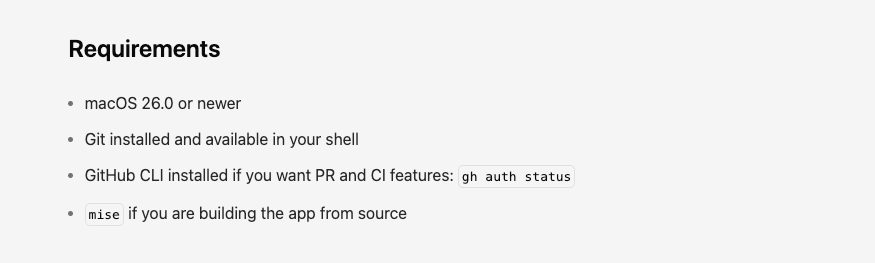
The main caveats are about maturity and scope. Supacode is in beta and under active development, so features, requirements, and behavior change between releases — treat any specific detail here as something to verify against current sources rather than assume. It also has a specific and relatively recent macOS version requirement, which is a hard gate: confirm your machines meet it before planning adoption. Some capabilities (notably remote work over SSH) are documented as more limited than their local equivalents, so verify the feature set for the way you'd actually use it.
Beyond that, the limits follow from what Supacode is: it won't improve your agents' code quality (it doesn't produce code), doesn't validate or review the changes agents make, and doesn't manage their subscriptions or authentication. Before adopting it for team use, verify the macOS requirement across your machines, the current beta stability, the FSL licensing terms against your intended use, and whether remote/SSH capabilities meet your needs at their current maturity.
FAQ
Can Supacode run agents outside macOS?
Supacode currently targets macOS only and is implemented with native macOS technologies (SwiftUI, The Composable Architecture, and GhosttyKit), so it doesn't run on Linux or Windows today. There's also a specific and relatively recent macOS version requirement to check, since it targets a recent release rather than supporting older versions broadly. The official documentation doesn't state a Linux or Windows roadmap, so plan around current platform support rather than assuming cross-platform availability — and re-check the docs if that matters to you, since an actively developed project's platform support can change. If your team is mixed-platform, Supacode can only be part of the Mac users' workflow; the underlying pattern it automates (agents in isolated git worktrees) is platform-independent and can be done manually or with other tooling elsewhere.
Who should own worktree cleanup after agent runs?
You do — cleanup is a human responsibility, and it's worth being deliberate about it because a tool that makes creating worktrees effortless also makes accumulating them effortless. Supacode surfaces worktrees in its sidebar and provides management actions, but deciding which experimental branches are worth keeping and which are dead ends is a judgment call it can't make for you. Establish a habit: when an agent's work is merged or abandoned, remove its worktree and prune the branch, rather than letting dozens of stale worktrees pile up until you can't tell live work from finished attempts. Treat cleanup as part of finishing a task, and the ease of creating worktrees stays a benefit instead of becoming clutter.
What should teams log before deleting a Supacode worktree?
Before deleting, commit and push, merge, or cherry-pick any work worth keeping. Committing alone is sufficient only if the local branch will be retained — worth checking, because Supacode has a configurable delete-local-branch behavior when you remove a worktree, and deleting a worktree and deleting a branch are separate operations in git. Beyond the code itself, capture the outcome of the run: what the agent was asked to do, whether it succeeded, and any notable failure information, since that's often the most useful signal for improving how you prompt or scope the next attempt. The reason to be deliberate is that deletion is destructive to anything uncommitted; once it's gone, unrecorded work and context are gone with it.
Can Supacode replace code review?
No. Supacode organizes where agent work happens and surfaces pull request state, but it doesn't evaluate whether the code is correct, well-designed, or safe to merge — it has no judgment about the changes flowing through it. What it does is make review easier to perform: isolated worktrees mean each agent's changes are a discrete, reviewable unit, and the GitHub integration puts PR status and checks where you can see them. But reading the diff, running the tests, and deciding whether a change should merge remain human work, and that matters more with agent-generated code, not less, given how much of it parallel workflows produce. Supacode improves the conditions for review; it doesn't substitute for the review itself.
Conclusion
Supacode is a native macOS command center for running CLI coding agents in parallel — real terminal surfaces built on libghostty, one isolated git worktree per agent, a sidebar that organizes sessions under their repositories, live agent status, and GitHub PR state where you can act on it. The critical thing to understand is what it isn't: it doesn't write code, doesn't replace Claude Code, Codex, or OpenCode, and doesn't review what they produce. It's a control layer for agent workflows, and its main value proposition is multi-agent coordination — though it works as a worktree-aware terminal even without agents. If parallel agent work on a Mac is your daily reality, it targets your problem directly; just verify the macOS requirement, beta maturity, and the FSL license terms against your intended use first, and keep worktree cleanup and code review as human responsibilities the tool organizes but doesn't take over.
Related Reading