

💡 New to Claude Skills? Read the intro guide first — this tutorial assumes you know what Skills are and want to build one.
I've built close to thirty skills at this point, for everything from PR review automation to scientific literature summarization. The first one took me four hours. The tenth took twenty minutes. The difference isn't cleverness — it's knowing exactly what Claude pays attention to and what it ignores. This guide covers everything from a blank folder to a published skill on GitHub, with the technical detail I wish I'd had on day one.
Prerequisites Before You Build
Tools You Need
- Claude Pro, Max, Team, or Enterprise plan — Skills require Code Execution, which is a paid feature
- Code Execution enabled — Settings → Feature Previews → Code Execution (required for any skill that runs scripts)
- Skills enabled — Settings → Feature Previews → Skills (Team/Enterprise admins must enable org-wide first)
- Claude Code — required for local testing via the CLI; install via
npm install -g @anthropic-ai/claude-code - A text editor — SKILL.md is plain Markdown; no special tooling needed
- Git + a GitHub account — for Step 4 (publishing)
Recommended Reading
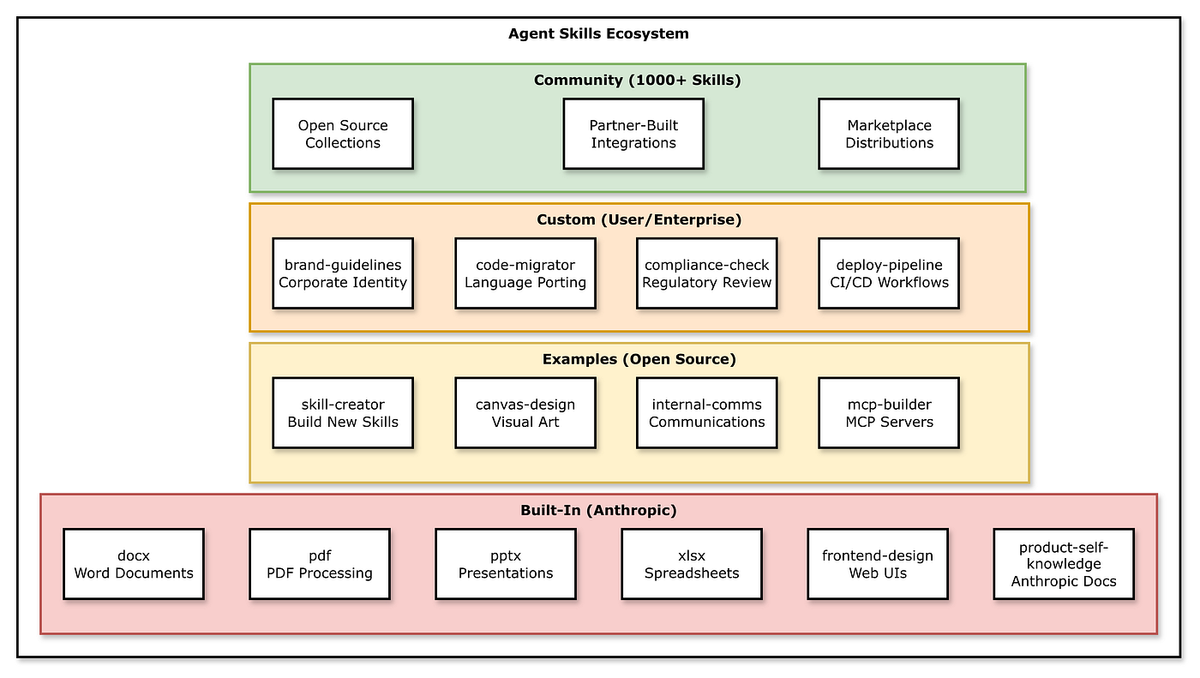
Before writing a line, spend ten minutes with two resources. The official Anthropic skills repository has production-grade examples for PDF, Word, Excel, and PowerPoint — read two or three before you build your own. Anthropic's engineering breakdown of Agent Skills covers the architecture decisions and design principles behind the system. This tutorial is the fast path; that post is the conceptual foundation.
Step 1 — Create Your SKILL.md File
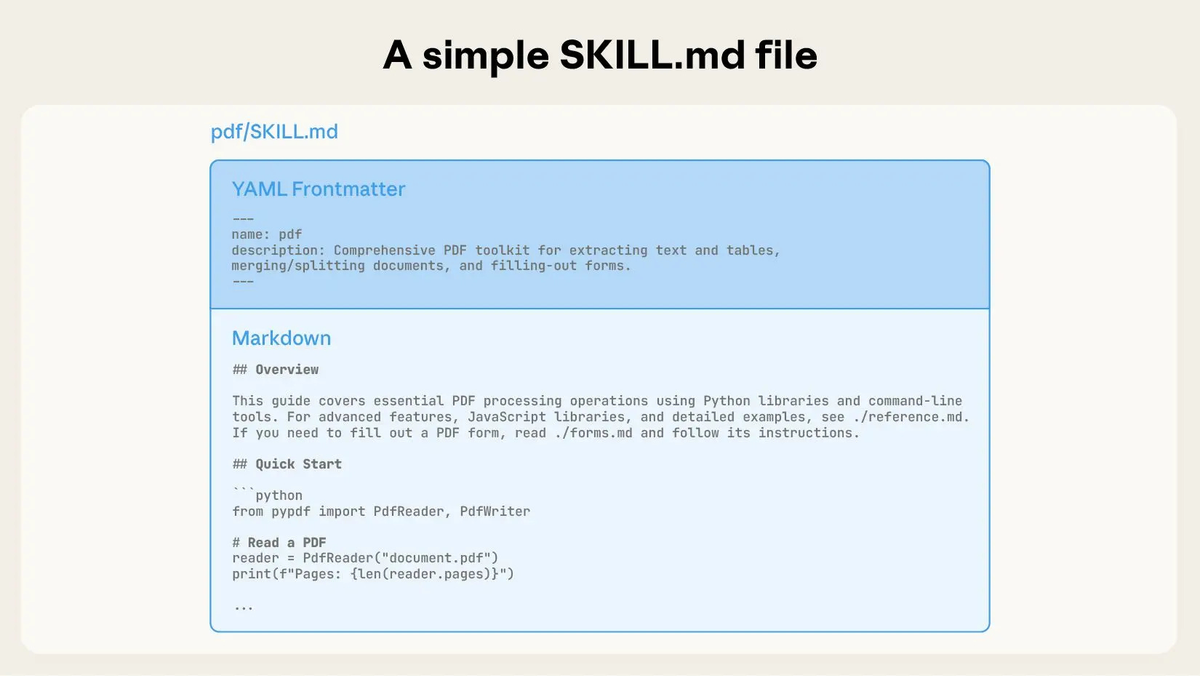
Every skill starts with a single file. Create a folder named after your skill (use kebab-case, 1–64 characters), then create SKILL.md inside it.
YAML Frontmatter Fields Explained
The frontmatter is what Claude actually reads to decide whether to load your skill. Get this right — it's the most important part of the file.
yaml
---
name: weekly-report-generator
description: >
  Generates structured weekly status reports from project data and notes.
  Use when the user asks for a weekly report, status summary, or project
  update — even if they don't explicitly say 'weekly report'.
compatibility: claude-code, claude.ai
---
Field breakdown:
| Field | Required | Notes |
|---|---|---|
| name | Yes | Kebab-case, 1–64 chars. Used as the skill identifier. |
| description | Yes | The primary trigger mechanism. Include what it does AND when to use it. |
| compatibility | No | Specify platform if the skill uses platform-specific features. |
One thing the Anthropic engineering team flags explicitly in the Agent Skills engineering deep-dive: Claude tends to undertrigger skills — it won't load them when it should. The fix is to write descriptions that are slightly "pushy." Don't just describe what the skill does. List the specific phrases and contexts that should trigger it, including cases where the user doesn't use your exact terminology.
Bad description:
yaml
description: Generates weekly reports.Good description:
yaml
description: >
  Generates structured weekly status reports from project notes or data.
  Use when the user asks for a weekly report, status update, project
  summary, or wants to summarize recent activity — even if they say
  'quick update' or 'catch me up'.
Writing Clear Instructions
Below the frontmatter is the skill body — the instructions Claude follows when the skill loads. Three rules that hold across every skill I've built:
Use the imperative form. "Generate a report" not "You should generate a report." Direct instructions reduce ambiguity.
Define output formats explicitly. Don't describe them — show them with a template. Claude follows concrete structures more reliably than abstract descriptions.
Move bulk content to reference files. If your instructions run past 300–400 words, break them into linked files (covered in Step 2). The body of SKILL.md should be a tight executive summary of the procedure.
Here's a minimal working SKILL.md:
markdown
---
name: weekly-report-generator
description: >
  Generates structured weekly status reports from project data and notes.
  Use when the user asks for a weekly report, status update, or project
  summary — even without the phrase 'weekly report'.
---

# Weekly Report Generator

Generate a weekly status report using this exact structure:

## Report Structure
Always use this template:
# [Project Name] — Week of [Date]
## Highlights (3–5 bullet points)
## Blockers (list or 'None')
## Next week priorities (numbered list)
## Metrics (if provided by user)

## Guidelines
- Keep highlights to one sentence each
- Flag any blocker that has been open more than 5 days
- Use plain language, no jargon
That's a deployable skill. Everything else is refinement.
Step 2 — Add Scripts and Resource Files
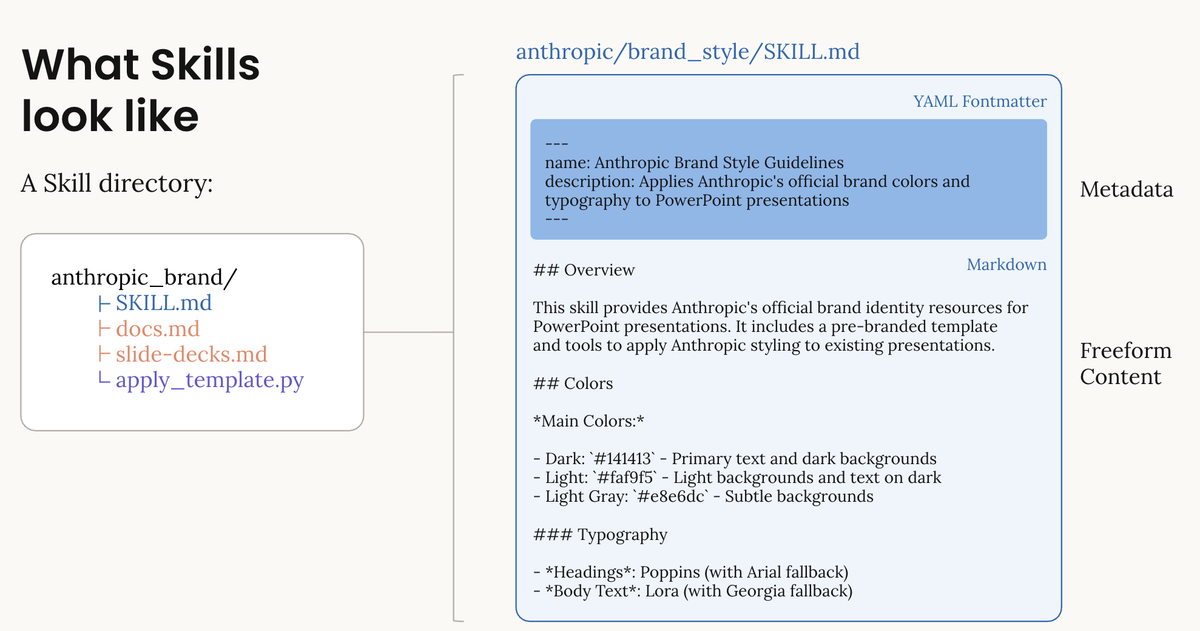
A skill folder can bundle three types of additional files:
weekly-report-generator/
├── SKILL.md              ← Required
├── scripts/
│   └── extract_metrics.py  ← Optional: deterministic code Claude runs
├── references/
│   └── report-examples.md  ← Optional: detailed docs loaded on demand
└── assets/
    └── report-template.md  ← Optional: templates, static content
Scripts are for operations where token generation is unreliable or slow — statistical calculations, file parsing, data transformation. Write them in Python or shell. Claude runs them via its Bash tool; the output feeds back into the task. A script that extracts structured data from a CSV is always more reliable than asking Claude to parse it from tokens.
References are loaded only when Claude determines they're needed — this is the third level of progressive disclosure. Put lengthy API documentation, detailed examples, or edge-case handling here. Keep SKILL.md lean; link to references/ for the detail.
Assets hold static content: templates, font definitions, style guides. Reference them by filename from your SKILL.md instructions.
One thing worth being explicit about: never embed API keys, tokens, or credentials in any skill file. Use environment variables or MCP configuration for authentication instead. Skills can execute code — a credential leak in a published skill is a real attack surface.
Step 3 — Test Locally with Claude Code
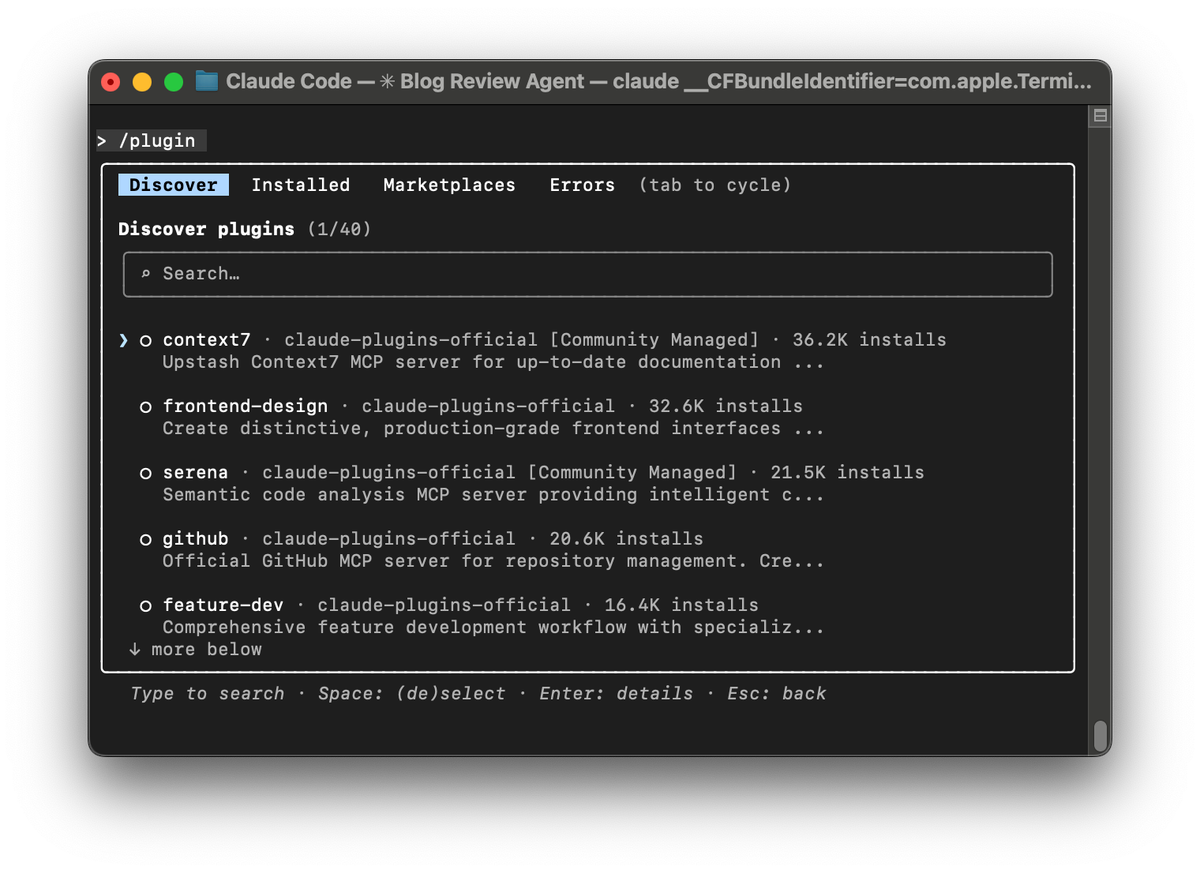
Local testing before publishing catches the two most common failure modes: the skill not triggering when it should, and the skill producing malformed output.
Setup: Place your skill folder in .claude/skills/ at your project root. Claude Code discovers it automatically at startup.
bash
mkdir -p .claude/skills
cp -r ~/my-skills/weekly-report-generator .claude/skills/
claude  # launch Claude Code — skill loads automatically
Test trigger reliability first. Try every phrase a real user might use, including indirect ones. If the skill doesn't load, your description needs to be more specific or more "pushy."
# These should all trigger weekly-report-generator:
"Give me a weekly report for this project"
"Quick status update on what we did this week"
"Summarize recent activity"
"Catch me up on the project"
Test output quality second. Feed it edge cases: empty data, malformed input, missing fields. A production skill should handle gracefully, not crash or hallucinate structure.
Test script execution if applicable. If your skill bundles a Python script, verify it runs correctly in Claude's Code Execution environment. Libraries available there differ from your local Python environment — stick to the standard library and widely available packages (pandas, numpy, requests) for maximum compatibility.
One pattern worth noting from the awesome-claude-skills community list: a recurring source of script failures is path resolution. Always use relative paths (./scripts/my_script.py) in your scripts rather than ~ or absolute home directory references — the Claude Code execution environment resolves paths differently depending on where the session is launched from.
Step 4 — Publish to GitHub
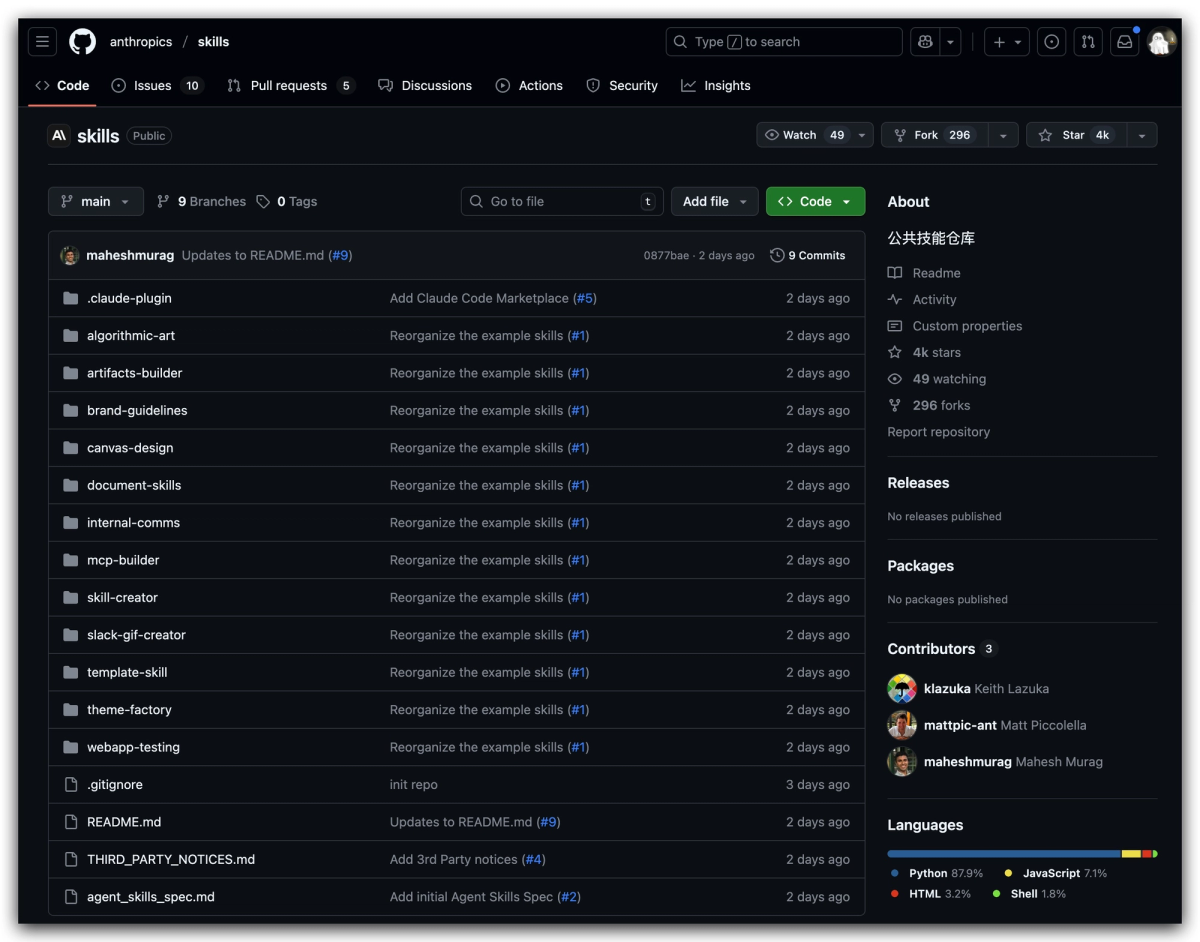
Publishing makes your skill installable by anyone with the repository URL and gives you version control for free.
Repository structure:
your-github-username/my-skill-name/
├── README.md          ← Required for human users (GitHub renders this)
├── weekly-report-generator/
│   ├── SKILL.md
│   ├── scripts/
│   └── references/
└── LICENSE
The README.md at repo root is separate from SKILL.md — it's for humans browsing GitHub, not for Claude. Describe what the skill does, installation instructions, and any dependencies. If you bundle scripts with external dependencies, list them explicitly.
Installation for users:
bash
# Via Claude Code CLI (recommended)
npx skills add your-username/my-skill-name

# Manual install
git clone https://github.com/your-username/my-skill-name
# Then upload via Settings → Capabilities → Skills in Claude.ai
# Or copy to .claude/skills/ for Claude Code
Versioning: Tag releases with semantic versioning (v1.0.0, v1.1.0). Users pinning to a tag get stable installs; users on main get updates automatically.
Before publishing, run your skill description through the validation checklist at agentskills.io — it checks for common frontmatter errors, security issues, and compatibility problems. Takes two minutes and catches things that are easy to miss.
Step 5 — Submit to the Skills Marketplace
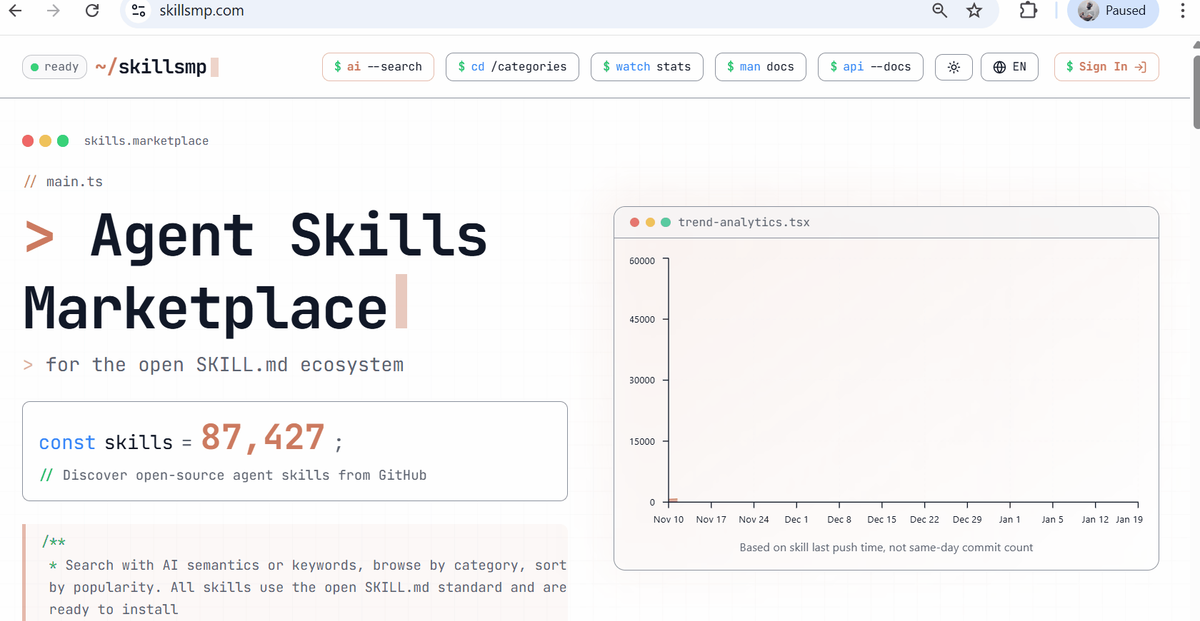
The official Skills marketplace launched with the open standard announcement in December 2025. Submission is via a pull request to the anthropics/skills repository.
Submission checklist before your PR:
- SKILL.md passes the agentskills.io validation
- README.md exists and documents usage clearly
- No credentials or secrets in any file
- Skill description is tested for trigger reliability
- Scripts include error handling and don't hardcode paths
- License file is present
Community platforms like skillsmp.com and the travisvn/awesome-claude-skills list accept submissions via GitHub issues or PRs — lower bar than the official repo, good for getting early feedback before a formal submission.
Using the Claude Skills API
For programmatic skill management — deploying skills across a team, building a skills-as-a-service layer, or integrating with CI/CD pipelines — the /v1/skills API endpoint gives full control.
The API supports listing installed skills, uploading new ones, updating existing ones, and deleting by ID. Authentication uses your standard Anthropic API key. Note that the skills endpoints are currently in beta; check the Anthropic API changelog for the latest stable release status before building production tooling on top of them.
python
import anthropic

client = anthropic.Anthropic(api_key="your-api-key")

# List installed skills
skills = client.beta.skills.list()

# Upload a skill from a local directory
with open("weekly-report-generator.zip", "rb") as f:
    skill = client.beta.skills.create(file=f)

print(f"Installed: {skill.name} ({skill.id})")
For Team and Enterprise plans, the API also supports workspace-wide deployment — push a skill to every user in your organization in a single call. This is how the organization-level management shipped in December 2025 works under the hood.
Troubleshooting Common Issues
Skill doesn't trigger The most common issue by far. Claude undertriggers by default. Solutions in order of effectiveness:
- Make the description more specific — add concrete trigger phrases
- Add "Use this skill even when the user doesn't explicitly mention [topic]" to the description
- Check that Code Execution is enabled (required for Skills to load)
- Restart Claude Code to force skill re-discovery
Script fails silently Claude runs scripts via its Bash tool. If a script fails, Claude may proceed without it rather than erroring loudly. Add explicit error handling and print statements to your scripts for debugging. Test the script standalone before bundling it.
Context bloat with many skills Each skill adds ~100 tokens of metadata to your system prompt at startup. With 20+ skills installed, this adds up. Keep descriptions under 50 words. Archive skills you don't use regularly rather than keeping them installed permanently.
Skill triggers too broadly The flip side of undertriggering. If a skill loads for tasks it shouldn't handle, tighten the description: add "Only use this skill when..." language and list the cases that should not trigger it.
Path errors in scripts Use relative paths (./scripts/my_script.py) rather than absolute or ~ paths. The Agent SDK environment may differ from your local setup.
FAQ
Q: Do I need Python to build a Claude Skill? No. Python is optional — only needed if you want to bundle executable scripts for deterministic operations. A skill can be nothing but a SKILL.md file with frontmatter and instructions, and that's fully functional. Most productivity skills (report templates, writing guidelines, review checklists) don't need any code at all.
Q: How do I build a Claude Skill that installs from GitHub with one command? Structure your repository so the skill folder is at the root or in a predictable subdirectory, add a README.md with install instructions, then users can install via npx skills add your-username/repo-name. If you have multiple skills in one repo, specify the subdirectory: npx skills add your-username/repo-name --skill skill-folder-name.
Q: How long does it take to build a working Claude Skill? A simple skill — good description, clear instructions, no scripts — takes 20–30 minutes from blank folder to local test passing. A production-grade skill with bundled scripts, reference files, and thorough trigger testing takes 2–4 hours. The time investment pays back quickly on any workflow you run more than a few times a week.
Related resources:
