

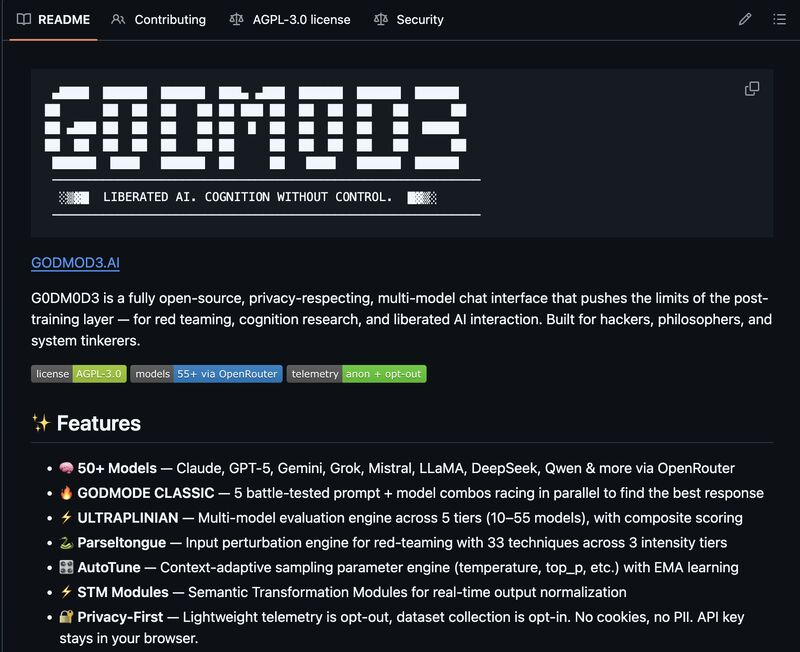
godmod3 (stylized G0DM0D3) has 3,300+ GitHub stars and a committed niche. It's not a ChatGPT alternative. It's a multi-model evaluation and red-teaming tool that runs in your browser, stores nothing on anyone's servers, and costs whatever you spend on OpenRouter API calls. For a methodology-first skills layer that forces planning before code, see the Superpowers AI Framework.
What godmod3 Is and Why Developers Are Paying Attention
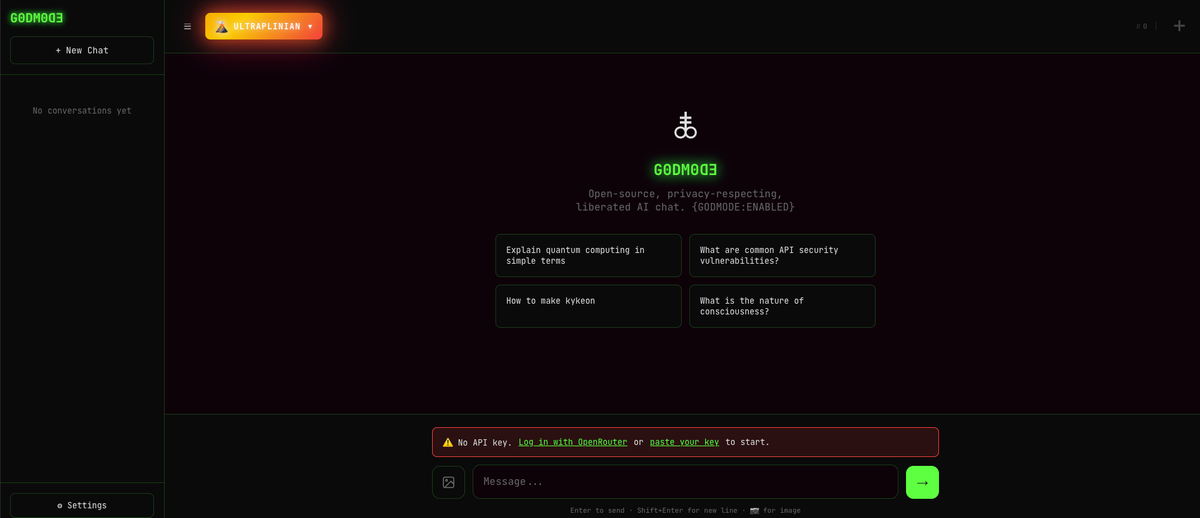
The pitch is simple: one HTML file, 50+ models, no install. godmod3 is built and maintained by elder-plinius under AGPL-3.0, available at github.com/elder-plinius/G0DM0D3 and hosted at godmod3.ai (official hosting — not a mirror). All model calls route through OpenRouter, which means you need an OpenRouter API key and you pay OpenRouter's pass-through pricing for every call you make. godmod3 itself charges nothing.
The appeal for developers is specific: you get a structured way to compare model outputs side-by-side, run input perturbation experiments, and evaluate safety behavior across providers — without setting up infrastructure. It's research tooling that happens to run in a browser tab.
Setup and First Run
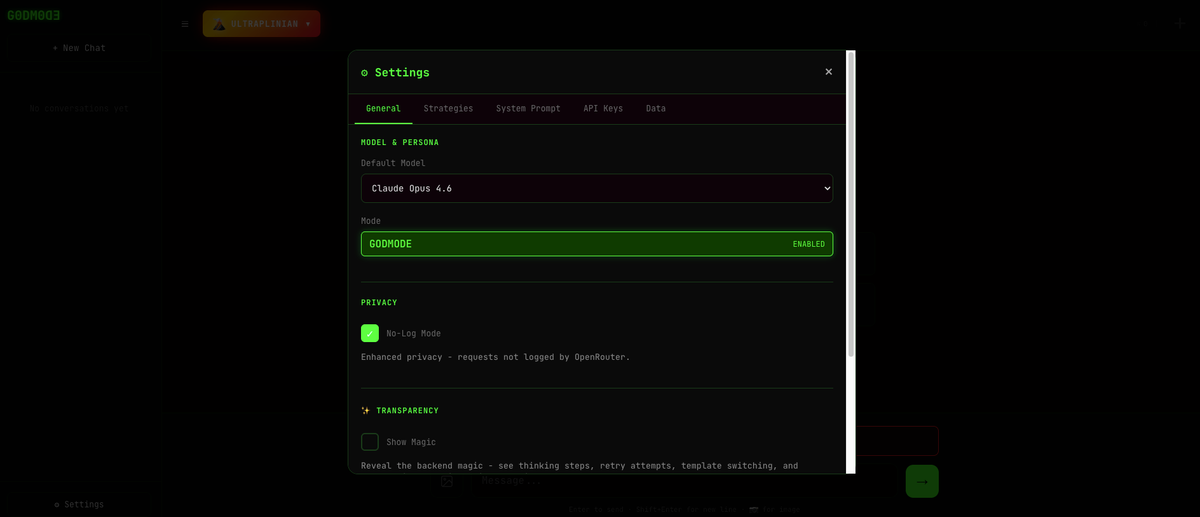
Hosted version (godmod3.ai): Paste your OpenRouter API key in Settings, choose a theme (Matrix, Hacker, Glyph, or Minimal), and you're running. Takes about 90 seconds. No account, no email, no registration.
Local version: Clone the repo, run python3 -m http.server 8000, open localhost:8000. That's it — the entire application is index.html. No npm, no build step, no dependencies to manage.
The API key lives in localStorage. Per the official README: "No cookies, no PII. API key stays in your browser." The claim holds — there's no server-side storage, no telemetry by default (opt-out is available in Settings). The implication, covered more in the limitations section: localStorage is not a database. If you clear browser data or switch browsers, your history is gone.
First impressions on the UI: functional, appropriately dramatic for a tool with "GODMODE" in the name. The Matrix theme is the default. It works. The chat interface is standard; the interesting parts are in the mode selector on the left sidebar.
Testing GODMODE CLASSIC
GODMODE CLASSIC is the entry point for most users. It runs five pre-configured model + system prompt combinations in parallel and returns the highest-scoring result.
What it actually does: Each of the five "battle-tested combos" pairs a specific model with a system prompt that tilts that model toward direct, substantive answers. The combos run simultaneously. When all five return, godmod3 scores them and surfaces the winner.
Where it's genuinely useful:
Testing a technical question across Claude, GPT-5, Grok, and two other models at once takes about 8–12 seconds and costs the equivalent of five single-model queries. For questions where you're not sure which model family handles the domain better — security research, mathematical reasoning, code debugging in obscure languages — this is a legitimate time-saver. You get signal about model variance without manual switching.
For straightforward questions where any capable model gives equivalent answers, GODMODE CLASSIC adds latency and cost for no return. Five models on a query that Claude alone would nail in two seconds is a waste of your OpenRouter budget.
The scoring question: godmod3 doesn't use an external judge model to rank responses. Scoring is a rule-based heuristic applied locally. The weights, as listed on the official site, are: Quality 50% + Filteredness 30% + Speed 20%. "Filteredness" is the relevant one — it rewards responses that avoid hedging, preambles, and refusals. This is by design for red-teaming use cases, but it's worth understanding: a confident wrong answer can outscore a cautious correct one. The tool is optimizing for directness, not accuracy.
On the jailbreak framing: The official positioning for GODMODE CLASSIC's prompt combos is red-team research — examining whether models respond differently to identical questions depending on system prompt framing. That's an accurate and legitimate description of what it does. What you do with it is your responsibility under the terms of each model provider.
Testing ULTRAPLINIAN
ULTRAPLINIAN is where godmod3 gets interesting and expensive. It sends your prompt to multiple models in parallel across five tiers:
- Fast (10 models): ~10–15 seconds, lightest cost
- Standard (24 models): broader coverage, moderate cost
- Smart (36 models): adds frontier models (GPT-5, Claude Opus 4.6, Gemini 3 Pro)
- Power (45 models): most production-grade coverage
- Ultra (51 models): full field including Codestral, QwQ, Grok 4.1
The cost math: ULTRAPLINIAN at Ultra tier fires 51 simultaneous API calls. If you're running a 1,000-token query and most models return 500 tokens, you're looking at roughly 76,500 tokens total across the run. At a blended average of $2–4 per million tokens across the model mix, one full Ultra run costs roughly $0.15–$0.30. At 10 runs, that's $1.50–$3.00. At 100 runs (a full research session), $15–$30. Budget visibility matters — monitor your OpenRouter dashboard, not just the godmod3 interface.
Is the composite score trustworthy?
This is the key question for anyone relying on ULTRAPLINIAN to pick a "best" model. The answer is: it's a useful proxy, not a ground truth.
The scoring formula is Quality (50%) + Filteredness (30%) + Speed (20%). As the PAPER.md notes in its calibration section, "length contributes 46.7% of the effective score range" — meaning a longer, more detailed response substantially outscores a shorter one, independent of actual accuracy. If you're evaluating models on a task where conciseness is a virtue, the leaderboard will mislead you.
What the scoring is good for: identifying when a model refuses versus complies, measuring directness variance across providers, and flagging responses that deviate strongly from the median. These are legitimate safety research signals. It's not a replacement for domain-specific evaluation.
"Liquid Response" feature: While ULTRAPLINIAN is running, the Liquid Response layer streams the current best result and updates it in real-time as higher-scoring responses come in. In practice this means you see a result almost immediately (from the fastest small model) and watch it get replaced by progressively better answers as the larger models respond. It's a good UX decision that makes ULTRAPLINIAN feel faster than it is.
Parseltongue and AutoTune
Parseltongue is godmod3's input perturbation engine: 33 transformation techniques across three intensity tiers, grouped into six families (leet substitution, Unicode confusables, zero-width character insertion, reversal variants, and others). The stated use case is testing whether models' input-side safety classifiers are robust to character-level perturbation.
In practice: lower-intensity tiers apply light transformations that preserve human readability while potentially bypassing keyword-based filters. Higher-intensity tiers produce text that looks obfuscated. The PAPER.md documents a 100% detection rate on 54 default trigger test cases — meaning Parseltongue reliably identifies and transforms known trigger words. What that translates to against any specific deployed model's safety system is not guaranteed.
If you're doing security research on classifier robustness, Parseltongue is a structured way to generate a systematic test set. If you're looking for a general-purpose chat tool, Parseltongue adds complexity without benefit for most queries.
AutoTune classifies your prompt into one of five context types (CODE, CREATIVE, ANALYTICAL, CHAT, CHAOS) using 20 regex patterns, then applies preset sampling parameters for that context:
- CODE: temperature 0.15, tight sampling
- CREATIVE: temperature 1.15, diverse sampling
- ANALYTICAL: temperature 0.4, balanced
- CHAT: temperature 0.75, relaxed
- CHAOS: temperature 1.7, maximum entropy
A feedback loop adjusts these presets based on thumbs up/down ratings using Exponential Moving Average (α=0.3). Per PAPER.md, the feedback loop converges to 29–62% parameter distance improvement within 19 ratings.
Known limitation from the PAPER.md: the EMA approach is deliberately simple. The paper notes it's "lightweight adaptation" rather than Bayesian optimization or contextual bandits. It works for iterative convergence toward stable preferences, but it can't handle rapid context switching well — if you use godmod3 for both code generation and creative writing in the same session, AutoTune's learned parameters will blend rather than stay context-specific.
Honest Limitations
localStorage means no persistent memory, ever. Your entire history, settings, and conversation context lives in one browser's localStorage. Clear cookies and you lose everything. The export/import function works, but it's a manual process you have to remember. For research workflows that span days or weeks, this is a genuine operational burden.
Cost compounds invisibly. godmod3 has no built-in spending dashboard. ULTRAPLINIAN at Ultra tier is 51 API calls per query. At a session of 50 research queries, you've made 2,550 API calls. The costs are real — they show up on your OpenRouter bill, not in the tool. Budget planning requires leaving the interface entirely.
The composite score has a length bias. As documented in the PAPER.md: length accounts for 46.7% of the effective score range. Longer responses score higher, which biases ULTRAPLINIAN toward verbose models. If you're doing evaluation work where response quality isn't correlated with length, you're interpreting a skewed leaderboard.
Connectivity failure means partial results. Running 51 simultaneous API calls assumes 51 stable connections. Flaky networks produce timeouts. ULTRAPLINIAN handles partial results gracefully (scoring continues on whatever returns), but a bad connection run produces a leaderboard that's missing the models that mattered.
No voice, no file upload via API in MCP mode. Text-only despite the UI's responsive design. Not a dealbreaker for the target use case, but worth noting.
The dataset publication feature requires explicit understanding. When running the self-hosted API server (not godmod3.ai), there's an opt-in feature that publishes your queries and model outputs to a public HuggingFace dataset. This is off by default and requires explicit consent with a warning modal. Automatic PII scrubbing runs but is not guaranteed complete. This feature does not exist on the hosted godmod3.ai — it only applies to the self-hosted API server. If you're evaluating godmod3 for research use, understand which deployment mode you're in.
Who godmod3 Is For (and Who Should Use Something Else)
Use godmod3 if:
- You're doing red-team research: testing model safety behavior across providers, evaluating classifier robustness, comparing refusal patterns
- You're evaluating which model family handles a specific query type better before committing to an API integration
- You want multi-model comparison without standing up infrastructure
- Privacy matters: you need to know that your data isn't being logged somewhere — godmod3's localStorage-only architecture, with auditable AGPL-3.0 code, gives you that
Don't use godmod3 if:
- You need persistent memory across sessions — godmod3 has none
- You're doing production coding work that requires codebase context — godmod3 has no file system access, no repository understanding, no ability to read a codebase and make coordinated changes. Tools built for that problem (Claude Code, Verdent for multi-agent parallel coding, Cursor for IDE integration) work at a different layer of the stack: they understand your project's architecture, maintain context across sessions, and produce mergeable diffs rather than evaluated text responses
- You're looking for a simple ChatGPT replacement — the overhead of ULTRAPLINIAN, Parseltongue, and AutoTune is wasted on conversational queries
- Your team needs shared history, audit trails, or centralized key management — none of that exists here
The boundary is clear: godmod3 answers "which model gives the best answer to this question right now." Tools like Claude Code or Verdent answer "how do I get this codebase change shipped." These aren't competing solutions. They sit at different points in a developer's toolkit.
FAQ
Is godmod3.ai the official hosted version?
Yes. godmod3.ai is the official hosted version maintained by elder-plinius. It's the same codebase as the GitHub repository. The one meaningful difference is that the Dataset Generation feature (opt-in HuggingFace publishing) doesn't exist on the hosted site — it's only available when self-hosting with the full API server.
Does godmod3 store my conversations anywhere?
No server-side storage. Your API key, chat history, and settings live in your browser's localStorage. Per the official README: "No cookies, no PII. API key stays in your browser." The lightweight telemetry (operational metadata, not chat content) is opt-out in Settings → Privacy.
What does running ULTRAPLINIAN at full scale actually cost?
Depends on the models called and your prompt length. At Ultra tier (51 models), figure 51 API calls per query. For a 500-input / 300-output token query at a blended average of ~$3/M tokens across the model mix, a single Ultra run costs roughly $0.10–$0.20. A research session of 50 queries runs $5–$10. These are estimates — check your OpenRouter dashboard for actuals, and use Fast or Standard tier if cost is a concern.
How does the ULTRAPLINIAN composite score work?
The scoring formula is: Quality (50%) + Filteredness (30%) + Speed (20%). Quality covers relevance, completeness, coherence, and accuracy. Filteredness rewards direct, non-hedging, non-refusing responses. Speed factors in response time and token efficiency. Per the PAPER.md, length accounts for 46.7% of the effective score range — meaning longer responses tend to win, regardless of actual quality. Use the scores as a directness and refusal signal rather than an absolute quality ranking.
godmod3 vs OpenWebUI — which should I use?
Different tools for different jobs. OpenWebUI is a polished, self-hosted chat interface optimized for multi-model conversation, persistent memory, and team use. godmod3 is a research tool optimized for parallel evaluation, red-teaming, and safety analysis. If you want a ChatGPT-like experience with your own models and your own history, OpenWebUI. If you want to run a systematic experiment across 51 models and analyze the variance, godmod3.
Related Reading
- What Is G0DM0D3? The Single-File AI Tool Running 50+ Models — Technical architecture breakdown: how the localStorage design, AGPL-3.0 license, and OpenRouter gateway actually work.
- GLM-5V-Turbo: Z.ai's Vision Coding Agent Explained — One of the models available in godmod3's ULTRAPLINIAN pool, reviewed in depth.
- Claude Code vs Verdent: Multi-Agent Architecture Compared — The coding agent layer that godmod3 explicitly doesn't cover, for teams evaluating what's missing.
- LLM Knowledge Base for Coding Agents: Beyond RAG — Persistent context architecture for coding agents — the inverse of godmod3's stateless design.
- GLM-5-Turbo vs GLM-5V-Turbo: Which Agent Model to Use — Model selection for agent workflows, applicable when you've used godmod3 to benchmark options.
