

Gemini CLI has been shipping roughly weekly since February 2026. Most releases fix regressions or tighten sandboxing. Three capabilities that landed across v0.34–v0.37 are the ones that change how the tool actually operates on complex, multi-file projects: Plan Mode enabled by default (v0.34), Git Worktree support (v0.36), and JIT context loading (v0.35). v0.38.0-preview.0 landed April 8 with Context Compression and background process monitoring on top of those foundations. None of this is obvious from the changelog. This article is the engineering-workflow read, not the feature list.
Version status: stable is v0.37.2 (April 13, 2026). v0.38.0-preview.0 is a pre-release, installable via npm install -g @google/gemini-cli@preview. If you need stable, v0.37.2 already has worktree and JIT; install preview only if you want Context Compression and the policy approval changes.
What Actually Changed in v0.34–v0.38 (Not Just the Changelog)
Plan Mode evolution — from optional to mandatory to adjustable
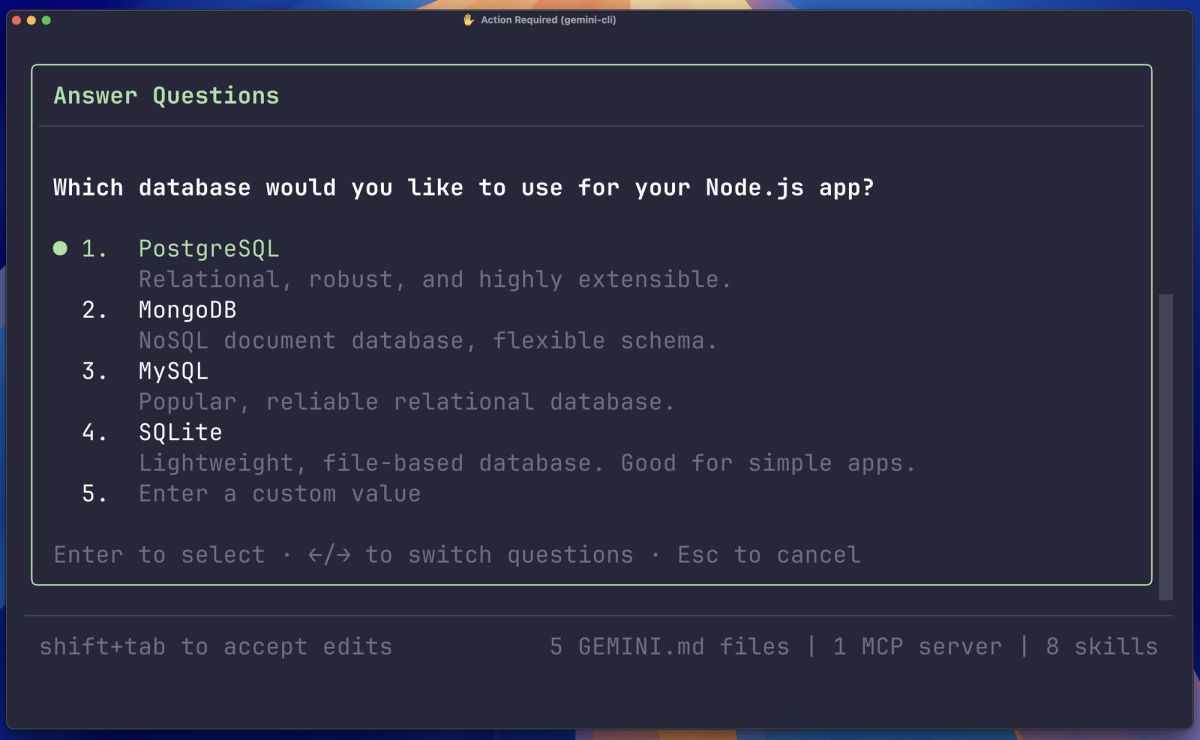
Plan Mode was optional through v0.33. With v0.34 (March 17), it became enabled by default — the agent now breaks complex tasks into a step list before executing. This is the foundational change. v0.33 brought research subagents and annotation support for mid-plan feedback. v0.32 added external-editor support and multi-select options in planning.
What this means in practice: you no longer need to invoke /plan explicitly. When Gemini detects a multi-step task, it produces a plan first and pauses for confirmation. The practical effect is the agent is less likely to start executing immediately on an ambiguous prompt and more likely to surface its interpretation of the task before any files change.
The annotation support added in v0.33 is the piece that makes the plan interactive rather than static: you can leave inline comments on specific plan steps, and the agent incorporates them before continuing. This addresses the failure mode of the earlier /plan — you'd approve a plan, execution would diverge from your intent halfway through, and there was no mechanism to redirect without starting over.
v0.38.0-preview.0 adds web_fetch allowed in plan mode with user confirmation — so research tasks during the planning phase no longer require dropping out of plan mode.
Git Worktree support — isolated agent workspace that doesn't touch your main branch
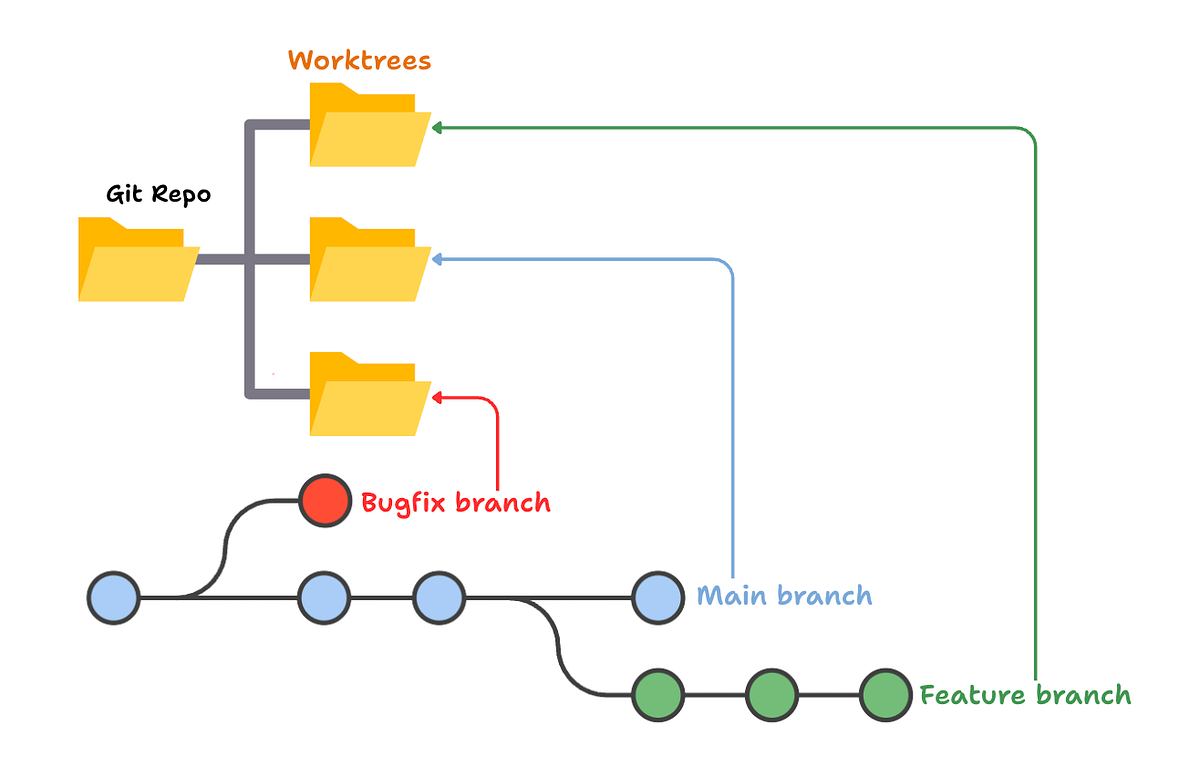
The headline feature from v0.36.0 (April 1, 2026 stable): native Git worktree support. The official documentation marks it as experimental, and you need to enable it:
# Enable in settings
/settings → Enable Git Worktrees → true

# Or in settings.json directly
# Then launch a worktree session:
gemini --worktree my-feature
The --worktree flag creates an isolated working directory under .gemini/worktrees/ on a new branch and starts the CLI inside it. Your main branch is untouched for the duration of the session. The branch name and directory name both take the value you pass — gemini --worktree my-feature creates my-feature as both.
What the worktree change actually does: it turns a long-running agent session from "dangerous to your current state" to "isolated from your current state." Before worktrees, running an agent on a complex refactor meant the agent was writing to the same files you might be actively working in. Now you can hand the agent a worktree and continue working on main. When the agent finishes, you review the branch and merge — or don't.
Exiting a worktree session (via /quit or Ctrl+C) leaves the worktree intact. You explicitly clean it up when done. Resume a worktree session with gemini --resume <session-id> from the worktree directory.
Platform coverage: Linux and Windows have dynamic sandbox expansion with worktree support. macOS has native Seatbelt sandboxing (v0.36) but the official docs don't separately document Seatbelt-specific worktree support — treat macOS worktree as functional but check the GitHub repo for known issues before relying on it for critical work.
JIT context handling — why large codebases stop freezing the agent
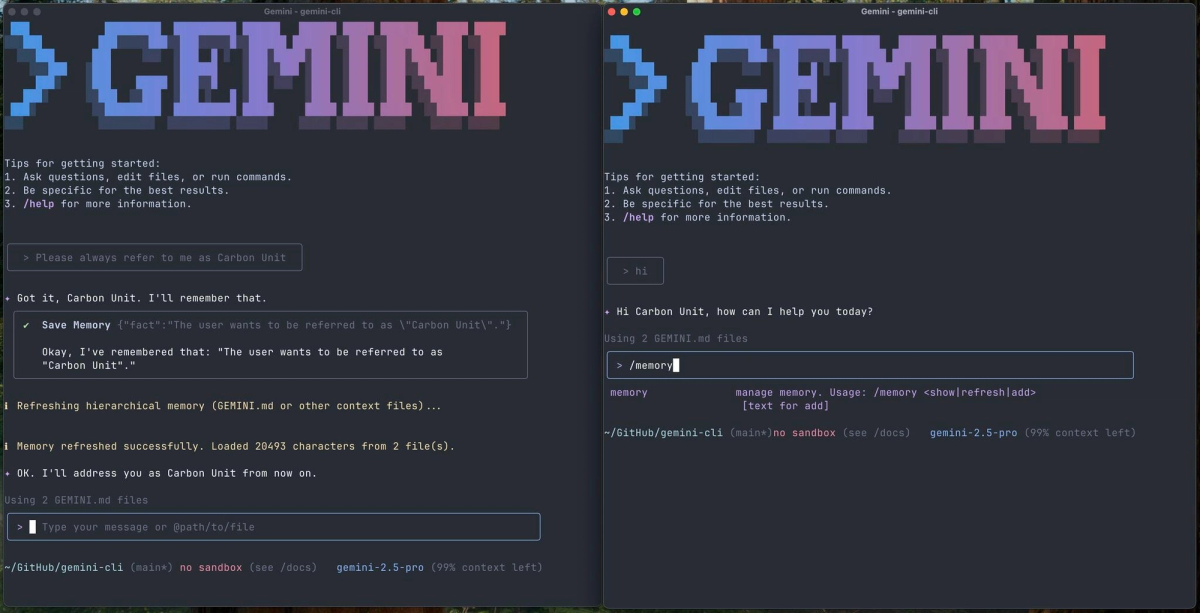
JIT (Just-in-Time) context loading was enabled by default in v0.35.0-preview and stabilized into v0.35. Before JIT, the agent loaded all project context at session start. On large codebases, this consumed significant context window space for files the agent might never need in a given session.
JIT changes this: the agent instruments file system tool calls to discover context on demand. When you ask it to modify src/auth/oauth.ts, it loads the context relevant to that file rather than the entire repo's context. The v0.35 release also fixed deduplication — project memory is no longer loaded multiple times when JIT discovers overlapping context.
The practical change for developers working on codebases with hundreds of files: the agent doesn't stall at session start loading everything, and it doesn't burn 30% of its context window on files irrelevant to your current task. For a 10k-file monorepo, this is the difference between the agent being usable and being constantly near its context limit before you've written a single prompt.
v0.38.0-preview.0 adds a Context Compression Service on top of JIT — the agent can now compress context window usage when approaching limits rather than simply truncating. This is a preview-only feature as of v0.38.0-preview.0.
What Gemini CLI Can Now Do Autonomously
Running a multi-step refactor inside a worktree while you stay on main
Concrete workflow: you need to migrate authentication from JWT to session-based across 15 files. Previously, you'd either hand this to the agent while it modified your working tree in real time (risky), or you'd do it yourself.
With worktrees:
# Create a new isolated session for the migration
gemini --worktree auth-migration

# Inside the worktree session, hand the agent the full task
# Plan mode will break it into steps before it touches any file
The agent plans the migration, gets your confirmation, and executes across the 15 files — all in the isolated auth-migration branch. You review the diff when it's done. You never lost access to your main working tree.
What makes this different from just using a branch manually: the agent's full session history, tool calls, and context are contained in the worktree session. When you resume, it knows what it already did. This is closer to handing work to a team member than to running a script.
Plan-then-execute on multi-file changes with mid-session course correction

With plan mode active by default and annotation support, the workflow for multi-file changes is:
- Describe the change — the agent produces a step list
- Review steps, annotate any that need adjustment inline
- Approve — execution begins
- If something diverges mid-execution, you can interrupt and redirect without starting over
The agent dispatches subagents for specific subtasks within the plan (v0.35 added subagent JIT context injection — subagents get the context they need for their task, not the full session history). After exiting plan mode, the model automatically switches to a flash model for lighter follow-up tasks — a v0.37 fix that prevents you from burning Pro quota on simple confirmations.
Where v0.38 Still Falls Short for Complex Projects
One agent at a time — no parallel task execution across branches
Worktrees give you isolated sessions. But Gemini CLI doesn't parallelize those sessions — you run one terminal session with the agent at a time per worktree. If you want simultaneous work on two features, you'd need two terminal windows with two separate CLI sessions.
The subagent architecture (which dispatches specialized agents for subtasks within a plan) does run concurrently internally — but that's within a single session's plan, not across two independent feature branches simultaneously. The parallel execution story is still "launch two terminal sessions manually" rather than "Gemini orchestrates parallel workstreams."
This is the gap between Gemini CLI's architecture and what dedicated multi-agent systems offer. For teams who want a single orchestrator coordinating agents across multiple branches simultaneously, Gemini CLI v0.38 is not that.
Terminal-only scope — no IDE-native context or inline diff
Gemini CLI knows what's in your codebase and can write files. It doesn't know what you're looking at in your editor. No cursor position, no selection context, no inline suggestions. When you return from a worktree session and review the diff, you're doing it in a terminal or your editor's built-in diff viewer — not in a Gemini-native review UI.
IDE integration exists (Gemini Code Assist for VS Code/IntelliJ), but it's a separate product. The CLI and IDE integration share quota but don't share session context. Running a Gemini CLI agent session doesn't give you inline diff review in VS Code.
Quota limits — what Pro and Ultra actually get you
This is where the documentation is honest but opaque. From the official FAQ: Pro and Ultra quotas cover "Gemini 2.5 across both Pro and Flash" and are shared across Gemini CLI and Gemini Code Assist agent mode. Specific daily request limits are not published in the documentation — they're documented externally in Gemini Code Assist's limits page and vary by account type.
What developers have documented publicly: Ultra subscribers hit Gemini Pro model limits after heavy coding sessions (2–3 hours of intensive use), at which point the CLI automatically switches to Flash. The switch is surfaced in the UI but can catch you off guard mid-task.
For long agentic sessions on complex projects — the exact use case worktrees enable — the quota behavior matters. The practical recommendation: if you're running agent sessions that will last more than an hour on a Pro-tier model, use pay-as-you-go via Gemini API key instead of subscription-based quota. You get full per-token control over cost without hitting daily limits at critical moments.
Who Should Upgrade Now (and Who Should Wait)
Upgrade to stable v0.37.2 now if you:
- Want Git worktrees (they're stable since v0.36)
- Want Plan Mode with annotations and subagents (stable since v0.33–v0.34)
- Want JIT context loading (stable since v0.35)
- Work on codebases large enough that context loading was a bottleneck
Try preview v0.38.0-preview.0 if you:
- Want Context Compression (avoids truncation when context window fills)
- Want
web_fetchavailable during planning - Are comfortable with pre-release stability on non-critical work
Wait or skip if:
- Your primary concern is parallel agent execution across multiple branches simultaneously
- You need IDE-native diff review as part of the workflow
- Worktrees on macOS are critical — test on a non-critical project first given the experimental status
The worktree feature's experimental flag is honest — there are documented sandbox and path resolution bugs being fixed incrementally (the v0.37 release notes reference fixes to "centralize async git worktree resolution and enforce read-only security"). Use it for real work, but verify the worktree state before merging anything critical.
FAQ
Is Gemini CLI v0.38 stable or still in preview?
v0.38.0-preview.0 is a pre-release as of April 8, 2026. The current stable version is v0.37.2 (April 13, 2026). Install preview with npm install -g @google/gemini-cli@preview. The stable v0.37.2 already includes worktrees, JIT context, and the full Plan Mode evolution. v0.38.0-preview.0 adds Context Compression and updated policy approvals on top.
Does worktree support work on macOS and Windows?
Windows has explicit worktree support with dynamic sandbox expansion (v0.37 release notes). Linux has the same. macOS has native Seatbelt sandboxing (v0.36) but the official worktree documentation doesn't separately call out macOS Seatbelt integration — it describes worktrees as experimental across platforms. Test on macOS before relying on it for production-critical work.
How is the current Plan Mode different from the original /plan?
The original /plan was optional and produced a static step list. You approved it, the agent executed linearly, and there was no mechanism to redirect mid-execution without starting over. Current Plan Mode (default since v0.34) combines: annotation support for inline feedback on individual plan steps (v0.33), research subagents during the planning phase (v0.33), external editor support for the plan document (v0.32), and multi-select options for how the agent handles ambiguous steps. The output is the same step-list structure, but the plan is now interactive and the agent incorporates mid-plan feedback without requiring a full restart.
What are the rate limits for extended agent sessions?
The official documentation defers to Gemini Code Assist's limits page for specific numbers, which vary by tier and account type. Pro and Ultra quotas are shared between Gemini CLI and Gemini Code Assist agent mode. In practice, developers running intensive Pro-model sessions report hitting limits after 2–3 hours, at which point the CLI auto-downgrades to Flash. For extended agent sessions on complex projects, pay-as-you-go via Gemini API key avoids subscription quota limits and provides predictable per-token cost.
Is Gemini CLI suitable for production-grade refactoring?
With worktrees: more so than before. The isolated branch removes the risk of the agent writing to your active working tree. With Plan Mode: the agent won't start executing before you've approved its interpretation of the task. The remaining gaps are quota limits on long sessions and the terminal-only scope. For production refactoring, the workflow that works: create a worktree, let the agent execute the plan in isolation, review the full diff before merging. Treat the agent's output the same way you'd treat a pull request from a junior engineer — don't auto-merge, but don't assume it needs heavy correction either.
Related Reading
- Claude Code vs Verdent: Multi-Agent Architecture Compared — Comparison of agent architectures for teams choosing between terminal-based and multi-agent frameworks.
- What Is Superpowers? Agent Skills Framework for AI Coding — The skills-based workflow enforcement layer that works across Gemini CLI and other coding agents.
- LLM Knowledge Base for Coding Agents: Beyond RAG — Persistent context strategies, relevant given JIT context loading changes what the agent loads at session start.
- GODMODE CLASSIC vs ULTRAPLINIAN: Which G0DM0D3 Mode Should You Use — For developers using Gemini CLI for model evaluation research alongside agentic coding.
- GLM-5-Turbo vs GLM-5V-Turbo: Which Agent Model to Use — Model selection for teams evaluating alternatives to Gemini inside Gemini CLI's pay-as-you-go API key mode.
