The Short Answer
If you mean Replit Agent, there is no single fixed LLM: Replit supports automatic routing and, for eligible accounts, manual primary-model selection. Published choices include Anthropic Claude, OpenAI GPT, Google Gemini, and other models. If you mean the AI inside an app built on Replit, that is a separate provider and model configured for the application.
The current Agent model catalog includes Claude Sonnet 4.6 and GPT-5.6 Terra in Power Mode, plus Claude Opus 5 and GPT-5.6 Sol in Max Mode. These are examples, not universal defaults; the selector available to your account determines your actual choices.
That distinction matters when you ask who controls the model, where prompts go, and which bill grows.
Replit Agent Models and App Models Are Different
Models Used to Build the App
Replit operates the development agent. Its models help interpret requests, while Agent writes code, configures infrastructure, and checks results. Your available controls influence how that work runs; they do not turn the selected LLM into your application’s backend.
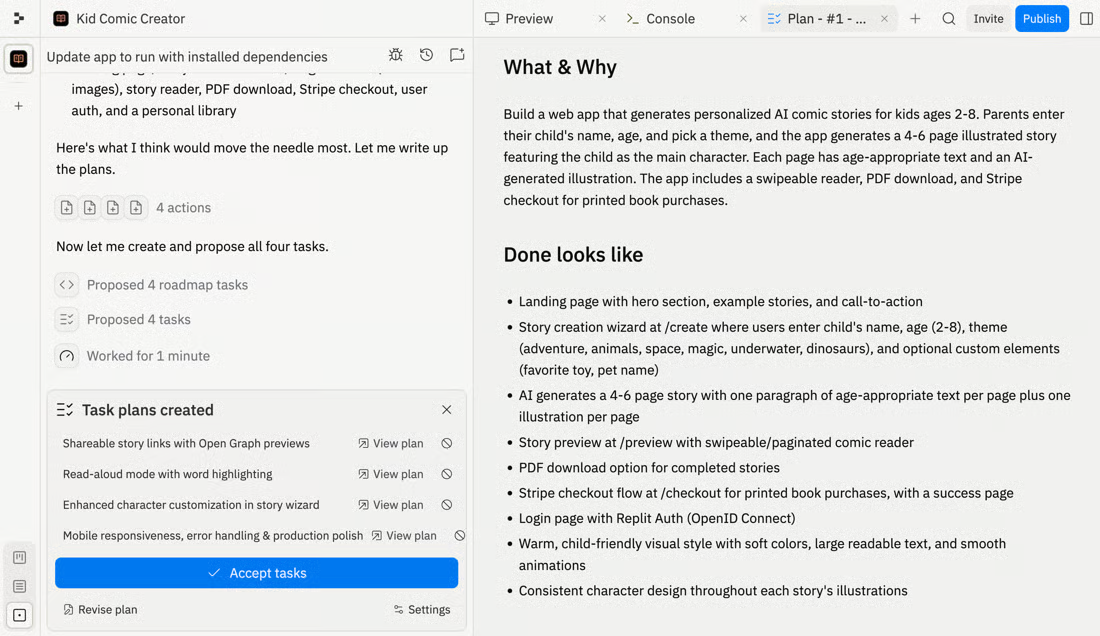
Imagine asking Agent to build a customer-support chatbot. The model helping create its interface and server code belongs to the build process. A static landing page can also be built with Agent and have no runtime LLM at all.
Models Called by the Finished App
The chatbot’s answers come from whichever model its server calls. The developer is responsible for that application configuration, even when Agent generates it.
| Layer | What controls the choice? | Where usage is charged |
|---|---|---|
| Agent development | Replit routing, available user settings, and applicable workspace policies | Replit Agent usage |
| App with managed AI access | App model configuration within the supported integration | Replit credits |
| App with your own API key | App configuration and your provider account | Provider account directly |
With Replit AI Integrations, Replit manages credentials and charges the provider’s public API price through Replit credits. With your own key, the provider bills you directly. Hosting and other cloud usage remain additional cost categories.
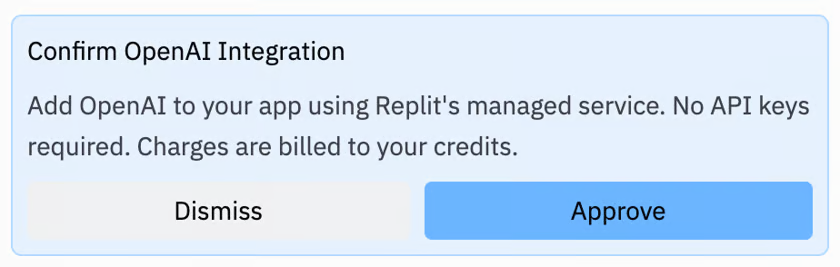
Consequently, changing the Agent model does not, by itself, change the chatbot’s runtime model. That requires an application configuration or code change.
How Replit Selects Models for Agent Work
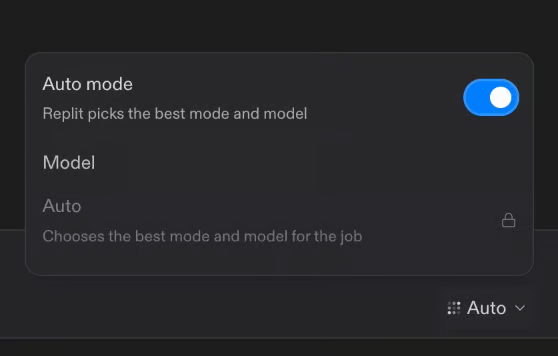
The current Agent modes are Free, Power, and Max. Free uses automatic routing. Core and Pro users can choose Auto or an available primary model in Power and Max, subject to account availability.
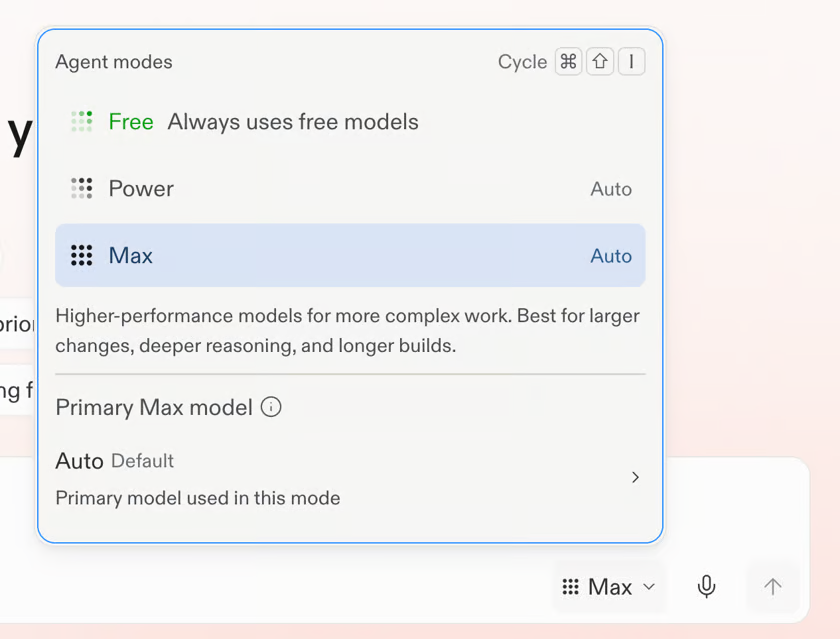
With intelligent model routing, Replit considers the requested work and its complexity when balancing capability and cost. The model can change as the task changes. This is the disclosed behavior; proprietary routing thresholds and a complete action-by-action model map are not disclosed in the reviewed pages.
For manual Replit model selection, open Agent Mode → Power or Max → Primary** model**. The choice applies to your next message. If Primary model is missing, the feature may not have reached your account. Effort is a separate control for reasoning depth.
A selected primary model is useful information for comparing two attempts. It is insufficient evidence that every internal operation used that model.
How Developers Choose Models Inside Their Apps
Choose the runtime model around the feature your users need: summarization, conversation, extraction, or another defined task. Replit AI models available for app integration include offerings from OpenAI, Anthropic, Google, and OpenRouter. Managed access currently requires Core, Pro, or Enterprise; Starter users can build AI apps with their own API keys.
Specify the exact supported model identifier in your request to Agent or in the application configuration. For example, a build request could say:
Build a support chatbot using Replit-managed OpenAI access and gpt-4.1-mini. Keep the model identifier configurable, and show me where the server sends requests.This is an illustrative prompt, not a tested implementation. Before relying on the generated app, inspect:
- The request destination: the SDK client and base URL should match the intended provider or gateway.
- The model field: confirm the actual API identifier rather than a display label.
- Credentials and billing: establish whether requests use managed access or your provider account.
- A deployed request: exercise the chatbot and inspect available response metadata, server logs, and usage records.
If answers change after deployment, compare those runtime settings first. An Agent upgrade alone does not establish the cause. Likewise, a successful code-generation session does not prove the chatbot handles malformed input, provider failures, or your expected traffic.
Why the Answer Changes Over Time
A model name from an old Replit announcement can be accurate for that release and misleading today. One concrete example: Economy Mode has been retired, and Power now replaces it at the same price. Older mode tables therefore need rechecking before reuse.
Replit LLM availability also depends on rollout and account permissions. Application providers can change their catalogs independently of Agent.
Record the date and the layer whenever you document a choice: “Agent primary model for this build” or “runtime model for this deployed revision.” “We use Replit” is too vague for reproducing behavior or assigning costs.
FAQ
Does Replit Publish the Exact Model Used for Every Agent Action?
The public material reviewed does not provide a complete per-action model trace. A selectable primary model and a description of Auto routing do not establish that visibility. If exact attribution is required, ask Replit which trace or export your account supports before promising it to your team.
Can a Team Administrator Restrict Which Models Replit Agent Uses?
Yes, through Enterprise model controls, available to Enterprise account admins. Account and workspace policies constrain selectable models and Auto routing. This is not a general capability promised to every team plan, and policies cannot differ by user group within the same workspace.
Does Agent Model Choice Change Replit AI Billing?
It can affect spending. Free Mode has an allowance; paid work uses effort-based Agent pricing, and mode and reasoning settings can affect cost. Paid Plan Mode can incur charges even without code changes. Compare checkpoint costs and total usage rather than treating every prompt as an identical billing unit.
Are Replit Agent Model Changes Recorded in Project History?
Checkpoints preserve project state and conversation context, but the reviewed specification does not promise a dedicated history of model selections or routing decisions. For reproducible comparisons, record your chosen mode, primary model, Effort, date, and code revision yourself; mark undisclosed routing as unknown.
Can Replit Agent Work Without an Internet Connection?
No supported offline Agent mode is documented in the reviewed material, so plan on needing connectivity. The Replit Desktop App provides the web experience in a native window; its description does not establish local LLM execution. Offline behavior in an app you build is a separate application-design question.
Conclusion
The useful answer to “what LLM does Replit use” belongs to a specific layer and moment. For a build, identify the Agent settings and their visibility limits. For a deployed AI feature, identify the request endpoint, model identifier, and credential owner. Until those are clear, a model name alone cannot explain either behavior or cost.