

When you're picking a model for a coding agent, the question you actually need answered isn't "which model is best" — it's "does this model do tool calling, what's its context window, who serves it, and at what price?" That's metadata, and it's scattered across a dozen provider pages in a dozen formats, some of which quietly hide older models' pricing. Models.dev exists to put it in one place. It won't tell you the best coding model (nothing honestly can, for your work), but it will give you the structured facts to decide for yourself. Here's how to read it for coding-agent decisions specifically.
Model metadata changes constantly — pricing, context windows, provider support, and model status are updated frequently. Treat any specific value as something to confirm against the Models.dev database and the provider's own documentation at the time you use it, rather than relying on a figure that may be stale.
What Models.dev Is
Models.dev is an open-source, community-contributed database of AI model specifications, pricing, and features. It exists because there's no single authoritative place with information about all the available models — each provider documents its own, in its own format, and keeping track across them is genuinely hard. Models.dev consolidates that into one queryable dataset (created by the team behind OpenCode, who also use it internally).
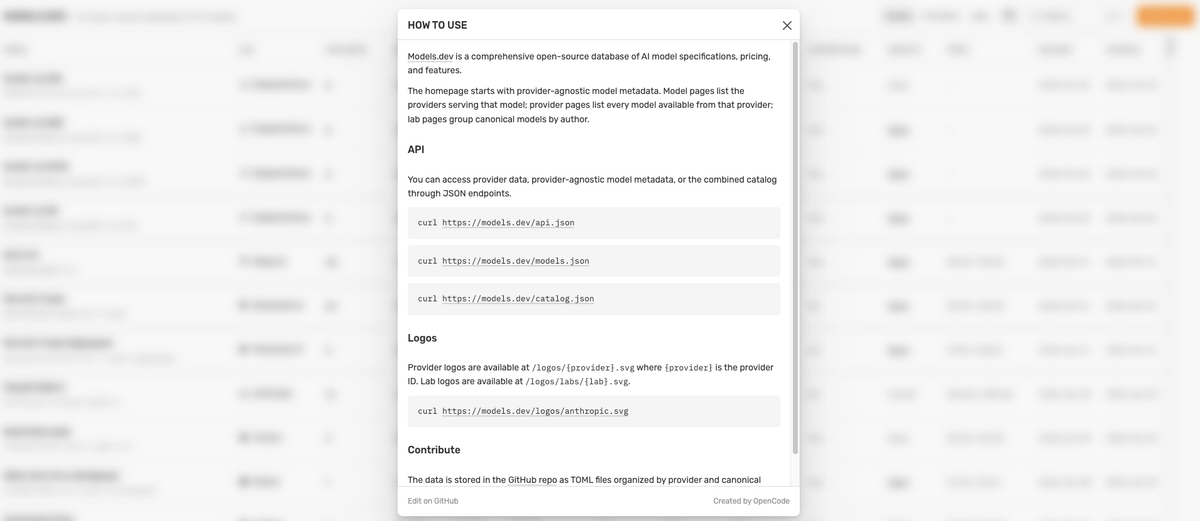
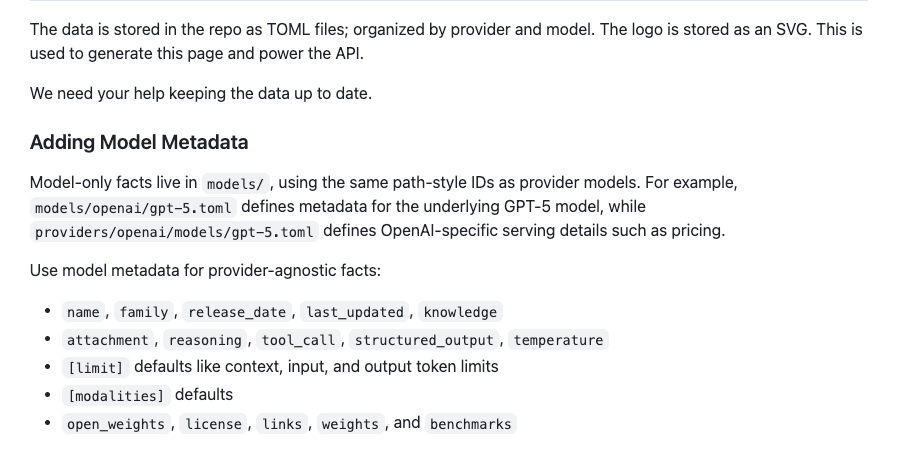
The data is stored as TOML files in a GitHub repository, organized by provider and canonical model, and exposed through JSON endpoints you can query directly: https://models.dev/api.json for provider data, https://models.dev/models.json for provider-agnostic model metadata, and https://models.dev/catalog.json for the combined catalog. The site organizes the same data into model pages (which providers serve a given model), provider pages (which models a given provider offers), and lab pages (canonical models grouped by author). The key structural idea: it separates facts about the model itself (its capabilities, knowledge cutoff) from facts about how a specific provider serves it (pricing, context limits) — a distinction that matters a lot for coding decisions, as you'll see.
Why Coding Agents Need Better Model Selection
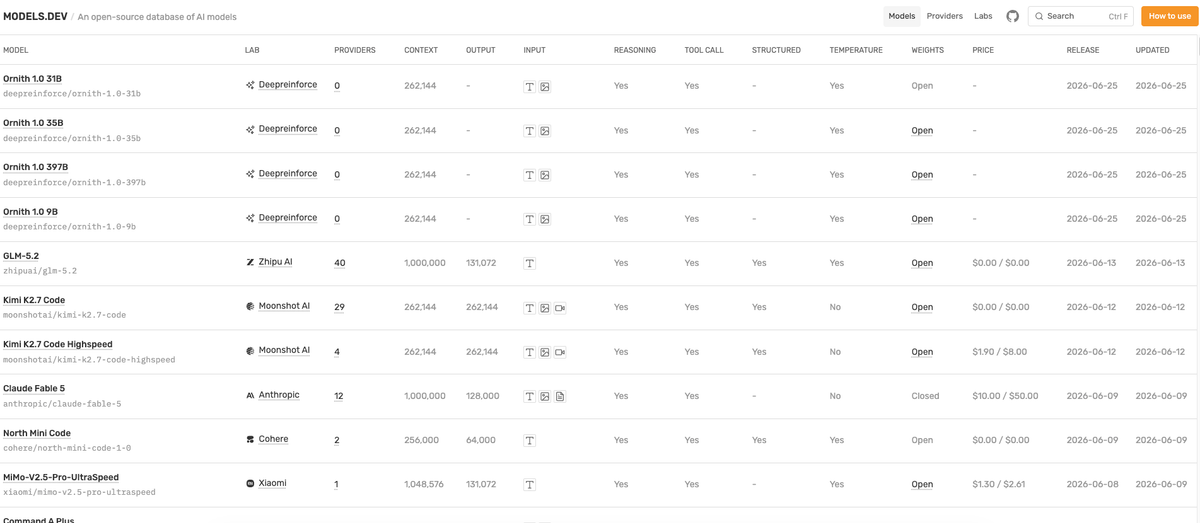
For a coding agent, model choice isn't a vibe — it's a set of hard requirements the model either meets or doesn't. A coding agent needs to call tools (to run code, edit files, execute tests); if a model doesn't support tool calling, it can't drive an agent loop at all. It needs enough context to hold the files and history a task requires. It needs to fit your cost and latency budget at the volume you'll run it. And if you need to self-host, it needs open weights. These are checkable facts, not opinions — and getting them wrong means an agent that can't do the job, or a surprise bill.
This is exactly what metadata answers and what a leaderboard doesn't. A "best coding model" ranking collapses all these dimensions into one number that hides the thing you actually need to know (does it call tools? does it fit my context requirement? can I afford it at my volume?). Reading metadata instead of a ranking forces the right question: not "what's best" but "what meets my specific requirements" — which is the only question that has a correct answer for your situation.
How to Read Models.dev for Coding Work
The skill is mapping metadata fields to coding-workflow requirements. Here's what to look at and why each matters for agents.
Context and output limits
Two separate fields matter, and conflating them causes problems. The context limit is how much the model can take in — for coding, this caps how much of a repository, conversation history, or set of files you can hold in one request. The output limit is how much it can produce in a single response — which matters when a task generates a lot of code at once (a large file, an extensive refactor). A model with a big context but a small output limit can read your whole codebase but can't emit a huge change in one go. Check both against what your tasks demand. Critically, the context limit can be a provider-specific override — the same model may be served with different context limits by different providers, so read the limit on the provider you'll actually use, not just the model's headline number.
Tool calling and structured output
For agents, this is often the decisive field. Tool calling support determines whether a model can participate in an agent loop at all — invoking functions to run commands, read files, and act on results. Models.dev marks which models support tool calling, and for any coding-agent use this is a gating requirement, not a nice-to-have. Related is structured output and reasoning capability: whether the model can produce reliably-parseable structured responses (which your harness needs to turn model output into actions) and whether it has reasoning/thinking modes useful for complex coding. A model without tool calling is a non-starter for an agent regardless of how good its raw code generation is, so check this field first when evaluating for agentic work.
Providers, pricing, and model availability
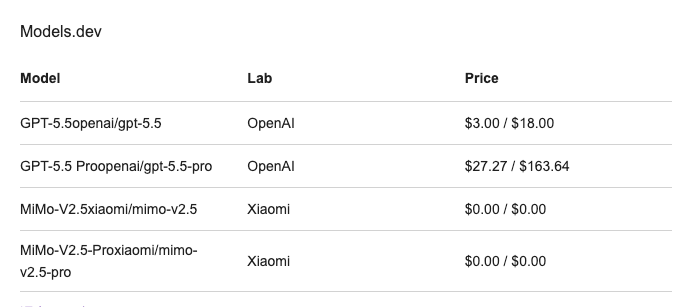
The same model is often served by multiple providers at different prices and with different terms — which is why Models.dev separates model facts from provider-serving facts. The pricing fields (input, output, and where supported, cache-read and cache-write costs, per million tokens) are provider-specific, and the input/output split matters for coding because agent workloads are often input-heavy (loading context) with lighter output. Cache pricing matters too if your workflow repeats context. Read pricing on the specific provider you'll use, compare the providers serving a model you want, and remember these numbers change — confirm the current figure rather than trusting a cached one. Availability (which providers currently serve a model, and the model's lifecycle status) is also provider-level metadata worth checking, since a model you want may or may not be available where you need it.
Open weights and deployment options
If your requirements include self-hosting — for data residency, cost at scale, or avoiding dependence on a hosted API — the weights field tells you whether a model is open-weight (downloadable to run yourself) or closed (available only through an API). This single field separates models you could run on your own infrastructure or in a local runtime from those you can only access as a service. For teams with constraints that rule out hosted APIs, this is a gating filter: it narrows the field to deployable models before you compare anything else. Combined with the licensing information, it tells you not just whether you can get the weights but under what terms you can use them.
How This Applies to Claude Code, Codex, and OpenCode
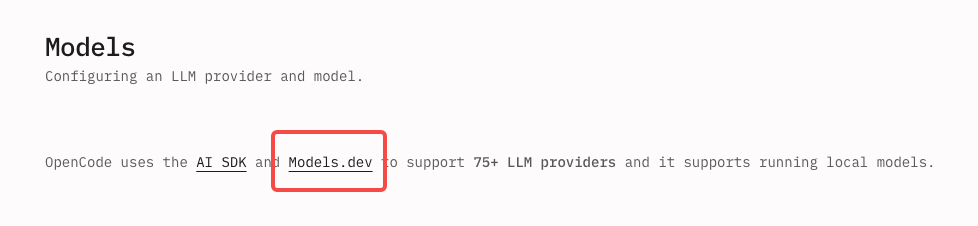
The metadata maps directly onto how these agents consume models. OpenCode, which created Models.dev, references model and provider names from it directly — you configure a model in OpenCode by the provider/model identifier, and Models.dev is where those built-in provider and model names come from. So reading Models.dev is, fairly literally, reading the catalog OpenCode draws on.
For Claude Code and Codex, the connection is about requirements rather than direct configuration: when you're choosing or swapping the model behind an agent (including pointing an agent at an alternative model via an OpenAI-compatible endpoint), the metadata is what tells you whether a candidate model will actually work in that agent — does it support tool calling, does its context fit, is it served by a provider you can reach. The api field (the OpenAI-compatible endpoint, where present) is directly relevant when wiring a model into an agent that accepts a custom endpoint. The point across all three: the agent imposes requirements (tool calling, context, a reachable provider), and Models.dev is where you check a model against those requirements before committing.
Limits, Risks, and What to Verify
Models.dev is a metadata database, and its limits follow from that. It's community-contributed, so coverage and freshness depend on contributors keeping entries current — which means any specific value (especially fast-changing ones like pricing and newly-released models' details) should be verified against the provider's own source before you rely on it for a real decision. Metadata can lag reality, particularly right after a model launches or a provider changes pricing.
More fundamentally, metadata tells you what a model is, not how well it performs on your code. Tool-calling support tells you a model can participate in an agent loop; it doesn't tell you how reliably it does so on your tasks. Context and pricing tell you what fits and what it costs; they don't tell you whether the model's actual coding output meets your bar. So Models.dev answers the eligibility question (does this model meet my hard requirements?) but not the quality question (is it good at my work?) — the latter still requires testing the model on your tasks. Use the metadata to narrow the field to eligible candidates, then evaluate those candidates on real work; the database is the filter, not the final judge.
FAQ
Is Models.dev only for API developers?
No — while the JSON endpoints (api.json, models.json, catalog.json) make it especially convenient for developers who want to query model data programmatically, the underlying database is useful to anyone choosing a model. The website presents the same data in browsable model, provider, and lab pages, so you can look up a model's capabilities, context limits, and pricing without writing any code. API developers benefit from the queryable endpoints (for building tooling, automating model selection, or keeping a system's model list current), but a tech lead comparing options or a developer checking whether a model supports tool calling can use the site directly. It serves both the programmatic and the browse-and-decide use cases.
Which metadata matters most for coding agents?
For agentic coding, tool calling support is usually the first field to check — without it, a model can't drive an agent loop at all, regardless of its other strengths. After that, the context limit (does it fit the repository and history your tasks need?), the output limit (can it produce the size of change you need in one response?), and the pricing on your chosen provider (does it fit your budget at your input/output mix?). If you need to self-host, the weights field becomes a gating filter. The relative importance depends on your constraints, but tool calling is the near-universal first gate for agents, since a model that can't call tools simply can't be the engine of a coding agent no matter how good its code is.
Can Models.dev tell me the best coding model?
No, and that's by design — it's a specifications database, not a ranking. Models.dev tells you what each model is (its capabilities, limits, pricing, providers, and weights status), which lets you determine which models meet your specific requirements. It deliberately doesn't crown a "best" model, because the best model is relative to your needs: the right choice for a self-hosting team with strict data-residency rules differs from the right choice for someone optimizing cost on a hosted API. Metadata gives you the facts to make that judgment for your situation; it doesn't make the judgment for you. After using it to narrow to eligible candidates, you still test those candidates on your own tasks to decide which performs best for your work.
How often should model metadata be rechecked?
Recheck whenever a decision depends on a fast-changing field — particularly pricing and the details of recently-released models, which move frequently. Provider pricing changes, new models appear, and serving details (context limits, availability) get updated, so a value that was right last month may be stale now. For a one-off decision, verify the specific figures you're relying on against the current data (and the provider's own page) at the time you decide. For anything automated or ongoing — a system that routes across models, a maintained comparison — sync against the source regularly rather than caching values indefinitely, since the database itself is updated on an ongoing basis precisely because the underlying facts keep moving. The principle: treat model metadata as live data, not a fixed reference.
Conclusion
Models.dev is the structured answer to a practical question coding-agent developers face constantly: does this model meet my hard requirements — tool calling, context, a reachable provider, the right price, open weights if I need them — before I invest in trying it? It's an open-source database of model specifications, pricing, and features, queryable through its JSON endpoints or browsable on the site, that separates what a model is from how a given provider serves it. Read it by mapping fields to your coding requirements: tool calling first for agents, then context and output limits, then provider pricing, then weights if you self-host. Just hold two things in mind: the metadata can lag reality, so verify fast-changing values against the source, and metadata answers eligibility, not quality — it narrows the field to models that can do the job, after which you test the finalists on your own code. Used that way, it turns model selection from guesswork into a checkable, requirement-driven decision.
Related Reading
