Amp's manual states its permission model in one sentence: "By default, Amp does not ask for approval before running tools."
That warning sits next to another: untrusted repositories, MCP servers, and external inputs can influence what Amp does. This is the useful starting point because it defines the operating risk before the feature list.
This Amp coding agent review covers how the product organizes work, what its tool surface looks like, and where the adoption boundaries sit. Everything below was verified against the Amp Owner's Manual on 2026-08-25. Amp ships changes quickly, so treat current defaults as current, not permanent.
What Amp Coding Agent Is
Amp is a coding agent that runs as a CLI, connects to editors, and keeps its work in threads — durable, shareable conversation objects that include your messages, context, and tool calls.
The current installation paths include a shell script for macOS, Linux, and WSL, a separate Windows PowerShell installer, Homebrew, and npm; npm is marked not recommended. Yet Supported Platforms lists Windows via WSL. Preserve that inconsistency rather than treating the PowerShell installer as confirmation of native Windows support.
Four modes — low, medium, high, ultra — set capability rather than a specific model. Amp defines its agent modes as capability presets rather than fixed model selectors; routing depends on provider subscriptions, workspace restrictions, and availability. A team therefore cannot treat a mode-to-model mapping as permanent.
How Amp Handles Coding Work
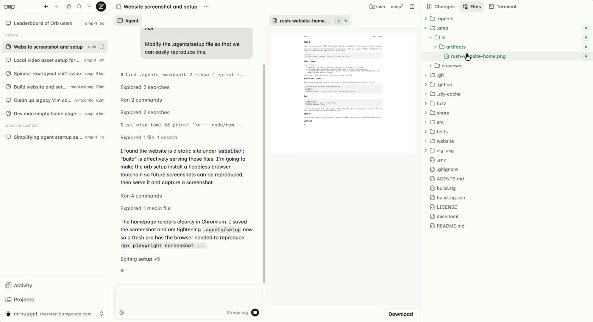
Threads, Repository Context, and Changes
Amp's thread-sharing controls include Unlisted (anyone with the link, plus your workspace), Workspace-shared, Group-shared (Enterprise), and Private. The default matters for teams — if you are in a workspace, threads are shared with workspace members by default, and admins control that default and external sharing.
Repository context comes from AGENTS.md files in the working directory, parent directories up to $HOME, subtrees the agent reads, and system locations such as /etc/ampcode/AGENTS.md. Frontmatter globs can load language- or subtree-specific guidance only when relevant, which is cleaner than one oversized repository file.
You can reference a previous thread by URL or ID, while the web feed's query syntax includes file:, repo:, author:, commit:, and pr: filters.
For changes, a project's Changes Workflow setting picks the main action: Ship commits and pushes directly to origin/main, Push to Branch pushes the branch and returns a pull request URL on GitHub, and Custom Ship sends a configured prompt to the agent instead.
The default action in a thread's changes sidebar can be a direct push to main. Set that intentionally before a team rollout.
Tools, Subagents, and Agent Skills
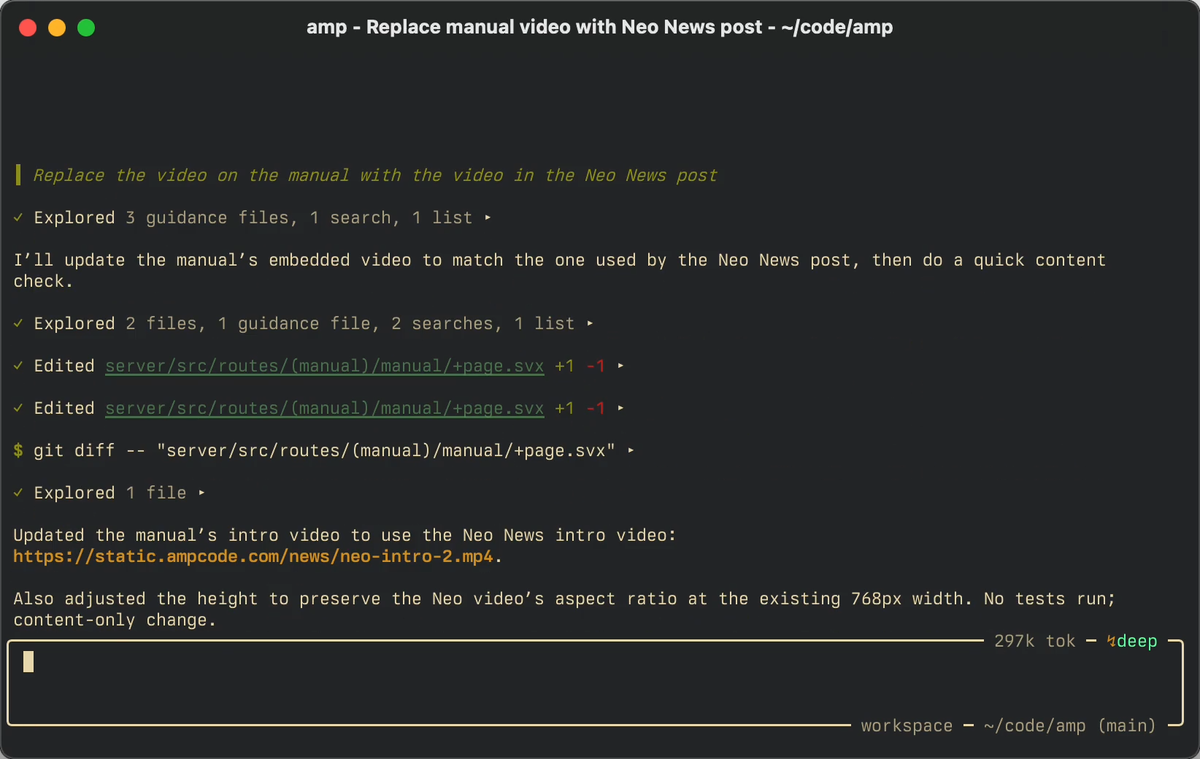
Amp runs shell commands and other tools without requesting approval by default. The Plugin API can intercept tool.call events for custom gates. Amp also activates an internal plugin for legacy permission settings when it detects amp.permissions, amp.guardedFiles.allowlist, or amp.dangerouslyAllowAll=false.
Subagents get separate context windows and tools. They cannot communicate with each other, accept mid-task guidance, or inherit the accumulated conversation; the main agent receives only their final summaries.
That last point is the one to plan around. Parallelism buys throughput and costs visibility.
Oracle supplies a second model for harder reasoning, with routing dependent on mode and provider subscriptions. Librarian searches public and connected private GitHub repositories; Painter generates and edits images.
Agent skills are SKILL.md directories with optional resources, loaded on demand. Eleven documented locations determine precedence; local and built-in skills can mask repository skills, while personal skills can mask workspace versions. Check that order when teammates see different behavior.
Where Amp Fits Developer Workflows
Terminal and Editor Use
The CLI is the primary surface. Editor integration connects through it and supports Neovim, VS Code and VS Code-based editors, and Zed.
One fact belongs in any evaluation: the JetBrains integration is deprecated. Existing installs keep working through amp --jetbrains, but the plugin receives no updates. For a JetBrains-heavy team, that is a planning constraint, not a detail.
For automation, -x / --execute runs a single turn and exits, --stream-json emits one JSON object per line, and AMP_API_KEY covers non-interactive environments.
Remote Work, Sharing, and Team Handoffs
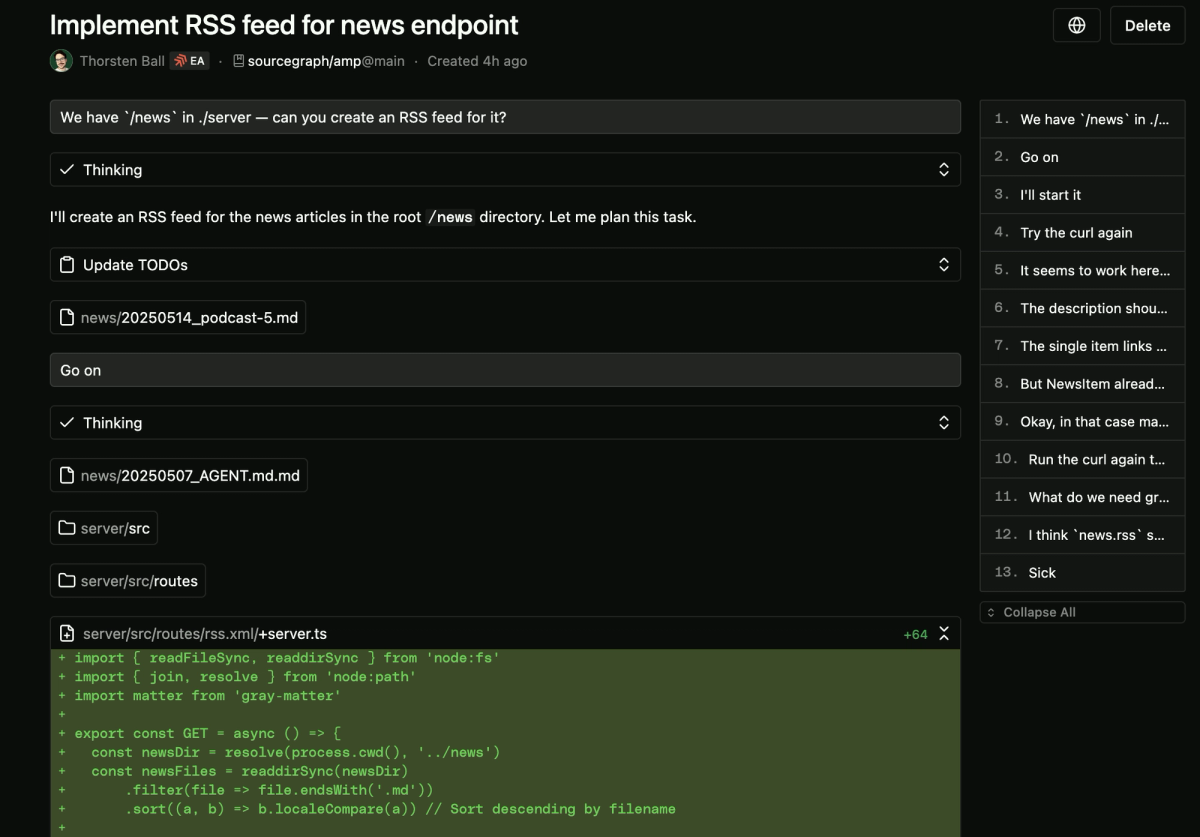
Runners turn an Amp instance into a target for threads created from the web. amp --no-tui runs runner-only; --remote-control-terminal exposes terminals to ampcode.com. Orbs are remote machines that run threads. Remote Control continues a running CLI thread from the web, with an option to require passkey authentication.
Multiplayer lets workspace members collaborate in an orb-backed thread. While active, every workspace member can access the thread, orb, secrets, files, and terminal. It defaults to one week, and all costs go to the thread owner.
That is a reasonable design for a pairing session and a poor one for a thread that touched production credentials. The control is the duration and the decision to enable it at all.
What to Evaluate Before Adoption
Permissions and Untrusted Inputs
Amp's own untrusted-input guidance is the right starting policy: use a custom policy plugin or an isolated development environment.
Three controls deserve explicit configuration:
- Plugin
tool.callhooks can allow, reject, modify, or synthesize a tool call — this is how you add custom approval gates - Workspace MCP servers require explicit approval (
amp mcp approve), while servers in global settings or passed via--mcp-configdo not amp.mcpPermissionsallows or blocks MCP servers by command or URL pattern
Plugins run code in your environment, and project plugins take precedence over system, personal, and workspace versions. A repository can therefore carry a plugin that overrides yours. Amp's Security Reference covers its broader security, retention, authentication, and model-provider claims, while its Privacy Policy governs the personal-information layer.
Models, Costs, and Configuration Changes
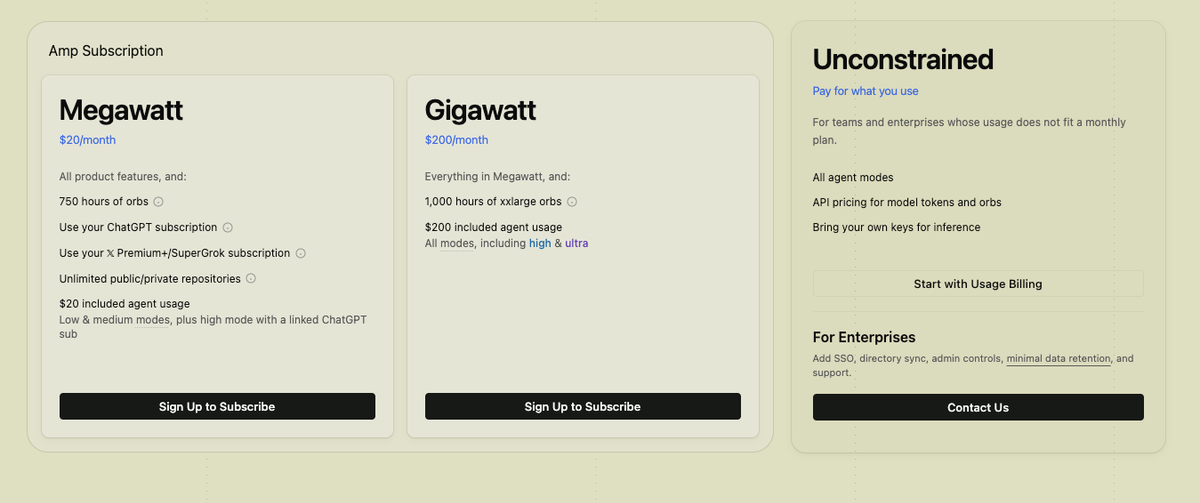
Amp's current pricing model combines monthly subscriptions with included usage and paid credits that require no subscription. Overage reflects actual LLM and certain tool usage; Amp reports zero markup on provider API prices for individuals and non-enterprise workspaces. Purchased credits expire after twelve months. Enterprise usage is listed at 50% more, with a one-time $1,000 starting purchase plus SSO, Minimal Data Retention, visibility controls, MCP registry allowlists, and managed settings.
For configuration, remember the direction of precedence: workspace settings override user settings — except keymaps, where user settings win. That inversion is easy to trip over when debugging why a teammate's setup behaves differently.
Limits and Operational Trade-Offs
Fast Product Changes and Workflow Stability
Amp states its own position: it goes where the models take it, with "no backcompat, no legacy features," and kills features the team does not use.
Anything built on top — plugins, skills, internal workflows — is exposed to that pace. Teams that require a stable interface should treat change management as part of the adoption cost.
Team Governance and Review Responsibility
Three decisions need owners before rollout:
Who sets the approval posture. Choose a custom Plugin API policy or Amp's internal legacy permissions plugin where those settings are present.
What the default thread visibility is. In a workspace, threads are shared by default; amp.defaultVisibility can map repository origins to visibility levels.
Who reviews changes before they land. A workflow can ship to main, and parallel subagents do not transfer responsibility for the patch, tests, or merge decision.
Several agents working from a reviewed plan and merging results afterward is a project-level delivery path rather than a single-harness decision — the category Verdent works in, and worth evaluating separately.
FAQ
Can Amp threads be exported for compliance reviews?
The manual does not document a one-click export. Threads remain addressable after archiving, the web feed supports filtered queries, and --stream-json emits structured output that can be captured during a run. The Manual Appendix publishes the stream-JSON schema and workspace visibility controls, while the Security Reference says application audit logs are available to Enterprise workspaces on request. Confirm fields, retention, and export format before treating Amp as a compliance system of record.
How should teams separate personal and shared Amp settings?
User and workspace settings live at ~/.config/amp/settings.json and the nearest .amp/settings.json. Workspace settings override user settings, except keymaps. Put reviewed team conventions — MCP permissions, visibility, disabled tools — in the workspace file, but never credentials.
Does Amp preserve attribution when agents create commits?
Yes. Two git-trailer settings, both enabled by default, add Amp-Thread-ID: <thread-url> and Co-authored-by: Amp <amp@ampcode.com>. Teams can disable them in settings or through AMP_DISABLE_AMP_THREAD_TRAILER=1 and AMP_DISABLE_AMP_COAUTHOR_TRAILER=1. The thread trailer links the commit back to its working record.
Can Amp run inside an isolated development container?
Amp recommends an isolated development environment for untrusted sources, and its CLI can run inside a container. The manual does not describe a first-class devcontainer integration. Runners execute in the directory where Amp was started, so isolation comes from the host setup, not the runner itself; use a dedicated account and narrow working directory.
Who owns artifacts produced in a shared thread?
Amp's current License Terms say users retain rights in User Content, including outputs they adopt. That does not allocate rights among collaborators, override employment or contractor agreements, or clear third-party licenses. Multiplayer assigns costs to the thread owner and workspace billing pools credits, but neither rule determines IP ownership. This is general information, not legal advice; check the current terms, organization agreement, and relevant licenses.
Related Reading
- Once more than one person uses it, who owns an agentic workflow across a team is the question that follows.
- For the review gate itself, automated review works better as queue triage than as an approval bot.
- If cost is the deciding variable, see what free coding agents actually cost.
- Before running any agent against a real repository, work through this pre-adoption checklist.
- And when a vendor cites benchmark numbers, what SWE-bench Pro can and cannot tell you is the right lens.
Verified against the Amp Owner's Manual on 2026-08-25. Amp changes quickly and states that it does not maintain backward compatibility — confirm modes, defaults, permissions, and pricing against the current manual before standardizing on them.