
You've got an idea for an iOS app with an AI feature — a smart summarizer, a conversational helper, a tool that turns messy input into structured output. The good news in 2026: Apple's Foundation Models framework gives you direct Swift access to an on-device model that's free to run, works offline, and keeps user data on the device. The other good news: AI coding agents can handle a lot of the Swift scaffolding. This guide walks the build — what kind of AI app to plan, how to architect it, and how to use coding agents to write the Swift without letting them write your judgment out of the loop.
Apple framework details verified against Apple's official developer documentation as of June 2026, around WWDC 2026. Apple's APIs evolve and some iOS 27 features are newly announced — always confirm against the current Apple Developer documentation before building, and treat any non-Apple source as unverified.
What Kind of iOS AI App Are You Building?
On-device (Apple Intelligence) vs cloud API vs Siri integration
Before any code, decide which AI approach fits — they have very different architectures, costs, and privacy properties:
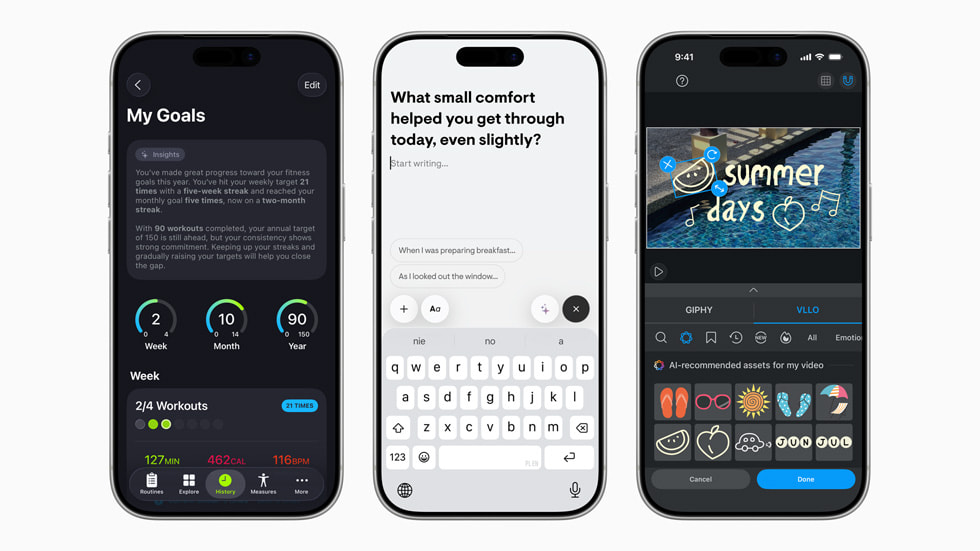
On-device (Apple Intelligence Foundation Models). Apple's Foundation Models framework gives Swift access to the on-device model at the core of Apple Intelligence. It's free, works offline, and keeps data on-device — strong for privacy-sensitive features like text generation, summarization, structured output, and tool calling. The trade-off is capability: the on-device model is smaller than a frontier cloud model, suited to focused tasks rather than the hardest reasoning. Available on Apple Intelligence-compatible devices with Apple Intelligence enabled.
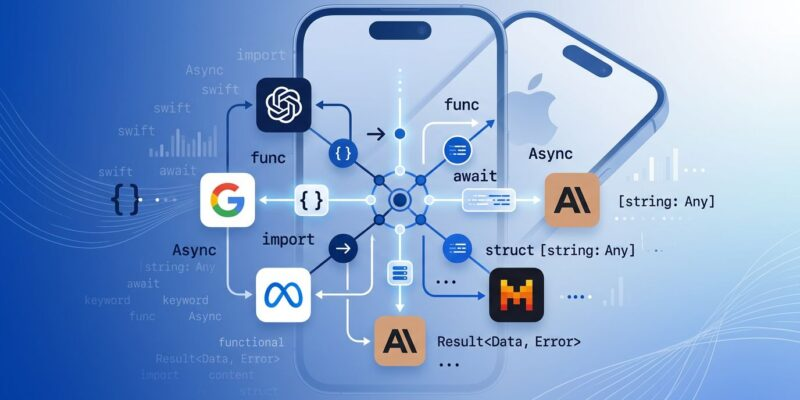
Cloud AI API. For tasks beyond the on-device model's capability, you call a cloud model (OpenAI, Anthropic, Gemini, etc.) over the network. More capable, but you pay per token, need connectivity, and your users' data transits a third party. Notably, as of iOS 27 Apple opened the Foundation Models framework to third-party cloud providers via a public LanguageModel protocol — so cloud models can sit behind the same API surface as the on-device model, making local/cloud swapping easier (verify the current provider list and setup in Apple's docs).

Siri integration (App Intents). If your goal is letting Siri trigger your app's actions, that's App Intents — Apple's framework for declaring actions Siri and Apple Intelligence can invoke. This is a different axis than "which model": you can adopt App Intents regardless of your AI approach, and it's buildable today.
The decision shapes everything downstream. On-device for privacy and zero cost; cloud for maximum capability; App Intents for Siri reach. Many apps combine them — on-device for the common case, cloud for the hard case, App Intents for system integration.
Plan the App Architecture
SwiftUI layer
Structure the UI layer in SwiftUI as you would any modern iOS app — but design the AI interaction points deliberately. AI features have latency (even on-device inference takes time) and can fail or refuse, so the UI needs loading states, error states, and graceful degradation. Plan for the AI call to be asynchronous from the start: a view that shows progress while the model works, handles a failed or empty response, and doesn't block the main thread. Treat the AI response as something that might not arrive or might arrive malformed, and design the UI to handle that gracefully rather than assuming success.
API or on-device model layer
Isolate the model behind an adapter. This is the single most important architectural decision: whether you're using the on-device Foundation Models or a cloud API, put it behind a protocol/interface so the rest of your app doesn't depend on the specific model. This lets you swap on-device for cloud (or vice versa) without rewriting your app, and it makes testing far easier (you can mock the adapter). Given that Apple's iOS 27 framework now lets on-device and cloud models share an API surface, designing to that abstraction is both natural and future-proofing — if you build on the on-device model now, an adapter lets you swap to a cloud provider cheaply later.
For structured output (the model returning typed data your app uses), Apple's framework supports guided generation with Swift types — design your data models first, then have the model populate them, rather than parsing free text. This is more reliable than string-parsing model output.
Permissions and privacy boundaries
Map your privacy boundaries before coding. The on-device model's advantage is that data never leaves the device — so if you use it, document that and don't undermine it by sending the same data to a cloud service elsewhere. If you use a cloud API, you're now handling user data over the network: you need clear disclosure, appropriate consent, and a privacy policy that reflects it. The boundary between on-device and cloud is a privacy boundary, and your app's data handling has to be honest about which path each piece of data takes. Verify the current entitlement and privacy requirements in Apple's documentation, since these are framework-specific.
Use AI Coding Agents to Build It
Generating Swift / UI code with an agent
AI coding agents (Claude Code, Cursor, Codex, and others) are effective at generating SwiftUI views, model-layer boilerplate, and the adapter scaffolding described above. The pattern that works: give the agent a clear, scoped task with the architecture you've decided — "create a SwiftUI view with a loading state, an error state, and a result state, that calls a SummarizerService protocol" — rather than "build me an AI app." The more specific the spec, the more usable the output.
Agents are particularly good at the repetitive parts: SwiftUI boilerplate, data model definitions, adapter implementations, and wiring. They're less reliable on the parts requiring judgment — the architecture, the privacy boundaries, the decision of on-device vs cloud. Use the agent for the mechanical Swift and keep the architectural decisions yours. The agent accelerates the typing, not the thinking.
Handling multi-file changes safely (diff review)
iOS apps are multi-file by nature — a feature touches views, models, services, and tests. When an agent makes changes across multiple files, review every diff before accepting. This is non-negotiable for app code: an agent can make a change in one file that breaks an assumption in another, and the only way to catch it is reading the diffs. Don't accept a multi-file change wholesale because it looks plausible; read what changed in each file and confirm it matches your intent.
This is where a disciplined workflow matters more than the model. Reviewing diffs, running the build after each change, and keeping changes scoped (so each diff is small enough to actually review) prevents the slow accumulation of subtle bugs that "the agent wrote it" can introduce. Tools built around structured review and verification — Verdent's diff-review and verification approach is one example — formalize this, but the principle holds with any agent: read the diffs, don't rubber-stamp them.
Writing tests and validating output
Have the agent write tests, then verify they actually test the right thing. AI features are probabilistic, which makes testing tricky — you often can't assert exact output. Instead, test the structure (does the model return valid typed data?), the error handling (does the app degrade gracefully when the model fails or refuses?), and the integration (does the adapter correctly call the model and parse the response?). Apple's iOS 27 tooling includes an Evaluations framework specifically for measuring the quality of intelligence features and quantifying the impact of prompt changes — worth using to evaluate your AI feature systematically rather than by eyeballing outputs.
The agent can write these tests, but you decide what's worth testing. An AI-generated test suite that passes tells you the code does what the agent thought it should — your job is confirming that's what it actually should do.
Apple Intelligence and Siri Considerations
What to verify in iOS 27 developer docs
Apple's frameworks evolve at each release, and iOS 27 (announced at WWDC 2026) brought changes worth verifying directly in the official documentation before you build on them:
- On-device model updates: the model was rebuilt and gained Vision (image input) capabilities — confirm what's available for third-party apps and on which devices
- Third-party cloud providers: the public
LanguageModelprotocol lets cloud models plug into the Foundation Models framework — verify which providers and what setup - Evaluations framework: the new Swift framework for measuring intelligence-feature quality
- Core AI: a framework for running custom models on-device, optimized for Apple silicon
- Xcode 27 agentic coding: Apple's own in-IDE coding assistance
Each of these is something to confirm in the current Apple Developer documentation rather than build on from memory or secondhand reports, because the specifics (entitlements, device support, API shapes) are what determine whether your plan is buildable.
What not to assume from consumer announcements
A critical discipline: don't build on features from keynote announcements or press coverage until you've confirmed the developer-facing API exists and is documented. Consumer announcements describe what users will experience; they don't guarantee a third-party API with the shape you need. The rumored or announced Siri "Extensions" system is a good example — exciting for users, but what you can actually build on today is App Intents (the established framework), not a hypothetical future API. Build on documented, available APIs; treat announced-but-not-yet-documented features as roadmap, not foundation. If a capability is only described in a media report and not in Apple's developer docs, treat it as unverified.
FAQ
How do I build an iOS AI app?
Choose your AI approach first: on-device (Apple's Foundation Models — free, offline, private, smaller model), cloud API (more capable, but per-token cost and data transit), or Siri via App Intents. Then architect it: a SwiftUI layer designed for async AI calls with loading/error states, a model layer behind an adapter so you can swap on-device for cloud, and clear privacy boundaries. Use coding agents for the Swift scaffolding, reviewing every diff, and test structure and error handling rather than exact outputs. Verify all Apple framework details in the official docs first.
Can AI coding agents write Swift apps reliably?
For the mechanical parts, yes — agents reliably generate SwiftUI views, model boilerplate, adapter code, and tests when given clear, scoped specs. They're less reliable on architecture, privacy decisions, and the judgment calls that shape a good app. The reliable pattern is using the agent for the repetitive Swift while keeping architectural decisions yours, and reviewing every multi-file diff before accepting it (agents can break cross-file assumptions). Treat agent output as a draft to verify — read the diffs, run the build, run tests — rather than finished code. The agent accelerates typing, not judgment.
When should I use Apple Intelligence vs a cloud AI API?
Use Apple Intelligence (on-device Foundation Models) when privacy matters (data stays on-device), when you want zero inference cost, when offline capability is needed, or for focused tasks (summarization, structured output, text generation) the on-device model handles well. Use a cloud API when you need capability beyond the on-device model — the hardest reasoning, the largest context, frontier-level output — and can accept the per-token cost and data transit. As of iOS 27, Apple's framework lets both sit behind a shared API, so designing with an adapter lets you use on-device for the common case and cloud for the hard case. Verify current capabilities in Apple's documentation.
What privacy rules apply to iOS AI apps?
Be honest about where data goes. On-device processing (Foundation Models) keeps data on the device — don't undermine that by routing the same data to a cloud service elsewhere. A cloud API means handling user data over the network, which requires clear disclosure, consent, and a privacy policy reflecting it. App Store review also has specific requirements for AI features and data handling, and the framework has its own entitlement rules. Verify current rules in Apple's official developer documentation and App Store guidelines — treat any non-Apple summary as unverified.
Related Reading
