You can stop copy-pasting GitHub issue links into your coding agent. Agent search skills — reusable search capabilities that coding tools like Claude Code, Cursor, and OpenCode can invoke automatically — let agents find current documentation, repository context, and issue history without you acting as the retrieval layer. Here's how to add that capability and how to think about it correctly once you do.
What AnySearch GitHub Means for Developers
GitHub search as agent context, not final truth
When a coding agent searches GitHub issues, documentation, or repository content, it's gathering context — not proof. An issue thread suggesting an API works a certain way might be from two versions ago. A documentation page might be accurate. A Stack Overflow answer might have been superseded. The agent can surface this information faster than you can manually search it, but the quality of the retrieved context depends on the source, and the agent's interpretation of that context still needs to be verified through tests and code review.
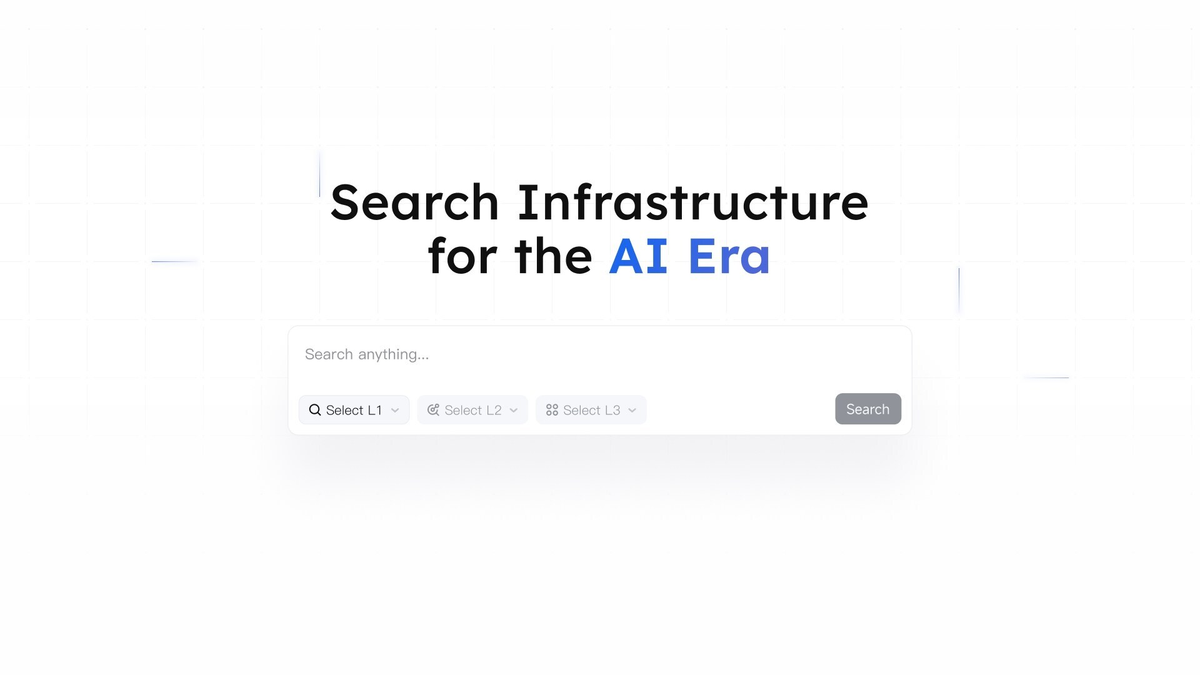
AnySearch, which launched in May 2026 as search infrastructure for AI agents, exposes GitHub search alongside general web, academic, and domain-specific search through a single interface. The developer's job changes from "search, read, paste" to "configure the search layer once, review what the agent finds before acting on it."
Where AnySearch fits among AI coding tools
AnySearch is not a coding agent. It's a search capability that coding agents can invoke — via SKILL, MCP, or API — as part of their tool stack. The distinction matters: AnySearch doesn't write code, plan tasks, or review diffs. It retrieves information. The coding agent (Claude Code, Cursor, OpenCode, or whichever tool you use) decides when to search and what to do with the results.
This puts AnySearch in the same category as an MCP plugin for Linear or GitHub — a tool the agent can call, not the agent itself.
Before You Add a Search Skill
Choose SKILL, MCP, or API based on your tool
AnySearch offers three integration surfaces. The right one depends on which coding tool you're using:
SKILL (SKILL.md-based): Available on GitHub, skills.sh, ClawHub, SkillHub, and Glama. This is the file-based integration — you install a SKILL.md that instructs the agent when and how to invoke search. Works with any tool that reads .claude/skills/ or the equivalent directory for your platform:
| Tool | Skills directory |
|---|---|
| Claude Code | ~/.claude/skills/ (global) or .claude/skills/ (project) |
| Cursor | ~/.cursor/skills/ (global) or .cursor/skills/ (project); also reads .claude/skills/ |
| Codex CLI | Via [[skills.config]] in config.toml |
| OpenCode | Configured via agent settings |
MCP server: AnySearch's MCP server runs at https://api.anysearch.com/mcp and natively supports Streamable HTTP (MCP spec 2025-03-26). Client configuration varies:
- Streamable HTTP clients (OpenCode, Claude Desktop 2025.6+): Connect directly — simplest configuration
- stdio clients (most Claude Code terminal setups): Use
mcp-remoteas a proxy bridge - SSE clients (Cursor, Windsurf): Connect via proxy
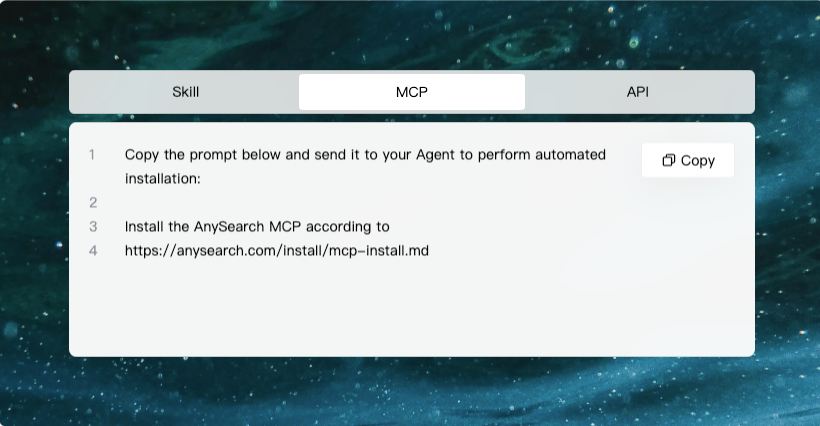
API: Direct HTTP calls for custom agent implementations or orchestration systems where you control the full request pipeline.
Consult AnySearch's official documentation for current connection instructions — client support and transport options evolve with tool updates.
Check trust, permissions, and source quality
Before adding any search skill or MCP server, verify three things:
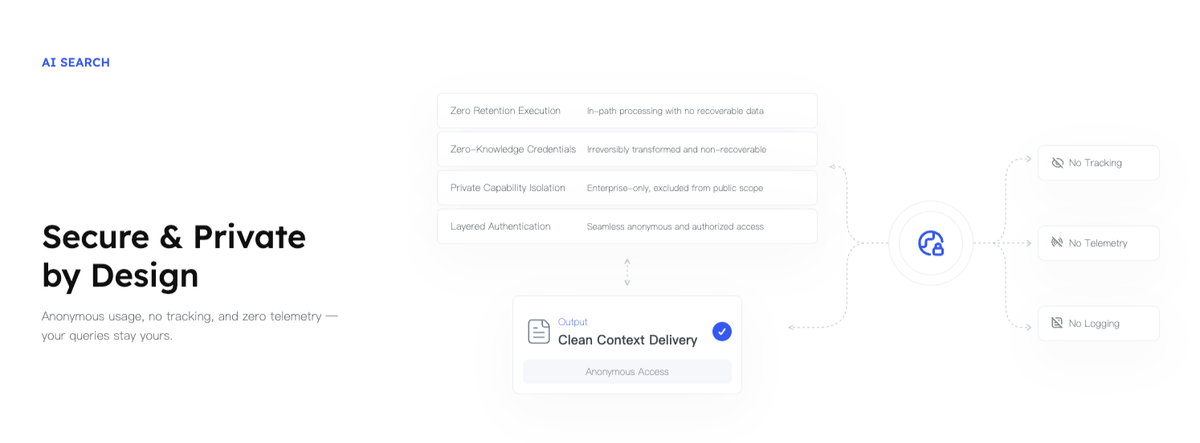
Data handling: What does the server see? Queries you send to a search service may reveal what you're building, which libraries you're using, and what problems you're debugging. Review the data handling policy for any third-party search tool before routing coding context through it.
Source quality: General web search returns varying quality results. Vertical domain search targeting academic, code, or security sources tends to produce more reliable technical content. Know which surface you're calling before trusting the output.
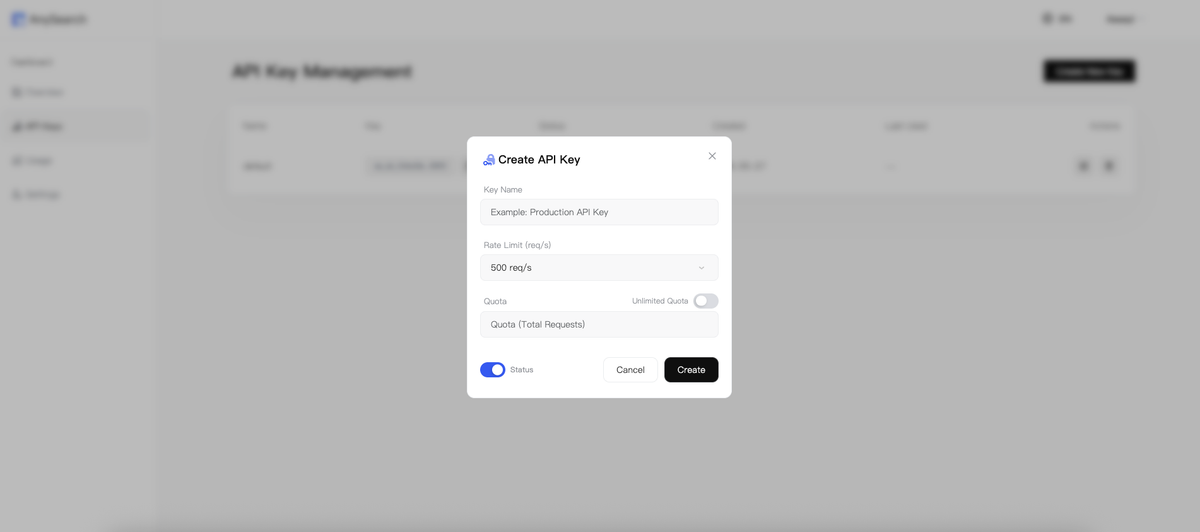
Anonymous vs authenticated access: AnySearch supports anonymous access without an API key at lower rate limits. For regular use in a coding workflow, an API key provides higher throughput. Confirm current access policies at the official documentation.
Using AnySearch in AI Coding Tools
Claude Code search workflows
Claude Code reads SKILL.md files from ~/.claude/skills/ (global) and .claude/skills/ (project-level). To add AnySearch search capability via the SKILL approach:
# Clone AnySearch skill to your global Claude Code skills directory
git clone https://github.com/anysearch-ai/skill-anysearch ~/.claude/skills/anysearch

# Or for project-level installation:
git clone https://github.com/anysearch-ai/skill-anysearch .claude/skills/anysearch
Verify the actual skill repository URL at AnySearch's GitHub presence or the official documentation before cloning — repository paths are subject to change.
Alternatively, add AnySearch as an MCP server in Claude Code's settings:
{
  "mcpServers": {
    "anysearch": {
      "command": "npx",
      "args": [
        "-y",
        "mcp-remote",
        "https://api.anysearch.com/mcp",
        "--header",
        "Authorization: Bearer ${ANYSEARCH_API_KEY}"
      ]
    }
  }
}
Once configured, agents in Claude Code can invoke search during sessions. Within a task, the agent can search for current API documentation before writing code that calls it, or look up GitHub issues related to an error before proposing a fix.
Cursor and MCP-style workflows
Cursor supports both agent skills (via .cursor/skills/ or .claude/skills/ for cross-platform compatibility) and MCP servers. For Cursor's MCP integration, which uses SSE transport:
{
  "mcp": {
    "anysearch": {
      "type": "remote",
      "url": "https://api.anysearch.com/mcp",
      "headers": {
        "Authorization": "Bearer ${ANYSEARCH_API_KEY}"
      }
    }
  }
}
Cursor reads this from its MCP settings file. Check Cursor's current MCP configuration documentation for the exact file path and format — these have changed with Cursor versions and may change again.
Other coding agents and agent search skills
Tools that support the SKILL.md format — OpenCode, Codex CLI, Gemini CLI, Windsurf, Kilo Code, and others — can use AnySearch via the skills distribution channels. The SKILL.md format is consistent across platforms: install the skill directory, restart the session, and the agent reads the skill on next startup.
For tools that support MCP with Streamable HTTP natively (OpenCode, Claude Desktop), the direct connection approach is simplest — add the MCP server URL and authentication header to the tool's MCP configuration. For tools requiring stdio, route through mcp-remote.
Developer Workflows That Benefit
Finding current docs before implementation
The most common use case: an agent is implementing a feature using a library or API that has changed recently. Instead of working from training data (which may be stale), the agent searches for current documentation before writing the implementation. The result isn't guaranteed to be accurate — documentation pages can be incorrect or outdated — but it's more current than a training cutoff from months ago.
Practical example: implementing a file upload with a cloud storage SDK. The agent searches for the current SDK documentation before writing the implementation, surfacing any interface changes that would have caused runtime errors.
Looking up GitHub issues and examples
GitHub issues and discussions contain context that doesn't appear in official documentation: workarounds, edge cases, breaking changes in minor versions, and community solutions. An agent that can search GitHub issues before proposing a fix to a bug is more likely to find a relevant precedent and avoid proposing a solution that someone already reported doesn't work.
This is valuable, but comes with quality caveats: GitHub issues reflect community experience at a point in time. A closed issue from 18 months ago may or may not apply to your current library version.
Comparing library behavior before changing code
Before making a change that depends on how a library behaves in an edge case, the agent can search for examples and documentation rather than assuming training-data behavior. This is particularly useful for libraries with complex option handling, where the correct behavior depends on configuration combinations that may not be well-represented in training data.
Safety and Review Practices
Treat search output as untrusted context
Search results are inputs to the agent's reasoning, not validated facts. The agent synthesizes search results with its training knowledge to form a plan or generate code. Both the source content and the synthesis can be wrong. Review agent actions that are explicitly informed by search results with the same scrutiny as any other agent output — or more, since the agent is now working with external content you haven't read.
Keep generated changes reviewable
The standard practice for AI-generated code applies equally when search context is involved: every change should produce a diff that a human can read before merge. If a search-informed code change is difficult to review — because it touches too many files, produces changes that are hard to understand without the retrieved context, or modifies code in ways that require following the retrieved documentation to evaluate — that's a signal to break the task into smaller, more reviewable pieces.
Verify with tests and diffs before merge
Search doesn't close the verification loop. An agent that searches for the current API interface and implements it accordingly has reduced the probability of an interface mismatch error. It hasn't eliminated it. Tests that exercise the actual API behavior (against a real or mocked endpoint) and a diff review that confirms the implementation matches the intent are the final verification steps — not the search result.
When Search Skills Are Not Enough
Search does not replace repo understanding
An agent that can search GitHub and documentation still needs to understand your specific codebase: your conventions, your existing abstractions, the history behind architectural decisions. Search can surface how a library works generally. It can't surface how you've integrated it, what workarounds you've applied, or what conventions your codebase assumes. That context lives in your CLAUDE.md or AGENTS.md, in your codebase history, and in your team's conventions — not in external search results.
Search does not replace planning or code review
Search is a context-enrichment step. It belongs at the start of a task — before planning, before implementation — not as a substitute for either. An agent that searches for current documentation and then proceeds without planning how to apply that information, or without a human review of the resulting diff, is still producing unverified output.
For teams running multiple agents in parallel on a feature — one handling frontend, one handling backend, one handling test coverage — search skills provide shared context enrichment, but the coordination, verification, and integration still require platform-level support. Tools like Verdent address this through Plan-First execution, parallel worktree isolation, and verification gates before integration: the search layer is one input to planning, not the orchestration mechanism itself.
FAQ
What is AnySearch GitHub used for?
Giving AI coding agents access to current GitHub content — issue history, repository documentation, code examples — as part of their task execution context. Agents can search before writing code that depends on external library behavior, look up related issues before proposing fixes, or check current documentation rather than relying on training data. Verify current feature coverage at the official AnySearch documentation.
How do I add an AnySearch skill to an AI coding tool?
Choose the integration surface that matches your tool: SKILL.md installation for tools that read .claude/skills/ or equivalent directories, MCP server configuration for tools with MCP support, or direct API integration for custom agent implementations. The exact configuration syntax and file paths vary by tool version — consult the official AnySearch documentation and your tool's current configuration documentation for accurate setup steps. Both anonymous access (lower rate limits) and API key access are available.
Is it safe to let coding agents search GitHub and docs?
Search queries reveal information about what the agent is working on — library names, error messages, problem descriptions. Before routing coding context through any third-party search infrastructure, verify that the service's data handling policies are compatible with your project's confidentiality requirements. For open-source and personal projects, the risk profile is typically acceptable. For enterprise or client code, check with your security team first. This applies to AnySearch and to any other external tool in your agent's tool stack.
When should developers use a search skill instead of manual search?
When manual retrieval is a repeated bottleneck: you're regularly looking up library documentation, checking GitHub issues for known problems, or referencing technical content that the agent's training data may have missed or outdated. The time investment in configuring a search skill pays off when the retrieval overhead is consistent and the agent can reliably surface useful results without human direction. For one-off or highly specialized searches, manual retrieval and direct paste remains reliable and requires no additional configuration.
Related Reading
- AI Coding Agents Need Better Search: What AnySearch Shows About the Next Workflow Layer
- Codex CLI MCP: How OpenAI Codex Connects to Tools
- Codex AGENTS.md Explained: How Team Instructions Work
- Agentic Engineering Patterns: Real Workflows for Dev Teams in 2026
- Harness Engineering in Practice: Build AI Coding Workflows That Scale