A Python patch can look convincing and still fail the type checker, the environment that runs pytest, or a clean notebook restart. The best Python AI coding tools are therefore not the ones that generate the cleanest demo function. They fit the way your repository proves a change is safe.
My shortlist is conditional: GitHub Copilot for IDE-centered work, Claude Code for terminal-driven repository tasks, Cline for approval-heavy agent runs, Cursor for an AI-native editor with notebook support, and Tabnine when deployment control dominates procurement. This is a documentation-based evaluation as of August 28, 2026, not a claim that all five completed the same hands-on benchmark.
How to Evaluate AI Coding Tools for Python
Start with a workload contract. Give every candidate the same repository state, interpreter, dependency files, commands, permissions, and stopping conditions. Judge the plan, diff, test evidence, dependency changes, and review time separately. A generated answer is not a passed change.
Type Hints, pytest, and Virtual Environments
Python annotations help only when the workflow invokes a checker. The runtime does not enforce function or variable annotations, so code can run while violating the repository's mypy or Pyright configuration. Name the exact checker command and keep its result separate from pytest.
Python treats a virtual environment as disposable and recreatable rather than movable. Test whether the assistant can rebuild the declared environment, identify its interpreter, and avoid editing .venv as project source.
Run the project's real test command. Layout and import mode can change which package pytest imports, especially when local source shadows an installed build. Preserve the repository's test layout and import behavior, report skipped tests, and never call a partial run “green.”
Multi-File Refactors and Dependency Changes
For a multi-file refactor, require an impact map covering public imports, callers, tests, configuration, migrations, and dependency metadata. The difficult failure is often an old plugin import, a fixture patching the wrong symbol, or a lockfile that no longer represents pyproject.toml.
Use one acceptance packet for every tool:
- Proposed files and why each one changes
- Dependency-spec and lockfile delta
- Type-check, lint, and test commands with exit status
- Skipped checks and the reason for each skip
- Remaining uncertainties that require human review
Editing before explaining scope may suit a tiny function. It is a poor default for a package rename, ORM migration, or framework upgrade.
Notebook and Application Workflows
A notebook is both source and session state. Restart the kernel, run all cells in order, and move reusable logic into importable modules. Jupyter can run notebooks from controlled non-interactive contexts, a stronger acceptance boundary than preserving output from a warm session.
In-editor cell support may win for exploration; a terminal agent may win after the notebook becomes a reproducible package. Do not score those as the same job.
Best AI Coding Tools for Python by Use Case
GitHub Copilot for IDE-Centered Python Work
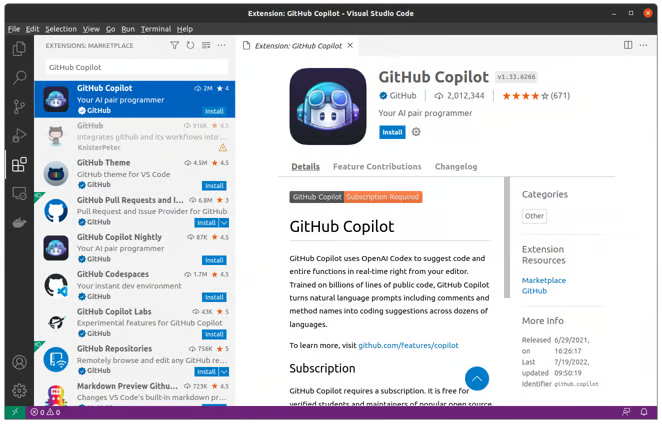
GitHub Copilot is the practical default for teams keeping VS Code or a JetBrains IDE. Python and Jupyter appear in its suggestion surface, but features vary by editor. The current Copilot feature matrix marks some capabilities as preview and recommends the latest stable IDE and extension.
Choose it for daily navigation, local edits, and developers who do not want a new editor. A model visible in one IDE or plan may be absent in another. Pricing combines plan entitlements with AI credits, while organization policy can control features and models.
Claude Code for Terminal-Based Repository Tasks
Claude Code fits repositories whose acceptance criteria live in the terminal: install, inspect Git, edit files, run checks, and return a diff. Current Claude Code setup paths include direct API billing, Pro or Max authentication, and enterprise routes through Amazon Bedrock or Google's Agent Platform.
It suits backend changes and migrations when commands and permissions can be expressed as repository policy. It is not automatically the best notebook interface, and privacy depends on the authentication route: consumer subscription, Anthropic API organization, and cloud deployment do not share one boundary.
Cline for Approval-Based Agent Workflows
Cline fits buyers who want provider choice and visible editor approvals. It can gate file, command, browser, and MCP actions by category, but the boundary is configurable: Auto Approve and YOLO Mode can remove prompts.
The individual client has no subscription fee; hosted or BYOK inference may be usage-billed, while local models run on the user's own hardware. Enterprise is custom-priced. For Python, keep writes and package installation behind approval. Local inference changes data control, not the repository's quality bar.
Cursor for AI-Native Python Development
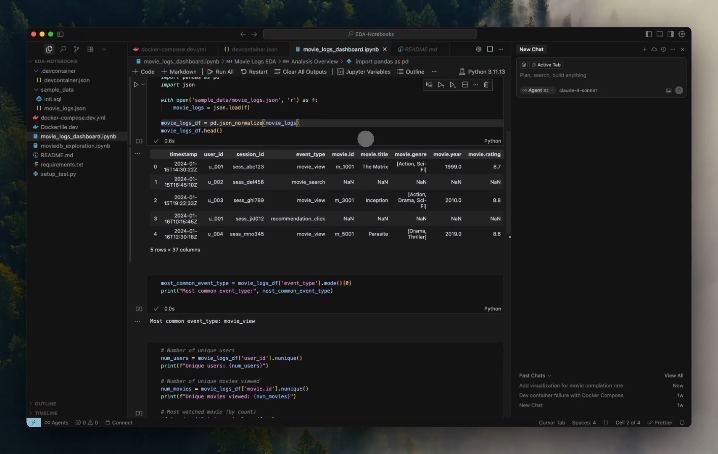
Cursor is the strongest fit for developers willing to center Python work in an AI-native editor. Its Python setup covers interpreter selection, Pyright, Ruff, debugging, and pytest; its data-science flow supports .ipynb and .py cells with Tab, Inline Edit, and Agent inside notebook workflows.
Cursor says requests still pass through its backend even with a user API key. Privacy Mode changes storage and training behavior, not that route. Sensitive-code teams should review the current Privacy Mode and indexing boundaries, not infer them from BYOK.
Tabnine for Enterprise and Private Deployments
Tabnine belongs on the shortlist when private deployment, IDE continuity, and centralized model control outweigh the newest consumer workflow. Its current IDE matrix includes VS Code, PyCharm, DataSpell, Eclipse, and Visual Studio with explicit version ranges.
Tabnine says Enterprise can run in a VPC, on-premises, or fully air-gapped; its private-installation options put the cluster under customer control. Pricing separates Code Assistant and Agentic Platform seats, with provider-token costs in some configurations. Verify zero-retention and license-safety claims in the agreement.
Python Workflow Comparison Matrix
| Tool | Best Python fit | Control surface | Notebook fit | Privacy and deployment check | Cost and model check |
|---|---|---|---|---|---|
| GitHub Copilot | Daily VS Code or PyCharm work | IDE and organization policy | IDE-dependent | Personal and enterprise controls differ | Plan, credits, IDE, and model policy |
| Claude Code | Terminal-first services and migrations | CLI permissions and repo commands | Better after module extraction | Route depends on subscription, API, Bedrock, or Google's Agent Platform | Subscription or metered use |
| Cline | Approval-oriented edits | Per-action approvals | Editor-dependent | Provider or local model defines path | Free client; hosted/BYOK inference may be metered; local compute is self-hosted |
| Cursor | AI-native editing and notebooks | Agent, Ask, custom modes | Strong documented support | Requests traverse Cursor backend | Allowance plus model usage |
| Tabnine | Managed, restricted environments | Admin, IDE, agentic platform | IDE-dependent | SaaS, VPC, on-prem, air-gapped | Seats plus model conditions |
This routes a pilot; it does not score one. Notebook fit cannot fix a failed data boundary, and air-gapping cannot fix weak refactor evidence.
Common Failure Modes in AI-Generated Python
The wrong interpreter passes the wrong test. Record sys.executable, Python version, and dependency source.
Types drift while runtime tests stay green. Keep the static checker as a separate gate because annotations are not runtime enforcement.
Pytest collects a convenient subset. Capture collected, skipped, deselected, failed, and passed counts; an exit status alone is incomplete.
A notebook works only in its current session. Restart and run all, then test extracted modules from a clean process.
A dependency edit stops halfway. Review the declaration, lockfile, imports, runtime configuration, and CI together. One version string is not an upgrade.
A broad refactor changes behavior. Require invariant tests for serialization, timezones, async boundaries, ordering, and public APIs. Python syntax cannot reveal every contract.
How to Choose for Your Codebase
Choose the workflow before the brand: GitHub Copilot for small IDE edits, Claude Code for command-defined repository work, Cline for visible approvals, Cursor for notebook-heavy editing, and Tabnine when controlled deployment comes first.
Run a matched pilot: one typed API change, one lockfile-touching upgrade, and one notebook-to-module extraction. Fix the branch, permissions, model class, time limit, and commands. Score scope, unauthorized actions, verification evidence, defects, and review minutes. No comparable environment, no winner.
Verdent becomes relevant when one assistant is no longer enough. A team can evaluate parallel backend, test, and migration tasks with plans reviewed before execution and worktree isolation where supported. Its current workspace-isolation boundary still requires human review before integration.
The best coding AI assistant produces the evidence your repository accepts. If it cannot show the interpreter, skipped tests, dependency changes, and remaining uncertainty, it is not ready for that Python codebase.
FAQ
Do education licenses allow commercial client work?
Not necessarily. Educational eligibility alone does not establish permission for commercial client work. A free student entitlement does not replace provider terms, school policy, or the client's IP and confidentiality agreement. Get written approval before using it with client code or paid deliverables.
Can contractors bring their own coding subscriptions?
Only with client approval for the account, data route, model policy, retention, and offboarding. Personal subscriptions mix billing identity and work context; organization-provisioned seats make revocation and audit ownership clearer.
How should generated-code attribution be documented?
Record the tool, plan, model when known, task reference, reviewer, and surfaced source match. GitHub's code-referencing records can expose matched files and licenses, but they do not scan every suggestion or replace license review.
What happens when an IDE version loses support?
Freeze agentic changes, check the current compatibility matrix, upgrade the IDE and extension in a disposable branch, and rerun the acceptance packet. If the old IDE must stay, choose a supported surface rather than trusting a visible but unsupported model picker.
Who owns model changes inside an enterprise plan?
The provider owns model availability; the customer owns adoption. Assign an admin to approve the allowlist, retention path, budget, and rollback, then run a fixed canary. Treat a model update as a dependency change, not an invisible UI preference.
Related Reading
- Compare AI coding tools inside VS Code before treating editor support as one uniform feature.
- Use the Tabnine workflow and deployment review for a deeper enterprise procurement check.
- Decide who owns agentic workflows across a software team before assigning shared repositories.
- Keep automated code review as risk triage rather than final approval when generated Python reaches a pull request.
- For larger task splits, check what an agentic orchestration layer should control.