
The name promises a money printer. The reality is more useful and less magical: MoneyPrinterTurbo is an open-source Python pipeline that turns a topic into a finished short video — script, stock footage, voiceover, subtitles, and a rendered MP4 — automatically. It's been trending on GitHub, which tells you developers find the automation interesting, not that it prints money. One skills-based approach for coding agents in the same broader toolkit is the Superpowers Framework. For a builder, the honest question is what the project actually automates, how the Ollama and Pexels pieces fit, and where the workflow's limits are. Here's the engineering read, minus the hype.
Verified against the project's GitHub repository and official API documentation as of June 2026. Open-source projects change quickly — check the official repository for the current state before relying on specifics.
MoneyPrinterTurbo in One Paragraph
MoneyPrinterTurbo (maintained by harry0703) is an open-source, MIT-licensed Python project that generates short-form videos from a single topic or keyword. You give it a subject; it uses a language model to write a script, derives search terms, pulls matching stock clips, generates a voiceover via text-to-speech, builds subtitles, layers background music, and synthesizes a finished video (9:16 portrait or 16:9 landscape, up to 1080p). You drive it through a Streamlit web UI or a REST API. The honest framing is local-first video-production plumbing, not magic — it compresses the repetitive assembly steps, but the quality, relevance, and legality of the output still depend on your inputs and review.
How the GitHub Project Works
Repo structure, Web UI, and API surface
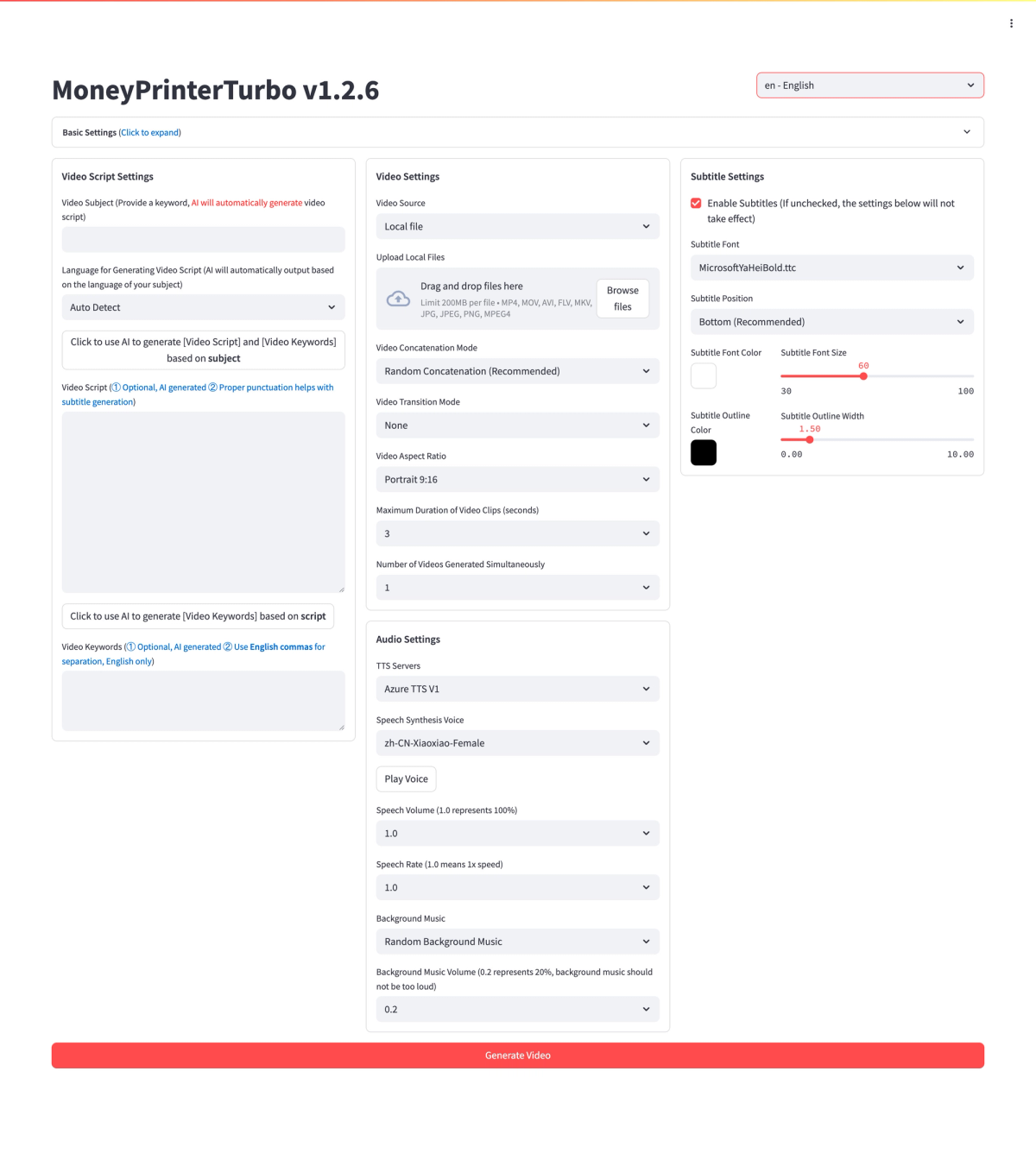
The project exposes two interfaces over the same pipeline. The Streamlit web UI is the fastest way to try it — a browser front-end where you enter a topic, configure providers, and generate a video step by step. The REST API (a FastAPI service) is the builder-facing surface: it lets you call the pipeline programmatically, which is what matters if you want to integrate video generation into your own automation rather than clicking through a UI. Setup follows a standard pattern: clone the repo, copy config.example.toml to config.toml, and fill in your provider keys (notably a Pexels API key and your chosen LLM provider). There are several install paths — a one-click Windows package, uv for macOS/Linux, Docker for isolation, and a Colab notebook for a no-install trial.
Topic-to-video workflow
The pipeline is a clear sequence, which is the part worth understanding as a builder: topic → script → search terms → TTS voiceover → subtitle alignment → stock or local clips → composition (via MoviePy) → render (via FFmpeg) → output. Each stage hands off to the next, and each is a place you can configure or substitute. The value is that this entire chain runs from one input; the limitation is that a weak link anywhere (a vague script, off-topic stock clips, a clumsy voice) shows up in the final video. Understanding the stages is how you debug a bad output — you trace which stage produced the weak result rather than blaming the tool wholesale.
Where Ollama Fits
Local model scripting
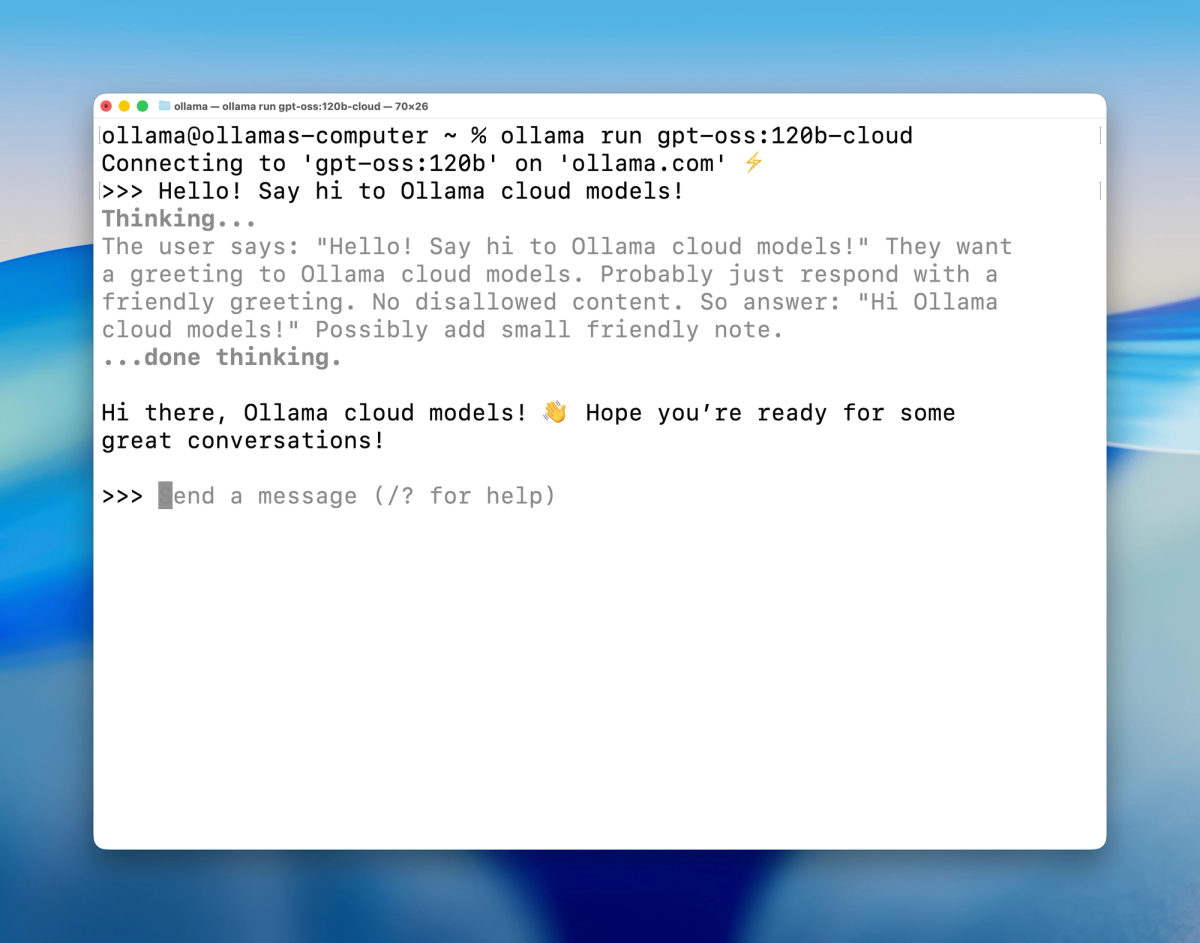
The script-writing stage needs a language model, and MoneyPrinterTurbo supports many providers — OpenAI-compatible services, Moonshot, Qwen, Gemini, DeepSeek, and others. Ollama is the option for running that model locally: instead of calling a cloud API for script generation, you point the project at an Ollama instance running a model on your own machine. In the config, you set the Ollama base URL (for Docker deployments the README suggests http://host.docker.internal:11434/v1) and the model name (whatever you've pulled, checked via ollama list — something like a 7B-class model). The appeal is no per-call cost and no data leaving your machine for the script step.
When cloud models still make sense
Local scripting via Ollama isn't automatically the better choice. A local model small enough to run comfortably on consumer hardware produces weaker scripts than a frontier cloud model, and for short-video scripts the quality difference is visible — the script is what the whole video is built on. Cloud models (or budget-friendly options the project supports) make sense when script quality matters more than cost or privacy, or when you don't have hardware to run a capable local model. The practical call: Ollama for cost-free, private, high-volume drafting where "good enough" scripts work; a cloud model when the script quality carries the video. Match the choice to whether the script is the bottleneck.
Where Pexels API Fits
Stock footage search and retrieval
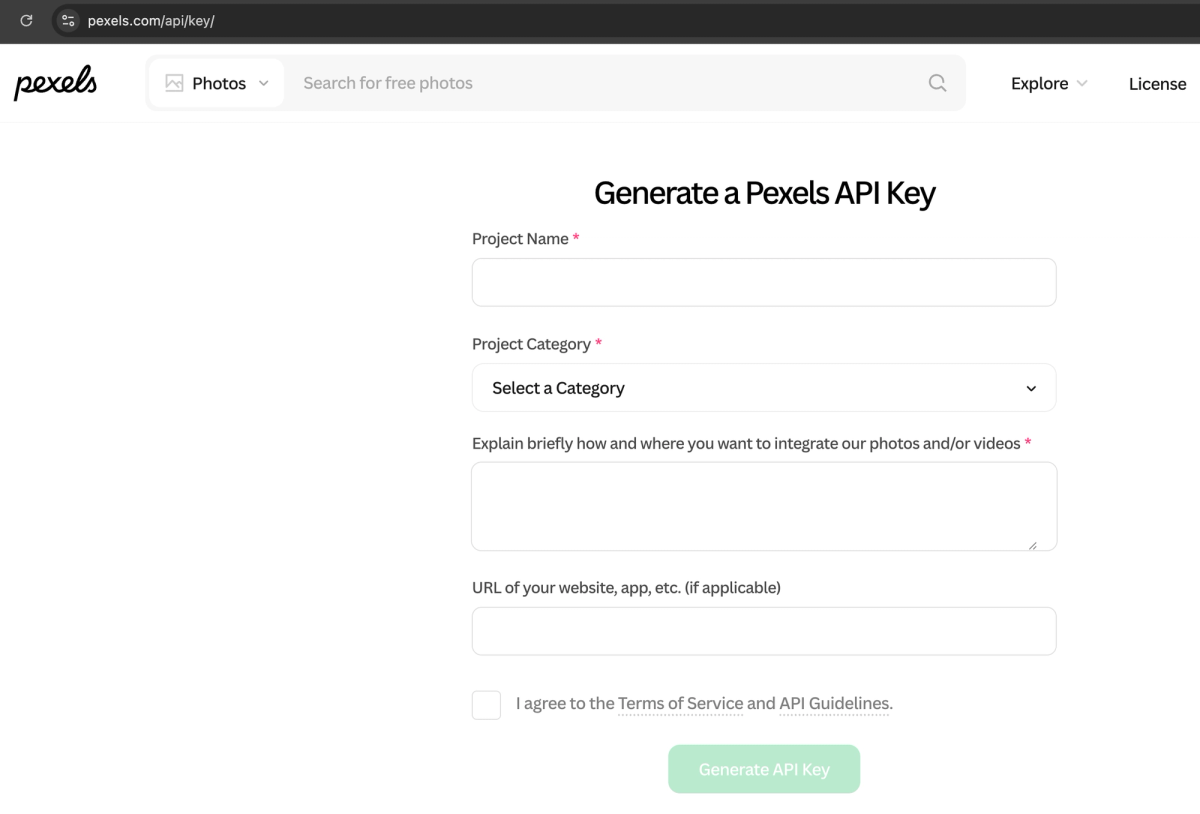
The footage stage pulls stock video clips, and Pexels is the primary source (the project also supports Pixabay and Coverr). You register for a Pexels API key, put it in your config, and the pipeline uses the search terms derived from your script to query Pexels and download matching clips automatically. This is the mechanism that turns "a script about X" into "a video with relevant footage" without you sourcing clips manually. The match quality depends on the search terms the LLM generated and what Pexels has — sometimes the footage is on-point, sometimes generically related, which is one of the stages where output quality varies.
Licensing and attribution checks
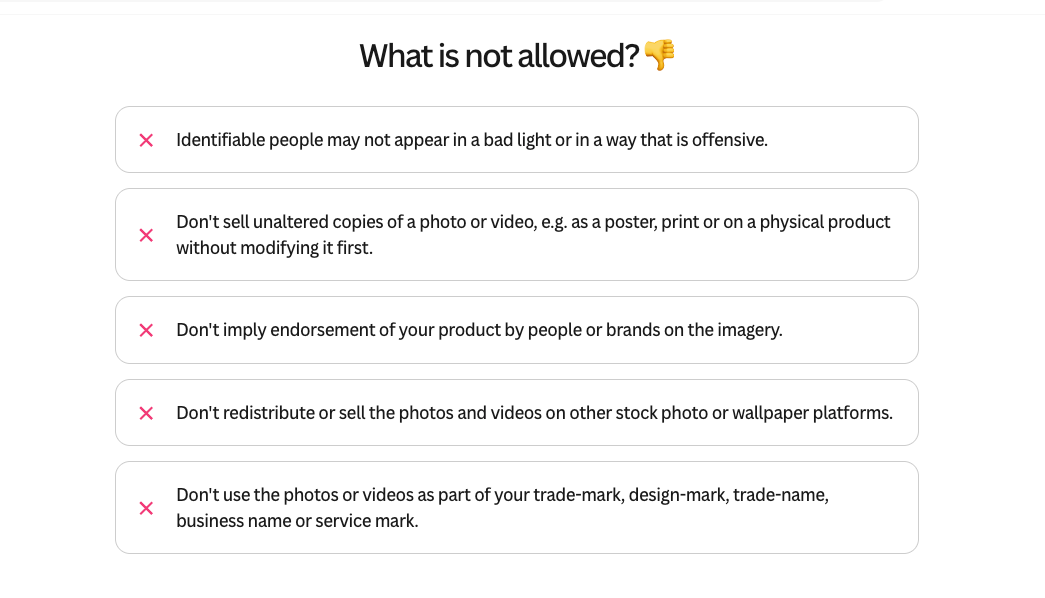
This is the part a builder must not skip. Stock footage comes with license terms, and "free to use" is not the same as "free for any use." The Pexels license permits many uses but has conditions and restrictions; Pixabay and Coverr have their own terms (Coverr's, for instance, has its own license conditions). Before you publish — especially commercially — confirm the specific clips you used are licensed for your intended use, and handle any attribution requirements. The automation pulls clips for you, but it doesn't absolve you of license compliance: that responsibility stays with you, and it's a real legal step, not a formality. Verify the current license terms for each provider directly.
Why Builders Are Watching It on GitHub
Open-source automation workflow
The reason MoneyPrinterTurbo draws developer attention isn't the "money" framing — it's that it's a clean, open-source example of chaining LLM, TTS, stock-media APIs, and video tooling (MoviePy, FFmpeg) into one automated pipeline, with a REST API to build on. For a builder, it's interesting as a reference architecture for media automation: a working demonstration of how the stages fit together, MIT-licensed so you can read, fork, and adapt it. Even if you don't use it as-is, the pipeline design is instructive for anyone building automated content workflows.
GitHub Trending as a discovery signal, not proof of production readiness
A caution worth stating plainly: trending on GitHub means a project is getting attention right now, not that it's production-ready or that it does what its name implies. GitHub Trending is a discovery signal — useful for finding interesting projects — but stars and momentum aren't the same as reliability, maintainability, or fitness for your use case. Plenty of trending repos are prototypes, demos, or hype-driven. Evaluate MoneyPrinterTurbo (or any trending project) on its actual code, license, maintenance activity, and fit for your needs — not on its trending position. The name and the momentum are marketing; the repo is what you assess.
Limits for Real Developer Workflows
Video quality depends on prompts, models, and assets
The honest limitation: MoneyPrinterTurbo automates assembly, not judgment. The quality of the output depends on the quality of your inputs at each stage — the prompt and model that write the script, the search terms that find footage, the stock clips that happen to match, the TTS voice. A great pipeline with weak inputs produces a weak video. So the tool doesn't remove the work of making something good; it removes the mechanical assembly while leaving the creative and editorial judgment to you. Builders expecting "topic in, polished video out" will find the reality is "topic in, draft out, your judgment required."
API reliability, licensing, and review still matter
Beyond quality, the operational realities a developer must plan around: the pipeline depends on external services (LLM providers, TTS, Pexels/Pixabay APIs) that have rate limits, costs, and potential downtime — the project is MIT-licensed but the services it calls may be paid or rate-limited. Media licensing (above) is a real compliance step. And the output needs human review before publishing — for accuracy of claims, appropriateness of footage, and platform fit. The broader shift this reflects: as generation gets cheap, the bottleneck moves from making content to selecting, verifying, and publishing it responsibly. MoneyPrinterTurbo is most valuable when it compresses the repetitive steps while you keep accountability for the result — the same principle that applies to any AI-assisted workflow, where automating the mechanical parts is useful precisely because it frees you to focus on the judgment, review, and verification that the automation can't do — the same distinction that separates a developer pipeline's mechanical steps from the planning and verification layer that workflow tools like Verdent focus on.
FAQ
What is MoneyPrinterTurbo?
MoneyPrinterTurbo is an open-source, MIT-licensed Python project (on GitHub at harry0703/MoneyPrinterTurbo) that generates short-form videos from a single topic. It chains a language model (for the script), stock-media APIs like Pexels (for footage), text-to-speech (for voiceover), and video tooling (MoviePy, FFmpeg) into one automated pipeline, driven by a Streamlit web UI or a REST API. It produces 9:16 or 16:9 videos up to 1080p. Despite the name, it's a video-automation tool, not a money-making scheme — it compresses the mechanical assembly of short videos, leaving quality and editorial judgment to you.
How does MoneyPrinterTurbo use Ollama and Pexels API?
Ollama and Pexels fill two different stages. Ollama (optional) runs the script-writing language model locally on your machine instead of calling a cloud API — you set the Ollama base URL and model name in the config, which keeps the script step free and private. Pexels supplies the stock footage: you add a Pexels API key to the config, and the pipeline uses search terms from your script to query Pexels and download matching clips automatically. So Ollama handles "write the script locally," Pexels handles "find the footage." Both are configured in config.toml. Verify the current setup steps in the repository, as configuration details change between versions.
Is MoneyPrinterTurbo safe for commercial videos?
The code is MIT-licensed, so the software itself is fine to use commercially — but the videos it produces are a separate question you must check. The stock footage comes from Pexels, Pixabay, or Coverr, each with its own license terms, and "free" footage isn't automatically cleared for any commercial use. Before publishing commercially, confirm the specific clips you used are licensed for your intended use and handle any attribution requirements. You're also responsible for the accuracy and appropriateness of the generated content. So: the tool is commercially usable, but commercial safety of a given video depends on your license compliance and review — verify the current terms for each media provider directly, as this is a real legal step.
When should builders use MoneyPrinterTurbo instead of a paid video tool?
Consider MoneyPrinterTurbo when you want an open-source, self-hosted pipeline you can customize and integrate via its API, when you want to control costs (running scripting locally via Ollama, using free-tier stock media), or when you're building automated content workflows and want a forkable reference architecture. A paid video tool may be the better choice when you want polished output with less configuration, dedicated support, and a managed service rather than a self-assembled pipeline. The trade-off is control and cost (MoneyPrinterTurbo) versus convenience and polish (paid tools). For builders comfortable assembling and maintaining a pipeline, the open-source route offers flexibility a closed tool doesn't; for those wanting turnkey results, a paid tool may fit better. Evaluate against your own needs rather than the project's trending status.
Conclusion
MoneyPrinterTurbo is a genuinely interesting open-source project for builders — a clean, MIT-licensed reference for chaining LLM, TTS, stock-media APIs, and video tooling into one automated pipeline, with a REST API to build on. Just read it for what it is: video-automation plumbing, not a money printer. Ollama lets you run the scripting locally; Pexels supplies the footage (with license terms you must verify before publishing). The pipeline compresses the mechanical assembly of short videos, but quality, relevance, and legality still rest on your inputs and your review. Trending on GitHub is a discovery signal, not a production-readiness guarantee — evaluate it on its code, license, and fit for your workflow. For builders interested in media-automation pipelines, it's worth a look; just bring your own judgment to the output.
Related Reading
