There is no single best coding harness for DeepSeek V4 — there is a best fit for how your team works, and the options differ more in permission model and extensibility than in anything a benchmark would show. This shortlist covers five harnesses whose DeepSeek V4 integration path is documented in DeepSeek's own materials, checked on 2026-08-18.
One label to keep straight throughout: only one of these is a DeepSeek product.
How We Evaluated DeepSeek V4 Coding Harnesses
Official V4 Support and Setup Friction
Four community candidates come from DeepSeek's own integration list, which collects guides for running DeepSeek-V4-Pro and DeepSeek-V4-Flash inside third-party agent tools. DeepSeek Harness is included separately, as DeepSeek's own first-party harness in its own repository. Inclusion on the list means a documented integration path, not endorsement — the list describes itself as integration guides, nothing more.
Setup friction is recorded as what you install and what you configure: a runtime, a config file, a provider block. Not as a speed rating.
Permission Controls and Workspace Safety
For each harness, the question is what runs without asking. That means the default approval posture, whether a read-only mode exists, and whether a sandbox scope is configurable. Where a project documents these, they are cited; where it does not, the cell stays empty rather than being filled by inference.
Extensibility, Sessions, and Team Fit
Plugins, skills, MCP support, session persistence, and whether configuration can be shared across a team without also sharing credentials. That last one separates a tool a team can standardize on from one each developer configures alone.
Best Coding Harnesses for DeepSeek V4
DeepSeek Harness for Plugin-First Workflows
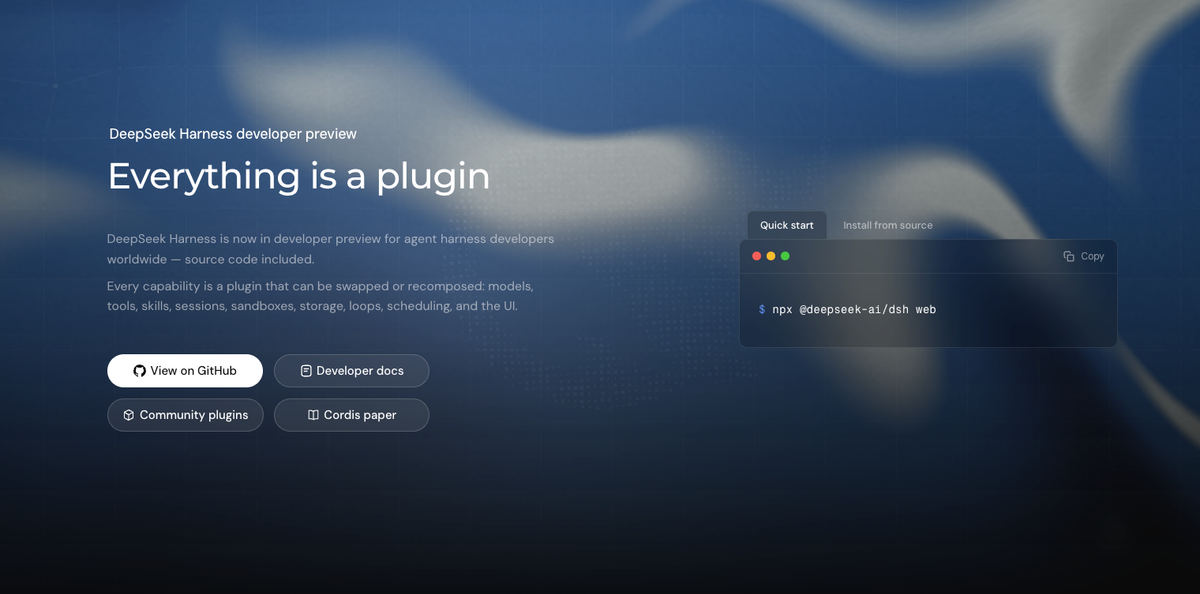
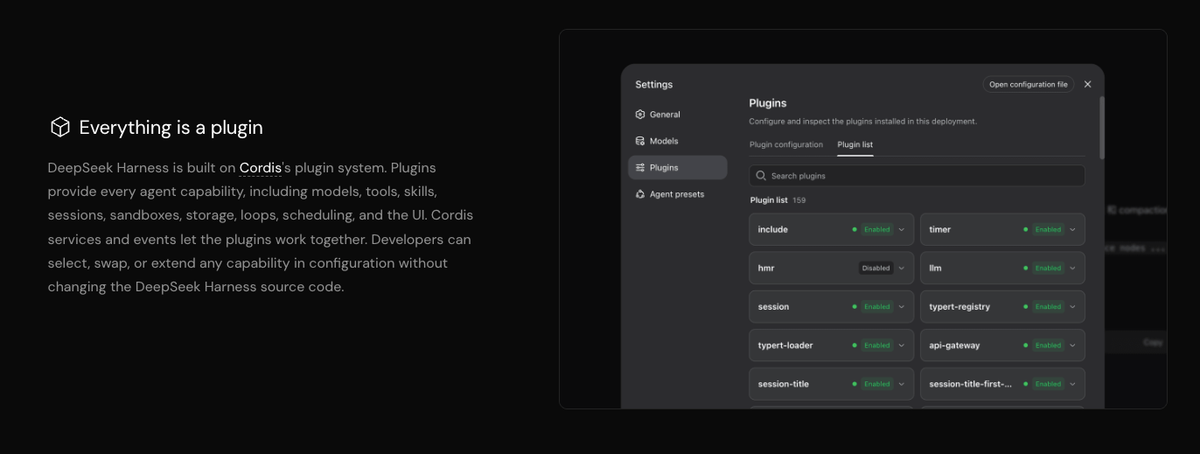
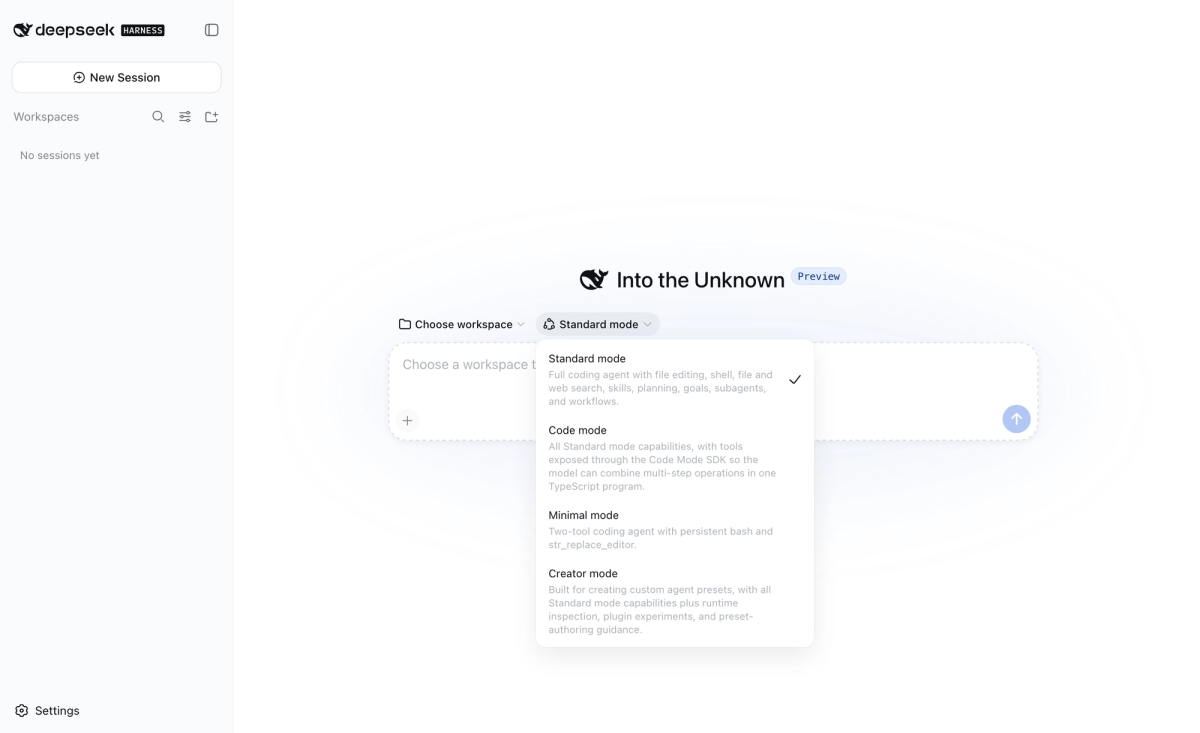
The official one. DeepSeek Harness (dsh) is an open-source agent harness from DeepSeek AI, MIT licensed, built on the premise that everything is a plugin. It runs via npx @deepseek-ai/dsh web with a local Web UI, and it is explicitly a developer preview whose README warns of compatibility-breaking changes.
Fit: teams that want first-party alignment and intend to extend the harness itself. Not yet fit: anything where interface stability matters this quarter.
Codewhale (formerly DeepSeek-TUI) for Terminal-First Control
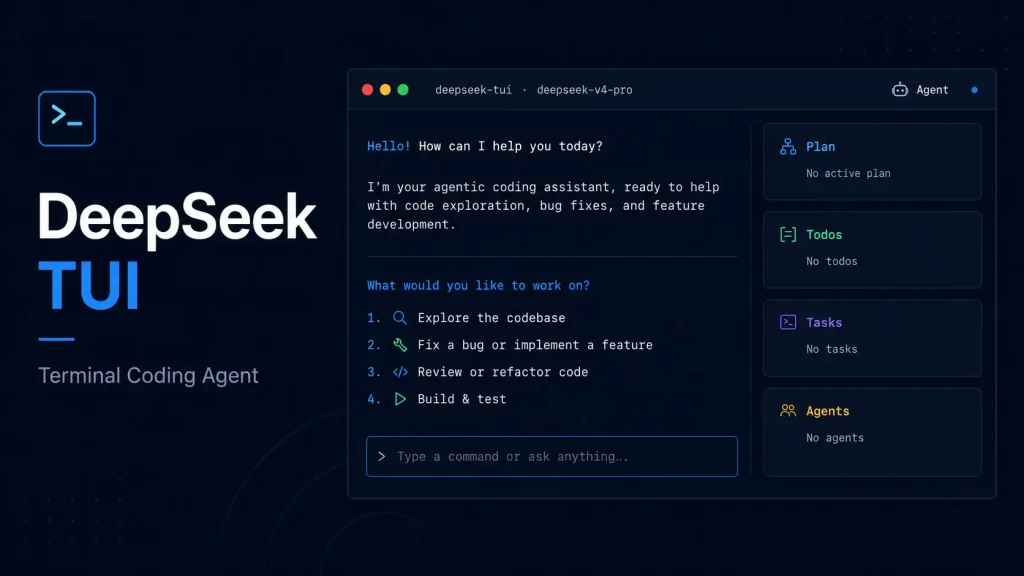
A community Rust terminal agent, described in DeepSeek's list as having a Codex-style architecture, sandboxed tools, an MCP client and server, and 1M context. DeepSeek's integration list still uses the legacy DeepSeek-TUI name; the upstream project has rebranded to Codewhale, and the old npm package is deprecated.
That rebrand also changed the interaction model, which is the part most secondhand write-ups still get wrong. Current upstream documents two independent axes: Tab cycles Plan / Work / Operate, with Plan read-only, and Shift+Tab cycles the permission posture Ask / Auto-Review / Full Access. The integration guide still documents the older Plan / Agent / YOLO interface.
One further caution: multiple same-named repositories exist under different accounts, and the canonical one now redirects to the Codewhale name. Confirm which upstream you are installing from before you run anything.
Deep Code for Skills-Based CLI Workflows
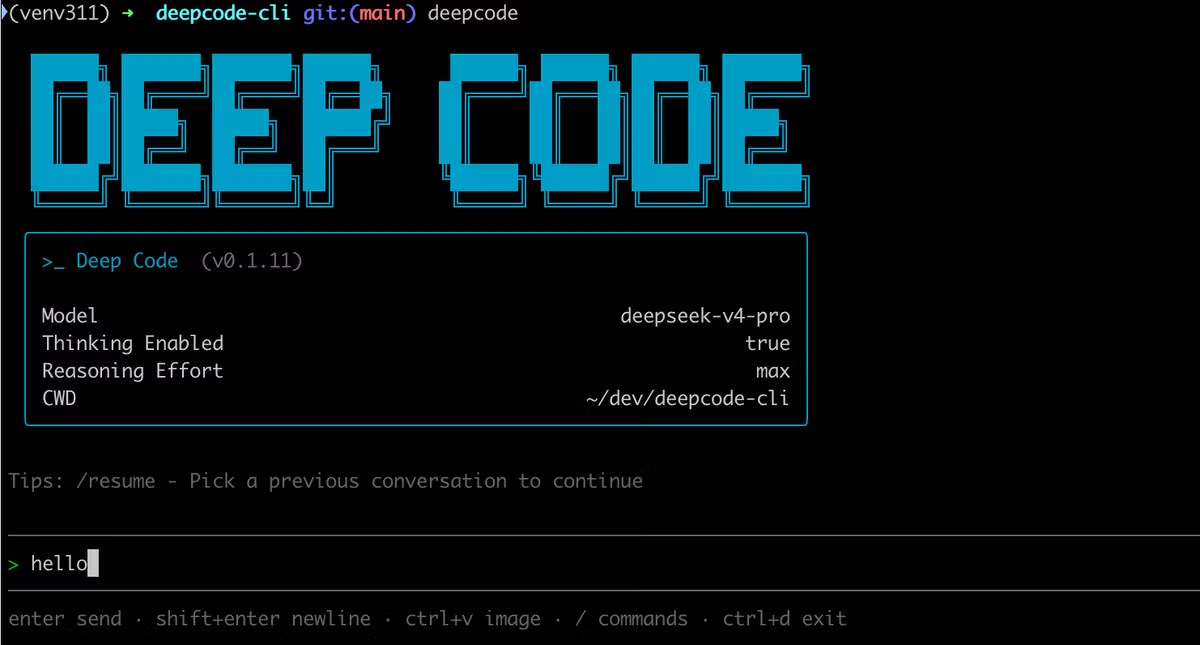
A community terminal assistant that DeepSeek documents on its own API integration page as supporting deep thinking, reasoning effort control, and Agent Skills. Setup is Node.js 18+ plus a settings file carrying MODEL, BASE_URL, API_KEY, thinkingEnabled, and reasoningEffort.
The distinguishing detail is that the same settings file is shared with its VS Code extension, so terminal and editor sessions inherit one configuration.
OpenCode for Multi-Provider Flexibility
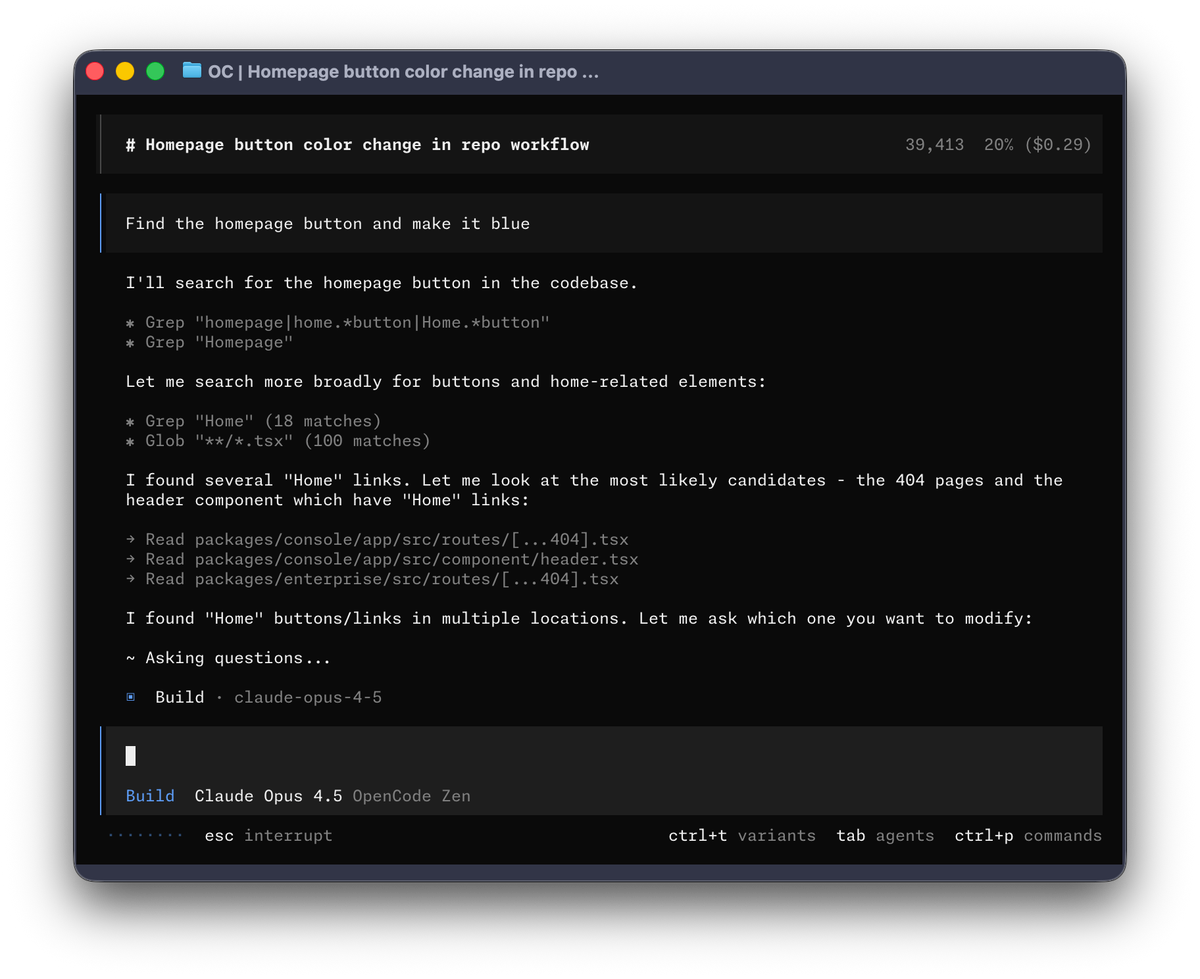
A community assistant available in terminal and web form. The currently documented DeepSeek setup uses OpenCode's built-in provider flow — run opencode, then /connect, pick DeepSeek, enter the key, and select a V4 model via /models. Manual provider configuration remains available for customization, but it is not the documented starting point.
Its appeal is not DeepSeek-specific: if you expect to route across providers, the harness is not tied to one vendor's model line.
Pi for Extensible Terminal Workflows
Described in DeepSeek's list as a minimal, extensible terminal coding harness with tree-structured sessions and custom providers. The tree-structured session model is the differentiator worth testing — branching a session rather than restarting it changes how exploratory work accumulates.
DeepSeek V4 Harness Comparison
Installation and Configuration
| Harness | Status | Install path | DeepSeek V4 config |
|---|---|---|---|
| DeepSeek Harness | DeepSeek AI, developer preview | npx @deepseek-ai/dsh web, or source | API key in Web UI settings |
| Codewhale (ex-DeepSeek-TUI) | Community | npm or cargo (Rust binaries; package renamed at rebrand) | User config file, project overlay |
| Deep Code | Community | Node.js 18+ | Settings file shared with VS Code extension |
| OpenCode | Community | Per project docs | Built-in provider via /connect, then /models |
| Pi | Community | Per project docs | Custom provider configuration |
Approval and Sandbox Controls
| Harness | Documented posture |
|---|---|
| DeepSeek Harness | Workspace-write default with ask; prompts surface on escalation beyond that surface |
| Codewhale (ex-DeepSeek-TUI) | Plan / Work / Operate modes with Plan read-only, plus a separate Ask / Auto-Review / Full Access permission axis |
| Deep Code | Not documented in the sources checked |
| OpenCode | Not documented in the sources checked |
| Pi | Not documented in the sources checked |
Empty cells mean absent evidence, not absent features. Check each project's current docs before you rely on this row.
Plugins, Skills, and Provider Choice
| Harness | Extensibility | Provider scope |
|---|---|---|
| DeepSeek Harness | Plugin-first architecture | DeepSeek plus other providers via config |
| Codewhale (ex-DeepSeek-TUI) | MCP client and server | Multi-provider; DeepSeek supported |
| Deep Code | Agent Skills, reasoning effort control | DeepSeek V4 |
| OpenCode | Provider-configurable | Multi-provider |
| Pi | Extensible, custom providers | Custom providers |
Which DeepSeek V4 Harness Fits Your Workflow?
Choose the Official Developer Preview
Pick DeepSeek Harness if you want to build on the same plugin surface DeepSeek is building on, and you can absorb breaking changes. Pin versions and keep the pilot in a disposable repository.
Choose Terminal-First Safety Controls
Pick Codewhale if the deciding factor is an explicit read-only mode before anything writes. A documented Plan mode is worth more during evaluation than any feature list — it lets you see intent before consequence. Note that its permission posture is set separately from its mode, so read both before assuming a session is read-only.
Choose Multi-Provider Flexibility
Pick OpenCode or Pi if you expect the model decision to change. Deep Code sits between: DeepSeek-specific, but with reasoning effort exposed as configuration and one settings file spanning terminal and editor.
If the real problem is several agents working in parallel on one project with plans reviewed before execution, that is a project-level orchestration question rather than a harness choice — the category Verdent works in — and it is worth separating from this comparison rather than folding into it.
What This Comparison Cannot Prove Yet
Rapid Version Changes
Every option here is moving. The official harness is in developer preview by its own description, and the community projects ship independently. Anything you conclude should carry the version or commit you tested.
Missing Cross-Harness Benchmarks
I did not find a published benchmark that runs all five on the same tasks, the same model, and the same environment in the sources checked. Narrower controlled comparisons do exist across subsets of these tools, but nothing covering this shortlist as a set — so this page contains no speed, success-rate, cost, or quality ranking. Treat any source that offers one without publishing its method as marketing.
Cost is two separate lines — DeepSeek API usage and whatever the harness itself charges. The projects here are open source, but that says nothing about inference cost, and current pages did not give me enough matching detail to compare totals honestly.
FAQ
Can one DeepSeek API key be used across multiple tools?
Technically yes, and it is convenient during evaluation, but it destroys attribution: usage from four harnesses lands in one bill with no way to separate them. Issue a distinct key per tool while comparing, and revoke the ones you do not adopt.
Do all harnesses expose DeepSeek V4 reasoning controls?
No. Some surface thinking mode and reasoning effort as first-class configuration — Deep Code documents thinkingEnabled and reasoningEffort, and Codewhale documents effort tiers — while others simply pass whatever the provider block specifies. If reasoning control matters to your workflow, treat it as a selection criterion rather than assuming parity.
Can session history move between harnesses?
Not in any documented way. Sessions are stored in each project's own format, and there is no shared interchange format across these five. Plan for history to be disposable, and keep anything that matters — decisions, plans, prompts — in the repository instead of the harness.
Who should own shared harness configuration in a team?
Whoever owns the repository, with credentials deliberately excluded. Some projects already enforce that split: Codewhale documents a project-level config overlay that refuses keys, base URLs, and provider settings, leaving those to the user's own config. Adopt that shape even where it is not enforced — shared conventions in the repo, secrets on the machine.
How often should teams rerun their pilot?
On version change rather than on a calendar. A preview-stage harness can alter defaults between builds, so the trigger is a new install, a changed default, or a new model route — not a quarterly review that happens to land three releases late.
Related reading
- If DeepSeek Harness is your pick, the installation and first-session walkthrough covers setup and approval behavior in detail.
- Before widening access beyond a test repository, work through the pre-adoption checks for an agent harness.
- When cost is the deciding variable, this look at what free coding agents actually cost separates tool price from inference spend.
- Once more than one person uses the harness, the harder question is who owns an agentic workflow across a team.
- And when someone does publish a ranking, what a benchmark like SWE-bench Pro can and cannot tell you is the right lens for reading it.