
Codex, Claude Code, and Cursor get compared as if you're picking a winner. You're not — you're picking a workflow. Two of these are terminal agents (Codex, Claude Code) and one is a visual IDE (Cursor); two run on a single vendor's models (Codex on OpenAI, Claude Code on Anthropic) and one is model-agnostic (Cursor). The "best" one is whichever matches how you actually work. This compares all three for real engineering, so you can pick by fit instead of hype.
Features and pricing verified as of June 2026. All three update frequently — OpenAI, Anthropic, and Cursor change capabilities and pricing often, so confirm current details at each tool's official documentation before deciding.
Quick Answer
Choose by workflow, not vendor preference
Pick Codex if: you're invested in OpenAI's ecosystem, want a terminal-native agent on OpenAI's models, and value the ChatGPT integration and cloud agent. Best for OpenAI-native terminal workflows.
Pick Claude Code if: you want a terminal agent on Anthropic's Claude models with deep agentic features (/ultrareview, task budgets, Routines), or you want model flexibility (it can also run DeepSeek V4 as a backend). Best for terminal-native developers who want Claude or review depth.
Pick Cursor if: you want a visual IDE rather than a terminal, value inline Tab autocomplete and visual diffs, depend on VS Code extensions, or want to switch between Claude, GPT, and Gemini in one interface. Best for editor-centric developers.
The decisive question isn't "which model is best" — it's "terminal or editor?" and "single vendor or model-agnostic?" Answer those and the choice usually makes itself. Most engineers are more productive in one mode; forcing the wrong one costs you a week of friction.
Three Tools in One Paragraph
Codex
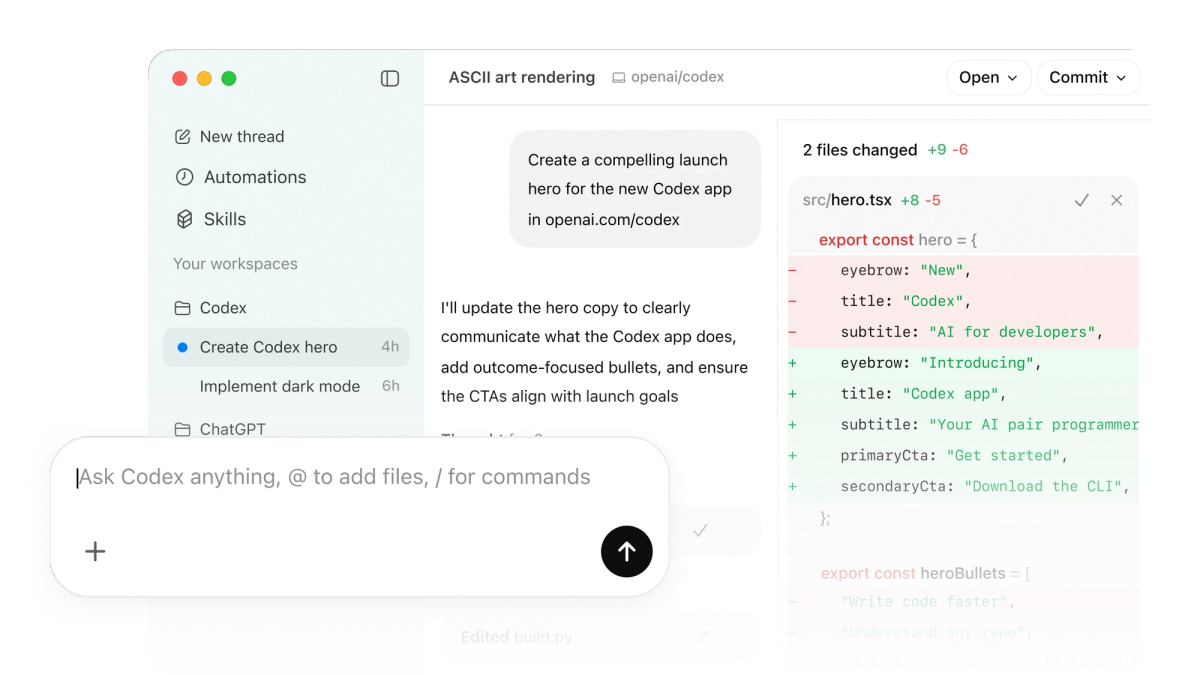
OpenAI Codex is OpenAI's terminal-native coding agent — the Codex CLI runs in your shell, reads and edits files, executes commands, and iterates, backed by OpenAI's models (GPT-5.x-codex family). It extends beyond the terminal with a cloud agent and ChatGPT integration (including mobile), and supports MCP, AGENTS.md for project instructions, and an execpolicy system for command approval. It's the natural choice for developers already in OpenAI's ecosystem who want terminal-native agentic coding.
Claude Code
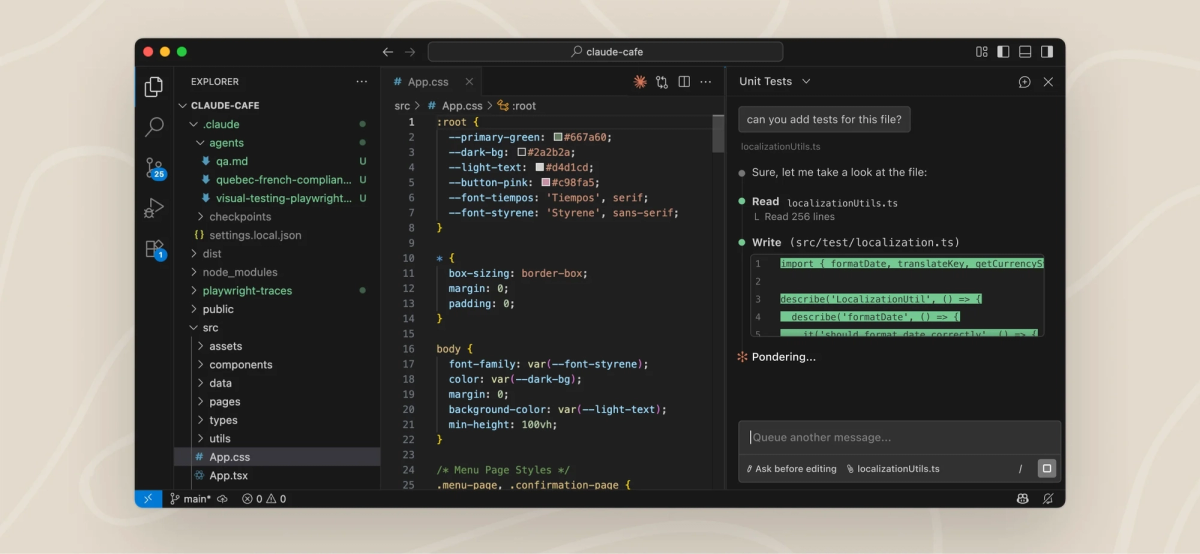
Claude Code is Anthropic's terminal coding agent — also a CLI, also working directly with files and git, but on Claude's models (Sonnet 4.6, Opus 4.8). Its distinguishing features are agentic depth: /ultrareview for multi-pass code review, task budgets to cap token spend, Claude Code Routines for scheduled automation, and a subagent system. It supports CLAUDE.md / AGENTS.md and MCP, and can route to DeepSeek V4 via environment variables for model flexibility. It's the terminal-native choice for developers who want Claude's models or its review-oriented features.
Cursor
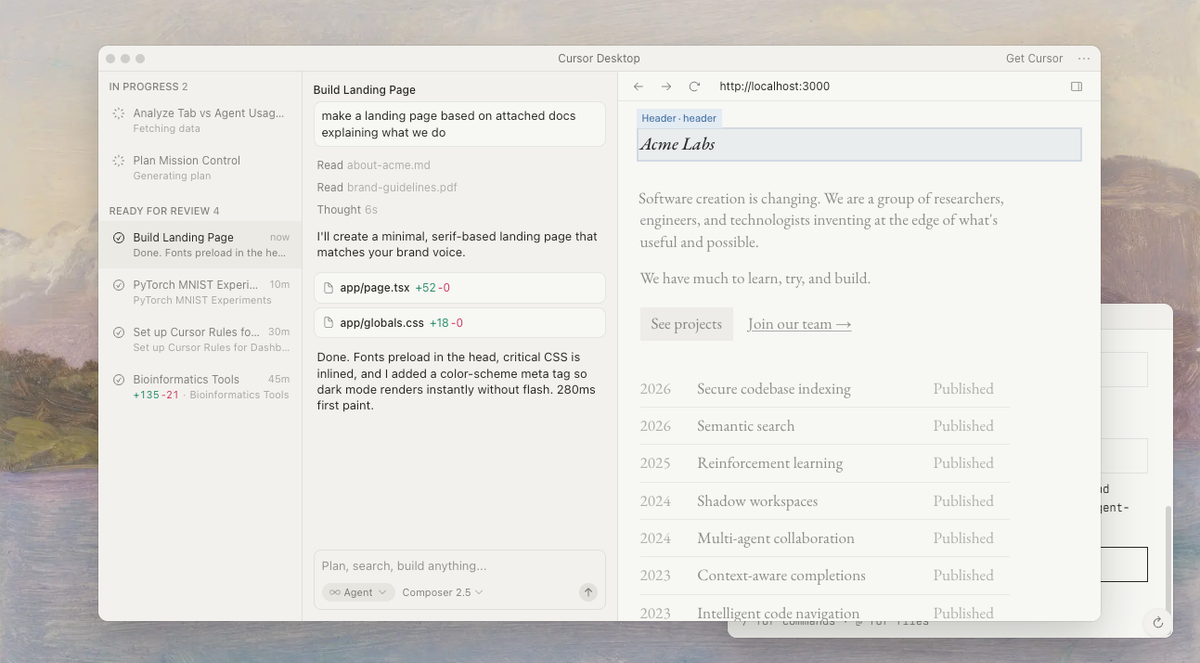
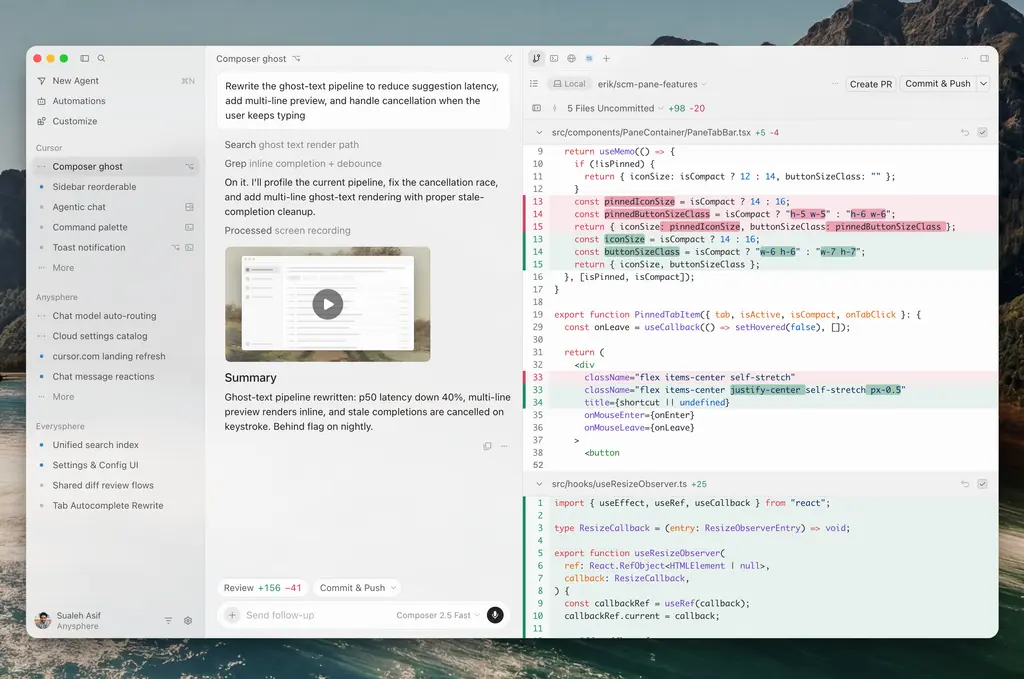
Cursor is the odd one out structurally — not a terminal agent but a VS Code fork rebuilt around AI. You get a full visual editor with Agent mode (autonomous multi-file work), Tab autocomplete, visual diffs, Background Agents (async cloud agents on separate branches), Bugbot (PR review), and the .cursor/rules/ convention system. It's model-agnostic (Claude, GPT, Gemini, plus its own Composer model). It's the choice for developers who want AI integrated into a familiar editor rather than working in a terminal.
Comparison Table
| Codex | Claude Code | Cursor | |
|---|---|---|---|
| Type | Terminal agent (CLI) | Terminal agent (CLI) | AI IDE (VS Code fork) |
| Interface | Shell | Shell | Visual editor |
| Models | OpenAI (GPT-5.x-codex) | Claude (+ DeepSeek V4 via env) | Claude / GPT / Gemini / Composer |
| Inline autocomplete | ❌ | ❌ | ✅ Tab |
| Visual diffs | Terminal | Terminal | ✅ Editor |
| Tool use / MCP | ✅ MCP, execpolicy | ✅ MCP, subagents | ✅ MCP, Agent mode |
| Code review | Manual | /ultrareview | Bugbot, visual diffs |
| Async agents | Cloud agent | Routines | Background Agents |
| Conventions | AGENTS.md | CLAUDE.md / AGENTS.md | .cursor/rules/ |
| Entry pricing | ChatGPT plans / API | Claude Pro $20 / Max | Pro $20 |
| Best for | OpenAI-native terminal | Claude terminal + review | Editor-centric work |
Interface, tool use, repo context, review, team workflow
Interface is the first fork: Codex and Claude Code are terminal (no editor, you work in the shell); Cursor is a visual IDE. This is the single biggest practical difference — it determines how you interact with the agent day to day.
Tool use is comparable across all three — all support MCP and agentic tool-calling. Codex adds execpolicy for command approval; Claude Code adds subagents; Cursor integrates tools into its Agent mode.
Repo context differs by interface. The terminal agents (Codex, Claude Code) build context from files they read during the agent loop, guided by AGENTS.md/CLAUDE.md. Cursor builds context from its semantic workspace index plus @-mentions.
Review is where the tools diverge most. Claude Code's /ultrareview is a dedicated multi-pass review feature; Cursor offers visual diffs and Bugbot for PR review; Codex relies more on manual review of its changes. For review-heavy workflows, Claude Code and Cursor offer more structure.
Team workflow favors convention systems: Cursor's .cursor/rules/ and the terminal agents' AGENTS.md/CLAUDE.md all let teams encode standards. Cursor's VS Code familiarity lowers team onboarding; terminal agents suit terminal-native teams.
Where Each Tool Wins
Codex for OpenAI-native workflows
Codex wins when you're committed to OpenAI's ecosystem. If your team uses ChatGPT, your billing is with OpenAI, and you want a terminal agent on OpenAI's models with the ChatGPT and cloud-agent integration, Codex is the native fit. The mobile ChatGPT integration (kick off coding tasks from your phone) and the execpolicy command-approval system are specific Codex strengths. For OpenAI-native shops, Codex is the path of least resistance.
Claude Code for terminal-native agents
Claude Code wins for terminal-native developers who want Claude's models or its agentic depth. The /ultrareview multi-pass review is a genuine differentiator for teams that prioritize review quality. Task budgets give cost control on autonomous runs. Routines enable scheduled automation. And the DeepSeek V4 backend option provides model flexibility Codex doesn't offer. For developers who live in the terminal and want either Claude's model quality or these specific features, Claude Code is the strongest fit.
Cursor for AI IDE adoption
Cursor wins for developers who want a visual editor. If you rely on inline autocomplete, prefer seeing changes in an editor with visual diffs, depend on VS Code extensions, or want to switch models within one interface, Cursor's IDE model is the fit that the terminal agents structurally can't match. For teams transitioning from VS Code, Cursor's near-frictionless adoption is a major advantage. It's the choice when editor-centric workflow matters more than terminal-native scriptability.
When None Is Enough
All three tools are, at their core, single-developer-centric — even their parallel and background features (Codex's cloud agent, Claude Code's subagents, Cursor's Background Agents) extend one developer's session rather than orchestrating a fleet of independent agents with isolation and verification. For most engineering work, that's exactly the right model.
Parallel feature work
The point where all three reach their limit is structurally parallel work: a feature requiring frontend, backend, and test changes developed simultaneously on isolated branches, or a large migration where multiple agents need to work on different parts of the codebase without interfering. At that scale, the central challenge shifts from single-task quality to coordination — keeping parallel agents from conflicting, maintaining a clean main branch, and verifying each agent's output before integration. None of the three is built primarily to solve that coordination problem.
Verification-heavy engineering
For engineering where verification is the dominant concern — every change must pass through structured gates before integration, with reviewable diffs and confirmed acceptance criteria — the three tools offer review features (Claude Code's /ultrareview, Cursor's Bugbot) but not enforced verification as a first-class workflow step.
This is where multi-agent coding platforms operate as a distinct layer. Tools like Verdent focus on Plan-First task decomposition, parallel agents on isolated Git worktrees, and DiffLens-style review with verification gates before integration — the orchestration and verification concerns that sit above the single-agent layer. This isn't a replacement for Codex, Claude Code, or Cursor for everyday engineering; it's a different layer for work whose structure is genuinely parallel or whose verification requirements exceed what a single-agent tool enforces. Many teams use one of the three for daily work and a multi-agent platform for the specific tasks that need it.
FAQ
What is the difference between Codex, Claude Code, and Cursor?
Codex and Claude Code are terminal coding agents (CLIs that work in your shell); Cursor is a visual AI IDE (a VS Code fork). Codex runs on OpenAI's models; Claude Code runs on Anthropic's Claude (and can use DeepSeek V4); Cursor is model-agnostic (Claude, GPT, Gemini). The core differences are interface (terminal vs editor) and model (single-vendor vs flexible). Codex suits OpenAI-native terminal work, Claude Code suits terminal work wanting Claude or /ultrareview-style review, and Cursor suits editor-centric work with autocomplete and visual diffs.
Can I use Codex and Claude Code together?
Yes. They operate at the filesystem level and don't conflict — you can have both installed and use each for different tasks. Their config files (Codex's AGENTS.md, Claude Code's CLAUDE.md, which also reads AGENTS.md) can coexist in the same repository. A common pattern is using one as your primary terminal agent and the other for tasks where its specific model or features fit better. Since both commit through git, there's no conflict as long as you're not running both simultaneously in the same working tree. The same applies to using either alongside Cursor.
Which tool is safer for production repos?
None is inherently safer — production safety comes from discipline, not the tool. All three make changes that need review before merge. Relevant features: Claude Code's /ultrareview, Cursor's Bugbot, and Codex's execpolicy command gating. For any of them, the non-negotiables are the same: every change diff-reviewed, tests run, consequential changes gated behind human approval. A more capable agent raises quality but doesn't remove the need for review.
Which AI coding agent fits real engineering teams?
Depends on workflow and stack. OpenAI-native teams lean Codex; teams wanting Claude or review depth lean Claude Code; teams wanting a visual IDE with easy VS Code migration lean Cursor. Convention systems (AGENTS.md, CLAUDE.md, .cursor/rules/) matter for consistency across all three. For structurally parallel work at scale, a multi-agent platform complements the everyday tool. Most teams pick the single-agent tool matching their interface and model preference, then add a multi-agent layer only when the work's structure requires it.
Related Reading
