
Three coding agents, three different bets. Kimi Code is a model-tied terminal agent from Moonshot AI; Kilo Code is the fast-growing VS Code extension built for velocity; Cline is the mature, autonomous VS Code agent with 60k+ GitHub stars. They overlap enough to be confused for each other and differ enough that picking the wrong one for your workflow wastes a week of adjustment. And lurking behind all three is Roo Code — which, as of May 2026, is no longer the active project many comparison articles still treat it as. Here's how the live options actually compare.
Project status, licensing, and features verified against official repositories and documentation as of May 2026. These tools update frequently — confirm current details at their official sources.
Quick Answer
Choose by workflow and repo risk
Pick Kimi Code if: you want a terminal-first AI coding agent tied to Moonshot's K2.5 model at low cost, you value the Agent Swarm (parallel sub-agents) for batch work, and you're comfortable with a model-tied subscription where the agent and model come together. Best for cost-sensitive developers who want Moonshot's models in a terminal workflow.
Pick Kilo Code if: you want a fast VS Code extension focused on iteration speed, you prefer staying in your editor, and you want broad model support (it's model-agnostic, not tied to one provider). Best for developers who prioritize velocity inside VS Code.
Pick Cline if: you want a mature, autonomous VS Code agent with a plan-then-execute architecture, broad model support, MCP integration, and the largest community of the three. Best for developers who want autonomy with oversight and a well-tested, widely-adopted tool.
The honest framing: these aren't ranked best-to-worst. Kimi Code is model-first (the model and agent are bundled), while Kilo Code and Cline are model-agnostic VS Code agents you point at whatever model you choose. That architectural difference matters more than any feature checklist.
Kimi Code in One Paragraph
Kimi-native coding workflow
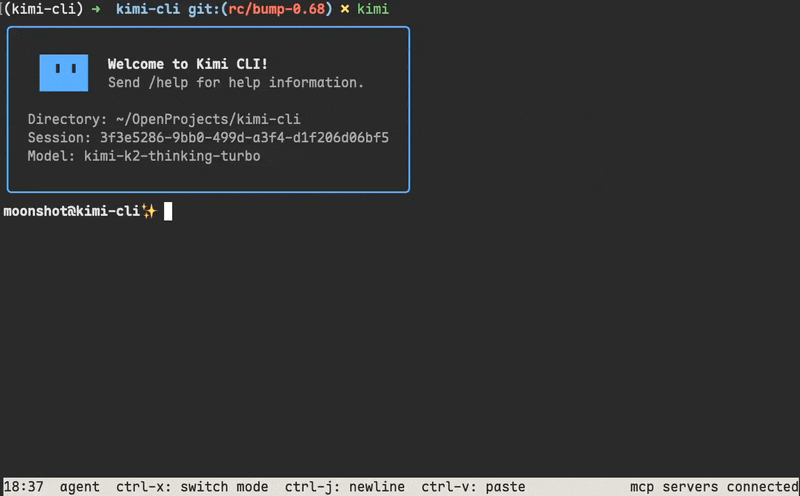
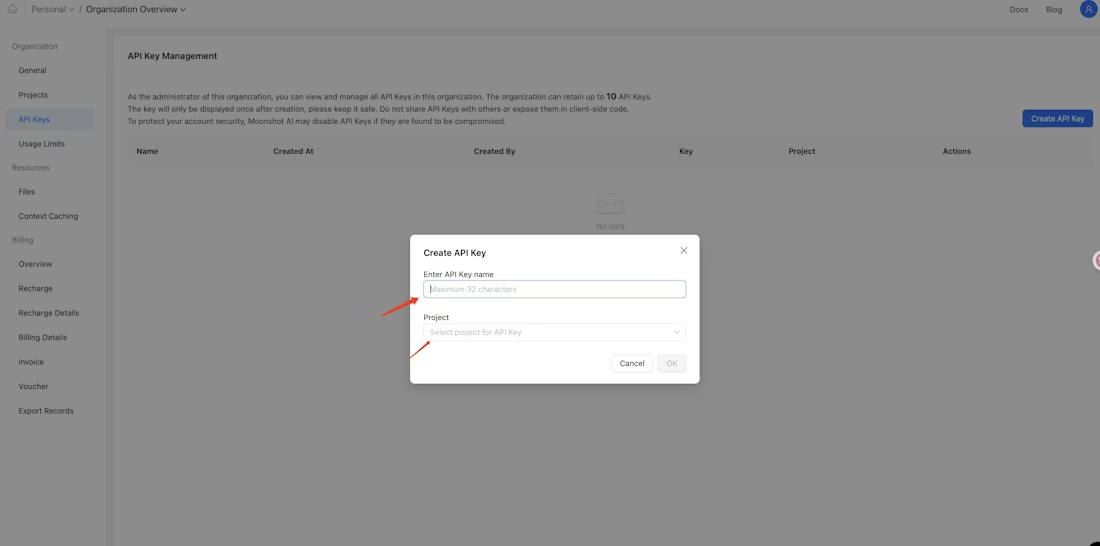
Kimi Code is Moonshot AI's premium coding tier, built around the Kimi K2.5 model (256K context, optimized for code) and delivered through Kimi CLI — which is evolving into Kimi Code CLI, the next-generation terminal agent from the same team. It runs in the terminal, reads and edits code, executes shell commands, searches the web, and autonomously plans actions. Authentication is via /login (browser-based OAuth) or manual API key setup through the Kimi Code Console. It supports the Agent Client Protocol (ACP), so it works with ACP-compatible editors, and its Agent Swarm feature coordinates parallel sub-agents for parallelizable tasks like batch refactoring.
The defining characteristic: Kimi Code is model-tied. Unlike a model-agnostic agent you point at any provider, Kimi Code's coding endpoint (api.kimi.com/coding/v1, model kimi-for-coding) enforces a client whitelist — it works with approved coding agents (Kimi CLI, Claude Code, Roo Code, Kilo Code) but rejects unapproved clients (per Kimi's agent support docs). This is a deliberate design: the Kimi Code subscription bundles the model and the supported agent surfaces together, rather than being a raw API you use anywhere.
Kilo Code, Cline, and the Roo Code Context
Kilo Code as a velocity-focused VS Code agent
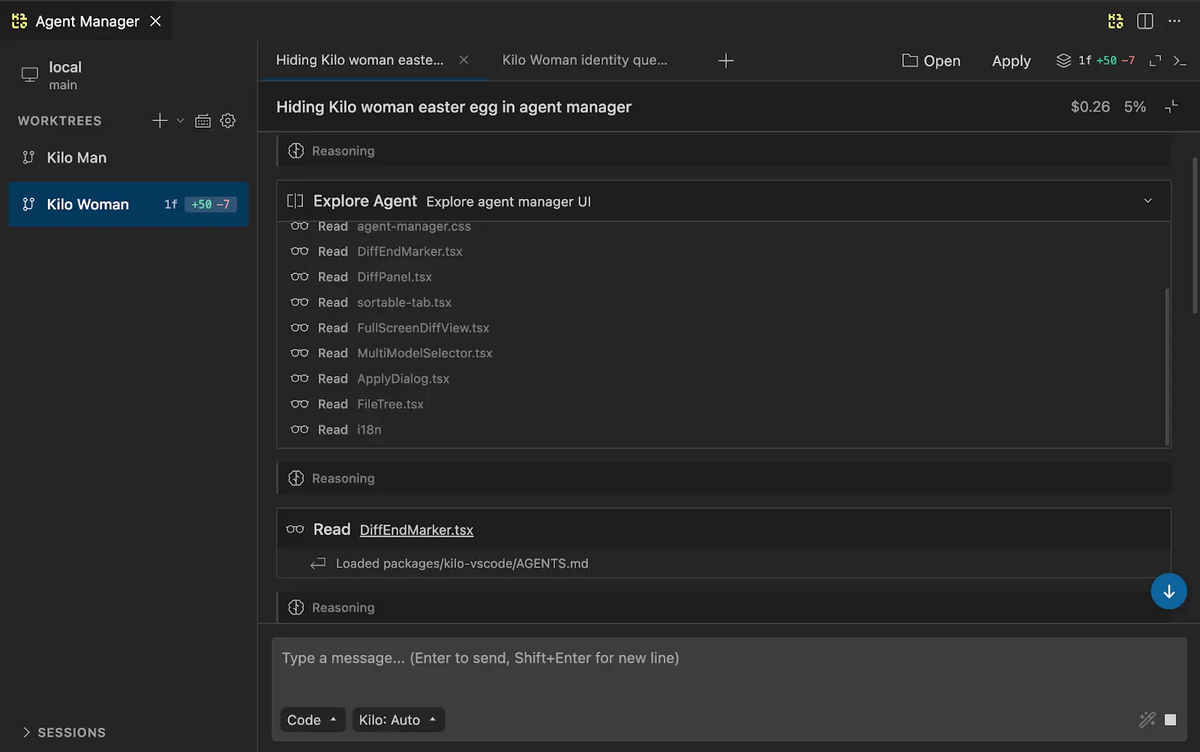
Kilo Code is one of the fastest-growing VS Code extensions for AI coding, processing a large daily token volume. Its niche is speed: tight VS Code integration and a focus on rapid code generation for developers who want velocity without leaving their editor. It's model-agnostic — you bring your model of choice (Claude, GPT, Gemini, Kimi K2.5, and others), and Kilo Code provides the agent layer inside VS Code. Kilo Code emerged from the same lineage as Cline and Roo Code (the Cline-fork family of VS Code agents) and has carved out its position around iteration speed.
Cline as the mature VS Code agent option
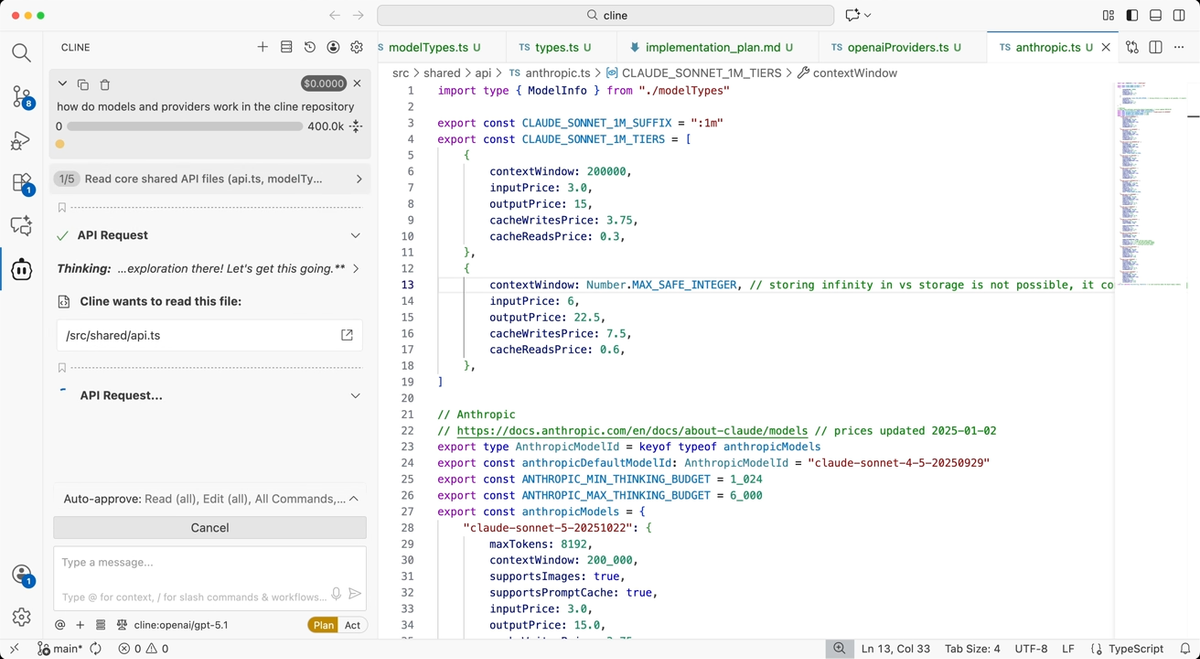
Cline is the most established of the three, with 60k+ GitHub stars and a plan-then-execute architecture: it plans a full execution strategy before writing code, lets you review the plan, then executes step by step with approval at each stage. This balance of autonomy and oversight is its signature. Cline is model-agnostic (broad provider support including Anthropic, OpenAI, Gemini, and OpenAI-compatible endpoints like Kimi and DeepSeek), supports MCP, and is open-source. It's the reference implementation many other agents (including Roo Code and, by lineage, Kilo Code) forked from or were inspired by. For developers who want a well-tested, widely-adopted autonomous VS Code agent, Cline is the default choice.
What happened to Roo Code
This is the correction many comparison articles miss: the original Roo Code repository (RooCodeInc/Roo-Code) was archived on May 15, 2026, and is now read-only. Roo Code was a popular Cline fork that added project-aware IDE integration and reached 3 million installs. The original team announced they're going all-in on a new project (Roomote).
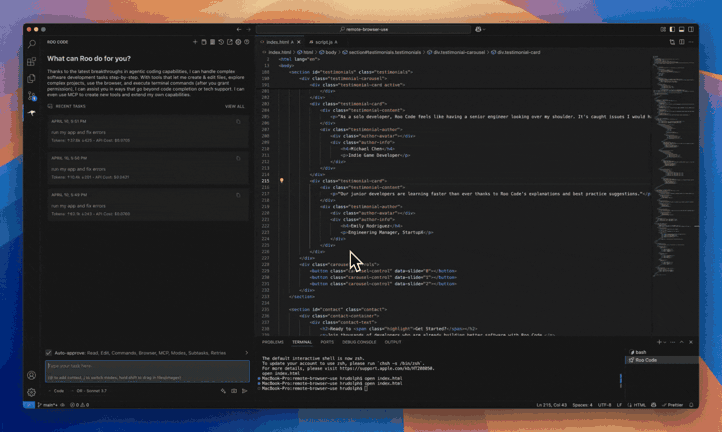
Importantly, Roo Code isn't simply dead. The team stated the plugin "is not going away" — a community team stepped up to carry it forward, and an official handoff was in progress so the plugin keeps getting maintained. As of the archive date, the situation is transitional: the original repo is read-only, the original team has moved on, and continuity depends on the community handoff. For teams deciding what to adopt in 2026, this uncertainty is the key fact: Roo Code's future maintenance runs through a community handoff rather than its original team, which is a different risk profile than an actively maintained project like Cline. Treat Roo Code as a tool in transition, not a stable default — and verify its current maintenance status before adopting it.
Comparison Table
| Kimi Code | Kilo Code | Cline | |
|---|---|---|---|
| Type | Terminal agent (CLI) | VS Code extension | VS Code extension |
| Model | Tied to Kimi K2.5 | Model-agnostic | Model-agnostic |
| Interface | Terminal / ACP | VS Code editor | VS Code editor |
| Architecture | Autonomous + Agent Swarm | Velocity-focused agent | Plan-then-execute |
| Parallel agents | Agent Swarm (sub-agents) | — | — |
| MCP support | Via supported clients | ✅ | ✅ |
| Open-source | CLI tooling; model is proprietary | Yes | Yes (open-source) |
| Community size | Growing | Fast-growing | Largest (60k+ stars) |
| Auth | /login OAuth or API key | Provider API key | Provider API key |
| Best for | Cost-sensitive terminal + Kimi models | Velocity in VS Code | Autonomy + oversight in VS Code |
Interface, model support, MCP, repo workflow, review
Interface: Kimi Code is terminal-first (with ACP for editor integration); Kilo Code and Cline live in VS Code with visual diffs and editor integration. If you're terminal-native, Kimi Code fits; if you're editor-centric, Kilo Code or Cline.
Model support: The key split. Kimi Code is tied to Moonshot's models (you use Kimi K2.5 through it). Kilo Code and Cline are model-agnostic — you point them at any supported provider, including Kimi K2.5 itself via OpenAI-compatible config. This means you can actually use Kimi's model inside Cline or Kilo Code (Kimi whitelists both), getting Moonshot's model with a VS Code agent.
MCP: Kilo Code and Cline both support MCP for connecting external tools. Kimi Code's MCP support depends on the client surface you use it through.
Repo workflow and review: Cline's plan-then-execute with per-step approval gives the most structured review flow of the three. Kilo Code emphasizes speed (less friction, less mandatory review). Kimi Code's review depends on the agent surface. For developers who want to review before changes apply, Cline's architecture is the most review-oriented.
When to Choose Each
Terminal-first Kimi workflows
If you live in the terminal and want Moonshot's K2.5 model at its low price point, Kimi Code (via Kimi Code CLI) is purpose-built for that. The Agent Swarm's parallel sub-agents are genuinely useful for batch tasks — large-scale refactoring, bulk code generation — where work parallelizes cleanly. The trade-off is the model tie: you're committing to Moonshot's models through this path, not bringing your own.
VS Code agent workflows
If you want to stay in VS Code, the choice is between Kilo Code and Cline. Kilo Code for velocity (fast iteration, less ceremony); Cline for structured autonomy (plan-then-execute, review gates, the largest community and most battle-testing). Both are model-agnostic, so you're not locked to a provider — and both can use Kimi K2.5 if you want Moonshot's model with a VS Code interface. For most developers wanting a VS Code agent, Cline is the safer default given its maturity; Kilo Code is the pick if speed is your top priority.
Multi-agent workflow needs
All three of these are fundamentally single-developer tools — even Kimi Code's Agent Swarm is sub-agents within one session rather than an orchestration architecture with isolation and verification across a team's workflow. For most developers, that's the right model.
The point where this category reaches its limit is structurally parallel, large-scale work: a feature requiring frontend, backend, and test changes developed simultaneously on isolated branches, or a migration where multiple agents work on different parts of the codebase and the central challenge becomes coordination, isolation, and verification before integration. At that scale, multi-agent coding platforms operate as a distinct layer. Tools like Verdent focus on Plan-First task decomposition, parallel agents on isolated Git worktrees, and verification gates before integration — the orchestration and isolation concerns that a single VS Code extension or terminal agent isn't built to solve. This isn't a replacement for Kimi Code, Kilo Code, or Cline for everyday work; it's a different layer for genuinely parallel tasks. A common pattern is using one of these agents for daily development and a multi-agent platform for work whose structure benefits from parallel execution with verification.
For developers exploring alternatives beyond these three, tools like Qoder and Kiro occupy adjacent niches in the AI coding agent space — worth a look if none of the three primary options fit, though they're a smaller part of the current landscape.
FAQ
What is Kimi Code?
Moonshot AI's premium coding tier, built around the Kimi K2.5 model (256K context) and delivered through Kimi CLI / Kimi Code CLI — a terminal agent that reads, edits, and runs code. It includes Agent Swarm for parallel sub-agents. It's model-tied: the coding endpoint whitelists approved clients (Kimi CLI, Claude Code, Roo Code, Kilo Code) rather than being an open API.
Is Roo Code still maintained?
The original repository (RooCodeInc/Roo-Code) was archived on May 15, 2026, and is read-only — the original team moved to a new project (Roomote). The plugin isn't gone: a community team is carrying it forward via an official handoff. Treat Roo Code as a tool in transition with an uncertain maintenance future, and verify its current status before relying on it.
How is Kilo Code related to Roo Code?
Both descend from the Cline lineage of VS Code agents. Roo Code was a Cline fork with project-aware features; Kilo Code emerged from the same lineage focused on velocity. They're separate projects with different teams. With Roo Code's original repo now archived, Kilo Code and Cline are the actively-maintained options in this family.
Should developers use Kimi Code, Kilo Code, or Cline?
Kimi Code if you're terminal-first and want Moonshot's K2.5 model cheaply. Kilo Code for fast, model-agnostic work inside VS Code. Cline for a mature VS Code agent with plan-then-execute review. Note that Kilo Code and Cline are model-agnostic and Kimi whitelists both — so you can run Kimi's model inside either, making this less strictly either/or. Choose by where you work (terminal vs editor) and how much review structure you want.
Related Reading
