
Both tools accelerate coding. The difference is how far they go. GitHub Copilot is the best AI assistant for developers who want to stay in VS Code with tight GitHub integration and predictable $10/month pricing. Cursor is the better choice for developers who want an AI that can own multi-file tasks, not just suggest the next line. For solo builders specifically, the choice depends on which bottleneck you're actually hitting.
Quick Answer
Pick Cursor if: You want Agent mode to handle multi-file refactors and feature implementations while you direct the work. You're comfortable switching IDEs (or already use Cursor). AI-native code generation is a core workflow, not a supplement.
Pick GitHub Copilot if: You're staying in VS Code and want the best inline autocomplete without switching editors. You're on a team already using GitHub for code review and want integrated PR summaries and code review assistance. You need a lower monthly cost with predictable pricing.
Cursor and Copilot in One Paragraph Each
Cursor is a VS Code fork rebuilt with AI as a first-class architectural feature. Agent mode can decompose a task, edit files across the codebase, run terminal commands, and iterate based on errors — all in a single directed session. The IDE looks like VS Code, supports VS Code extensions, and imports your settings, but the AI integration is native rather than plugin-based. Pro at $20/month includes $20 of model credits plus unlimited Auto mode. Pro+ at $60/month triples the credit pool.
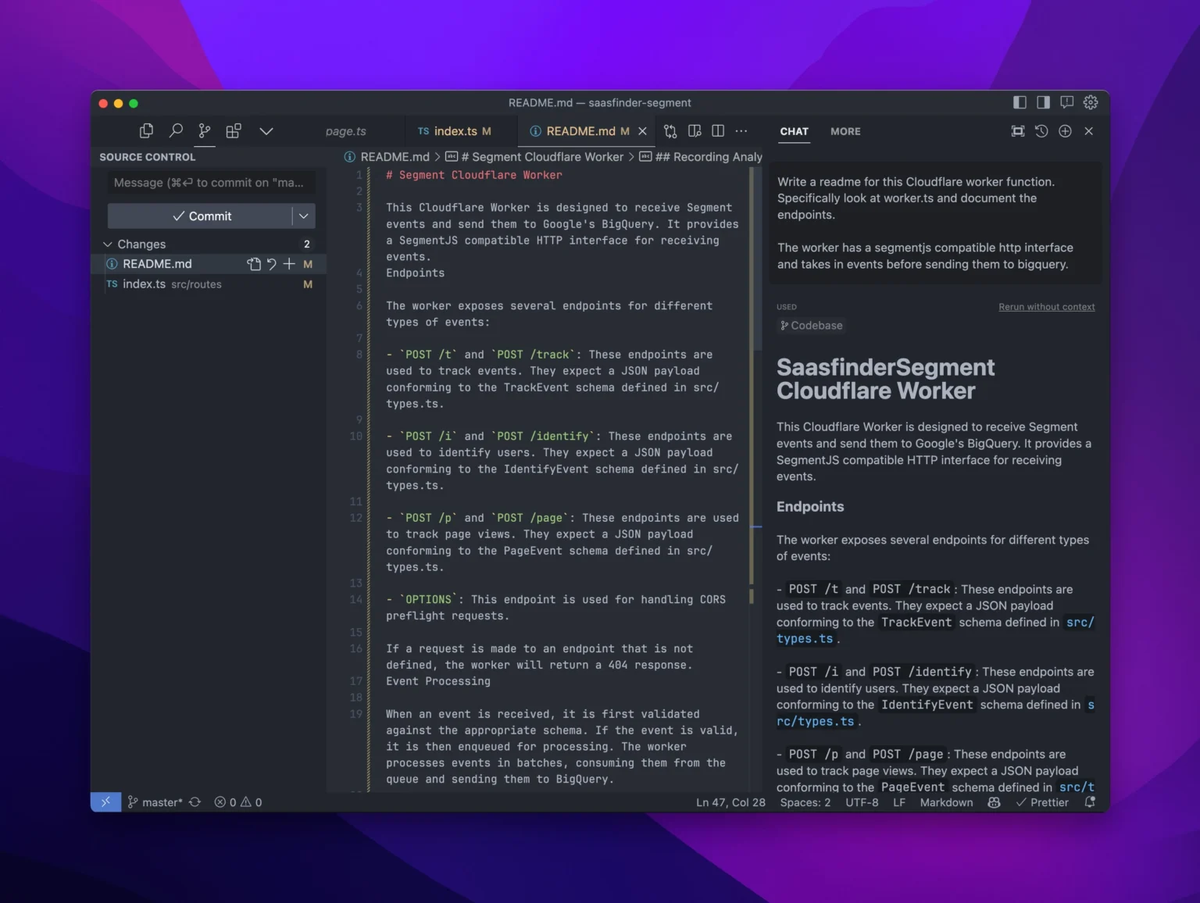
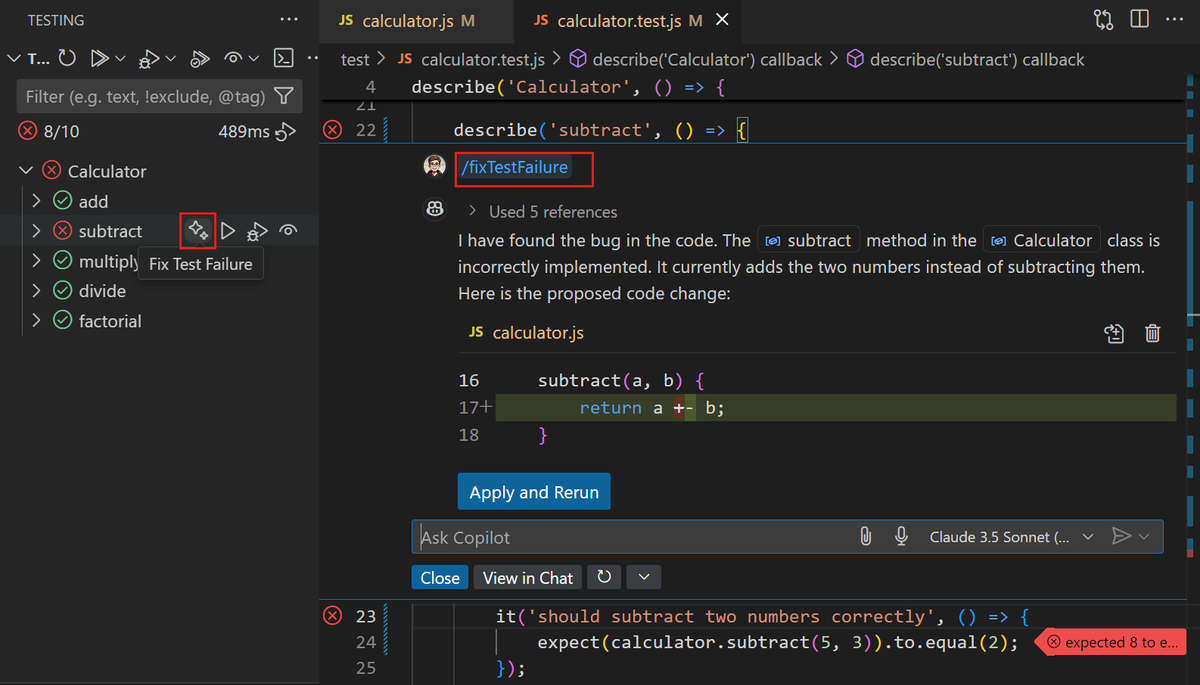
GitHub Copilot is an AI assistant that works inside your existing editor — VS Code, JetBrains, Neovim, and others. Its strengths are inline completions (accepting a suggested line or block as you type), PR descriptions and summaries directly in GitHub, and workspace-aware code review through Copilot's chat interface. The Individual plan is $10/month; it's included in GitHub Pro/Team plans. Copilot's agent capabilities (in VS Code) handle some multi-file tasks but are less capable than Cursor's Agent mode for complex implementations.
Comparison Table
IDE experience
| Cursor | GitHub Copilot | |
|---|---|---|
| IDE | Cursor (VS Code fork) | Any editor (VS Code, JetBrains, Neovim, Vim) |
| Inline autocomplete | ✅ (Tab completions) | ✅ (core strength) |
| Chat interface | ✅ Native | ✅ (VS Code sidebar) |
| Multi-file editing | ✅ Composer / Agent | ✅ Copilot Edits (VS Code) |
| VS Code extensions | ✅ Compatible | ✅ Native |
| Switch required | Yes (new IDE) | No |
Agent features
| Cursor | GitHub Copilot | |
|---|---|---|
| Agent mode | ✅ Full (tool calls, terminal, file edits) | ✅ Limited (Copilot Coding Agent, task-based) |
| Multi-step autonomy | ✅ Strong | Partial |
| Context window | 200K (Sonnet) / 1M (GPT-5) | Workspace indexing |
| MCP support | ✅ | ✅ (VS Code, limited) |
| Model selection | Claude, GPT-5, Gemini, Auto | GPT-4.5 (default), Claude, Gemini |
GitHub workflow
| Cursor | GitHub Copilot | |
|---|---|---|
| PR summaries | ❌ | ✅ Native |
| Code review in GitHub | ❌ | ✅ Native |
| Copilot Coding Agent (GitHub) | N/A | ✅ (assigns issues, opens PRs) |
| Git integration | ✅ Via VS Code-compatible git | ✅ Deep GitHub integration |
Pricing
| Cursor | GitHub Copilot | |
|---|---|---|
| Free tier | Hobby (2K completions, 50 requests) | Free (2K completions, 50 chat messages/month) |
| Standard paid | Pro: $20/month | Individual: $10/month |
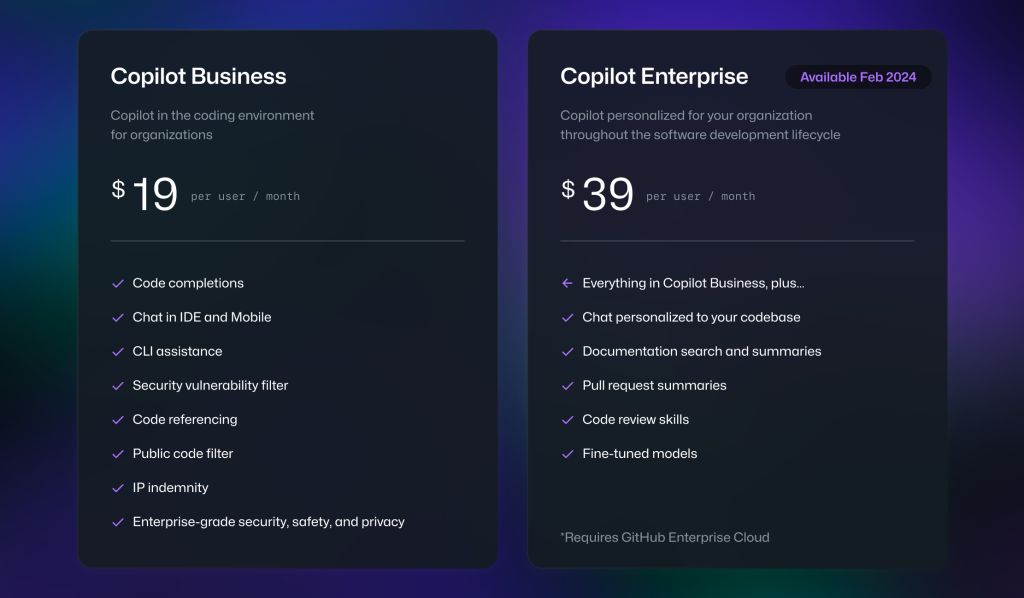
| Power user | Pro+ $60, Ultra $200 | Business: $19/user/month |
| Student | 1 year Pro free (.edu verification) | Free (via GitHub Student Pack) |
| Annual discount | ~20% | ~20% |
Team fit
| Cursor | GitHub Copilot | |
|---|---|---|
| Team plan | Teams: $40/user/month | Business: $19/user/month; Enterprise: $39 |
| Admin controls | ✅ | ✅ (Business/Enterprise) |
| Policy management | ✅ | ✅ |
| GitHub integration for teams | Partial | ✅ Native (PR reviews, issue assignment) |
Where Cursor Wins
Agent mode depth: Cursor's Agent mode handles complex, multi-step implementation requests that require reading multiple files, running terminal commands, interpreting error output, and iterating until the task is complete. This is qualitatively different from autocomplete or single-step code generation. For solo builders who want to give the AI a feature specification and review the output, Cursor's agent depth is the strongest in the IDE category.
AI-native architecture: Because Cursor is built around AI rather than adding it as a plugin, the context management, multi-file indexing, and model interaction are more deeply integrated. The Composer and Agent interfaces feel like first-class IDE features rather than sidebars you toggle between.
Model flexibility: Cursor lets you select specific frontier models (Claude Opus 4.7, GPT-5, Gemini Pro) or use Auto mode to route based on cost and capability. For developers who want to use the strongest available model for complex tasks and a cheaper model for routine work, Cursor's model selection is more granular.
Bring-your-own-key option: For developers who already have API access to Claude or OpenAI, Cursor can be configured to use those keys, paying the provider directly at API rates rather than through Cursor's credit pool. This is cost-effective for heavy users who want maximum control over model cost.
Where Copilot Wins
GitHub-native workflow: If your development process is centered on GitHub — PRs, issues, code review — Copilot integrates directly into that workflow. PR summaries, inline code review suggestions, and the Copilot Coding Agent (which can be assigned GitHub issues and will open PRs) are all part of Copilot's integration with GitHub's platform. Cursor doesn't have comparable GitHub-platform integration.
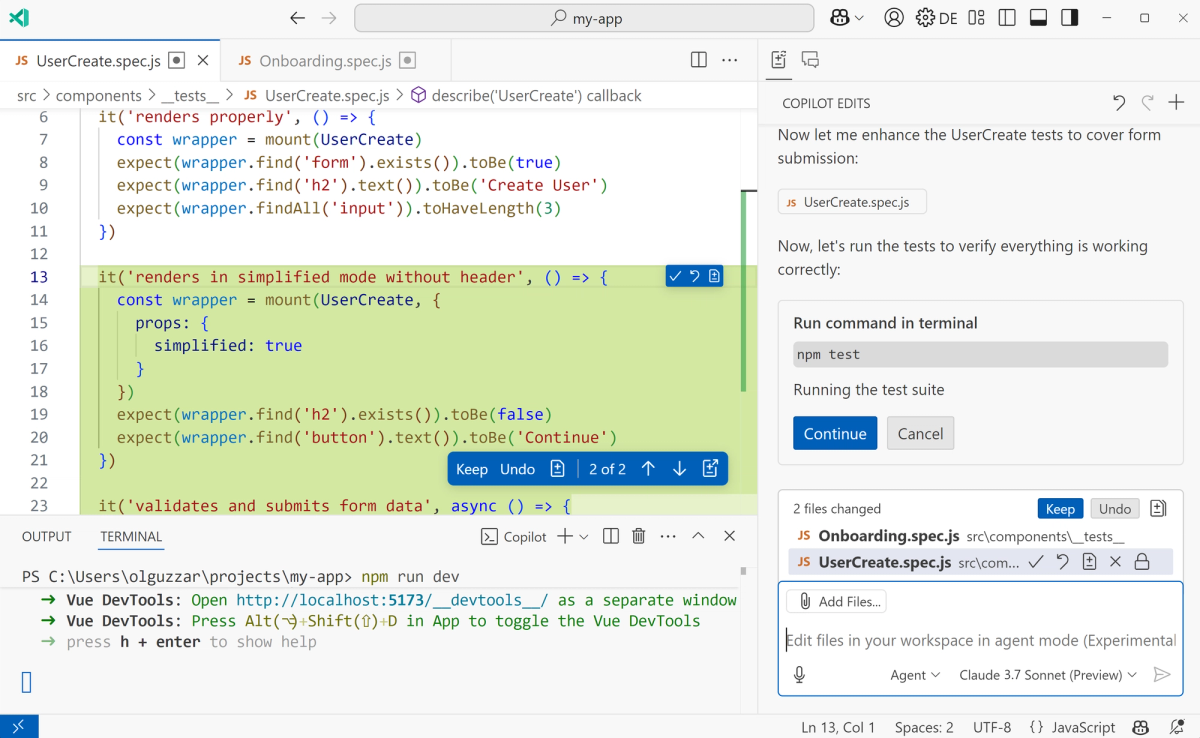
Editor flexibility: Copilot works in VS Code, JetBrains IDEs (IntelliJ, PyCharm, WebStorm), Neovim, Vim, and Azure Data Studio. If you switch editors depending on the project — Python in PyCharm, web in VS Code — Copilot follows you. Cursor is Cursor only.
Lower entry price: $10/month for Individual is the lowest tier for a capable AI coding assistant from a major provider. For developers who want solid inline completions without paying $20/month, Copilot's individual plan is hard to beat. GitHub Student Pack members get Copilot free, making it the default recommendation for students who haven't applied for the Cursor student discount yet.
Business and team pricing: At $19/user/month for GitHub Copilot Business, teams get admin controls, policy management, and per-organization settings at a lower per-seat cost than Cursor Teams ($40/user/month). For engineering teams with large headcounts, the cost difference is significant.
When Neither Is Enough
Multi-agent execution
Both Cursor and Copilot run one agent session at a time. A feature that requires frontend, backend, and database changes simultaneously means either sequential sessions with context hand-off or one very long session with growing complexity. For solo builders working on projects at the complexity level where parallel execution would genuinely help, neither IDE-level tool addresses the architecture.
Multi-agent platforms — where multiple agents work on isolated Git branches simultaneously, with coordination and verification before integration — are a different product category. Tools like Verdent operate at this layer: Plan-First task decomposition, parallel worktree execution, and verification before merge. This isn't a replacement for an IDE agent; it's an additional orchestration layer for workflows that outgrow single-agent sequential execution.
Verification beyond autocomplete
Cursor and Copilot both help generate code. Neither systematically verifies that generated code meets acceptance criteria before presenting it to the developer. For production workflows where generated code needs to pass a test suite before review, the verification step is the developer's responsibility — or requires adding explicit test-running instructions to every agent session.
Structured workflows that build verification in as a required step before agent output is accepted address this at the workflow design level, not through IDE configuration. This is the space where tools like Claude Code's /ultrareview and multi-agent verification workflows operate.
FAQ
Is Cursor better than GitHub Copilot for solo builders?
For solo builders who want AI to carry multi-step implementation tasks: Cursor's Agent mode is stronger. For solo builders who want the best inline autocomplete while staying in VS Code and saving $10/month: Copilot Individual is the better fit. The comparison isn't which is "better" — it's which bottleneck you're actually hitting. If you're limited by autocomplete quality, Copilot is sufficient. If you're limited by how much multi-file work you can direct in a session, Cursor's agent capabilities matter.
Which is cheaper, Cursor or Copilot?
GitHub Copilot Individual at $10/month is half the cost of Cursor Pro at $20/month (see the official Cursor pricing page and GitHub Copilot pricing). For students: both have free tiers — Copilot through the GitHub Student Developer Pack, Cursor through the student discount program. For teams: Copilot Business at $19/user/month is cheaper than Cursor Teams at $40/user/month. For individual developers who need power-user capability: Cursor Pro+ at $60/month vs Copilot without an equivalent tier — though Copilot Business adds some features at $19/month.
Should I use Cursor if I already use VS Code?
Cursor is a VS Code fork — it imports your extensions, themes, keybindings, and settings. The switch from VS Code to Cursor is the lowest-friction editor transition available for VS Code users, and most developers report the experience feels immediately familiar. The case for switching: Agent mode, Composer, and native multi-file editing are meaningfully better than Copilot's VS Code integration for complex tasks. The case against: you're adding a new tool to manage, and Copilot in VS Code already covers autocomplete and basic chat well. If you find yourself repeatedly doing multi-step implementations manually that you wish an AI could handle, the switch to Cursor is worth the trial. If inline autocomplete is where you spend your AI interaction, staying in VS Code with Copilot is lower friction.
When do I need more than an AI autocomplete tool?
When the constraint isn't completing individual lines or functions, but coordinating changes across multiple files, running build/test cycles, and integrating the results into a working feature. Both Cursor's Agent mode and Copilot's Coding Agent handle some of this, but both are single-agent tools. When a project's complexity reaches the point where parallel execution — multiple agents working on isolated branches simultaneously — would reduce delivery time, you're past what either IDE tool alone addresses. That's the inflection point where multi-agent platforms become relevant.
Related Reading