
When I set up Codex for a team earlier this year, the first question that came up was "where do we put the rules?" The answer turned out to be two places that do different things: AGENTS.md for always-on team instructions, and Skills for reusable task workflows. A lot of "Codex instructions" confusion comes from mixing these two up. This article covers AGENTS.md — what it actually does, what belongs in it, and where it falls short.
AGENTS.md vs Codex Skills: Don't Confuse Them
Static team instructions vs reusable skill workflows
AGENTS.md is a project-level instruction file — or more precisely, a layered set of instruction files. Codex reads it automatically at session start, before any work begins. It carries rules that should apply to everything Codex does in a repository: which test commands to run, which paths to avoid, how to write commit messages, what to do before opening a PR. It's always on.
Skills are reusable task workflows activated for specific situations. They live in [[skills.config]] in your config.toml, referenced by path to a SKILL.md file. Codex triggers them when a task matches the skill's description. Skills are more like stored procedures: off by default, invoked for specific kinds of work, composable with other skills.
The functional distinction: AGENTS.md is context you load into every session. Skills are behavior you activate for specific sessions. Both shape what Codex does, but at different layers.
Why both searches overlap
Searching "Codex Skills" and "AGENTS.md Codex" returns overlapping content because both answer the same underlying question: "how do I make Codex follow my team's patterns?" They're both answers, just to different sub-questions. If you want Codex to always run your linter before a PR, that's AGENTS.md. If you want Codex to follow a specific code review workflow when you ask it to review a PR, that's a Skill.
What AGENTS.md Does in Codex
Project-level instructions
AGENTS.md is described in OpenAI's official documentation as "an open-format README for agents." It loads into context automatically and is the best place to encode how a team wants Codex to work in a repository. The /init slash command inside a CLI session scaffolds a starter AGENTS.md in the current directory — it's a useful starting point, but the output needs editing to match how your team actually builds, tests, reviews, and ships.
Codex builds its instruction chain once per run. The loading order:
- Global scope:
~/.codex/AGENTS.override.mdif it exists, otherwise~/.codex/AGENTS.md. Only one file from this level. - Project scope: Starting at the Git root (or wherever Codex identifies as the project root), Codex walks down to your current working directory. In each directory along the path, it looks for
AGENTS.override.md, thenAGENTS.md, then fallback filenames defined inproject_doc_fallback_filenames.
Files are concatenated in order, with files closer to your current directory appearing later (and therefore taking precedence for conflicting guidance). Total instruction size is capped at 32 KiB by default (project_doc_max_bytes). Codex skips empty files and stops once the combined size reaches the cap.
This layering is intentional: a global ~/.codex/AGENTS.md carries personal defaults that apply everywhere, a repository-level AGENTS.md carries team standards shared across contributors, and subdirectory files carry overrides for specific parts of the codebase. The payments service can have stricter rules than the rest of the repository without overwriting the repository-level defaults.
Why teams need more than prompts
Without AGENTS.md, every session starts from scratch. The engineer running Codex has to either remember to include the relevant constraints in every prompt ("don't modify the payments module," "always run the security linter," "use the internal error format") or rely on the model to infer conventions from the codebase.
AGENTS.md removes that overhead. Once the rules are in the file, every Codex session in that repository starts with them automatically — whether it's you running an interactive CLI session, a colleague running an automation, or a Codex Cloud task triggered from a GitHub issue. The guidance is in the repository, which means it's version-controlled, reviewable, and consistent.
What to Put in AGENTS.md
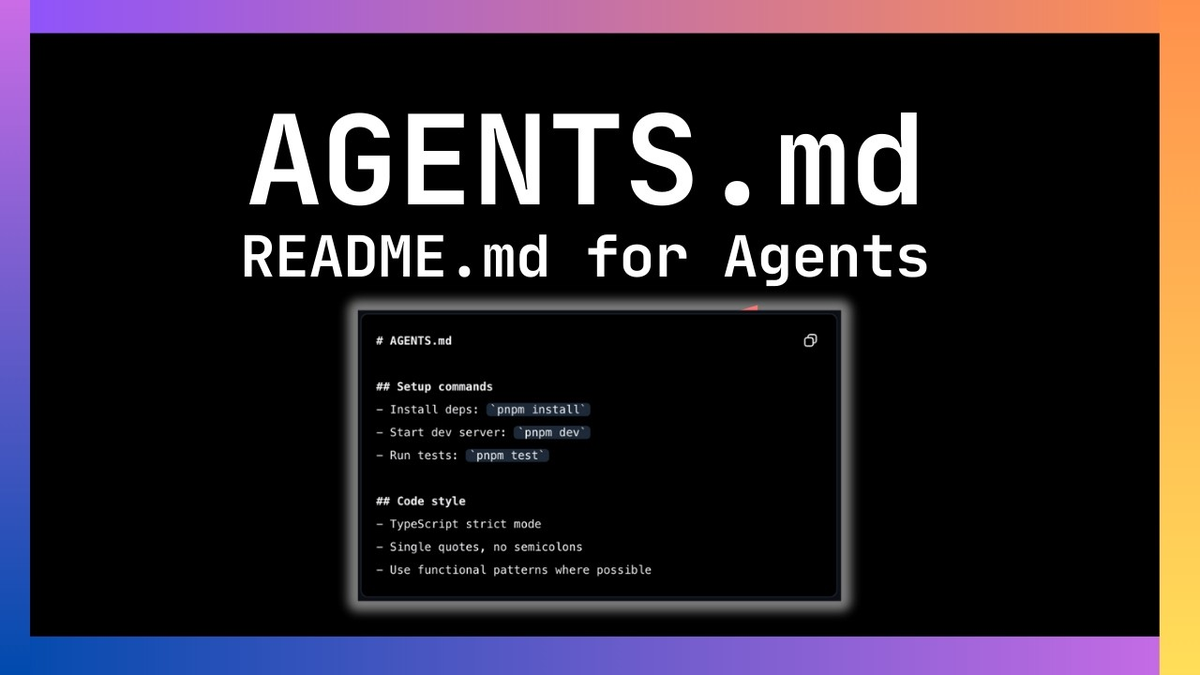
OpenAI's best practices documentation describes AGENTS.md as the place for "durable guidance." A concrete structure for most teams:
Architecture rules
Structural rules about the codebase that Codex might not infer correctly from the code alone:
## Architecture

- All database access goes through `src/db/repository.py` — no raw SQL elsewhere
- The `src/payments/` module has its own auth flow, separate from `src/auth/`
- No new production dependencies without a PR discussion — list the candidate in [ASSUMPTION] first
- Error responses use the `ErrorResponse` class in `src/core/errors.py`
Testing and review expectations
What Codex should do before declaring a task complete:
## Testing

- Run `pytest tests/ -v --tb=short` before opening any PR
- For changes to `src/api/`, also run `pytest tests/integration/ -v`
- Do not skip tests that were passing before your changes

## Pull Requests

- PR description must include: what changed, why, and how to test it
- Tag `@security-review` on any PR touching `src/auth/` or `src/payments/`
Forbidden paths and risky commands
Codex is more likely to avoid a path when it's explicitly listed than when it has to infer the boundary from the code structure:
## Boundaries

- Do not modify files in `vendor/` or `third_party/` — open an issue instead
- Do not run `make deploy` or `scripts/provision.sh` — these affect production environments
- Do not add or modify database migrations without explicit confirmation — destructive operations require human sign-off
- The `config/secrets/` directory is write-protected; report if a task requires changes there
Subdirectory overrides
For teams working on monorepos or services with different conventions:
# services/payments/AGENTS.override.md

## Payments service overrides

- Use `make test-payments` instead of `npm test` for this service
- All changes to transaction processing must pass `audit-trail-check.sh`
- Never rotate API keys without notifying #payments-security first
What AGENTS.md Cannot Do
Not a policy engine
AGENTS.md is a text file that goes into the model's context. It shapes behavior through instruction, not enforcement. If you write "never modify vendor/," Codex is more likely to avoid that directory. It's not locked out. A long, complex session where the model loses track of earlier context might drift from the instructions. A model that makes an incorrect inference about what the task requires might violate a rule despite having read it.
This is a meaningful limit. OpenAI's own documentation notes that Codex "should echo guidance from global and project files" and has test patterns for verifying the instructions loaded correctly. The test tells you the instructions were included in context — not that every future action will comply with them.
The practical consequence: AGENTS.md reduces rule violations by making rules prominent and always-on. It doesn't eliminate them. For actions where rule violations would be irreversible or high-cost (production deployments, database operations, credential rotation), the right safeguard is a combination of AGENTS.md instructions and explicit approval gates in your execpolicy or sandbox configuration — not AGENTS.md alone.
Does not replace verification
From the official Codex introduction: "It still remains essential for users to manually review and validate all agent-generated code before integration and execution."
AGENTS.md reduces the frequency of Codex producing code that violates team conventions. It doesn't eliminate the need to review what the agent produced. For critical code paths, review is non-negotiable regardless of how detailed the AGENTS.md is.
Good Patterns for Teams
Start with /init****, then refine. Run /init in your project root to get a scaffolded AGENTS.md, then edit it to match real team conventions — not the hypothetical conventions the model generates. The scaffold is a starting point, not the destination.
Keep AGENTS.md short and specific. A 300-line AGENTS.md with every possible rule is worse than a 50-line one with the rules that actually matter. Long files approach the 32 KiB cap, may not be fully processed, and bury critical guidance in noise. Prioritize rules that Codex would be most likely to violate without them.
Commit and review AGENTS.md like code. Changes to AGENTS.md are changes to how every Codex session in the repository will behave. They deserve the same PR process as code changes. When you refactor and the architectural patterns change, update AGENTS.md in the same PR.
Use subdirectory files for per-service rules. A monorepo with a payments service, a user service, and a backend has different conventions in each. Rather than a single AGENTS.md that tries to cover all three, layer: repository-level defaults cover everything, service-level files override for the specific service context.
Verify instructions loaded correctly. Run codex --ask-for-approval never "Summarize the current instructions." from the repository root. Codex should echo the guidance from global and project files in precedence order. If the output doesn't reflect your AGENTS.md content, check the file location, file name (exact match required), and the size cap.
FAQ
Where do I put the AGENTS.md file in my project?
For team-wide rules: at the Git root (the top-level directory of the repository). Codex discovers this as the project root by default (the directory containing .git) — see project root configuration for customization. For rules specific to a subdirectory (a service, a module, a team's area): create an AGENTS.md or AGENTS.override.md in that subdirectory. Both files will be loaded and concatenated, with the subdirectory file taking precedence for conflicting guidance. For personal defaults that apply across all repositories: ~/.codex/AGENTS.md.
How is AGENTS.md different from Codex Skills?
AGENTS.md contains persistent, always-on instructions — they load automatically at every session start and apply to all tasks. Skills are reusable task workflows stored in SKILL.md files, referenced via [[skills.config]] in config.toml. Skills are task-specific: they activate when a task description matches the skill, not for every session. Use AGENTS.md for rules that should always apply; use Skills for behaviors you want on-demand for specific types of work.
Does AGENTS.md actually override my prompts?
AGENTS.md is loaded first, before your prompt, and becomes part of the model's context. Your prompt is added after it. Instructions that appear later in context generally carry more weight, which means an explicit instruction in your prompt can override an AGENTS.md rule if they conflict — intentionally or not. AGENTS.md is not a hard constraint that the model enforces against your prompts; it's guidance that shapes default behavior in the absence of explicit direction. If you need a rule to hold even against conflicting prompts, combine AGENTS.md with execpolicy rules or sandbox restrictions for the specific operation type.
Can AGENTS.md block dangerous commands in Codex?
Not reliably, and not by itself. AGENTS.md instructions tell the model to avoid certain commands — the model is more likely to comply than without the instruction. But the model can still execute commands if a task appears to require them. For truly dangerous operations (production deployments, destructive database commands, credential changes), use Codex's execpolicy rule files to define hard allow/block/prompt policies, or restrict sandbox permissions to prevent those operations from being possible regardless of what the model tries to do. AGENTS.md reduces the probability of accidents; execpolicy and sandbox settings reduce the possibility of them.
Related Reading
