
You kick off a long Goal in ZCode, trigger it to keep running from your phone, and step away — then the remote connection drops mid-task and you're left wondering what state the agent is in and whether anything is recoverable. That scenario is the one this guide is built around: not just how to set ZCode up and define a Goal, but how to monitor a long-running task, intervene when it strays, handle a remote failure, and review the result before accepting it. ZCode runs Z.ai's GLM-5.2 model and is built for exactly these extended tasks, which is also what makes monitoring and recovery the parts worth getting right. The steps follow ZCode's current behavior — verify specifics against the official docs, since the app is actively developed.
Steps below reflect ZCode's documented behavior as of June 2026. Confirm the current interface, Goal flow, and Workspace features against the official Z.ai documentation before relying on specifics — and where this guide flags a behavior as unverified, treat it as something to confirm, not assume.
Before Opening a Project
Confirm account, plan, and platform access
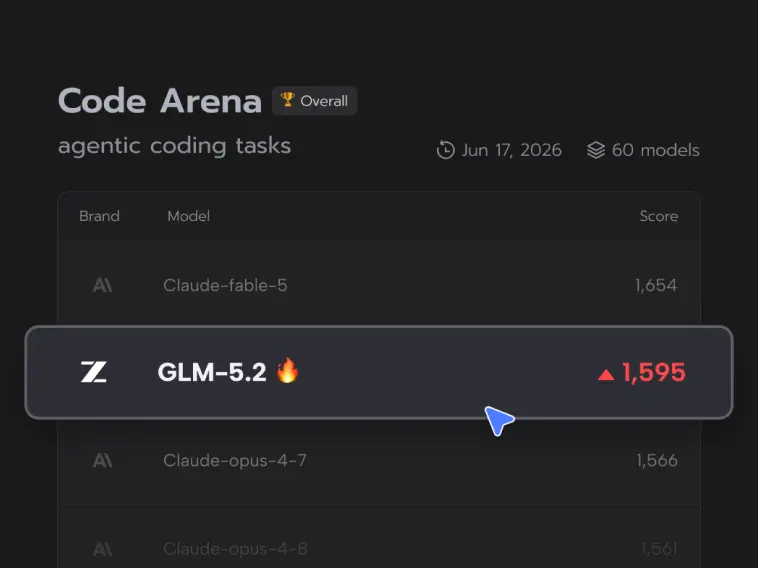
ZCode runs on Z.ai's GLM Coding Plan, so before anything else, confirm you have an active Coding Plan entitlement and that ZCode is installed on a supported platform (macOS and Windows are generally available; Linux has been in beta). Sign in connects ZCode to your Z.ai account and activates the device, after which the model (GLM-5.2, or the lighter GLM-5-Turbo) becomes available with your plan's quota. Confirm the plan tier and current quota terms in your account, since the exact entitlements and any promotional quota change over time. This guide assumes you're installed, signed in, and have GLM-5.2 available — the focus here is the long-task workflow, not the install.
Protect local changes and repository credentials
Before you point ZCode at a real project, commit or stash any uncommitted work, so the agent starts from a clean, known state and you have a defined point to return to. Equally important for ZCode specifically: because it offers SSH remote development and can be triggered remotely, be deliberate about repository and credential access before you start. Know what the agent will be able to reach — which workspace, which files, and over a remote connection, which machine — and confirm you're comfortable with that access scope before a long task begins touching code. Starting from a clean tree with a clear access boundary is the foundation everything below relies on.
Create a Goal
Write an objective with acceptance criteria
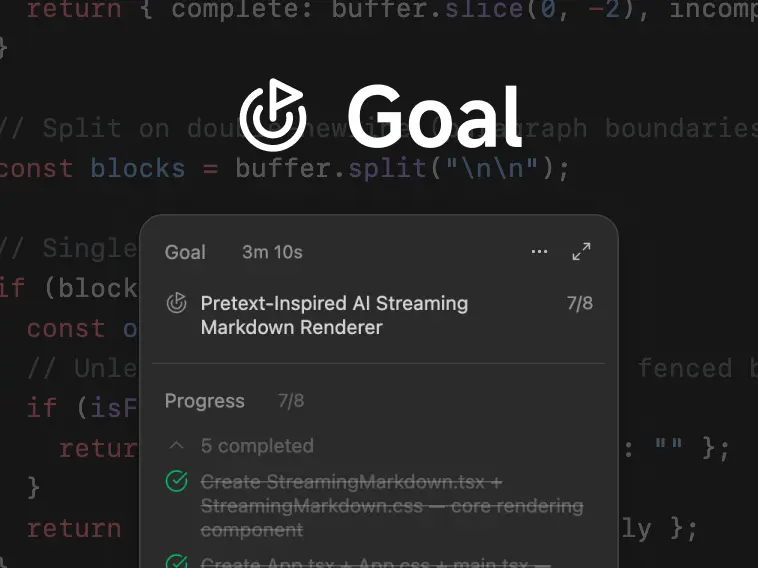
ZCode's structure for long work is the Goal: you define a complex objective and the agent plans, executes, and verifies it across multiple steps. The single most important habit is writing the Goal with observable acceptance criteria — not "improve the auth module" but "all tests in the auth module pass, the new login endpoint returns the expected responses, and no existing tests break." A Goal with checkable criteria gives the agent (and you) an unambiguous definition of done; a vague Goal lets a long task wander and makes it impossible to judge when it's actually complete. Spend the effort here: a precise objective is what makes a long autonomous run steerable and its result assessable.
Limit the files and commands the task may use
Scope the Goal to the part of the codebase it needs, rather than turning a long agent loose on the whole repository. The more bounded the task's footprint — the files it should touch, the kinds of commands it should run — the more predictable and reviewable the result, and the smaller the blast radius if it goes wrong. Where ZCode lets you constrain what a task can access or do, use those controls to keep the Goal's reach matched to its actual job. A bounded Goal is easier to monitor (you know roughly what it should be touching) and safer (a mistake is contained), both of which matter more the longer the task runs unattended.
Add Workspace Knowledge
Review available Skills before invoking them
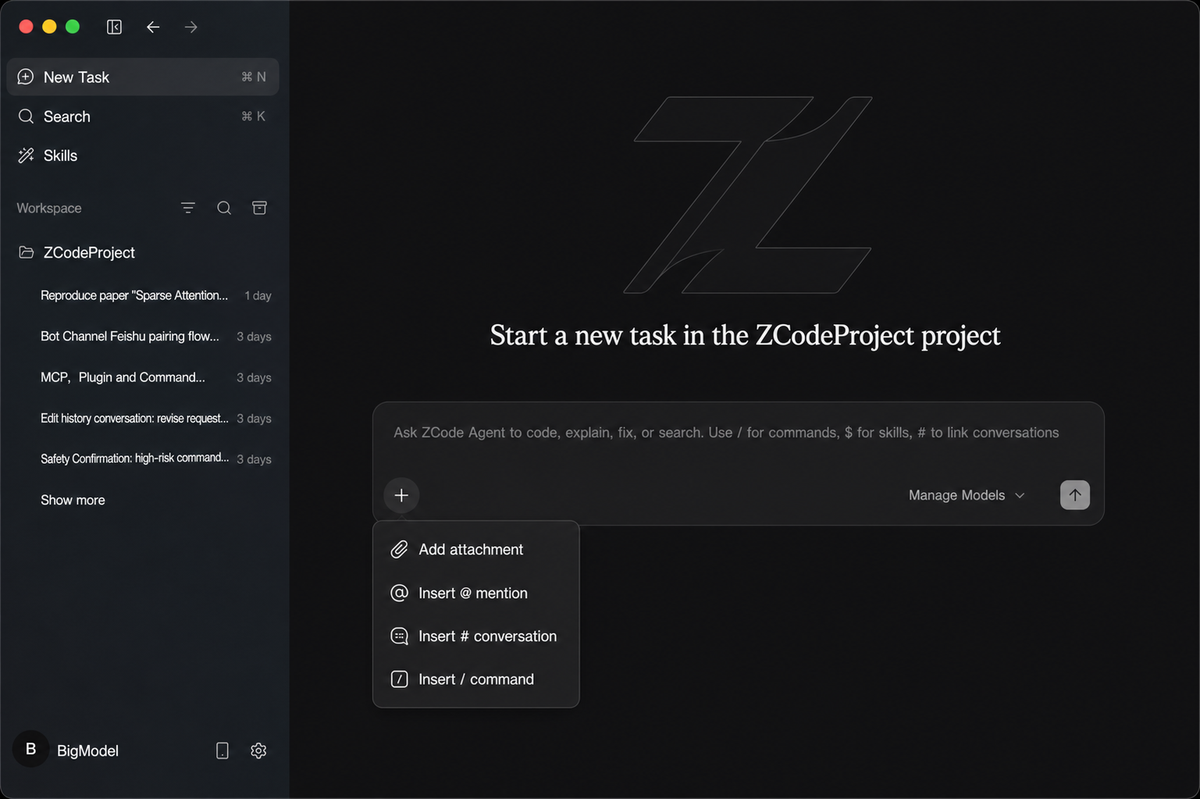
ZCode's workspace can carry reusable knowledge and capabilities the agent draws on. Before relying on any Workspace Skill in a real task, review what it actually does — read its definition and understand its behavior rather than invoking it blind, because a Skill shapes how the agent acts and you want to know that behavior before it runs in a long task. The exact mechanics of Workspace Skills are a ZCode-specific feature to confirm against the current official documentation; whatever the specifics, the discipline is the same: understand a Skill before you let it influence an autonomous run, the same way you'd review any code before trusting it.
Keep project instructions versioned with the repository
Any standing instructions you give the agent for a project — conventions to follow, constraints to respect, context about the codebase — are most maintainable when they live with the repository under version control rather than only in the app. Keeping project instructions versioned means they travel with the code, stay reviewable in your normal workflow, and don't drift out of sync with the project. Confirm how ZCode expects project-level instructions to be provided in its current documentation, and wherever possible, treat those instructions as part of the repository (committed, reviewed) rather than as ephemeral app state, so the agent's guidance is as version-controlled as the code it's working on.
Monitor Long-Running Execution
Check plan changes and tool activity
Once a Goal is running, watch it rather than walking away entirely — especially early in a long task, when catching a wrong direction is cheap. ZCode surfaces the task as it proceeds (the plan, the steps, the tool activity as the agent reads files, runs commands, and edits code), and the value of monitoring is catching a problem while it's small. Watch whether the plan is sensible and whether the agent's actions match the Goal; a long task that's drifting shows it early in the kind of steps it takes. The point of monitoring is that a long autonomous run is supervisable — you're not stuck choosing between micromanaging each step and discovering the outcome only at the end.
Intervene when the agent leaves scope
The reason to monitor is to intervene. When you see the agent going outside the Goal's scope — touching files it shouldn't, heading down a wrong approach, repeating a failing action without progress — step in rather than letting it continue. Intervening early (correcting the direction, narrowing the scope, stopping a task that's thrashing) is far cheaper than letting a long task run for an hour in the wrong direction and then untangling the result. The signals that warrant intervention are scope creep (work outside the objective), repetition (the same action failing repeatedly), and divergence (the plan no longer matching the Goal). Treat those as cues to take control, not to wait and see.
Review and Accept the Work
Inspect the diff and run project tests
When a Goal completes, don't accept its output on the strength of "it finished." Inspect the actual changes — read the diff to confirm it did what the Goal specified, only what it specified, and nothing that breaks an assumption elsewhere — and run your own project tests against the result, independent of whatever the agent's own validation reported. The agent's self-check and your independent verification are two different things; a long task that the agent considers done can still fail your tests or contain changes you wouldn't accept in review. The diff plus your own test run is the real gate before anything merges, no matter how confidently the Goal reports completion.
Reject or roll back incomplete changes
If the review or tests reveal problems, reject the work and roll it back cleanly rather than trying to salvage a flawed long-running result piecemeal. This is why the clean starting state and version control matter: a reliable rollback lets you discard a bad Goal's changes and return to your known-good point, rather than living with a half-right result you don't fully trust. Before delegating long Goals as routine practice, confirm you can actually undo their changes — test the rollback on a low-stakes task — so that "reject and roll back" is a real option when a long task produces something you can't accept. A long autonomous run is only safe to use when failing it cleanly is straightforward.
FAQ
What happens if a Goal loses its remote connection mid-task?
Confirm this against ZCode's current official documentation rather than assume, because how a long task handles a dropped remote connection — and whether it can resume or reconnect at all — is implementation-specific and shouldn't be taken for granted. Don't assume a task automatically resumes or reconnects after a drop; whether that's supported, and in what form, is something to verify in the docs and ideally test on a low-stakes task first. The safe assumption until you've confirmed otherwise is that a dropped connection may leave a task in an uncertain state — so check the repository's actual state (what was committed, what changed) after any interruption rather than trusting it picked up cleanly. Verify the connection-loss and recovery behavior directly before depending on remote execution for anything you can't afford to lose.
How should Workspace Skills be reviewed before execution?
Read what a Skill does before you let it run in a real task, the same way you'd review any code or automation before trusting it. A Skill influences how the agent behaves, so understanding its definition and effect beforehand is what keeps you from being surprised by its actions mid-task. Because the exact mechanics of Workspace Skills are a ZCode-specific feature that can change, confirm the current behavior and review process in the official documentation, and when in doubt, test a Skill on a low-stakes task to observe what it actually does before invoking it in important work. The principle is no blind invocation: a Skill you haven't reviewed is an unknown influence on an autonomous run, and the longer the run, the more that unknown matters.
What should be checked before accepting changes from a long remote session?
Check the same things you'd check for any agent output, plus the state questions a remote session specifically raises. Read the full diff and run your own tests (not just the agent's self-validation) to confirm the changes are correct and complete. Then, because it was a remote session, verify the actual repository state — confirm what was actually committed and changed, since a remote or interrupted session can leave you less certain of the final state than a local one. Check that no partial or unexpected changes slipped in, that the result matches the Goal's acceptance criteria, and that you can account for everything the session did. Only accept once the diff, your tests, and the confirmed repository state all hold up — a long remote session warrants more state-verification, not less.
When is manual intervention better than letting the Goal continue?
Intervene when continuing would cost more than stepping in — which is whenever the agent has left the Goal's scope, is repeating a failing action without progress, or is heading down an approach you can see is wrong. Letting a Goal continue makes sense when it's progressing sensibly within scope; manual intervention is better the moment it isn't, because a long task running in the wrong direction wastes time and quota and produces a result you'll reject anyway. The judgment is whether the next steps are likely to be productive: if the agent is thrashing, diverging from the objective, or operating outside its intended scope, taking control early is cheaper than letting it run and untangling the outcome. Err toward intervening when you see those signals rather than hoping a struggling task self-corrects — for a long autonomous run, early correction is usually the economical choice.
Conclusion
Using ZCode for long coding tasks is less about the setup than about the discipline around the Goal: define the objective with observable acceptance criteria, scope what it can touch, review any Workspace Skills before they run, and then monitor the task as it executes rather than walking away. The failure mode that long remote tasks raise specifically — a dropped connection leaving a task in an uncertain state — is a reminder to verify ZCode's actual recovery behavior rather than assume resume-and-reconnect, and to check the repository's real state after any interruption. When a Goal finishes, the diff and your own tests are the gate, not the agent's report of completion; and when something's wrong, a clean rollback is what makes a long autonomous run safe to use at all. Monitor, intervene early, verify state, and review before accepting — do that, and ZCode's long-horizon Goals become a tool you can trust to run while you're not watching, because you've built in the checks that catch it when it goes wrong.
Related Reading
