
You generated an app with an AI tool and you want it live. Vercel gives you two ways to do that, and they're not competing on quality — they're built for different jobs. Vercel Drop gets a one-off export to a live URL in seconds with no Git. Git deploy gives you preview branches, PR checks, instant rollbacks, and a stable URL that redeploys on every push. The mistake isn't picking the "wrong" one — it's using Drop for a project you'll maintain, or setting up Git for a throwaway demo. Here's the decision framework for AI-generated code specifically.
Verified against Vercel's official documentation as of June 2026. Confirm current behavior at the official Vercel deployment docs.
Two Ways to Ship, Two Different Jobs
Drop = one-off, no Git, instant URL
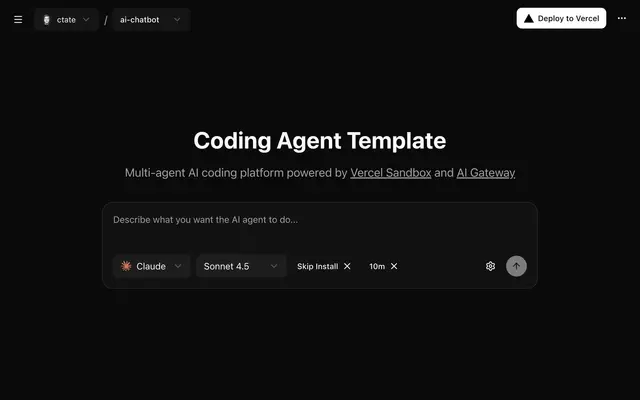
Vercel Drop deploys a file, folder, or .zip by dragging it into your browser — no Git, no CLI, no local setup. You drag your project onto vercel.com/drop, name it, hit Deploy, and get a live production URL in seconds. It's the fastest possible path from an export file to a shareable link. The defining trait: each drop creates a new, standalone project. There's no ongoing connection to a source of truth — you dropped a snapshot, and that snapshot is now live.
Git deploy = continuous, preview branches, team
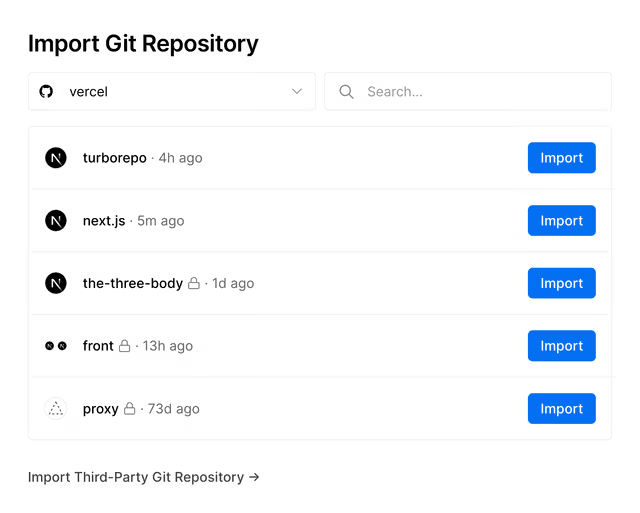
Git deploy connects a repository (GitHub, GitLab, Bitbucket, or Azure DevOps) to a Vercel project, and from then on every push triggers a deployment automatically. This is the continuous-delivery model: a stable project with a stable URL, where the deployed site tracks your repository. It brings the things a real project needs — preview deployments for every branch, PR-based review, and instant rollbacks — none of which Drop offers. The defining trait here is the opposite of Drop's: the deployment is tied to a living codebase, not a one-time snapshot.
Where Vercel Drop Fits in an AI Coding Workflow
Agent output to a quick shareable preview
Drop's sweet spot is the moment right after an AI tool produces something. You've described an app to Claude Design, Bolt.new, or Google Stitch, exported the result, and want to see it live or share it — without the overhead of setting up a repository for something you may or may not keep. Drop turns that export into a URL in a couple of minutes. For validating an idea, sharing a prototype with a stakeholder, or putting a one-off site online, that speed is exactly the point: you're not committing to a project, you're publishing a snapshot.
Limits — new project each time, no push-to-deploy
The limits are the flip side of the speed. Each drop is a new project with a new URL, and there's no push-to-deploy — change the app and you're re-dropping a fresh copy, accumulating separate projects with separate URLs. There's no preview environment, no review step, no rollback. For a snapshot you publish once, none of that matters. For anything you iterate on, the absence of those workflows is exactly what makes Drop the wrong long-term home — you feel the friction the second time you need to update.
When to Move to Git Deploy
Preview branches, PR checks, production
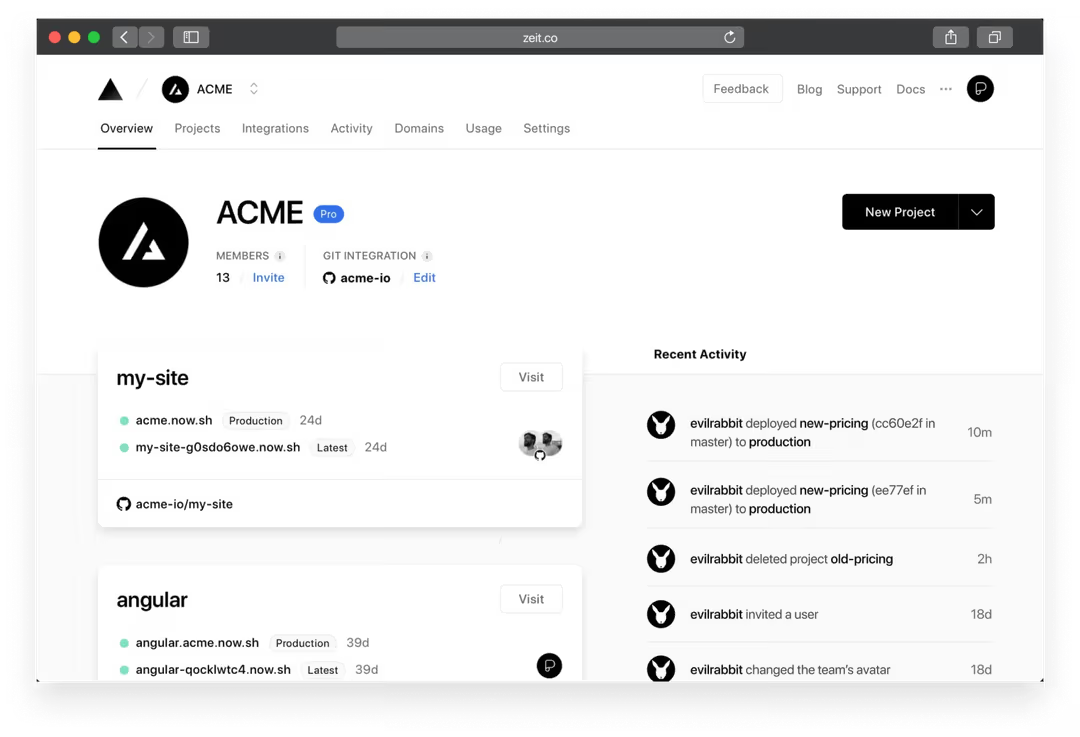
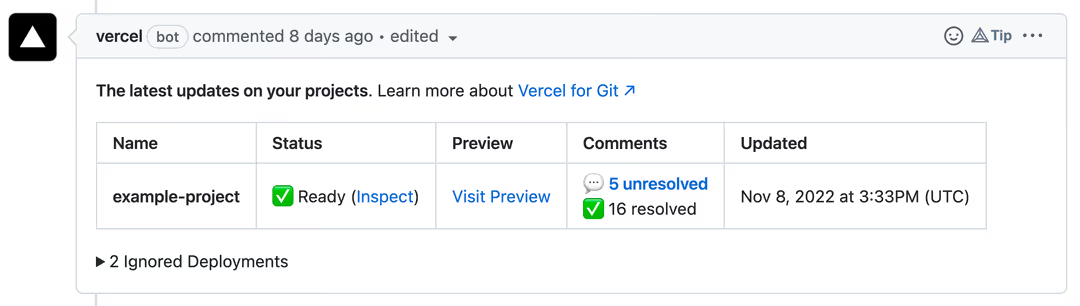
Git deploy exists for the workflows a maintained project depends on. Every branch you push gets its own preview deployment with a unique URL, so you can see a change running before it ships — and the preview URL stays stable across pushes to that branch, so a shared link always shows the latest. Pull requests get automatic Vercel comments with the preview URL (and a check that tracks unresolved review comments), which turns review into a visual, link-based process. Merging to your production branch deploys to production. And if a deploy goes wrong, reverting restores the previous production deployment instantly — the rollback safety net Drop has no equivalent for.
Why serious multi-file / agent projects outgrow drag-and-drop
AI-generated projects tend to start small and then grow into something real — more files, more iteration, more people touching it. That's the point where drag-and-drop stops scaling. A multi-file project under active development needs version history, the ability to review changes before they go live, and a way to undo a bad deploy — all of which are Git-native and none of which Drop provides. There's a reason Vercel's own guidance is to keep dropping while you explore and connect a repository once the design becomes a site you maintain: the drag-and-drop model is built for snapshots, and a living project isn't a snapshot. (Notably, the Git workflow is also what AI coding agents plug into — agents running in CI read PR preview URLs and comments to iterate, which a Drop deployment can't participate in.)
Decision Framework
Prototype / demo → Drop
If you're validating an idea, sharing a one-off, or putting up a site you won't iterate on, use Drop. The whole value is skipping setup for something that doesn't warrant it — connecting a repository for a throwaway demo is more work than the demo justifies. Drop when the project is a snapshot.
Maintained project / team → Git
If the project will be updated, reviewed, or worked on by more than one person, use Git deploy. The preview branches, PR review, stable URL, and rollbacks aren't nice-to-haves for a maintained project — they're the baseline of working safely. The moment "I might keep building this" becomes true, the Git workflow earns its slightly higher setup cost many times over.
The handoff point
The cleanest way to think about it: Drop and Git deploy aren't either/or, they're sequential. Start with Drop while the project is still a prototype you're exploring. When it crosses the line into something you'll maintain — you're updating it repeatedly, others are involved, you need to review changes before they ship — move it to a Git repository. Some AI tools make this explicit; Claude Design, for instance, offers a "Handoff to Claude Code" export to move a project into a codebase you can connect to Git. The handoff point is when iteration begins, and recognizing it early saves you from re-dropping the same project a dozen times before you switch.
This is also where deployment choice connects to a broader engineering reality: shipping fast and building something maintainable are different disciplines. A quick demo needs speed; a real project needs version control, review, and the verification workflows (Plan-First decomposition, diff review, tests) that keep a growing codebase healthy — the structure that workflow-layer tools like Verdent formalize, separate from where the code is hosted. Drop serves the first job; Git deploy plus a disciplined workflow serves the second.
FAQ
Can I turn a Vercel Drop deployment into a Git-connected project later?
You don't convert the Drop deployment itself, but you move the project to Git deploy easily: put your code in a repository (GitHub, GitLab, Bitbucket, or Azure DevOps), connect it to a Vercel project, and from then on every push deploys automatically with a stable URL. The Drop deployment was a one-off snapshot; the Git-connected project becomes your ongoing home. Some AI tools ease this — Claude Design's "Handoff to Claude Code" export, for example, moves your project into a codebase you can push to Git. So the path is: drop while exploring, connect a repository when you commit to maintaining it.
Does Vercel Drop support framework projects or only static files?
Both. Drop automatically detects whether your project is a framework project or a static site. For frameworks like Next.js, it runs the build for you (so Bolt.new exports deploy as source code that Vercel builds); for static files with no framework, it deploys them as-is (covering Claude Design and Google Stitch exports). You don't configure which type you have — Drop detects it. So framework support isn't the difference between Drop and Git deploy; the difference is continuity (one-off snapshot vs push-to-deploy), not what file types each accepts.
Is Vercel Drop fine for production, or just demos?
It does publish to production — the URL is a live production URL, not a throwaway preview — so it's fine for shipping a demo, a one-off site, or a prototype to share. The honest limitation is maintenance, not production-readiness: each drop is a new project with no continuous deployment, no preview branches, and no rollback, so Drop suits sites you publish once and don't iterate on. For a project you'll keep updating, Git deploy is the right choice. So: production-fine for demos and one-off sites; not the right fit for an actively maintained project.
How is this different from pushing AI-generated code to GitHub?
Pushing to GitHub (connected to Vercel) is the Git deploy path — the full continuous-delivery workflow: every push deploys, every branch gets a preview URL, PRs get review and checks, instant rollback. Drop skips all of that, publishing an export as a snapshot with no repository, history, or automatic redeploy. The difference is whether your deployment is tied to a living codebase (Git) or is a one-time publish (Drop). For AI-generated code you'll keep working on, the GitHub route gives you the version control and review maintaining a project requires; Drop gives speed for a snapshot.
Do Drop deployments get preview URLs and rollbacks like Git deploys?
No — preview URLs and instant rollbacks are Git deploy features, not Drop features. With Git, every branch push gets a unique preview deployment URL, and reverting a commit restores the previous production deployment instantly. Drop has neither: each drop is a standalone production deployment with no branch previews and no rollback mechanism (to "undo," you'd re-drop a previous version as yet another new project). This is one of the clearest reasons to move to Git deploy once a project matters — the preview-and-rollback safety net is exactly what a maintained project needs and what Drop, by design, doesn't provide.
Conclusion
Vercel Drop and Git deploy aren't rivals — they're tools for two different jobs in an AI coding workflow. Drop is for the snapshot: AI generates something, you drag it in, it's live in seconds, no commitment. Git deploy is for the project: a living codebase with preview branches, review, a stable URL, and rollbacks, where the deployment tracks your repository. The decision isn't about which is better; it's about which job you're doing. Use Drop to ship fast while you're exploring; move to Git deploy the moment the project becomes something you'll build and maintain. Recognize the handoff point early, and you get the best of both — speed when you're prototyping, safety when you're building for real.
Related Reading
