
You're three days into your MVP. The backend is mostly working, the frontend needs a refactor, and you just found a bug in the auth flow. In parallel. You're one person. This is the solo founder's actual coding problem — not "which AI writes the cleanest boilerplate" but "which tools let one person ship a real app without burning out on context switching."
Most "best AI for coding" lists rank tools on autocomplete quality and benchmark scores. This ranking is organized around the stages of building an actual app — prototype, MVP, production, refactor — and evaluated on what matters when you own the whole stack yourself.
How We Ranked AI Coding Tools for Solo Founders
Four criteria, weighted toward app delivery rather than raw coding quality:
App delivery speed: How fast does this tool help you go from idea to working software? Does it understand your project's context or require constant re-briefing?
Code ownership: Do you own, understand, and can maintain what it generates? AI-generated code you can't debug is a liability, not an asset.
Long-term maintenance fit: A prototype that becomes a production app reveals new requirements. Does the tool handle refactors, migrations, and growing complexity?
Agentic workflow support: Can it handle multi-step tasks — "implement this feature and write the tests" — without you manually stitching together intermediate steps? This matters more at MVP and production stage than at prototype.
We're not ranking GitHub Copilot-style autocomplete tools here. This ranking covers AI coding agents and AI-first IDEs — tools that can carry a task from requirement to working code with minimal babysitting.
Best AI Coding Tools by App-Building Stage
Prototype
At prototype stage, speed of iteration beats everything else. You need to test whether an idea works, not whether the code is maintainable. The right tool gives you runnable output fast without requiring you to define architecture upfront.
Best for prototyping:
v0 (Vercel) — for frontend-heavy prototypes. Describe a UI in natural language, get deployable React components instantly. Excellent for founders who want to demo a product concept before writing any real backend. Limited to frontend and stateless logic; don't expect database integration.
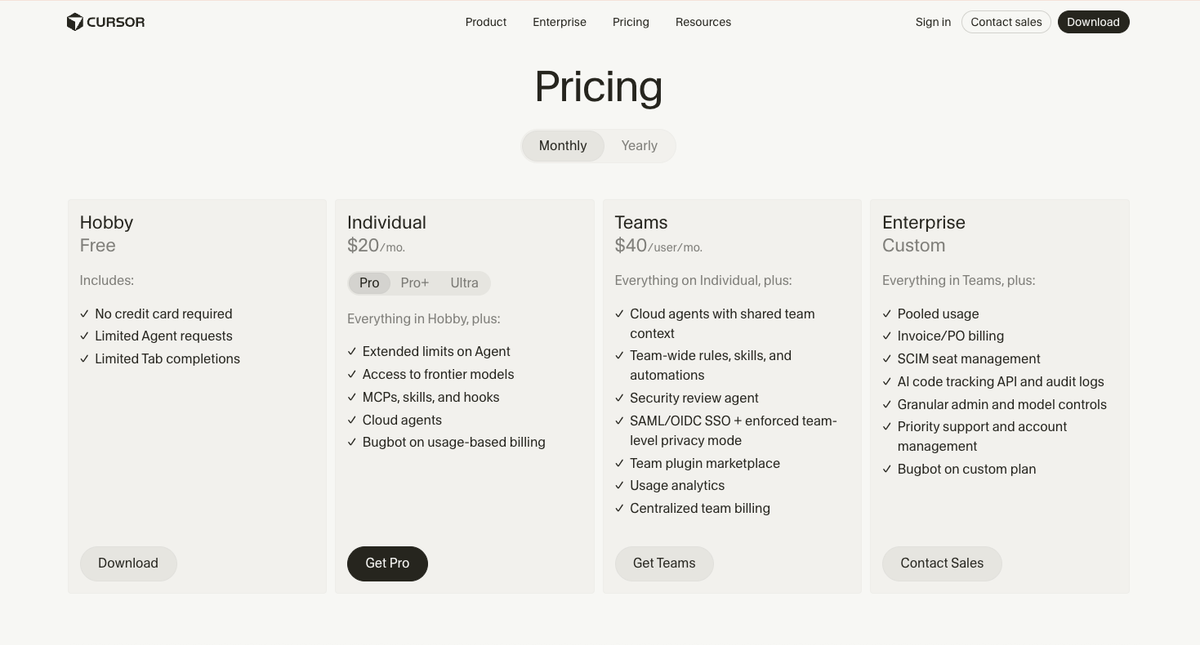
Cursor (Hobby/Pro) — VS Code-based IDE with Agent mode. For prototypes involving a real codebase — not just UI mockups — Cursor's Composer lets you describe changes across multiple files at once. The free Hobby plan covers prototype-level usage; Agent mode on Pro handles more complex multi-file changes (see cursor.com/pricing).
Claude.ai (direct chat) — for architectural questions and code that doesn't fit cleanly into an IDE workflow. Explaining a complex logic problem, getting a first draft of an API design, working through a data model — Claude's 200K context window handles more codebase context than most alternatives. Not a coding environment, but a strong thought partner for prototype architecture.
What to skip at prototype: Multi-agent platforms and production-grade agent orchestration. At prototype stage, the overhead of parallel execution infrastructure outweighs the benefit. Keep it simple.
MVP
MVP means the prototype worked and now you need it to be maintainable, testable, and deployable. The AI coding tool requirement changes significantly: you need something that understands your growing codebase, not just individual files.
Best for MVP:
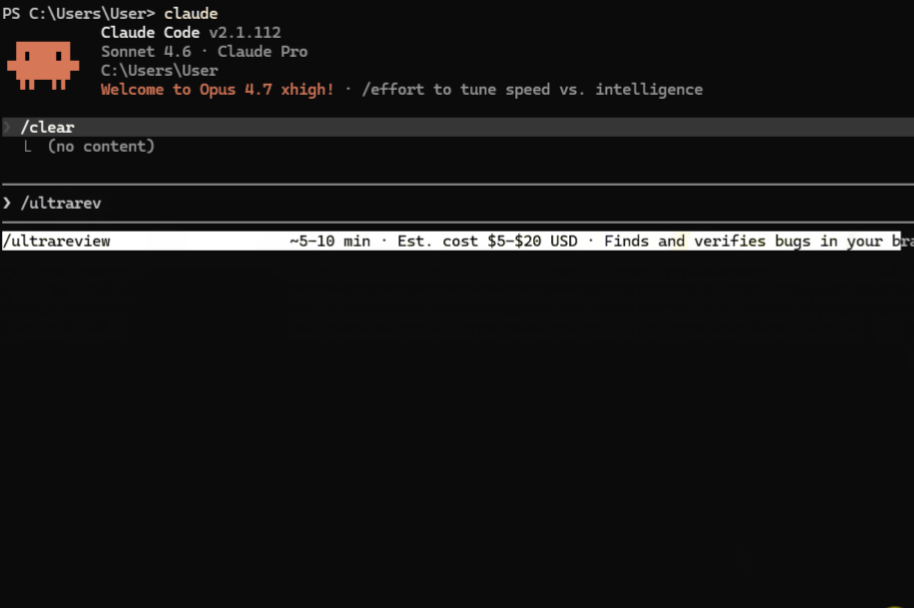
Claude Code (terminal) — Anthropic's terminal agent. Understands multi-file context at a depth that IDE extensions often miss. /ultrareview catches issues before merge. Task budgets prevent runaway agent loops. For solo founders who are comfortable in the terminal, Claude Code's subagent system handles "implement this feature and write integration tests" as a single directed task — documented at code.claude.com. The Pro plan at $20/month covers most MVP workloads.
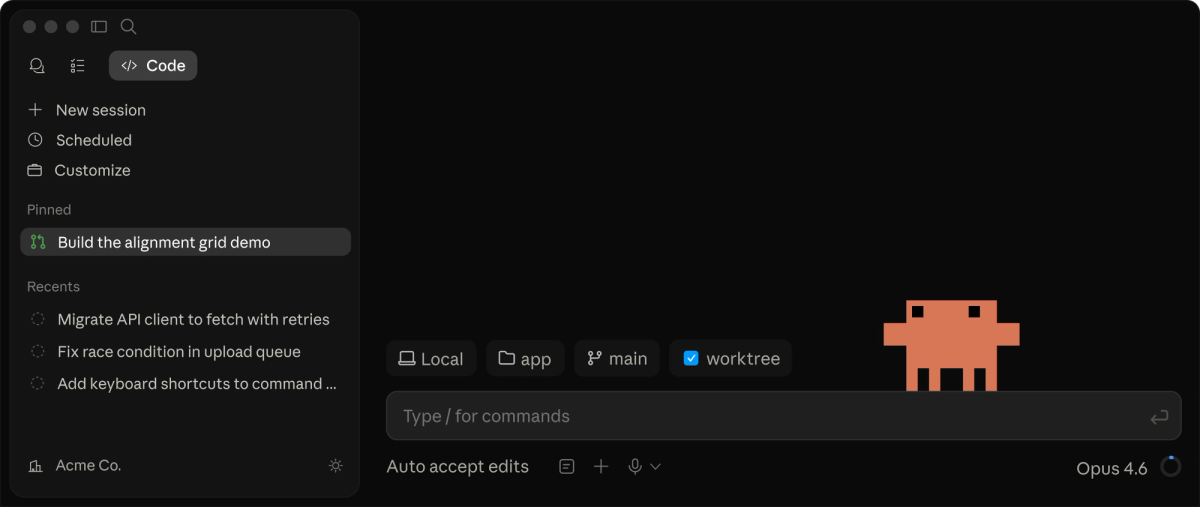
Cursor (Pro) — the IDE-anchored equivalent. Stronger for founders who prefer to stay in a visual editor. Agent mode handles multi-file refactors; Composer tackles feature implementation across the codebase. At MVP stage, the 500 premium model requests per month on Pro usually suffice for daily work.
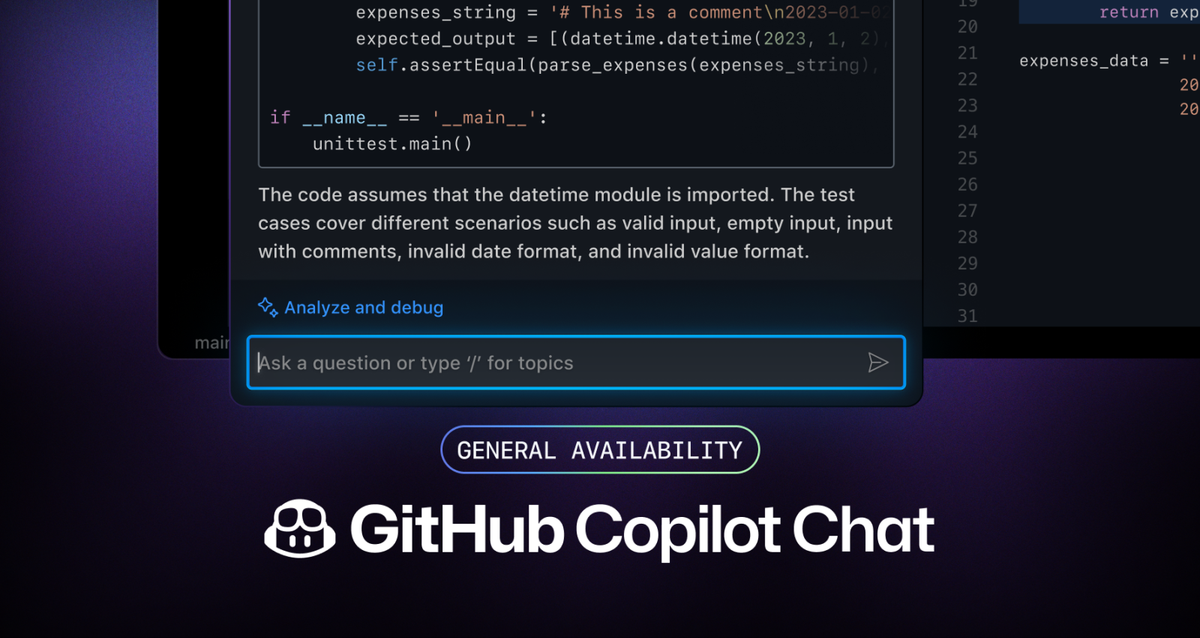
GitHub Copilot Individual — $10/month. Best if your MVP lives in GitHub and you want tight integration: PR descriptions, code review, inline suggestions, and CLI access without switching editors. Less powerful for complex multi-step Agent tasks than Claude Code or Cursor, but more affordable and less cognitive overhead.
When to upgrade: If you're spending significant time directing the agent through individual steps of a multi-step task, you've outgrown the MVP tier. Agent mode should handle the stitching.
Production
Production requirements introduce two things the earlier stages don't have: real users who will notice breakage, and technical debt that needs managing alongside new feature work. The right AI tool can't just write new code — it has to understand existing code well enough to modify it safely.
Best for production:
Claude Opus 4.7 (via Claude Code or API) — current frontier model for complex coding tasks. SWE-Bench Pro at 64.3% reflects real-world performance on GitHub issue resolution. The /ultrareview command is particularly valuable in production: multi-pass review catches logic errors and security issues that standard review misses. Task budgets with xhigh reasoning effort are the right configuration for production-critical changes.
Cursor (Pro or Ultra) — for founders who have built their workflow around Cursor from prototype through MVP. At production scale, the $60/month Pro+ plan (3× credit pool) or $200/month Ultra (20× credit pool) covers heavy daily agent usage without hitting limits. The IDE context keeps you in your existing workflow.
Verdent (multi-agent) — when production complexity means running frontend work, backend changes, and test coverage in parallel. Verdent's parallel worktree execution gives each agent an isolated Git branch, preventing interference. Plan-first mode ensures changes are scoped correctly before execution. For solo founders who have reached the point where single-agent sequential work is a bottleneck, a multi-agent platform becomes the right tool — not because you have a team, but because complex app delivery benefits from the same parallel execution strategies teams use.
Refactor and maintenance
The hardest AI coding task isn't writing new features — it's modifying existing code safely. A refactor that touches 40 files in a codebase the AI has never seen is where most tools fall apart.
Best for refactor and maintenance:
Claude Opus 4.7 — the 200K context window handles large codebase analysis before the model touches any code. For a refactor of a module the model has never seen, loading the entire relevant codebase upfront and letting the model build a plan before executing is meaningfully better than file-by-file context switching.
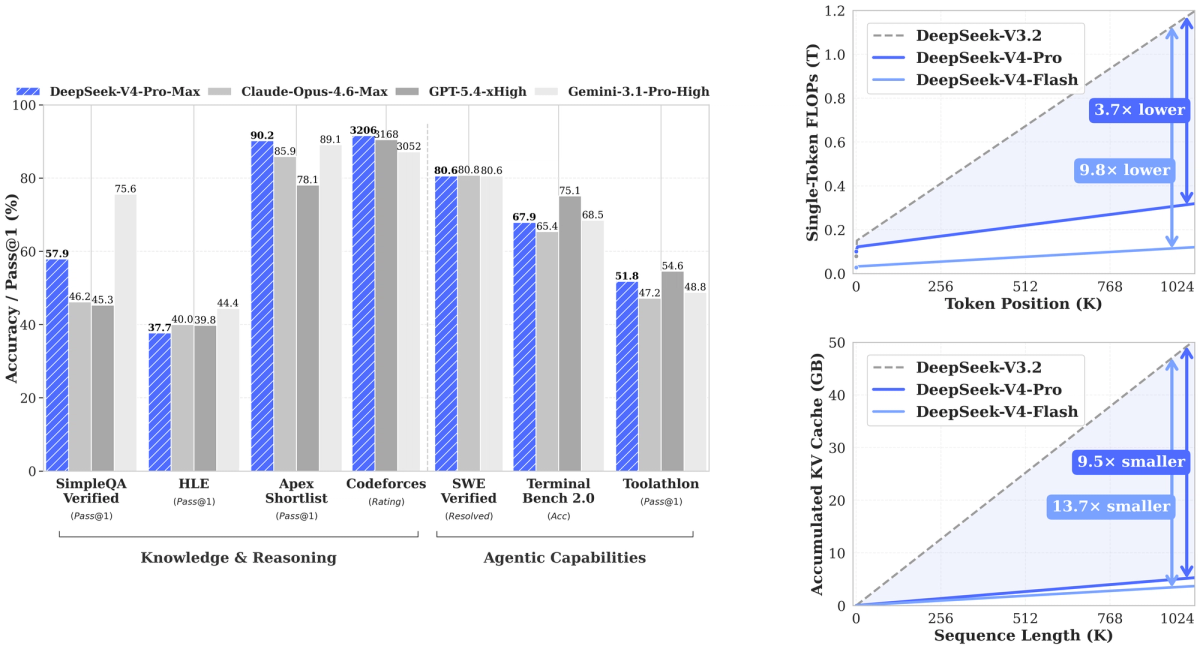
DeepSeek V4-Pro (via API) — at $1.74/$3.48 per million tokens, approximately 3× cheaper than Claude Opus for equivalent context. For refactoring tasks that are computationally intensive (large diffs, many file reads) but not on the frontier of complexity, DeepSeek V4-Pro provides a cost-effective option — particularly for founders who have crossed the threshold where Claude costs are material.
Claude Code with AGENTS.md — once your codebase has conventions worth preserving, AGENTS.md encodes those conventions into every agent session. A refactor agent that knows "error handling always uses the ErrorResponse class in src/core/errors.py" and "never touch vendor/" produces safer output than one starting from scratch.
When a Solo Project Needs Parallel Coding Agents
Single-agent sequential execution works at prototype and early MVP. At production scale, certain task structures are naturally parallel — and trying to run them sequentially is the wrong tool for the problem.
Splitting frontend, backend, and tests into separate tasks
Building a new feature that touches the API, the database schema, and the frontend simultaneously means one of three things: you serialize the work (slower, context switching between layers), you try to run it in one agent session (possible but messy, high token consumption), or you run parallel agents on isolated branches.
Parallel agent execution — where each agent works on its own Git branch without interfering with the others — is the right architecture for this pattern. Verdent's multi-agent mode handles the branch isolation and coordination; oh-my-codex (OMX) handles this at the Codex CLI level for OpenAI's model family. The key is Git-level isolation: agents that share a working tree create conflicts; agents that each own a branch can be integrated cleanly.
Planning before large code changes
The most expensive agentic coding mistake is a large execution that goes in the wrong direction. Plan-first execution — requiring the agent to produce an explicit plan and receive approval before touching any files — catches misalignments before they become costly.
This is especially important for solo founders who don't have a team to catch early mistakes. A plan review takes five minutes; reversing a 400-file refactor that went wrong takes significantly longer. AGENTS.md can enforce plan-first behavior on any coding agent that reads it.
Reviewing generated diffs before merge
Merging without reviewing AI-generated diffs is the solo founder equivalent of skipping code review. For small changes, inline review in the IDE is sufficient. For large diffs spanning many files, /ultrareview in Claude Code or a dedicated review agent running the diff against your test suite provides a second pass that catches what the generating agent missed.
The rule of thumb: the more consequential the change (production code, data migrations, auth changes), the more important the review gate.
Comparison Table
| Tool | Best stage | Model | Cost/month | Agentic? | Open weights? |
|---|---|---|---|---|---|
| v0 (Vercel) | Prototype | Proprietary | Free / $20 | Limited | No |
| Cursor Pro | Prototype → MVP | Claude, GPT, Gemini | $20 | Yes | No |
| GitHub Copilot | MVP | GPT-5.4-Mini | $10 | Partial | No |
| Claude Code | MVP → Production | Claude Sonnet/Opus | Subscription | Yes | No |
| Claude Opus 4.7 | Production → Refactor | Claude Opus 4.7 | API / $200 | Yes | No |
| DeepSeek V4-Pro | Refactor (cost-sensitive) | DeepSeek V4-Pro | API only | Yes | ✅ MIT |
| Verdent (multi-agent) | Production (parallel) | Multi-model | From $19 | Yes | No |
| oh-my-codex (OMX) | Production (Codex parallel) | GPT-5.x | API | Yes | ✅ MIT |
How Solo Founders Should Choose
The stage-based framework simplifies the decision:
At prototype: Use the tool that gives you working output fastest. v0 for frontend, Claude or Cursor for full-stack. Don't optimize for anything other than speed of iteration.
At MVP: Use a tool that understands your growing codebase — Claude Code or Cursor Pro. The $20/month investment is worth it when Agent mode handles multi-file implementations. GitHub Copilot is the right choice if you want tighter GitHub integration at lower cost.
At production: Use the frontier model for your hardest problems (Claude Opus 4.7), and a cheaper model for routine work (Claude Sonnet, DeepSeek V4-Flash). Add review gates before merge. Consider plan-first workflows for large changes.
At scale: When single-agent sequential execution is a bottleneck, evaluate parallel execution platforms. Not because your project has grown to need a team — but because parallel execution architectures deliver better results on naturally parallel tasks regardless of team size.
The most common mistake is using a prototype-stage tool at production stage (no plan-first, no review gates, no agentic support) and expecting the same results. The tool requirements genuinely change as the project matures.
FAQ
What is the best AI for coding a real app?
For a complete app — not just a prototype — Claude Code with Claude Opus 4.7 for complex tasks and Claude Sonnet for routine work is the current best combination. Strong multi-file context, a mature terminal agent workflow, and /ultrareview for pre-merge quality control. Cursor Pro is the right choice if you prefer to stay in a visual IDE rather than the terminal. For cost-sensitive founders, DeepSeek V4-Pro at API rates delivers production-quality results at roughly 3× lower cost than Claude.
Which AI coding tool is cheapest for solo founders?
GitHub Copilot Individual at $10/month for IDE integration with reasonable Agent capabilities. DeepSeek V4-Flash via API (approximately $0.14/$0.28 per million tokens) for programmatic use cases where you control the agent loop. Cursor Hobby plan (free) for prototype work with real limits. For students, the Cursor student discount provides a full year of Cursor Pro for free.
Should I use a no-code builder or an AI coding agent?
No-code builders (Bubble, Webflow, Glide) are faster if the product is a standard CRUD app with known patterns and you don't need code ownership. AI coding agents are better if: you need custom logic that no-code tools can't express, you plan to hire developers later and need a real codebase, or you're building something that will scale beyond a no-code platform's limits. The solo founder who builds on a no-code platform and then needs to migrate at scale has a harder problem than the one who built with code from the start.
Can AI coding tools replace a developer?
For well-scoped, testable features in an established codebase with good test coverage: AI coding agents handle a meaningful portion of implementation work that previously required a developer. For product judgment, architecture decisions, debugging novel issues, and maintaining code quality over time: no. The solo founder using AI coding tools effectively is still doing developer-level work — they're doing more of it per unit of time, not outsourcing the work entirely. The productivity multiplier is real; the developer requirement doesn't disappear.
Related Reading
- Agentic Engineering Patterns: Real Workflows for Dev Teams in 2026
- DeepSeek V4 vs Claude Opus 4.6 vs GPT-5.5 for Agentic Coding
- Claude Opus 4.7 for Coding Agents: xhigh, /ultrareview & Task Budgets
- Harness Engineering in Practice: Build AI Coding Workflows That Scale
- Cursor Student Discount: How to Get It
