更新記錄

持續掌握最新的改進和功能。

v1.15.0

Smarter Multi-Model Planning & Review

We've upgraded the overall capabilities of Multi-Model Plan and Code Review to make complex tasks smarter and more controllable.

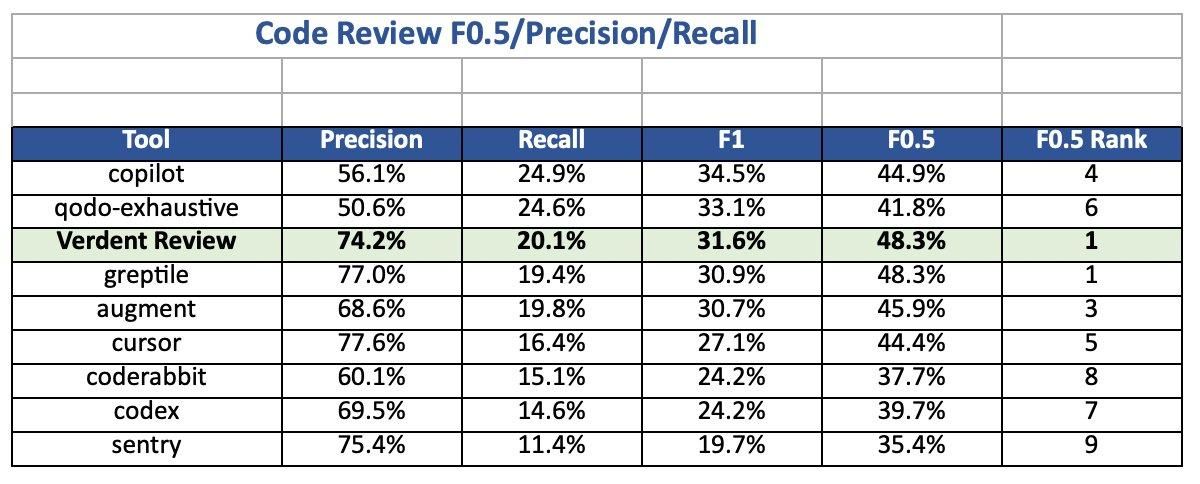
Verdent Review: #1 in AI Code Review

We benchmarked 9 leading AI code review tools on precision and recall. Verdent Review comes out on top, achieving #1 ranking on F0.5, with an impressive 74.2% precision while maintaining 20.1% recall. This means Verdent Review is highly accurate in identifying real issues, effectively reducing false positives and ensuring developers spend less time investigating unnecessary problems—thereby enabling more efficient and reliable code reviews.

1

Intelligent Triggering for Multi-Model Plan & Review

You no longer need to manually enable multi-model mode. Verdent automatically determines whether multi-model collaboration is required for planning or code review based on task complexity. Specifically, when code changes become more complex, Verdent will intelligently recommend enabling Multi-Model Review to ensure more comprehensive analysis and more reliable decisions. When you select the Performance configuration, the system will automatically invoke the Multi-Model Plan tool based on task complexity.

More Powerful Review Customization

We've enhanced the customization capabilities of Code Review and introduced a brand-new Review Settings page. For optimal results, we provide a preset best-in-class review model while balancing performance and cost based on your needs. You can also customize a dedicated model specifically for review.The independent Multi-Model Review toggle lets you enable cross-model review for complex code scenarios, improving coverage and rigor. Additionally, you can define custom Review Rules—such as coding standards, security checks, and performance optimization guidelines—ensuring that code review aligns with your team's standards, maintains consistency across contributors, increases review efficiency, and reduces subjective or ad-hoc feedback.

v1.14.6

Model Update: GPT-5.3-Codex

Verdent now supports GPT-5.3-Codex. Built on the programming capabilities of GPT-5.2-Codex and enhanced with GPT-5.2’s reasoning and domain knowledge, GPT-5.3-Codex delivers about 25% faster performance and supports long-running research tasks and tool-driven execution. It provides real-time guidance while maintaining context and extends beyond a traditional code assistant into a more comprehensive AI helper. It is not just a coding model, but also a tool to assist developers and professionals with a wider range of tasks on a computer.

v1.14.5

Model Update: Gemini 3.1 Pro

Verdent now supports Gemini 3.1 Pro —the most advanced reasoning Gemini model, built to tackle complex, multi-step problems with strong analytical depth.With its powerful long-context capabilities, Gemini 3.1 Pro can comprehend vast datasets and synthesize information across multiple sources — including text, audio, images, video, PDFs, and even entire code repositories. This makes it especially well suited for large-scale debugging, research-heavy workflows, system design, and cross-modal knowledge tasks.Now available in Verdent, you can leverage Gemini 3.1 Pro for deeper reasoning, broader context understanding, and more reliable execution across demanding workflows.

v1.14.4

Model Update: Claude Sonnet 4.6

Verdent now supports Claude Sonnet 4.6 — the most capable Sonnet model to date. Sonnet 4.6 delivers a full upgrade across coding, computer use, long-context reasoning, agent planning, knowledge work, and design. With Sonnet 4.6 in Verdent, you can plan more effectively, code more reliably, and run parallel workflows with greater consistency and execution quality — all while keeping the same credit cost as Sonnet 4.5. In this release, Claude Sonnet 4.6 is now the default model for Agent and Plan in Verdent. The Sonnet 4.6 1M context window (Beta) is also supported. This upgrade brings Opus-level performance to more everyday workflows — without increasing your credit usage.

v1.14.2

Less Setup, More Momentum

Model Update: MiniMax M2.5

  • MiniMax M2.5 is now available in Verdent.It’s strong in coding, Excel workflows, deep research, and document summarization, with fast and efficient reasoning.You can now select MiniMax 2.5 in your model settings.

Enhanced Document Support

  • Stronger native support for PDFs, PPTs, Excel, and Word files. Generate, read, and process common document formats more reliably — making Verdent more capable in real-world workflows.

Next Action

  • You always know what to do next. You get intelligent next-action prompt recommendations directly in the feed, so you don't stall wondering "what's next?". This cuts decision fatigue and helps you move tasks forward faster and with better outcomes.

Skills Marketplace

  • Start real work immediately — no setup tax. Install curated Skills from the new Skills Marketplace with one click and activate them directly from the input box. Less configuration, more actual progress.

Task tagging & organization

  • Keep complex work organized and easy to find. Tag tasks, group them, and quickly filter them in the chat list. No more endless scrolling or mental bookkeeping when juggling multiple threads.


Simplified Workspace Creation

  • Create a Workspace without Git if you prefer. You can now start from an empty Workspace and add structure later — more flexibility, less ceremony.

Core experience improvements

  • Code indexing upgrades: Add an “Always Allow” option for code indexing and a new visual Verdent Ignore, reducing permission friction and giving you clearer control over what Verdent can read.
  • Mermaid diagrams are now supported in the Task, with one-click fullscreen view and live code editing + preview
  • Clear, actionable alerts when low disk space causes runtime issues, helping you fix problems faster

v1.13.4

Model Update: GLM-5

GLM-5 is now available in Verdent. Built for system-level engineering, GLM-5 excels at long-running tasks that require sustained reasoning and precise execution across complex codebases. It aligns closely with Verdent’s support for long-running, asynchronous, and parallel execution, making it well suited for workflows such as system architecture design, deep debugging, and end-to-end automation. In these scenarios, the model must analyze dependencies, carefully follow execution paths, and iterate reliably across parallel steps without drifting—making GLM-5 a strong choice for production-oriented, large-scale engineering problems.

v1.13.0

Smarter Reviews, Stronger Plans

Multi-model Code Review

  • Code Review helps you catch issues earlier and fix them faster, reducing rework and release risk. Verdent uses multi-model cross-review to examine code from multiple perspectives, covering logic errors, edge cases, and potential risks for more accurate and reliable results. After the review, you can auto-fix common issues with one click, batch-resolve multiple findings, and review everything directly in the editor with minimal context switching.
  • Internal benchmarks show Verdent outperforms Codex Connector, with 3.5× higher issue detection and a 73.0% Final Resolve Rate, compared to Codex’s 66.0%.

Multi-model Planning

  • When generating a plan, Verdent no longer relies on a single line of reasoning. Instead, it orchestrates multiple leading AI models to think in parallel, bringing together different perspectives, assumptions, and trade-offs. The resulting plans are more robust, more balanced, and better prepared for real-world complexity. It’s like having a senior engineering team propose multiple viable approaches at once—so you can compare options, understand risks upfront, and confidently choose the best path forward.

Simplified Workspace Creation

  • We've streamlined task sending creation when no project is open, helping you move into real work faster. You can now send tasks even without opening or selecting a project path, and Verdent will automatically recommend a sensible default.

Concurrent Edit Conflict Awareness

  • When different tasks within the same Workspace modify overlapping regions of the same file, Verdent automatically detects potential conflicts and prompts the relevant agents to re-check the affected code. This helps prevent silent overwrites in parallel development, reduces hidden risks, and lowers the cost of late-stage conflict resolution.

Core Experience Improvements

  • The code editor now supports full-screen mode with a new full-screen toggle, enabling focused reading and editing and easy exit when needed.
  • The chat input supports up and down arrow keys to quickly recall previous commands, reducing repetitive typing during iterative workflows.
  • Search has been enhanced to support keyword search across repository files directly within the editor, with fast open and navigation.
  • New users are now automatically matched to their preferred language upon first activation, reducing setup friction and improving onboarding.
v1.12.2

Now Supported: Opus 4.6

Opus 4.6 is now available in Verdent. It’s noticeably better at long-running tasks and careful code review — the kind where you want the model to stay focused, follow the plan, and not drift halfway through a big change.

With support for a 1M-token context, Opus 4.6 can reason across large repos and long histories more reliably, making it a strong fit for Verdent’s plan-first workflows and long-running, consistent execution — helping it deliver high-quality, reliable outputs at its full potential.

Pricing Note: Opus 4.6 follows the same pricing as Opus 4.5, with no additional charges.

v1.12.0

Stay in Flow. Trust the Output.

Code Intelligence

Spend less time searching and debugging, more time building. Powered by the Language Server Protocol, Verdent gives you instant go-to-definition, accurate reference lookup, and fast symbol search directly in the editor. After every edit, it automatically detects type errors, missing dependencies, and syntax issues, so problems are caught early—before they slow you down.

Message Queue

To make collaboration with Agents smoother, we've introduced Message Queue. You can insert new tasks or add context at any time without interrupting execution. Verdent automatically understands the context and dynamically adjusts the execution path, keeping complex tasks moving continuously—no dropped balls, just a smoother flow.

Kimi 2.5 Support

Verdent now supports Kimi K2.5 — a native multimodal model pretrained on ~15T text and visual tokens, delivering top-tier coding, vision, and agent-swarm intelligence.

Code Review Upgrade (Preview)

To more reliably validate task results, we've launched a new Review Subagent this week. Using an agentic approach, it intelligently selects three top-tier models (Gemini 3 Pro, Opus 4.5, and GPT 5.2) to cross-review the same task, validating logic, edge cases, and risks from multiple perspectives for more robust conclusions. We've also rebuilt the interaction experience: one-click Fix, batch fixes via multi-select, and an editor view that lets you easily inspect the Code Review’s reasoning and execution process.

Smarter Memory

We improved how Verdent remembers long and complex tasks. Important things like your plans, todos, files, and questions are always kept, while unnecessary details are automatically cleaned up—so context stays clear and reliable, even in long sessions.

Drag & Drop File Import

Simply drag external files into the file tree or editor to add or open content instantly. No manual import steps, just a faster path to getting real work done.

v1.11.1

Build Faster with Better Context & Planning

Codebase indexing

Get faster, more accurate results while using 5–10% fewer credits. With your permission, Verdent indexes your codebase to focus on the most relevant context, helping it understand your project better. Codebase indexing is free for a limited time, and your code remains secure and private. Learn more in our Privacy Policy: https://www.verdent.ai/privacy

Skills

Consistent results, less effort. Skills turn best practices into reusable abilities, enabling Verdent to automatically follow your standards and execute complex coding and workflow tasks with predictable, reliable outcomes.

Plan Rules

Generate higher-quality Plans instantly with built-in rules for Frontend, QA and Product Manager workflows. You can also create custom rules to match your personal or team preferences, giving you full control over how Plans are structured.

Duplicate Task

Easily explore alternative implementations without impacting your current work. You can duplicate any point in a conversation into a new Workspace, carrying over the full context and code for safe experimentation.

Pin & Mark as Unread

When you have a lot of tasks, some things just can't get buried. You can use Pin to keep important tasks at the top — always visible, always easy to reach. When you’re done, just unpin it, and everything falls back into place.And when something isn’t done yet, Mark as Unread lets you mark a task to check later, so nothing important gets forgotten.

Experience improvements

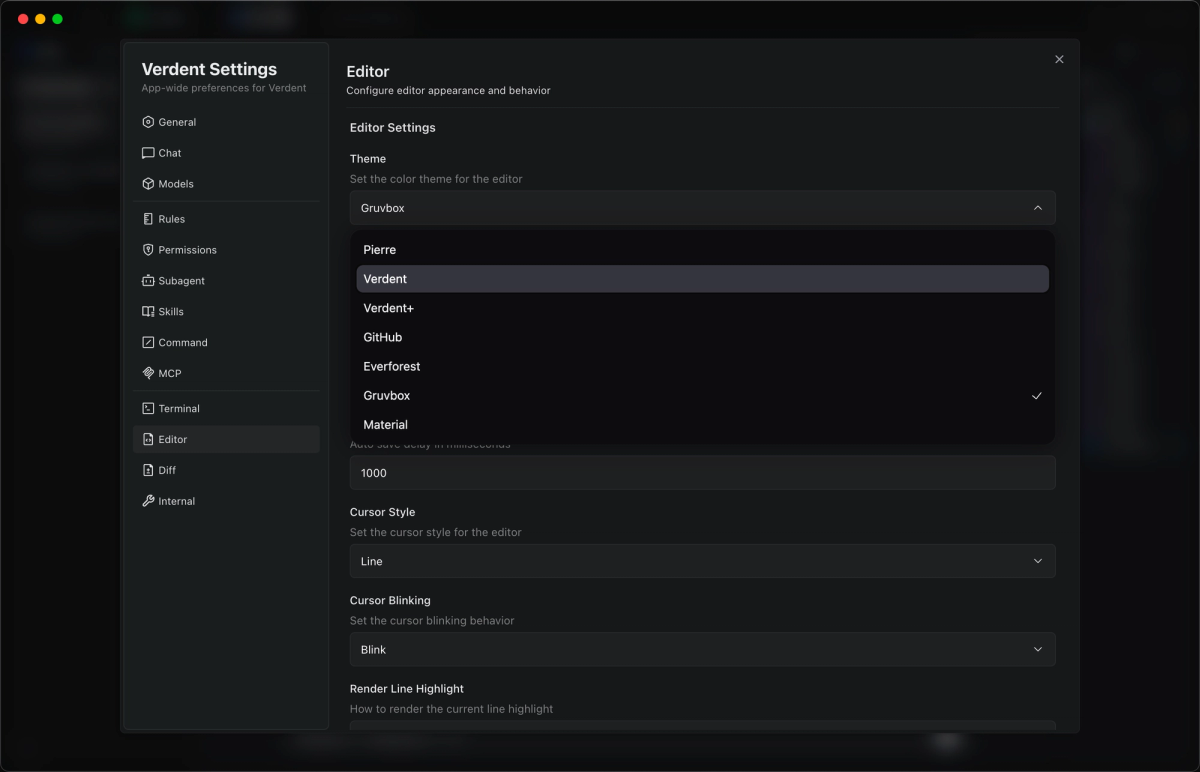
A series of bug fixes and basic experience improvements, such as support for changing code theme colors, file drag-and-drop, and other features.

1

v1.10.2

Ask Anything. Plan Better. In Your Language.

AI Bar

AI Bar lets you ask Verdent anything, anytime. Just highlight what you're looking at and keep going. You can drop it into your current task or start a new one without losing focus. Inside a Plan, you can ask about anything that’s unclear or let Verdent adjust and refine it for you. You can also split a Plan into multiple workspaces and work on them in parallel, all without affecting your codebase. It's safe, flexible, and designed to keep you moving instead of slowing you down.

Plan Mode Upgrade

Plan Mode has been upgraded with a smoother, more intuitive interaction experience. You can now visualize your plans using Mermaid diagrams, quickly @mention a Plan, and move through common actions with far less friction. The flow from planning to execution now feels faster, clearer, and more natural.

Multi-language Support

Verdent now supports English, 简体中文 (Chinese Simplified), 繁體中文 (Chinese Traditional), 日本語 (Japanese), 한국어 (Korean), Español (Spanish), Português (Portuguese), Français (French), Deutsch (German), Italiano (Italian), and Türkçe (Turkish) — so you can work in the language that feels most natural to you.

Model Preset

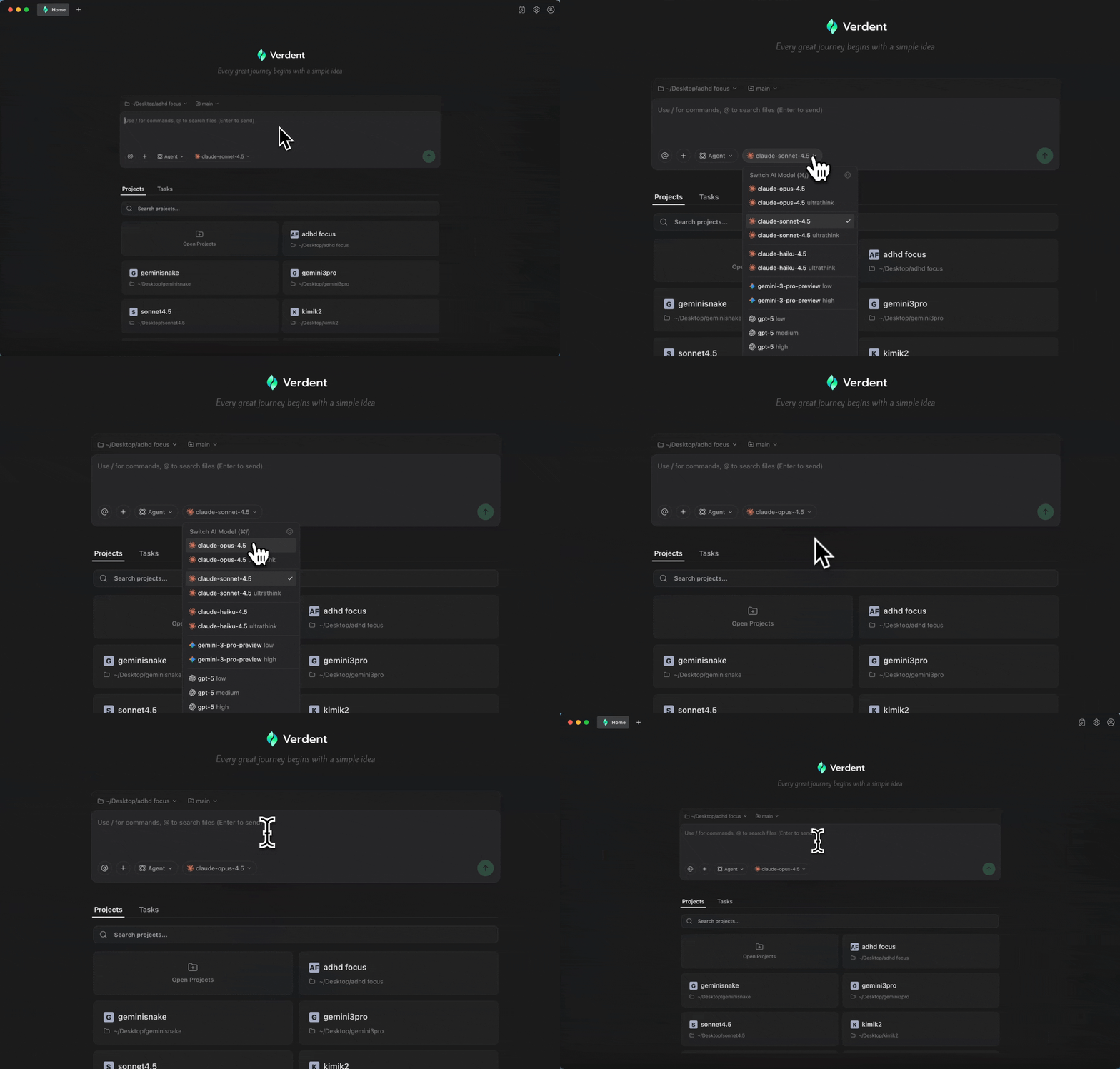
Model selection is now easier with Model Presets. Quickly switch between preset configurations for different scenarios — for example, best performance or a balanced mode. Each preset clearly shows credit usage and details. Advanced users can also create custom presets. Additionally, you can choose which model or preset is used by default in your chats.

User Interface Updates

Both Light and Dark modes have been refined, featuring a more compact layout, a clearer interface, and improved visual hierarchy for a smoother experience.

Bug fixes

This release also includes a series of bug fixes and general usability improvements.

v1.9.1

New Models, Better Performance

GLM-4.7 Now Available

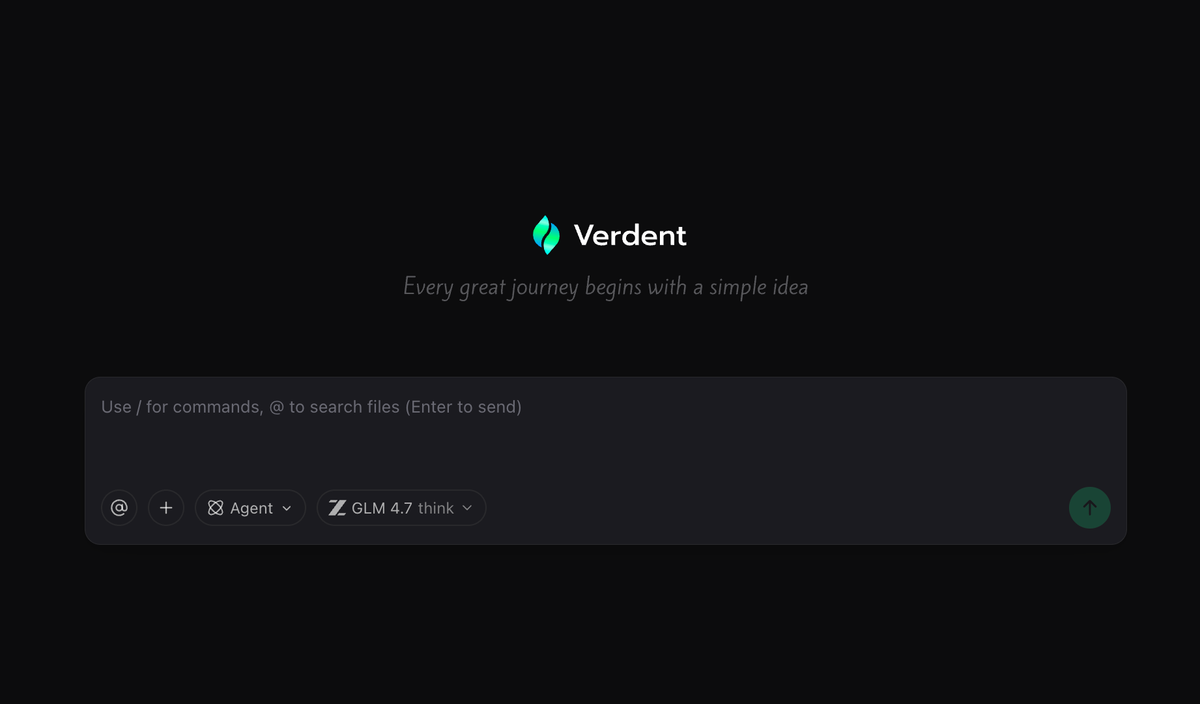
You now have access to GLM-4.7, delivering stronger agentic coding, tool use, UI generation, and complex reasoning. With reliable think-before-act execution, it’s built for more structured and predictable workflows — fewer surprises, more results.

Improvements

A series of bug fixes and stability enhancements for a smoother, more reliable experience.

GLM 4.7
v1.9.0

Turn Ambiguity into Reliable Plans

Requirement Clarification in Plan Mode

In Plan mode, Verdent now proactively asks clarifying questions when requirements are ambiguous. Based on your initial proposal, Verdent fills in missing details, identifies potential risks, and organizes everything into clear, executable, and deliverable plans.


Full-Screen Plan Editor with Execution Model Selection

Plan editing is now available in a full-screen, focused editor, making it easier to review and refine complex plans. You can also conveniently choose different models to execute the Plan, depending on your needs.


Clearer Rollback Impact Preview

Before rolling back, Verdent now clearly shows which files will be affected, helping you understand the impact upfront and avoid accidental changes.

v1.8.0

Duplicate Freely, Merge with Confidence

Duplicate Chat

Duplicate a conversation from any point and continue without losing context. Safely explore alternatives, try new ideas, or take a different direction without starting over.

One-Click Git Installation

New to Git? Get up and running with a single click. Verdent automatically guides you through Git installation, removing setup friction so you can start building right away.

AI-Assisted Merge Conflict Resolution

Merge conflicts are now visualized clearly, with AI-assisted suggestions to help you resolve conflicts faster and with more confidence.


Improvements & Fixes

  • Workspace keyboard shortcuts are now shown at the top, so switching contexts is faster and more discoverable.
  • Diff View Experience improvements
  • Windows Experience improvements
v1.7.2

Turning Remote Branches into Workspaces

Create workspaces directly from remote branches

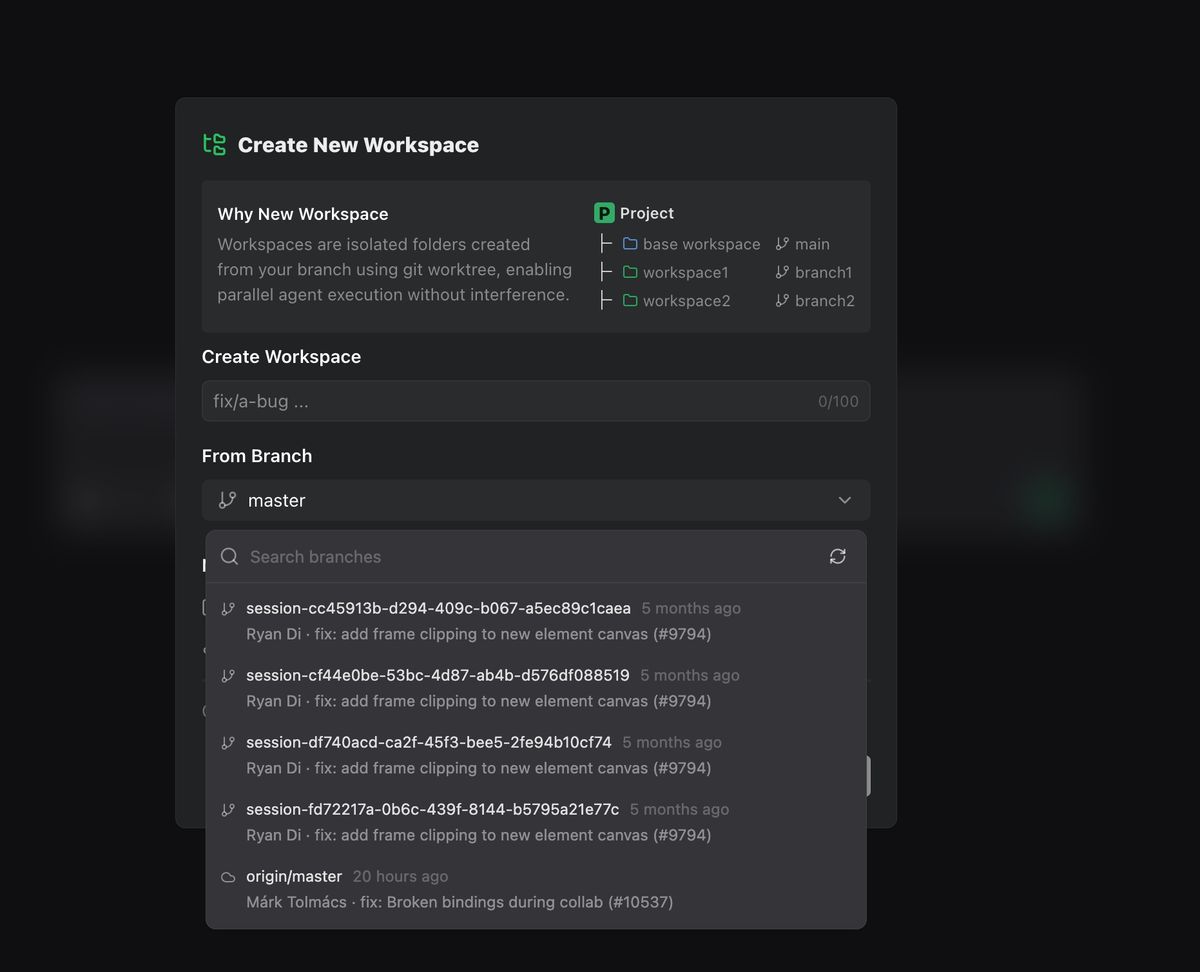
You can now pull a workspace from an existing remote branch, making it easier to explore, review, or continue work across branches.

remote workspace

DiffLens & Code Review Improvements

Smoother interactions and clearer visual feedback during review generation.


Better file navigation experience

Opening a file now automatically reveals its location in the file tree, making it easier to stay oriented in larger projects.

v1.6.1

Diff, Plan, and Workspace Experience Improvements

Improvements

  • Diff View Experience Upgrades: Improved click-to-jump navigation, smoother scrolling, and more responsive expand/collapse interactions for large diffs.
  • Plan Window Enhancements: Added syntax highlighting for the Plan preview window.
  • Workspace Navigation: Supported cmd + number shortcut to quickly switch between workspaces.

Bug Fixes

  • Multiple stability and reliability improvements across Plan, file operations, and UI components.
  • More consistent retry and error handling for smoother workflows.
v1.6.0

Clearer Conversations, More Structured Plans

Conversation Flow Improvements

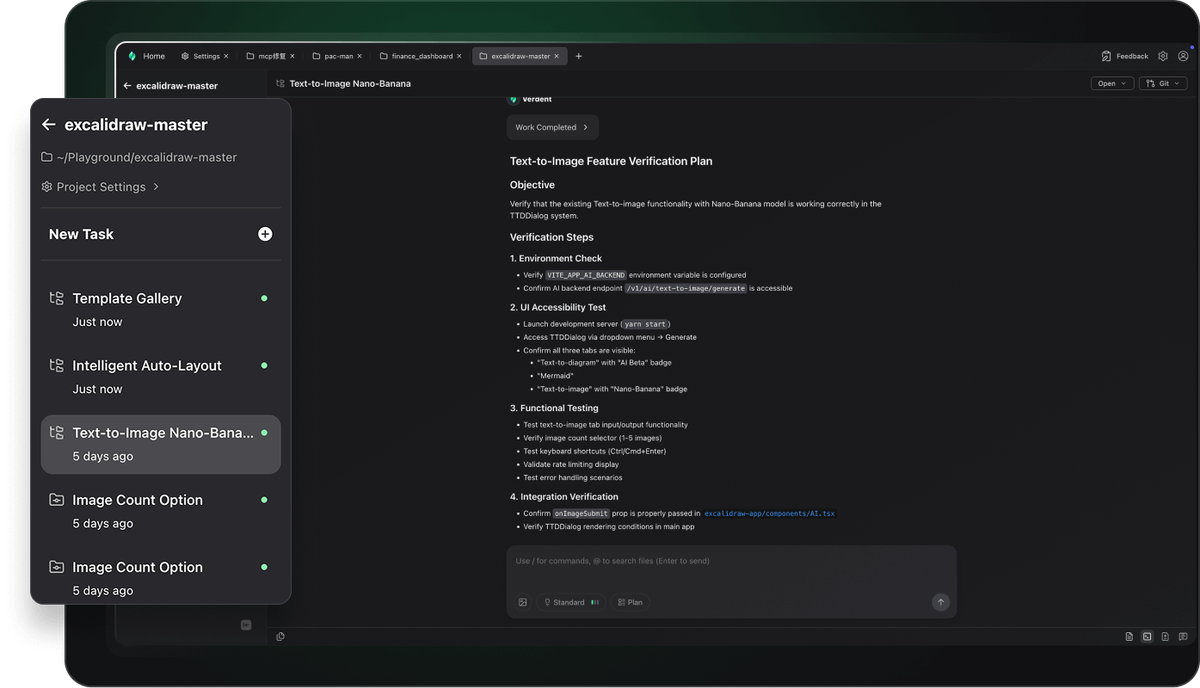
We refined the entire conversation flow during task execution. Each action is now grouped and displayed more clearly, allowing you to see every step of the agent’s process and results at a glance. Tasks become easier to follow, faster to scan, and more transparent.

Structured & Readable Plan Layout

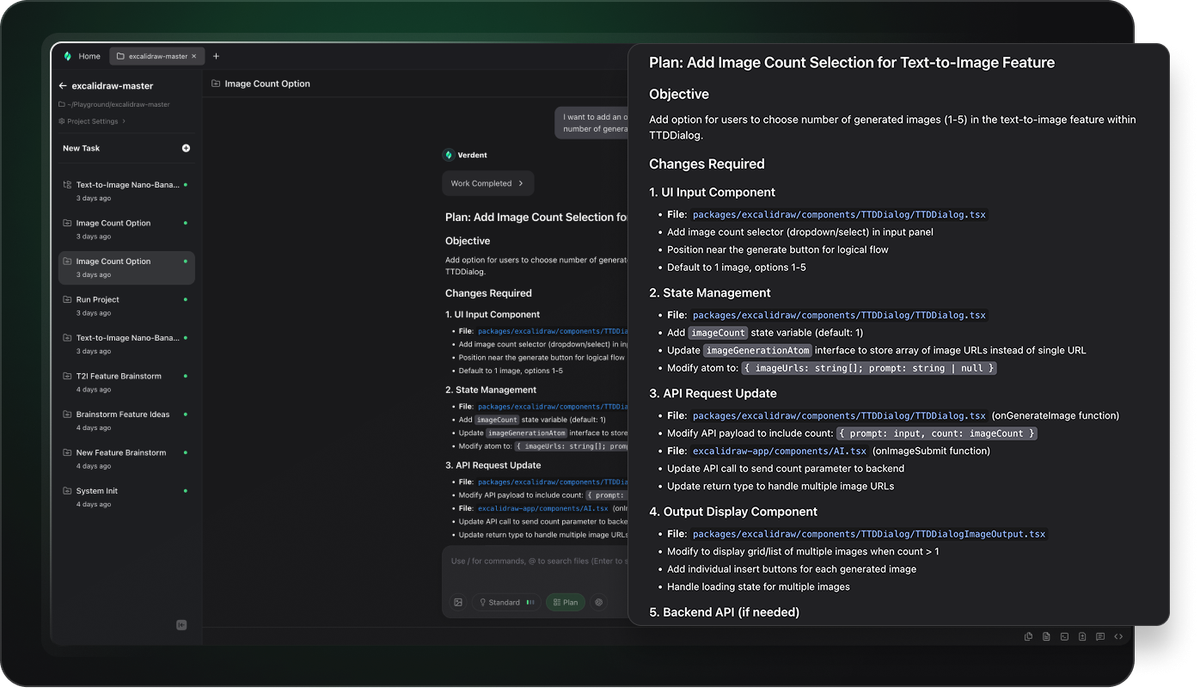
Plan Mode now uses a more structured, readable layout that makes every plan easier to understand. Goals, reasoning, and execution steps are neatly organized, helping you review and adjust plans more confidently before running them.

v1.5.0

Built for parallel tasks, clean isolation, and seamless multitasking.

Introducing a fully redesigned workspace engine that transforms how Verdent handles context, parallelism, and long-running tasks. Developers can now build features, debug issues, and explore ideas all at once — without interference, without losing context, and without breaking flow.


Isolated Parallel Workspaces

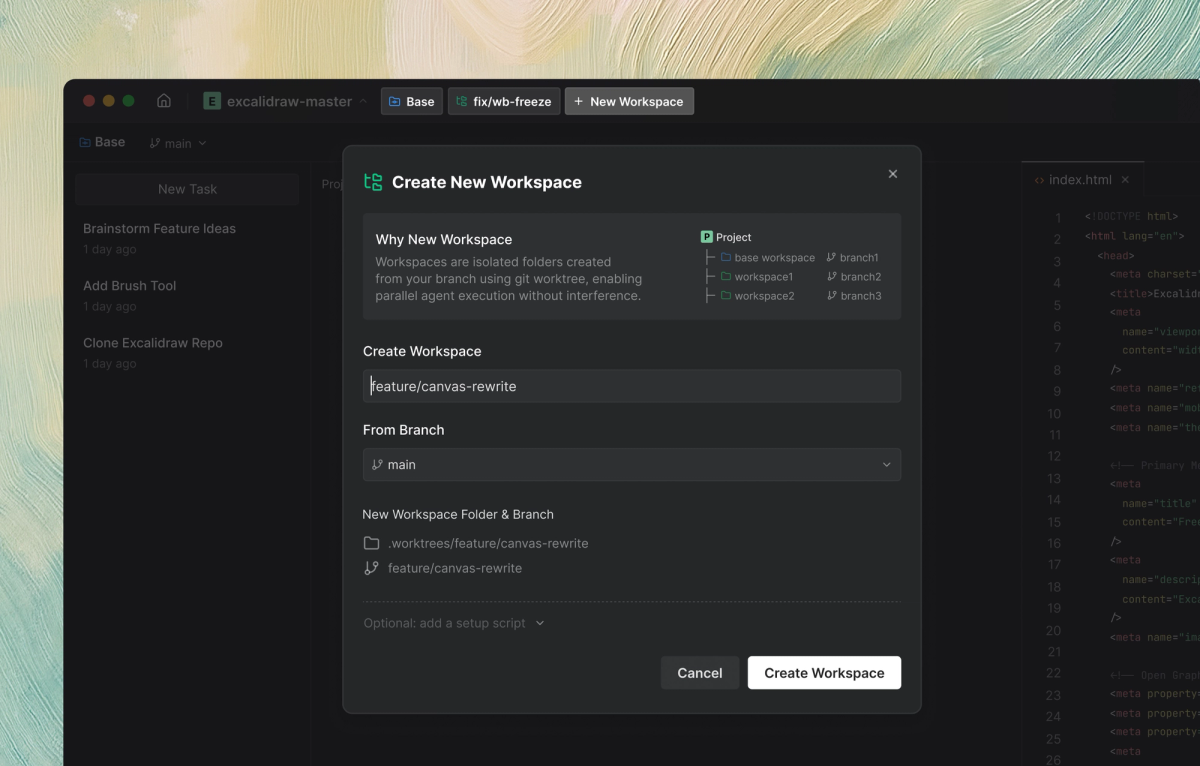
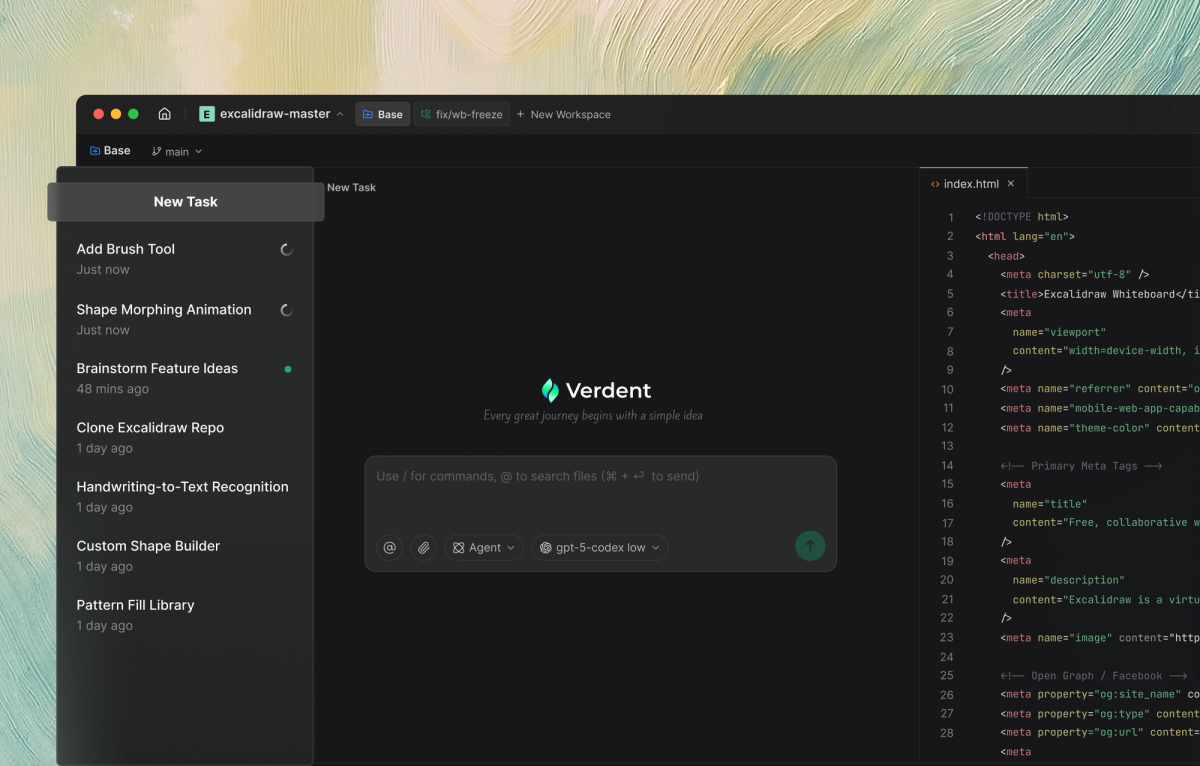
Workspaces let you run tasks in parallel without interference. Each workspace is an isolated folder created from your branch. Full context preserved across every task. Switch instantly between features, and bug fixes—Verdent keeps everything alive, so you never lose momentum.

workspace

In-workspace Multitasking

You can now quickly create and switch between multiple tasks within the same workspace, making it easy to handle related goals like planning, coding, and reviewing.

multitasking

Fast Project Switching

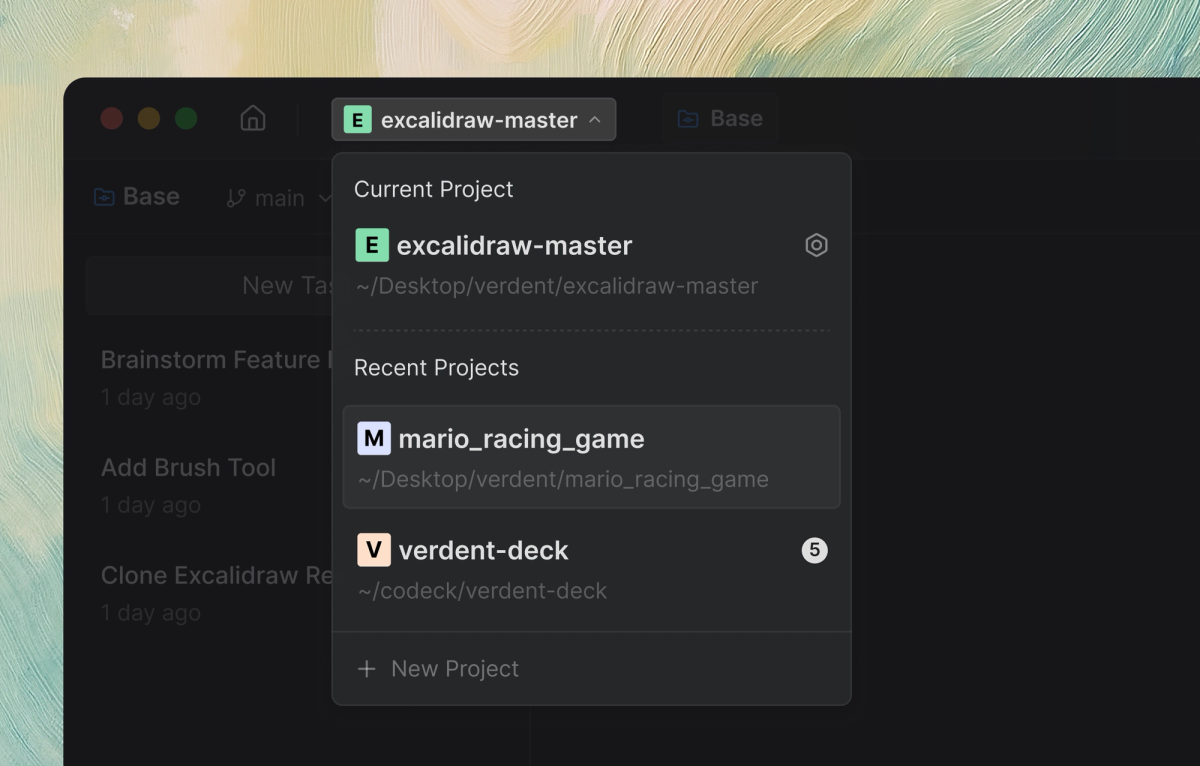
Verdent keeps all workspace states alive, allowing you to jump between projects instantly. Whether you’re handling multiple clients or switching between a side project and your main repo, you can move fluidly without any setup delay or lost state.

project

v1.2.40

Claude Opus 4.5 Support

Now supports the Claude Opus 4.5 model, fully integrated with the latest flagship model, enabling high-precision coding, long-context reasoning, and autonomous task flows.

Claude Opus 4.5

Bug Fixes

  • Fixed several Gemini 3–related issues to improve stability and execution reliability.

v1.2.35

Gemini 3 Support

  • Now supporting the latest Gemini-3-Pro-Preview model, delivering faster and more capable agent execution.
v1.2.3

Bug Fixes & UI Refinements

Bug Fixes

  • Fixed an issue where Git commands containing special characters could cause execution errors.
  • Resolved inconsistent state switching for the Git Commit button.
  • Fixed layout issues in Code Review cards on narrow screens.
  • Corrected the Diff view where diff blocks did not auto-adjust height, leaving unnecessary blank areas.
  • Unified default font sizes across Diff, Terminal, and Editor for more consistent readability.

v1.2.1

Real-Time Awareness and Expanded Platform Support

New Features

  • Task Completion Notifications: Receive real-time alerts when tasks finish — set a task once, stay focused, and let the system notify you when it’s done.
  • Windows Support: Now available on Windows (Beta) with compatibility for Windows 10 and Windows 11, bringing parallel workflows and agent execution to more environments.
  • Intel Mac Support: Supports Intel-based macOS devices, ensuring a smoother experience across both Apple Silicon and Intel platforms.
v1.1.0

Smarter Subagents, Frontier Models, and Smoother Parallel Workflows

New Features

  • Subagents
    • Added built-in Verifier subagent for effortless, automated code reviews.
    • Support for custom subagents, allowing you to define specialized workers with their own behaviors, tools, and models. Each subagent runs independently, enabling a streamlined workflow from planning to delivery.
  • Frontier Model Switching
    • Now supports leading frontier models — Claude Sonnet 4.5, GPT-5, and GPT-5-Codex.
    • Switch models freely to optimize for performance, accuracy, or cost depending on your task.
  • Git Worktree Enhancements
    • Improved git worktree integration for smoother, more reliable parallel development across isolated workspaces.
v1.0.0

Parallel Development with Task Isolation — No Interference, More Flow

  • Parallel Agents: Run multiple agents at the same time to accelerate development and maximize productivity.
Parallel Agents
  • Task Isolation: Each task operates in a dedicated Git worktree, ensuring clean boundaries and zero interference between concurrent workflows.
Task Isolation
  • Plan First: Capture requirements upfront and let Verdent break them into clear, actionable tasks before code is generated — reducing rework from the start.
Verdent plan
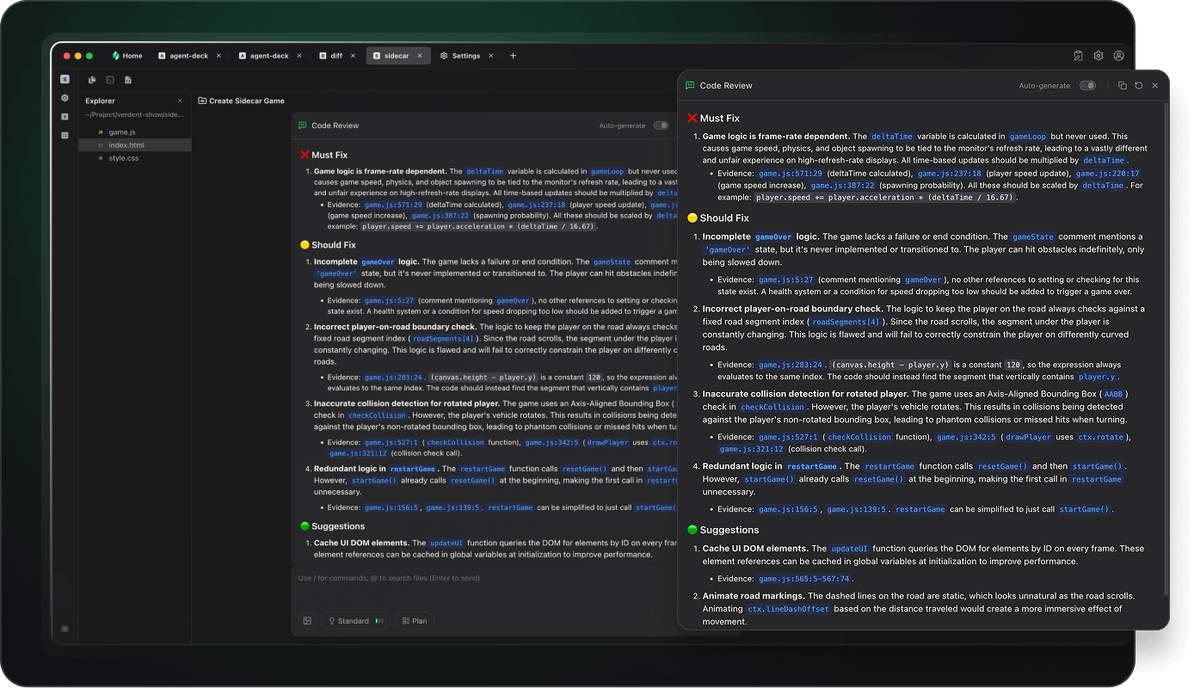
  • Code Review: Receive structured, contextual feedback and improvement suggestions based on Verdent’s execution results.
Verdent code review
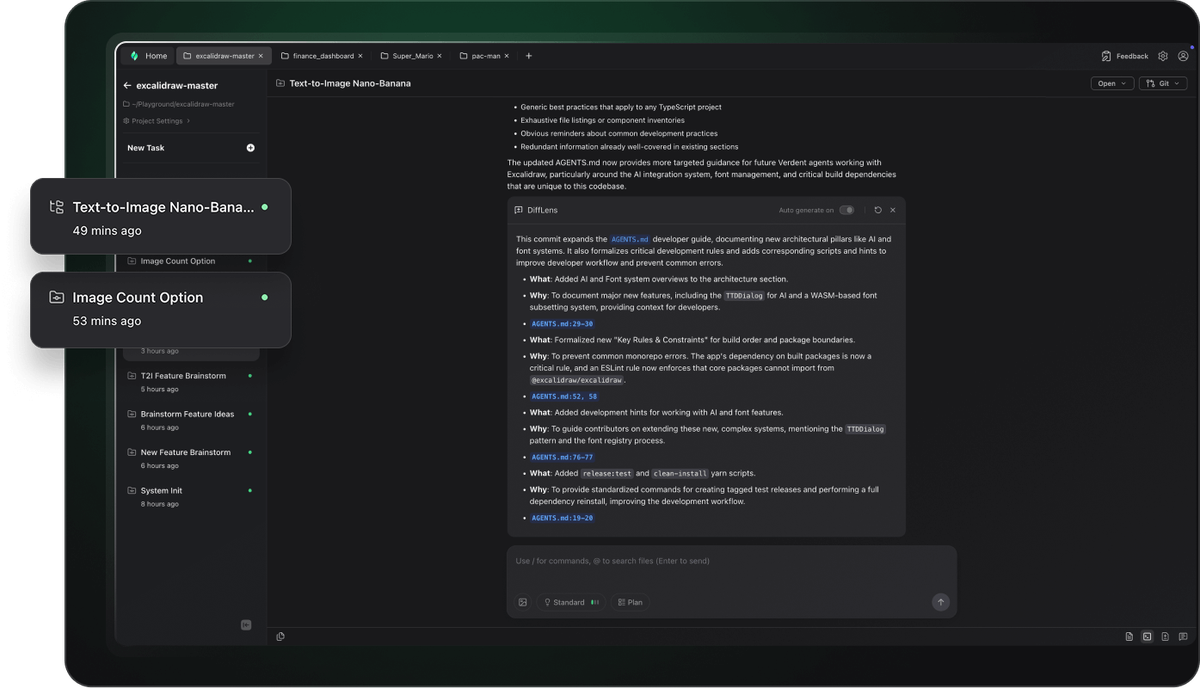
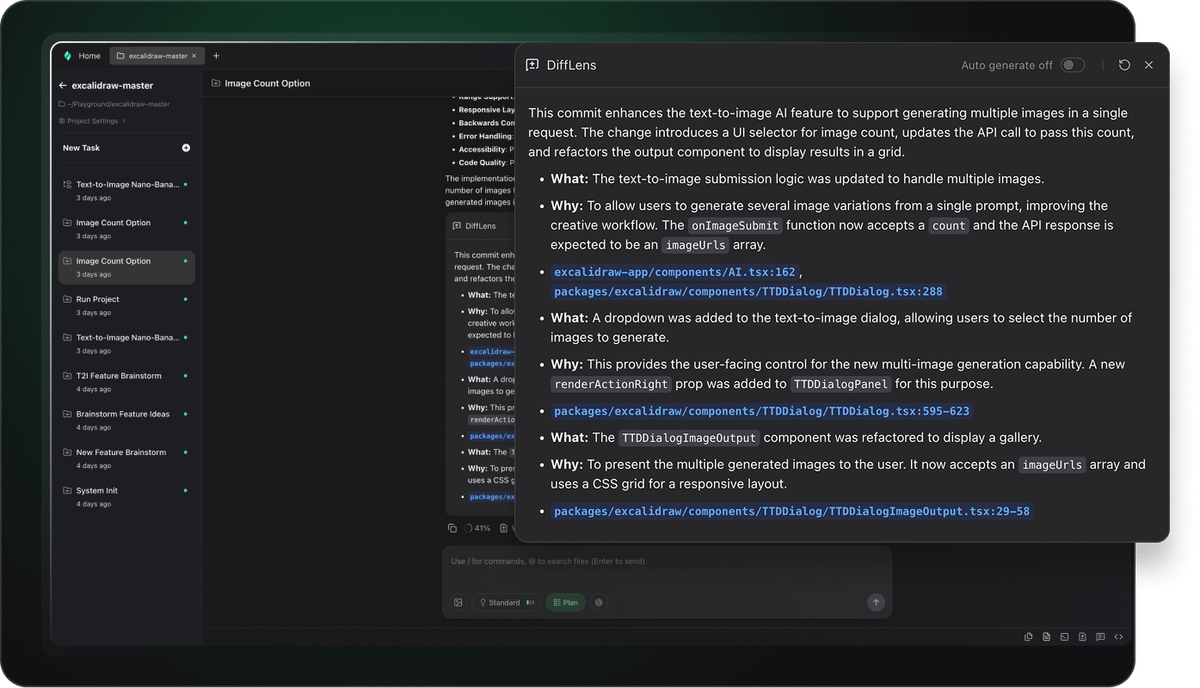
  • DiffLens Insight: Instantly inspect code changes, understand their impact, and follow transparent execution steps — no black boxes.
Difflens
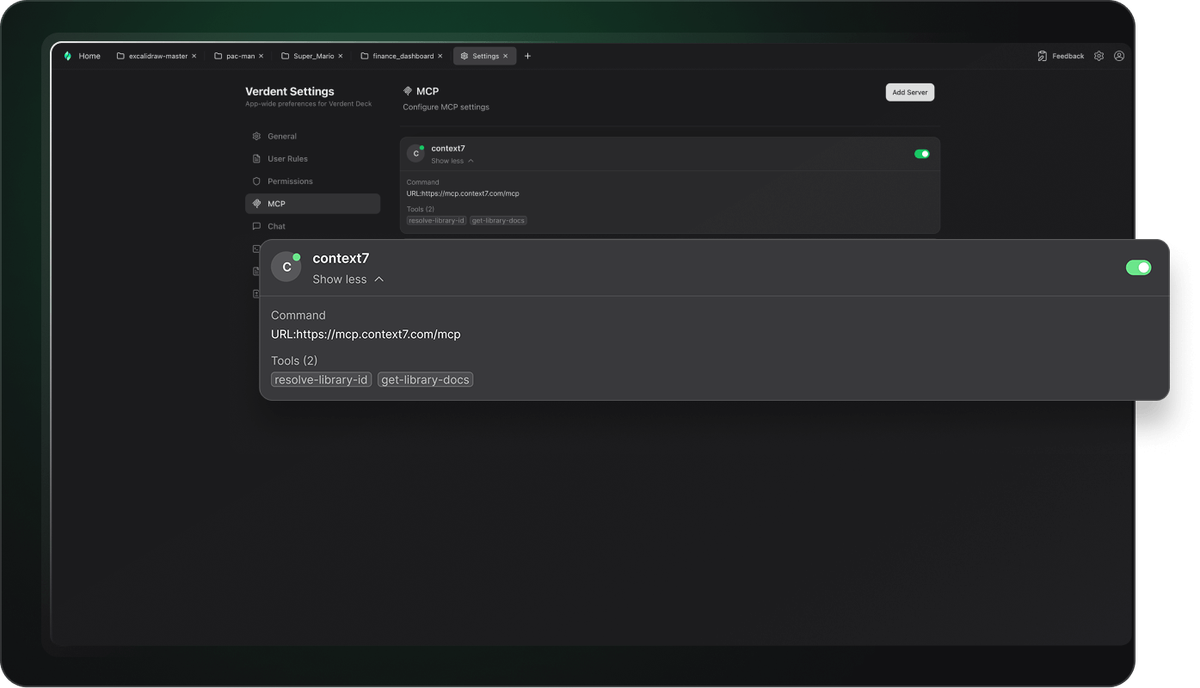
  • MCP Integration: Seamlessly connect with MCP tools and extend functionality through toolchains and custom plugins.
mcp
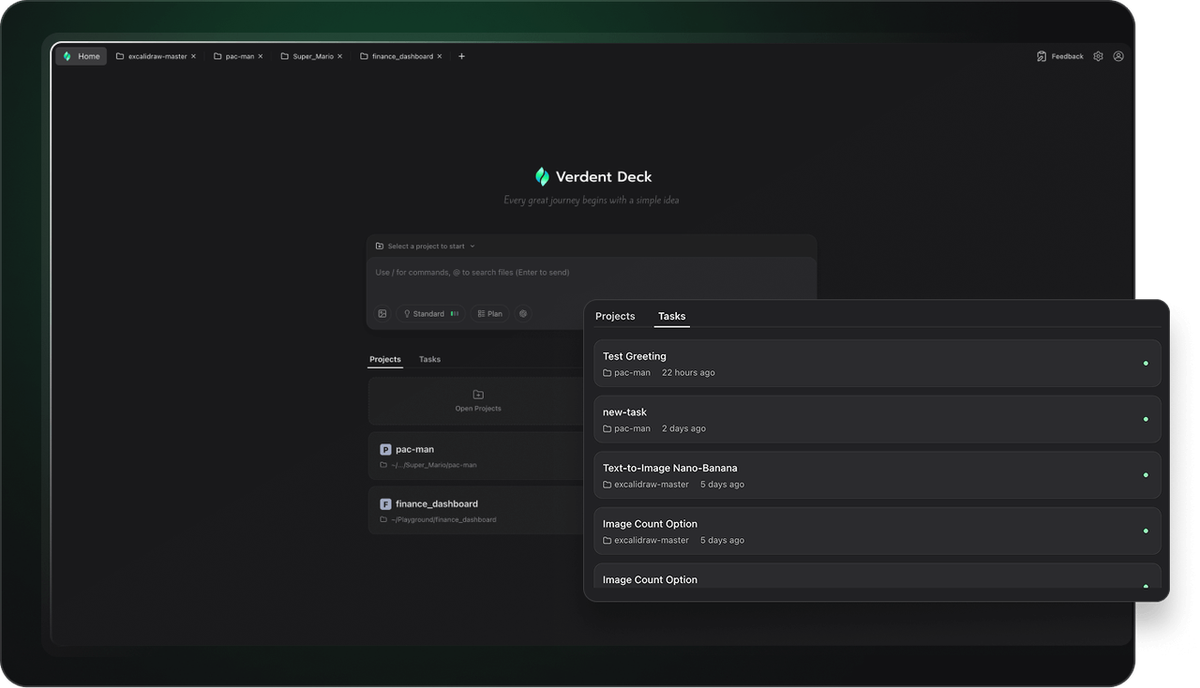
  • Optimized Interface: A redesigned interface built for smooth concurrent execution, making it easier to view, run, and manage multiple tasks at once.
Optimized Interface