

Reasonix is a DeepSeek-native terminal coding agent built around one specific idea: keep DeepSeek's prefix cache warm so token costs stay low across long sessions. That's the whole design thesis — "leave it running." It's not trying to be a general multi-model agent or an IDE. It's a terminal-first tool optimized for builders who run DeepSeek V4 directly and want the cache-first economics that come with it. Here's what it actually is, how the DeepSeek API fits, and how to read the GitHub repo before you install.
*Project details verified against github.com/esengine/DeepSeek-Reasonix and DeepSeek's awesome-deepseek-agent guide, May 2026. Community projects evolve — verify current state at source.*
DeepSeek Reasonix in One Paragraph
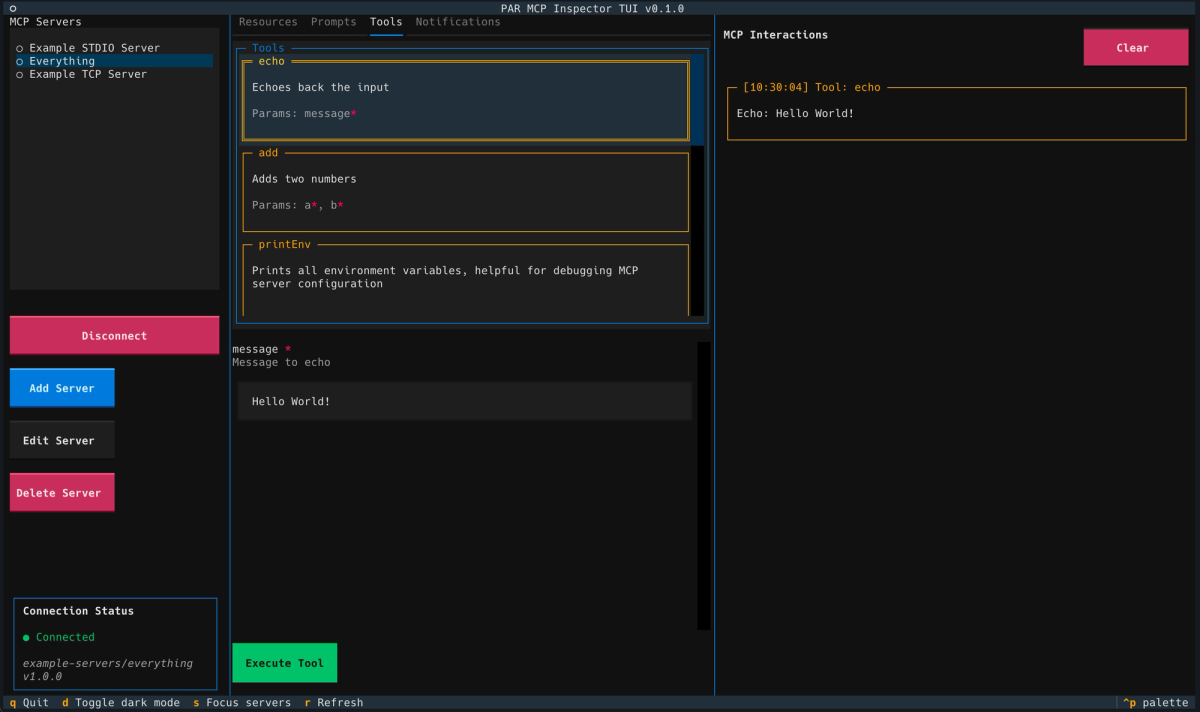
A DeepSeek-focused coding agent workflow
Reasonix is an open-source, MIT-licensed terminal coding agent designed exclusively around DeepSeek's API. Unlike tools that use a translation layer to map Anthropic or OpenAI-style requests onto DeepSeek, Reasonix talks to api.deepseek.com directly — its loop is built for DeepSeek's specific behaviors, including the prefix cache that makes repeated context cheap. It defaults to DeepSeek-V4-Flash for cost-efficient iteration and lets you escalate to V4-Pro per-turn (/pro) or per-session (/preset max). MCP is first-class, plan mode is built in, and the project ships both a CLI and a prerelease desktop client.
Why builders are looking at TUI coding agents
Terminal coding agents have had a strong year. DeepSeek-TUI hit GitHub Trending, Codex CLI and Claude Code anchor the major-lab offerings, and a cluster of DeepSeek-native tools (Reasonix, Deep Code CLI, Pi, Oh My Pi) emerged around V4's API. The appeal is consistent: terminal-native workflows fit developers who live in the shell, the agents are lightweight compared to full IDEs, and DeepSeek's pricing makes high-volume experimentation affordable in a way frontier-lab pricing doesn't.
Reasonix's specific angle within this category is the cache-first design. By engineering the agent loop around DeepSeek's prefix-cache stability, it aims to keep the cost of long-running sessions low — the cache stays warm, repeated context is billed at the reduced cached rate, and you can "leave it running" without the token cost climbing the way it would with cache-cold requests.
How Reasonix Uses DeepSeek API
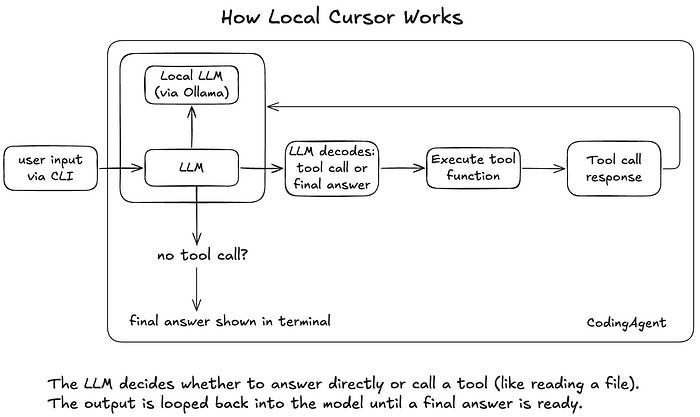
Model access as the execution layer
The DeepSeek API is Reasonix's execution layer — the model that actually does the reasoning and code generation. Reasonix is the harness around it: context management, tool invocation, file operations, terminal execution, and the cache-first loop that's the project's distinguishing feature.
Setup is straightforward because Reasonix doesn't use environment variables for the key. On first run, a built-in wizard prompts for your DeepSeek API key (from the DeepSeek Platform) and persists it to ~/.reasonix/config.json. Requirements: Node.js 20.10+, and on Windows, Git for Windows.
# Try it without installing globally:
cd /path/to/my-project
npx reasonix code

# Or install globally for daily use:
npm install -g reasonix
reasonix code
By default, Reasonix runs DeepSeek-V4-Flash for cost-efficient iteration. Inside the TUI, /pro arms DeepSeek-V4-Pro for the next turn, and /preset max uses Pro for the whole session. This flash-first-with-pro-escalation pattern is the cost-control mechanism: cheap model for routine iteration, expensive model when the task genuinely needs it.
What API-based coding agents can and cannot do
What an API-based agent like Reasonix does: sends your prompts and context to the model, receives generated code and tool-call instructions, executes those tool calls locally (file reads/writes, shell commands), and loops until the task is complete or you intervene.
What it cannot do: guarantee correctness. The model's output is a suggestion, executed by the harness, but the harness doesn't verify that the generated code is right — it verifies that the code ran, not that it did the correct thing. The "automatic tool-call repair" feature Reasonix advertises fixes malformed tool calls (the agent's mechanics), not incorrect logic (the code's substance). That distinction matters: a smoothly running agent loop is not the same as correct output.
How to Read the Reasonix GitHub Repo
Project activity and maintainership signals
Before adopting any community coding agent, read the GitHub repository for signals of health:
Commit cadence: Check the recent commit history. Reasonix has shown active development — the releases page documents frequent versioned updates (the desktop client was at 0.48.x with regular release notes as of late May 2026). Active, dated commits are a positive signal; a repo that hasn't been touched in months is a risk for a tool you'd depend on.
Release notes: Reasonix maintains a CHANGELOG and versioned releases. Reading recent release notes tells you what's actively being fixed and added — for example, recent releases addressed third-party DeepSeek-compatible endpoint recovery, added a Brave Search backend option, and improved the desktop workspace switcher. Detailed release notes indicate a maintainer who's tracking real issues.
Contributor graph: The repository documents its contributors. A project with a single contributor carries more bus-factor risk than one with several active maintainers.
Setup files, architecture, and examples to inspect
When evaluating the repo, look at:
- README and CLI reference: Reasonix's README documents the subcommands (
code,chat,run,doctor,upgrade, plusreplay,diff,events,stats,index,mcp,prune-sessions). Thedoctorcommand is particularly useful — it's a health check for Node, API key, and MCP wiring. - Config schema: The
~/.reasonix/config.jsonstructure plus per-project overrides under<project>/.reasonix/define how the tool behaves. The full bilingual configuration reference documents every key, slash command, and the on-disk shape of skills, memory, and hooks. - The MCP integration: Reasonix is MCP-native. Check how MCP servers are configured if you plan to connect external tools.
What not to assume from a GitHub repo alone
A polished README and a high star count don't tell you everything. Star count reflects attention, not quality or maintenance — a project can have thousands of stars and be abandoned, or have few stars and be actively maintained. The third-party listing sites quoting star figures (12k+ on some aggregators) are snapshots; verify the live number and, more importantly, the recent commit activity.
Don't assume official affiliation. Reasonix is listed in DeepSeek's awesome-deepseek-agent directory, which means DeepSeek acknowledges it as a community integration — not that DeepSeek built or supports it. It's a third-party open-source project. If it breaks, the maintainer's GitHub issues are your support channel, not DeepSeek.
Where DeepSeek-TUI Fits
Terminal-first coding workflows
Reasonix is one of several DeepSeek-native terminal agents. DeepSeek-TUI is the most prominent — a Rust-based agent with a Codex-style architecture, sandboxed tools, MCP client and server support, RLM parallel sub-agents, and 1M context. Both are terminal-first, both run on DeepSeek V4, both are community projects.
The difference in emphasis: DeepSeek-TUI is broader in feature surface (sandbox isolation, LSP diagnostics, parallel sub-agents via RLM) and is written in Rust with prebuilt binaries. Reasonix is Node.js, narrower in scope, and specifically engineered around the prefix-cache cost optimization. If you want the broadest feature set in a DeepSeek terminal agent, DeepSeek-TUI covers more. If you want a cache-optimized agent you leave running for long sessions, Reasonix's design targets that specifically.
Lightweight agent control vs full IDE workflows
Both Reasonix and DeepSeek-TUI sit at the lightweight end of the spectrum — terminal agents you control with keyboard commands, not full IDEs with visual editors and integrated debuggers. This is a deliberate trade-off. For developers comfortable in the terminal, the lightweight agent is faster to start and stays out of the way. For developers who want visual diff review, integrated debugging, and an editor-centric workflow, an AI IDE (Cursor) or a multi-agent platform is the better fit.
The terminal agent answers "let me describe a task and watch the agent work in my shell." The IDE answers "let me stay in my editor with AI assistance integrated into how I already work." Different habits, different tools.
When Reasonix Makes Sense for Builders
DeepSeek-first experimentation
If you've decided to build on DeepSeek V4 — for cost, for the open-weight option, or because you're evaluating the ecosystem — Reasonix is a DeepSeek-native tool that doesn't compromise the integration with a translation layer. The cache-first design is specifically valuable here: experimentation involves many iterations, and keeping the cache warm across those iterations directly reduces the cost of experimenting.
Terminal-native coding habits
If you live in the terminal — tmux, vim/neovim, shell-centric workflow — Reasonix fits your existing habits without asking you to adopt a new GUI. The npx reasonix code entry point means you can try it in any project directory with zero install commitment.
Small scoped development tasks
Terminal agents like Reasonix are strongest on well-scoped tasks: implement this function, debug this error, refactor this module, write tests for this file. For tasks where the scope is clear and the work fits in a focused session, the lightweight terminal agent is efficient.
For larger, structurally complex work — features spanning multiple services developed in parallel, refactors requiring coordinated changes across many files with verification before integration — a different workflow layer applies. Tools like Verdent operate at the multi-agent, Plan-First level: parallel agents on isolated Git worktrees, explicit plans before execution, and reviewable diffs with verification gates. That's a different problem than what a single terminal agent solves. Reasonix is terminal-first, DeepSeek-first experimentation; multi-agent platforms address parallel execution and verification at the orchestration layer. Both can have a place in a builder's toolkit for different kinds of work.
Limits and Safety Checks
API cost and access policies require verification
Reasonix requires a paid DeepSeek API key — it's explicitly not an air-gapped or zero-cost tool (the README points to Aider + Ollama or Continue for those use cases). Your actual cost depends on DeepSeek's current API pricing, the model mix (Flash vs Pro), and how effectively the prefix cache reduces repeated-context costs. Verify current DeepSeek API pricing and access policies at the DeepSeek Platform before committing to a workflow that depends on specific cost assumptions.
Generated code still needs review and tests
The cache-first loop and automatic tool-call repair make the agent run smoothly. They don't make the generated code correct. Every change Reasonix produces needs the same review discipline as any AI-generated code: read the diff, run the tests, verify the behavior. A terminal agent that completes a task without errors has completed the agent loop — it hasn't proven the output meets your requirements.
Repo maturity matters before production use
Reasonix is an actively developed community project, but it's still a young, single-ecosystem tool. The desktop client ships as a prerelease with unsigned installers. Before using it in a production workflow, evaluate: the current commit activity, the open issue count, whether the features you depend on are stable or recently changed, and whether you're comfortable depending on a community project's maintenance trajectory. For experimentation and personal projects, these concerns are minor. For production-critical workflows, weight them accordingly.
FAQ
What is DeepSeek Reasonix?
Reasonix is an open-source, MIT-licensed terminal coding agent designed natively around DeepSeek's API. Its distinguishing feature is a cache-first loop engineered around DeepSeek's prefix-cache stability, aimed at keeping token costs low across long sessions. It defaults to DeepSeek-V4-Flash with per-turn or per-session escalation to V4-Pro, supports MCP natively, includes a plan mode, and ships both a CLI and a prerelease desktop client. It's a community project listed in DeepSeek's awesome-deepseek-agent directory, not an official DeepSeek product.
How do builders use Reasonix with DeepSeek API?
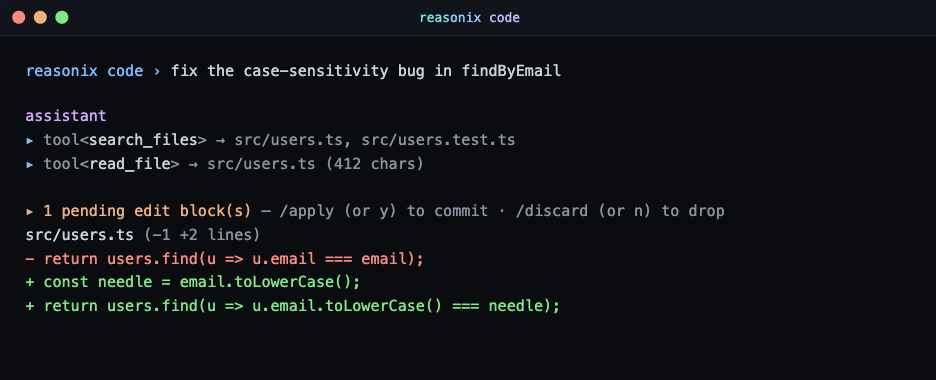
Install Node.js 20.10+, get a DeepSeek API key from the DeepSeek Platform, and run npx reasonix code in your project directory (or npm install -g reasonix for a global install). On first run, a wizard prompts for your API key and saves it to ~/.reasonix/config.json — no environment variable needed. The agent uses DeepSeek-V4-Flash by default; type /pro for a single Pro turn or /preset max to use Pro for the session. Consult the official Reasonix documentation for current setup details, as community projects change.
Is Reasonix safe to use for production coding?
Reasonix is functional and actively maintained, but it's a young community project — the desktop client is a prerelease with unsigned installers, and it depends on a single-ecosystem maintenance trajectory. For experimentation and personal projects, it's reasonable to adopt. For production use, evaluate the current repo maturity (commit activity, open issues, feature stability) and apply standard review discipline: all generated code needs diff review and tests before merge regardless of how smoothly the agent ran. Consult the official repository for current project status and maintenance signals.
When should I use Reasonix instead of an AI IDE?
Use Reasonix (or another terminal agent) when you prefer a terminal-native workflow, you're building specifically on DeepSeek V4, and your tasks are well-scoped enough to direct from the shell. Use an AI IDE like Cursor when you want visual diff review, integrated debugging, and an editor-centric workflow, or when you need broad multi-model support rather than DeepSeek-specific optimization. The terminal agent and the IDE serve different working habits — the choice depends on where you're most productive, not on which is objectively better.
Related Reading
