
Picture this: you've finally gotten Codex to handle your team's deployment workflow flawlessly. One week later, a new teammate runs the same prompt — and gets completely different results. No instructions preserved. No workflow logic. Just raw AI improvisation.
That's the exact problem Codex app skills were built to solve. I've spent the past few weeks running real project tasks through skills — from Linear issue triage to Figma-to-code pipelines — and the difference between "Codex doing something useful" and "Codex doing your specific thing reliably" comes down almost entirely to how you design your skills. Let me break down what actually works.
What Skills Are (and Aren't)
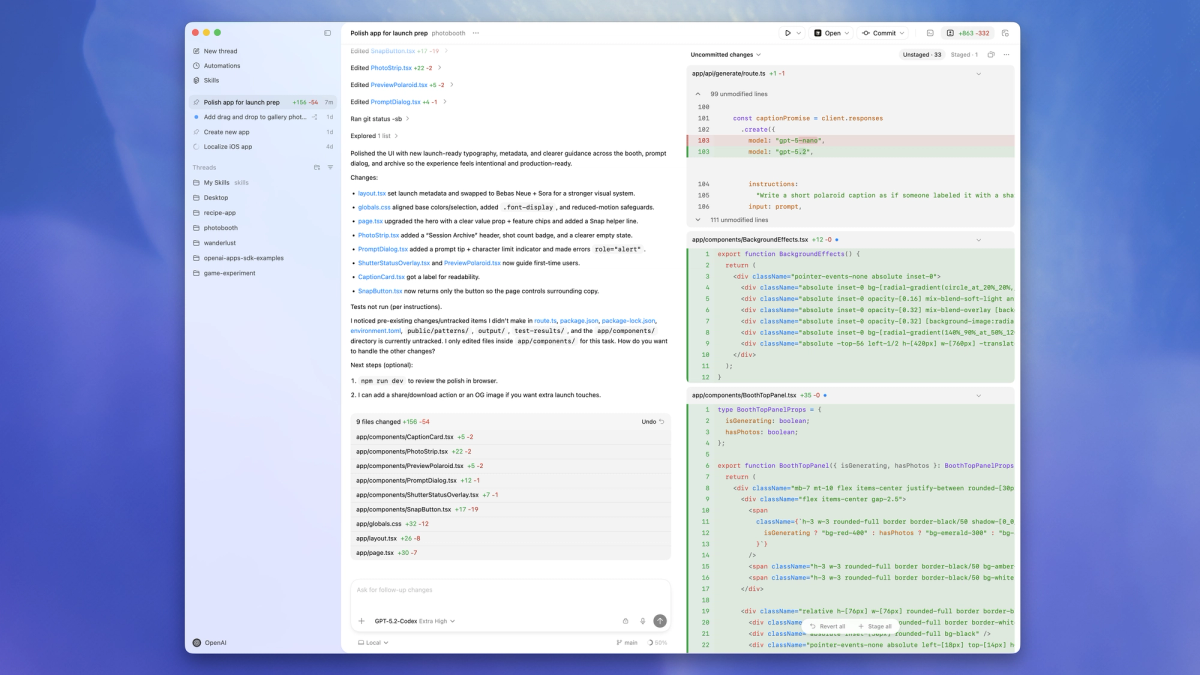
Here's something that confused me at first: a Codex skill is not a plugin, not a fine-tune, and not a system prompt alias. It's a directory. That's it.
A skill packages instructions, resources, and optional scripts so Codex can follow a workflow reliably. You can share skills across teams or with the community. At the structural level, every skill is a folder anchored by a required SKILL.md file, with optional scripts/, references/, and assets/ subdirectories.
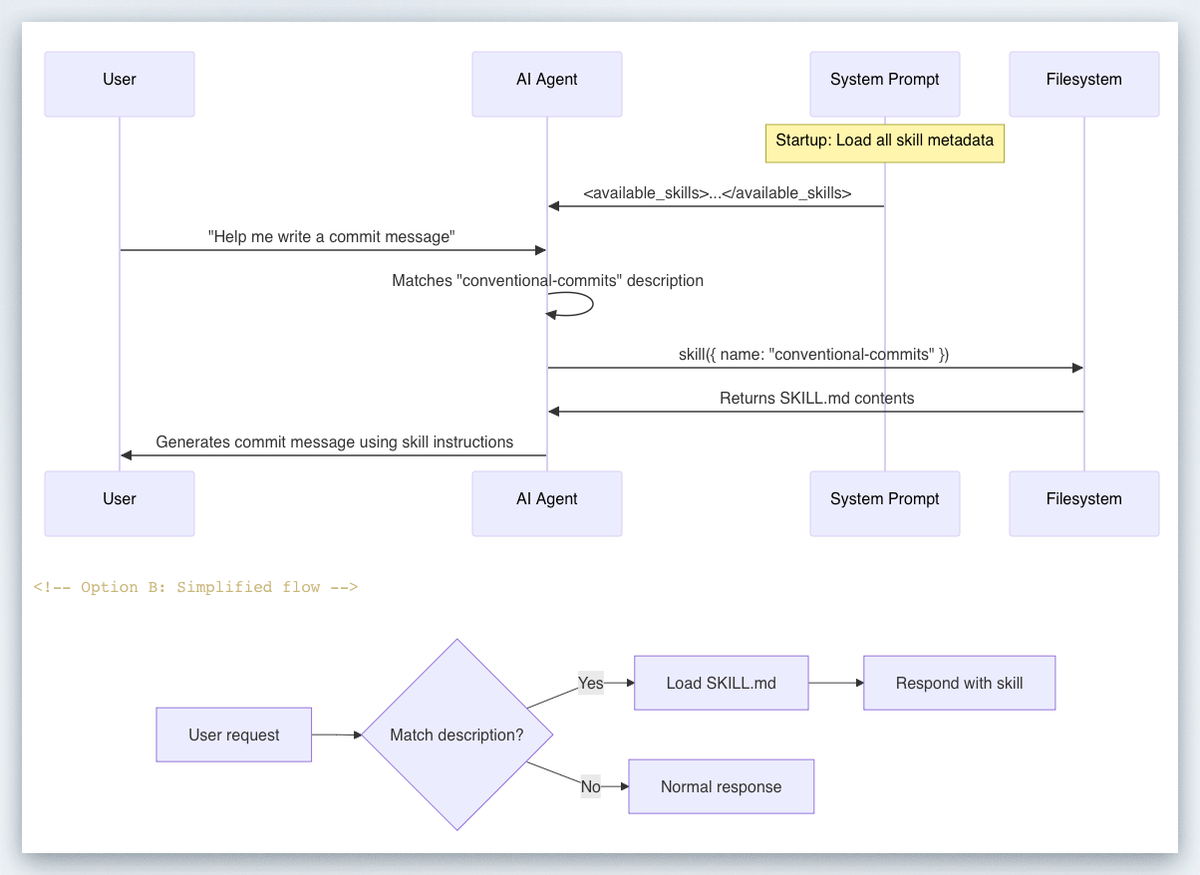
What makes skills smart is their progressive disclosure model. Codex starts with each skill's metadata — name, description, file path, and optional metadata from agents/openai.yaml — and loads the full SKILL.md instructions only when it decides to use a skill. In practice, this means each skill adds roughly 50–100 tokens to context at idle, and only expands when triggered.
What a skill is NOT:
- A replacement for MCP tool connections (skills define what to do; MCP defines where to reach)
- Worth building for one-off tasks (inline prompts are fine for that)
- The right fit when you mostly need live external data — that's a tool/API call
Use all three to stay organized: skills for stable repeated workflows, system prompts for agent-level defaults, and tools for live data and side effects.
The Minimal Valid Skill
my-skill/
  SKILL.md         ← Required. Contains frontmatter + instructions.
  scripts/         ← Optional. Executable code Codex can invoke.
  references/      ← Optional. Long-form docs, spec files.
  assets/          ← Optional. Templates, example outputs.
The SKILL.md frontmatter must include name and description:
---
name: deploy-vercel
description: >
  Deploy the current web app to Vercel. Use when the user asks to deploy,
  publish, or ship to Vercel. Do NOT trigger for staging deployments or
  when a different cloud provider is mentioned.
---
## Steps
1. Run `vercel --prod` from the project root.
2. Capture the deployment URL.
3. Post the URL back to the user in the format: "Deployed: <url>"
The description is the single most important field. The name and description are the primary signals Codex uses to decide whether to invoke the skill at all. If these are vague or overloaded, the skill won't trigger reliably.
Skill Design Pattern: Inputs → Tools → Outputs
Every well-designed skill answers three questions: what does it receive, what does it call, and what does it produce?
A durable structure to follow: encode the workflow — steps, guardrails, templates — in a skill; mount the skill into your shell environment; have the agent follow the skill to produce artifacts deterministically.
The I → T → O Template
| Layer | What to Define | Example |
|---|---|---|
| Inputs | Files, env vars, explicit user params | $BRANCH_NAME, open PR diff, a Figma URL |
| Tools | MCP connections, shell scripts, APIs | linear MCP, scripts/run-tests.sh |
| Outputs | Artifact path, format, commit message | /mnt/data/report.md, structured JSON |
The outputs matter more than most engineers expect. This pattern creates a clean review boundary: your app can show the artifact to the user, log it, diff it, or feed it into a later step.
Instruction vs. Script: Which Do You Need?
Prefer instructions over scripts unless you need deterministic behavior or external tooling. Here's a practical decision rule:
| Scenario | Use Instructions | Use Scripts |
|---|---|---|
| "Follow these steps in order" | ✅ | |
| "Run this exact shell command" | ✅ | |
| "Parse this JSON response" | ✅ | |
| "Draft a commit message following our conventions" | ✅ |
When you do use scripts, keep them small and focused. A 200-line bash script buried in a skill is a maintenance nightmare. If the logic is complex, reference an existing repo script by path and have the skill invoke it.
Invocation: Explicit vs. Implicit
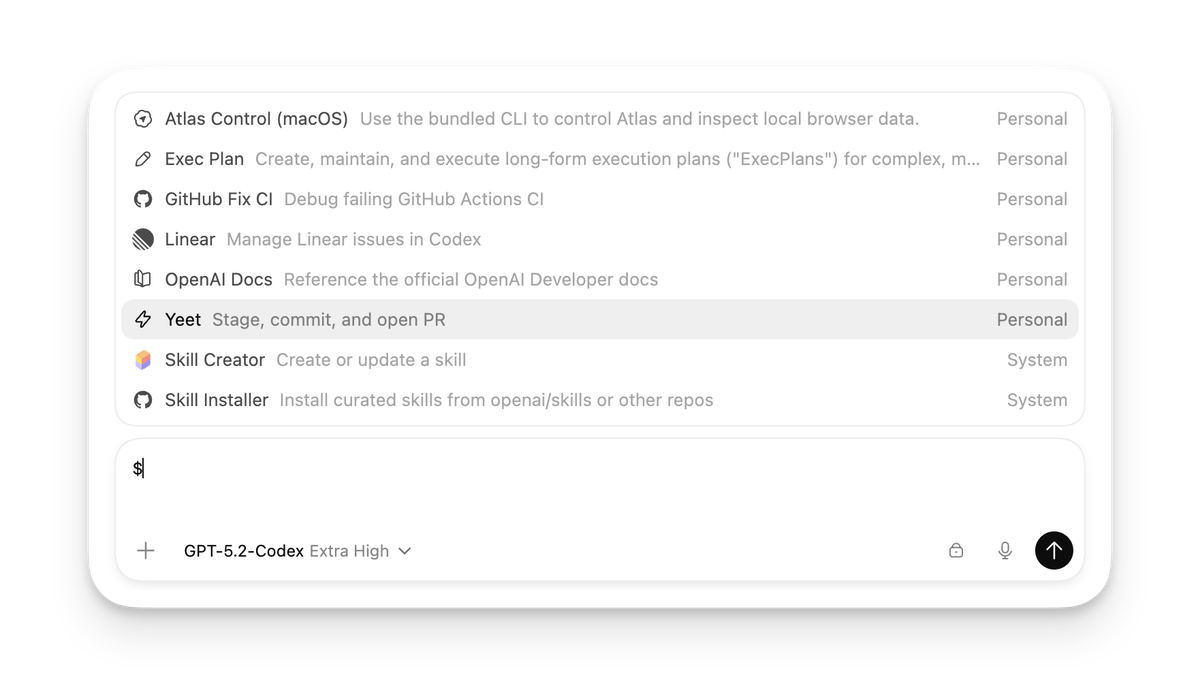
You can trigger a skill two ways. Explicit invocation: include the skill directly in your prompt — in CLI/IDE, type $skill-name. Implicit invocation: Codex selects a skill automatically when your task matches the skill description.
For team-shared skills that should never fire accidentally, set allow_implicit_invocation: false in agents/openai.yaml. This forces explicit $skill-name syntax and prevents surprise triggers on ambiguous prompts.
Security Guardrails You Must Include
This is where most skill tutorials fall short. I've seen skills deployed to engineering teams that would happily delete production branches if you phrased the prompt wrong. Don't ship that.
Codex security controls come from two layers: sandbox mode (what Codex can do technically, such as where it can write and whether it can reach the network when it executes model-generated commands) and approval policy (when Codex must stop and ask you before acting).
Guardrail Checklist for Every Skill
- Scope your description with explicit exclusions
Don't just say what the skill does. Say what it doesn't do:
description: >
  Triage open GitHub issues and label them by priority.
  Use when the user asks to triage or label issues.
Do NOT use for closing issues, creating new issues, or modifying code.- Lock down network access unless your skill needs it
By default, Codex runs with network access turned off. Use caution when enabling network access or web search — prompt injection can cause the agent to fetch and follow untrusted instructions.
If your skill needs outbound access, declare exactly which domains in agents/openai.yaml. Don't grant web_search = "live" to a skill that only needs to hit one internal API.
- Protect
.agents/as read-only
The .agents directory is protected as read-only when it exists as a directory. Keep your skill files there in production. If an agent can overwrite its own instructions, you have a much bigger problem than a bad deploy.
- Require approval for destructive operations
Destructive app/MCP tool calls always require approval when the tool advertises a destructive annotation, even if it also advertises other hints. For skills that touch databases, run migrations, or push to main — wire your scripts to OpenAI's approval flow rather than running in --full-auto.
- Treat web results as untrusted
You should still treat web results as untrusted. The cached web search mode returns pre-indexed results instead of fetching live pages, reducing exposure to prompt injection from arbitrary live content. Default to web_search = "cached" and only upgrade to "live" when you specifically need real-time data.
Top 10 Community Skills Analyzed
The Codex app includes a library of skills for tools and workflows that have become popular at OpenAI. You can find the full list in the open source skills repo. Here's what the most-used skills have in common, and what you can steal from each:
| Skill | Core Pattern | Key Takeaway |
|---|---|---|
| Figma → Code | Fetch assets → Generate UI → Match screenshot | Pairs skill with MCP for Figma context |
| Linear project management | Read issues → Triage → Update labels | Uses allow_implicit_invocation: false for safety |
| Vercel deploy | Build → Deploy → Return URL | Clean artifact output (URL as deliverable) |
| Netlify deploy | Build → Deploy → Return URL | Identical pattern to Vercel — fork and rename |
| Cloudflare deploy | Build → Publish → Return domain | Adds env var checks before triggering deploy |
| Image generation | Receive prompt → Call GPT Image API → Save output | Script-backed, not instruction-only |
| Web game scaffold | Parse spec → Generate HTML/JS/CSS → Self-test | References Three.js docs as skill reference file |
| Build with APIs | Reference OpenAI docs → Write integration code | Embeds API reference in references/ directory |
| Create Documents | Receive data → Format → Write PDF/DOCX | Shows skills work for non-code outputs |
| $create-plan | Decompose task → Write step-by-step plan → Save | Experimental; install via $skill-installer |
The pattern across the top performers: one clear job, explicit MCP dependency declaration, and a well-defined output artifact.
You can explicitly ask Codex to use specific skills, or let it automatically use them based on the task at hand. The skills with the highest reliability scores all have narrow, unambiguous descriptions that make implicit matching predictable.
Team Sharing and Versioning
Here's the part nobody talks about until they're six months in and have four teams running different forks of the same skill.
Where Skills Live
Codex reads skills from repository, user, admin, and system locations. For repositories, Codex scans .agents/skills in every directory from your current working directory up to the repository root.
This gives you a clean hierarchy:
| Location | Scope | Use Case |
|---|---|---|
| .agents/skills/ in repo | Project-specific | Team-owned skills checked into source control |
| ~/.codex/skills/ | Per-developer | Personal shortcuts, experimental drafts |
| Admin/system paths | Org-wide | Enforced standards, compliance workflows |
For team skills, check them into version control under .agents/skills/. This gives you PR-based review for skill changes — which you absolutely want before a skill that pushes to production gets an edit.
Disabling Without Deleting
Use [[skills.config]] entries in ~/.codex/config.toml to disable a skill without deleting it:
[[skills.config]]
path = "/path/to/skill/SKILL.md"
enabled = false
This is your emergency brake. If a skill is behaving unexpectedly in production, disable it immediately without waiting for a PR merge.
Versioning Strategy
Pin versions for reproducibility, iterate safely by publishing new versions, and treat your skills library like an internal standard library: audited, discoverable, and shared across agents.
In practice: tag your skill directories with a version suffix (deploy-vercel-v2/) during major rewrites, and update references deliberately. Don't rename in place without a deprecation window.
Skills for Non-Coding Tasks
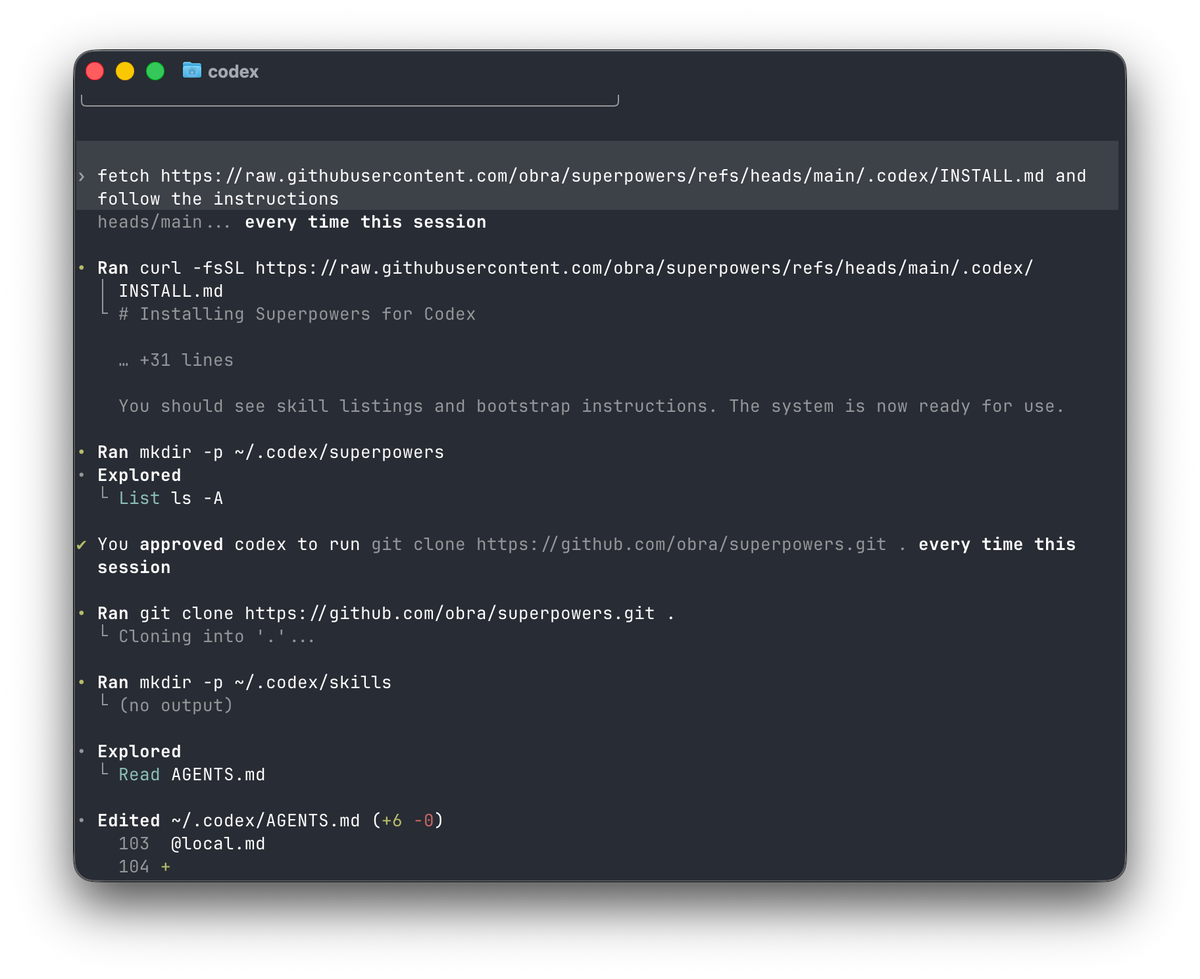
This caught me off guard when I first started building with the Codex app. Skills aren't limited to generating code.
With skills, you can easily extend Codex beyond code generation to tasks that require gathering and synthesizing information, problem-solving, writing, and more.
Some of the highest-leverage skills I've seen are purely operational:
Daily issue triage — Codex reads open GitHub/Linear issues every morning, applies priority labels, and posts a summary to Slack. Zero code written. Pure workflow.
CI failure summaries — At OpenAI, Automations handle repetitive but important tasks like daily issue triage, finding and summarizing CI failures, generating daily release briefs, and checking for bugs. Each of these is a skill combined with an Automation trigger.
Spec-to-doc generation — A skill that reads your OpenAPI spec and writes endpoint documentation to a structured Markdown file in references/.
Refactor planning — If you have the $plan skill available, invoke it explicitly: $plan We need to refactor the auth subsystem to split responsibilities, reduce circular imports, and improve testability — with no user-visible behavior changes.
The pattern for non-coding skills is identical to coding skills. The only difference is what goes in outputs/. Instead of code files, you're producing Markdown reports, structured JSON, or Slack messages. Define the output format in SKILL.md and your downstream automation knows exactly what to consume.
Skill QA Checklist
Before you ship a skill to your team, run through this. I've broken skills in production by skipping item 3 more times than I'd like to admit.
A useful way to think about this is to split your checks into a few categories: outcome goals (did the task complete?), process goals (did Codex invoke the skill and follow the intended steps?), style goals (does the output follow the conventions you asked for?), and efficiency goals (did it get there without unnecessary commands or excessive token use)?
Pre-Ship Checklist
Trigger testing
- Explicit invocation works:
$skill-nameproduces expected output - Implicit invocation test: describe the scenario without naming the skill — does it trigger?
- Negative control: a different task does NOT accidentally trigger this skill
Instruction quality
- Description has explicit "Do NOT use when..." clause
- Steps are written as imperative commands with clear inputs and outputs
- Output artifact path and format are fully specified
Security
-
allow_implicit_invocation: falseset for any skill that modifies production systems - Network access scoped to required domains only
- Destructive operations wire to approval flow, not
--full-auto - Skill directory is in
.agents/skills/(read-only protected)
Team readiness
- Skill is in version control with a PR review trail
- Disable config entry ready in
~/.codex/config.tomlfor emergency rollback - At least one other teammate has tested it on a real task
Efficiency
- Skill description is under 150 words (longer = more trigger drift)
- Scripts/ directory has no files over 300 lines (if so, reference an existing repo script)
Skills are the difference between Codex as a smart autocomplete and Codex as something that actually does your job reliably. Start with one workflow your team runs every week, write the SKILL.md, test the four invocation scenarios from the QA checklist, and ship it. You'll iterate fast once the team starts using it in anger.
The openai/skills GitHub repo is the best place to study real examples — and the official skills documentation covers edge cases like symlinked skill folders and agents/openai.yaml configuration in detail.
