

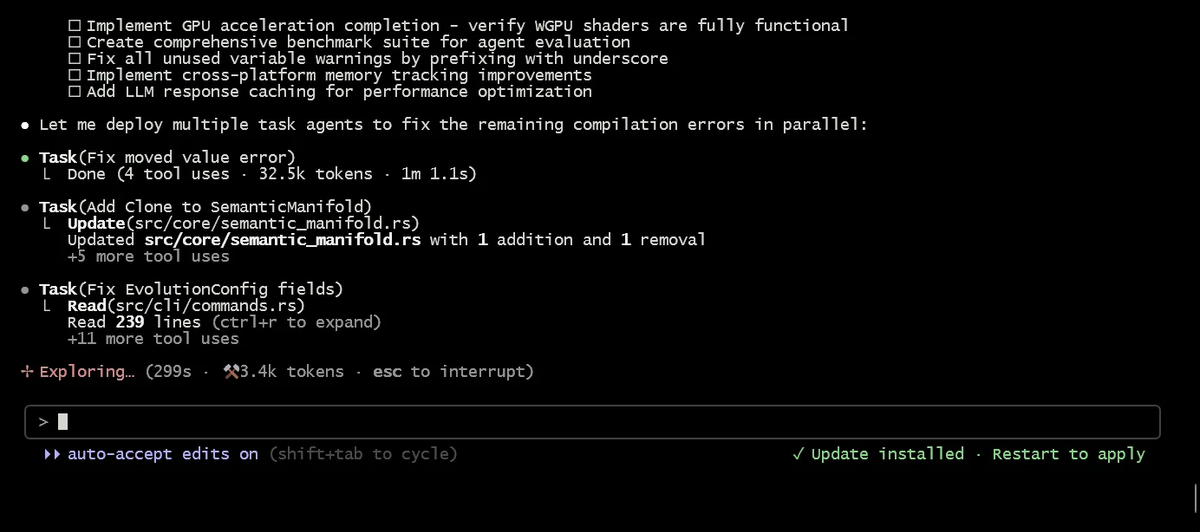
Picture this: it's 2 PM, you're deep in the zone building a new auth system with Claude Code — and a production bug drops in Slack. The old instinct? Stash everything, context-switch, lose your momentum, and spend the next 30 minutes rebuilding your train of thought.
I'm Dora, and after running parallel agent workflows in real production repos, I can tell you there's a better way. Since Claude Code shipped native git worktree support on February 21, 2026, you can have a bugfix agent and a feature agent running at the same time — in the same repo — without them ever touching each other's files. Here's the exact workflow I use, from task scoping to PR.
Why Parallel Agents Need Isolation
Without worktrees, running two Claude Code sessions on the same repo is a recipe for chaos. Both agents share the same working directory and branch. Agent A rewrites src/auth.ts. Agent B is simultaneously refactoring the same file. The result: corrupted half-applied changes, lost work, and merge conflicts that make no logical sense.
With worktrees, the picture changes completely:
| Scenario | Without worktrees | With worktrees |
|---|---|---|
| Two agents edit same file | Overwrites / conflicts | Impossible — separate dirs |
| Branch management | Manual stashing required | Each agent gets own branch |
| Git history | Shared, tangled | Shared .git DB, clean branches |
| Context preservation | Lost on switch | Each session retains its context |
| Cleanup | Manual | Auto on no changes; prompted if commits exist |
The mechanism is straightforward: claude --worktree task-name creates an isolated working directory at .claude/worktrees/task-name/ with a dedicated branch (worktree-task-name). All worktrees share the same .git database and remote connections — no repo duplication, just filesystem isolation. As the official Claude Code documentation puts it, you can have Claude working on a feature in one worktree while fixing a bug in another, without either session interfering with the other.
Step-by-Step Parallel Workflow
Step 1 — Scope 2–3 independent tasks
This is the step most people skip, and it's the most important one. Parallel agents only work cleanly when tasks are genuinely independent — meaning they don't write to the same files.
Good candidates for parallel execution:
- A new API endpoint (
src/api/payments.ts) alongside a UI component (src/components/Dashboard.tsx) - A database migration script alongside a documentation update
- A bugfix in the auth module alongside a feature in the notifications service
Bad candidates (more on this in the last section):
- Two agents both touching
src/utils/helpers.ts - Any two tasks that share a running dev server port
Name your tasks by ticket ID or a short slug — this keeps your branches readable and your worktrees organized.
Step 2 — Launch each agent with claude -w ticket-id
Open a separate terminal for each task and launch:
# Terminal 1 — feature work
claude --worktree feat-1024-payments

# Terminal 2 — production bugfix
claude --worktree fix-987-auth-timeout

# Terminal 3 — long-running refactor (background, won't block your terminal)
claude --worktree refactor-api-layer --tmux
Each session starts fresh in its own isolated directory. The --tmux flag is worth using for anything that'll run for more than a few minutes — it keeps the session alive even if you close the terminal.
If you prefer not to use the terminal at all, head to the Code tab in the Claude Desktop app, check worktree mode, and every new session gets automatic isolation without any flags.
Step 3 — Agents commit to their own branches
Let each agent work. Each one commits only to its own branch (worktree-feat-1024-payments, worktree-fix-987-auth-timeout, etc.). There's no shared state to fight over.
You can check progress across all active worktrees at any time:
git worktree listOutput looks like:
/path/to/project              abc1234 [main]
/path/to/.claude/worktrees/feat-1024-payments    def5678 [worktree-feat-1024-payments]
/path/to/.claude/worktrees/fix-987-auth-timeout  ghi9012 [worktree-fix-987-auth-timeout]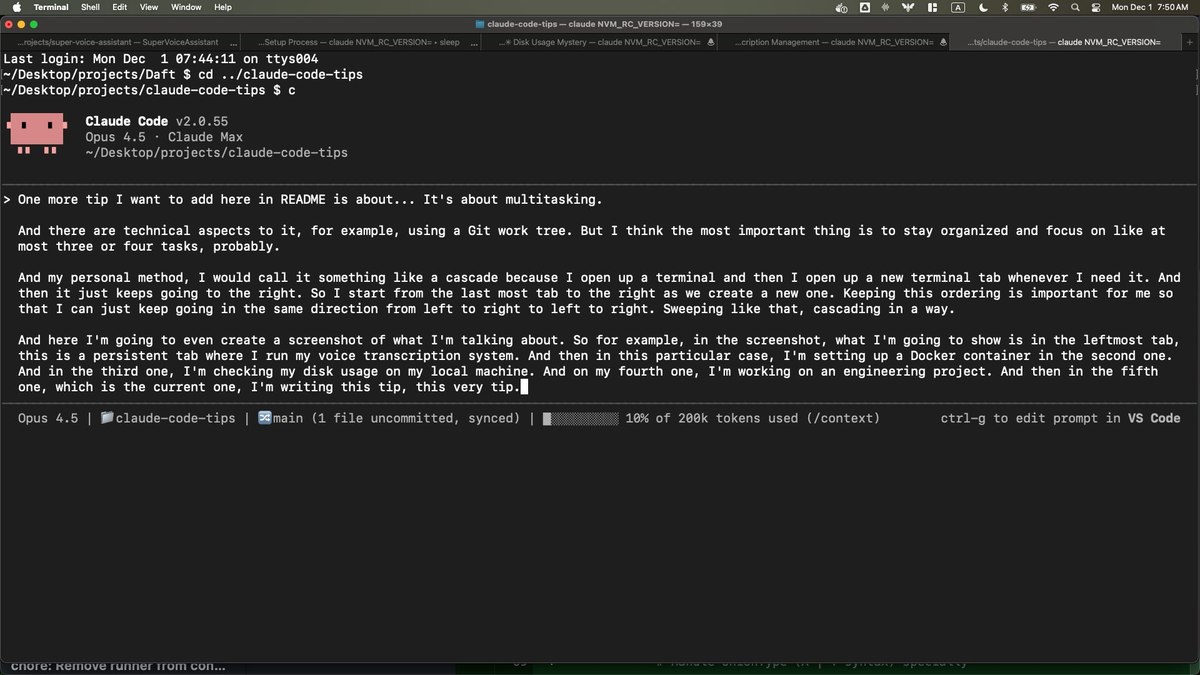
Step 4 — Review diffs and open PRs
When an agent signals it's done, review the diff directly from its worktree directory:
cd .claude/worktrees/feat-1024-payments
git diff main

# Or ask Claude to create the PR for you
> create a pr for these changes
Claude Code can write the PR title, description, and testing notes — just ask it before you exit the session.
Step 5 — Clean up worktrees
Cleanup is mostly automatic. When you exit a session:
- No changes made: worktree and branch are removed automatically.
- Changes or commits exist: Claude prompts you — keep to return later, or remove to discard.
For manual cleanup outside a session:
git worktree remove .claude/worktrees/feat-1024-payments

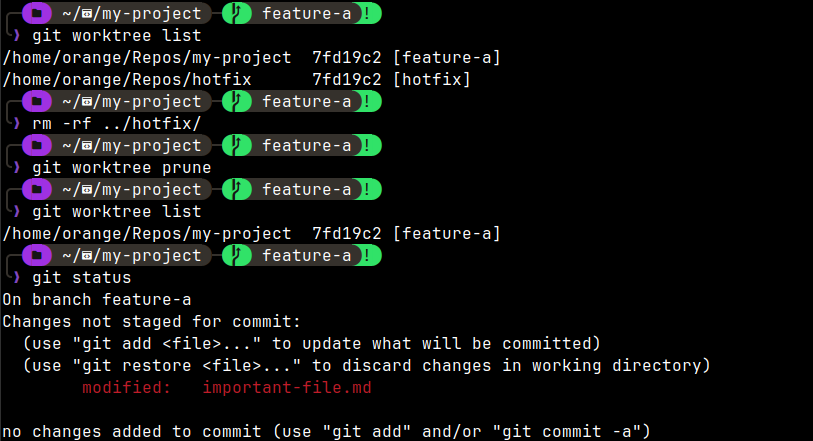
# Prune stale metadata if a worktree was force-deleted
git worktree prune
One maintenance task worth doing once: add .claude/worktrees/ to your .gitignore so worktree directories don't appear as untracked files in your main repo.
echo ".claude/worktrees/" >> .gitignorePractical Tips From Production Teams
Use CLAUDE.md** to enforce branching and commit conventions.** When multiple agents are committing in parallel, inconsistent commit messages and branch naming get messy fast. Put your conventions in .claude/CLAUDE.md at the project root — every agent session reads it automatically.
## Commit conventions
- Format: `type(scope): description` (e.g., `feat(auth): add OAuth2 flow`)
- Branch names: use ticket ID as worktree name (e.g., `--worktree feat-1024`)
- Always run tests before committing: `npm test`
Name worktrees by ticket ID. It connects your git history to your project management tool and makes git worktree list readable at a glance. worktree-feat-1024 tells you exactly what's in there; worktree-abcd1234 tells you nothing.
Watch API credit burn per session. Each active Claude Code session consumes credits independently. Running three parallel agents burns roughly 3× the credits of a single session. Teams at incident.io who run 4–5 parallel agents daily report dramatically faster feature delivery — but budget for it. Check your Claude usage dashboard if you're on a credit-based plan.
Initialize your environment in every new worktree. Worktrees are clean checkouts — no node_modules, no virtual environments, no build artifacts carry over. Run your project setup in each worktree before asking Claude to build or test:
cd .claude/worktrees/feat-1024-payments
npm install   # or pip install, bundle install, etc.
When Not to Use This
Parallel agents with worktrees are powerful, but they're not the right tool for every situation.
Tasks touching the same files. If two tasks both need to modify src/config/database.ts, run them sequentially, not in parallel. Worktrees isolate filesystem state but don't merge conflicting edits for you — you'll end up doing that manually.
Shared ports or resources. If both agents try to spin up a dev server on port 3000, one will fail. Either configure different ports per worktree or run server-dependent tasks sequentially.
Exploratory or investigative work. When you're not sure what files a task will touch — debugging a mysterious performance issue, exploring an unfamiliar codebase, prototyping something with unknown scope — start single-threaded. Scatter your investigation first, then parallelize the implementation once you know what's independent.
Very small or tightly coupled tasks. The overhead of spawning a new worktree, running dependency installs, and context-loading the codebase takes a few minutes. For a 5-line fix, a single session is faster.
The rule of thumb: if you'd normally create a separate branch to avoid conflicts, use a worktree instead. If you'd normally just keep working on the same branch, stay single-threaded.
