
You're away from your desk. Codex has been running a refactor for the past hour. It flags a decision that needs your input — do you rewrite the authentication layer or stub it for now? Before today, that meant either waiting until you got back to your laptop or abandoning the session. As of May 14, 2026, you can answer that question from your phone, review the diff, and approve the next step — while Codex keeps running on your machine.
That's what the preview is. Your phone is the remote control. Your machine is still doing all the work.
This article is based on OpenAI's May 14, 2026 announcement. This feature is in preview and may change quickly. Treat your in-app experience as the source of truth.
What OpenAI Actually Launched
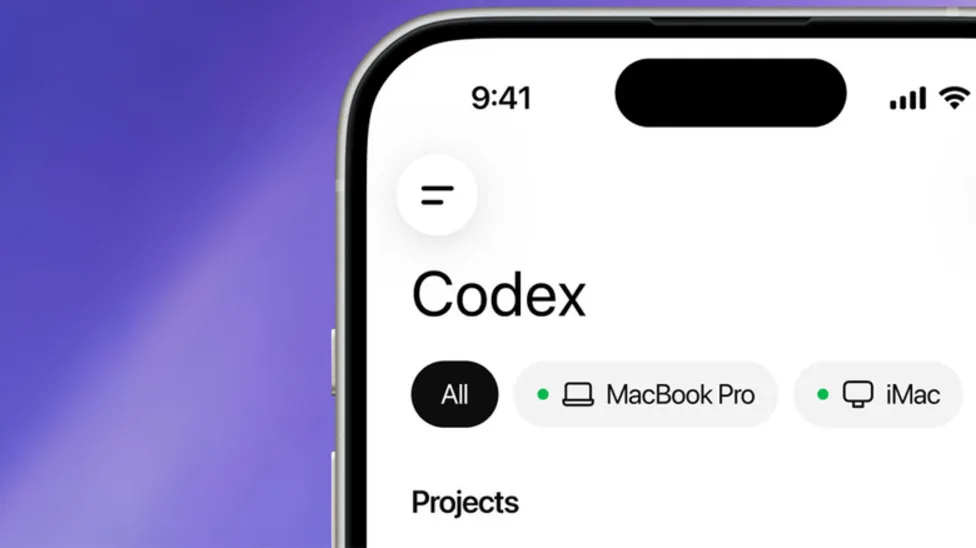
Codex inside ChatGPT mobile preview
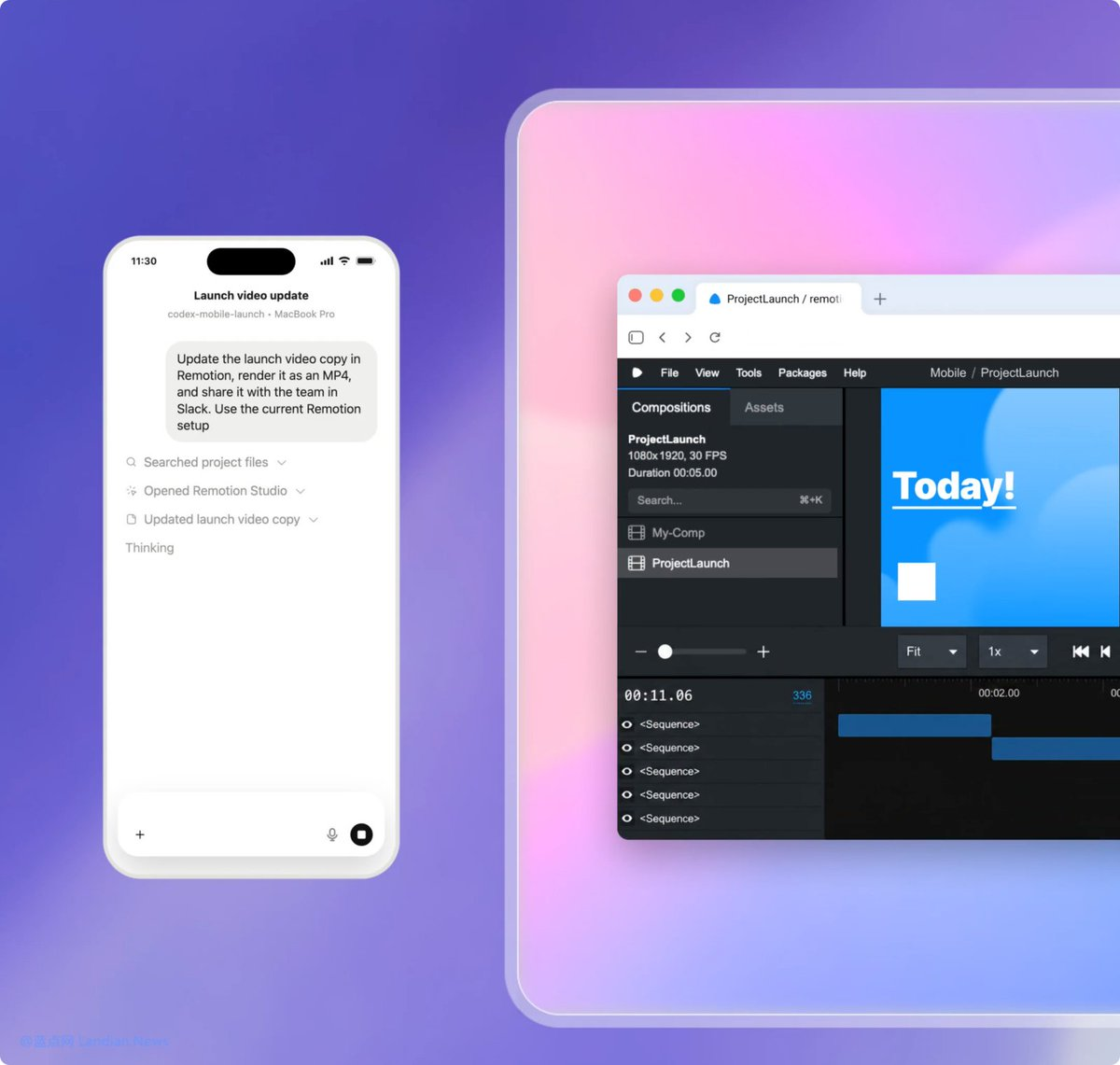
OpenAI has released a new way to interact with its Codex app from your smartphone. An update to ChatGPT's mobile app brings remote access to Codex for Mac to the iPhone, iPad, and Android. The feature is inside the ChatGPT app itself — not a separate Codex app. This is more than the ability to remotely control a single task or dispatch new tasks to your computer. From your phone, you can work across all of your threads, review outputs, approve commands, change models, or start something new.
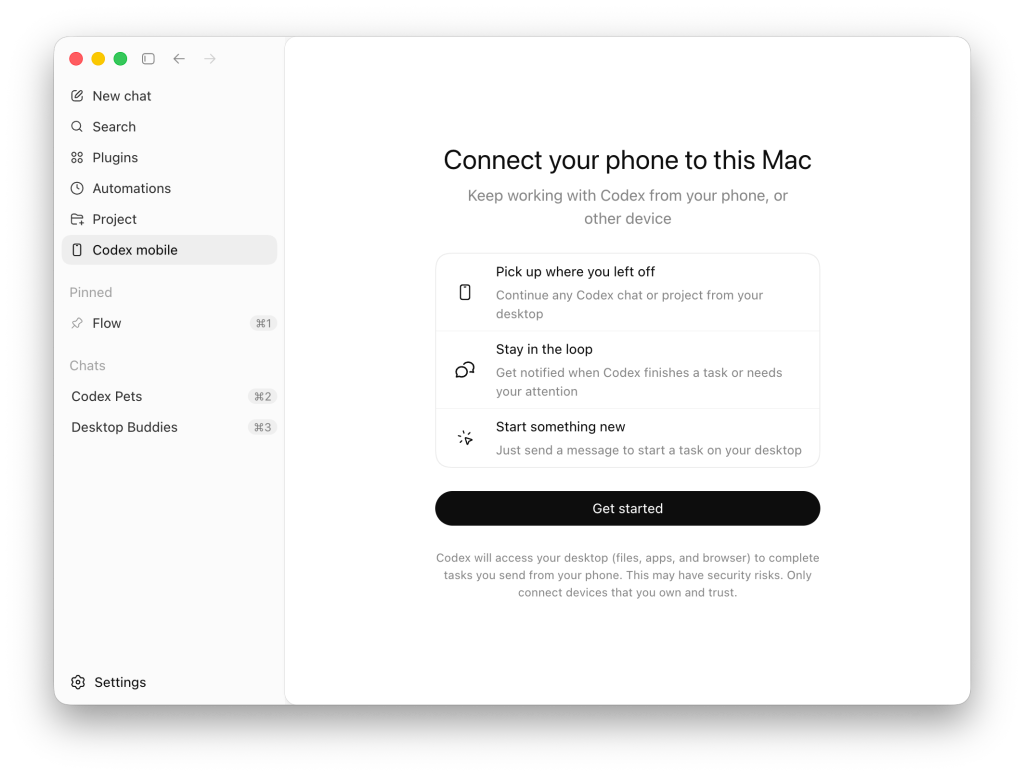
Setup uses a QR code: Codex for Mac generates one that you scan from the ChatGPT iOS or Android app to establish the connection, as detailed by 9to5Mac.
iOS and Android support across plans
The feature began rolling out on Thursday, May 14, 2026, and is available on iOS and Android across all ChatGPT plans, including Free and Go, in all supported regions — per Neowin's coverage of OpenAI's announcement.
This is a meaningful difference from comparable tools in this space. The full capability set — reviewing threads, approving commands, starting new tasks — is available to every plan, not gated to Pro or Enterprise. One catch worth noting: at launch, the phone can only connect to the macOS version of the Codex desktop app. Windows support is coming, OpenAI says, but no firm date has been shared. Linux is not mentioned.
What Developers Can Do From Mobile
Review active threads
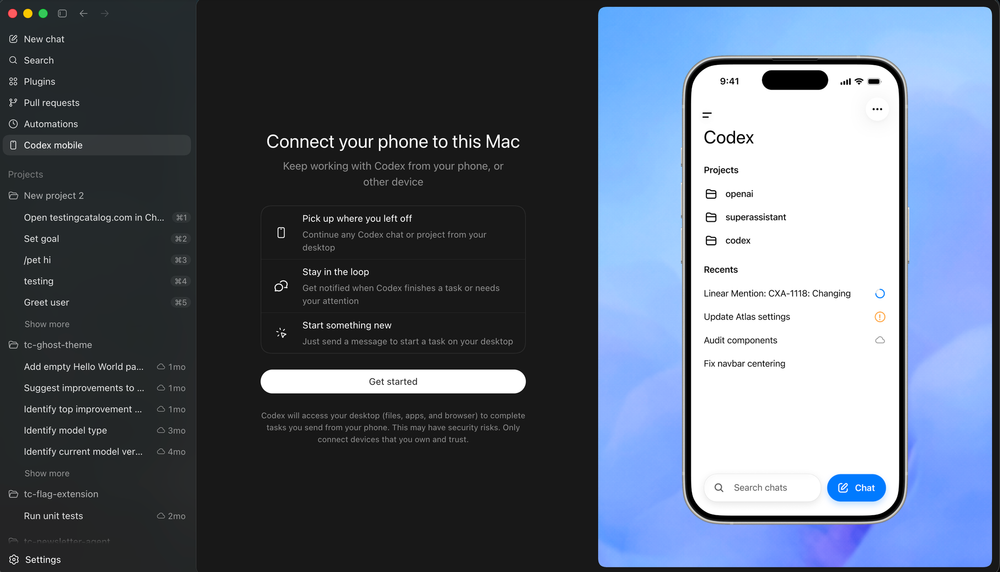
Once connected, the app loads the live state from that environment, including active threads, approvals, plugins, and project context. You can switch between tasks, see what's currently running, and check the status of anything Codex has started.
This matters for longer-running sessions. OpenAI reports more than 4 million weekly Codex users as of May 2026, making mobile supervision an increasingly practical requirement as the tool scales. When Codex is mid-task on a large refactor or a migration, checking in from your phone doesn't interrupt execution — you're observing the live state, not taking over.
Approve commands and next steps
Approval gates in Codex that would normally pause execution and wait for you at your desk now surface on your phone. When Codex reaches a decision point — a command it wants to run, a file change it's considering, a next step that requires confirmation — you can approve or reject it from wherever you are.
This is the core workflow the mobile integration is built for: keeping long agentic sessions moving without requiring the developer to stay tethered to a laptop. As agents take on longer-running work, a new rhythm for collaboration is emerging. To keep work moving, you need to be able to easily answer a question, review what Codex found, change direction, approve what comes next, or add a new idea.
Inspect screenshots, terminal output, diffs, and tests
Your files, credentials, permissions, and local setup stay on the machine where Codex is operating, while updates flow back to your phone in real time, including screenshots, terminal output, diffs, test results, and approvals.
You're not getting a raw terminal on your phone — you're getting the output artifacts that matter for the decision at hand. A test that failed. A diff showing what changed. A screenshot of what the UI looks like after the edit. These are the review surfaces that make approval decisions possible without being at the desk.
Start or update coding tasks
From the phone, developers can review outputs, approve commands, change models, start new work, and follow updates in real time.
New task start means you can queue work from your phone. A bug you notice while commuting, a follow-up to something that just finished — you can describe the task in the ChatGPT mobile interface and Codex will start it on the host machine.
What Still Runs on Your Machine
This is the part of the announcement that matters most: the phone is not a compute environment. Everything that requires compute, file access, credential access, or local permissions stays on the host.
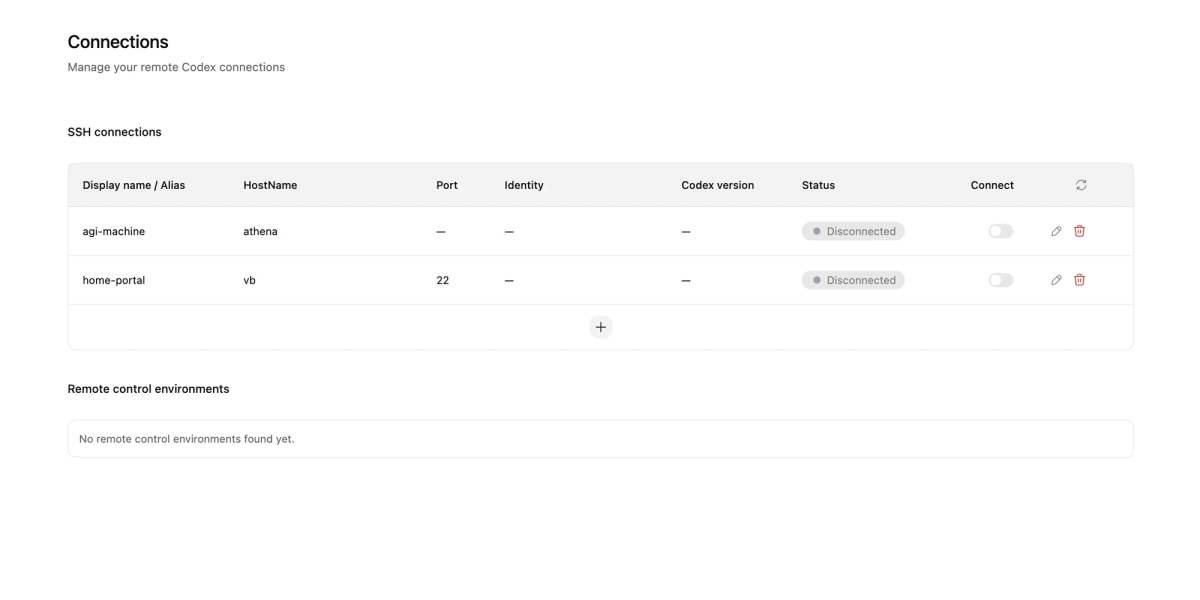
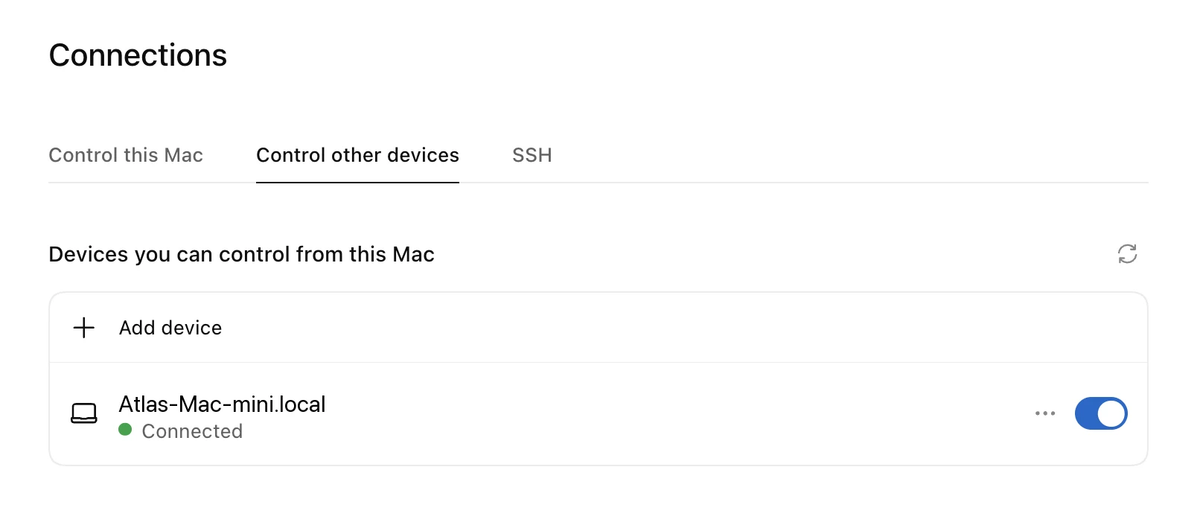
Your files, credentials, permissions, and local setup stay on the machine where Codex is operating. The host machine can be a laptop, a dedicated Mac mini, a cloud devbox, or a remote environment accessible via SSH. This lets Codex connect to enterprise-managed development hosts over SSH (Remote SSH went generally available on the same day), so teams that build software inside centrally controlled environments with approved dependencies, security policies, and shared compute can use Codex without breaking those guardrails.
What this means in practice:
- Running a shell command happens on the host — your phone doesn't execute anything
- Reading or writing files happens on the host — your phone just sees the output
- API keys, credentials, and environment variables remain on the host — they never transit through your phone
- Codex keeps running if your phone disconnects — the host session is independent of the mobile connection
If your phone loses signal mid-session, Codex on the host continues working. You reconnect from the app when signal is restored.
Setup Requirements
Update ChatGPT mobile app
Install the latest version of ChatGPT on iOS or Android. The Codex interface appears inside the existing ChatGPT app — there's no separate app to install.
Update Codex app on macOS
The latest version of Codex for Mac and ChatGPT for iOS and Android is required to get started. After updating, Codex for Mac will have a QR code option for mobile connection. Scan it from the ChatGPT mobile app to link the two.
Host must stay awake, online, and running Codex
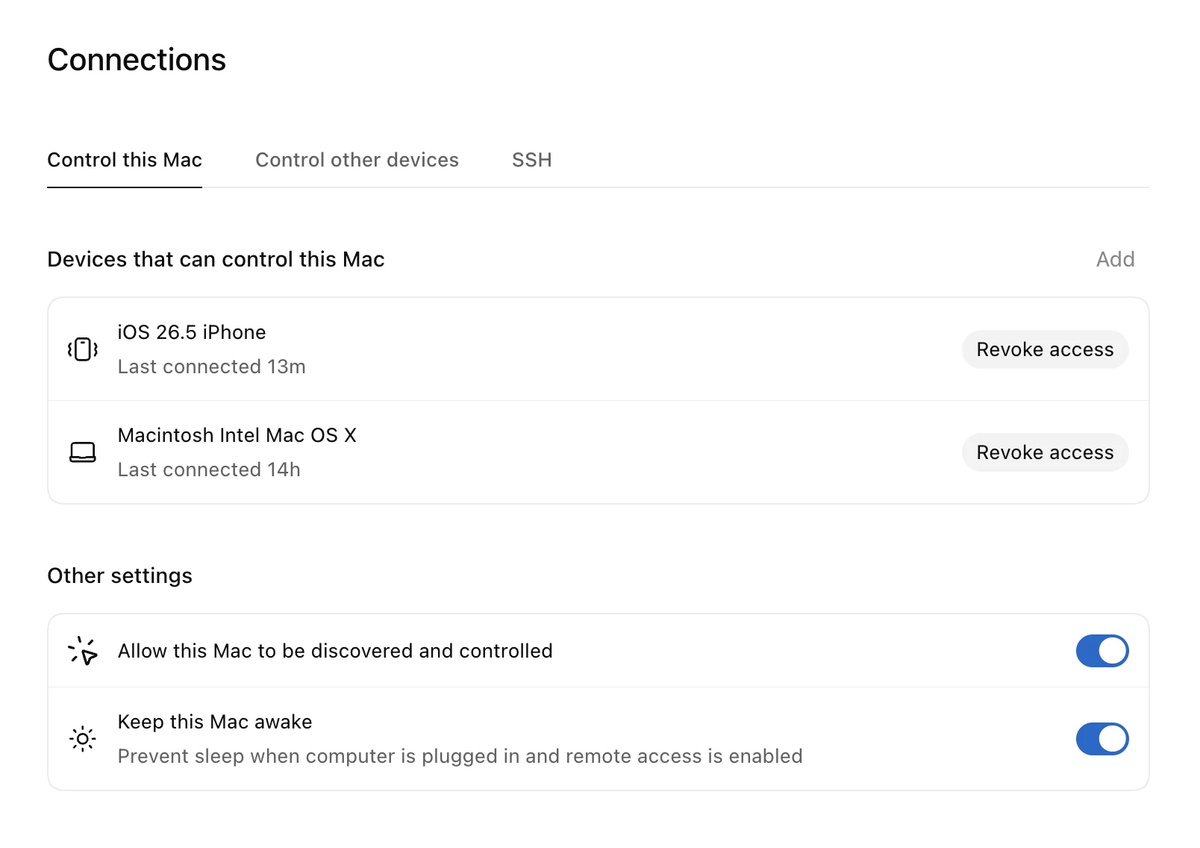
The phone pulls live state from the host. If the host sleeps, loses network, or Codex is closed, the mobile connection drops. For extended sessions, keep the host awake: configure sleep settings to prevent automatic sleep while Codex is running. A Mac mini or a remote devbox is more reliable as a persistent host than a laptop that might close. OpenAI's announcement post covers the recommended host configurations.
Current Limits
Preview status
This is a preview. The connection reliability over poor mobile networks, behavior when a phone loses signal mid-approval, and the detailed rate limits for Free and Go plans have not been publicly specified by OpenAI. The approval-from-phone workflow is functional, but production teams should evaluate reliability on real workflows before treating it as critical path.
Windows host support coming later
The current mobile integration only connects to Codex for Mac. Windows host support is confirmed as coming, with no committed date. If your development machine runs Windows, you cannot use the mobile interface today — even though the Codex desktop app itself runs on Windows.
This is a host restriction, not a phone restriction. The iOS and Android apps are ready; it's the macOS-only host support that creates the Windows limitation.
Region and plan constraints
TechCrunch reports the update, which is currently in preview, is now available to all plans on iOS and Android. Region support follows ChatGPT's supported regions — check the in-app availability for your account. Free and Go plan users can access the core mobile experience but will encounter rate limits on Codex usage. The specific rate limits for Free and Go plans have not been published at time of writing.
FAQ
Is Codex mobile available for free users?
Yes. The Codex mobile preview is on iOS and Android starting May 14, and it's free to try on every ChatGPT plan, including the entry-level Free and Go tiers. Free and Go users can review threads, approve commands, and start new tasks. Rate limits apply to Codex usage on these plans — the same limits that apply to Codex use on the web. OpenAI has not published the specific per-plan rate limit numbers for mobile; expect them to match or follow the existing plan structure.
Can Codex run code directly on my phone?
No. The phone is the review and approval interface only. All code execution, file operations, terminal commands, and tool calls run on the host machine where Codex is operating. Your phone sends inputs (approvals, new task prompts, model changes) and receives outputs (terminal results, diffs, screenshots, test results). Nothing computes on the phone itself.
Why can't my phone connect to Codex on Windows yet?
Two things are separate here. First: the Codex desktop app does run on Windows — that capability shipped earlier this year and is available today. Second: the mobile connection to a Windows host is not yet supported. At launch, support for connecting your phone to the Codex app on Windows is coming soon. No date has been committed. Until then, Windows users can use Codex on their desktop as usual but can't use the ChatGPT mobile app as a remote control for it.
Do I need the Codex desktop app to use mobile control?
Yes — the macOS version specifically. The mobile app connects to a running Codex session on a host machine. That host must be running the latest version of Codex for Mac. Codex CLI, the Codex web interface, and the IDE extensions are not the connection point — the desktop app is. If you don't have Codex for Mac installed and running, the mobile connection has nothing to attach to.
Last verified: May 15, 2026. Feature is in preview; behavior may change without notice. See the ChatGPT mobile app and Codex for Mac for current state.
Related Reading
