Code Intelligence
Spend less time searching and debugging, more time building. Powered by the Language Server Protocol, Verdent gives you instant go-to-definition, accurate reference lookup, and fast symbol search directly in the editor. After every edit, it automatically detects type errors, missing dependencies, and syntax issues, so problems are caught early—before they slow you down.
Message Queue
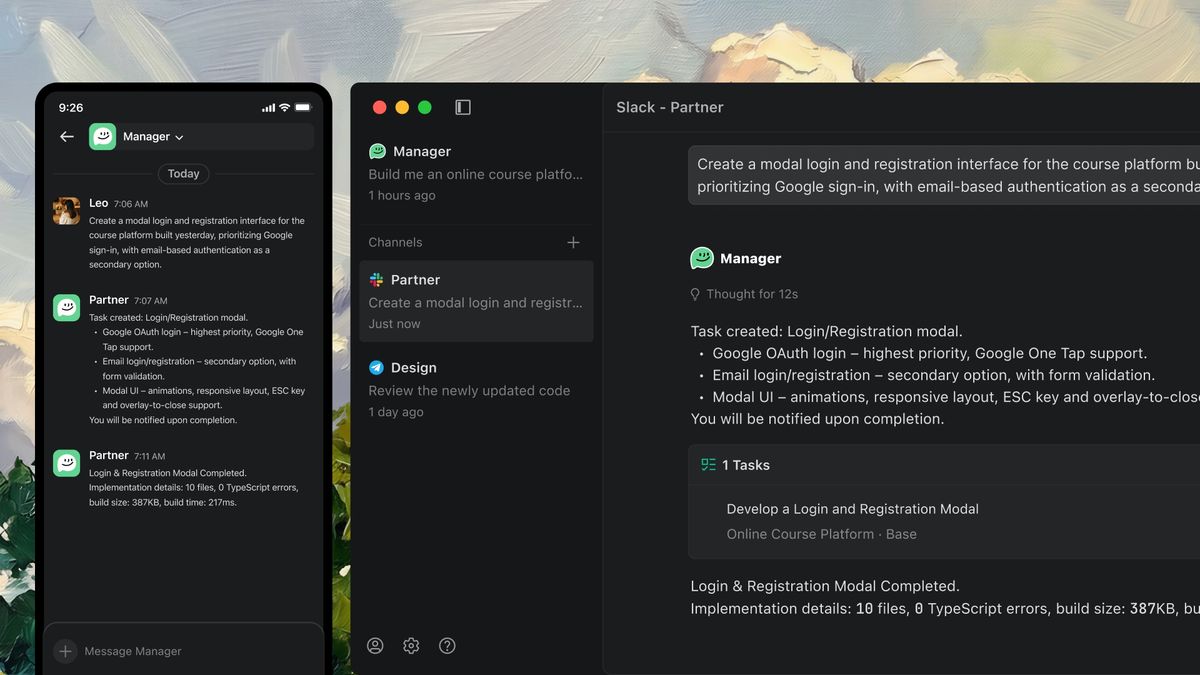
To make collaboration with Agents smoother, we've introduced Message Queue. You can insert new tasks or add context at any time without interrupting execution. Verdent automatically understands the context and dynamically adjusts the execution path, keeping complex tasks moving continuously—no dropped balls, just a smoother flow.
Kimi 2.5 Support
Verdent now supports Kimi K2.5 — a native multimodal model pretrained on ~15T text and visual tokens, delivering top-tier coding, vision, and agent-swarm intelligence.
Code Review Upgrade (Preview)
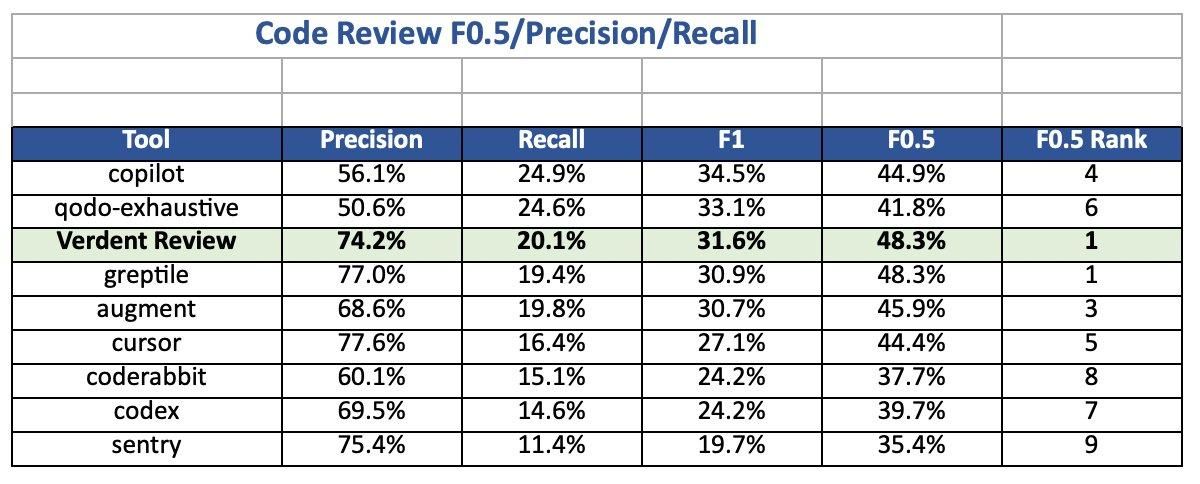
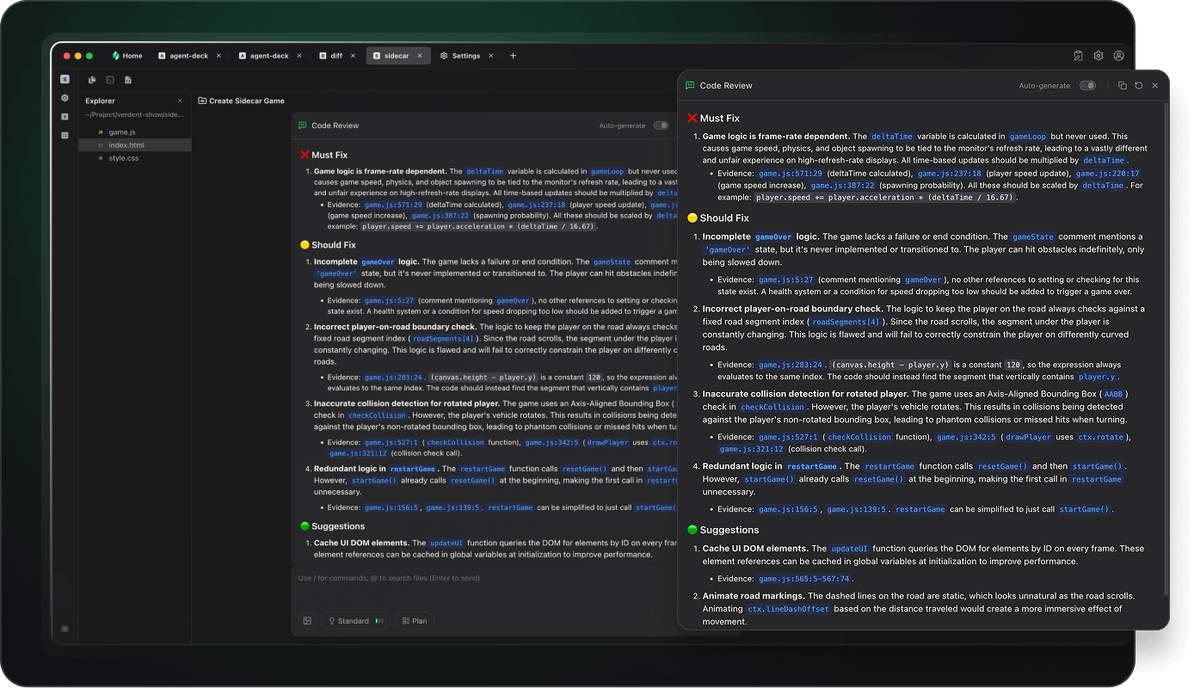
To more reliably validate task results, we've launched a new Review Subagent this week. Using an agentic approach, it intelligently selects three top-tier models (Gemini 3 Pro, Opus 4.5, and GPT 5.2) to cross-review the same task, validating logic, edge cases, and risks from multiple perspectives for more robust conclusions. We've also rebuilt the interaction experience: one-click Fix, batch fixes via multi-select, and an editor view that lets you easily inspect the Code Review’s reasoning and execution process.
Smarter Memory
We improved how Verdent remembers long and complex tasks. Important things like your plans, todos, files, and questions are always kept, while unnecessary details are automatically cleaned up—so context stays clear and reliable, even in long sessions.
Drag & Drop File Import
Simply drag external files into the file tree or editor to add or open content instantly. No manual import steps, just a faster path to getting real work done.