
Over 1,300 developers search for Replit alternatives every month. That volume tells a consistent story: Replit is genuinely useful for getting started, and a large number of developers hit its limits at roughly the same point. Usually that point is when the project needs real Git history, custom infrastructure, or an agent that can work across multiple files without fighting context limits in a browser tab.
This guide covers the strongest Replit alternatives by workflow — not a ranked list, but a map of which tool fits which stage of development.
Why Developers Look for Replit Alternatives
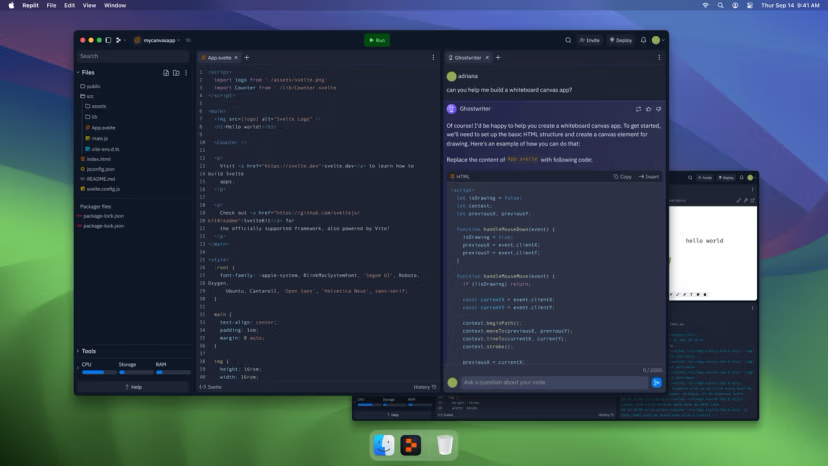
Replit's value is the zero-friction start: no local setup, instant deploy, database included, AI agent available from day one. That's a real advantage for prototyping and learning. The reasons developers outgrow it follow a pattern:
Code ownership: Replit projects live in Replit's environment. Export to GitHub is available, but the native workflow isn't Git-first. Developers who want to hire help, open-source their project, or hand off to a team find the codebase harder to move than expected.
Infrastructure limits: Replit's hosting is designed for simplicity. Custom domains, advanced database configurations, background jobs, and serverless functions all have workarounds, but production infrastructure requirements tend to require a real deployment target.
Agent capability: Replit's AI agent handles file edits and code generation, but multi-step, multi-file autonomous tasks that iterate on errors hit context limits faster in a browser-based environment than in a local IDE with full system access.
Cost at scale: Replit's Core plan at $25/month works for solo developers. Team and organization pricing scales with members and compute, which can exceed the cost of a local development workflow for technical founders with more control.
Replit Alternatives by Workflow
Hosted app builders
For developers who want the browser-based, zero-local-setup workflow that Replit offers but with better code ownership mechanics:
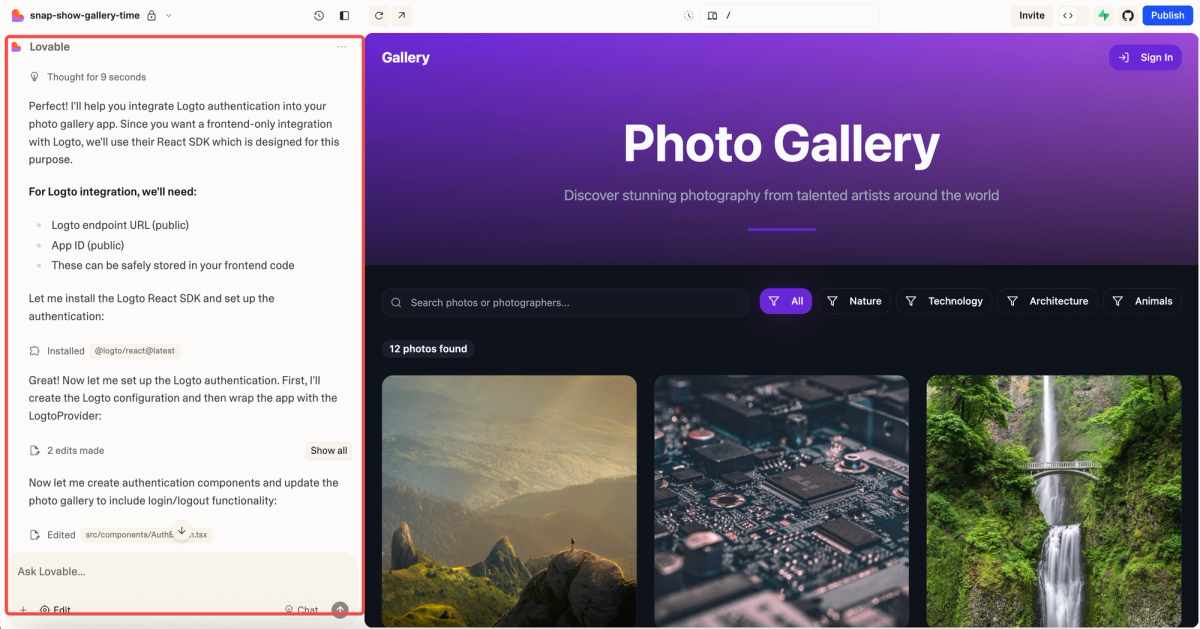
Lovable (formerly GPT Engineer) generates React + Supabase apps from prompts with native GitHub sync — every change pushes to your connected repository. For non-technical founders who want an AI to build their app and a real Git history from the start, Lovable is the closest structural analog to Replit with better code portability. Free tier available; Pro at $25/month.
Bolt.new (StackBlitz WebContainers) builds web apps entirely in the browser with no local setup. Extremely fast for prototypes; export to GitHub is available but the workflow is optimized for speed rather than long-term maintenance. Best for validation experiments and demos. Free tier; Pro at $20/month.
v0 (Vercel) focuses on frontend component generation — give it a UI description, get deployable React code. Less a full app builder than a component factory. Best for frontend-heavy work where you want production-ready UI components without writing them from scratch.
AI IDEs
For developers ready to work locally who want an AI-native IDE experience:
Cursor is a VS Code fork with Agent mode, Composer for multi-file changes, and deep model integration (Claude, GPT-5, Gemini, Auto). The switch from Replit to Cursor means taking on local environment management, but gains access to a full development stack without infrastructure constraints. Pro at $20/month; the student discount gives verified students one year free.
GitHub Copilot (in VS Code) is the alternative for developers who want to stay in VS Code with minimal workflow disruption. Strongest for inline completions, PR summaries, and GitHub-integrated code review. Individual at $10/month; free for students via GitHub Student Pack.
Agentic coding platforms
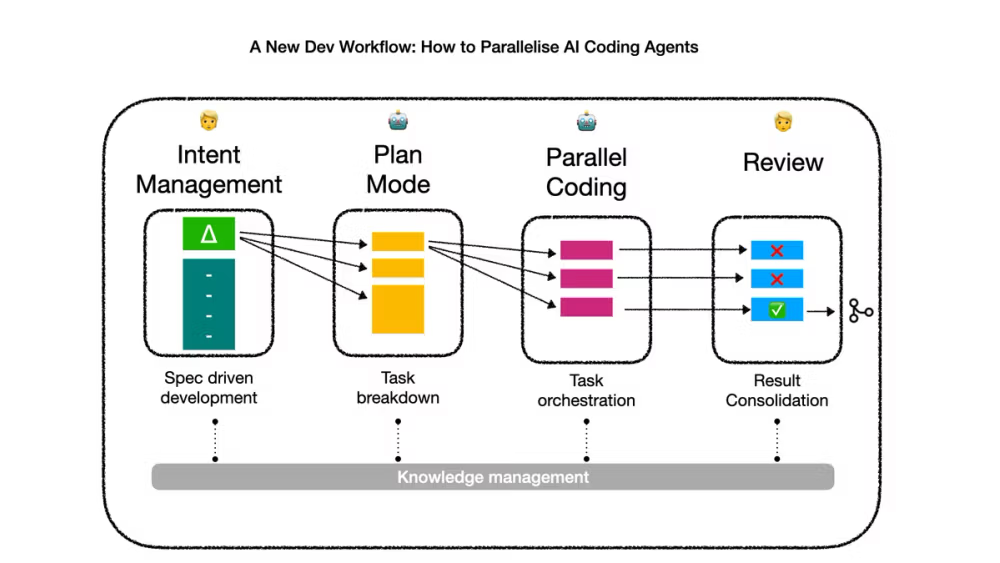
For developers who have outgrown single-agent sequential execution and need coordination across parallel tasks:
Verdent operates at the multi-agent layer — parallel agent execution on isolated Git branches, Plan-First task decomposition before any files are touched, and verification before integration. For solo founders working on projects where frontend, backend, and test coverage are being developed simultaneously, Verdent's parallel worktree architecture makes each task independently auditable. The Starter plan begins at $19/month.
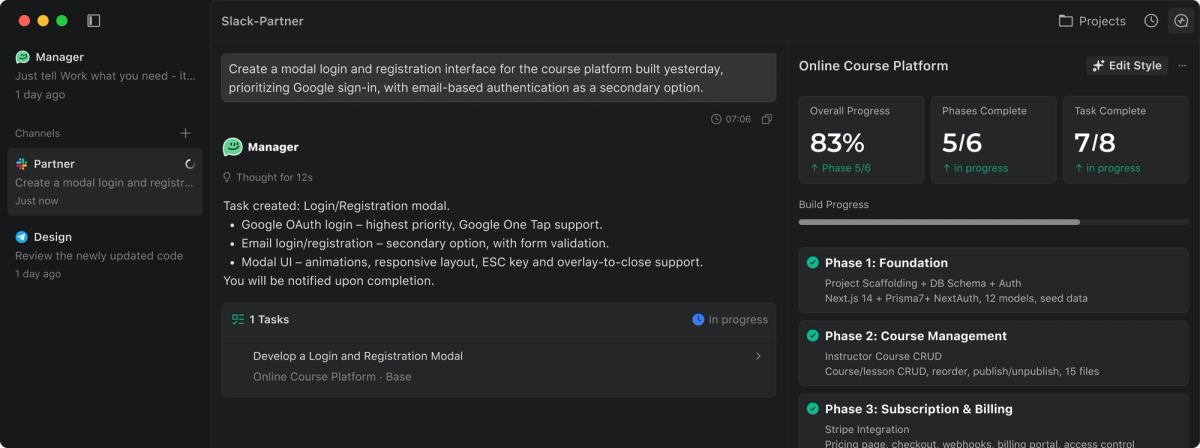
Claude Code (Anthropic's terminal agent) brings /ultrareview, task budgets, and xhigh reasoning effort to terminal-based development. For developers comfortable in the terminal, Claude Code handles complex multi-file implementations better than browser-based alternatives. Included in Claude Pro ($20/month) and above.
Local-first workflows
For developers who want the most control and are willing to manage their environment:
The standard local stack — VS Code or another editor, Git, your preferred language runtime — combined with GitHub Copilot or Claude Code as an AI layer is the highest-control option. No hosted IDE lock-in, no vendor dependency beyond the AI assistant subscription, and full access to any infrastructure target. The cost of setup is higher; the cost of long-term lock-in is lower.
When Hosted Development Stops Being Enough
Parallel tasks across frontend, backend, and tests
Replit's agent handles one task at a time in one context. A feature that touches the UI, the API, and the test suite requires either sequential agent sessions (each losing context from the last) or one very long session where quality tends to degrade as complexity grows.
Parallel agents — each working on an isolated branch for their specific scope — complete the same feature faster with cleaner output. The results are independently reviewable before integration. This architecture isn't available in browser-based hosted environments; it requires Git-native tooling.
Plan-first workflows for refactors
Large refactors are where hosted AI development environments are most risky: an agent that starts executing a complex refactor without a verified plan can go deep in the wrong direction before you notice. A plan-first requirement — the agent must decompose the task into a verifiable plan and receive approval before touching files — prevents the most expensive agentic mistakes.
AGENTS.md (for Codex CLI), CLAUDE.md (for Claude Code), and explicit plan-first prompts in any agent can enforce this discipline. Browser-based environments make this harder because the agent's context is less stable and the approval loop is less explicit.
Git-first development instead of locked-in hosted edits
Every meaningful piece of software eventually lives in Git. The sooner that's true of your project, the lower the migration cost when you need to move, hire, or hand off. For Replit projects that have grown beyond prototype scale, the first question any developer you bring in will ask is "where's the repository." If the answer is "it's in Replit," that's a migration conversation before any real work begins.
Local development with Git from day one, or a browser-based tool with native GitHub sync (Lovable, Bolt's export feature), avoids this problem. The convenience of zero-setup hosted development has a real cost at handoff time.
Comparison Table
| Tool | Hosted | Local dev | Git-native | Agent capability | Free tier | Starting price |
|---|---|---|---|---|---|---|
| Replit | ✅ | ❌ | Partial | AI agent (single) | ✅ | $25/month |
| Lovable | ✅ | ❌ | ✅ GitHub sync | Single agent | ✅ | $25/month |
| Bolt.new | ✅ | ❌ | Export only | Single agent | ✅ | $20/month |
| v0 | Partial | ❌ | ✅ Vercel deploy | Component gen | ✅ | $20/month |
| Cursor | ❌ | ✅ | ✅ Full | Agent mode | ✅ (limited) | $20/month |
| GitHub Copilot | ❌ | ✅ | ✅ Native | Partial | ✅ (2K/mo) | $10/month |
| Verdent | ❌ | ✅ | ✅ Worktrees | Multi-agent | Trial | $19/month |
| Claude Code | ❌ | ✅ | ✅ Full | Full terminal agent | ❌ | $20/month |
How to Choose by Project Stage
Validation / prototype: Start in Replit, Bolt.new, or Lovable. Speed matters; code quality can be addressed later. GitHub sync (Lovable) or GitHub export (Bolt, Replit) gives you a migration path when you're ready.
Working MVP growing in complexity: Move to a local IDE (Cursor or VS Code + Copilot) when you find yourself fighting the hosted environment's limitations — context limits, custom infrastructure needs, or performance issues with the browser-based agent. This is the natural migration point for most solo developers.
Production-scale solo project: When a feature requires changes across multiple parts of the codebase simultaneously and you're serializing work that could be parallelized, multi-agent platforms become relevant. This isn't a transition for every project — it's the right choice when single-agent sequential execution is genuinely the bottleneck.
Team expansion: When you bring in other developers, Git-native tooling is required. Any hosted workflow that isn't already Git-first creates migration work before onboarding begins.
FAQ
What is the best Replit alternative for coding agents?
For terminal-native agentic coding: Claude Code (full agent, terminal access, complex multi-file implementations). For IDE-based agent work: Cursor (Agent mode, multi-file Composer, broad model access). For parallel multi-agent execution with Git isolation: Verdent. The right answer depends on whether you want an agent that works in a browser-like environment, a local IDE, or a multi-agent platform that coordinates across branches.
Is Replit still good for mobile apps?
Replit's environment is web-based and best suited for web apps. Native mobile development (iOS Swift, Android Kotlin) isn't a primary use case, and React Native development in Replit has infrastructure limitations. For mobile: Expo's cloud IDE is a closer analog for React Native development. For native iOS/Android, local development with Xcode or Android Studio is standard; AI coding agents (Cursor, Claude Code) assist but don't replace the native toolchain.
Which Replit competitor gives more code control?
Any tool with local development and Git-first workflow gives more code control than Replit. Cursor and VS Code + Copilot put you in full control of your environment, your dependencies, and your deployment target. Lovable gives you GitHub-native control from within a browser-based workflow. "Code control" typically means: do you own a Git repository with real history, can you run the code locally, and can you hand it to a developer without migration work? Those three criteria separate local-first from hosted-only workflows.
Can I migrate a Replit project to GitHub?
Yes — Replit has a GitHub import/export feature. The exported code is the actual project files, which can be pushed to a GitHub repository. The practical issues with migration depend on the project: simple web apps migrate cleanly; projects that rely on Replit-specific environment variables, database configurations, or deployment settings require additional work to replicate elsewhere. The migration is possible; the effort scales with how deeply the project uses Replit's infrastructure features.
Related Reading
