

OpenAI estimates Codex costs $100–$200 per developer per month on average. That number comes from their own Codex rate card help article — and the variance in it is the real story. The same subscription tier can cost a developer $40 or $400 depending on model choice, whether tasks run locally or in the cloud, whether they use fast mode, and how many tokens each session actually consumes. For a side-by-side look at the main competitors, see Codex vs. Claude Code vs. Cursor.This guide explains how the billing system works so you can figure out where you land in that range.
What "Codex" Means in This Pricing Guide
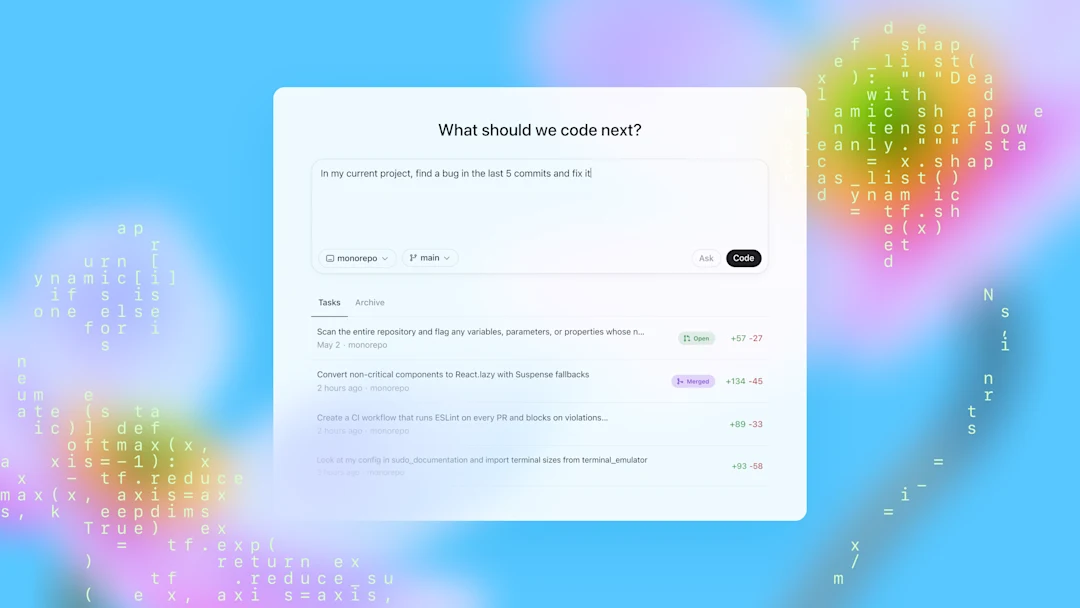
Codex pricing is confusing partly because "Codex" covers multiple access surfaces with different billing models.
API, CLI, App, and Chrome surfaces
All of these are "Codex" in 2026:
- Codex CLI — terminal agent, runs locally or in cloud, authenticated via ChatGPT or API key
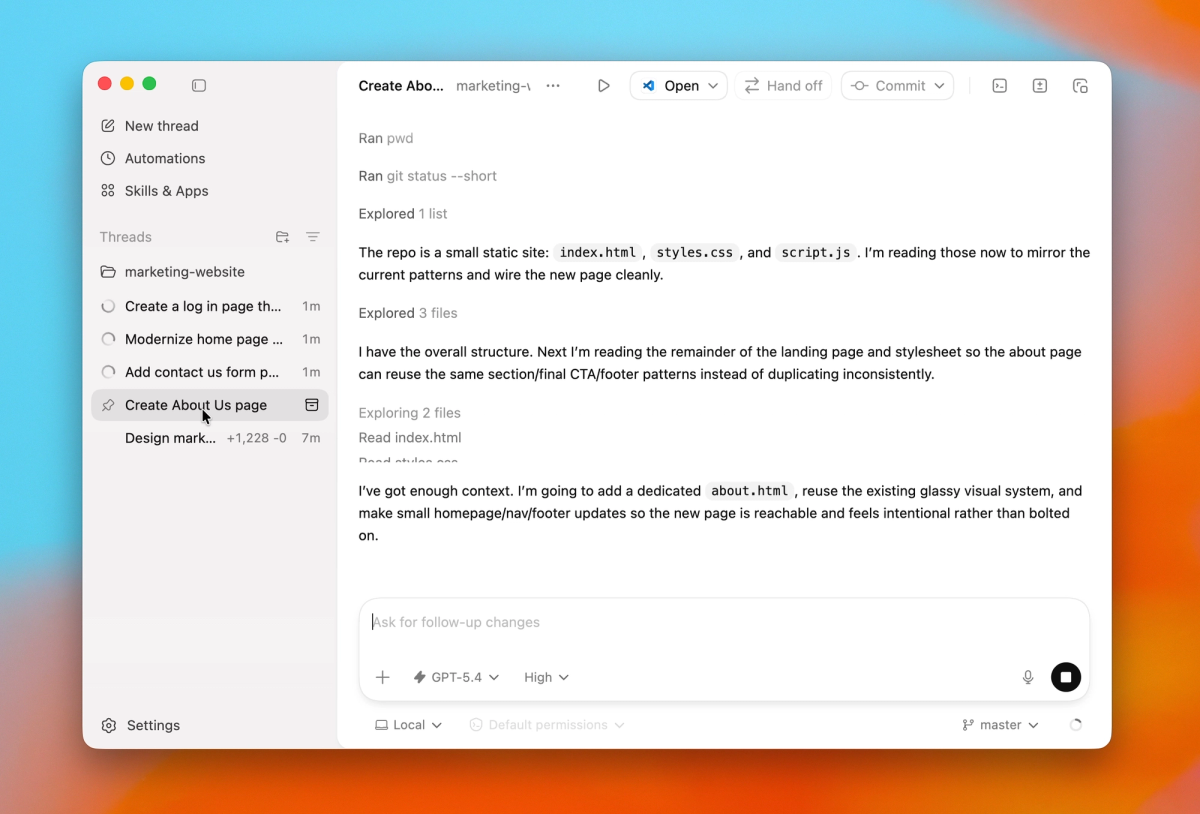
- Codex App — desktop application, runs tasks locally or in Codex Cloud
- Codex IDE extensions — VS Code and JetBrains plugins
- Codex Web — chatgpt.com/codex, cloud-only
- Codex Chrome extension — browser surface for signed-in web tasks
The billing split: When you use Codex with ChatGPT authentication (any of the above), usage draws from your ChatGPT plan's included limits, then from purchased credits if you go over. When you use Codex with an API key, standard API token pricing applies to every call — no included limits, no subscription buffer. These are two different billing systems pointing at the same underlying models. To get the binary on your machine, follow Install Codex CLI for Mac, Windows, and Linux.
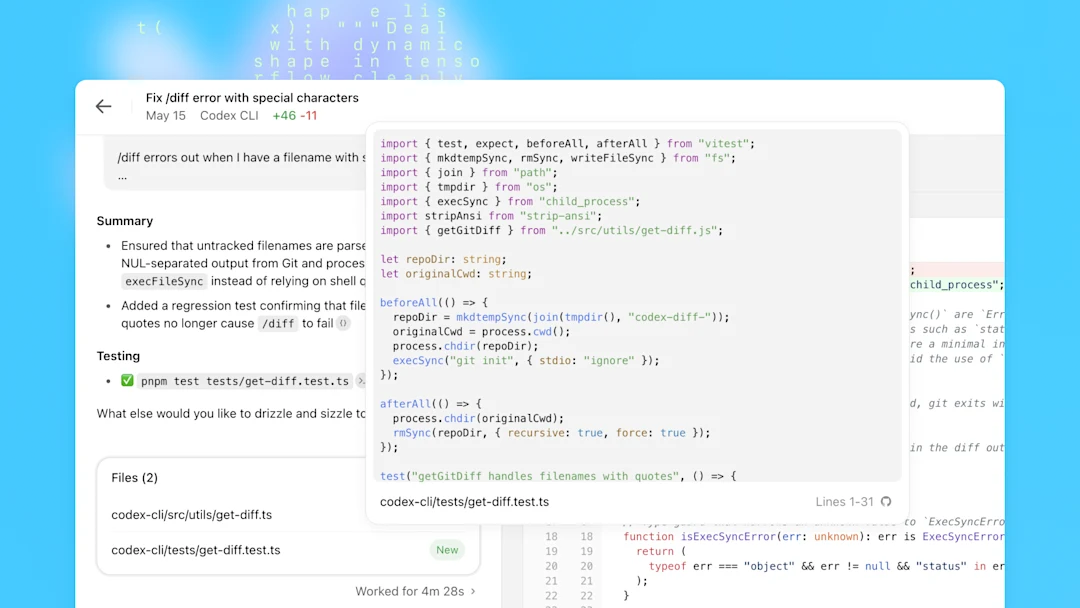
Why codex-app pricing notes are not enough
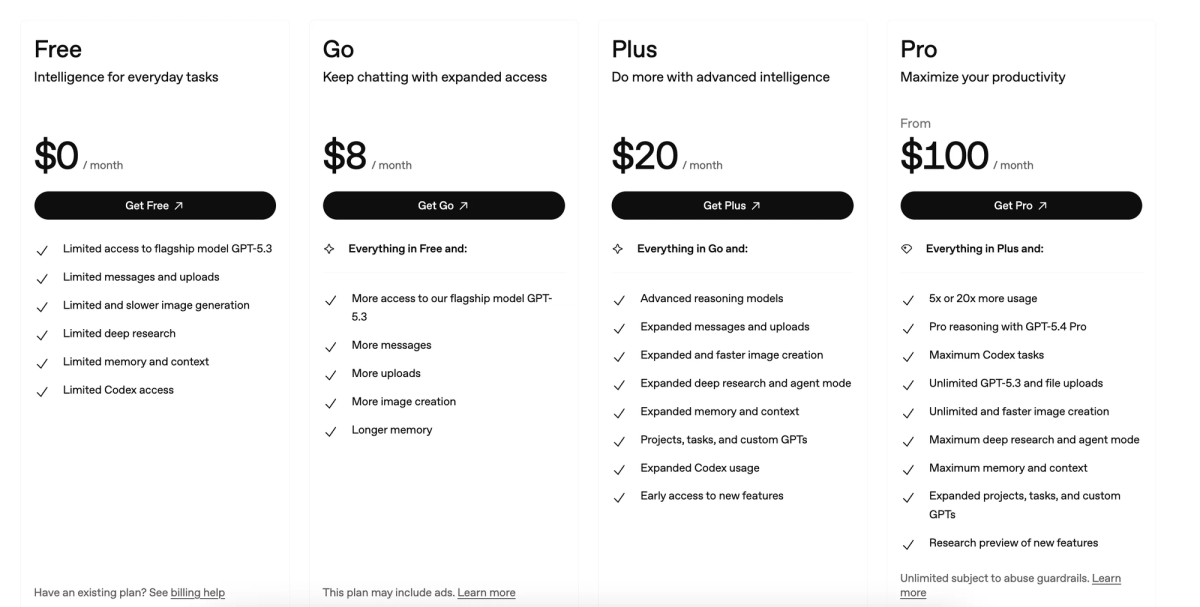
If you search "Codex pricing" and land on a chatgpt.com/codex/pricing page, you'll see plan-level subscription info. That doesn't tell you what a 3-hour deep refactor session actually costs, how fast mode changes the bill, or what the container fee adds for cloud tasks via API. The full picture requires combining the subscription page, the official rate card, and the developers.openai.com/codex/pricing page.
What Changed in Codex Pricing
From usage credits to token-based rates
Before April 2, 2026, Codex charged on a per-message or per-PR basis. Average credit costs per message were listed in a table, and billing was approximate — the model did a task, you were charged an average rate.
Starting April 2, 2026, Codex switched to token-based billing for Plus, Pro, and Business plans — and extended it to all Enterprise plans on April 23, 2026. Credits remain the core unit you purchase, but the rate is now:
Credits consumed = (input tokens × input rate) + (cached input tokens × cached rate) + (output tokens × output rate)
All rates are expressed as credits per 1 million tokens, and vary by model. Cached input tokens (context repeated across turns) cost approximately 10% of the regular input rate — the most important single cost optimization available in agentic workflows.
This format is more transparent than per-message averages. It's also more variable: the same task can consume more or fewer credits depending on how much the model writes versus how much it reads, and how well your harness reuses cached context.
Why model choice changes cost
Model choice is the largest single variable in Codex billing. The models available in Codex in 2026 have materially different credit rates:
- GPT-5.3-Codex (used by code review, default for many agent tasks): higher credit rate per token, stronger agentic performance
- GPT-5.4-Mini: lower credit rate, faster, designed for lighter tasks and subagent roles within larger workflows
- GPT-5.3-Codex-Spark (research preview, Pro only): credit rates not finalized at time of writing
- GPT-5.5: higher capability, but OpenAI notes it uses "significantly fewer tokens to achieve results comparable to GPT-5.4" — meaning the effective cost per task may be lower despite higher per-token rates
OpenAI's code review feature uses GPT-5.3-Codex specifically — you don't choose the model for code review, it's fixed.
For the specific credit amounts per 1M tokens by model, check the current rate card directly. These numbers have changed with model releases and may change again.
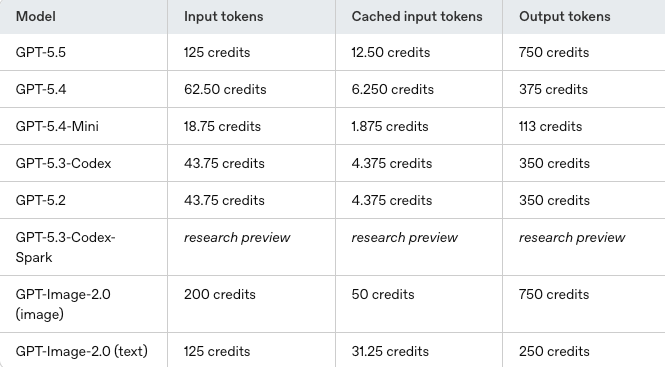
Current Codex Rate Card
Input, cached input, and output credits
The rate card distinguishes three token types because they drive very different costs:
Input tokens — all text sent to the model: your prompt, the system prompt, and any context you load. For agentic coding sessions reading large files or loading long histories, input tokens dominate.
Cached input tokens — input tokens that hit the prompt cache. The cache activates when the same content appears at the start of multiple calls (stable system prompt, unchanged file content loaded at session start). Cached tokens cost approximately 10% of regular input. In a long agentic session where the same codebase context is reloaded every turn, caching can reduce effective input costs by 80–90%.
Output tokens — text the model generates: code, explanations, tool call arguments, reasoning traces. Output tokens cost more than input tokens in most models. The amount of output per task depends heavily on the model's reasoning verbosity and the task's actual complexity.
The practical implication: tasks that generate a lot of model output (long code completions, verbose reasoning with xhigh effort, detailed code review comments) cost more than tasks where the model reads and applies small changes. Structuring your prompts to minimize unnecessary output — "be concise, skip explanations unless asked" — reduces output token consumption without affecting correctness.
GPT-5.3-Codex vs Mini vs Spark preview
| Model | Rate tier | Use case | Notes |
|---|---|---|---|
| GPT-5.3-Codex | Higher | Complex agent loops, code review | Default for review; xhigh effort available |
| GPT-5.4-Mini | Lower | Lighter tasks, subagents | 4× more usage headroom vs full model |
| GPT-5.5 | Higher per-token, but efficient | Current default when available | Fewer tokens per task than GPT-5.4 |
| GPT-5.3-Codex-Spark | Not finalized | Real-time coding (Pro, research preview) | Credit rates TBD |
For actual credit numbers per 1M tokens, see the official rate card. The table above shows relative positioning, not the specific rates.
What Actually Drives Cost
Local tasks vs cloud tasks
Local tasks run on your machine via CLI or IDE extension. The model inference runs in OpenAI's infrastructure; you're charged for tokens. No container fee. Local tasks are cheaper per task because there's no execution environment overhead.
Cloud tasks run in Codex Cloud — isolated containers in OpenAI's infrastructure with full repo access, a shell, test runner, and file I/O. The model can run tests, execute commands, and iterate autonomously for extended periods. Cloud tasks add a container fee on top of token costs:
- 1 GB container: $0.03 per 20-minute session
- 4 GB container: $0.12 per 20-minute session
- 64 GB container: $1.92 per 20-minute session
For a large-repo refactor that runs for 2 hours in a 16 GB container, the container fee accumulates. For a quick bug fix in a small project, the container overhead is minor relative to token costs.
When using Codex with ChatGPT auth (subscription), local and cloud tasks both draw from your included limits — cloud tasks typically consume limits faster because they generate more output and run longer. When using an API key, token rates plus container fees apply directly.
Fast mode, automations, and code review
Fast mode increases credit consumption for supported models. The rate increase for fast mode is documented on the speed configuration page. If you've turned on fast mode for interactive work, you're spending more credits per turn.
Automations (scheduled or triggered Codex tasks) consume credits from your subscription budget or from purchased credits. Automations count against the same limits as interactive sessions, so a heavily automated workflow can exhaust your included usage before you've done any interactive coding.
Code review uses GPT-5.3-Codex specifically. If you're running code review on every PR, you're paying GPT-5.3-Codex rates for each review. At high PR volume, this is the most predictable cost center in Codex usage.
Image generation in Codex uses included limits 3–5× faster than equivalent turns without images. If your workflow involves generating UI mockups or screenshots, this multiplier adds up quickly.
How to Estimate Team Spend
OpenAI's published estimate is $100–$200 per developer per month, with "large variance." Here's a framework for estimating more precisely:
Step 1: Identify your primary use pattern
- Interactive coding (CLI/IDE, local tasks): lowest credit intensity per session
- Autonomous cloud tasks (complex refactors, migrations): higher intensity, add container fees
- High-frequency code review: GPT-5.3-Codex rates × PR volume
- Automations: runs continuously, competes with interactive limits
Step 2: Identify your model mix
- Heavy GPT-5.3-Codex use (complex agent loops): toward the high end
- GPT-5.4-Mini for most tasks, GPT-5.3-Codex only for hard problems: toward the low end
- GPT-5.5 as primary: high per-token rate, but fewer tokens per task — verify empirically
Step 3: Account for caching Long sessions that load the same codebase repeatedly benefit most from caching. If your workflow includes loading a stable set of files at every turn, enable caching and measure the actual cached-input percentage in your usage dashboard.
Step 4: Monitor via the Codex usage panel Codex settings → Usage panel shows remaining credit, current limits, and per-model consumption. Check this after a representative week of real usage — benchmark estimates are less reliable than observing your own workflow.
For team deployments: Business plan is $30/user/month with Codex included. Enterprise pricing is custom. Contact OpenAI sales for team-specific rate card details and whether usage-based seat options apply to your usage pattern.
FAQ
How much does Codex CLI actually cost per month?
OpenAI's own estimate is $100–$200/developer/month with significant variance. For developers using Codex CLI primarily for interactive coding (not heavy cloud tasks or automations), Plus at $20/month covers substantial usage within the included limits. Power users running many autonomous cloud tasks, or teams running automated pipelines, tend toward the higher end. Monitor your usage panel after the first week — your actual pattern matters more than estimates.
How do credits convert to real token pricing?
Credits are the subscription billing unit; tokens are the model billing unit. The rate card defines how many credits correspond to 1 million input, cached input, or output tokens for each model. The credit-to-dollar conversion depends on your plan — Plus, Pro, and Business plans include different numbers of credits before you need to purchase more. API key usage bypasses credits entirely and charges directly in dollars per million tokens at the rates on the OpenAI API pricing page.
Is there still a free tier for Codex in 2026?
Limited. Free ChatGPT users have access to Codex Mini with restricted daily limits — not the full Codex agent. The new API trial provides a small credit pool for testing. Sustained Codex use requires Plus ($20/month) or higher for subscription access, or an API key with a billing method for pay-per-token access.
Which Codex model is the cheapest for heavy daily use?
GPT-5.4-Mini for tasks where full model capability isn't needed — OpenAI designed it to provide 4× more usage headroom compared to the full Codex model at the same subscription tier. Use GPT-5.4-Mini for: quick edits, code explanations, simple bug fixes, and subagent roles in multi-agent pipelines where individual calls are narrow in scope. Reserve GPT-5.3-Codex or GPT-5.5 for complex agent loops, large refactors, and debugging sessions where the performance difference justifies the higher credit rate.
Related Reading
