


I've been tracking DeepSeek V4 since January. Every week I check Reuters updates, monitor DeepSeek's GitHub commits, and watch Verdent's changelog — because when V4 drops, I want to be in production within hours, not days.
Here's what I know as of late February 2026: V4 hasn't officially launched yet. The mid-February Lunar New Year window passed without a release. But community consensus now points to Q1–Q2 2026, and the signals — including DeepSeek silently expanding context windows from 128K to 1M tokens on February 11 — suggest it's genuinely imminent.
So I built out this guide now. Because when V4 goes live, you don't want to be fumbling through settings at midnight. Verdent already supports DeepSeek V3 today, and the workflow I'm walking you through transfers directly to V4 the moment it's available in the model picker. Whether you're running DeepSeek right now or prepping for Day 1 of V4, this is the setup that actually works in a real project.
Install Verdent & Select DeepSeek V4
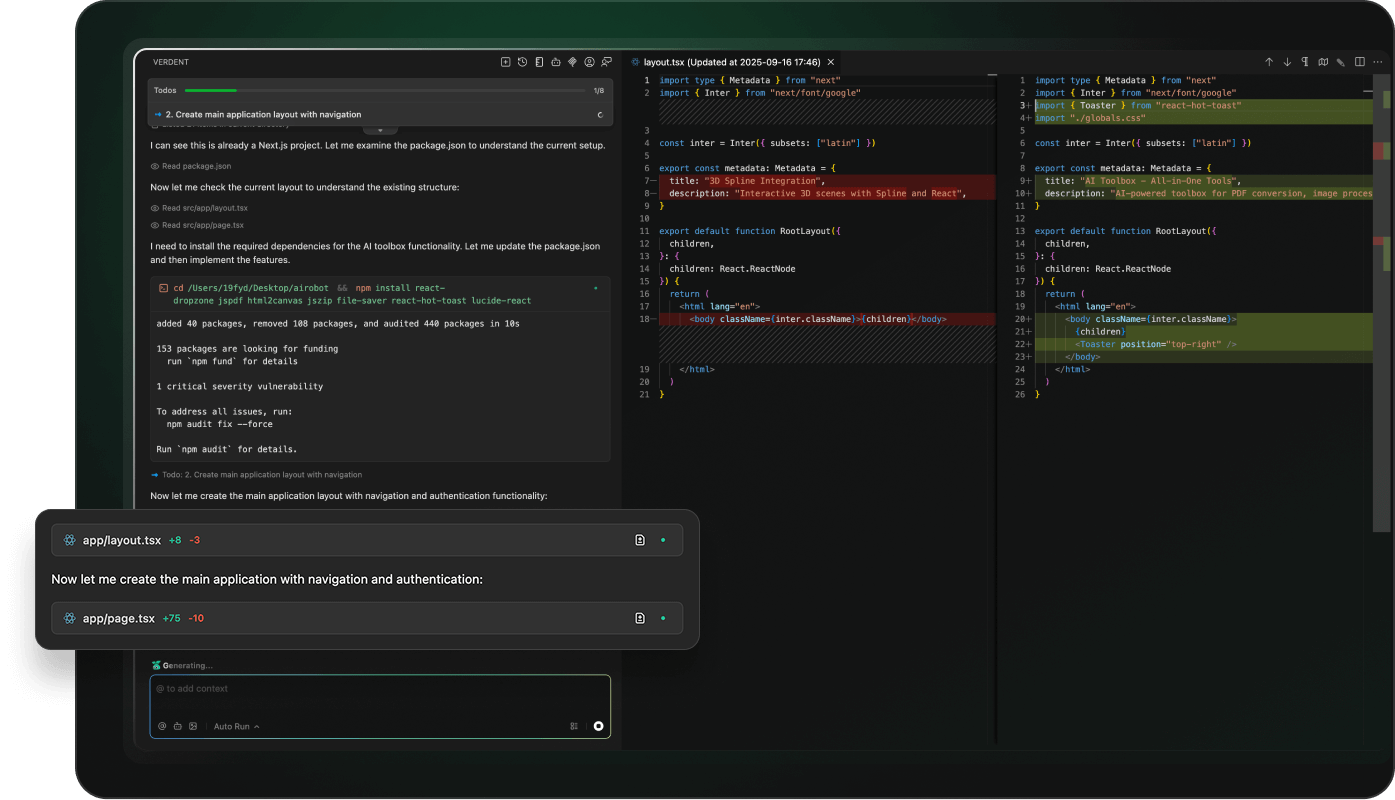
VS Code Extension Install
Getting Verdent into VS Code takes about three minutes. Open the Extensions Marketplace with Ctrl+Shift+X (or Cmd+Shift+X on macOS), search for Verdent, and install the official extension from Verdent AI, Inc. Once installed, you'll see the Verdent icon in your Activity Bar.
If you prefer the standalone desktop app — which I actually recommend for multi-project work — grab Verdent Deck from the official site. It gives you a dashboard view of all active tasks and agents running in parallel, which is something the VS Code panel can't match for complex projects.
After install, sign in with your Verdent account. If you don't have one, the free trial includes 100 credits — enough to run several real tasks and form an honest opinion.
Model Picker — Select V4
Inside the Verdent panel, click the model selector (the dropdown at the top of the chat input). You'll see the current model roster. As of February 2026, this includes Claude Sonnet 4.5, GPT-5, Gemini 3 Pro, and DeepSeek V3. When DeepSeek V4 becomes available — which Verdent has confirmed they're tracking for Day-0 integration — it will appear here.
Select DeepSeek V4 (or DeepSeek V3 if you're working today). That's it. No separate API key setup required within Verdent — the platform handles model routing through its credit system.
Quick reality check: V4 is expected to be coding-optimized with 1M token context and Engram conditional memory architecture. For repo-level refactoring tasks, that context window matters more than any benchmark number.
API Key and Credit Setup
Verdent runs on a credit-based subscription model: Starter at $19/month (640 credits), Pro at $59/month (2,000 credits), and Max at $179/month (6,000 credits). Credits are consumed per task based on the model used and output length — DeepSeek models are generally more credit-efficient than Claude or GPT-5 for the same task size.
If you want to use DeepSeek's API directly (outside Verdent), you'd grab a key from platform.deepseek.com/api_keys. But inside Verdent, you're using Verdent's integrated access — simpler, and you get the multi-agent orchestration layer on top.
Your First Task with Plan Mode
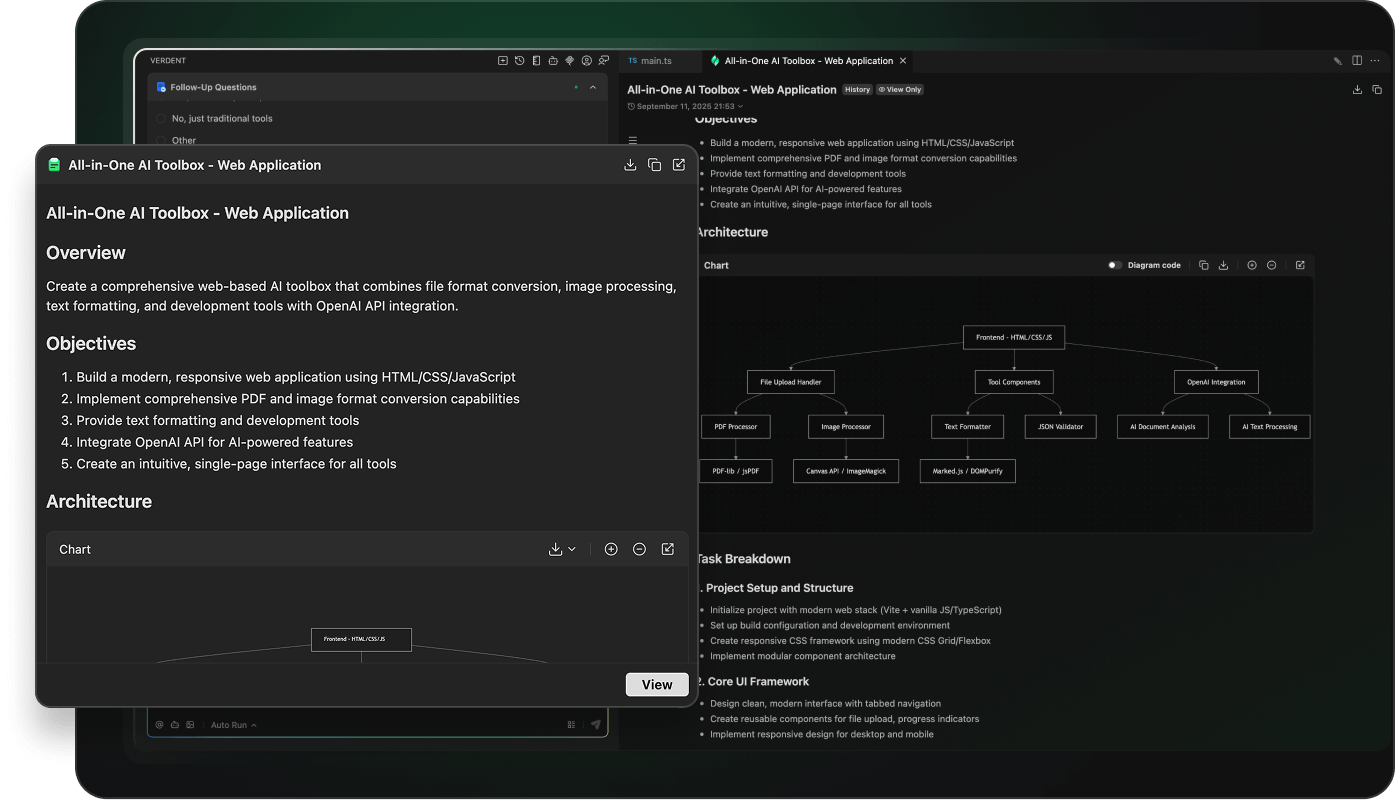
This is where Verdent earns its keep. Plan Mode is the feature I tell every senior engineer to try first, because it fixes the core problem with AI coding tools: they start writing code before they understand your intent.
Describe the Task in Natural Language
In the Verdent chat panel, make sure you're in Plan Mode (the default when you open a new task). Type your request the way you'd describe it to a teammate:
Add a user authentication endpoint to the Express app.
It should validate JWT tokens from the Authorization header,
return 401 for invalid tokens, and attach the decoded user
object to req.user for downstream middleware.
Short prompts get shallow plans. Specific prompts get actionable ones. Include the "what" and the "why" — Verdent's agent will ask clarifying questions if something's ambiguous, but the more context you give, the fewer back-and-forth rounds you'll need.
Review the Generated Plan
After you submit, Verdent's planning agent reads your codebase and generates a structured task plan. According to Verdent's official FAQ, Plan Mode is strictly read-only — no files are modified, no code is written. You're reviewing a checklist before anything touches your project.
A typical plan for the auth endpoint above might look like this:
| Step | Action | Files Affected |
|---|---|---|
| 1 | Import jsonwebtoken dependency | package.json |
| 2 | Create middleware/auth.js with JWT validation logic | New file |
| 3 | Add 401 error handler with proper response format | middleware/auth.js |
| 4 | Attach req.user on valid token decode | middleware/auth.js |
| 5 | Register middleware in app.js | app.js |
| 6 | Generate unit tests for valid/invalid token cases | tests/auth.test.js |
Review each step. If something's off — say, you use a different error response format — edit the plan now, not after the agent has written three files in the wrong pattern.
Approve and Let V4 Execute

Once the plan looks right, hit Approve or toggle to Agent Mode with Shift+Tab or Ctrl+.. The agent switches from read-only analysis into execution mode and starts working through the plan steps sequentially, running in its own isolated git worktree — completely separate from your main branch.
You can watch progress in real time on the Task Dashboard. Each step shows status (pending, running, done, or failed) and you can expand any step to see what the agent is doing.
Reading the Diff Before You Accept

Here's where a lot of developers lose discipline. The agent finishes, shows a green checkmark, and the temptation is to hit "Accept All" and move on. Don't. This is the step that separates good AI-assisted engineering from technical debt accumulation.
Change Summary Walkthrough
Verdent presents a diff view before any changes are merged back to your working branch. The summary shows:
- Files created: New files the agent added
- Files modified: Existing files with line-level changes highlighted
- Test coverage: Whether tests were generated and whether they pass
- Potential conflicts: Any files that touch code other agents are also modifying
Read the diff the same way you'd review a colleague's PR. Check that the JWT validation logic handles edge cases (expired tokens, malformed headers, missing Bearer prefix). Verify the error response format matches your existing API conventions. If the agent made an architectural decision you disagree with, you can reject individual changes or ask it to revise specific files before accepting.
As Verdent's 1.5.0 release notes explain, each agent runs in a completely isolated workspace — "changes for one task never silently leak into another." That isolation is what makes the diff trustworthy: what you see is exactly what will land in your branch.
Manual Accept vs Auto Run
Verdent gives you three collaboration modes:
| Mode | Behavior | Best For |
|---|---|---|
| Manual Accept | Every file change requires explicit approval | Production code, unfamiliar codebases |
| Auto Run | Agent executes through the plan with minimal interruption | Boilerplate generation, test writing |
| Skip Permission | Maximum autonomy, agent handles its own tool calls | Rapid prototyping, throwaway branches |
For your first few V4 tasks, stay on Manual Accept. You'll learn how the model reasons about your codebase, where it makes good judgment calls, and where you need to steer it. Once you've built that trust on a specific task type, Auto Run is safe for that category.
Adjusting Reasoning Depth
This is a Verdent-specific control that most guides skip entirely — and it's one of the levers that actually changes your credit burn rate.
When to Dial Up vs Down
Reasoning depth controls how thoroughly the agent analyzes context before acting. Higher depth means more thorough planning and fewer mid-task surprises; lower depth is faster and cheaper for simpler tasks.
| Mode | Behavior | Best For |
|---|---|---|
| Manual Accept | Every file change requires explicit approval | Production code, unfamiliar codebases |
| Auto Run | Agent executes through the plan with minimal interruption | Boilerplate generation, test writing |
| Skip Permission | Maximum autonomy, agent handles its own tool calls | Rapid prototyping, throwaway branches |
You'll find the reasoning depth slider in the task settings panel (the gear icon next to the model picker in VS Code, or the task configuration panel in Verdent Deck).

Credit Cost Impact
Higher reasoning depth costs more credits because it runs more analysis tokens before execution begins. Based on typical usage patterns with DeepSeek V3:
- Low depth: ~15–40 credits per task
- Medium depth: ~40–100 credits per task
- High depth: ~100–300 credits per task (complex multi-file work)
DeepSeek V4, based on its expected architecture — particularly the Engram conditional memory system that achieves O(1) knowledge retrieval — is designed to be more compute-efficient than V3. Early internal benchmarks suggest a 50% inference cost reduction. If that holds post-launch, high-depth tasks on V4 may cost meaningfully fewer credits than the same tasks on Claude or GPT-5.
Common Day-1 Issues & Fixes
Agent stops mid-task with "context limit reached"Switch to a 1M token context window in model settings. For large codebases (1,000+ files), standard 200K context isn't enough. Verdent's FAQ confirms the 1M option is available for exactly this scenario — complex multi-file refactoring and long development sessions.
Plan Mode generates a plan that ignores your existing architectureThe agent didn't have enough context about your conventions. Add an AGENTS.md file to your project root describing your architecture, preferred patterns, and coding standards. Verdent reads this file automatically before planning.
Two agents modified the same file and now there's a conflictEach workspace has its own copy of files; conflicts resolve during rebase. Use standard git rebase conflict resolution — this is expected behavior when parallel tasks overlap on the same file.
V4 not showing in model picker after launchVerdent updates the model roster server-side. Force a refresh with Ctrl+Shift+P → "Verdent: Reload Models" in VS Code, or restart Verdent Deck. If it still doesn't appear, check verdent.ai/changelog for integration status.
Credits depleting faster than expectedReview your reasoning depth setting. Code review generation (if enabled in Settings → Chat) also uses credits per review. Disable auto code review for exploratory or throwaway branches, and enable it for production work where the quality gate is worth the cost.
Start Your First DeepSeek V4 Task in Verdent Today
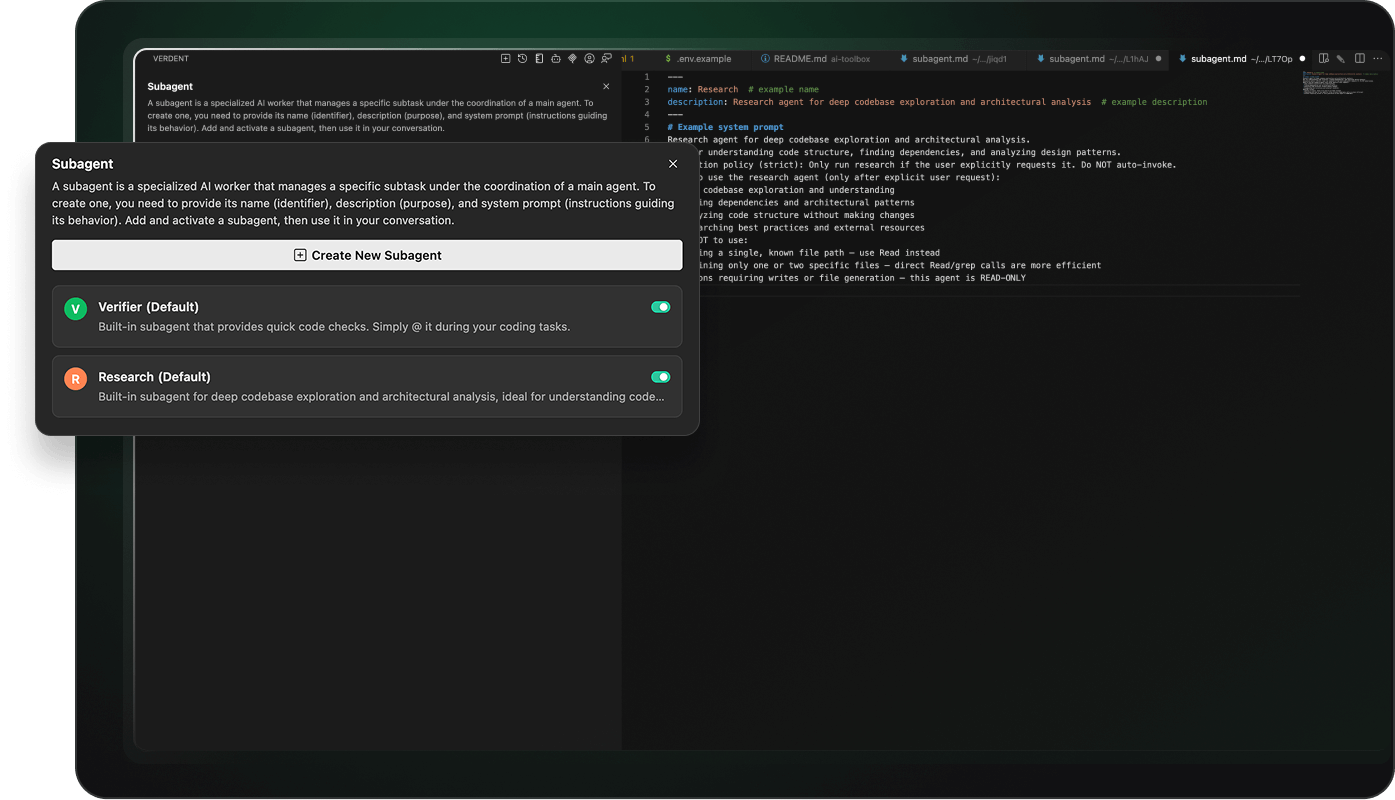
The setup takes ten minutes. The payoff is the first time you watch an agent work through a multi-file refactoring task, generate tests, and produce a clean diff — while you review it like a PR instead of writing every line yourself.
If V4 isn't in the model picker yet when you're reading this, start with DeepSeek V3. The workflow is identical. When V4 drops, it's a one-click model switch — no configuration changes, no migration, no disruption to active tasks.
Start your free trial at verdent.ai — 100 credits, no credit card required. Run your first real task before the end of the day.
FAQ
Q: Is DeepSeek V4 officially released as of February 2026?
A: Not yet. The mid-February Lunar New Year window passed without an official launch. Multiple sources tracking the release now point to Q1–Q2 2026. The setup steps in this guide work today with DeepSeek V3, and the workflow transfers directly to V4 once it's available in Verdent's model picker.
Q: How is Verdent different from just using DeepSeek's API directly?
A: Direct API access gives you raw model completions. Verdent adds Plan Mode, multi-agent parallel execution, git worktree isolation, diff review, and a Task Dashboard on top of that. Think of Verdent as the orchestration layer — DeepSeek V4 is the engine underneath.
Q: Can I run multiple DeepSeek V4 agents in parallel on different features?
A: Yes. Each agent runs in its own isolated git worktree, so parallel tasks on separate features don't conflict. You can have one agent adding authentication while another is working on a data export feature — in completely separate workspaces.
Q: Does Plan Mode cost credits?
A: Yes, but significantly fewer than execution. Plan Mode reads and analyzes files but doesn't write any code — the credit cost reflects the analysis tokens used by the planning agent.
Q: What happens if I don't like the plan Verdent generates?
A: Edit it before approving. You can modify individual steps, add steps, delete steps, or ask the agent to regenerate specific sections. The plan is a shared checklist you confirm before any code changes are made — nothing is locked until you approve.
Q: How do I switch between DeepSeek V4 and Claude for different tasks?
A: Each task in Verdent has its own model setting. You can run Task A on DeepSeek V4 (for cost-efficient repo-level refactoring) and Task B on Claude Sonnet 4.5 (for tasks where you want stronger natural language reasoning), all in parallel.
