
You know that sinking feeling when your AI coding assistant rewrites 200 lines of perfectly good code because you phrased a prompt slightly wrong? Or when you're paying $20/month for three different tools and still manually copying context between them because none of them talk to each other?
I'm Dora, a Principal Engineer who's been there—multiple times. Last quarter alone, I watched our team waste 14 hours debugging code that Cursor confidently generated but couldn't explain. We hit Devin's rate limits mid-sprint. We paid for Claude Code Pro and still ran out of weekly credits on day three. The worst part? We kept switching tools, hoping the next one would finally "just work" for our production workflows.
Here's what nobody tells you about AI coding tools in 2026: the gap between marketing promises and real-world reliability is still massive. After testing every major tool on actual MVP builds and enterprise refactors—not contrived tutorials—I've learned which ones actually ship features versus which ones just burn credits while you babysit their output.
This comparison covers what actually matters: which tool won't crash when you need it, where your money goes, and how to avoid the expensive mistakes I already made for you.
AI Coding Tool Categories
The landscape split into three distinct categories by late 2025, each solving different problems:
Assistants provide inline suggestions and chat support—think GitHub Copilot. They're fast for small edits but don't handle complex, multi-file refactors.
Agents like Devin and Claude Code can plan, execute, and verify entire features autonomously. They run in isolated environments and actually test their own code.
Multi-Agent Platforms orchestrate multiple specialized agents working in parallel. This is where things get interesting for team workflows.
Quick Comparison Table
Pricing as of January 2026
| Tool | Type | Best For | Starting Price | Key Strength |
|---|---|---|---|---|
| Claude Code | Agent | Terminal-based workflows | $20/mo (Pro) | Superior code quality, extended thinking |
| Cursor | IDE | Daily coding + autocomplete | $20/mo (Pro) | VSCode familiarity, fast completions |
| Windsurf | IDE | Visual developers, beginners | $15/mo | Live preview, smooth UX |
| Devin | Agent | End-to-end task automation | $20/mo (Core) | Full autonomy, built-in IDE |
| GitHub Copilot | Assistant | Existing GitHub workflows | $10/mo (Pro) | Deep GitHub integration |
| Verdent | Multi-Agent | Parallel task execution | $19/mo | Isolated worktrees, zero conflicts |
| Zencoder | Multi-Agent | Enterprise workflows | $19/mo | Spec-driven development |
| Tonkotsu | Multi-Agent | Team orchestration | Free (Early Access) | SOC 2 compliance, desktop app |
Single-Agent Tools
Claude Code
Claude Code is Anthropic's terminal-based coding agent, and it's my go-to for complex refactors. Here's why: it actually thinks before coding.
The "extended thinking" feature in Claude Sonnet 4.5 lets it reason through multi-step logic—critical for debugging edge cases. I've used it on a 50K-line codebase migration, and it consistently caught corner cases that Cursor missed.
Real-world test: Refactoring authentication flow across 12 files
- Time: ~2 hours (vs. 6+ hours manual)
- Success rate: 90% (only needed minor tweaks)
- Cost: ~$5 in API credits
bash
# Typical Claude Code workflow
claude code "Migrate auth from JWT to OAuth2, maintain backwards compatibility"
# It plans, codes, tests, and shows diffs before applying
Pricing:
- Pro: $20/mo (45 messages/5 hours)
- Max Expanded: $100/mo (5x usage)
- Max Ultimate: $200/mo (20x usage)
Limitations: Rate limits hit hard during peak hours. For heavy users, API costs can exceed subscription value.
Cursor
Cursor dominates the IDE space for good reason—it's VS Code with superpowers. The Composer feature for multi-file edits is unmatched among IDE-native tools.
I tested Cursor against Windsurf on the same API build task. Cursor gave me more control but required more manual file selection. If you know your codebase well, that control pays off.
Key differentiators:
- Access to all frontier models (Claude Opus 4, GPT-4, Gemini)
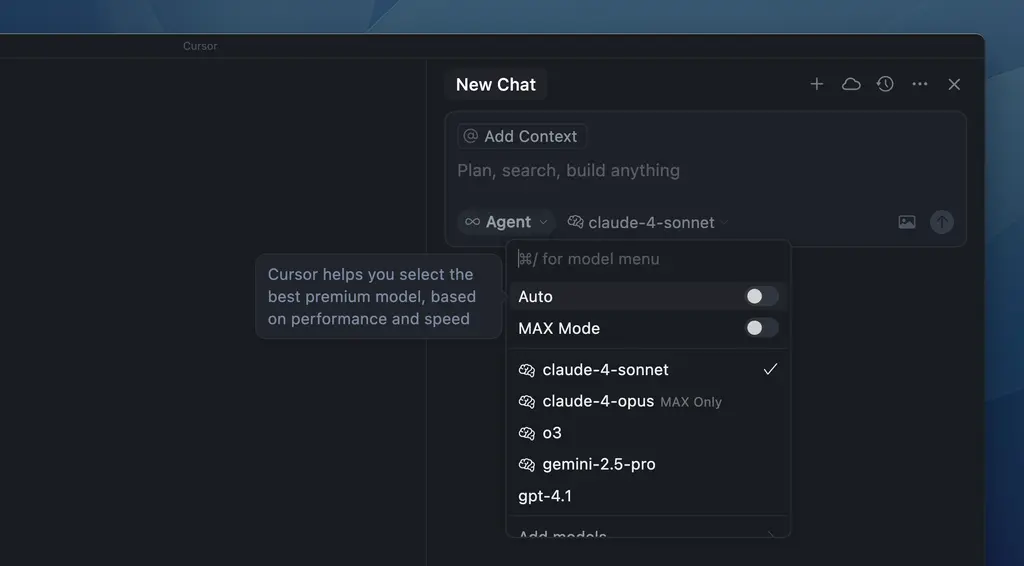
- Advanced codebase operations (grep, fuzzy matching)
- Mature plugin ecosystem (it's a VS Code fork)
Pricing: $20/mo Pro, $40/mo Business
Trade-off: Higher cognitive load. You need to understand what you're asking for. Beginners often don't discover Cursor's best features.
Devin
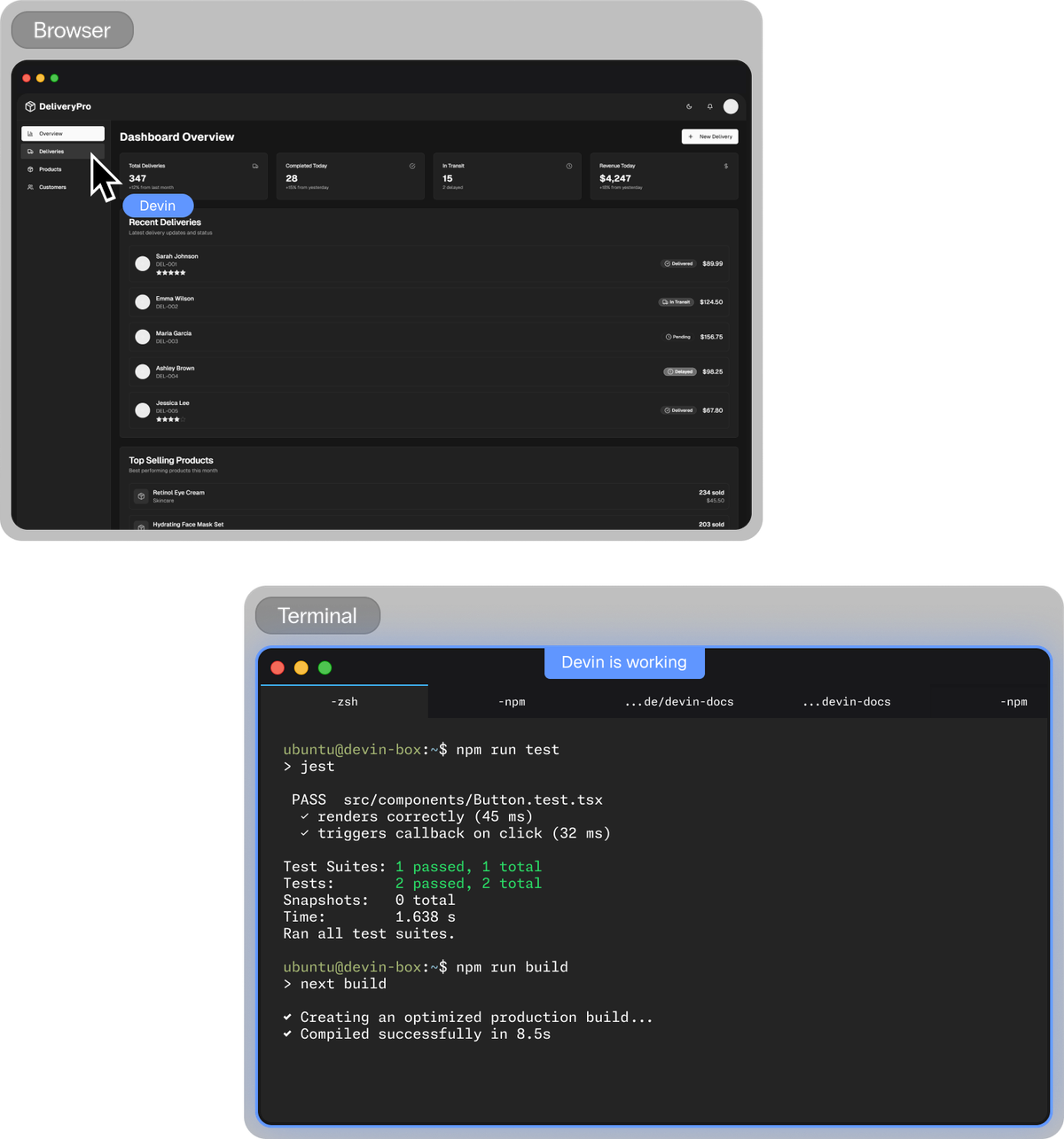
Devin 2.0 made headlines by dropping from $500/mo to $20/mo in April 2025. It's the closest thing to a "software engineer in a box"—complete with its own IDE, browser, and terminal.
I gave Devin a task: "Build a REST API from this Swagger spec and deploy to Heroku." It took 45 minutes, created the Laravel app, configured PostgreSQL Essential 0 (it knew Hobby Dev was deprecated), and pushed to GitHub. Not perfect—10 of 15 endpoints worked correctly—but impressive for zero input after the initial prompt.
Where Devin excels:
- Small, scoped tasks (bug fixes, data migrations)
- Asynchronous work (start it, come back later)
- Prototyping MVPs
Where it struggles:
- Complex, ambiguous requirements (garbage in, garbage out)
- Cost unpredictability (ACUs can burn fast)
- Success rate requires careful task scoping per official documentation
Pricing:
- Core: $20/mo + $2.25/ACU
- Team: $500/mo (250 ACUs)
- Enterprise: Custom
ACU consumption example: 1 ACU = simple bug fix or basic website. Complex refactors can consume 10-20 ACUs.
Multi-Agent Platforms
This is where 2026 gets wild. Multi-agent platforms let you run multiple coding tasks in parallel without stepping on your own toes.
Verdent
I've been running Verdent for MVP builds, and the isolated worktrees feature is a game-changer. Each agent gets its own branch, so you can spin up 5 parallel tasks without merge conflicts.
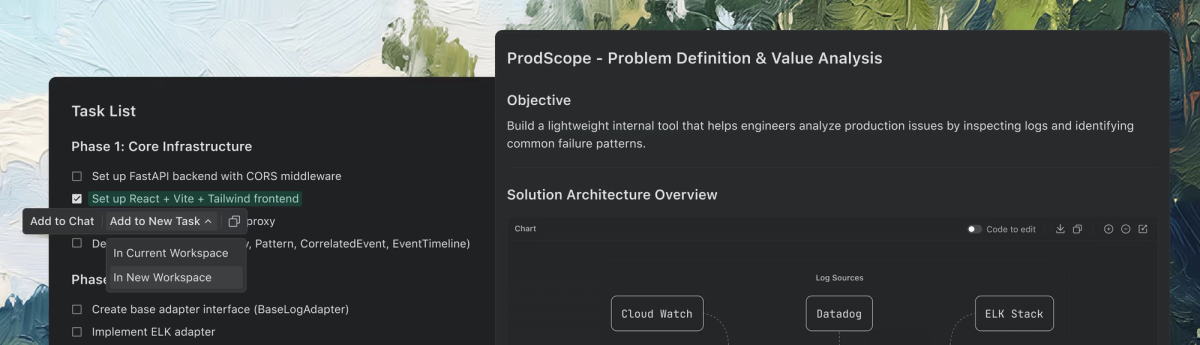
Setup example:
bash
# In Verdent Desktop
Task 1: "Refactor authentication module"
Task 2: "Add Stripe payment integration"
Task 3: "Optimize database queries in user service"
Task 4: "Write unit tests for API endpoints"
Task 5: "Update documentation"
# All run simultaneously in isolated environments
Pricing: $19/mo (340 credits), additional credits at $20/240
Best for: Developers juggling multiple features or startups needing rapid iteration
Limitation: Credit system can be confusing initially. Monitor usage closely.
Zencoder
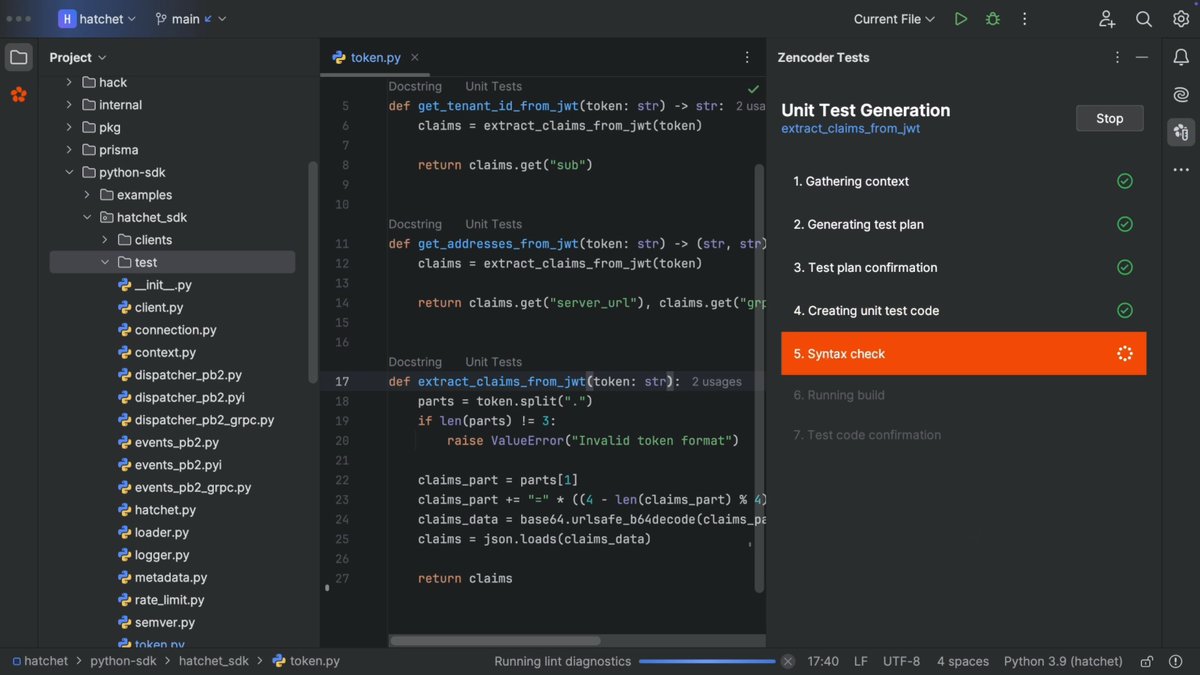
Zencoder is the enterprise play. It's built around "spec-driven development"—agents work from detailed specifications, not vague prompts.
The platform's multi-repo support is critical for microservices. I tested it on a project with 4 interconnected services, and Zencoder understood dependencies across repos.
Key features:
- Workflow orchestration (define processes visually)
- Built-in verification loops
- 100+ integrations (Jira, GitHub, Datadog)
- SOC 2 Type II, ISO 27001 certified
Pricing:
- Free Plan available
- Starter: $19/user/mo
- Core: $49/user/mo
- Advanced: $119/user/mo
Best for: Teams needing compliance + automation, especially in finance/healthcare
Tonkotsu
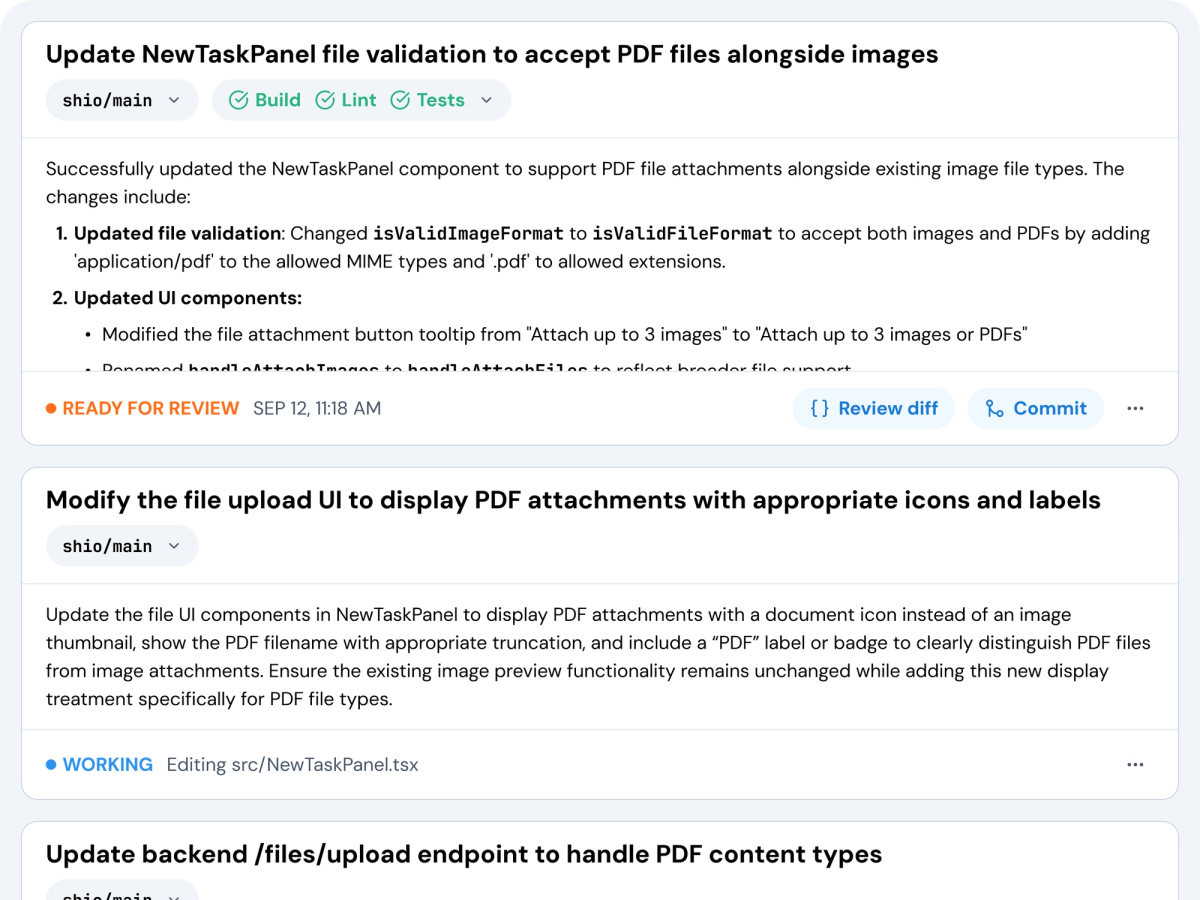
Tonkotsu is the new kid but gaining traction fast. It's a desktop app (Mac/Windows) that positions you as a "tech lead" managing AI agents.
What I like: the plan → code → verify workflow is explicit. You review agent plans before execution, giving you control without micromanagement.
Unique advantage: SOC 2 Type I audit completed—rare for early-stage tools.
Pricing: Free during early access
Best for: Teams wanting team-style agent collaboration without CLI complexity
IDE Integrations
Every major tool now offers VS Code extensions, but quality varies:
- Cursor/Windsurf: Native forks, deepest integration
- Claude Code: Extension + terminal, works anywhere
- Zencoder/Verdent: VS Code + JetBrains support
- Copilot: Supports VS Code, JetBrains, Xcode, Vim
My workflow: Cursor for day-to-day, Claude Code terminal for deep refactors, Verdent Deck for parallel MVP work.
Pricing Tiers Breakdown
Pricing models shifted dramatically in 2025-2026:
Subscription-based:
- GitHub Copilot: $10-$39/mo (simplest)
- Cursor/Windsurf: $15-$20/mo (unlimited usage within limits)
Credit-based:
- Devin: ACUs ($2-$2.25 each)
- Verdent/Windsurf: Flow credits
- Claude: Per-token pricing + rate limits
Hybrid:
- GitHub Copilot Pro+: $39/mo + premium request overages at $0.04 each
GitHub Copilot's premium request system is the most transparent: Free gets 50/mo, Pro gets 300/mo, Pro+ gets 1,500/mo. Extra requests are $0.04 each.
Reality check: For power users, credit systems can cost $300+/mo if you're not careful. Track usage religiously.
Decision Framework
Choose based on your actual workflow, not features lists:
Pick GitHub Copilot if:
- You live in VS Code/JetBrains
- You want predictable costs ($10-$39/mo)
- Simple autocomplete + chat is enough
Pick Cursor if:
- You're a power user who understands codebases
- You need multi-file composer mode
- You want model choice (Claude, GPT, Gemini)
Pick Windsurf if:
- You prioritize UX/live preview
- You're newer to AI coding
- $15/mo fits your budget
Pick Claude Code if:
- Code quality > speed
- You're comfortable in terminal
- Complex refactors are common
Pick Devin if:
- You need true autonomy for scoped tasks
- You can write clear, detailed prompts
- Async workflows fit your style
Pick multi-agent platforms (Verdent/Zencoder/Tonkotsu) if:
- You're managing 3+ parallel features
- Team coordination is critical
- MVP speed is everything
The shift from "coding with AI assistance" to "managing AI agents" is real, but success depends on matching tools to your actual workflow rather than chasing features. Most productive developers in 2026 use strategic combinations: Cursor or Windsurf for daily IDE work, Claude Code for complex terminal-based refactors, and multi-agent platforms like Verdent or Zencoder when parallel execution matters more than sequential speed.
The biggest lesson from testing these tools? Credit systems and rate limits are the hidden costs that marketing materials skip—track usage religiously, test on real projects before committing, and remember that the tool that integrates seamlessly into your existing workflow beats the one with the flashiest demo every time.
FAQ
Q: Can AI coding tools replace developers in 2026? No. Senior developers who know when to trust AI output are thriving; juniors who blindly accept suggestions struggle. AI augments rather than replaces—per GitHub's research, ~85% of developers use AI tools, but human judgment remains critical.
Q: What's the biggest hidden cost? Rate limits and credit consumption. Devin's ACU costs can spike unpredictably on complex tasks. Claude Code's weekly rate limits caught many users off guard.
Q: Which tool has the best code quality? Claude Sonnet 4.5 (via Claude Code or Cursor) consistently ranks highest on benchmarks. Windsurf uses faster models but sometimes sacrifices accuracy.
Q: Are multi-agent platforms production-ready? Yes for startups and MVPs. Enterprise adoption is growing but needs mature compliance. Zencoder's SOC 2 Type II certification makes it viable for regulated industries.
Q: What about security? All major tools now offer enterprise plans with SOC 2 compliance. Zencoder and Tonkotsu lead here. If handling sensitive code, use bring-your-own-key (BYOK) options where available.
Q: Can I run agents locally? Some tools support local models. Verdent and Zencoder allow custom model API keys for data residency compliance.
Article last updated: January 2026. Tools evolve rapidly—verify pricing and features before committing.