85% of developers now use AI for coding—but here's the part that shocked me: the productive ones aren't just using autocomplete. They're delegating entire features to autonomous agents while they focus on architecture.
I'm Dora, a principal engineer who's spent the last six months testing every major AI coding agent against real production tasks: MVP builds, legacy refactors, and the kind of multi-file changes that used to eat entire Fridays. The difference between 2024's "smart suggestions" and 2026's autonomous coding agents is the difference between a spell-checker and a co-author.
Tools like Cursor, Claude Code, and Verdent can now plan, execute, test, and iterate without constant supervision. If you're still writing every line yourself, this guide shows you what you're missing—and how to close the gap without the learning curve killing your sprint velocity.
What Is an AI Coding Agent?
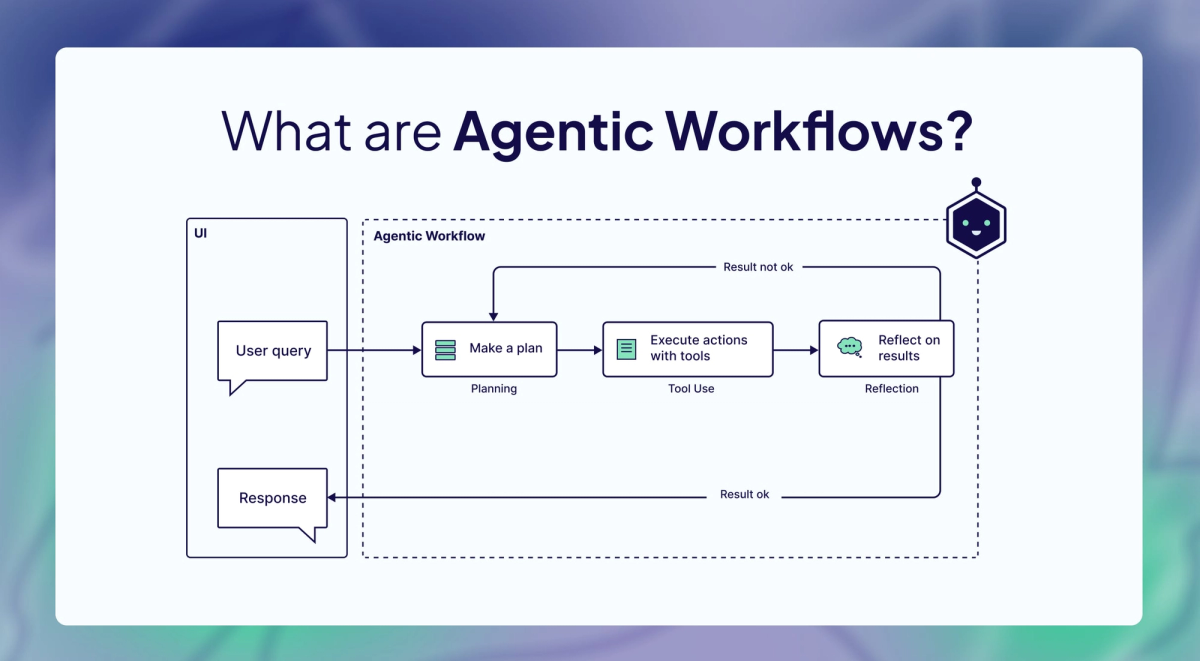
An AI coding agent is an autonomous system that plans, writes, tests, and debugs code based on natural language requirements. Unlike traditional code assistants that suggest snippets as you type, agents understand project context, make architectural decisions, and execute entire development workflows independently.
Think of it this way: [GitHub Copilot]https://github.com/features/copilot is like having a smart autocomplete—it suggests the next line. An agent is like having a junior developer who can take a feature description, understand your codebase, and implement it across multiple files while running tests to verify everything works.
Agent vs Assistant
The distinction matters for your workflow:
AI Assistants (GitHub Copilot, Tabnine):
- Suggest code as you type
- Require continuous human guidance
- Work within a single file context
- Best for: Line-by-line coding, quick snippets
AI Agents (GitHub Copilot coding agent, Claude Code, Verdent):
- Plan and execute multi-step tasks
- Work autonomously with minimal supervision
- Understand entire codebases
- Best for: Feature implementation, refactoring, test generation
Autonomy Levels
Not all agents are equally autonomous. Here's how they break down:
| Level | Description | Example Use Case | Tools |
|---|---|---|---|
| Autocomplete | Suggests next line based on context | Writing boilerplate code | GitHub Copilot, Tabnine |
| Interactive | Answers questions, generates code blocks | Debugging specific functions | ChatGPT, Claude chat |
| Agent (Basic) | Edits multiple files with approval | Feature implementation | Cursor Composer, Cline |
| Agent (Advanced) | Autonomous task execution with verification | Full workflow automation | Claude Code, Verdent,GitHub Copilot CLI |
In my testing, the jump from "Interactive" to "Agent (Basic)" is where the real productivity gains appear. Instead of copy-pasting suggestions, the agent directly modifies your files—you just review and approve.
How AI Coding Agents Work
Understanding the mechanics helps you use them effectively. Here's what happens under the hood:
Task Planning
When you give an agent a task like "Add user authentication to this API," it doesn't just start writing code. Modern agents follow a planning-execution-verification loop:
- Context Gathering: The agent analyzes your codebase structure, existing patterns, and dependencies
- Plan Generation: Creates a step-by-step implementation strategy
- Approval Gate: In tools like Cursor's Plan mode, you review before execution
- Incremental Execution: Implements changes file by file
- Verification: Runs tests and checks for regressions
Code Generation
Here's a practical example. Instead of describing implementation details:
# Traditional approach
"Write a function that validates email format, checks domain existence,
and returns appropriate error messages for each failure case"

# Agent approach (Cursor Composer)
"Add email validation to the signup endpoint"
The agent:
- Finds the signup endpoint
- Identifies the validation layer
- Implements regex validation + DNS lookup
- Adds appropriate error handling
- Updates tests
- Maintains your existing code style
This works because agents understand your project context—they read your entire codebase, not just the current file.
Verification Loop
The best agents don't just generate code—they verify it works:
# Example: Claude Code workflow
1. Agent generates authentication middleware
2. Runs existing test suite → 3 tests fail
3. Analyzes failure logs
4. Fixes implementation
5. Re-runs tests → all pass
6. Presents final diff for review
This self-correction capability is what separates 2026 agents from 2024 tools.
Top AI Coding Agents 2026
After testing 10+ tools on real projects, here are the ones that actually deliver:
1. Cursor (Best IDE Integration)
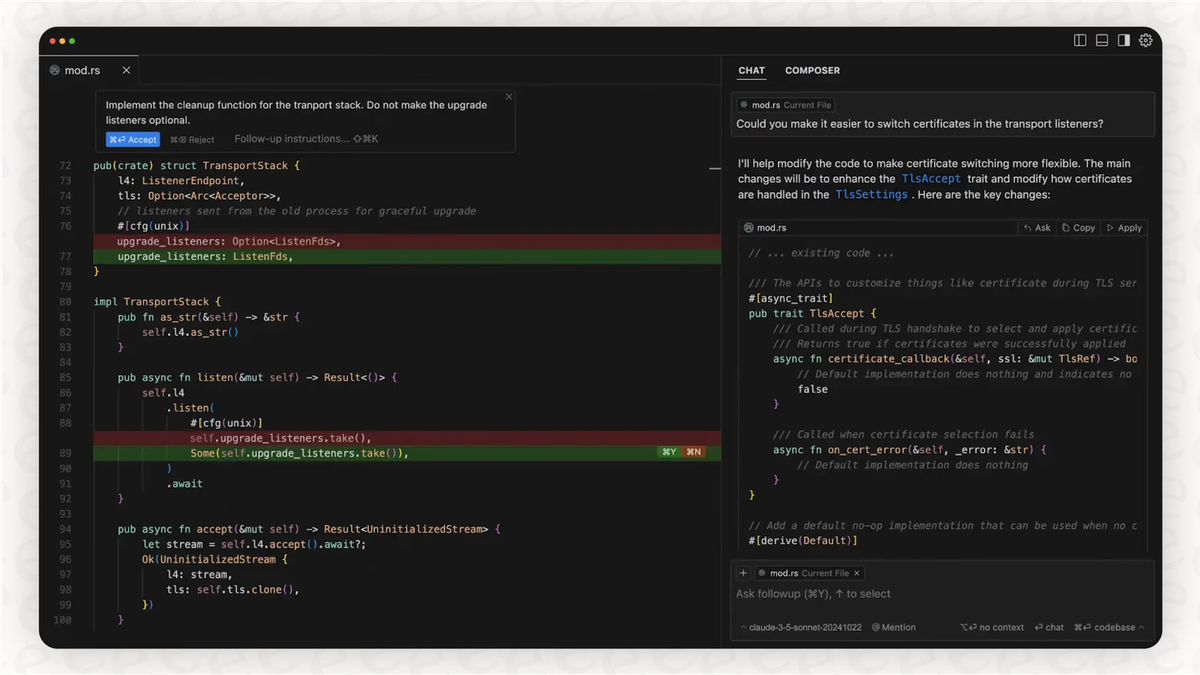
What it is: AI-native IDE built on VS Code with deep codebase awareness and autonomous agent modes.
Strengths:
- Seamless VS Code familiarity with import of extensions and keybindings
- Composer mode for multi-file refactors
- Custom Tab autocomplete model with 21% fewer suggestions but 28% higher acceptance
- Agent mode with cloud handoff for long-running tasks
Pricing: Free tier, $20/month Pro, ~$200/month Enterprise
Real-world use: During my last feature sprint, Cursor Agent handled a database schema migration across 47 files while I focused on API design. The diff review was clean—no hallucinations, consistent with our patterns.
2. Claude Code (Best for Autonomous Tasks)
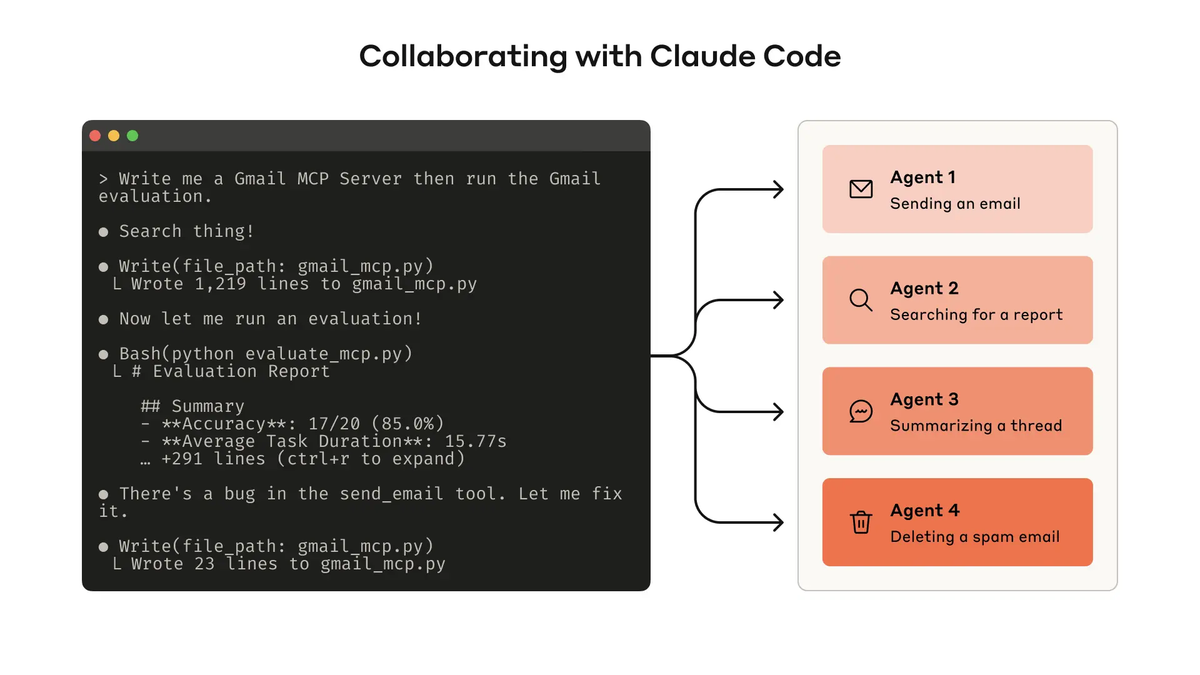
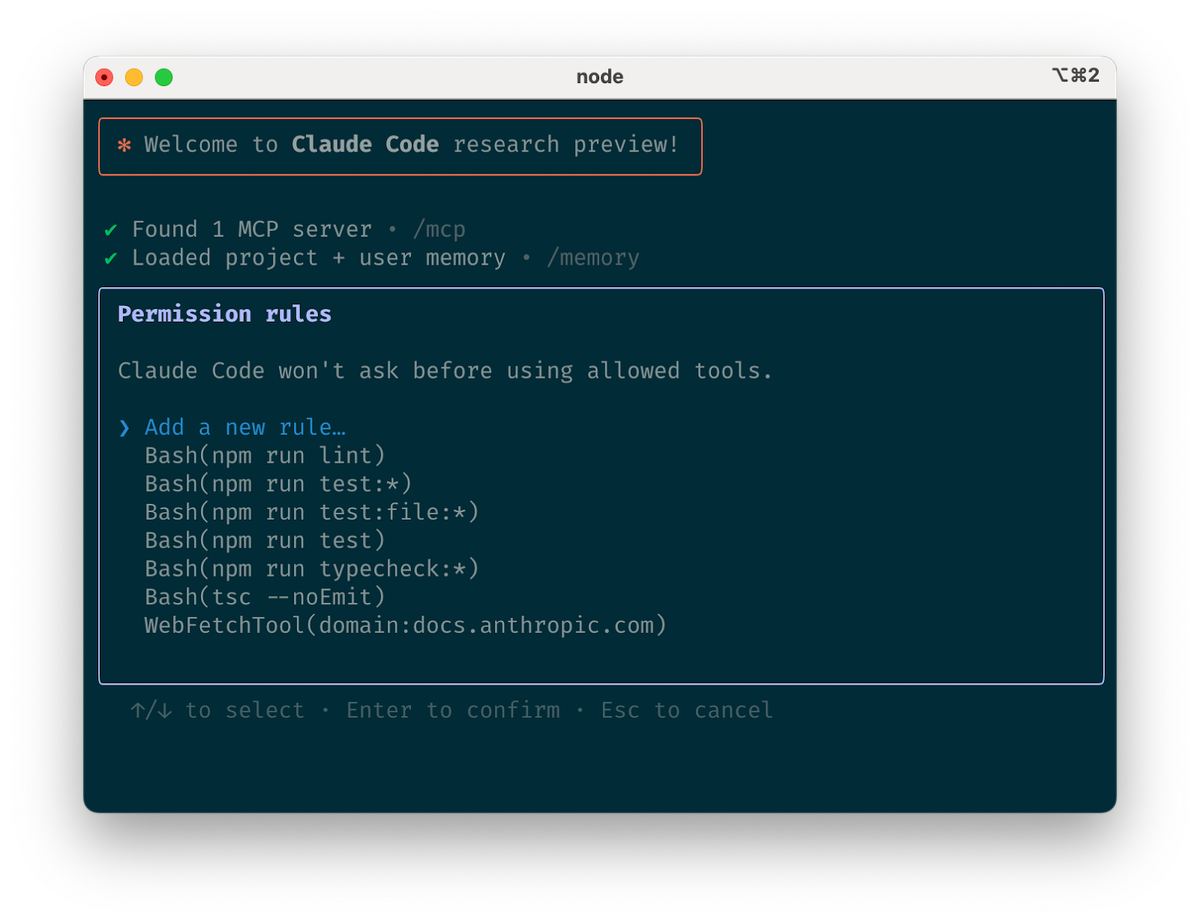
What it is: Terminal-first agentic coding assistant from Anthropic with advanced reasoning and autonomous execution.
Strengths:
- Operates directly in terminal, scriptable for CI/CD integration
- Advanced reasoning with Claude 4.5 models
- Can autonomously edit files, run commands, create git commits
- Recently added reusable skills and lifecycle hooks for structured workflows
Pricing: Shared with Claude.ai—$20/month Pro, $200/month Max for heavy usage
Real-world use: I used Claude Code to refactor 1,200 lines of legacy code while I reviewed architectural docs. It handled the entire workflow: analysis → refactor → test → commit, all without interrupting my focus.
3. Verdent (Best for Team Workflows)
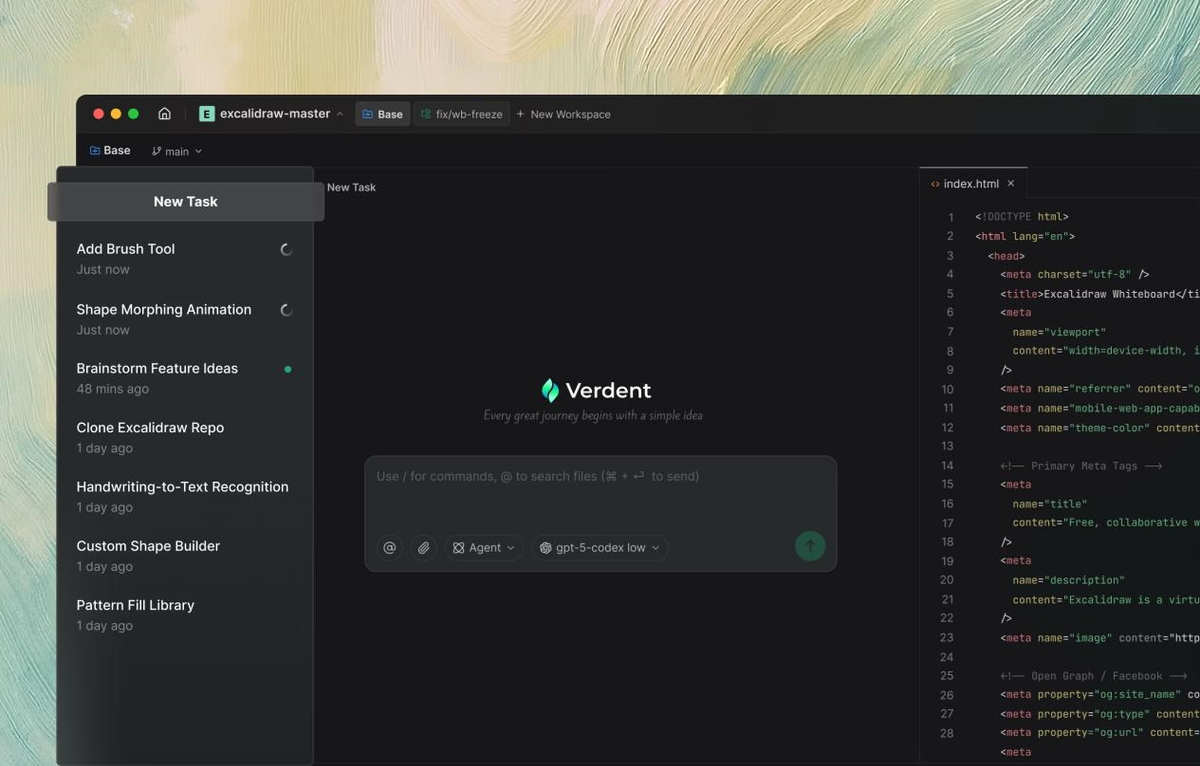
What it is: Multi-agent coding system designed for parallel execution with VS Code extension and standalone app.
Strengths:
- Coordinates multiple agents for parallel task execution
- Plan-code-verify development cycle with dedicated review sub-agents
- Direct VS Code integration with isolated git worktrees
- Strong SWE-bench Verified performance (see Benchmarks section)
Pricing: Free trial with credit-based usage
Real-world use: Perfect for complex features requiring parallel work. While one agent handles API endpoints, another generates tests, and a third updates documentation—all isolated to prevent conflicts.
4. GitHub Copilot (Best for Enterprise Integration)
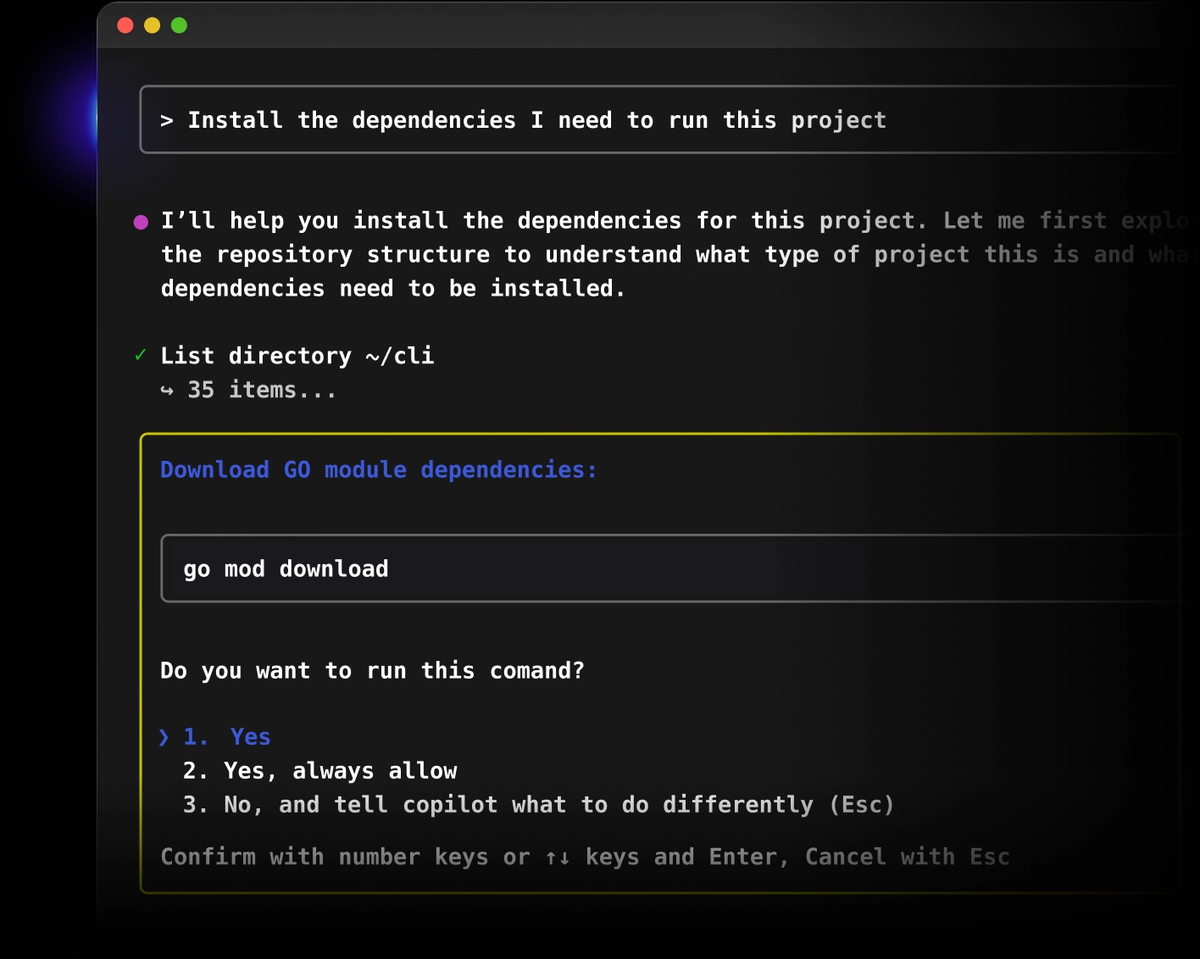
What it is: Industry-standard AI assistant with deep GitHub ecosystem integration and now including autonomous coding agent capabilities.
Strengths:
- Seamless integration with GitHub, VS Code, JetBrains
- Coding agent can autonomously handle issues and create PRs
- GitHub Copilot CLI for terminal-native agent workflows
- Enterprise compliance and security features
- $10/month individual, $19/month business tiers
When to use: If your team is already in the GitHub ecosystem and needs proven enterprise support.
Benchmark Comparison
Talk is cheap. Here's how these agents perform on standardized tests:
SWE-bench Verified Results (January 2026)
SWE-bench tests agents on 500 real GitHub issues from production repositories. Success means the agent's patch passes all tests without breaking existing functionality.
The official SWE-bench Verified leaderboard (as of January 2026) shows:
Key insight: Performance varies significantly based on agent scaffolding, not just the underlying model. The Princeton NLP SWE-bench repository provides the official evaluation framework and datasets.
| Model/Agent | SWE-bench Verified Score | Notes |
|---|---|---|
| Gemini 3 Flash | 76.20% | Leading performance |
| GPT 5.2 | 75.40% | Close second |
| Claude Opus 4.5 | 74.60% | Strong reasoning |
| Claude Sonnet 4.5 | ~60-65% | Common agent implementation |
SWE-bench Pro (More Challenging)
Scale AI's SWE-bench Pro introduces contamination-resistant tasks from GPL repositories. Performance drops sharply:
- Best performers: OpenAI GPT-5 (23.3%), Claude Opus 4.1 (23.1%)
- Why it matters: Shows that even frontier models struggle with truly novel, complex engineering tasks
- Takeaway: Agents excel at pattern-based work but still need human oversight for complex architecture
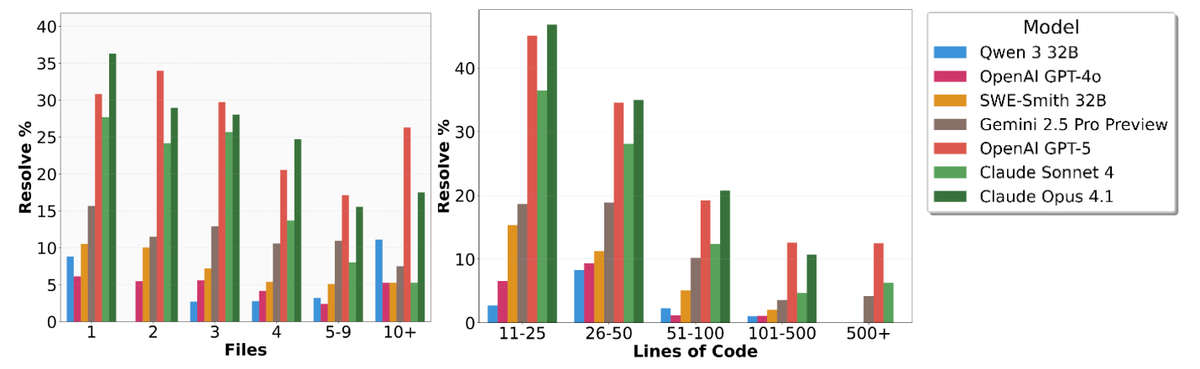
Real-World Accuracy
Beyond benchmarks, what matters is production quality. Testing shows:
- Claude Opus 4.5 Thinking generates correct and secure code 66% of the time with security prompts
- GPT-5 performance varies based on prompt engineering
- Critical point: All agents require code review and security scanning
As security experts note: developers need to treat AI-generated code as potentially vulnerable and follow a security testing and review process.
Security & Privacy
This is where many teams hit friction. Here's what actually matters:
Data Privacy Models
Cloud-based agents (most tools):
- Your code is sent to provider servers
- Subject to provider privacy policies
- Potential concern for regulated industries (finance, healthcare)
- Check: Does the provider offer enterprise agreements with data residency guarantees?
On-premise options (limited):
- Tabnine offers fully on-premise deployment
- Higher cost but complete data control
- Best for: Government, defense, heavily regulated sectors
Security Best Practices
NIST's AI Security guidance provides a framework for securing AI agent systems:
- Always include security prompts: Adding "prioritize security" to prompts improves secure code generation from 56% to 66%
- Run static analysis: AI-generated code requires the same security scanning as human code—use tools like SonarQube, Snyk, or Veracode
- Review agent actions: For autonomous agents, implement approval gates before critical operations:
# Example: Cursor Rules
require_approval:
  - file_deletion
  - dependency_changes
- database_migrations- Limit agent permissions: Agents should follow least-privilege principles with scoped access controls
- Monitor for prompt injection: Agents can be manipulated through malicious inputs—implement input validation and runtime checks
Enterprise Considerations
For production deployments, implement:
- Real-time protection during tool invocation
- Webhook-based runtime checks for agent actions
- Audit logs for all agent-executed operations
- Defense-in-depth approach combining traditional and AI-specific controls
The key: treat agents like team members with appropriate access controls, not unlimited automation.
Best Practices
After six months of daily agent use, here's what actually works:
Start with Clear Context
# ❌ Vague prompt
"Fix the user endpoint"

# ✅ Clear prompt
"In src/api/users.ts, the POST /users endpoint returns 500
when email validation fails. Update it to return 400 with
a clear error message matching our API error format in
src/types/errors.ts"
Why this matters: Getting good results requires extensive trial and error to understand which problems trip tools up. Specificity dramatically improves output quality.
Use Planning Modes
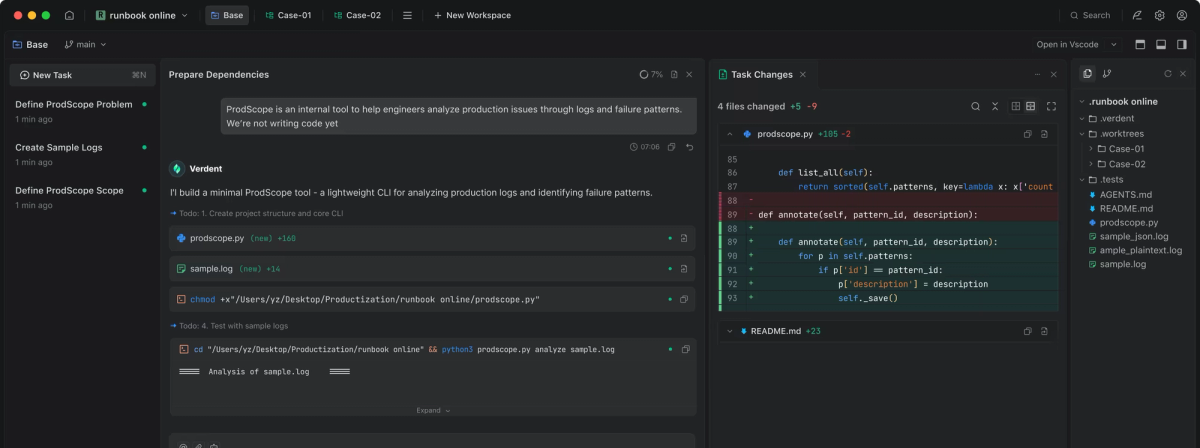
Tools like Cursor's Plan mode and Verdent's clarification mode let agents ask questions before coding:
Agent: "Should the email validation be case-sensitive?"
Agent: "Do we want to allow plus-addressing (user+tag@domain.com)?"
Agent: "Should failed attempts be logged for rate limiting?"
This 5-minute conversation prevents hours of rework.
Review, Don't Just Accept
Set up diff review workflows:
- Quick scan: Check file structure—are the right files changed?
- Logic review: Verify the implementation approach makes sense
- Edge cases: Look for error handling and validation
- Test coverage: Ensure tests exist and are meaningful
In my workflow, I reject about 20% of agent implementations—not because they're wrong, but because I spot better architectural approaches during review.
Combine Multiple Agents
Different agents excel at different tasks:
- Cursor: Interactive development, exploring approaches
- Claude Code: Large refactors, documentation generation
- Verdent: Parallel feature work with isolated contexts
- GitHub Copilot CLI: Terminal-native workflows
Many productive developers in 2026 use multiple tools strategically rather than picking one "best" option.
Manage Context Windows
Agents work best with focused scope:
# ❌ Too broad
"Refactor the entire authentication system"

# ✅ Scoped
"Step 1: Extract password validation into src/auth/validators.ts
Step 2: Add unit tests for the new module
Step 3: Update existing endpoints to use the new validator"
Breaking complex tasks into steps prevents context window overflow and improves quality.
Future Trends
Based on current trajectories and industry research:
1. Reasoning Models Dominate
Models with extended thinking capabilities (like Claude's Thinking mode) will become standard, enabling agents to tackle more complex architectural decisions with deeper analysis.
2. Multi-Agent Orchestration
Single agents will give way to specialized agent teams:
- One agent for planning and architecture
- Another for implementation
- A third for testing and verification
- A fourth for documentation
This mirrors human team structures and improves quality through specialization. GitHub Copilot CLI already supports specialized custom agents for tasks like Explore (codebase analysis) and Task (running commands).
3. Improved Context Management
Anthropic's latest updates show agents can now summarize key details when nearing context limits and invoke sub-agents for smaller tasks, creating effectively "infinite" context windows.
4. Formal Verification
MIT's Max Tegmark introduced "vericoding"—an approach where agents produce entirely bug-free code from natural language descriptions using formal verification. While still research-phase, this could revolutionize critical systems development.
5. Enterprise Security Maturation
AI-powered tools will become more prevalent in code review processes, automatically suggesting and implementing security fixes while integrating tighter security controls directly into agent workflows.
AI coding agents in 2026 have moved beyond hype into production-ready tools that genuinely change development workflows. The key is matching tools to your specific needs: Cursor for IDE-native work, Claude Code for terminal-first autonomy, GitHub Copilot for enterprise integration, and multi-agent platforms for parallel execution.
Success comes from treating agents as collaborative team members—provide clear context, leverage planning modes, and maintain rigorous code review. Start with focused tasks, establish security practices, and gradually expand as you build trust. The future isn't humans versus AI—it's developers who've learned to orchestrate agents effectively outpacing those who haven't.
FAQ
Q: Can AI coding agents write entire applications from scratch?
A: Yes, advanced agents like Cursor, Claude Code, GitHub Copilot coding agent, and Verdent can generate complete applications from natural language descriptions. However, quality varies—they excel at standard patterns but struggle with novel architecture or complex business logic. Best results come from iterative collaboration: you provide requirements and architectural guidance while the agent handles implementation.
Q: How do I choose between Cursor, Claude Code, and other agents?
A: Consider your workflow:
- Cursor: Best for visual learners who want to see changes in real-time within a familiar IDE
- Claude Code: Best for developers comfortable with terminal workflows who want true autonomous execution
- Verdent: Best for complex projects requiring parallel agent execution with isolated workspaces
- GitHub Copilot: Best for teams already in the GitHub ecosystem with enterprise compliance needs
Q: Are coding agents secure for enterprise use?
A: Enterprise-grade agents offer security features including on-premises deployment, code privacy controls, and compliance certifications. However, all AI-generated code requires security review, static analysis, and the same testing as human code. NIST recommends organizations implement runtime monitoring, input validation, and defense-in-depth approaches.
Q: What's the actual productivity gain from using coding agents?
A: Teams see 25-50% productivity gains for routine tasks. However, developers spend only 20-40% of their time coding—the rest is analysis, customer feedback, and administration. True efficiency requires applying AI across the entire development process.
Q: Do I need to learn new skills to use coding agents effectively?
A: Yes. "The learning curve for these tools is shallow but long." Developers must learn which problems agents handle well, how to craft effective prompts, and when to trust autonomous execution versus maintaining tight control. Most developers spend 2-3 months calibrating their workflows.
Q: Will coding agents replace developers?
A: No. Agents excel at routine implementation but human creativity remains essential for high-level design, innovation, and complex problem-solving. The role is shifting from writing every line of code to orchestrating AI agents and focusing on architecture. As one developer notes: now 90% of code is AI-generated—but that code still requires human architectural guidance and review.
Q: Can agents handle legacy codebases?
A: Modern agents like Cursor and Claude Code can analyze legacy code and make targeted improvements. However, they work best when you break down refactoring into focused tasks. Agents sometimes propagate existing vulnerabilities if not given explicit security guidelines. Always include security prompts and run comprehensive testing.