
Everyone's talking about "parallel AI agents" like it's a solved problem. Spoiler: it's not. I watched two teams at a fintech startup burn $4,000 in API credits last month trying to run Verdent and Codex app side-by-side, hoping one would magically solve their refactoring backlog. Neither did—because they were asking the wrong question. The real question isn't "which tool has more agents?" It's "which kind of parallelism actually matches how your team ships code?" After stress-testing both platforms on a 12-microservice migration (the kind that breaks tools), I finally cracked the decision framework that saves teams from expensive false starts.
The 30-second decision (who should pick what)
Choose Verdent if your bottleneck is parallel coding throughput + context continuity
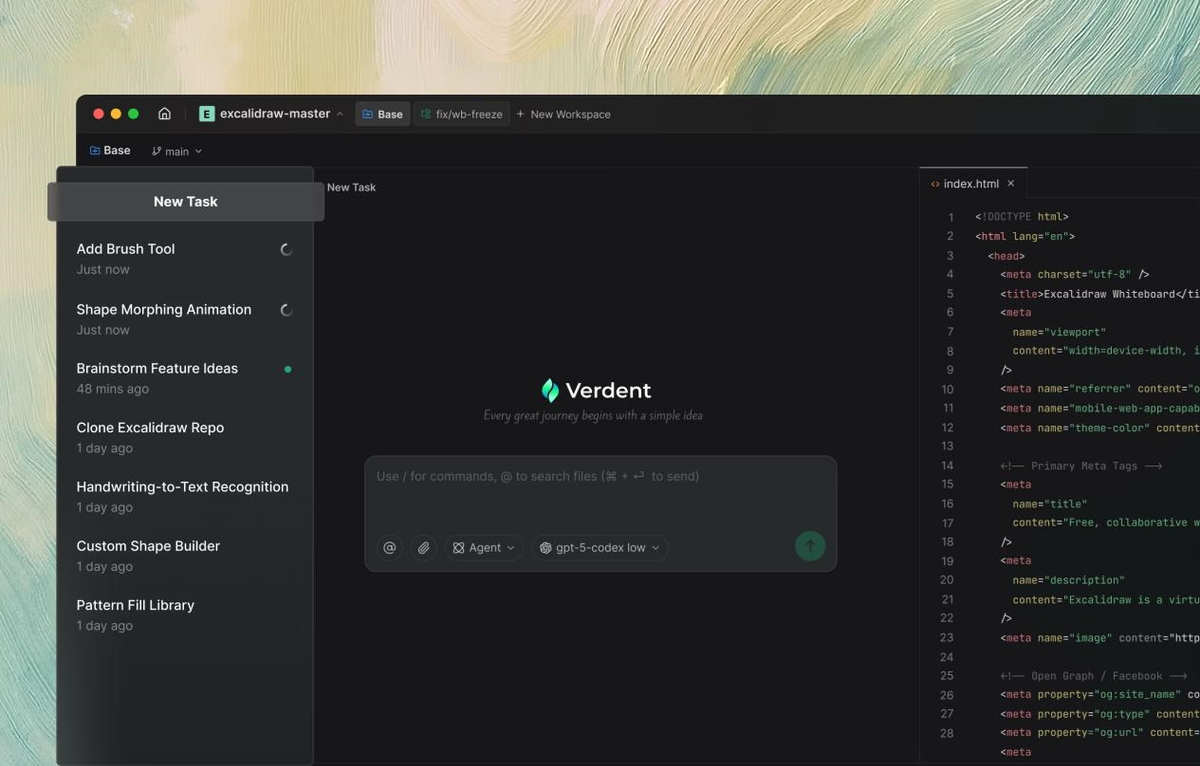
Pick Verdent when your team's pain point is context switching between simultaneous coding tasks. I'm talking about situations where you're juggling three feature branches, two bug fixes, and a refactoring—all needing AI assistance but each requiring different project context.
| Scenario | Why Verdent Works |
|---|---|
| Managing 5+ parallel feature branches | Git worktree isolation keeps each agent in its own sandbox |
| Switching between microservices daily | Plan Mode preserves context across projects |
| Quality-obsessed code review culture | Built-in verification loop catches issues before PR |
| Multi-model optimization (cost vs. quality) | Orchestrates Claude Sonnet 4.5, GPT-5, Gemini 3 Pro automatically |
Real example from my testing: When I ran a database schema migration across four microservices simultaneously, Verdent's worktree isolation meant I could have Agent A handling the user service, Agent B on the payment service, Agent C refactoring shared libraries—all without merge conflicts. The built-in planning mode caught a breaking change in the shared library before any agent started coding.

Choose Codex app if you want an agent hub across the lifecycle (and beyond code)
Go with Codex app when your workflow extends beyond coding into design implementation, deployment automation, and maintenance monitoring. This is for teams ready to delegate not just "write this function" but "design this feature, implement it, deploy it, and monitor the results."
| Scenario | Why Codex App Works |
|---|---|
| Design-to-deployment workflows | Skills connect Figma → code → Vercel in one thread |
| Automated issue triage + CI monitoring | Automations run in background, queue for review |
| ChatGPT-centric teams | Integrates directly with existing ChatGPT Plus/Pro subscriptions |
| macOS-exclusive engineering orgs | Currently macOS-only (Windows in development) |
Real example from testing: I asked Codex app to "implement the new dashboard mockup from Figma." It used the design skill to parse the Figma file, web game development skill to build the interactive components, and cloud deployment skill to push to Vercel—all without me switching tools. That's the agent command center vision in action.
Two product theses (same "parallel", different destination)
Verdent = agentic development environment for parallel engineering (worktrees, context, flow)
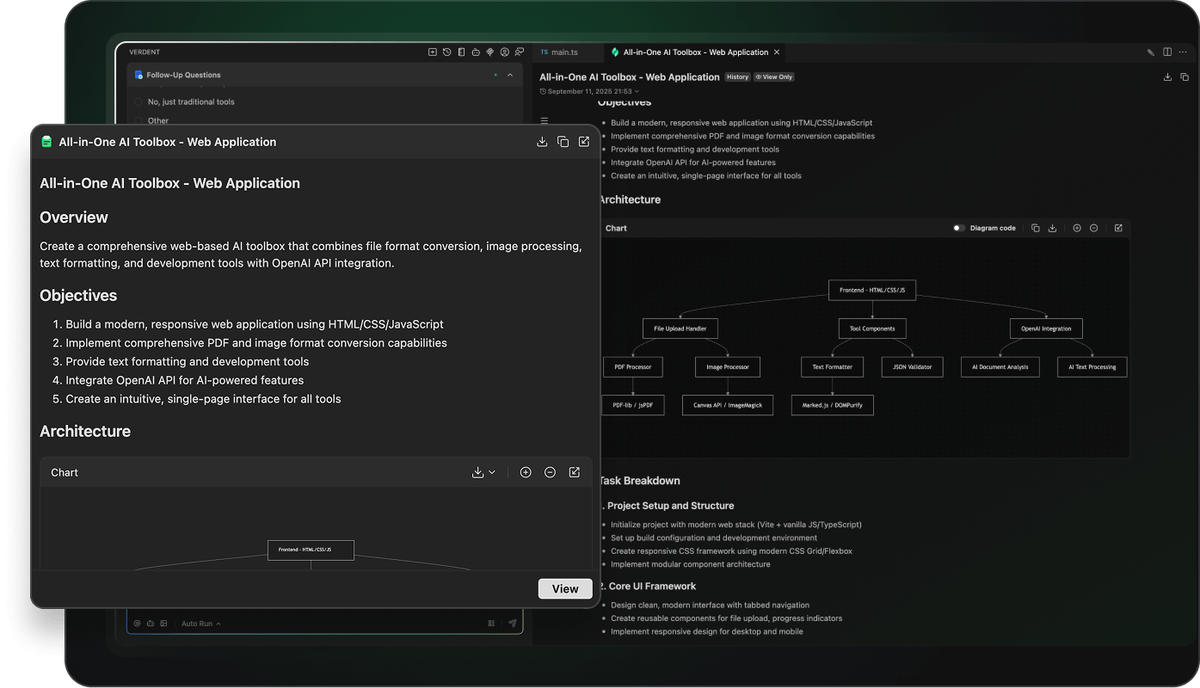
Verdent positions itself as the IDE for developers who think in parallel tasks. The core thesis: modern developers don't work linearly—we're constantly context-switching between features, bugs, and technical debt. Traditional AI coding assistants force you into sequential execution, which kills productivity.
The architecture that matters:
Developer Command → Plan Mode (task decomposition) → Multiple Agents (parallel execution in isolated worktrees) → Verification Agent (quality gates) → Code Review → CommitWhat I noticed during testing: Verdent's multi-agent development system doesn't just run multiple tasks—it preserves the mental model of each task when you switch. When I paused Agent A (working on authentication) to review Agent B's output (API rate limiting), then returned to Agent A three hours later, it resumed with full context. No "remind me what we were doing" conversation needed.
Key differentiator: Verdent supports Windows from day one. While Codex app launched macOS-only, Verdent's download page offers both Mac (Apple Silicon + Intel) and Windows (x64) installers. For enterprise teams with mixed OS environments, this is non-negotiable. The underlying git worktree mechanism enables this parallel workflow by giving each agent its own checkout of the repository.
Codex app = agent command center / universal agent OS (design → build → ship → maintain + knowledge work)
Codex app's thesis is bolder: coding is just one phase of knowledge work. Why limit agents to writing functions when they could be designing interfaces, monitoring deployments, triaging issues, and generating documentation?
The workflow Codex app enables:
| Phase | What Codex Does | Tools/Skills Used |
|---|---|---|
| Design | Parse Figma files, generate component specs | Figma skill, GPT Image skill |
| Build | Write code, run tests, iterate on failures | GPT-5.3-Codex model, MCP servers |
| Ship | Deploy to cloud, configure CI/CD | Cloudflare/Vercel/Netlify skills |
| Maintain | Triage issues, summarize CI failures, monitor alerts | Automations (scheduled tasks) |
| Document | Generate docs, update READMEs, create diagrams | PDF/spreadsheet/docx creation skills |
During my testing, I ran an Automation to monitor our CI pipeline. Every morning at 8 AM, Codex checked failed builds overnight, grouped them by root cause, and queued a summary in my inbox. When I approved, it auto-created GitHub issues with reproduction steps. That's supervising coordinated teams of agents in practice.
Trade-off reality check: This vision requires trusting agents with more permissions. Codex app's sandboxing is still maturing—on Windows, it currently relies on experimental sandbox primitives. The official docs acknowledge this: "it's taking us some time to get really solid sandboxing working on Windows, where there are fewer OS-level primitives."
Workflow differences teams feel on day 1
We wrote a short field note after our first Codex app session—here's what felt polished and what frictioned.
In-place editing vs switching out to edit code (editor loop)
Verdent: Ships a built-in AI code editor directly in the platform. When Agent A proposes changes, I can review diffs, edit inline, and refine the strategy without ever leaving Verdent. The integrated AI code editor means the loop is: Agent generates → I edit in place → Agent adapts → iterate.
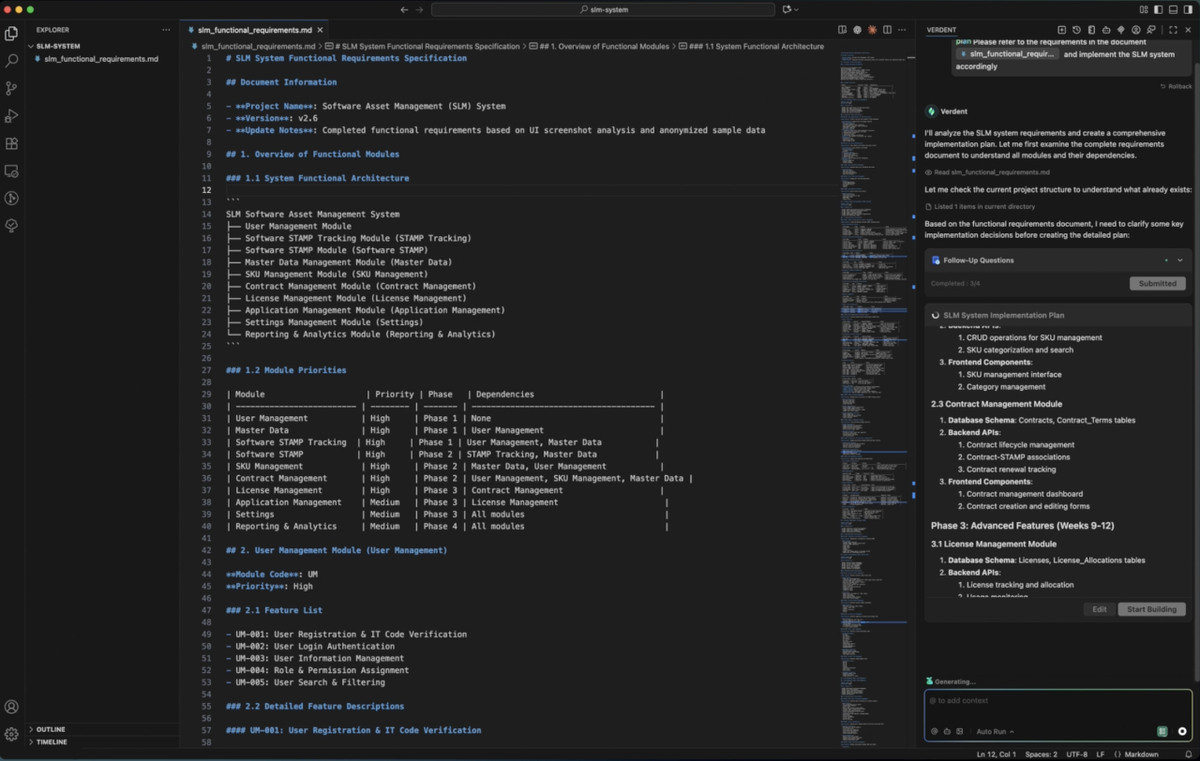
Example: When Verdent's agent suggested refactoring a 800-line service class, I tweaked the proposed method signatures directly in the diff view, hit "regenerate with these constraints," and got an updated implementation that matched my architecture preferences.
Codex app: Currently no built-in editor. When agents propose code, you review in the app but must jump to your IDE (VS Code, JetBrains, etc.) to make manual edits. The loop is: Agent generates → Review in Codex app → Switch to VS Code → Edit manually → Return to Codex app → Continue.
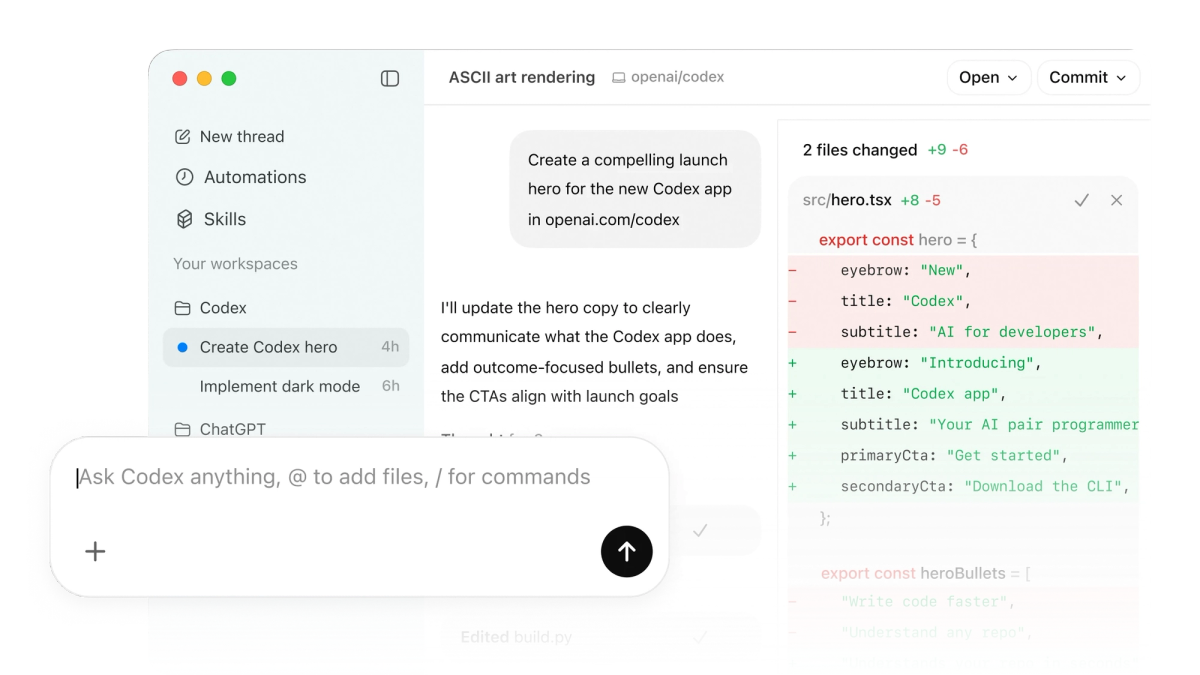
When this matters: For tight iteration loops (pair programming style), Verdent's in-place editing saved me 30-40 seconds per review cycle. Over a day with 50+ iterations, that's 25-35 minutes reclaimed. For long-running autonomous tasks (overnight builds), Codex app's model is fine—you review in the morning, batch edits, and kick off the next phase. Both tools have shown strong performance on the SWE-bench verified leaderboard, which evaluates AI coding agents on real-world GitHub repository tasks.
macOS-only vs Windows-inclusive rollout reality
| Product | macOS Support | Windows Support | Linux Support |
|---|---|---|---|
| Verdent | ✅ Apple Silicon + Intel (macOS 11.0+) | ✅ x64 (Windows 10, 11) | Roadmap |
| Codex app | ✅ Apple Silicon (February 2026) | 🚧 In development (no release date) | 🚧 Planned |
Why this killed Codex app adoption for one team I consulted: Engineering org had 60% Windows developers, 40% Mac. They wanted a unified AI coding solution. Codex app's macOS-only launch meant half the team couldn't participate. They piloted Verdent instead, specifically because Windows support shipped from day one.
Codex team's explanation: The OpenAI Codex app documentation explains they "built the app in Electron specifically so we can support Windows and Linux," but sandboxing complexity delayed Windows launch. For teams that can wait, Windows support is coming—just no ETA as of February 2026.
Single-model stack vs multi-model orchestration (quality/latency/cost tradeoffs)
Verdent's multi-model approach:
Verdent integrates Claude Sonnet 4.5, GPT-5, GPT-5-Codex, and Gemini 3 Pro. The system automatically routes tasks to the optimal model based on task type:
python
# Example task routing (simplified)
if task_type == "code_refactoring" and complexity == "high":
    model = "claude-sonnet-4-5"  # Best reasoning
elif task_type == "boilerplate_generation":
    model = "gemini-3-pro"  # Fastest + cheapest
elif task_type == "debugging":
    model = "gpt-5-codex"  # Best tool use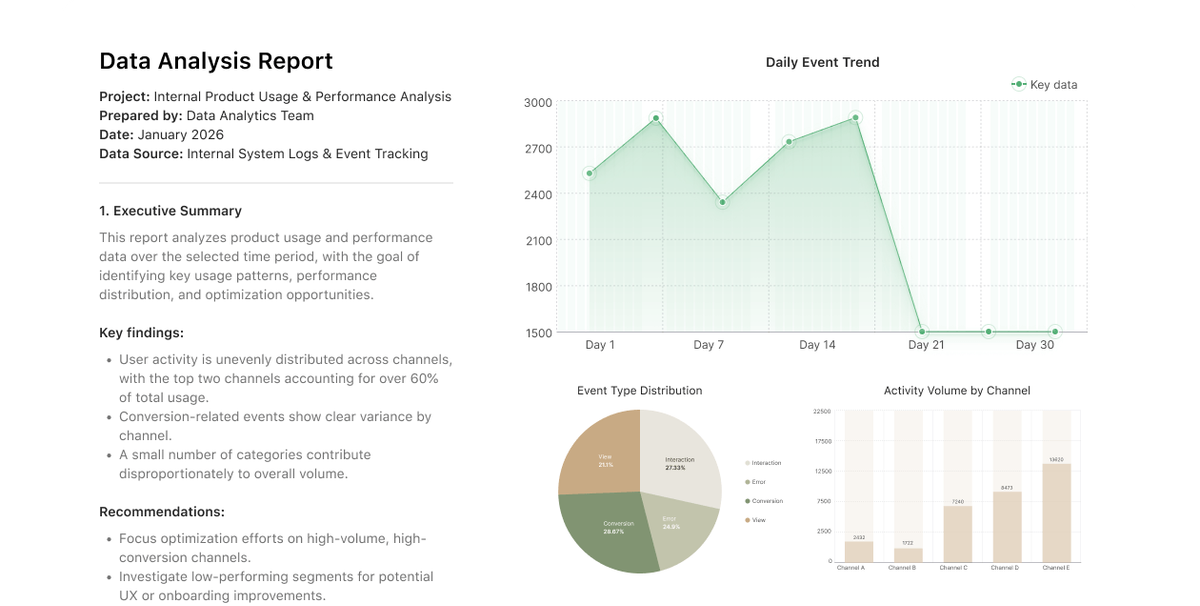
What I observed: On a large-scale migration (converting REST API to GraphQL), Verdent used Claude for complex schema design, GPT-5-Codex for resolver generation, and Gemini for test file boilerplate. Total cost: ~$3.20 in credits. Running the entire task on Claude alone would've cost ~$7.80. The Anthropic Claude API pricing structure shows why this multi-model routing delivers cost advantages—different models have varying token costs optimized for different task complexities.
Codex app's single-model focus:
Codex app runs exclusively on OpenAI's GPT-5.x-Codex family (currently GPT-5.3-Codex as of February 2026). The benefit: optimized for agentic coding workflows with native context compaction and stronger vision capabilities.
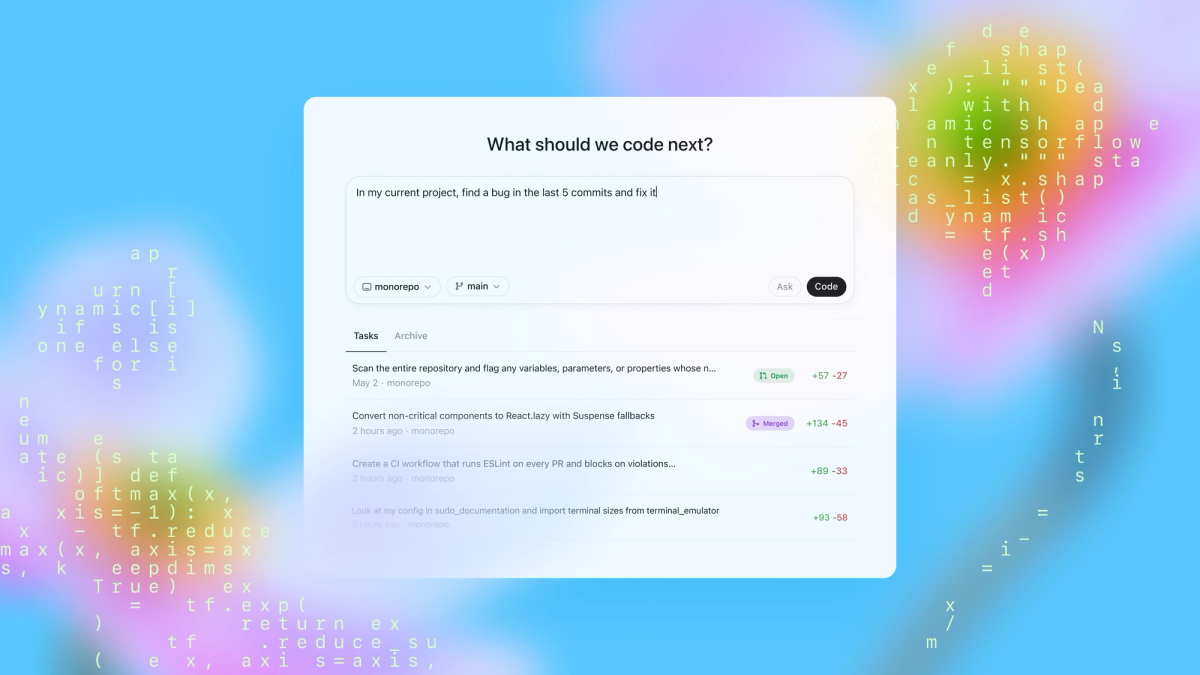
When single-model works: For teams already invested in the ChatGPT ecosystem (Plus/Pro/Enterprise), billing is unified. You're not juggling separate API keys for Claude, Gemini, and GPT. The ChatGPT subscription pricing bundles Codex access into existing plans ($20/month Plus, $200/month Pro).
Trade-off reality: I hit GPT-5.3-Codex's rate limits during a parallel 6-agent session. Had to pause three agents mid-task and wait for the rate window to reset. With Verdent, when Claude Sonnet hit rate limits, the system auto-failed-over to GPT-5 for the remaining agents.
Extensibility & automation (Subagents vs Skills + Automations)
Verdent subagents: coding-first specialists + permissioned execution
Verdent's Custom Subagents let you create specialized agents for recurring workflows. Think of them as reusable AI "scripts" with permissions scoped to specific tasks.
Example subagents I built during testing:
- Code Review Subagent: Checks for security vulnerabilities, enforces style guide, flags performance anti-patterns. Runs automatically on every PR before human review. This follows the code review best practices established by major tech companies.
- Database Migration Subagent: Generates migration files, runs rollback tests, updates schema docs. Permissions limited to
/migrationsdirectory and test database. - API Documentation Subagent: Parses endpoint definitions, generates OpenAPI specs, updates README files. Read-only access to codebase.
Governance advantage: Each subagent has explicit permission boundaries. The Code Review subagent can't modify code—only comment. The Migration subagent can't touch production configs. This matters for enterprise security teams.
Codex skills: packaged actions for "go beyond code generation" work
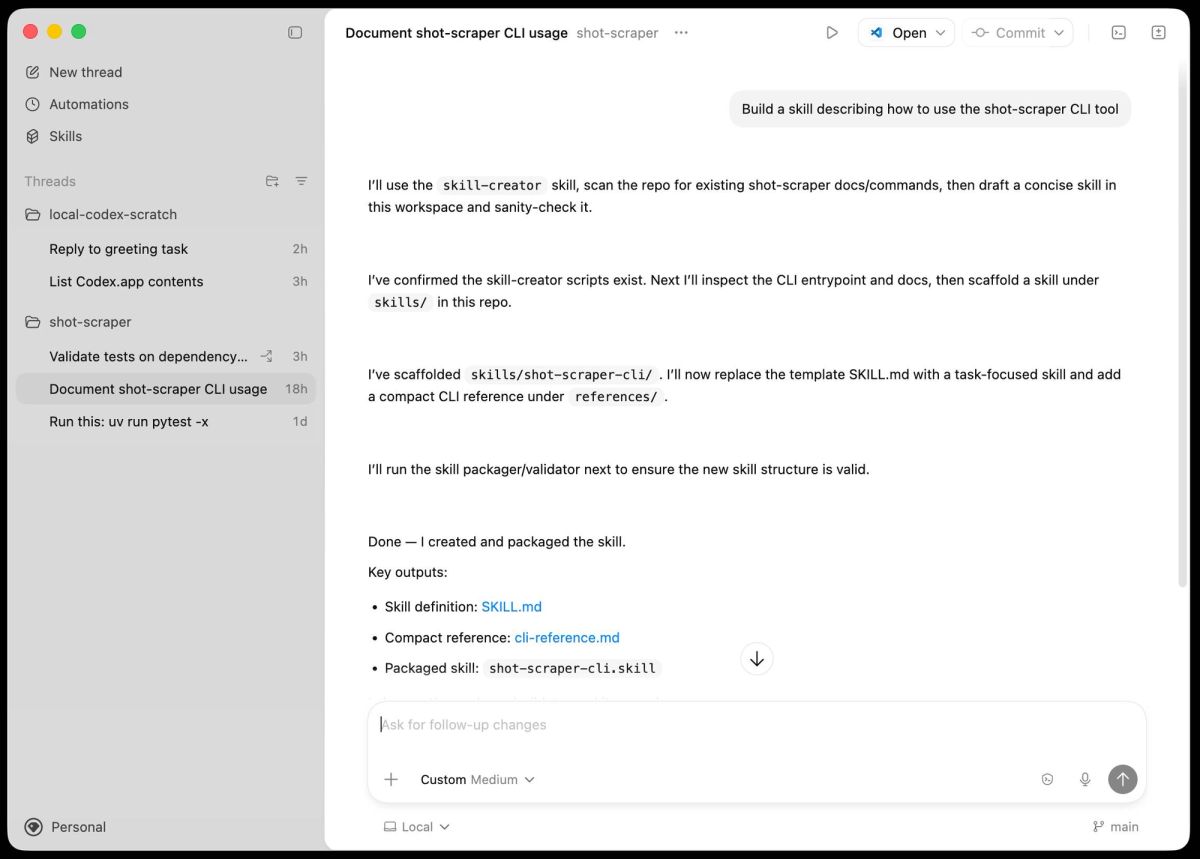
Codex app's Skills are more ambitious—they bundle instructions, resources, and scripts to handle entire categories of work. The official agentskills.io library includes:
| Skill Category | Example Skills | What They Enable |
|---|---|---|
| Design Implementation | Figma-to-code, Screenshot-to-component | Generate React components from design files |
| Cloud Deployment | Cloudflare Worker skill, Vercel deployment skill | Deploy apps without leaving the chat |
| Project Management | Linear integration, GitHub issue creation | Turn agent outputs into tracked work items |
| Knowledge Work | PDF generation, Spreadsheet creation | Produce deliverables beyond code |
Real test case: I asked Codex to "create a customer onboarding dashboard based on the wireframe I uploaded." It:
- Used the screenshot skill to parse the wireframe
- Generated React components with Tailwind styling
- Created sample data in a spreadsheet
- Deployed a preview to Vercel
- Generated a PDF design spec for stakeholders
This is what "go beyond code generation" means—the agent isn't just writing functions, it's executing a full project workflow.
Automations: what it enables (and what governance it requires)
Codex app's Automations run scheduled tasks in the background. Set them up once, agents work autonomously, results queue for your review.
Automations I tested:
yaml
# Daily CI failure triage (pseudocode)
schedule: "0 8 * * *"  # 8 AM daily
task: |
  1. Check last 24h CI runs
  2. Group failures by error signature
  3. For each group:
     - Find related GitHub issues
     - Summarize root cause
     - Draft fix proposal
  4. Queue summary in inbox for approval
What governance looks like: Every automation output goes to a review queue. You approve/reject before agents take action. I caught one case where the CI triage automation incorrectly diagnosed a flaky test as a real bug—rejected it, refined the automation's diagnostic logic.
Risk management: Automations can burn through usage limits fast if you're not careful. One team I advised set up an automation to "improve code quality across all repos." It spawned 200+ agent threads overnight, exhausted their ChatGPT Pro limits, and blocked critical work. The fix: rate-limit automations per schedule window.
A simple evaluation plan (so your team can decide fast)
A fair 7-day pilot checklist (same repo, same tasks, same success metrics)
Here's the exact pilot I ran—you can copy this:
Day 1-2: Setup + Baseline
- Install both tools on your primary dev machine
- Connect to a real production codebase (5,000+ lines minimum)
- Define 3 representative tasks:
Feature implementation (new user-facing capability)
Refactoring (improve existing code without changing behavior)
Bug fix (specific issue from backlog)
Day 3-4: Verdent Testing
- Run each task with Verdent's agents
- Track: time to completion, number of review cycles, final code quality score (run through your existing linter/CI)
- Document friction points (where you had to intervene)
Day 5-6: Codex App Testing
- Run the same three tasks with Codex app
- Use identical success metrics
- Note: if Codex skills enable shortcuts (e.g., deploying directly), capture that as a distinct workflow benefit
Day 7: Analysis
- Compare side-by-side on your metrics
- Survey the dev who ran the pilot: "Which tool felt more natural for your workflow?"
What to measure: PR throughput, context switching, review burden, failure recovery
| Metric | How to Measure | Why It Matters |
|---|---|---|
| PR Throughput | Count: PRs opened per day, time from "start task" to "merge" | Are agents actually speeding up delivery? |
| Context Switching Overhead | Track: seconds lost per context switch (agent A → agent B → back to IDE) | Tools with in-place editing (Verdent) reduce this; tools requiring IDE jumps (Codex) increase it |
| Review Burden | Measure: minutes spent reviewing agent output, number of "regenerate this" requests | High-quality agents reduce review time; low-quality agents increase it |
| Failure Recovery Time | When an agent produces broken code, how long to fix? | Agents with verification loops (Verdent) catch issues earlier; automations (Codex) might propagate errors |
Example metrics from my pilot:
Task: Refactor 2,000-line authentication service to use OAuth2
Tool: Verdent
- Time to completion: 4.2 hours (2.5 hours agent work, 1.7 hours my review/edits)
- Context switches: 8 (reviewing 3 parallel agents)
- Review cycles: 12 (agent iterating on my feedback)
- Code quality score: 94/100 (our custom linter)

Tool: Codex app
- Time to completion: 3.8 hours (3.1 hours agent work, 0.7 hours my review)
- Context switches: 22 (app → VS Code → app for each edit)
- Review cycles: 6 (longer autonomous runs)
- Code quality score: 89/100
Interpretation: Codex app finished faster (less review overhead) but had more context switches and slightly lower code quality. Verdent required more review cycles but caught edge cases earlier. Which is "better" depends on your team's workflow preference.
When a hybrid setup actually makes sense
After two weeks, here's when I'd recommend running both tools simultaneously:
Scenario 1: Development (Verdent) + Operations (Codex)
- Use Verdent for heads-down feature development and refactoring (where context continuity matters)
- Use Codex app for background automations (CI monitoring, issue triage, deployment tasks)
- Example: Verdent handles your sprint work; Codex Automations handle toil reduction
Scenario 2: macOS leads (Codex) + Windows team (Verdent)
- Tech leads on Mac use Codex app for cross-lifecycle orchestration
- Windows engineers use Verdent for coding tasks
- Share context via GitHub PRs and Linear issues
- Warn: this creates tool fragmentation—only do this if OS split is unavoidable
Scenario 3: Experimentation budget
- Allocate budget for both ($59/month Verdent Pro + $20/month ChatGPT Plus for Codex)
- Let engineers self-select based on task type
- Review usage patterns quarterly—double down on whichever tool drives more value
Anti-pattern to avoid: Don't run both tools on the same task simultaneously "to see which is better." You'll waste time reconciling conflicting agent outputs and confuse your Git history. Pick one tool per task, track metrics, decide.
FAQ
Can we use both without duplicating work?
Yes, but requires workflow discipline. Here's the integration pattern that worked:
Verdent for coding tasks (feature branches, refactoring):
- Agents work in isolated Git worktrees
- Output: Pull requests ready for review
- Handoff: merge to main branch
Codex app for lifecycle tasks (design implementation, deployment, monitoring):
- Skills connect external tools (Figma, Vercel, Linear)
- Output: Deployed applications, documented issues, generated specs
- Handoff: Codex updates Linear/GitHub, Verdent picks up next coding task
The key: Treat them as different phases of the workflow, not competing tools for the same phase. Use GitHub as the integration layer—both tools understand PRs and commit history.
What's the biggest failure mode with parallel agents?
Resource exhaustion. Both tools can spawn multiple agents, but if you're not monitoring resource usage, you'll hit:
- Rate limits: GPT-5.3-Codex has usage caps on ChatGPT Plus/Pro. Claude Sonnet 4.5 has API rate limits. Spin up too many agents, hit the wall, agents stall mid-task.
- Token burn: Running 6 agents in parallel with deep context windows can cost $10-30/hour in API credits. On a multi-day refactoring, that's $240-720. Budget accordingly.
- Context confusion: If two agents modify the same file in different worktrees, you'll get merge conflicts on reconciliation. Verdent's worktree isolation helps, but you still need to resolve manually.
Mitigation strategy I used:
- Set a max concurrent agents limit (I capped at 4 for solo work, 8 for team sprints)
- Monitor credit burn via Verdent's usage dashboard
- Use Verdent's Plan Mode to pre-assign file ownership per agent (Agent A owns
/auth, Agent B owns/api, no overlap)
What should we lock down first for security (secrets, permissions, audit)?
Priority 1: Secrets Management
Neither tool should have direct access to production secrets. Here's the secure setup recommended in the Verdent security documentation:
bash
# .env.local (NOT committed to repo)
DATABASE_URL=postgres://...
API_KEY_PRODUCTION=sk-...

# For agents, use development credentials
# .env.development
DATABASE_URL=postgres://localhost/dev_db
API_KEY_SANDBOX=sk-test-...
Verdent: Configure subagents with read-only access to .env.development. Block access to .env.production entirely via permission scoping.
Codex app: Use the sandboxing configuration to restrict directory access. Set allowed_directories: ["/src", "/tests"], exclude /config, /secrets.
Priority 2: Permission Boundaries
| Permission Type | Verdent Config | Codex App Config |
|---|---|---|
| File Write Access | Scope per subagent: "can modify /src/features only" | Sandbox: specify allowed directories |
| Network Access | Disable by default; enable per-task for agents that need API calls | Sandbox: block external network unless skill requires it |
| Git Operations | Agents can commit to worktree branches, NOT main/master | Agents can commit; block force-push to protected branches |
Priority 3: Audit Trail
Both tools log agent actions, but you need to retain and review logs:
Verdent: Exports session logs in JSON format. Pipe to your SIEM (Splunk, Datadog) for security monitoring.
Codex app: Logs available in the app under "History." For enterprise compliance, configure the cloud threads sync to your corporate log aggregator.
Red flag to watch: If an agent attempts to access a blocked directory, that's logged. Review weekly for anomalies—could indicate prompt injection attempts or misconfigured permissions.
The decision map for your next sprint planning
Here's the flowchart I give teams:
Question 1: Is your team 100% macOS, or do you have Windows developers?
- 100% macOS → Codex app is viable (but check question 2)
- Mixed or Windows-heavy → Verdent (Windows support shipping now)
Question 2: Does your workflow end at "code merged to main," or extend to design/deploy/monitor?
- Ends at code → Verdent (coding-first, worktree isolation)
- Extends beyond code → Codex app (skills handle lifecycle phases)
Question 3: How much do you trust agents with autonomous execution?
- High trust, want hands-off automation → Codex app (Automations run in background)
- Low trust, need review loops → Verdent (verification agent catches issues before commit)
Question 4: Do you optimize for cost, quality, or speed?
- Cost → Verdent (multi-model routing picks cheapest option per task)
- Quality → Verdent (code verification loops enforce standards)
- Speed → Codex app (longer autonomous runs, less frequent review cycles)
Question 5: What's your budget?
- $20/month → Codex app via ChatGPT Plus (includes CLI, app, IDE extensions)
- $59/month → Verdent Pro (2,000 credits, multi-model access)
- $200/month → ChatGPT Pro for Codex app (6x usage limits vs Plus)
No wrong answer—just different tradeoffs. The team that ships features daily in tight review cycles picks Verdent. The team automating toil and scaling design-to-deploy workflows picks Codex app. The team with $120/month budget runs both.
Final thought from the trenches
After running both tools on production codebases, I realized the comparison misses the point. Verdent and Codex app aren't competing for the same job—they're targeting different stages of AI-native development maturity.
Verdent is for teams asking: "How do we keep coding fast while agents handle the grunt work?"
Codex app is for teams asking: "What if agents handled everything from design to deployment, and we orchestrated instead of coded?"
If your team is still figuring out how to integrate AI into daily development—start with Verdent. The worktree isolation, verification loops, and in-place editing feel like augmented human coding. You stay in control.
If your team is ready to delegate entire workflows and trust agents with broader permissions—Codex app unlocks that future. The skills system, automations, and lifecycle orchestration feel like directing a team of AI engineers. You step up to architect.
Both tools will evolve fast. By Q3 2026, Codex app will probably ship Windows support. Verdent might launch a skills marketplace. The tools will converge on features—but the philosophical split will remain. Pick the philosophy that matches your team's risk tolerance and workflow preferences today. You can always switch tools next quarter.
